




















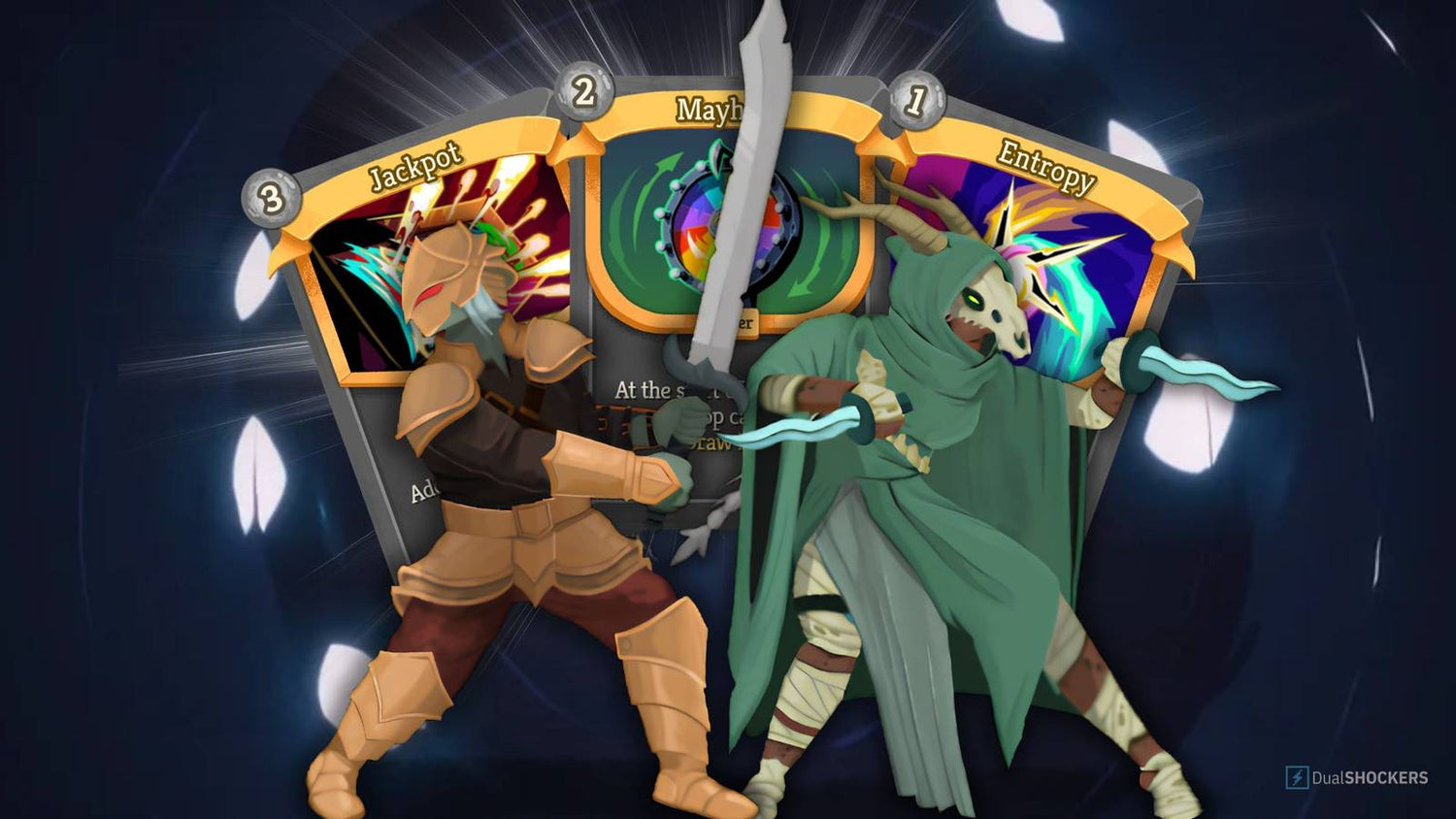
Slay the Spire 2 Unpredictability Shows Why the Right Gaming PC in Canada Matters More Than Ever
Slay the Spire 2 unpredictability is a big part of what makes the game so addictive, so replayable, and so easy to lose hours in without noticing. The source article highlights that perfectly: every run can change based on starting choices, card rewards, relics, events, elites, bosses, and even act variations. For PC gamers in Canada, that matters for more than just strategy talk. It raises a practical question too: if you are planning to dive into games built around endless replayability, scaling systems, and long sessions, is your current system actually ready for the experience you want?
That is where Groovy Computers comes in. A game like Slay the Spire 2 may not be the same kind of hardware stress test as a massive open-world ray tracing showcase, but it still represents a broader trend in PC gaming: players are buying for longevity, responsiveness, multitasking, streaming potential, and future game readiness, not just minimum requirements. If your next purchase needs to handle card battlers today, competitive games tomorrow, and maybe content creation or streaming on the side, choosing the right custom build matters.
The real takeaway is not just that Slay the Spire 2 feels fresh. It is that modern PC gamers increasingly want a machine that feels fresh for years. Do you want a budget gaming computer that handles strategy titles smoothly at 1080p? Are you aiming for a stronger 1440p gaming setup that also supports OBS, Discord, browser tabs, and recording? Or are you buying with a wider plan in mind, such as streaming, editing clips, designing thumbnails, or building a creator workflow without upgrading again too soon?
What the Source Article Gets Right About Slay the Spire 2
The source article focuses on ten mechanics that make every run feel unpredictable, and that analysis is useful because it explains why certain games stay in your rotation for months or years. Slay the Spire 2 does not rely on a single gimmick. It layers variability across nearly everything the player touches.
- Neow starting choices change the tone of a run immediately.
- Card reward variance means your deck rarely develops the same way twice.
- Events can save a run, reshape a build, or derail your plan.
- Character archetypes push adaptation instead of rigid repetition.
- Merchant choices force value decisions under pressure.
- Relics can create entirely new build paths.
- Elite encounters make routing and readiness matter.
- Ancients add another major layer of branching randomness.
- Bosses punish one-dimensional builds.
- Act variations prevent the game from becoming too predictable over time.
That design philosophy is exactly why players often spend far more time in these games than they expected. A title that changes every run does not just ask whether your PC can launch it. It asks whether your system can support the way you actually play: longer sessions, multitasking, background apps, capture software, mods in other games, and future purchases that may be more demanding.
Why Should Canadian Buyers Think Beyond Minimum Requirements?
This is one of the biggest mistakes PC buyers make. They search for a game, look at the minimum spec sheet, and assume any low-cost machine will do. But what do you really want from your next system? Do you want the game to merely open, or do you want the whole experience to feel smooth, quiet, fast, and dependable across everything else you do?
Canadian buyers especially should think carefully because replacing a weak system too soon can cost more in the long run. GPU pricing pressure, storage pricing fluctuations, memory costs, and broader component demand can all affect what the same level of performance costs later. If you buy too low now, will you be shopping again sooner than expected? If you know your library is growing, your monitor may improve, and your software habits are expanding, a stronger custom gaming PC can be the better value.
That is why buying from a Canadian custom PC builder matters. A tuned build with balanced parts, proper cooling, testing, and warranty support gives you a better chance of avoiding the classic cycle of underbuying, regretting it, and upgrading early.
What Do You Want Your Next PC to Do for You?
Before you think about parts, think about purpose. What is your next PC actually for?
Are you mainly playing strategy, roguelike, indie, and esports titles? Do you want a machine for high-FPS competitive play? Are you planning to step up to 1440p or 4K? Do you care about ray tracing? Will you stream on Twitch or YouTube? Do you edit your own clips in Adobe Premiere Pro or DaVinci Resolve? Do you make thumbnails in Photoshop, graphics in Illustrator, or social assets in Canva? Are you also doing Blender, Unreal Engine, or CAD work?
These questions matter because the right system for one buyer is the wrong system for another. Someone playing card games and indie titles at 1080p does not need the same machine as someone who wants a gaming and streaming PC in Canada with room for editing and content creation. Someone building a YouTube workflow needs a different balance of CPU, GPU, RAM, and SSD capacity than someone focused purely on ultra settings gaming.
Why Slay the Spire 2 Players Often Need More Than a Basic PC
Games with endless replayability tend to become anchor titles in a larger PC gaming lifestyle. You might start with Slay the Spire 2, then bounce into a competitive shooter, then keep browser guides open, then stream to friends on Discord, then record a run, then clip highlights for social media. The game itself may not demand a flagship GPU, but the way many people use their PC around it absolutely changes what build makes sense.
If your current system stutters with multiple applications open, loads slowly between tasks, or struggles once capture software enters the picture, the issue is no longer just game requirements. It is system balance. Fast storage, enough RAM, the right CPU tier, and a graphics card with modern encoding features can dramatically improve the day-to-day experience.
So ask yourself: do you only need to run a game, or do you want a system that supports your habits for the next several years?
Which Gaming Performance Tier Fits You Best?
One of the smartest ways to shop is by performance tier rather than random part lists. Here is a practical way to think about it.
Budget Tier: Best for 1080p Gaming and Everyday Multitasking
A budget gaming PC in Canada makes sense if you mainly play strategy games, indie games, older AAA titles, and esports titles at 1080p. This tier is ideal for buyers asking, What gaming PC do I need if I just want smooth gameplay without overspending?
This category is a good fit if you:
- Play at 1080p
- Prefer value over maximum settings
- Want solid everyday speed for school, work, and gaming
- Do not need heavy streaming or editing performance yet
If that sounds like you, the key is not buying the absolute cheapest machine. It is buying a balanced one that still has a sensible upgrade path so you do not outgrow it too quickly.
Mid-Range Tier: Best for 1080p High Settings and 1440p Gaming
This is often the sweet spot for Canadian gamers. A mid-range custom gaming PC in Canada is a strong choice if you want better longevity, smoother multitasking, and room for modern game releases without jumping straight into premium pricing.
This tier is ideal if you:
- Want 1440p gaming performance
- Play a mix of indie, strategy, multiplayer, and newer AAA games
- May stream casually or record gameplay
- Want a more future-proof gaming PC
If you are asking What PC do I need for 1440p gaming? this is usually the range worth exploring first. For many buyers, it hits the best balance of cost, lifespan, and flexibility.
High-End Tier: Best for 1440p Ultra, 4K, Streaming, and Creator Workloads
If you are the kind of buyer who wants one machine to do everything, this is where a premium system starts making sense. A high end gaming PC in Canada is not just for visual excess. It is for serious multitasking, high refresh gaming, creator workflows, and reducing the chance that you will need another upgrade too soon.
This tier fits if you:
- Want 4K gaming or very high-end 1440p performance
- Use ray tracing where supported
- Stream regularly
- Edit videos, render projects, or run demanding creative software
- Want to buy once and stay comfortable longer
If your question is How much should I spend on a gaming PC if I want lasting value? the answer is often not the lowest possible amount. It is the amount that saves you from replacing the system prematurely.
Do You Also Want to Stream, Record, or Create Content?
Many buyers no longer fit neatly into one category. They are gamers, streamers, editors, and creators all at once. If that sounds familiar, a standard entry-level gaming system may not be enough.
A proper streaming PC Canada setup should consider more than just in-game FPS. You want CPU headroom, a capable GPU with strong video encoding support, enough RAM for game plus OBS plus browser plus chat tools, and fast SSD storage for captures and project files. If you are asking What PC do I need for streaming? or Best specs for gaming and streaming?, the answer depends on whether you are doing casual 1080p streams or building a more serious content workflow.
Do you plan to:
- Stream gameplay to Twitch or YouTube?
- Record local footage while gaming?
- Edit clips for shorts, reels, or TikTok?
- Run dual monitors with chat, music, and browser tabs open?
If yes, stepping up from a pure gaming build to a gaming and streaming PC can make a major difference in responsiveness and quality of life.
Is Your Next System Also a Creator PC?
A lot of readers who start with gaming content are also doing creative work. Maybe you edit your own videos. Maybe you run Photoshop and Lightroom. Maybe you design overlays, thumbnails, or client graphics. Maybe you are balancing gaming with school, freelance work, or content production.
If that is you, it may be smarter to shop for a creator PC Canada build rather than a narrow gaming-only configuration.
For Video Editing
If you work in Premiere Pro, DaVinci Resolve, After Effects, or CapCut, your priorities change fast. You need stronger multi-core performance, enough memory for timelines and exports, and fast storage for footage and cache files. A proper video editing PC Canada setup can save real time every week.
Ask yourself:
- Are you editing 1080p, 4K, or higher?
- Do you work with long timelines or lots of effects?
- Are slow exports costing you time?
- Will you be gaming and editing on the same machine?
If yes, a custom creator build may be the smarter purchase than a basic gaming desktop.
For Photo Editing and Graphic Design
If your workflow lives in Photoshop, Lightroom, Illustrator, InDesign, or Canva, you still benefit from strong hardware selection. A photo editing PC Canada or graphic design PC Canada build should deliver responsive asset handling, fast file operations, dependable multitasking, and room for high-resolution work.
Do you batch export RAW images? Work with layered PSDs? Run multiple Adobe apps at once? Use AI-assisted creative tools? Those tasks all benefit from enough RAM, a responsive CPU, and fast SSD storage.
For 3D Modeling and Rendering
If your interests go beyond gaming into Blender, Unreal Engine, Unity, Maya, 3ds Max, SolidWorks, Revit, or CAD workflows, you are no longer shopping in standard gaming territory. You are closer to a 3D modeling PC Canada or custom workstation PC Canada category.
Ask the obvious question early: Is a gaming PC good for Blender or 3D rendering? Sometimes yes, but not always. The right build depends on whether your workload leans GPU-heavy, CPU-heavy, viewport-heavy, or memory-heavy. That is why a custom recommendation matters.
How Do Slay the Spire 2’s Mechanics Connect to PC Buying Logic?
The source article is really about adaptation. You do not know exactly what the game will give you, so you build for flexibility. That same logic applies to buying a computer.
If you buy only for one title, you may end up with a system that feels limited the moment your habits shift. If you buy with flexibility in mind, you gain room to adapt to new games, software, displays, and ambitions. A custom build is the hardware version of planning for better draws, stronger scaling, and more options when the run changes.
In other words, the best PC buying decisions often come from asking not just What am I playing today? but also What else might I want to do six months from now?
Should You Buy Now or Wait?
This is one of the most common questions in Canadian PC shopping, and it is fair. Buyers want to know if it is better to wait for a sale, a new release, or a future part generation. But waiting is not automatically the safe choice many people assume it is.
Why? Because waiting can expose you to:
- GPU demand spikes
- memory pricing movement
- SSD cost changes
- seasonal demand surges
- new game release pressure
- software upgrades that make your current system feel older faster
If your current PC is already frustrating you, the cost of waiting is not just financial. It is also lost enjoyment, slower work, poorer stream quality, and a higher chance that you settle for another stopgap purchase later.
So ask yourself honestly: are you waiting because a better opportunity is truly coming, or because delaying feels easier than deciding?
Could Financing Help You Get the Right System Instead of the Wrong Cheap One?
For many buyers, this is the most important decision point. If the system you actually need is stronger than the one you can comfortably pay in one shot, financing can be the difference between buying well and buying twice.
That does not mean overspending carelessly. It means thinking strategically. If financing up to 4 years helps you move from a too-basic machine into a better long-term fit, that can be the smarter value decision. A stronger custom PC may last longer, perform better, and reduce the chance of a near-term replacement.
Questions worth asking include:
- Should I finance a better PC instead of buying a cheaper one?
- Would monthly payments let me get enough RAM, storage, or GPU performance now?
- Am I trying to avoid upgrading again in a year or two?
- Would a stronger system help with gaming, streaming, work, or school right away?
If those questions sound familiar, a customer-focused conversation with Groovy Computers can help you compare practical options instead of guessing alone.
What Should You Prioritize in a Custom Gaming PC in Canada?
When buyers read about game systems like relic synergy, route choices, and boss counters, they are engaging with optimization. Buying a PC is also optimization. The goal is to match your budget to the parts that matter most for your use case.
CPU
Your processor matters for overall system responsiveness, many strategy and simulation workloads, streaming, editing, and multitasking. If you are gaming while recording, alt-tabbing, or keeping many apps open, a stronger CPU can be worth it.
GPU
Your graphics card shapes resolution, settings, frame rates, and advanced features in more visually demanding titles. It also affects creator workflows in many editing and rendering applications.
RAM
Too little memory can quietly ruin a good build. If you game, stream, edit, or multitask heavily, having enough RAM helps preserve smoothness and reduces bottlenecks.
SSD Storage
Fast SSDs improve boot times, game loading, file transfers, project responsiveness, and general quality of life. If you are editing video or storing a growing game library, capacity matters too.
Cooling and Case Airflow
Performance is not just about raw parts. Stable temperatures, clean airflow, and a properly assembled system help preserve reliability and consistency under load.
Why Does a Custom PC Builder Matter More Than a Random Marketplace Listing?
Because part quality, compatibility, balance, and testing matter. A flashy spec sheet can hide weak cooling, questionable power delivery, poor airflow, or an upgrade path that goes nowhere. A proper custom gaming PC Canada build is about more than just putting parts in a box.
With Groovy Computers, buyers get the advantage of a Canadian custom PC builder focused on matching systems to actual use cases. That means asking the right questions first. What are you playing? Are you streaming? Editing? Working in Adobe apps? Using Blender? Buying for 1080p, 1440p, or 4K? Trying to stay within a certain monthly budget? Wanting to avoid another upgrade too soon?
That guidance matters. So does rigorous testing, clean assembly, and a 1-year warranty. If you are spending serious money on a gaming desktop, creator system, or workstation, peace of mind should be part of the purchase.
What Kind of Buyer Should Choose Each Groovy Computers Category?
Choose a Budget Gaming PC if...
You want strong 1080p value, play lighter or mixed-demand titles, and need a first gaming PC in Canada without jumping too high in price.
Choose a Mid-Range Gaming PC if...
You want the best balance for modern gaming, better multitasking, and more confidence heading into future releases.
Choose a Premium RTX Gaming PC if...
You want a high end gaming PC in Canada for 1440p ultra, 4K ambitions, stronger longevity, streaming, or more demanding game libraries.
Choose a Creator PC if...
You game, but you also edit, design, publish, or produce content regularly and need one machine that handles all of it well.
Choose a Workstation or 3D Build if...
Your system is also a professional tool for Blender, Unreal Engine, CAD, rendering, or heavy productivity tasks where time saved matters.
Are You Buying Before a Busy Gaming or Creator Season?
Timing matters more than many people realize. Are you buying before a major game release? Before school starts? Before a content push? Before an editing-heavy project? Before your current PC fails completely?
Those moments can change what “waiting” really means. If demand rises and replacement costs increase, you may end up paying more for the same level of performance later. If you already know you want a stronger machine, getting in front of that pressure can be the more practical move.
This is especially true for buyers trying to secure a better GPU tier, more RAM, or larger SSD capacity while staying within a sensible budget or monthly payment range.
What Questions Should You Ask Before You Buy a Gaming or Creator PC?
- What games do I play most, and what games do I want to play next?
- Am I staying at 1080p, or do I want 1440p or 4K later?
- Do I want ray tracing, high refresh rates, or both?
- Will I stream, record gameplay, or edit video on this system?
- Do I use Photoshop, Lightroom, Premiere Pro, DaVinci Resolve, or Blender?
- How important is quiet operation, cooling, and upgrade flexibility?
- Would financing help me buy the right build instead of the cheapest possible build?
- Do I want a tested Canadian-built PC with warranty support?
If you do not know all the answers yet, that is exactly why custom guidance is valuable.
Why Groovy Computers Is a Strong Fit for Canadian Buyers
Groovy Computers is built around what many buyers actually need: a trustworthy Canadian custom PC builder that helps match performance to purpose. Whether you are shopping for a gaming desktop, a streaming setup, a creator PC, or a workstation, the goal is not to push a generic box. It is to help you get a system that makes sense for your games, software, budget, and timeline.
For buyers in Nova Scotia, Atlantic Canada, and across the country, that combination of tailored recommendations, tested builds, financing options, and warranty support can make the process far less risky. Instead of trying to decode confusing listings and mixed-quality prebuilts, you can shop with a clearer strategy.
And if you are still wondering What gaming PC do I need? or Should I buy now or wait?, that is the right time to ask Groovy Computers directly.
Final Take: Slay the Spire 2 Unpredictability Is a Reminder to Buy for Flexibility
Slay the Spire 2 unpredictability works because every run can evolve in unexpected ways. Your PC buying decision should account for that same reality. Tastes change. Game libraries grow. Creative workloads appear. Monitor upgrades happen. Streaming starts as a maybe and becomes a habit. The buyers happiest with their systems a year from now are usually the ones who planned for flexibility, not just launch-day minimums.
If you want help choosing between a budget gaming computer, a stronger 1440p system, a premium RTX gaming build, a creator PC, or a workstation-grade setup, visit GroovyComputers.ca. If monthly payments would help you secure a better long-term fit before replacement costs rise, ask about financing options too. The right question is not just whether a PC can run your current game. It is whether your next PC is ready for everything you want it to do next.
#GamingPCCanada #CustomGamingPCCanada #GamingPCBuilderCanada #CanadianCustomPCBuilders #GamingComputersCanada #CreatorPCCanada #VideoEditingPCCanada #StreamingPCCanada #3DModelingPCCanada #WorkstationPCCanada #NovaScotiaPCBuilder #BuyGamingPCOnlineCanada
Groovy Computers | All Rights Reserved



Leave a comment
This site is protected by hCaptcha and the hCaptcha Privacy Policy and Terms of Service apply.