
























GTA 6 Gaming PC Canada Guide: 19 Big GTA 6 Details and What They Mean for Your Next PC
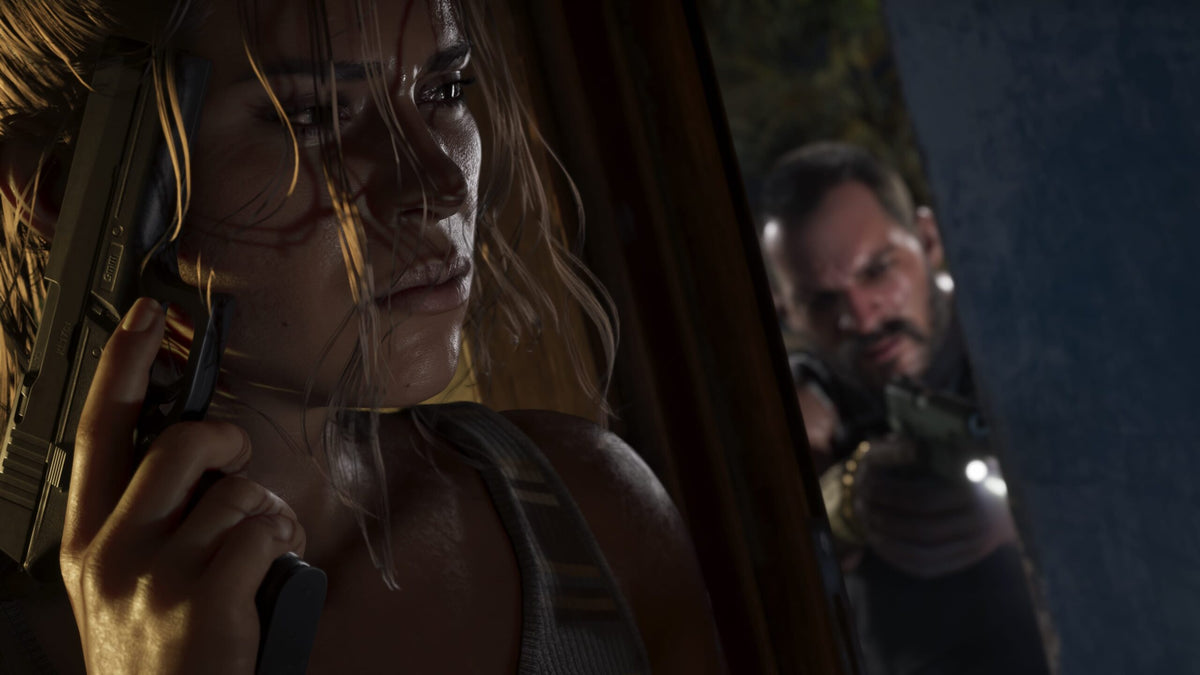
The latest GTA 6 chatter has done exactly what major Rockstar news always does: it gets gamers thinking about scale, realism, performance, and whether their current rig is about to feel old. Based on the source coverage highlighting a fresh batch of GTA 6 details, including new discussion around features and weather systems, the bigger story for Canadian buyers is simple: if GTA 6 delivers the kind of open-world density, simulation depth, lighting effects, and visual ambition players expect, then choosing the right Gaming PC Canada setup matters more than ever.
That is where this guide comes in. Instead of repeating headline hype, we are going deeper. What could these new GTA 6 details mean for GPU demand, CPU load, storage speed, streaming performance, and future-proofing? What kind of PC should you actually buy if GTA 6 is one of the games pushing your upgrade decision? And if you are in Canada, is it smarter to lock in a stronger custom build now rather than waiting for a major release window, demand spike, or component price swing?
For many buyers, GTA 6 is not just one game. It is the excuse to stop putting up with stutter, weak frame pacing, low VRAM headroom, long load times, and an upgrade path that is already boxed in. It is also the kind of title that can expose the difference between an entry-level budget system and a properly balanced custom gaming PC.
What do the new GTA 6 details suggest about PC performance needs?
The source points to a wave of fresh GTA 6 discussion, including especially exciting talk about weather. That matters. In a modern open-world game, weather is not just visual decoration. Advanced rain, fog, wind, particles, water interaction, reflections, lighting variation, draw distance changes, and environmental density can all hit performance at once.
If you have been asking yourself, What gaming PC do I need for GTA 6?, the answer probably depends on how you want to experience it. Are you aiming for 1080p with solid settings and good value? Do you want 1440p with high refresh gameplay? Or are you expecting 4K, ray tracing, ultra settings, and enough overhead to enjoy the game for years rather than months?
Big open-world games also tend to stress more than one component at a time. You are not just buying for average FPS. You are buying for smooth traversal, asset streaming, low hitching during fast movement, enough VRAM for high textures, enough system RAM for background tasks, and enough CPU performance to handle AI, traffic, physics, and large environments.
Why GTA 6 could become one of the biggest upgrade triggers for Canadian PC buyers
Every few years, one release changes buyer behaviour. It creates urgency across the gaming market, boosts searches for a Gaming PC for GTA 6, and causes many players to realize that the PC they bought for older titles may not be the PC they want for the next generation of AAA gaming.
That is especially important in Canada, where waiting too long can mean getting squeezed from both sides: rising demand and shifting hardware pricing. Graphics cards, memory, SSDs, and premium CPUs do not always move in a buyer-friendly direction when interest surges. If a blockbuster title pushes thousands of people to shop at once, the best-value configurations can disappear first.
So ask yourself a simple question: are you trying to buy the cheapest machine that can launch the game, or are you trying to buy a custom gaming PC that will still feel strong when the next wave of open-world, ray-traced, creator-heavy, and streaming-friendly titles arrives?
What do you want your next PC to do for you?
This is the question most buyers should answer before looking at parts.
Do you want a system mainly for GTA 6, Call of Duty, Fortnite, Counter-Strike 2, and other games at strong frame rates? Do you also want to stream on OBS, record gameplay, edit clips for YouTube or TikTok, design thumbnails in Photoshop, or run Discord, Chrome, and background apps without your system feeling overloaded?
Maybe you are not just a gamer. Maybe you are a creator too. Maybe your next desktop needs to handle gaming at night and Adobe Premiere Pro, DaVinci Resolve, Lightroom, Illustrator, Blender, or Unreal Engine during the day. In that case, your buying decision changes fast. A pure budget gaming build may no longer be the right answer.
That is why a custom PC matters. Different buyers need different balances of GPU power, CPU strength, RAM capacity, cooling, storage, and long-term upgrade flexibility. A generic one-size-fits-all prebuilt often misses that balance.
Is GTA 6 pushing you toward 1080p, 1440p, or 4K gaming?
1080p gaming: Who is it for?
A 1080p-focused build still makes sense for many buyers, especially if you want a Budget Gaming PC Canada option that can handle new games well without chasing the highest-cost hardware tier. If your goal is strong gameplay on a practical budget, 1080p remains a smart entry point.
But ask yourself: do you want to stay at 1080p for the full life of the system, or are you likely to want 1440p later? If the answer is “probably 1440p soon,” then buying too low today may simply mean upgrading too soon tomorrow.
1440p gaming: The sweet spot for many GTA 6 buyers
For many Canadian gamers, a 1440p Gaming PC Canada build is the real sweet spot for a game like GTA 6. You get a major visual upgrade over 1080p, better use of modern monitors, and a much more premium feel without necessarily jumping straight to full 4K pricing.
If you want strong visual detail, room for high settings, and better long-term value, 1440p is often where a custom gaming PC starts to feel “next-gen” without becoming excessive. It is also a practical target for players who want enough GPU headroom for future titles, not just one release.
4K gaming: Are you buying for maximum visual ambition?
If your plan is a 4K Gaming PC Canada build for GTA 6, you should treat the purchase like a premium investment. This is where GPU class, VRAM headroom, thermal design, and power delivery matter a lot more. If you are also interested in ray tracing, high refresh gameplay, and ultra settings, you are shopping in a different tier entirely.
So what matters more to you: raw resolution, ray-traced eye candy, or higher frame rates? That answer will help determine whether you need a premium RTX-class system or a more balanced upper-midrange build.
Will GTA 6 also be your reason to start streaming or creating content?
Many buyers upgrading for GTA 6 are not just thinking about playing. They are thinking about streaming, recording clips, posting edits, or building a channel. If that sounds like you, then you may need more than a standard gaming tower.
A proper Gaming and Streaming PC Canada build should account for more than game performance. It should give you enough CPU and GPU resources for OBS, enough RAM for multitasking, fast SSD storage for footage, and enough thermal stability for long sessions. If you stream to Twitch, YouTube, or TikTok Live, or record gameplay while chatting in Discord and keeping browser tabs open, weak system balance shows up quickly.
Ask yourself: do you want to simply play GTA 6, or do you want to turn it into content? If your next PC also needs to handle editing, clip exports, overlays, capture software, and dual-monitor use, that should shape the build from the start.
Could GTA 6 be the game that reveals you actually need a creator PC?
Some customers begin by searching for a gaming desktop and end up realizing they really need a Creator PC Canada build. Why? Because modern gaming often overlaps with editing, design, and production work.
If you plan to edit GTA 6 gameplay in Premiere Pro, colour grade footage in DaVinci Resolve, create thumbnails in Photoshop, design channel assets in Illustrator, or manage a full content workflow, your system should be built around those realities. That may mean more RAM, a stronger CPU, more storage, or a better multitasking profile than a gaming-only build.
Are you buying for quick clips and casual posting, or for a serious content pipeline? There is a big difference between “can open the software” and “feels fast every day.”
Which performance tier fits you best?
If you are wondering How much should I spend on a gaming PC?, the best answer is to match the build to your actual use case rather than chase the cheapest sticker or the most expensive parts list.
Entry-level value tier
- Best for 1080p gaming
- Best for esports titles plus some AAA gaming on adjusted settings
- Good for buyers trying to stay practical
- Not ideal if you already know you want premium GTA 6 visuals, heavy streaming, or long-term headroom
This is the tier for customers who want a reasonable path into PC gaming without overspending. But it is also the tier where buying too conservatively can create regret if GTA 6 turns out to be especially demanding.
Mainstream performance tier
- Best for 1080p high settings and strong 1440p performance
- Better for open-world AAA games
- Good for moderate streaming and content creation
- Often the best value for buyers who want longevity
For many players, this is the smartest category. It is often where a Custom Gaming PC Canada build delivers the most balanced mix of visual quality, smoothness, and useful lifespan.
High-end enthusiast tier
- Best for high-refresh 1440p or strong 4K gaming
- Best for ray tracing and future-proofing
- Better for gaming, streaming, and editing on one system
- Great for buyers who want fewer compromises
If GTA 6 is the type of release that makes you say, “I want this game to look incredible,” this is likely your zone.
Creator and workstation hybrid tier
- Best for gamers who also edit, render, stream, design, or model in 3D
- Better for Adobe Creative Cloud, DaVinci Resolve, Blender, and Unreal Engine
- Ideal if your PC is both an entertainment machine and a work tool
If your desktop also needs to function as a Video Editing PC Canada, Graphic Design PC Canada, or 3D Modeling PC Canada solution, skipping this discussion can lead to the wrong purchase.
What if you need a PC for more than gaming?
It is common for buyers to start with one question, such as Can my PC run GTA 6?, and then realize they should be asking a bigger one: What else do I need this system to handle over the next three to five years?
If you are working with Adobe Photoshop and Lightroom, you may want a Photo Editing PC Canada build with responsive storage, strong single-core performance, and enough RAM for high-resolution image work. If you use Illustrator, InDesign, Canva, or Adobe Creative Cloud daily, a Graphic Design PC Canada build may be the better match.
If you are cutting gameplay videos, YouTube content, or 4K footage, a PC for Video Editing Canada build becomes a much stronger fit. If you are in Blender, Unreal Engine, CAD, or rendering pipelines, you may need a Custom Workstation PC Canada or creator-focused system rather than a standard gaming-first desktop.
So ask yourself honestly: will this PC only play games, or will it also make you money, save you time, or support school, business, or content work?
Why Canadian buyers should think carefully about timing
When a major game drives public interest, buyers often assume they can simply wait until release and shop then. Sometimes that works. Sometimes it does not.
Popular launches can create pressure in several ways:
- Increased demand for gaming PCs and graphics cards
- Reduced availability in the most popular midrange and upper-midrange tiers
- Price instability on GPUs, RAM, and SSDs
- Last-minute buying decisions that force compromises
- Rushed purchases of low-quality generic systems
If you are already thinking about upgrading, waiting too long can leave you choosing from what is left rather than what best fits your needs. That is especially true if you want a balanced custom build instead of whatever mass-market system happens to still be in stock.
Are you trying to buy before a big release, before holiday demand, before a component shortage, or before software upgrades make your older machine feel even weaker? Those timing questions matter.
Should you buy now or wait?
This is one of the most common buyer questions: Is it better to buy a gaming PC now or wait?
The honest answer is that waiting only makes sense if you have a clear reason. If your current PC is still doing everything you need, your target games are not changing, and you do not expect new workload demands, waiting may be fine.
But if you already know your system struggles with modern AAA games, lacks upgrade flexibility, falls short for streaming, or slows you down in editing and creation, then waiting can be false savings. Delaying a necessary upgrade often means:
- Settling for another stopgap purchase later
- Missing months of better performance
- Risking higher replacement costs
- Buying under pressure when demand spikes
A better question may be this: if a stronger system would improve your gaming and everyday workflow right now, what are you actually gaining by postponing it?
Could financing help you buy the right build instead of the cheapest one?
For many buyers, the smartest move is not buying the weakest affordable PC. It is choosing the right performance tier and using financing to spread the cost responsibly. That is especially true if the system needs to last, support new games, and handle more than one workload.
With Gaming PC Financing Canada, some customers can avoid the common mistake of underspending on a system they outgrow too quickly. Instead of settling for a build that barely meets the moment, financing can make it easier to step into a better GPU tier, more RAM, more storage, or a stronger CPU configuration.
So ask yourself: would a monthly payment plan help you secure a system you will still be happy with two or three years from now? Would you rather buy once with confidence, or buy cheap and upgrade again sooner than expected?
For buyers who also need a creator or workstation setup, that logic becomes even more practical. A stronger PC can save time on exports, improve responsiveness in demanding software, and reduce the frustration of bottlenecks. In that context, financing is not just about affordability. It can be about productivity and avoiding early replacement.
Custom PC vs generic prebuilt: why it matters more for a game like GTA 6
When a title is expected to be massive, cinematic, and technically ambitious, build quality matters. A custom desktop is not just about RGB or part bragging rights. It is about component matching, airflow, cooling, power supply quality, upgrade planning, and real-world system balance.
That matters because open-world games can reveal weaknesses that spec sheets hide. A system with a flashy GPU but weak cooling, poor airflow, limited RAM, or a low-quality power supply may not deliver the smooth, reliable experience buyers expect.
If you have been asking, Is a custom gaming PC worth it?, consider what you are really paying for:
- Better part selection for your goals
- Smarter CPU and GPU pairing
- Appropriate cooling for sustained performance
- Cleaner upgrade paths
- More confidence in demanding games
- Testing and support from a real Canadian builder
For shoppers comparing custom PC vs prebuilt PC Canada, that difference grows more important when games become more demanding and buyers need fewer compromises.
What should a GTA 6-ready buyer look for in a gaming PC?
You do not need to obsess over every component, but you should pay attention to the areas that affect long-term satisfaction.
Graphics performance
For a game expected to push modern visual standards, the GPU is central. If you care about higher settings, better ray tracing support, stronger 1440p or 4K performance, and more future readiness, this is not the place to cut too aggressively.
Processor balance
Large open-world games often reward strong CPU performance, especially in traffic-heavy, simulation-heavy, or AI-heavy scenes. If you also stream or multitask, CPU quality matters even more.
Memory capacity
Modern gaming, streaming, browser tabs, Discord, capture apps, and creative software can add up fast. If you are asking How much RAM do I need for streaming or editing?, the answer may be higher than what was considered comfortable a few years ago.
Fast SSD storage
Open-world games benefit from responsive storage for loading and asset streaming. If your next PC also stores footage, project files, or creator assets, SSD planning matters even more.
Cooling and power quality
Stable performance is not just about benchmark numbers. A quality thermal setup and reliable power delivery help your system sustain performance under load rather than dip, throttle, or age poorly.
What kind of buyer should choose which Groovy Computers category?
Choose a budget gaming desktop if:
- You mainly play at 1080p
- You want the best value per dollar
- You are entering PC gaming for the first time
- You understand that premium GTA 6 settings may require compromises
Choose a mainstream or premium RTX gaming PC if:
- You want stronger 1440p or 4K performance
- You care about visual quality and long-term relevance
- You expect GTA 6 to be one of several demanding AAA games you will play
- You want a more future-proof gaming PC
Choose a streaming or creator build if:
- You want to stream GTA 6 gameplay
- You record footage for YouTube, Twitch, or TikTok
- You use OBS, Premiere Pro, or DaVinci Resolve
- You want one machine for gaming and content creation
Choose a workstation or 3D-capable system if:
- You use Blender, Unreal Engine, CAD, or rendering tools
- Your PC supports both gaming and professional work
- You need performance consistency, multitasking strength, and expandability
Questions to ask yourself before buying a GTA 6-ready custom PC
- Do I want 1080p, 1440p, or 4K performance?
- Do I care about ray tracing, ultra settings, or high refresh rates?
- Will I only game, or will I stream and record too?
- Do I also need the PC for video editing, photo editing, or graphic design?
- Do I want this system to last through future AAA releases?
- Am I trying to avoid upgrading again too soon?
- Would financing help me buy a better-balanced machine now?
- Do I want a tested, warranty-backed Canadian custom build instead of a generic box?
Why Groovy Computers fits this moment for Canadian buyers
When hype around a game like GTA 6 starts pushing real buying decisions, shoppers need more than vague advice. They need a builder that understands how game demand connects to actual PC selection.
Groovy Computers is built around that need. For Canadian customers shopping for gaming desktops, creator PCs, and workstation systems, Groovy Computers offers custom-built solutions designed around real use cases rather than generic marketing tiers. That means you can choose a PC for gaming, streaming, editing, design, or mixed workloads with better confidence in what you are actually getting.
Just as important, custom systems from Groovy Computers are backed by rigorous testing and a 1-year warranty. That matters when you are spending serious money and want reliability, not surprises. And for buyers who want a stronger machine before costs shift further, financing up to 4 years can make a better build more realistic.
Whether you are in Nova Scotia, Atlantic Canada, or ordering a gaming PC shipped Canada wide, working with a Canadian custom builder makes the process more grounded and more personal.
Need help choosing the right PC for GTA 6, streaming, or creator work?
If GTA 6 is the game making you rethink your setup, the next step is not guessing. It is narrowing down what you actually want from your next desktop. Do you want a budget-friendly gaming PC, a premium RTX system, a streaming-ready machine, a video editing PC, or a more advanced creator or workstation build?
If you are unsure which performance tier fits your needs, or you are wondering whether financing a stronger system makes more sense than settling for a weaker one, Groovy Computers can help. Visit GroovyComputers.ca to explore custom builds, compare categories, and choose a system designed for how you actually play and work.
Final thoughts: GTA 6 hype is exciting, but your buying decision should be smart
The biggest takeaway from the latest GTA 6 detail wave is not just that the game sounds ambitious. It is that ambitious games change what buyers should expect from their hardware. If your current system is already near its limit, GTA 6 could be the release that turns “maybe later” into “I should have upgraded sooner.”
For Canadian shoppers, the best move is usually not panic-buying and not endless waiting. It is choosing a properly matched Gaming PC Canada build that reflects your real goals: the resolution you want, the settings you expect, the creative tools you use, and the years you want the system to stay relevant. If that includes streaming, editing, design, or workstation performance, even better to plan for it now rather than retrofit around limitations later.
So the real question is this: what do you want your next PC to do for you when GTA 6 finally lands? If you want help choosing a custom gaming PC, creator desktop, or workstation that makes sense for your budget and future plans, Groovy Computers is the right place to start.
#GamingPCCanada #GamingPCForGTA6 #CustomGamingPCCanada #GamingComputersCanada #1440pGamingPCCanada #4KGamingPCCanada #CreatorPCCanada #StreamingPCCanada #VideoEditingPCCanada #CanadianCustomPCBuilders #NovaScotiaGamingPC #GroovyComputers
Groovy Computers | All Rights Reserved


Leave a comment
This site is protected by hCaptcha and the hCaptcha Privacy Policy and Terms of Service apply.