



































Xbox Game Pass Trends Are Changing How Canadians Should Shop for a Gaming PC
The latest Xbox Game Pass player trends tell a bigger story than most gamers realize. Yes, subscription gaming keeps putting major releases in front of millions of players. But it also highlights something important for Canadian buyers: the way you access games is changing, the performance demands of new releases are rising, and the value of owning the right gaming PC in Canada is becoming more obvious with every major launch.
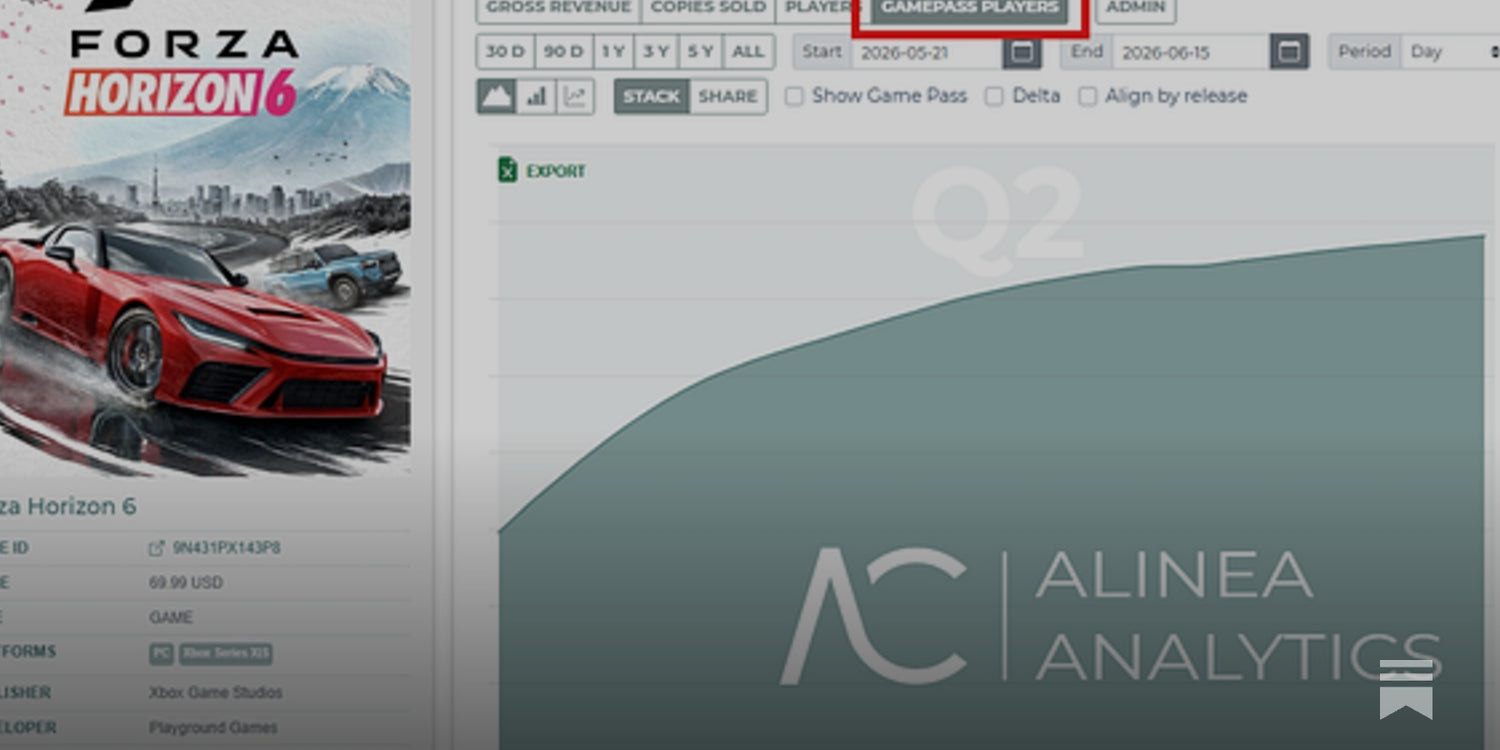
The source analysis behind this discussion focused on which Xbox titles pulled the most new Game Pass players in 2026, with major names like Forza, Subnautica 2, co-op horror titles, sports games, and catalogue heavyweights driving engagement. The deeper takeaway is not just about subscriptions or platform strategy. It is about demand. Players are showing up in huge numbers for new releases, open-world games, cinematic games, multiplayer experiences, and long-session titles that reward stronger hardware. If that is where gaming is heading, what should your next PC be ready for?
That is the question Canadian buyers should be asking right now. Are you planning for 1080p gaming and esports only? Do you want 1440p performance for new AAA games? Are you aiming for 4K, ray tracing, high refresh rates, streaming, recording, or creator work on the same machine? And if hardware pricing shifts again, would it make more sense to secure a stronger build now instead of replacing an underpowered system too soon?
What the Xbox Game Pass numbers really reveal about modern game demand
The source material makes one thing very clear: when a major game launches into a subscription ecosystem, millions of players can flood in quickly. That tells us these games are not niche. They are mainstream, social, and culturally visible. They become the titles people talk about in Discord, stream on Twitch, clip for TikTok, and compare performance on across console and PC.
For a Canadian buyer shopping for a new desktop, that matters because the kinds of games attracting the biggest audiences today tend to demand more from your hardware than older multiplayer staples did. Open-world driving games, survival crafting games, online sports titles, photorealistic action games, and ray-traced blockbusters all benefit from stronger GPUs, faster CPUs, more RAM, and SSD speed.
In other words, the popularity of these games is a performance signal. If millions of players are diving into big releases immediately, then more buyers are also going to be asking the same question at the same time: Can my current PC actually run this properly?
If your answer is already “barely,” waiting may not help. When a wave of buyers upgrades at once, pricing pressure can move fast across graphics cards, memory, SSDs, and complete system builds.
Why this matters more in Canada than many buyers expect
Canadian PC shoppers deal with a different reality than many U.S.-focused gaming discussions acknowledge. Currency conversion, shipping costs, inventory timing, and broader component volatility all affect what a system actually costs by the time it reaches your door. That means a bad buying decision can be more expensive here, and replacing the wrong PC later can hurt even more.
The source article discussed major game revenues in U.S. dollars, but for Canadian readers the broader point is what counts: premium games and premium hardware are both getting harder to treat casually. When software expectations rise and hardware costs remain sensitive, the smartest move is often not the cheapest PC today. It is the most sensible long-term build for the games and workloads you know are coming.
Are you buying a system just to get by for six months, or do you want a machine that still feels strong when the next wave of AAA titles lands? Do you want to keep settings low and compromise, or would you rather buy once and enjoy the system properly? These are not small questions anymore.
What do you want your next PC to do for you?
Before you compare parts, brands, or price tags, start here: what do you actually want your next PC to handle?
Do you mainly want a gaming PC for new games at 1080p with smooth performance? Do you want a 1440p gaming PC in Canada that feels excellent in open-world and competitive titles? Are you aiming for a 4K gaming PC with ray tracing and visual settings turned up? Do you want one machine for gaming and streaming? Are you also editing YouTube videos, working in Photoshop, building social content, or using Blender and Unreal Engine?
This is where many buyers go wrong. They shop by price alone instead of by use case. Then they either overspend on the wrong parts or underspend and need another upgrade far earlier than expected.
A better question is this: What would frustrate you more over the next two years: paying a bit more now, or discovering your PC cannot keep up with the games and software you care about most?
If Game Pass is making AAA games more visible, should your PC be more future-ready?
Yes, and the logic is simple. Subscription services reduce the barrier to trying more games. That means players sample more genres, jump into more releases earlier, and discover more titles they want to keep playing. On PC, that often leads to a performance upgrade cycle because the more games you try, the more likely you are to hit one that exposes your hardware limits.
Maybe your current system handles older shooters fine. But what happens when you jump into a large-scale racing game, a next-gen survival title, or a heavily modded open-world release? What if you want to run high textures, strong draw distances, better lighting, or ultra-wide monitor support? What if you decide to stream while gaming?
Future-proofing does not mean buying the most extreme system possible. It means choosing a build tier that makes sense for where gaming is actually going. For many Canadians, that means skipping the weakest entry-level options and buying something balanced enough to stay enjoyable longer.
Which performance tier fits you best?
Not every buyer needs the same machine. The right answer depends on resolution, refresh rate, game type, and whether your PC is also doing creator work.
Entry tier: Who should choose a budget gaming desktop?
If you mainly play esports titles, lighter multiplayer games, indie games, or older AAA titles at 1080p, an entry-level or budget gaming PC Canada build can still make sense. This tier is ideal for first-time PC gamers, students, and buyers who want solid value without chasing ultra settings in every new release.
But ask yourself: are the games you want to play staying lightweight, or are you already eyeing bigger titles? If your wishlist includes demanding open-world games, ray tracing, heavy mods, or high-refresh AAA gameplay, the cheapest option may become the most expensive one after upgrades.
Mainstream sweet spot: Is 1440p where most buyers should land?
For many Canadian gamers in 2026, the real sweet spot is 1440p. A 1440p gaming PC Canada build gives you a major visual upgrade over 1080p while staying far more affordable than chasing top-end 4K at all costs. It is often the best balance for players who want strong settings, smoother frame rates, better monitor pairing, and a more durable purchase.
If you are wondering what PC do I need for 1440p gaming, this is often the tier where buyers feel the happiest long-term. It is especially smart if you play racing games, action games, large co-op titles, cinematic single-player releases, or multiplayer games where image clarity matters.
High-end tier: When does a premium RTX gaming PC make sense?
A high end gaming PC Canada build makes sense when you know your goals are demanding: 4K gaming, ray tracing, ultra settings, high refresh gameplay on premium monitors, VR, heavy multitasking, or gaming plus creator workloads on one system.
Are you the kind of player who notices frame pacing, texture quality, and lighting detail immediately? Do you want your system to stay relevant longer as newer games become more GPU-hungry? Do you plan to stream, edit, render, and game from the same machine? That is where a premium system becomes practical, not just flashy.
What if you want to stream as well as game?
This is one of the most common upgrade triggers now. A game that feels fine when played alone can feel much less fine when OBS, recording software, browser tabs, chat tools, overlays, and background apps are all running at once.
If you are asking what PC do I need for streaming, think beyond the game itself. A proper gaming and streaming PC Canada build should have the CPU headroom, GPU encoder support, RAM capacity, and cooling stability to handle real-world multitasking. You do not want a system that only benchmarks well in a clean test but struggles during your actual stream session.
Do you want to stream at 1080p while gaming at high FPS? Do you want to record footage for later editing? Do you use dual monitors? Do you want cleaner quality with less compromise? These details change the build recommendation fast.
For many buyers, the right move is stepping one tier above their “gaming-only” budget so the PC still feels smooth once streaming enters the picture.
Are creator workloads quietly pushing you into a stronger PC category?
A lot of customers start by shopping for a gaming desktop and only later realize they also need creator performance. Maybe you edit YouTube videos. Maybe you make thumbnails in Photoshop, social graphics in Illustrator, or short-form clips for TikTok. Maybe you work with Lightroom, Premiere Pro, or DaVinci Resolve on weekends while gaming at night.
If that sounds like you, a creator PC Canada or content creation PC Canada setup may be the smarter choice. Gaming can hide weaknesses that creator workflows expose quickly. Export times, timeline playback, large project caching, background renders, and multitasking all benefit from thoughtful CPU, GPU, RAM, and storage selection.
Ask yourself honestly: do you just play games, or are you building content around them? If you are editing gameplay, streaming clips, making channel art, or using Adobe Creative Cloud, your “gaming PC” may actually need to be a gaming-plus-creator system.
What if you need a video editing PC too?
If you are working in Premiere Pro, DaVinci Resolve, After Effects, or CapCut, your needs change fast. A proper video editing PC Canada build is not just about average gaming frame rates. It is about fast previews, smoother playback, strong export performance, enough memory for layered projects, and enough storage speed to avoid workflow bottlenecks.
What PC do you need for video editing? That depends on your footage. 1080p highlight reels are one thing. 4K gameplay captures, multicam edits, motion graphics, and colour grading are another. If your editing is becoming more serious, underbuilding now can waste more time later than most people expect.
What about photo editing and graphic design?
Photographers, designers, and business creatives often need a different balance again. A photo editing PC Canada or graphic design PC Canada build should feel responsive with large image files, batch exports, layered artwork, AI-assisted tools, and multi-monitor productivity.
Do you use Photoshop and Lightroom only, or do you also work in Illustrator, InDesign, Canva, and browser-heavy creative workflows? Do you need colour-accurate monitor pairing? Do you keep dozens of tabs, asset folders, and cloud drives open all day? If so, buying “just enough for gaming” may not actually be enough for your work.
Do you need a 3D modeling or workstation-class system?
Some buyers come in through gaming trends but really need far more. If you use Blender, Unreal Engine, CAD tools, rendering software, or simulation-heavy applications, then a 3D modeling PC Canada or workstation PC Canada build may be the right category.
What PC do you need for Blender? What PC do you need for 3D rendering? These are very different questions from “Can it run new games?” You may need more VRAM, more CPU cores, more RAM, stronger cooling, and a storage layout designed for active project work instead of just game installs.
If your system earns money, saves billable hours, or supports professional output, buying purely by gaming specs is often the wrong approach.
Why the Game Pass story also supports buying a better PC before demand spikes
The source article highlighted a subscription-driven audience rushing into popular games at scale. That kind of surge does not stay isolated to one ecosystem forever. It reinforces hype cycles, content cycles, and hardware demand cycles. When major games dominate conversation, more players upgrade displays, GPUs, entire desktops, and streaming setups.
That is why timing matters. Are you buying before a major release season? Before a busy sale period drains inventory? Before a software upgrade pushes your current machine over the edge? Before another wave of GPU demand tightens pricing?
No one can guarantee exact hardware pricing moves without live market data, but experienced buyers know the pattern: when demand pressure rises, the best-value configurations do not always stay available for long. Waiting can mean paying more, settling for weaker substitutes, or rebuilding around whatever happens to be left.
Should you buy now or wait?
This is one of the most common questions in PC shopping, and it deserves a practical answer. If your current system is already limiting your game settings, your frame rate, your streaming stability, or your creative workflow, then waiting only makes sense if you have a clear reason. Otherwise, delay can create more frustration without creating better value.
Ask yourself a few direct questions.
- Are you already lowering settings more than you want to?
- Are new releases pushing your GPU too hard?
- Are load times, stutter, thermal issues, or RAM limits affecting your daily use?
- Are you planning to stream, edit, or create more content soon?
- Would one stronger purchase now help you avoid a second upgrade too early?
If several of those answers are yes, then “wait and see” may not be a strategy. It may just be postponing the obvious.
Could financing help you secure the right system instead of settling?
For many buyers, this is the real decision point. The difference between a decent build and the right build is often not dramatic when spread out over time, but the long-term experience can be dramatically better.
If you are deciding between a weaker system you can pay for immediately and a stronger custom build that better fits your gaming or creator goals, it is fair to ask: should I finance a better PC instead of buying a cheaper one?
That is where finance custom PC Canada options become practical, not impulsive. Financing can help you move into the performance tier you actually need, especially if you are trying to avoid replacing an entry-level system too soon. It can also help if your purchase timing matters and you want to lock in a capable machine before replacement costs rise.
Would monthly payments make it easier to get the GPU tier, RAM capacity, cooling, or storage setup you really want? Would up to 4 years of financing help you buy a system that covers gaming today and creator workloads tomorrow? Those are smart buyer questions, not luxury questions.
Custom PC vs generic prebuilt: why the difference matters more when software demands rise
As games become heavier and workloads become more mixed, part selection matters more. A generic box can look good on a spec sheet while hiding weak airflow, poor motherboard quality, limited upgrade paths, unbalanced component pairing, or lower confidence in long-session stability.
A proper custom gaming PC Canada build should be designed around your actual use. If you game at 1440p, the GPU and monitor pairing matter. If you stream, encoder capability and CPU headroom matter. If you edit video, storage layout and memory matter. If you work in Blender or Unreal, your build priorities may change again.
That is why custom building still matters. It is not just about choice. It is about matching the right hardware to the right result.
When you buy from a builder that understands this, you are not just buying parts. You are buying a system that is assembled with purpose, tested for stability, and backed by support when it counts.
Why Canadian buyers choose Groovy Computers
Groovy Computers is built around the needs of real Canadian buyers who want more than a random shelf system. Whether you need a gaming desktop, a creator build, or a workstation-class machine, the goal is the same: deliver a system that makes sense for your workload, your budget, and your upgrade timeline.
That means custom configurations, balanced part selection, rigorous testing, and peace of mind from a 1-year warranty. It also means helping buyers think through the questions that actually matter. What are you playing? What are you creating? What resolution are you targeting? Are you trying to avoid upgrading again too soon? Would financing make the stronger build the smarter buy?
For customers in Nova Scotia and across the country, that combination of expert guidance and practical build logic matters. Whether you are shopping from Atlantic Canada or ordering elsewhere in the country, confidence matters just as much as frame rate.
What kind of buyer should choose which Groovy-style build path?
The value-focused gamer
If you mainly want dependable 1080p gaming for popular titles and lighter AAA play, you likely need a practical value build with good upgrade potential. This is ideal for students, first-time desktop buyers, and budget-conscious players who still want quality components and proper testing.
The mainstream AAA gamer
If your goal is strong 1440p performance, smoother gameplay in modern titles, and better long-term value, a mid-tier gaming build is often the smart buy. This is where many customers should be looking if they want great all-around use without pushing into full flagship pricing.
The premium enthusiast
If you want ray tracing, 4K ambitions, high refresh monitors, ultra settings, or a premium long-life build, you should be looking at stronger GPU tiers, better cooling, and a platform with room to grow.
The hybrid gamer-creator
If you game, stream, edit, and multitask, do not buy a gaming-only machine by mistake. A hybrid build with more memory, stronger storage planning, and balanced CPU/GPU choices can save you from frustration fast.
The professional creator or workstation buyer
If your PC is for paid editing, 3D work, design, rendering, or advanced productivity, then the right answer may be a creator workstation rather than a typical gaming build. Stability, throughput, cooling, and reliability become much more important here.
Questions to ask yourself before buying your next PC
Before you order, ask yourself these questions honestly.
- What games or software do I know I will actually use over the next 12 to 24 months?
- Am I targeting 1080p, 1440p, or 4K?
- Do I care about ray tracing, ultra settings, or high refresh rates?
- Will I stream, record, or edit content on the same PC?
- Do I need more than just gaming performance?
- Would a stronger system now help me avoid upgrading too soon?
- Would financing help me buy the right system instead of the cheapest one?
- Do I want a builder that stress tests the system and backs it with warranty support?
If you are still unsure, that is exactly when expert guidance matters most.
Need help deciding what your next PC should be?
If you are reading about Xbox Game Pass trends and wondering what they mean for your own setup, the answer is simple: they are a sign that modern games are attracting bigger audiences, demanding stronger hardware, and pushing more players toward better-performing systems.
So what do you want your next PC to do for you? Run new racing and open-world games smoothly? Handle high FPS multiplayer? Power streaming and editing? Support Adobe apps, 3D work, or a heavier workstation workflow? If you want help choosing the right performance tier without overbuying or underbuying, visit GroovyComputers.ca and explore a custom build that fits how you actually play and work.
The bottom line for Canadian buyers
The subscription boom is not just a platform story. It is a demand story, a performance story, and for many Canadians, a buying-timing story. As more players jump into larger, heavier, more visually ambitious games, the gap between “good enough” hardware and genuinely enjoyable hardware keeps widening.
If you are shopping for a gaming PC Canada build, a creator desktop, or a workstation that can keep up with where gaming and software are heading, this is the time to think carefully about tier, timing, and long-term value. A custom-built system from Groovy Computers can help you buy with more confidence, avoid weak compromises, and get a machine that actually fits your goals.
#GamingPCCanada #CustomGamingPCCanada #GamingPCForNewGames #1440pGamingPCCanada #4KGamingPCCanada #CreatorPCCanada #VideoEditingPCCanada #StreamingPCCanada #WorkstationPCCanada #CanadianCustomPCBuilders #GamingPCShippedCanadaWide #FinanceCustomPCCanada
Groovy Computers | All Rights Reserved



Leave a comment
This site is protected by hCaptcha and the hCaptcha Privacy Policy and Terms of Service apply.