






















Resident Evil Unreal Engine 5 Remake Hype: What Kind of Gaming PC Canada Buyers Should Choose Now
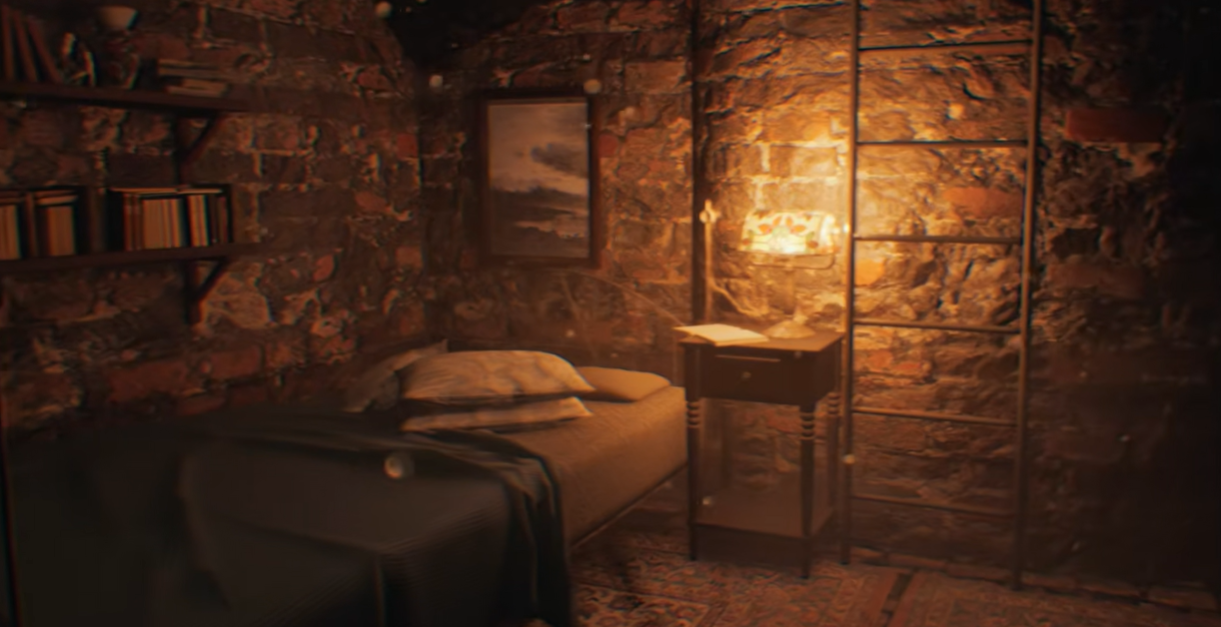
The newly revealed Resident Evil Unreal Engine 5 remake gameplay has done exactly what major fan projects and visually ambitious horror titles always do: it gets PC gamers thinking about performance, graphics quality, upgrade timing, and whether their current system is really ready for what comes next. With 25 minutes of footage showcasing the Spencer Mansion, backyard, guest house, and laboratory in a modern engine, this concept remake highlights a bigger question for Canadian buyers: if games inspired by classic franchises are now pushing modern lighting, geometry, atmosphere, and detail this hard, what should your next PC actually be built to handle?
That question matters whether you are planning to play visually rich survival horror games, stream them, record walkthroughs, edit YouTube content, design thumbnails, or work inside demanding creative software such as Unreal Engine, Blender, Premiere Pro, Photoshop, or DaVinci Resolve. At Groovy Computers, the real takeaway is not just that fans are remaking a classic in UE5. It is that modern gaming and content creation workloads keep climbing, and buyers across Canada need a clearer path to the right system before they spend too little, overbuy blindly, or wait until pricing shifts make the same performance cost more.
What the new Resident Evil Unreal Engine 5 remake footage tells us about modern PC demands
Based on the source material provided, the fan remake remains an unofficial concept project rather than a public release, but the footage is still useful as a buying signal. Why? Because Unreal Engine 5 visuals have become one of the clearest examples of how modern rendering techniques raise expectations for hardware. Even when a project is unofficial, the visual language is familiar: denser environments, more detailed interiors, mood-heavy lighting, richer reflections, sharper environmental clutter, and more cinematic presentation.
For gamers, that usually translates into higher GPU demand, greater VRAM sensitivity at higher settings, and more pressure on the overall balance between processor, graphics card, memory, and SSD speed. For creators, it can also point to stronger workstation needs if they are experimenting with Unreal Engine scenes, asset workflows, rendering, video capture, or 3D environments.
So what should you be asking yourself after seeing a project like this? Are you simply looking for a system that can play modern horror games smoothly at 1080p? Do you want a 1440p gaming experience with stronger image quality and headroom for future releases? Are you aiming for 4K visuals, ray tracing, and premium settings? Or are you the kind of buyer who wants one custom desktop that can game at night and handle editing, streaming, or 3D work during the day?
Why this matters more for Canadian custom PC buyers
Canadian buyers often have to think a little differently than generic global PC advice suggests. Exchange pressure, component availability, shipping realities, and regional pricing can all affect how much performance you get for your money. That means timing matters. Build quality matters. Warranty support matters. And choosing the right system category matters even more.
It is one thing to buy a machine that barely runs today’s games. It is another to invest in a custom-built PC that stays comfortable across upcoming releases, heavier patches, larger game worlds, more demanding graphics options, and the growing overlap between gaming and content creation. If you are buying in Canada, it makes sense to think beyond one game and ask a broader question: will this PC still feel right a year or two from now, or will you be stuck upgrading too soon?
That is where a guided buying approach becomes more valuable than chasing random spec lists. A strong custom gaming PC should not just meet a minimum threshold. It should fit your actual goals, your display resolution, your favourite genres, your editing or streaming plans, and your budget tolerance.
What do you want your next PC to do for you?
Before choosing parts, choose the outcome.
Do you want to play atmospheric AAA games with high settings and smooth frame rates? Do you want a Gaming PC Canada buyers can rely on for upcoming releases instead of something that already feels dated? Do you want to stream gameplay to Twitch or YouTube without your frame rate collapsing? Are you also editing clips, cutting long-form videos, designing overlays, creating thumbnails, or learning Unreal Engine and Blender?
If your answer is yes to more than one of those questions, you may not want a basic gaming tower at all. You may need a better-balanced custom build that handles gaming, recording, multitasking, and creator workloads together.
This is where many buyers make the wrong decision. They shop for the cheapest machine that claims to run new games, then discover that once ray tracing, background apps, OBS, browser tabs, Discord, mods, recording software, or video editing enter the picture, the system no longer feels fast. Would you rather save a little upfront and replace it sooner, or buy smarter once and enjoy more headroom?
What gaming performance tier fits you best?
Not every customer needs the same class of machine. If the Resident Evil Unreal Engine 5 remake style of visual fidelity is the kind of experience that excites you, the best path is to match your build to your target resolution and use case.
Entry performance: 1080p gaming for value-focused buyers
If you mainly want smooth 1080p gameplay in modern titles with sensible settings, a Budget Gaming PC Canada shoppers choose can still offer strong value. This tier makes sense for players upgrading from older hardware, students buying a first gaming desktop, or anyone who wants better PC performance without stepping immediately into premium pricing.
But ask yourself: are you happy playing on medium-to-high settings, or do you expect ultra-quality visuals in every new game? If you already know you care about atmosphere-heavy titles, cinematic lighting, texture quality, and long-term comfort, an entry build may feel limiting sooner than expected.
Mainstream sweet spot: 1440p gaming for most modern gamers
For many Canadian gamers, 1440p is the true sweet spot. A 1440p Gaming PC Canada buyers choose usually delivers the best balance of sharp image quality, stronger visual settings, and a more premium feel without going fully overboard. If you are interested in modern horror games, action titles, open-world releases, and visually rich remakes, this is often the performance tier worth targeting.
Why does this tier make so much sense? Because it gives you room. Room for better settings. Room for stronger frame consistency. Room for future titles that may be heavier than what you play today. Room to connect a better monitor and actually enjoy the difference.
If you are wondering, What PC do I need for 1440p gaming?, the answer is usually a balanced build with a capable modern GPU, a strong CPU that does not bottleneck your experience, sufficient RAM for gaming and background tasks, and a fast SSD so larger modern game installs and level loads do not drag the whole experience down.
Premium tier: 4K, ray tracing, and maximum visual ambition
If the whole point of upgrading is to chase visual impact, a 4K Gaming PC Canada customers choose is a very different category. This is for gamers who want large displays, higher detail, stronger ray tracing potential, and the most cinematic presentation possible.
Do you actually need this level? That depends. Are you gaming on a 4K monitor or TV? Do you care more about image quality than competitive frame rates? Do you want your next system to stay at the high end for longer? If yes, this premium class may be worth the jump. If not, a strong 1440p build may deliver a better price-to-performance result.
Is this just about gaming, or do you also stream, edit, or create content?
Many readers drawn to topics like the Resident Evil Unreal Engine 5 remake are not just players. They are creators. They record gameplay reactions, post benchmark videos, edit walkthroughs, produce thumbnails, make TikToks, cut trailers, or stream horror games live. If that sounds like you, your hardware choice should reflect more than game performance alone.
A Streaming PC Canada buyers choose needs enough CPU and GPU strength to game smoothly while handling encoding, multitasking, scene management, browser overhead, and chat tools. A Content Creation PC Canada setup may also need more RAM, faster storage, stronger cooling, and a better processor if you are editing in Premiere Pro or DaVinci Resolve after your stream ends.
So ask yourself honestly: do you want a PC that only runs the game, or one that also handles OBS, Discord, music, browser tabs, and local recording at the same time? Do you want fast exports for YouTube uploads? Do you want to avoid the frustration of timeline lag when cutting gameplay footage later?
If you game and stream
A gaming-and-streaming build should prioritize balanced CPU and GPU performance rather than chasing one part in isolation. The best system is not always the one with the biggest graphics card if the rest of the machine holds it back. If you plan to broadcast horror titles with overlays, webcam feeds, alerts, and recording, a stronger all-around configuration can make your setup feel dramatically smoother.
If you game and edit videos
A Video Editing PC Canada buyer who also games often benefits from stepping above a pure gaming build. Why? Because editing likes RAM, storage speed, and compute headroom. Large game captures, 4K footage, multi-track timelines, and effects can quickly expose the limitations of budget systems. If your PC is part gaming machine and part editing workstation, buy for both jobs now instead of compromising twice.
If you create thumbnails, social graphics, or photo-based content
Maybe your workflow includes Photoshop, Lightroom, Illustrator, Canva, or other design tools alongside gaming. In that case, a creator-focused build can improve responsiveness when multitasking, handling large image files, or keeping multiple apps open. If your gaming setup is also your production setup, do not treat those extra tasks as an afterthought.
Interested in Unreal Engine itself, not just games built with it?
The source article revolves around an Unreal Engine 5 concept remake, and that creates another useful buying angle: some readers are not only interested in playing UE5-powered titles, but also in learning the engine. If you are exploring scene creation, environment work, asset testing, cinematic experiments, or early game development, your needs may start shifting from gaming desktop to workstation territory.
A PC for Unreal Engine Canada users choose should account for more than frame rates in games. Project compilation, shader work, viewport performance, multitasking, memory capacity, and storage all become more important. And if Unreal Engine is paired with Blender, Maya, ZBrush, Substance workflows, or video editing, the need for a stronger custom build becomes even clearer.
What PC do you need for Unreal Engine? That depends on whether you are learning casually, building environments, handling larger scenes, or working across a full creator pipeline. If your interest in this remake footage extends beyond gaming into development or 3D visualization, it may be time to consider a more serious creator or workstation build.
How hardware pressure changes the decision to buy now or wait
One of the biggest mistakes buyers make is assuming waiting always improves value. Sometimes it does. Sometimes it does not. In the real market, pricing pressure can come from GPU demand, memory volatility, SSD cost shifts, new game launches, seasonal buying spikes, and broader supply changes. The result is simple: the build you are considering today is not always guaranteed to cost the same tomorrow.
That is especially important if you are already close to your performance limit. If your current PC struggles with newer titles, lacks storage, runs hot, or cannot handle gaming and content creation together, waiting may simply mean stretching the pain while risking higher replacement cost later.
So ask yourself: are you trying to time the market perfectly, or are you trying to secure the right computer before your current one becomes a bigger problem? Do you need your new system before a major game release, content project, software upgrade, back-to-school rush, holiday surge, or next round of component price movement?
Should you buy a cheaper PC now or finance a stronger one?
This is one of the most practical questions modern buyers face. A lot of customers start by shopping for the lowest upfront cost, but that can lead to weak long-term value if the machine needs upgrading too soon. In many cases, it makes more sense to choose the right system class from the beginning instead of settling for a lower tier that creates frustration months later.
That is why some Canadian shoppers explore payment flexibility. If spreading the cost helps you secure the performance tier you actually need, the decision becomes less about buying the cheapest possible machine and more about buying the right one at the right time. Groovy Computers offers options that can help customers finance a stronger build for up to 4 years, which is especially relevant when a buyer is deciding between “good enough today” and “still strong later.”
Should you finance a better PC instead of buying a cheaper one? If the stronger machine helps you avoid an early upgrade, improves your daily experience, supports your creative work, and stays relevant across more demanding games, that can be a rational decision rather than an impulse purchase.
Custom PC vs generic prebuilt: why the difference matters more when games get heavier
The more demanding modern games become, the less forgiving weak build decisions are. That is why Custom Gaming PC Canada buyers increasingly prefer systems built with purpose rather than random spec-sheet shortcuts. A custom build gives you better control over balance, cooling, upgrade path, storage planning, and the actual match between your goals and your hardware.
If you are shopping for a PC inspired by games with rich atmosphere and modern visuals, would you rather trust a generic box that cuts corners where you cannot see them, or a machine assembled around what you actually want to do?
Custom builds matter for several reasons:
- Part matching: CPU, GPU, RAM, and storage should complement one another instead of creating hidden bottlenecks.
- Cooling and airflow: demanding gaming and creator workloads need thermal stability, not just flashy marketing.
- Upgrade path: a smarter base platform gives you more room to grow later.
- Use-case tuning: gaming-only builds, gaming-and-streaming systems, creator PCs, and workstation PCs should not all be configured the same way.
- Confidence: testing and warranty support matter when you are making a serious purchase.
What kind of buyer should choose each build category?
If you are still narrowing things down, here is the practical way to think about it.
Choose a budget gaming build if:
- You are targeting 1080p gaming
- You mainly play lighter or mixed-demand titles
- You want your first gaming desktop
- You need better value without moving into premium pricing
- You understand that future AAA titles may require more settings compromise
Choose a mainstream 1440p gaming build if:
- You want the best all-around modern gaming experience
- You enjoy visually rich AAA titles and want stronger settings
- You want more longevity than entry-level systems usually offer
- You may stream casually or multitask while gaming
- You want to avoid feeling underpowered too soon
Choose a premium RTX gaming PC if:
- You want high refresh 1440p or 4K gaming
- You care about ray tracing and ultra-quality visuals
- You want a stronger long-term performance ceiling
- You play demanding new releases regularly
- You want a more future-ready platform
Choose a creator PC if:
- You game and edit videos
- You stream and record regularly
- You use Adobe Creative Cloud, DaVinci Resolve, Photoshop, or similar software
- You need more RAM and faster storage planning than a pure gaming build
- You want one machine for production and play
Choose a workstation or 3D-focused build if:
- You are learning or using Unreal Engine
- You work in Blender or other 3D tools
- You render, simulate, animate, or build complex scenes
- You need heavier multitasking stability
- You want a system designed for professional workloads, not only games
Questions you should ask before buying your next PC
Before you commit, ask yourself the same questions a good builder should ask.
- What games or software do I actually use most? If the answer includes AAA gaming, streaming, video editing, or Unreal Engine, your build should reflect that reality.
- Am I targeting 1080p, 1440p, or 4K? Resolution changes everything about the right GPU tier.
- Do I care about ray tracing, ultra settings, or high FPS? Not every gamer does, but if you do, buy accordingly.
- Will I stream, record, or edit content? If yes, do not buy like a gaming-only user.
- How soon do I want to upgrade again? The wrong system can make that answer “too soon.”
- Would financing help me secure the right system instead of settling? Monthly flexibility can be smarter than underbuying.
- Do I want support, testing, and warranty confidence? That matters far more than a flashy parts list.
Why Groovy Computers fits this moment for Canadian buyers
At a time when gaming visuals keep advancing and customer needs are increasingly mixed, Groovy Computers offers something more useful than one-size-fits-all advice: custom systems built around what you actually want to do. Whether you need a gaming desktop for new releases, a balanced machine for gaming and streaming, a stronger editing rig, or a 3D-ready workstation, the goal is the same: get the right performance tier without the guesswork.
Groovy Computers serves Canadian buyers looking for custom PCs with real-world value, careful part selection, rigorous testing, and a 1-year warranty for added confidence. That matters if you are buying in Nova Scotia, Atlantic Canada, or ordering elsewhere in the country and want a system from a Canadian PC builder that understands practical performance instead of just hype.
Need a build that is tuned for gaming first? Need a custom creator setup that handles Premiere Pro, Photoshop, and streaming? Need a stronger workstation for Unreal Engine or Blender? Those are different categories, and they should be treated differently.
Want help choosing the right build from Groovy Computers?
If the Resident Evil Unreal Engine 5 remake footage has you thinking about upgrading, the next step is not to panic-buy the biggest machine you can find. The better move is to decide what experience you want, what software you use, what display you are targeting, and how long you want the system to stay comfortable.
Are you trying to find a budget-friendly first gaming PC, a 1440p sweet-spot build, a premium RTX system, a creator desktop, or a workstation for Unreal Engine and 3D work? Are you comparing whether to buy now or wait? Are you wondering if financing could help you move into a stronger tier before component costs rise again?
If so, visit GroovyComputers.ca and explore a custom solution built around your actual goals. A better question than “What is the cheapest PC I can get?” is “What custom build will still feel right after the excitement of the purchase wears off?” That is where the right guidance makes all the difference.
Final thoughts: the remake hype is really about readiness
The unofficial footage may be a concept showcase, but the buying lesson is very real. The Resident Evil Unreal Engine 5 remake spotlight reflects where PC gaming keeps heading: richer environments, heavier graphics demands, more cinematic experiences, and greater overlap between playing, streaming, editing, and creating. For Canadian buyers, that means choosing a system with intention.
Do you want a machine that only survives today, or one that is ready for tomorrow’s games, creator tools, and workflow demands? Do you want to gamble on a weak fit, or invest in a custom PC that matches your goals more closely from day one? If your next build needs to do more and last longer, this is exactly the kind of moment to choose carefully.
#ResidentEvilUnrealEngine5Remake #GamingPCCanada #CustomGamingPCCanada #1440pGamingPCCanada #4KGamingPCCanada #ContentCreationPCCanada #StreamingPCCanada #VideoEditingPCCanada #PCForUnrealEngineCanada #CanadianCustomPCBuilders #NovaScotiaComputers #GroovyComputers
Groovy Computers | All Rights Reserved



Leave a comment
This site is protected by hCaptcha and the hCaptcha Privacy Policy and Terms of Service apply.