






















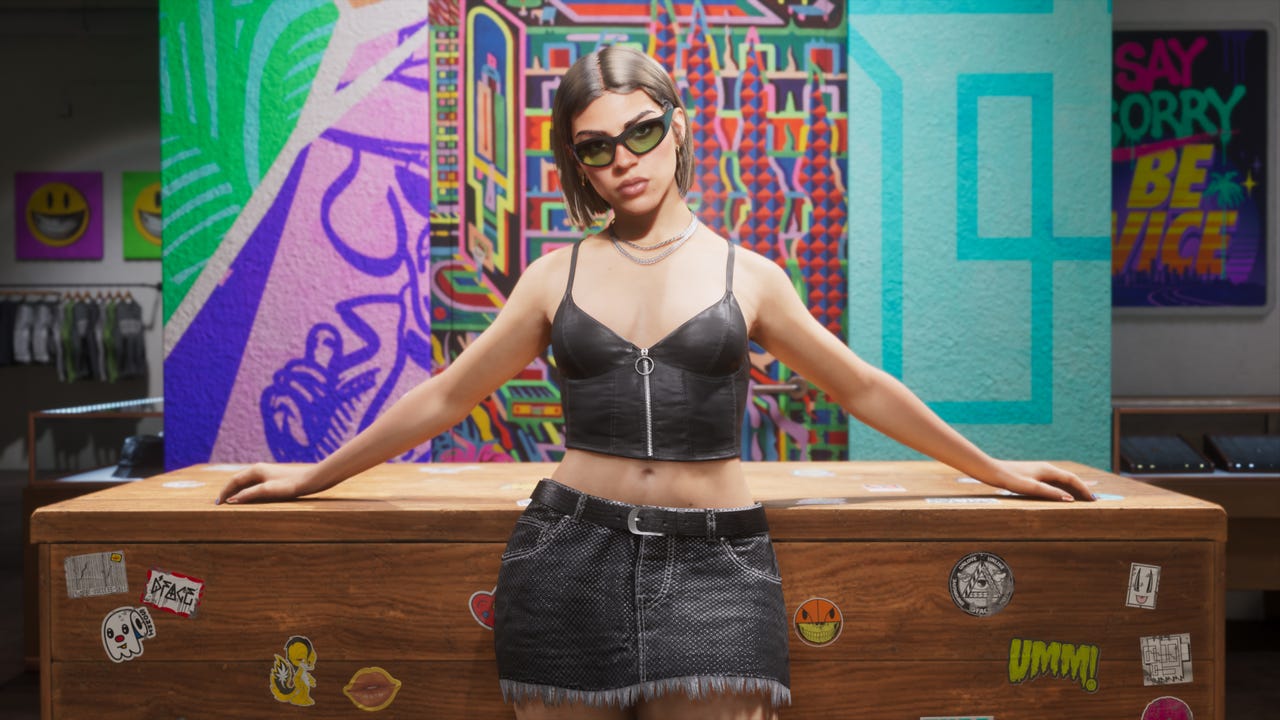
GTA 6 60fps Rumours vs Reality: What Canadian Buyers Should Know Before Choosing a Gaming PC for New Games
The latest GTA 6 performance chatter has sparked a familiar debate: will massive open-world games really deliver smooth 60fps on current hardware, or are players setting themselves up for disappointment? Based on the source reporting, tech analysts are casting serious doubt on those GTA 6 quality and performance mode rumours, and that matters far beyond one game. For anyone shopping for a Gaming PC Canada buyers can trust, this is a reminder that next-generation game ambition keeps climbing faster than many people expect.
When a blockbuster title pushes world simulation, visual density, lighting, traversal speed, and cinematic detail all at once, the performance conversation changes. Suddenly, the question is not just, “Will this game run?” It becomes, “What kind of system do I need if I want high settings, strong frame rates, ray tracing, streaming, recording, and room to grow?” That is exactly where Groovy Computers can help Canadian buyers make a smarter move.
If you have been following GTA 6 news, the core takeaway is simple: rumours about 60fps modes should be treated cautiously until official technical details exist. That does not just affect console players. It also gives PC buyers an early signal that this is likely to be one of those major releases that separates entry-level systems from stronger, more future-ready builds.
Why are experts skeptical about GTA 6 hitting 60fps on current consoles?
The skepticism comes down to workload. Games like GTA 6 are not just rendering pretty environments. They are also managing AI, traffic, pedestrians, world streaming, physics, lighting, background systems, and huge amounts of visual data at speed. In other words, this is the kind of game where raw visual quality is only part of the story. CPU demand matters, memory demand matters, storage speed matters, and optimization can only do so much when the world itself is so ambitious.
That is why this story matters for PC buyers in Canada. If a major release appears heavy enough that 60fps on aging console-class hardware looks doubtful, then shoppers should already be asking a more useful question: do you want your next system to merely survive upcoming AAA games, or do you want it to enjoy them?
Are you hoping to play at 1080p and just stay above console-level settings? Are you planning for 1440p high refresh gaming? Do you want 4K visual quality, ray tracing, and headroom for future releases? Your answer changes the right build category completely.
What the GTA 6 60fps debate really means for PC buyers in Canada
The biggest lesson is not “consoles are bad” or “PC is automatically easy.” The real lesson is that high-end modern game design is expensive in performance terms. That means buying a new PC based only on today’s lighter games can be a mistake if your real goal is to be ready for tomorrow’s demanding releases.
For Canadian buyers, that decision is even more important because system pricing can shift with GPU demand, memory costs, SSD pricing, supply changes, and broader market volatility. If you know a wave of major games is coming, waiting too long can leave you with fewer choices, weaker value, or a system that feels outdated too quickly.
So what should you be thinking about right now? Not just “Can my PC run GTA 6?” Ask instead: what other games are on your list? Are you also playing cinematic open-world games, competitive shooters, modded sandbox titles, racing games, survival games, or heavily ray-traced releases? A smart buying decision is rarely about one title alone.
What do you want your next PC to do for you?
This is the question more shoppers need to ask before they look at specs or monthly payments. Do you want a pure gaming system? A gaming and streaming setup? A creator machine that can game after work? A system for editing YouTube videos, running Adobe apps, handling Blender scenes, or supporting both play and productivity?
If you mainly care about GTA 6 and other AAA releases, you need a gaming-first build strategy. If you plan to stream on Twitch or YouTube, record gameplay, clip highlights, and edit content, you should be thinking about a Gaming and Creator PC Canada shoppers often underestimate. If your day also includes Premiere Pro, Photoshop, Lightroom, Illustrator, DaVinci Resolve, or 3D rendering, then your system should be selected for mixed workloads, not just frame rates.
Would you rather buy one stronger machine that handles gaming, streaming, and editing properly, or buy a cheaper system now and feel pressure to upgrade again sooner than expected? That one decision can define whether your purchase feels smart six months from now.
What gaming performance tier fits you best?
One of the easiest ways to avoid overbuying or underbuying is to choose your tier based on resolution, refresh rate, and the type of games you actually play.
Entry tier: 1080p gaming for budget-conscious buyers
If your goal is 1080p gaming with solid performance in esports titles, lighter online games, and respectable settings in new AAA games, an entry-level to lower-midrange build may be enough. This is often the right path for students, first-time buyers, and anyone looking for a Budget Gaming PC Canada shoppers can actually grow with.
But here is the critical question: are you buying for today’s games only, or are you trying to stay comfortable through the next wave of demanding releases? A low-cost system can be good value, but only if your expectations match the hardware.
Midrange sweet spot: 1440p gaming with stronger long-term value
For many buyers, 1440p is the real sweet spot. This tier gives much better visual sharpness than 1080p while still offering strong frame rates and better longevity than a bargain build. If you want a Gaming PC for New Games with room for heavier open-world titles, higher texture settings, and smoother performance, this is often where value and future-readiness meet.
Do you want high settings without immediately shopping for another GPU next year? Do you want enough overhead for demanding releases that may land harder than expected? A properly balanced 1440p system is often the smartest all-around move.
High-end tier: 4K, ray tracing, ultra settings, and premium longevity
If you want the kind of experience that leaves performance anxiety behind, a Premium Gaming PC Canada buyers choose for 4K, ray tracing, high refresh gaming, and long-term relevance is the right direction. This tier is for enthusiasts who want major visual headroom, better performance reserves, and stronger support for future AAA games.
Are you aiming for ultra settings? Do you care about advanced lighting effects? Are you planning for a large high-resolution monitor? Do you want a system that still feels premium when the next demanding title arrives? If yes, going higher now may save money and frustration later.
Is GTA 6 making you rethink console vs PC?
For many players, yes. When reports start suggesting 30fps may remain the realistic baseline on fixed hardware for major blockbuster releases, some gamers begin looking more seriously at a Custom Gaming PC Canada buyers can tailor around their own priorities.
PC gives you options. You can target higher frame rates, different resolutions, stronger image quality, streaming support, creator software performance, larger storage, and a more flexible upgrade path. You also are not locked into one fixed performance target for the life of the machine.
That does not mean every PC beats every console. It means the right custom PC can be selected around what matters to you. Do you want higher FPS? Better multitasking? Faster loading? More mod potential later? Better recording and editing support? More control over visual settings? Then a custom build starts making more sense.
What PC do you need for GTA 6-style AAA gaming?
Even without official final PC requirements, the source article gives us a strong clue about the type of hardware philosophy buyers should adopt: prioritize balance, not just one flashy component. Massive open-world games often punish weak CPUs, limited RAM, slow storage, and entry-level GPUs all at once.
- CPU: Strong multi-core and gaming performance matter for heavy world simulation, background systems, and streaming.
- GPU: Your graphics card determines your practical target for 1080p, 1440p, or 4K, especially once high settings and ray tracing enter the picture.
- RAM: Modern AAA gaming, multitasking, browser tabs, launchers, voice chat, and background apps quickly expose low-memory systems.
- SSD: Fast storage is no longer a luxury for large modern games. It improves responsiveness, load times, and open-world data streaming.
- Cooling and power delivery: Stable thermals and quality parts matter if you want sustained performance and long-term reliability.
Are you shopping based on a single headline spec, or are you buying a complete system designed to perform as a system? That is where custom PC building matters most.
Do you also stream, record, or create content?
This is where many buyers accidentally choose the wrong machine. A PC that is acceptable for gaming alone is not always ideal for gaming plus OBS, clips, browser tabs, Discord, overlays, editing software, and export workloads.
If you plan to stream, ask yourself: are you going live at 1080p? Do you want smooth gameplay while streaming? Will you be recording locally at high quality? Do you need fast export times for YouTube uploads? A proper Streaming PC Canada setup should be selected with both gaming and creator use in mind.
If your workflow includes editing, a Creator PC Canada buyers choose for mixed use can save real time every week. Faster renders, smoother timelines, better playback, and more reliable multitasking all matter when your PC is not just for fun.
Would a stronger GPU help with both gaming and creator acceleration? Would more RAM help your editing workflow as much as your browser habits? Would a larger SSD save you from constantly uninstalling games or moving project files around? These are the practical questions that turn a good build into the right build.
What if you need a PC for video editing, photo editing, graphic design, or 3D work too?
The GTA 6 discussion is a gaming headline, but the buying logic extends directly into creator and workstation use. If your system needs to do more than play games, your component balance matters even more.
Video editing and content creation
If you work in Premiere Pro, DaVinci Resolve, After Effects, or CapCut, a Custom Video Editing PC Canada shoppers choose should be built around export speed, timeline responsiveness, memory capacity, and storage planning. Gaming performance still matters if you play after work, but editing workflows can punish weak CPUs, low RAM, and limited SSD space very quickly.
Do you edit 1080p, 4K, or higher? Are you working with long-form footage, multicam timelines, effects-heavy sequences, or short-form social content at high volume? The right answer changes what kind of creator PC makes sense.
Photo editing and graphic design
If your day revolves around Photoshop, Lightroom, Illustrator, InDesign, Canva, or large asset libraries, your ideal system may not be the same as a gaming-first machine. A Photo Editing PC Canada or Graphic Design PC Canada setup should prioritize responsiveness, memory, storage, and overall workflow smoothness.
Do you batch export RAW photos? Use AI-assisted tools? Work across multiple displays? Keep dozens of assets open while switching between design apps? Then your PC should reflect professional usage, not just minimum software specs.
3D modeling and workstation tasks
If you use Blender, Unreal Engine, AutoCAD, SolidWorks, Maya, Cinema 4D, or rendering tools, you need to think in workstation terms. A 3D Modeling PC Canada or Workstation PC Canada build must be selected for viewport performance, rendering speed, memory headroom, and sustained stability.
Are you building game assets? Rendering animations? Working with architecture, product design, or engineering projects? If so, choosing a gaming-only machine can become a false economy very quickly.
Should you buy now or wait?
This is one of the most important questions Canadian buyers ask, especially when a major release is still ahead. The answer depends on your current system, your performance goals, and your tolerance for risk.
If your existing PC already struggles in modern games, waiting can mean months of compromises followed by shopping during a period of higher demand. If your current hardware is fine for now but not ideal for upcoming releases, planning ahead may be smarter than panic-buying later.
Ask yourself a few honest questions:
- Do you want your system ready before the next major AAA release window?
- Are you worried GPU or memory pricing could shift upward?
- Are you trying to avoid buying twice in a short period?
- Would a stronger build now save you from an early upgrade?
- Are you shopping before school, holiday demand, or a creator workflow expansion?
For many shoppers, the better question is not “Can I wait?” but “What happens if waiting leaves me paying more for less?”
Could financing help you secure a better system before prices change?
For buyers who know they need a stronger machine but do not want to compromise into a short-lived build, financing can be a practical tool. Instead of settling for the weakest system that fits today’s cash budget, some customers prefer to spread payments out and move into a higher-performance tier that lasts longer.
Would it be smarter for your situation to choose a better GPU, more RAM, a faster SSD, or a more capable CPU now rather than replacing parts too soon? If your next PC needs to carry you through demanding gaming, streaming, editing, or workstation tasks, financing up to 4 years can make that jump more realistic.
This is especially relevant when new games, software demands, or hardware replacement costs are moving upward. A slightly stronger build can often age much better than a bargain system that feels maxed out on day one.
Custom PC vs generic prebuilt: why does it matter more for demanding games?
When game requirements rise, weak component matching becomes easier to notice. A generic prebuilt might advertise one attractive part while cutting corners on cooling, power supply quality, motherboard features, memory configuration, SSD capacity, airflow, or upgrade flexibility.
That is why many buyers prefer working with Canadian Custom PC Builders who understand performance balance. A proper custom system is not just about parts on a list. It is about how those parts work together under real use.
Do you want a machine designed around your actual target resolution and game list? Do you want advice on whether your build should lean gaming-first, creator-first, or mixed-use? Do you want confidence that the system was assembled and tested with care instead of treated like a warehouse box move? Those are the reasons custom still matters.
Why does Groovy Computers make sense for Canadian buyers?
Groovy Computers is built around helping buyers in Canada choose systems that make sense for real use, not just marketing headlines. Whether you need a gaming desktop for upcoming AAA releases, a mixed-use creator machine, or a workstation for professional workloads, the goal is to match performance to purpose.
That means asking better questions up front. What are you playing? What are you creating? What monitor are you using? Are you targeting 1080p, 1440p, or 4K? Do you stream? Do you edit? Are you trying to future-proof? Are you buying for school, work, content creation, or all three?
It also means real confidence after the sale. Groovy Computers offers custom builds, rigorous testing, and a 1-year warranty, which matters when you are investing in a system meant to handle serious gaming or production workloads. For Canadian shoppers, that combination of tailored guidance and support can make a major difference.
If you are in Nova Scotia, Atlantic Canada, or ordering from elsewhere in the country, working with a Canadian PC builder matters when you want clear communication, practical recommendations, and systems built for the workloads you actually care about.
What kind of buyer should choose which system?
Choose a budget-focused build if:
- You mainly play lighter games or esports titles
- You are staying at 1080p
- You want strong value without chasing max settings
- You understand future AAA games may require compromises sooner
Choose a midrange performance build if:
- You want a strong 1440p experience
- You play a mix of competitive and cinematic games
- You want better longevity and smoother overall value
- You may stream or multitask while gaming
Choose a premium gaming build if:
- You want 4K or high-refresh 1440p
- You care about ray tracing and visual fidelity
- You want stronger headroom for upcoming AAA games
- You do not want to feel forced into an early upgrade
Choose a creator or workstation build if:
- You game and edit on the same machine
- You use Adobe apps, DaVinci Resolve, Blender, or CAD tools
- You need faster export, render, or workflow performance
- You want a system selected for productivity as much as entertainment
What questions should you ask before ordering your next PC?
Before you commit, ask yourself the questions many buyers skip:
- What games or software will I use most over the next 2 to 4 years?
- Am I buying for 1080p, 1440p, or 4K?
- Do I want high FPS, maximum visual quality, or a balance of both?
- Will I stream, record, edit, design, or render on this machine too?
- How much storage will I realistically need for games and projects?
- Would more RAM save me frustration later?
- Am I choosing a system I can grow with, or one I will outgrow quickly?
- Would financing a better build make more sense than compromising now?
Those questions lead to better purchases than chasing rumours ever will.
Our take: GTA 6 60fps rumours are interesting, but your buying decision should be bigger than one rumour
The source story highlights an important reality: next-generation game ambition is not slowing down. If experts are already questioning whether current consoles can realistically hit 60fps in a title as demanding as GTA 6, PC buyers should be using this moment to think strategically.
Do you want a PC that is merely acceptable when new releases arrive, or do you want one that feels ready? Do you want to game only, or create too? Do you want to buy once with confidence, or save a little now and risk replacing sooner?
If you are asking what gaming PC you need, what performance tier fits your budget, or whether it makes sense to finance a stronger system before prices shift, Groovy Computers is the right place to start. Explore custom options, get guidance that matches your real goals, and shop with a Canadian builder that understands gaming, creator, and workstation performance. Visit GroovyComputers.ca to find the right build for your next upgrade.
In short, the GTA 6 60fps rumours may or may not hold up, but the broader signal is clear: demanding games are pushing hardware harder, and smart buyers should plan accordingly. If you want a Gaming PC Canada shoppers can count on for upcoming releases, streaming, editing, or mixed-use performance, now is the time to choose carefully and buy with a longer view in mind.
#GamingPCCanada #CustomGamingPCCanada #GamingPCForNewGames #GTA6PC #1440pGamingPCCanada #4KGamingPCCanada #CreatorPCCanada #VideoEditingPCCanada #StreamingPCCanada #CanadianCustomPCBuilders #GamingPCNovaScotia #BuyGamingPCOnlineCanada
Groovy Computers | All Rights Reserved



Leave a comment
This site is protected by hCaptcha and the hCaptcha Privacy Policy and Terms of Service apply.