




















Resident Evil: Death Island Manga Has Jill Valentine Back in Focus, But Is Your Next Gaming PC Ready for What’s Next?
The renewed spotlight on Resident Evil: Death Island manga is more than just a nostalgia hit for long-time survival horror fans. It is another reminder that major gaming franchises never stay quiet for long, and when attention swings back to iconic characters like Jill Valentine, interest in the wider Resident Evil universe usually follows. For Canadian gamers, streamers, and content creators, that raises a practical question: is your current PC actually ready for the next wave of horror games, remakes, creator workloads, and higher-performance demands?
At Groovy Computers, this is where the conversation becomes useful. A headline about Jill Valentine returning in manga form may sound like pure entertainment news, but it also connects directly to how people buy PCs today. Fans revisit old titles, mod classic games, replay remakes at higher settings, stream franchise marathons, create lore videos, edit gameplay clips, and start asking whether their aging system still makes sense. If that sounds familiar, you may already be closer to a PC upgrade decision than you think.
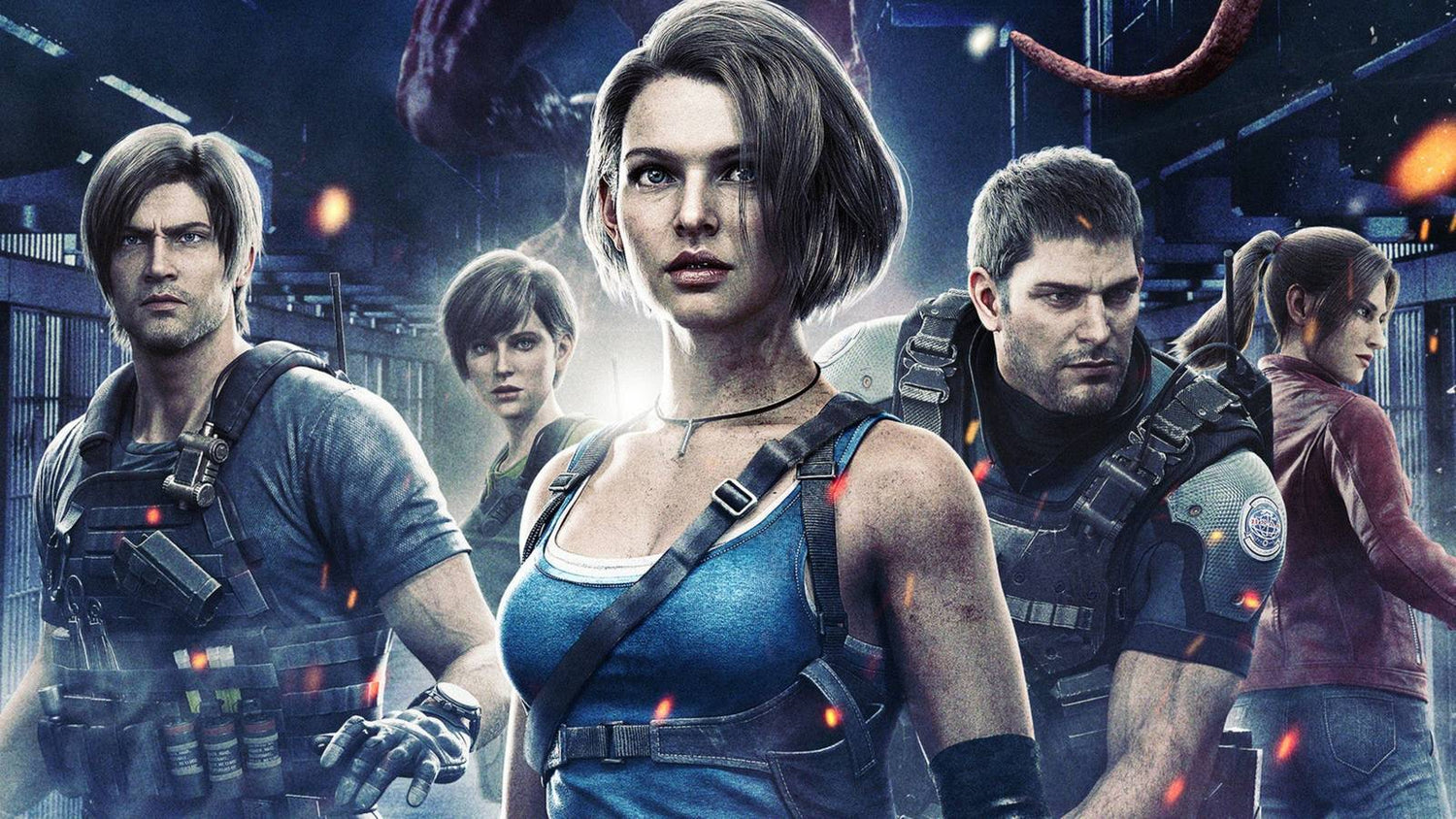
The source story highlights a complete release of the manga adaptation of Resident Evil: Death Island, bringing Jill together again with Leon, Chris, Claire, and Rebecca. That matters because it reinforces how valuable legacy game franchises remain. When major IP returns to the spotlight, gamers often circle back to PC gaming performance questions. Can your system handle modern lighting effects? Can it keep a stable frame rate in demanding horror titles? Can it stream and record smoothly while you play? Can it also double as a creator PC if you make YouTube, TikTok, or long-form lore content?
Those are exactly the kinds of buying questions a strong custom PC should answer clearly.
Why does the Resident Evil: Death Island manga matter to PC buyers in Canada?
Because game hype rarely stays confined to one format. A manga release, animated film attention, character comeback, or franchise anniversary often drives renewed interest across gaming, streaming, fan content, and even hardware upgrades. Someone who starts by reading about Jill Valentine may end up replaying survival horror games, downloading HD mods, capturing footage, or planning a full franchise marathon. That is when an underpowered PC starts to feel expensive in a different way: not because of what it cost, but because of what it cannot do well anymore.
Canadian buyers also face a different reality than many general entertainment readers. Here, system pricing, component availability, and shipping value matter a lot. If you are considering a replacement, waiting too long can leave you buying under pressure during a demand spike, a sale rush, or just before a new game release pushes interest higher. So the better question is not only what happened in the Resident Evil news cycle? It is also what does this kind of franchise momentum mean for your next PC decision?
What the source story gets right about Jill Valentine’s return
The big point is simple: Jill Valentine has remained one of the most popular names in Resident Evil, and fans have wanted more of her for years. The source emphasizes how Death Island explores her life after the events of Resident Evil 5, which gives the release more weight than a routine adaptation. For fans, it is not just another side product. It fills part of a character gap that has been sitting there for a long time.
It also highlights something else that matters in gaming culture: cross-media content keeps franchises alive between major releases. That means excitement builds in layers. A film leads to a manga. The manga fuels discussion. The discussion leads to replaying older games. Replays turn into benchmark videos, stream content, and “can my PC run this properly?” searches. If you are buying a system in that environment, your goal should not be to chase one title only. Your goal should be to choose a build that handles the broader category of visually demanding, modern, and future-facing games well.
What do you want your next PC to do for you?
Before you think about parts, brands, or budget, stop and ask the question that actually matters: what do you want your next PC to do for you over the next few years?
Do you want a system that simply runs games at 1080p without frustration?
Do you want a smoother 1440p experience for modern horror, action, and open-world titles?
Do you want to push 4K visuals, ray tracing, and ultra settings on big single-player releases?
Do you want to stream your gameplay while keeping frame rates stable?
Do you want to clip footage, edit videos, create thumbnails, work in Photoshop, or manage Adobe Creative Cloud without your PC slowing to a crawl?
Do you want one machine that can game at night and function as a serious content creation or workstation system during the day?
If you do not answer those questions first, it is easy to buy too little PC and end up upgrading again too soon. It is also easy to overspend in the wrong places. A good custom build is not just powerful. It is matched to your real use.
If you are a horror gamer, what performance tier actually fits you?
Survival horror fans are not all the same type of buyer. Some want atmospheric single-player experiences at high settings. Others want esports-level responsiveness in other genres too. Others want a flexible machine for gaming and streaming. Here is the practical breakdown.
Entry-level and budget buyers
If your main goal is solid 1080p gaming with a mix of current and older titles, an entry-level or budget gaming PC Canada tier can still make sense. This is ideal if you are replaying older Resident Evil titles, enjoying remasters, playing lighter multiplayer games, and doing basic content capture without heavy editing. But ask yourself honestly: will this still feel good in a year or two if more demanding games become your regular rotation?
Budget buyers should be especially careful not to focus only on the cheapest sticker price. A weaker system can become more expensive if it forces an early GPU upgrade, limited storage expansion, or poor streaming performance. If you know you are already close to wanting more, it can be smarter to move one tier higher now.
Mainstream 1440p buyers
For many gamers, this is the sweet spot. A balanced Custom Gaming PC Canada build for 1440p gives you stronger image quality, more visual headroom for newer AAA titles, and better flexibility for gaming plus background apps, Discord, capture tools, browser tabs, or light editing. If you are asking, what PC do I need for 1440p gaming? this is often where the best value lives.
This tier is often ideal for players who want modern horror games to look dramatic, cinematic, and smooth without paying top-tier 4K pricing. It is also a great match for people who stream occasionally or want to start building content around the games they love.
High-end and 4K buyers
If you want a premium system for ultra settings, ray tracing, higher resolutions, demanding future games, and stronger longevity, then a high end gaming PC Canada category makes more sense. This tier is for buyers who do not want to revisit the same upgrade conversation too quickly. If you are the kind of player who notices stutter, wants cleaner frame pacing, uses high-refresh displays, or plans to stay current with new game launches, this is the tier that provides breathing room.
Ask yourself: are you buying for the games you already play, or for the games you know are coming next? That answer changes everything.
Are you only gaming, or do you also want to stream, record, and create?
This is one of the biggest buying mistakes we see. A customer starts by saying they need a gaming PC, but within a few minutes it becomes clear they also want to stream, record clips, edit videos, run OBS, manage overlays, export highlights, or build social media content. At that point, they are not just shopping for gaming performance anymore. They are shopping for workflow performance.
If you plan to stream horror playthroughs, record cinematic gameplay, or publish reaction content around franchise news, you should think in terms of a gaming and streaming PC Canada or even a content creation PC Canada setup. That means paying attention not just to graphics performance, but also CPU strength, RAM capacity, storage speed, and cooling stability.
Do you want to run OBS while gaming? Do you need faster exports for YouTube? Do you work with Adobe Premiere Pro, DaVinci Resolve, Photoshop, or After Effects? Do you keep dozens of browser tabs open while editing? Do you use multiple monitors? Those habits matter because they define whether you need a standard gaming desktop or a more flexible creator-focused machine.
Could this kind of franchise hype push you into creator territory without you realizing it?
Absolutely. A lot of buyers now move from pure gaming into hybrid creator use without planning it. They start by watching a trailer, then they make a reaction post, then they edit clips, then they stream, then they design channel art, then they start using AI features in editing software. Suddenly, they need a stronger PC than they expected.
If that sounds familiar, it may be time to think beyond a simple gaming build. A proper Creator PC Canada setup can give you smoother editing timelines, faster media imports, better multitasking, more storage flexibility, and stronger long-term value than a system chosen only for gaming benchmarks.
That is especially important if your workflow includes:
- Video editing in Premiere Pro or DaVinci Resolve
- Photo editing in Photoshop or Lightroom
- Graphic design in Illustrator, Photoshop, Canva, or InDesign
- Content creation across YouTube, TikTok, Instagram, and livestreaming platforms
- 3D modeling in Blender, Unreal Engine, Maya, or similar tools
If you are asking, is a gaming PC good for content creation? the answer is sometimes yes, but only if the parts are chosen with both gaming and productivity in mind. A custom build matters here because balanced part selection is what separates a system that merely runs from one that feels consistently capable.
What if you also need a PC for video editing, photo editing, or design work?
Then your purchase should not be framed as “just a gaming PC upgrade.” It should be viewed as a multi-role investment. If you cut together gameplay videos, social posts, podcast clips, or business media, then a Video Editing PC Canada or custom creator desktop may be the smarter category. If your priority is heavy RAW processing, Photoshop performance, Lightroom libraries, or colour-sensitive work, then a Photo Editing PC Canada build may be a better fit. If branding, layout design, ad creative, client assets, or Adobe Creative Cloud drive your workload, a Graphic Design PC Canada path makes sense.
Ask yourself a direct question: how much time do you lose waiting on your current computer? Slow previews, timeline lag, export delays, app freezes, and poor multitasking are not minor annoyances. Over time, they reduce output, increase frustration, and often lead to rushed replacement buying later.
For creators, a better computer is not just about fun. It is about workflow confidence.
What about 3D modeling, rendering, and workstation-level use?
If you are moving beyond gaming and into Blender, Unreal Engine, 3D asset creation, rendering, CAD-style work, or professional multitasking, then you may need a 3D Modeling PC Canada or Workstation PC Canada category build instead. This is where component balance becomes even more important. Gaming-focused choices do not always translate perfectly to heavier rendering and productivity demands.
Are you building environments? Rendering scenes? Compiling projects? Working with complex geometry? Running simulation or animation workloads? If so, your priorities may shift toward more CPU horsepower, more RAM, better thermal stability, larger fast SSD storage, and a GPU selected for both viewport and rendering performance.
If you are asking, what PC do I need for Blender? or what workstation PC do I need? the answer depends heavily on whether your work is hobby-level, freelance, or commercial. That is exactly why a custom consultation matters more than generic one-size-fits-all retail systems.
Why timing matters more than many buyers expect
Entertainment headlines can influence hardware buying more than people think. Franchise returns, new game reveals, software feature upgrades, creator trend surges, and seasonal shopping windows all contribute to demand. That does not mean every news story causes a shortage, but it does mean waiting indefinitely is not a strategy. It is often just delayed decision-making.
If your current PC is already struggling, ask yourself:
- Do you want to replace it calmly now, or urgently later?
- Are you trying to buy before a major game release you care about?
- Are you expecting to start streaming or editing more this fall or winter?
- Are you planning around school, work, content goals, or holiday demand?
- Would a stronger build now help you avoid buying twice?
When buyers postpone too long, they often end up shopping during the least comfortable moment: right when they suddenly need the machine. That is when compromises happen.
Should you buy a cheaper system now, or finance a better one?
This is one of the most practical questions in the entire buying journey. If your choice is between stretching for the wrong low-end build and securing a stronger, better-matched custom system, financing can make the higher-value option far more sensible. A PC that fits your needs properly today can save you from faster obsolescence, a cramped upgrade path, and the frustration of underbuying.
For many customers, the real question is not can I buy the cheapest system possible? It is should I finance a better PC instead of buying a cheaper one that I will outgrow quickly?
That question becomes even more relevant when you want smoother 1440p gaming, creator software support, faster export speeds, better thermals, larger SSD capacity, or longer-lasting GPU value. Financing can help you secure a stronger custom build while protecting cash flow for other priorities. At Groovy Computers, that is especially relevant for buyers looking at gaming, streaming, editing, and workstation systems that need to stay useful for years, not months.
If you are comparing short-term affordability versus long-term satisfaction, monthly payment flexibility can be the deciding factor. And if Groovy Computers offers financing up to 4 years on qualifying purchases, that can open the door to a system that actually matches your workload instead of forcing compromises from day one.
What parts matter most if your next PC needs to last?
Not every buyer needs the same answer, but some part categories matter almost universally when you want a better long-term experience.
Graphics card
The GPU shapes much of your gaming experience, especially if you care about resolution, ray tracing, texture quality, and frame rates in modern titles. If your goal is future-ready performance in demanding games, this is rarely the place to cut too aggressively.
Processor
The CPU matters for simulation-heavy games, multitasking, streaming, creator workloads, and workstation use. If your use case includes gaming plus productivity, processor choice becomes more important than many first-time buyers expect.
RAM
How much RAM do you need? That depends on whether you are just gaming, gaming plus streaming, or gaming plus editing and design work. More demanding multitasking and creator software usually benefit from moving past entry-level memory capacity.
Storage
Modern games are large. Video assets are larger. Fast SSD storage improves load times, responsiveness, and workflow smoothness. If you capture footage, maintain large libraries, or install multiple major games at once, storage planning matters a lot.
Cooling and case airflow
Performance on paper does not mean much if thermals are poor. Stable cooling helps maintain sustained performance, quieter operation, and longer component confidence. This is one area where a carefully assembled custom PC can feel far better than a rushed mass-market system.
How do you decide between a gaming PC, creator PC, and workstation?
A simple way to choose is to look at where your time goes each week.
Choose a gaming-focused build if:
- You mainly play games and want stronger frame rates, visuals, and responsiveness
- Your editing and content tasks are light or occasional
- You are choosing based on 1080p, 1440p, or 4K goals first
Choose a creator-focused build if:
- You game, but also stream, edit, design, or produce regular content
- You use OBS, Premiere Pro, DaVinci Resolve, Photoshop, or Illustrator frequently
- You need stronger multitasking and more balanced all-around system performance
Choose a workstation-focused build if:
- You do serious 3D work, rendering, CAD-style tasks, simulation, or professional production
- Your machine is a productivity tool first and a gaming device second
- You need sustained reliability under heavy workloads
If you are still unsure, ask the best decision-making question of all: what task would frustrate me most if this PC handled it poorly? The answer often reveals the category you actually need.
Why custom builds matter when your needs are changing
The source article is about a franchise moment, but the buying lesson is bigger. People’s tech needs evolve fast. Someone who was “just gaming” six months ago may now be streaming, editing, designing, or using demanding software every week. That is why custom builds matter. A custom system can be matched to your actual use instead of forcing you into generic compromises.
With Canadian Custom PC Builders, the value is not just the parts list. It is the part matching, airflow planning, upgrade path awareness, proper testing, and support confidence. A well-built custom PC should feel deliberate. That matters even more if you care about future-proofing, performance balance, and not replacing your system prematurely.
Ask yourself: do you want a machine assembled around your goals, or a random configuration that only looked good in a product title?
Why Groovy Computers fits this kind of buyer journey
Groovy Computers is built for customers who need more than generic retail guesswork. If you are shopping for a custom gaming desktop, a hybrid streaming and editing system, or a more serious workstation, the advantage is clear: you get a system designed around what you actually plan to do.
For buyers in Nova Scotia, Atlantic Canada, and across the country, trust matters. So does knowing your PC was assembled with care, stress tested, and backed by support. That is why the details matter: custom builds, rigorous testing, and a 1-year warranty are not minor extras. They are part of what helps you buy with confidence, especially when hardware costs and performance expectations are not static.
Whether you are in Trenton, New Glasgow, Halifax, or ordering from elsewhere in Canada, a Canadian builder who understands gaming and creator performance gives you a stronger starting point than gambling on a system that was never designed around your actual workload.
What should you ask before ordering your next PC?
Before you commit, make sure you can answer these questions clearly:
- What games or software will I actually use most?
- Am I targeting 1080p, 1440p, or 4K?
- Do I care about ray tracing or just strong frame rates?
- Will I stream, record, or edit content regularly?
- Do I use Premiere Pro, DaVinci Resolve, Photoshop, Lightroom, Illustrator, or Blender?
- How soon do I want to avoid another upgrade?
- Would financing a stronger system save me money and frustration long term?
- Do I want help choosing the right build from Groovy Computers?
If any of those answers are uncertain, that is exactly why getting guidance before purchase helps.
So, is now a good time to upgrade?
If your current PC is already limiting the games you want to play or the content you want to create, then yes, it may be. Not because one entertainment story alone changes the market, but because stories like this are often part of a larger cycle of renewed player interest, software demand, and hardware pressure. Waiting can be smart in some cases, but drifting without a plan rarely is.
If you are already noticing longer load times, lower settings compromises, editing slowdowns, or multitasking frustration, ask yourself: is it better to buy a gaming PC now or wait until I am forced to? For many buyers, the answer becomes obvious once they connect the upgrade to the time they lose and the experience they are missing.
Need help choosing the right custom PC in Canada?
If the return of Jill Valentine has you revisiting survival horror, planning a new streaming setup, or thinking harder about your next system, the smartest next step is to choose a build based on what you actually want to do next. Whether you need a balanced gaming desktop, a stronger 1440p or 4K system, a creator-focused machine, or a serious workstation, Groovy Computers can help you make the right call without overbuying or underbuilding.
What do you want your next PC to handle, and how long do you want it to feel capable? If you are ready to find out, explore your options at GroovyComputers.ca and get matched with a custom system built for gaming, streaming, editing, design, or workstation performance in Canada.
In the end, the Resident Evil: Death Island manga story is a reminder that gaming culture moves fast, and your PC needs can change faster than you expect. If your current machine is holding you back from better visuals, smoother gameplay, stronger streaming performance, or more productive creator work, this is the right time to take the upgrade question seriously. A better custom build from Groovy Computers can help you play more confidently, create more efficiently, and avoid buying a system that feels outdated too soon.
#ResidentEvilDeathIslandManga #JillValentine #GamingPCCanada #CustomGamingPCCanada #CreatorPCCanada #VideoEditingPCCanada #StreamingPCCanada #WorkstationPCCanada #CanadianCustomPCBuilders #GroovyComputers
Groovy Computers | All Rights Reserved



Leave a comment
This site is protected by hCaptcha and the hCaptcha Privacy Policy and Terms of Service apply.