




















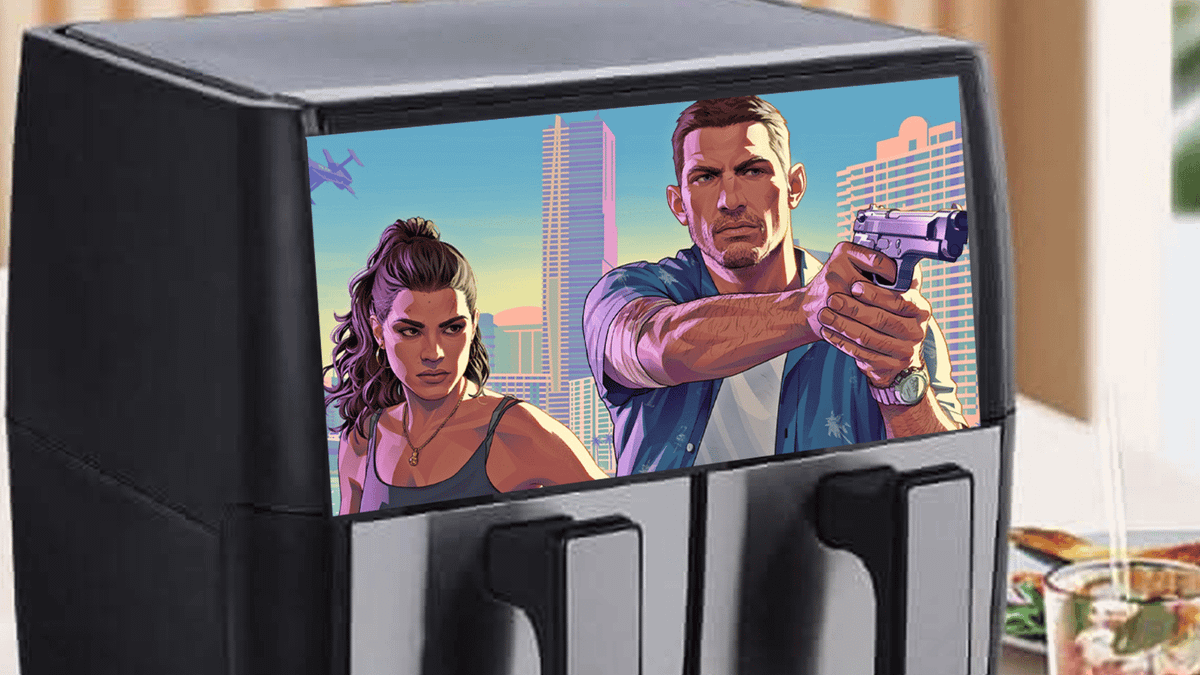
Can You Play GTA 6 on an Air Fryer? The Real GTA 6 PC Question Canadian Gamers Should Be Asking
The viral joke about whether you can play GTA 6 on an air fryer is funny for a reason: gamers are staring at rising hardware costs, huge game expectations, and the reality that not every device with a screen is a gaming machine. The source article leaned into the humour with absurd searches about air fryers, fridges, pets, and other impossible setups, but underneath the joke is a serious buying question. If you want to play one of the biggest upcoming open-world games properly, what kind of system do you actually need, and how should Canadian buyers prepare?
That is where Groovy Computers comes in. For anyone shopping for a Gaming PC Canada solution, planning a custom creator setup, or trying to avoid buying the wrong machine before a major release cycle, this is the more useful conversation. Instead of asking whether GTA 6 can run on a kitchen appliance, the better question is this: what kind of custom PC should you buy if you want smooth gameplay, strong graphics, upgrade headroom, and a system that still makes sense a few years from now?
What the joke gets right: gamers are trying to beat rising costs
The original piece framed the trend as a spin on the classic “can it run DOOM?” meme. That part tracks. Whenever a blockbuster release gets close, people start joking about running it on anything with a screen. But humour usually appears where pressure exists, and in this case the pressure is obvious. Big game launches push demand. Demand pushes attention toward consoles and gaming desktops. Buyers start wondering whether there is a cheaper workaround, whether they should wait, or whether there is a smarter way to buy.
Have you caught yourself asking one of these questions lately?
- Do I buy now before major game demand spikes?
- Should I stretch for a better GPU so I do not need to upgrade too soon?
- Is a budget gaming PC enough for modern AAA games, or will I regret it?
- Would financing let me get the right system instead of settling for the cheapest one?
Those are real questions, and they matter much more than whether a smart fridge has a display.
Can you actually play GTA 6 on an air fryer, fridge, or other weird device?
In any practical sense, no. The joke works because there is a big difference between displaying something and truly running a demanding modern game. A novelty screen, a smart appliance display, or a random embedded device is not a serious answer for a modern blockbuster. Even if someone rigged up some form of remote display or absurd technical workaround, that would not mean the device itself was capable of delivering the kind of performance GTA players will expect.
So what is the real takeaway?
If you care about open-world scale, high detail settings, stable frame rates, fast load times, and modern graphics features, you need real gaming hardware. Not a meme device. Not a bargain-bin machine with no thermal headroom. Not an underpowered office tower pretending to be game-ready.
If GTA 6 hype has you thinking about an upgrade, what do you want your next PC to do for you?
This is the question many buyers skip, and it is the one that saves the most money in the long run.
Do you want a system purely for gaming? Do you also plan to stream? Will you record clips, edit YouTube videos, make TikTok content, or use Adobe apps? Are you also shopping for productivity, design, or 3D software because you want one machine that handles everything?
Your answer changes what the “right” PC looks like.
- Just gaming: prioritize GPU strength, cooling, fast storage, and enough CPU performance to support your target frame rates.
- Gaming and streaming: balance GPU power with a stronger CPU, more RAM, and the right encoder advantages for OBS or recording workflows.
- Gaming and video editing: look at a hybrid Creator PC Canada style setup with more memory, fast SSD capacity, and export-friendly CPU/GPU pairing.
- Gaming and graphic design: a mixed-use build should support Photoshop, Illustrator, and multiple displays without compromising gaming.
- 3D work or workstation tasks: if you use Blender, Unreal Engine, CAD, or rendering tools, you may need to think beyond a standard gaming-first build.
The biggest mistake? Buying for the joke version of your needs instead of your real weekly workload.
What PC do you need for GTA 6-style modern gaming?
Even without relying on invented or unverified requirement claims, we can say something confidently: a major open-world title in this category is exactly the kind of release that exposes weak hardware. Large maps, dense city scenes, advanced lighting, high-resolution textures, background simulation, and streaming assets from storage all put pressure on a system.
If you are shopping for a Gaming PC for GTA 6, think in performance tiers, not in wishful thinking.
Entry tier: Is a budget gaming PC enough?
A budget-friendly system can still make sense for gamers targeting 1080p and sensible settings. If your goal is simply to get into the game, enjoy the story, and avoid overspending, this category can be smart value.
But ask yourself: are you okay turning settings down, skipping higher-end ray tracing expectations, and accepting less future-proofing for the next wave of AAA titles?
A value-focused buyer should be honest here. A lower-cost build is best when you:
- want 1080p gaming
- play a mix of AAA and esports titles
- care more about affordability than maxed-out visuals
- are replacing an aging console or old desktop
- want a better experience than trying to “make do” with underpowered hardware
For many shoppers, a Budget Gaming PC Canada build is the right first step, but only if expectations match the tier.
Mid-range sweet spot: What if you want 1440p and better longevity?
This is often the smartest category for serious players. A good 1440p-focused custom build usually strikes the best balance between visual quality, smoother performance, stronger GPU capability, and better long-term value. If you are asking, what PC do I need for 1440p gaming?, you are already thinking more strategically than the average impulse buyer.
This tier is ideal if you:
- want stronger settings in new open-world games
- play on a higher refresh rate monitor
- expect better texture quality and denser scene performance
- may stream occasionally
- want more breathing room before the next upgrade cycle
For many Canadian customers, this is where a custom build really starts to outperform generic shelf systems. Better part matching, better airflow, and fewer weak links matter more once you move into heavier gaming loads.
High-end tier: Are you aiming for ultra settings, ray tracing, or 4K?
If your vision of GTA 6 includes premium visuals, advanced lighting, high-resolution textures, stronger ray tracing potential, and the headroom to enjoy future AAA releases without compromise, you are in premium territory. This is where buyers often ask, should I buy a cheaper PC now or finance a stronger one that lasts longer?
That is not a bad question. In fact, it is one of the best ones you can ask.
A 4K Gaming PC Canada or premium 1440p machine makes more sense when you:
- want visual quality first
- use a high-end display
- care about ray tracing-ready hardware
- plan to keep the system for years
- play multiple demanding new releases, not just one game
High-end buying is not just about bragging rights. Sometimes it is simply the most cost-effective way to avoid replacing a weak system too quickly.
Should Canadian buyers wait, or buy before big game demand ramps up?
This is where timing matters. Every major release cycle reshapes buyer behaviour. Some people rush to upgrade late. Others buy too early without a plan. The smarter move is usually to buy when you understand your target performance, your budget, and your likely use case beyond one game.
Ask yourself:
- Will I be buying during a demand spike?
- Am I waiting for a sale that may be cancelled out by higher component pricing?
- If my current system is already struggling, how much longer do I realistically want to put up with it?
- Would buying the right PC now save me from panic-shopping later?
Canadian buyers also have to think about broader pricing pressure. GPU availability, RAM volatility, SSD pricing, and shifting demand for higher-performance components can all affect full-system costs. Waiting does not always make a PC cheaper. Sometimes waiting means paying more for the same class of hardware, or settling for less because better options moved out of budget.
Is financing a stronger gaming PC the smarter move?
For some buyers, yes. Not because financing is a shortcut to overspending, but because it can be a practical way to secure a more suitable system before replacement costs rise or before another major upgrade is needed. If your current machine is already behind, buying too cheap can become expensive fast.
Think about the tradeoff. If you buy the bare minimum now, will you need another upgrade sooner than expected? Will lower VRAM, weaker cooling, less RAM, or limited storage become annoying within a year? Will you end up paying twice by replacing too soon?
That is why Gaming PC Financing Canada conversations matter. A stronger system with monthly affordability can be better than an entry-level compromise that ages out quickly. Groovy Computers offers financing options for customers who want to get into a better performance tier without having to delay until prices potentially climb further. For the right buyer, financing up to 4 years can mean better longevity, a better user experience, and less regret.
What if you want one PC for gaming, streaming, and content creation?
This is one of the biggest modern buyer groups. Plenty of gamers are not just playing anymore. They are clipping highlights, editing shorts, livestreaming, building YouTube channels, creating thumbnails, and juggling multiple programs at once. If that sounds like you, a standard gaming-only recommendation may miss the mark.
So ask yourself a more useful question: what do I want this PC to do when I am not gaming?
Do you need a streaming-ready system?
If you plan to stream gameplay, use OBS, record locally, or multitask with Discord, browser tabs, overlays, chat tools, and background apps, then your PC needs more than game-only muscle. A proper Streaming PC Canada setup should account for CPU overhead, GPU encoding advantages, RAM headroom, and cooling stability during long sessions.
A gaming and streaming build is ideal if you:
- play and broadcast from one machine
- want smoother background multitasking
- record gameplay while playing
- use dual monitors
- want a cleaner path into content creation
If you are wondering, what PC do I need for streaming?, the answer usually lands above entry-level gaming specs.
Do you also edit video for YouTube, TikTok, or client work?
Then your build should move closer to a Video Editing PC Canada or hybrid creator machine. Fast exports, smooth timeline playback, strong media cache performance, and enough RAM all matter. If you use Premiere Pro, DaVinci Resolve, After Effects, or CapCut regularly, the right CPU and storage setup will save real time every week.
Questions worth asking:
- Are you editing 1080p, 4K, or higher?
- Do you keep multiple projects open?
- Do you need faster render and export times?
- Would a bigger SSD save you from constant file juggling?
For many buyers, a custom gaming PC alone is not the full answer. A mixed-use creator build often makes more sense.
What about photo editing and graphic design?
If your workflow includes Photoshop, Lightroom, Illustrator, InDesign, Canva-heavy business work, or large RAW image libraries, your priorities shift again. A Photo Editing PC Canada or Graphic Design PC Canada setup should focus on responsive performance, memory capacity, storage speed, and stability during multitasking.
Do you edit large batches of photos? Do you work across multiple Adobe apps at once? Are AI-based photo tools becoming part of your workflow? If yes, a custom build can make a visible difference in day-to-day responsiveness.
Do you need more than a gaming PC because you work in 3D?
If your world includes Blender, Unreal Engine, CAD, rendering, animation, product design, or visualization work, then a workstation-style conversation is probably the right one. A 3D Modeling PC Canada or Workstation PC Canada build can prioritize different strengths than a pure gaming machine.
Ask yourself:
- Are you rendering on GPU, CPU, or both?
- How much RAM do your scenes actually need?
- Do you need gaming capability and production capability in one box?
- Are long-term reliability and thermal stability more important than chasing the cheapest spec sheet?
That is where a custom builder adds real value, because not every “powerful PC” is balanced for real workstation use.
Which performance tier fits you best?
Choosing the right tier is often easier when you think about your monitor, game library, and workload together.
Choose an entry-value build if:
- you want practical 1080p gaming
- you mainly play competitively or casually
- you are coming from an old console or very weak PC
- you need a sensible first gaming desktop
- you are highly budget-conscious
Choose a mid-range build if:
- you want 1440p gaming and better image quality
- you play new AAA games regularly
- you want a stronger experience for open-world titles
- you may stream or record occasionally
- you want better future-proofing
Choose a high-end or premium build if:
- you want 4K or ultra-tier 1440p performance
- you care about premium graphics settings
- you want stronger ray tracing potential
- you are a serious gamer and creator
- you want to avoid upgrading again too soon
If you are still unsure, that is normal. A lot of buyers do not need “the best PC.” They need the right one for how they actually play and work.
Why does custom matter more than ever for GTA 6-era buying?
Mass-market systems often look good in a headline and underdeliver where it counts. Weak cooling, limited airflow, poor power supply choices, cramped upgrade paths, and mismatched parts can all hurt long-term value. A custom build is about more than just picking flashy components. It is about making sure the full system works together under real load.
That matters even more when game demands are rising and component pricing can shift quickly.
With Groovy Computers, Canadian buyers can look beyond generic specs and focus on complete system quality. That means:
- balanced configurations based on actual use case
- better part matching for gaming, streaming, and creator workloads
- rigorous testing before delivery
- a 1-year warranty for added confidence
- support from a Canadian custom PC builder that understands performance priorities
When you are spending serious money, that peace of mind matters. Especially if your next machine needs to carry you through the next wave of demanding titles and software updates.
Why Canadian buyers should think beyond the console comparison
A lot of gamers start by comparing everything to the latest console price. That makes sense on the surface, but it can also oversimplify the decision. A well-chosen gaming desktop is not just a box for one title. It is a full platform for gaming, content creation, productivity, streaming, upgrades, storage expansion, modding, and multi-use flexibility.
Would you benefit from:
- higher refresh rate support?
- mouse and keyboard gaming?
- multi-monitor productivity?
- editing your own content?
- upgrading parts later instead of replacing the whole system?
If yes, then your comparison should not be “console versus PC price tag only.” It should be “what value does this machine deliver across everything I want to do?”
What should you ask before buying your next custom PC?
Before you click buy anywhere, ask these questions:
- What games or software do I actually use most?
- Am I targeting 1080p, 1440p, or 4K?
- Do I care about ray tracing, high FPS, or maximum visual settings?
- Will I stream, record, or edit content?
- Do I need this PC for school, work, design, or rendering too?
- Do I want a budget-first system or longer-lasting value?
- Would financing help me get a better fit now instead of settling?
- Do I want a tested custom build with warranty support from a Canadian company?
Those questions are more useful than any meme search trend, because they lead to a buying decision you can actually live with.
Need help choosing a build from Groovy Computers?
If the GTA 6 hype has you rethinking your setup, this is the right time to narrow down what you really need. Are you after a budget-friendly gaming desktop, a stronger 1440p machine, a premium RTX-ready system, a gaming-and-streaming setup, or a custom creator or workstation PC? Whatever your answer, Groovy Computers can help match the build to the use case instead of pushing a one-size-fits-all machine.
If you are asking what gaming PC do I need, is it better to buy a gaming PC now or wait, or should I finance a better PC instead of buying a cheaper one, the next step is simple: visit GroovyComputers.ca and explore custom options built for Canadian buyers who want performance, value, testing, warranty protection, and a smarter path into modern gaming and creative work.
The bottom line: no, not on the air fryer, yes on the right custom PC
The internet can joke all it wants about running GTA 6 on an air fryer, fridge, bulldozer screen, or anything else with electricity. But if you want the real experience, the real answer is hardware that is actually built for it. The smart move is not chasing novelty. It is choosing a system that fits your monitor, your games, your creative workload, your budget, and your timeline.
For Canadian shoppers, that means thinking ahead. What do you want your next PC to handle? How long do you want it to last? Do you want to play new AAA games comfortably, stream without headaches, edit content faster, or finally buy one machine that does it all properly? If the answer is yes, a carefully selected custom build is the upgrade path that makes sense, and Groovy Computers is ready to help you make that move with confidence.
#GamingPCCanada #GamingPCForGTA6 #CustomGamingPCCanada #CanadianCustomPCBuilders #CreatorPCCanada #StreamingPCCanada #VideoEditingPCCanada #WorkstationPCCanada #GamingPCFinancingCanada #NovaScotiaBusiness
Groovy Computers | All Rights Reserved



Leave a comment
This site is protected by hCaptcha and the hCaptcha Privacy Policy and Terms of Service apply.