



































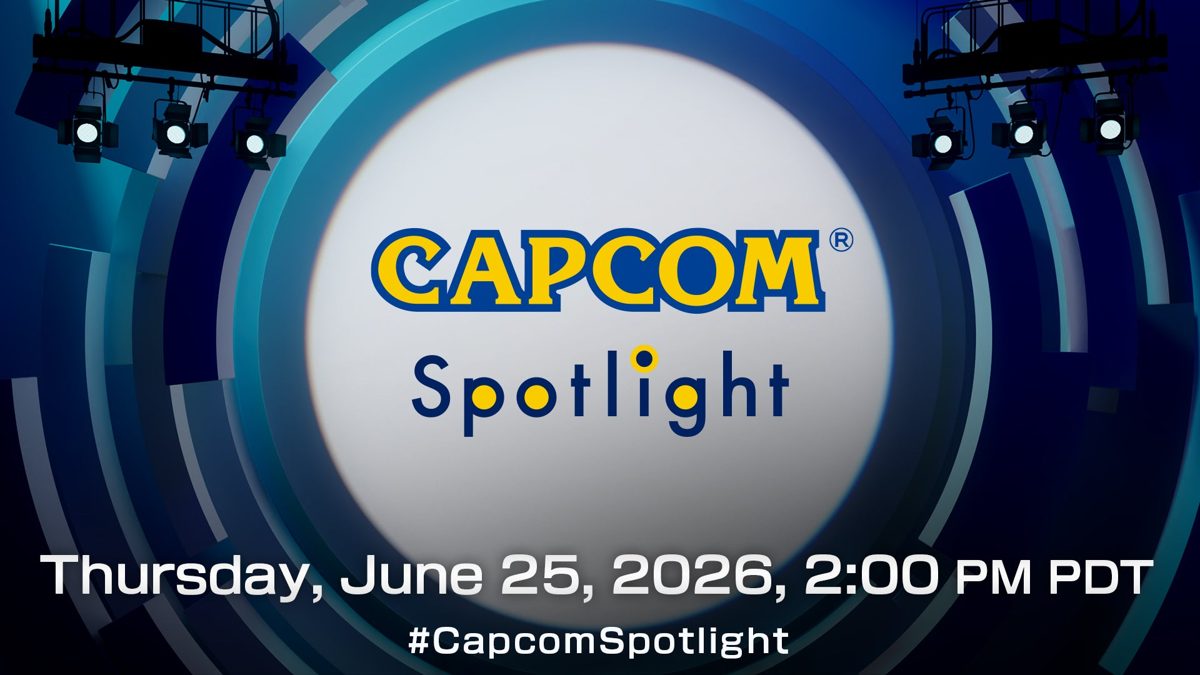
Capcom Spotlight June 2026: What It Means for Your Next Gaming PC in Canada
The Capcom Spotlight June 2026 broadcast may have been a short digital event, but for anyone planning a new gaming PC Canada purchase, it sends a much bigger message. Capcom confirmed that the showcase would highlight updates for current games and new information on upcoming titles, with featured attention on Monster Hunter Stories 3: Twisted Reflection, Onimusha: Way of the Sword, and Dragon's Dogma 2: Dark Arisen. If you are the kind of player who watches these showcases and immediately starts wondering whether your current system is ready, you are exactly the buyer this guide is for.
Big publisher showcases do more than generate hype. They remind PC gamers, streamers, and creators that the next wave of demanding releases is always closer than it feels. One announcement can push thousands of players to ask the same question at once: Is my current computer still good enough, or is it finally time to upgrade?
For Canadian buyers, that question matters even more. New game announcements often increase demand for graphics cards, stronger CPUs, more RAM, and faster SSD storage. If you are trying to decide whether to keep stretching an older rig or move into a custom build that will last longer, this is the right moment to think carefully about performance, timing, and value.
Why the Capcom Spotlight June 2026 event matters beyond the headlines
According to the source material, the event was positioned as a roughly 30-minute update covering games already out and titles still on the way. That may sound simple, but this kind of broadcast is exactly what triggers a new round of upgrade decisions in the PC market. Players see fantasy action, larger environments, cinematic effects, and more ambitious world design, then start re-evaluating their hardware.
If you enjoy Capcom-style releases, what are you really expecting from your next PC? Do you want solid 1080p gameplay with room to grow? Are you targeting 1440p high settings? Are you hoping for 4K visuals, ray tracing, and smoother frame pacing in large open-world or action-heavy games? Those answers completely change what kind of build makes sense.
Publisher showcases also influence more than gaming. If you create YouTube reaction videos, gameplay reviews, livestreams, shorts, thumbnails, fan art, or edited recap content around these events, your PC needs go beyond game performance alone. A system that can play new titles is not always the same system that can game, record, edit, render, and upload efficiently.
What the source article gets right about upcoming Capcom games
The source keeps the event summary concise, but it gives enough context to identify the real takeaway: Capcom is continuing to support a lineup that appeals to several types of PC buyers. There is story-driven action, RPG interest, sequel momentum, and the kind of visual ambition that usually increases hardware expectations over time.
That matters because many gamers do not upgrade for one title alone. They upgrade for a category of games. If one Capcom event puts three interesting releases on your radar, chances are those are not the only demanding games on your list. You may also be watching other AAA launches, ray-traced titles, open-world releases, or high-refresh competitive games at the same time.
So the better question is not just, Can my PC run one specific game? The better question is, What PC do I need for the next two or three years of major releases without feeling forced to upgrade too soon?
Why Canadian buyers should think differently before the next game release cycle
In Canada, buying a gaming desktop is not just about the sticker price of one component. It is about total replacement cost, shipping realities, part availability, and how quickly a "good enough" system turns into another upgrade project. That is why many buyers now prefer working with Canadian custom PC builders instead of gambling on mismatched off-the-shelf hardware.
When game showcases increase demand, stronger GPU tiers tend to attract the most attention first. That can affect full system pricing, especially when combined with memory cost changes, SSD pricing pressure, or renewed interest in premium CPUs. If you wait until a major launch window when everyone is trying to buy at once, do you risk paying more for less performance? In many cases, yes.
This is where planning matters. A custom-built system gives you a chance to choose the right performance tier now, while also thinking about cooling, upgrade path, storage layout, power supply headroom, and long-term reliability. Those details are easy to ignore when you're caught up in launch-day excitement, but they are exactly what determine whether your PC still feels strong next year.
What do you want your next PC to do for you?
Before choosing a graphics card or processor, start with the real use case. What do you actually want your next PC to handle day after day?
- Just gaming: You mainly want smooth performance in new action, RPG, open-world, and cinematic titles.
- Gaming and streaming: You want to play and broadcast through OBS or Streamlabs without ruining frame rates.
- Gaming and video editing: You record clips, cut highlights, edit long-form content, and render for YouTube or social media.
- Content creation: You need a multi-purpose machine for gaming, Photoshop, Premiere Pro, thumbnails, reels, and multitasking.
- 3D and workstation use: You also work in Blender, Unreal Engine, CAD, rendering, or other heavier productivity workloads.
If you are reading about Capcom announcements and also thinking about content, ask yourself something practical: when the next trailer drops or the next game launches, do you want a PC that only runs it, or a system that lets you capture, edit, stream, and create around it too?
What gaming performance tier fits your needs?
One of the biggest mistakes buyers make is shopping by hype instead of by target. Not everyone needs the same system. The right question is: What resolution, settings, and workload are you trying to hit consistently?
Entry-level to value-focused gaming
If your goal is a budget gaming PC Canada setup for 1080p play, you may not need a flagship GPU. This tier makes sense for players who want dependable performance in current games at sensible settings, especially if the budget matters more than chasing every visual feature.
Is that enough for you if you are moving up from an older console or a very outdated desktop? Or would you regret not stepping up once the next wave of larger releases arrives?
This tier is best for buyers who:
- Play primarily at 1080p
- Want a first gaming desktop
- Care about value and upgradeability
- Do not need heavy streaming or editing performance right away
Mainstream 1440p gaming sweet spot
For many customers, this is the smartest balance. A 1440p gaming PC Canada build typically offers the best mix of visual quality, responsiveness, and longevity. If you are excited by games shown at events like Capcom Spotlight, this is often the tier where modern titles start to feel properly "next-gen" on desktop.
Are you the type of player who wants high settings and smooth gameplay without jumping all the way into premium pricing? Do you want enough extra power for a better monitor later? This is often the category that keeps buyers happiest the longest.
This tier is ideal for buyers who:
- Want stronger frame rates and better image quality than 1080p
- Plan to keep the system for several years
- May stream lightly or record gameplay
- Want stronger value than constantly replacing lower-tier hardware
High-end 4K and premium visual gaming
If your target is maxed-out visuals, premium textures, heavier effects, and stronger longevity, a 4K gaming PC Canada or high-end 1440p ultra build is the category to consider. This is especially relevant for players who know they want demanding releases to look impressive from day one.
Do you care about ray tracing? Are you buying a premium monitor now or soon? Do you want a system that still feels powerful when future AAA titles raise the baseline again? If yes, it may be cheaper in the long run to buy more performance once than to upgrade twice.
This tier is ideal for buyers who:
- Want premium settings and stronger visual headroom
- Play newer cinematic games and open-world titles
- May also create content or stream regularly
- Want a more future-proof gaming desktop
Are you buying for gaming only, or for gaming plus streaming?
A lot of customers start by shopping for a game, then realize they also want to stream reaction content, review gameplay, or upload clips. That changes the build conversation immediately. A proper gaming and streaming PC Canada setup should not only run the game well, but also handle encoding, background apps, browser tabs, overlays, chat tools, and capture tasks without becoming frustrating.
What PC do you need for streaming if your current machine already struggles with one game and Discord open at the same time? Usually, you need stronger multi-tasking performance, smarter cooling, enough memory, and a GPU tier that makes game capture less painful.
If your next plan includes Twitch, YouTube, TikTok Live, or OBS recording, ask yourself:
- Will you stream at 1080p while gaming?
- Do you want to record clean gameplay footage for editing later?
- Will you run dual monitors with chat, browser tabs, and alerts open?
- Do you want one PC for both gaming and creator work, instead of two weaker systems?
Many buyers underestimate how quickly streaming turns a "good gaming PC" into a machine that feels underpowered. If that sounds familiar, it may be time to shop for a stronger custom build rather than the cheapest option that only looks good on paper.
Will Capcom hype turn into creator demand too?
It often does. Big gaming moments create content spikes. New trailers mean commentary videos. New releases mean benchmark videos, lore explainers, spoiler-free reviews, thumbnail creation, short-form clips, and community uploads. If that is how you engage with gaming, you may need more than a standard gaming desktop.
A proper creator PC Canada build can save hours over time by improving timeline smoothness, export speed, multi-app responsiveness, and overall workflow reliability. If you use Adobe Premiere Pro, DaVinci Resolve, Photoshop, Lightroom, Illustrator, or similar tools, your build choices matter just as much as they do in games.
So ask the bigger question: do you want a system that lets you enjoy the next Capcom launch, or a system that helps you turn that launch into actual content output?
For video editing
If you edit gameplay, reaction videos, reviews, or social content, a video editing PC Canada setup should prioritize fast storage, strong CPU performance, enough RAM, and a GPU suited to modern editing acceleration.
What PC do you need for video editing if you work with 4K footage, multi-track edits, motion graphics, or long exports? You usually need more than an entry-level gaming desktop. If your current PC stutters on playback or takes too long to export, that lost time adds up.
For photo editing and graphic design
If your gaming interest also leads to thumbnail creation, promotional art, fan design, or photography work, a photo editing PC Canada or graphic design PC Canada build makes sense. Photoshop, Lightroom, Illustrator, and design-heavy workflows benefit from fast storage, enough memory, and stable, responsive performance across multiple applications.
Do you create social graphics, posters, logos, overlays, or event-based content around gaming reveals? Then your next desktop should support both play and production.
For 3D modeling and game-adjacent creative work
Game reveals often inspire another kind of buyer too: artists and developers. If showcases get you thinking about Blender scenes, mod concepts, Unreal Engine experiments, or portfolio rendering, then a 3D modeling PC Canada or workstation-class build may be the smarter path.
What PC do you need for Blender or Unreal Engine if you also want to game? That depends on whether your real priority is viewport speed, render speed, simulation work, compile times, or balanced mixed use. A workstation-focused custom build can be tuned very differently from a pure gaming machine.
Should you buy now or wait until closer to release?
This is one of the most important questions buyers ask after any major game event. The honest answer is that waiting can make sense if your current system already does what you need and you are comfortable with uncertainty. But many shoppers are not really waiting strategically. They are delaying while using a system they already know is not enough.
Ask yourself:
- Is your current PC already falling behind in new games?
- Are load times, stutter, storage limits, or thermal issues already annoying you?
- Are you hoping one more launch won't expose your system's weak points?
- Would it be better to buy a stronger machine before demand rises again?
Major release windows can increase buying pressure. More gamers start shopping. More creators upgrade. More buyers shift from "thinking about it" to "I need one now." That is rarely the most comfortable time to make a careful purchase decision.
How pricing volatility affects full PC builds
Even when one individual part seems manageable, full-system cost can move quickly when several categories tighten at once. A stronger GPU may cost more. Faster storage may become more attractive as game sizes increase. Additional RAM becomes harder to skip once streaming, editing, and background multitasking are part of the plan. Suddenly the cheap build you were considering no longer feels like enough.
This is why replacement-cost thinking matters. If you buy too low today and feel forced to upgrade early, your "savings" disappear. A properly matched custom desktop often provides better value because the parts are selected to work together for the workload you actually have, not just to hit the lowest short-term price.
Would you rather buy a system that feels outdated quickly, or invest in a machine that gives you more room for future games, creator tools, and display upgrades?
Is financing a stronger PC worth considering?
For many buyers, yes. If the choice is between settling for a weak system now or securing a more capable build that lasts longer, financing can be a practical tool rather than an impulse decision. The key is using it to move into the right performance tier, not to overspend without purpose.
If your goal is to avoid upgrading too soon, finance custom PC Canada options can make a better build more accessible while preserving cash flow. That is especially relevant if you know your next system needs to handle gaming, streaming, editing, or workstation tasks all at once.
Would a monthly payment make it easier to choose the GPU tier or memory capacity you really need? Would financing up to 4 years help you lock in a better long-term machine before replacement costs rise further? Those are smart questions, especially for buyers balancing performance with budget.
Good financing logic usually looks like this:
- You move from "minimum viable" hardware to a more durable configuration
- You reduce the chance of another upgrade too soon
- You get the PC you actually need for games and workloads now
- You avoid compromising every day just to save a little up front
What kind of buyer should choose which category of custom PC?
Choose a budget-focused gaming build if
- You are entering PC gaming for the first time
- You mainly play at 1080p
- You want value first
- You plan to upgrade gradually later
Choose a mainstream gaming build if
- You want a balanced custom gaming PC Canada solution
- You are targeting 1440p or stronger 1080p high-refresh play
- You want room for future game releases
- You may stream, multitask, or record occasionally
Choose a premium RTX gaming build if
- You care about ultra settings, ray tracing, or premium resolution targets
- You want stronger longevity across upcoming AAA titles
- You do not want to feel forced into another major upgrade too soon
- You want a system built around a higher-end display experience
Choose a creator PC if
- You game and also edit videos, photos, or graphics
- You use Adobe Creative Cloud, Resolve, or similar software
- You need better storage planning and more memory
- You care about time saved in exports and workflow smoothness
Choose a workstation or 3D-focused build if
- You work in Blender, Unreal Engine, CAD, rendering, or simulation tools
- You need stability for professional or semi-professional workloads
- You want a system optimized around productivity as much as gaming
- You need serious multi-core and memory headroom
Custom PC vs generic prebuilt: what matters when new games are on the horizon?
When release excitement is building, it is easy to focus only on the headline specs. But a strong custom build is about more than listing a CPU and GPU. Cooling quality, motherboard feature set, power delivery, RAM configuration, SSD layout, airflow, and upgrade path all affect the real ownership experience.
That is why many buyers prefer a properly assembled and tested Canada built gaming PC over a generic system with vague compromises. When a game pushes your hardware hard, weak thermals, poor part matching, and cut-corner power supplies become much more obvious.
Ask yourself a practical question: if you are spending real money on a new desktop, do you want the cheapest possible box, or a machine that has been matched for reliability and future use?
Why Groovy Computers makes sense for Canadian buyers right now
Groovy Computers is positioned for exactly this kind of buyer decision. If you are in Canada and trying to figure out whether your next machine should be a gaming desktop, creator system, or workstation, the value is in getting a custom recommendation based on your actual goals.
Instead of forcing every customer into the same build, Groovy Computers can help match the system to the workload. That matters whether you are shopping for a first gaming PC, a stronger 1440p setup, a premium RTX build, a streaming rig, or a creator workstation that also plays new games well.
There is also peace of mind in buying from a builder focused on tested systems, proper configuration, and long-term customer confidence. For many buyers, that includes the reassurance of rigorous testing and a 1-year warranty. In a market where hardware value can shift quickly, reliability matters just as much as raw speed.
And if cash flow is part of the equation, financing options can help you secure a stronger custom system now rather than settling for a weaker one that needs replacing sooner.
What should you ask before choosing your next build?
Before you buy, take a minute to answer these questions honestly:
- What games do you want to play over the next 12 to 36 months?
- Are you targeting 1080p, 1440p, or 4K?
- Do you care about ray tracing, high refresh rates, or ultra settings?
- Will you stream with OBS, record gameplay, or create YouTube content?
- Do you also need performance for Premiere Pro, Photoshop, Lightroom, Blender, or Unreal Engine?
- Would buying too low now force an expensive upgrade later?
- Would financing help you get the right system the first time?
- Do you want a machine built and tested by a Canadian custom PC builder?
If those questions make you realize your needs are broader than "just run the game," then you are probably a better fit for a custom build than a generic off-the-shelf desktop.
Our take: the smartest response to Capcom Spotlight June 2026 is planning, not panic buying
The event itself was brief, but the signal is clear. More visually ambitious, performance-demanding releases are always coming, and PC buyers who pay attention early usually make better decisions than those who wait for a launch-day scramble.
If you are excited by Monster Hunter Stories 3: Twisted Reflection, Onimusha: Way of the Sword, or Dragon's Dogma 2: Dark Arisen, now is the right time to think about where your current desktop stands. Is it still delivering the experience you want? Can it handle upcoming games, streaming, editing, and multi-tasking without compromise? Or are you already seeing the signs that it is time to move on?
Ready to choose the right PC for upcoming games?
If you are asking what gaming PC you need, what performance tier fits best, or whether a stronger custom build is worth it before the next wave of releases, Groovy Computers is the place to start. Visit GroovyComputers.ca to explore custom options, compare categories, and get help choosing a build that matches the way you actually game, stream, create, and work.
Capcom Spotlight June 2026 may be just one event, but for Canadian buyers it is also a reminder: the best time to plan your next system is before your current one becomes the problem. If you want a gaming PC Canada buyers can trust for upcoming releases, stronger creator workloads, and better long-term value, a custom build from Groovy Computers is the smarter move.
#GamingPCCanada #CustomGamingPCCanada #GamingPCBuilderCanada #CanadianCustomPCBuilders #1440pGamingPCCanada #4KGamingPCCanada #CreatorPCCanada #VideoEditingPCCanada #StreamingPCCanada #3DModelingPCCanada #GamingPCNovaScotia #GroovyComputers
Groovy Computers | All Rights Reserved



Leave a comment
This site is protected by hCaptcha and the hCaptcha Privacy Policy and Terms of Service apply.