



















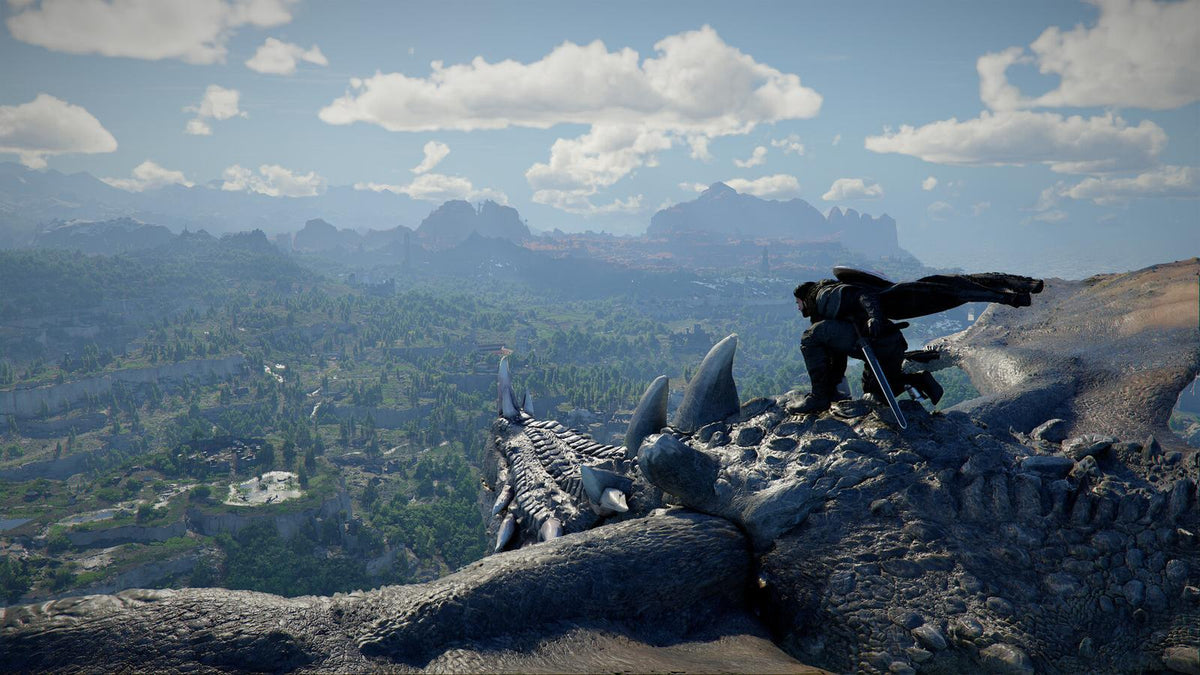
Crimson Desert Enhanced Update 2.03.02 Shows Why a Gaming PC for New Games Needs More Than Just Raw Power
The latest Crimson Desert Enhanced update is a small but important reminder for anyone shopping for a Gaming PC for New Games: modern PC gaming is not just about launching a title, hitting high settings, and hoping for the best. Pearl Abyss has released update 2.03.02 for Crimson Desert Enhanced, focusing on technical fixes rather than new content. The patch addresses a quest issue where Grimnir could fail to appear during the “Mysterious Cauldron” quest, fixes map icons for newly discovered objects in certain regions, and removes a progression-blocking issue in the Sky Sanctuary where the power core was not recognized.
On the surface, that sounds like a routine patch. But for Canadian PC gamers, it highlights something bigger: today’s open-world games are complex, demanding, frequently updated, and often built around huge environments, dense systems, high-resolution assets, real-time lighting, streaming worlds, and ongoing expansions. If you are planning to play Crimson Desert Enhanced, wishlist the upcoming Charting the Unknown expansion, stream your gameplay, record content, edit videos, or keep your system ready for the next wave of AAA releases, your PC choice matters.
So the real question is not only, “Can my PC run this game?” The better question is: What do you want your next PC to do for you over the next several years?
At Groovy Computers, we build custom gaming PCs, creator PCs, and workstation PCs for Canadian customers who want performance, reliability, upgrade planning, financing options, and confidence before the next major game release or hardware price shift. Crimson Desert Enhanced update 2.03.02 may be a technical patch, but it is also a useful buying moment: if you are upgrading for open-world gaming, 1440p, 4K, ray tracing, streaming, editing, or content creation, now is the time to think carefully about the system you choose.
What Crimson Desert Enhanced Update 2.03.02 Actually Fixes
The reported update is focused on bug fixes rather than content expansion. According to the source information, update 2.03.02 includes three notable changes:
- Quest stability: A bug was fixed where Grimnir would not appear in certain situations during the “Mysterious Cauldron” quest.
- World map visibility: A bug was fixed where icons for newly discovered objects were not displayed on the map in some regions.
- Progression reliability: A critical bug was fixed where the power core was not recognized in the Sky Sanctuary, preventing further progress.
These are not flashy changes. There are no new weapons, no new regions, no major combat overhaul, and no huge performance promise attached to the patch. But fixes like these matter because open-world games live or die on flow. When a quest NPC fails to appear, a map icon does not show up, or a key object is not recognized, a player can lose hours of momentum.
Have you ever built up an evening around a long gaming session only to hit a broken quest, unstable frame rate, or stuttering travel sequence? That frustration is exactly why both game developers and PC builders focus so heavily on stability.
Why This Patch Matters for Anyone Buying a Gaming PC for New Games
A Gaming PC for New Games must handle more than the game as it exists on launch day. It must handle patches, expansions, driver updates, texture improvements, new rendering features, background apps, Discord, recording software, browser tabs, game launchers, anti-cheat systems, and sometimes a second monitor full of guides or streams.
Crimson Desert Enhanced is the kind of title that pushes customers to ask more serious PC-buying questions. Is your current desktop ready for large open-world games? Are you trying to play at 1080p, 1440p, or 4K? Do you care about ray tracing or ultra settings? Are you streaming on Twitch or YouTube while you play? Are you recording gameplay for TikTok, YouTube Shorts, or long-form content? Are you editing clips after the session in Premiere Pro, DaVinci Resolve, CapCut, or another creative app?
The answers determine whether you need a budget gaming computer, a balanced 1440p gaming PC, a premium RTX gaming PC, a full gaming and streaming PC, or a custom creator PC that can also handle video editing, graphic design, and 3D work.
What Do You Want Your Next PC to Do for You?
Before choosing parts, financing a system, or browsing ready-to-ship builds, ask yourself one practical question: what should your next PC make easier?
Do you want smoother open-world exploration without hitching when the game loads new regions? Do you want high FPS combat so timing feels sharp and responsive? Do you want a quiet, clean-looking setup for your desk? Do you want enough performance to avoid upgrading again too soon? Do you want to stream, edit, and create content from the same machine? Or are you buying before a major game release because you know your current system is already struggling?
Your answer matters because two gaming PCs can look similar on a product page but feel very different in real use. A low-cost build may be fine for esports at 1080p, but a modern open-world game at 1440p ultra settings demands a stronger GPU, more VRAM headroom, fast storage, and a CPU that can keep up with busy environments. A creator who records gameplay and edits videos needs more RAM and storage planning than a player who only games. A 3D artist using Blender or Unreal Engine may need a completely different balance of GPU, CPU, memory, and cooling.
If you are not sure which category you fall into, Groovy Computers can help you match your real workload to a custom build instead of guessing based on a generic spec list.
What Gaming PC Do I Need for Crimson Desert Enhanced and Other Open-World Games?
For open-world games, performance is not just about average FPS. You also want consistent frame times, fast loading, responsive controls, and enough memory bandwidth to avoid stutter when the game streams assets across large regions. A game can show a decent average frame rate but still feel rough if the system is constantly pausing to load data or if the CPU is struggling with background simulation.
When customers ask, “What gaming PC do I need?” the answer usually starts with resolution:
- 1080p gaming: Best for budget-focused buyers, high refresh rate esports players, students, and anyone who wants strong performance without overspending.
- 1440p gaming: The current sweet spot for many Canadian gamers who want sharper visuals, higher settings, and excellent FPS without jumping straight to the cost of 4K.
- 4K gaming: Best for premium buyers who want maximum image quality, large monitors, ultra settings, ray tracing, and more long-term GPU headroom.
What PC do you need for 1440p gaming? If you want a smooth experience in demanding open-world games, a balanced modern CPU, a strong RTX-class GPU, 32GB of RAM, and a fast NVMe SSD are usually the right starting points. For 4K, the GPU becomes even more important, especially if you want ray tracing, high-resolution texture packs, or ultra settings.
Do you want your PC to feel good only in today’s games, or do you want it to stay relevant as expansions and new AAA titles become more demanding? That is where a custom build can make a major difference.
Why Map Bugs, Quest Bugs, and Progression Fixes Remind Us About PC Stability
Crimson Desert Enhanced update 2.03.02 is about game-side fixes, not hardware fixes. But it still reminds buyers that gaming stability is a chain. The developer must patch the game. GPU drivers must mature. Windows updates must behave. Your storage must load assets quickly. Your RAM must be stable. Your cooling must prevent thermal throttling. Your power supply must be properly sized. Your PC builder must test the full system before it reaches you.
That is why Groovy Computers emphasizes custom builds, component matching, cable management, thermal planning, stress testing, and warranty confidence. A random under-tested system can turn a demanding game into a troubleshooting project. A properly configured PC gives you a stronger foundation so that when a game patch arrives, you are not also fighting overheating, instability, weak power delivery, or poor airflow.
Would you rather spend your first weekend with a new game exploring its world, or diagnosing why your desktop crashes when the GPU load spikes?
Is 1080p, 1440p, or 4K the Right Performance Tier for You?
Choosing the right tier is one of the most important buying decisions. Spending too little can lead to early upgrades. Spending too much on the wrong parts can waste money. The goal is not to buy the most expensive PC possible; the goal is to buy the right PC for your games, monitor, software, and future plans.
Choose a Budget Gaming PC If You Want Strong 1080p Value
A budget gaming PC is ideal if you play at 1080p, care about value, and want a reliable first gaming desktop. This tier makes sense for players who enjoy competitive titles, indie games, lighter RPGs, and select AAA games at tuned settings. It can also be a smart choice for students or families who want a dependable desktop without moving into premium pricing.
But ask yourself: will you be happy lowering settings in future open-world games, or do you want more headroom now? If you already know you want 1440p, ray tracing, streaming, or heavy multitasking, a budget system may not be the best long-term value.
Choose a 1440p Gaming PC If You Want the Sweet Spot
A 1440p Gaming PC Canada buyer is usually looking for the best mix of sharp visuals, high frame rates, and reasonable long-term value. For many gamers, 1440p is where modern PC gaming feels properly next-generation without requiring the highest-end GPU category.
This tier is a strong fit for open-world games, action RPGs, shooters, racing titles, and cinematic single-player releases. It is also a smart option if you plan to stream or record gameplay, especially when paired with an RTX GPU that supports efficient hardware encoding.
Are you moving from a console or an older 1080p desktop? A well-built 1440p system can feel like a major upgrade in clarity, smoothness, and responsiveness.
Choose a 4K Gaming PC If You Want Premium Visuals and Longer Headroom
A 4K Gaming PC Canada buyer typically wants high-end performance, ultra settings, ray tracing, premium monitors, and a system that will stay capable through demanding releases. This tier is ideal for players who value cinematic image quality and do not want to compromise as quickly when new expansions or next-generation titles arrive.
At 4K, the GPU does much of the heavy lifting. VRAM capacity, cooling, case airflow, and power supply quality become especially important. If you want ray tracing, high-resolution textures, and high frame rates together, you should plan for a premium GPU tier rather than treating 4K as a simple monitor upgrade.
Do you want the best PC for new games because you truly want ultra settings, or do you mainly want excellent value? That distinction helps Groovy Computers recommend the right configuration.
Should You Build for Gaming Only, or Gaming Plus Streaming?
Many players no longer just play games. They stream, record, clip, edit, upload, and build communities around their gameplay. Crimson Desert Enhanced and other large open-world games are naturally content-friendly because they create cinematic moments, boss fights, exploration routes, quest reactions, and highlight-worthy discoveries.
If you want a Gaming and Streaming PC Canada build, you need to think beyond FPS. OBS Studio, Streamlabs, Discord, browser sources, alerts, audio processing, camera feeds, and capture settings all add workload. A GPU with a strong hardware encoder can make streaming smoother. More RAM helps with multitasking. A fast SSD helps keep recordings and projects responsive. Extra storage may be necessary if you save high-bitrate gameplay footage.
What PC do you need for streaming? For many creators, the ideal setup is not a separate streaming PC; it is a well-balanced gaming desktop that has enough CPU, GPU, RAM, and storage to handle both gaming and content capture at the same time. Groovy Computers can build around that exact use case so you are not forced into a generic gaming-only configuration.
Is a Gaming PC Good for Video Editing, Photo Editing, and Content Creation?
Yes, a gaming PC can be excellent for content creation when it is configured correctly. The problem is that not every gaming PC is balanced for creator workloads. A system built only for gaming might have a strong GPU but not enough RAM, not enough storage, or a CPU that is less ideal for rendering and multitasking.
If you are recording Crimson Desert Enhanced gameplay, making YouTube guides, editing short-form clips, designing thumbnails, creating social content, or managing a creator workflow, you should consider a Custom Creator PC Canada build rather than a gaming-only setup.
For video editing, software like Adobe Premiere Pro, DaVinci Resolve, After Effects, and CapCut can benefit from a strong CPU, capable GPU, plenty of RAM, and fast SSD storage. If you work with 4K footage, 32GB of RAM may be a practical baseline, while heavier projects can benefit from 64GB or more. If you edit long videos, keep multiple projects open, use effects, colour grade, or export frequently, the time savings can become significant.
For photo editing, Photoshop, Lightroom Classic, Capture One, and AI-assisted tools benefit from fast single-core CPU performance, enough RAM for large RAW files, fast scratch storage, and a quality display setup. A dedicated GPU can also help with GPU-accelerated tools and modern AI features.
For graphic design, Illustrator, Photoshop, InDesign, Canva workflows, Affinity Designer, and brand design work benefit from a responsive CPU, fast storage, memory headroom, and multi-monitor support. If your PC is for both gaming and design, Groovy Computers can balance aesthetics, speed, silence, and upgrade path.
Are you buying a PC just to play, or are you buying a system that helps you create, post, promote, and maybe even earn from your content?
What About 3D Modeling, Rendering, and Workstation Use?
Open-world games like Crimson Desert Enhanced also attract players who are interested in game development, 3D art, animation, modding, environment design, and cinematic content. If you use Blender, Unreal Engine, Unity, Maya, 3ds Max, Cinema 4D, SketchUp, ZBrush, AutoCAD, Revit, or SolidWorks, your ideal PC may need workstation-level planning.
A 3D Modeling PC Canada build usually needs more than gaming FPS. GPU rendering can depend heavily on CUDA or RTX-class performance. CPU rendering benefits from more cores. Large scenes need more RAM. Project files need fast and reliable storage. Unreal Engine workflows can benefit from both a powerful GPU and a strong CPU, especially when compiling shaders, working with large environments, or previewing lighting.
What PC do you need for Blender? How much RAM do you need for 3D rendering? Is a gaming PC good for workstation use? The answer depends on your scene size, render engine, viewport complexity, plug-ins, and deadline pressure. A high-end gaming PC can overlap with a 3D workstation, but a true custom workstation should be configured around your software, not just your favourite game.
If your desktop must handle Crimson Desert Enhanced at night and client renders during the day, Groovy Computers can design a Custom Workstation PC Canada configuration that respects both performance worlds.
Is It Better to Buy a Gaming PC Now or Wait?
This is one of the most common questions Canadian buyers ask, especially before major releases, holiday sales, new GPU cycles, or big software upgrades. There is no universal answer, but there is a practical way to think about it.
If your current PC already struggles, waiting can cost you time, enjoyment, and productivity. If you are planning around an upcoming expansion, a new monitor, a school term, a creator schedule, or a work project, delaying may mean you keep fighting the same bottlenecks. If component prices rise, replacement costs can move against you. GPUs, memory, SSDs, and power supplies can all be affected by demand, supply constraints, currency exchange, and market pressure.
On the other hand, buying blindly just because something is “on sale” can also be a mistake. A cheap system that does not meet your real needs may become expensive if you have to upgrade it too soon.
So ask yourself: are you waiting because you have a clear upgrade plan, or are you waiting because the decision feels overwhelming? If it is the second one, a custom PC consultation can save you from months of uncertainty.
Should You Finance a Better PC Instead of Buying a Cheaper One?
Financing can make sense when it helps you secure the right system instead of settling for a build that is already close to its limits. Groovy Computers offers financing options up to 4 years, which can help Canadian buyers move into a stronger gaming, streaming, creator, or workstation PC while spreading the cost over time.
Is financing a gaming PC worth it? It depends on your budget, your workload, and how soon you would otherwise need to upgrade. If a cheaper PC forces compromises that affect your gameplay, streaming quality, editing speed, or professional output, financing a better-matched system may be the smarter long-term decision.
Should you finance a better PC before prices go up? If you are already planning to buy, and if the system supports gaming, work, school, or content creation, securing a stronger configuration before replacement costs rise can be practical. This is especially true when GPU demand, memory pricing, storage costs, and major game releases all push buyers into the market at once.
The key is responsible planning. Groovy Computers can help you compare performance tiers, understand where your money matters most, and avoid paying for parts that do not improve your actual experience.
Why Canadian Buyers Should Think Differently About Custom Gaming PCs
Canadian buyers face a different buying environment than U.S. shoppers. Pricing is affected by Canadian dollar exchange rates, import costs, regional availability, shipping, warranty access, and the reality that not every advertised deal translates into strong value once taxes, delivery, and support are considered.
That is why working with a Canadian custom PC builder matters. Groovy Computers builds for customers across Canada, with particular local relevance for Nova Scotia, Trenton, New Glasgow, Halifax, and Atlantic Canada. Whether you are nearby or ordering online, the value is not just in the parts. It is in the system design, testing, support, and confidence that your PC is built for your use case.
A Canada Built Gaming PC can be configured for the games and software you actually use. A generic prebuilt might list a CPU and GPU, but it may not tell you enough about airflow, motherboard quality, power supply headroom, storage layout, RAM speed, future upgrades, noise, or testing. Those details matter when you want a reliable gaming computer rather than a box of parts that happens to turn on.
Custom PC vs Prebuilt PC Canada: Which Makes More Sense for Open-World Gaming?
The phrase “prebuilt gaming PC” can mean many things. Some prebuilts are well-designed. Others cut corners in areas customers do not immediately notice, such as power supplies, cooling, motherboard features, RAM configuration, storage quality, or case airflow. A custom PC, when built properly, gives you more control over the total experience.
For open-world gaming, a custom configuration can be especially valuable because the workload is balanced across multiple components. The GPU handles rendering. The CPU manages game logic, AI, physics, and background processes. RAM supports multitasking and asset handling. The SSD keeps streaming and loading responsive. Cooling keeps performance consistent. The power supply protects stability under load.
Why buy a custom gaming PC? Because your needs are not generic. You may want a quiet system for a shared room, RGB aesthetics for a showcase setup, extra storage for recorded gameplay, a stronger CPU for editing, a GPU tier focused on 1440p, or a workstation-ready memory configuration. A custom build lets those choices work together.
If you are debating Custom PC vs prebuilt PC Canada, the better question is: do you want a PC chosen around a shelf price, or a PC designed around your next three to five years of gaming and work?
How Groovy Computers Tests and Supports Your Build
A gaming PC is not truly finished when the parts are installed. It should be checked, configured, updated, stressed, and validated. That is why Groovy Computers focuses on rigorous testing before your system reaches you. Proper testing helps identify thermal issues, instability, configuration problems, or component concerns before they interrupt your gaming sessions.
Every serious gaming or creator PC should be built with the full system in mind. A powerful GPU in a poorly ventilated case can run hot. A high-performance CPU without adequate cooling can throttle. Fast storage without enough capacity can become a bottleneck once you install several large games and editing projects. A weak power supply can limit upgrades later.
Groovy Computers also provides a 1-year warranty, giving Canadian customers additional confidence when buying a custom gaming PC, creator PC, or workstation. Warranty support matters because a PC is a long-term tool, not a disposable gadget.
Which Groovy Computers Performance Tier Fits You Best?
If you are reading about Crimson Desert Enhanced update 2.03.02 and wondering whether your current setup is ready, use these categories as a practical guide.
Entry-Level and Budget Gaming
Choose this tier if you play mostly at 1080p, want good value, and do not need ultra settings in every new AAA game. This can be a smart option for first-time PC gamers, students, and families. It is best when expectations are realistic and the build is still made with quality parts.
Balanced 1440p Gaming
Choose this tier if you want a strong all-around system for open-world games, shooters, RPGs, and high-refresh gaming. This is often the best value tier for players who want a noticeable upgrade from console or older desktop hardware without jumping to the highest premium category.
Premium RTX Gaming and 4K
Choose this tier if you want 4K, ray tracing, ultra settings, high-end monitors, and longer performance headroom. This is the category for buyers who want a premium experience and prefer to avoid upgrading too soon.
Gaming, Streaming, and Editing
Choose this tier if you want to play, record, stream, edit, and upload from one system. This is ideal for YouTubers, Twitch streamers, TikTok creators, and anyone who wants their gaming PC to double as a content creation PC.
Creator and Workstation Builds
Choose this tier if you use Adobe Creative Cloud, DaVinci Resolve, Blender, Unreal Engine, CAD tools, 3D rendering software, or professional applications. These builds prioritize productivity, RAM capacity, storage planning, GPU acceleration, CPU performance, and reliability.
Questions to Ask Before You Buy or Finance Your Next PC
Before choosing a system, take a few minutes to answer these questions honestly. They can help you avoid buying too little, overspending in the wrong places, or upgrading again too soon.
- What games do you actually want to play over the next 12 to 36 months?
- Are you buying for Crimson Desert Enhanced, another upcoming AAA game, esports, simulation titles, or a mix?
- Do you want 1080p, 1440p, or 4K performance?
- Do you care about ray tracing, ultra settings, high FPS, or quiet operation?
- Will you stream to Twitch, YouTube, TikTok Live, or record gameplay for editing?
- Do you use Adobe Premiere Pro, DaVinci Resolve, Photoshop, Lightroom, Illustrator, Blender, Unreal Engine, or CAD software?
- How much storage do you need for games, recordings, project files, and backups?
- Would financing help you secure a stronger system before prices or replacement costs rise?
- Do you want a budget gaming computer, a premium RTX gaming PC, a custom creator PC, an editing workstation, or a 3D modeling workstation?
- How long do you want the PC to feel powerful before your next upgrade?
If those questions make the decision feel more complicated, that is a sign you should not buy based on a random spec list. It is exactly where a custom PC builder can help.
Why Timing Matters Before Major Game Releases, Expansions, and Price Changes
Game releases and expansions can create buying pressure. When a highly anticipated title, major update, or expansion approaches, more players start upgrading at the same time. That can affect GPU availability, ready-to-ship inventory, and build timelines. Creator software upgrades can create similar pressure when new AI tools, video features, or rendering workflows demand more hardware.
Memory and SSD pricing can also move. GPU demand can shift quickly. Exchange rates can affect Canadian pricing. If you know you need a stronger system before an upcoming release or workload change, waiting until the last minute may reduce your options.
Does that mean you should panic-buy? No. It means you should plan. A well-timed purchase gives you time to choose the right parts, arrange financing if needed, complete testing, receive your system, install your games and software, and be ready before the rush.
Ready for a Gaming PC for New Games? Groovy Computers Can Help You Choose
If Crimson Desert Enhanced update 2.03.02 has you thinking about your next upgrade, now is a smart time to ask what your PC needs to handle next. Are you aiming for smooth 1440p open-world gaming? Do you want a premium 4K experience with ray tracing? Are you planning to stream, edit, design, render, or build a full creator workflow around your games?
For a Gaming PC for New Games, Groovy Computers can help you choose the right performance tier, avoid mismatched parts, explore financing up to 4 years, and build a system that is tested before it reaches you. Whether you need a budget-friendly gaming computer, a high-end RTX gaming desktop, a custom creator PC, or a workstation for 3D modeling and rendering, the right build starts with your actual needs.
Want help choosing before prices shift, inventory changes, or the next major release hits? Visit GroovyComputers.ca to browse custom builds, ask about options, and find a system built for how you play, work, and create in Canada.
Final Takeaway: A Small Patch Can Be a Big Reminder
Crimson Desert Enhanced update 2.03.02 may be a technical update, but it points to a bigger truth about modern PC gaming: games evolve, patches arrive, expansions increase expectations, and your hardware needs to keep up. Quest fixes and map fixes improve the software experience, but your gaming PC determines how smoothly you experience the world once those fixes are in place.
If you want a Gaming PC for New Games that can handle open-world adventures, streaming, video editing, photo editing, graphic design, content creation, 3D modeling, or professional workstation tasks, do not buy based on guesswork. Choose a system designed around your monitor, your games, your software, your budget, your upgrade timeline, and your long-term goals.
Groovy Computers is here to help Canadian buyers make that decision with clarity, confidence, custom build quality, financing options, rigorous testing, and a 1-year warranty.
#GamingPCForNewGames #CustomGamingPCCanada #GamingPCCanada #1440pGamingPC #4KGamingPC #OpenWorldGamingPC #CreatorPCCanada #StreamingPCCanada #GroovyComputers
Groovy Computers | All Rights Reserved



Leave a comment
This site is protected by hCaptcha and the hCaptcha Privacy Policy and Terms of Service apply.