



















Crimson Desert DLC Is Coming: What Gaming PC for New Games Should Canadian Players Buy Now?
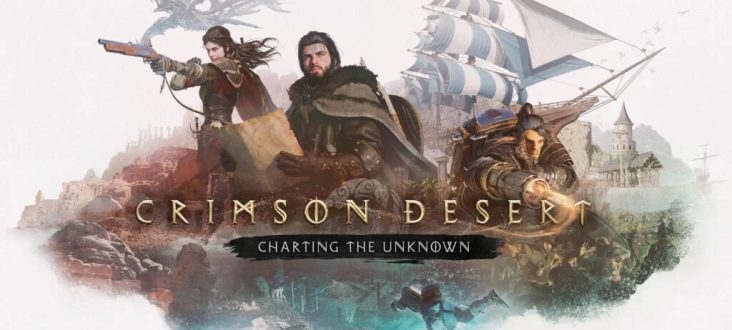
The first story DLC for Crimson Desert, titled Charting the Unknown, is expected to arrive on October 15, bringing high-seas exploration, player-controlled boats, uncharted islands, underwater treasures, sunken ruins, new enemies, and fresh loot to Pearl Abyss’s ambitious open-world adventure. For Canadian PC gamers, that news raises a practical question: what gaming PC for new games should you actually buy if you want smooth performance, strong visuals, and enough headroom for future expansions?
At Groovy Computers, we look at game announcements like this differently than a typical news recap. A new DLC is not just a content update. It is often a reminder that modern games are getting bigger, more visually complex, more CPU-heavy, more GPU-demanding, and more storage-hungry. If you are planning to return to Crimson Desert, jump into other upcoming AAA games, start streaming, record gameplay, edit YouTube videos, or build a PC that will not feel outdated too soon, this is the right moment to think strategically.
Are you buying a PC just to play one game, or are you buying a system that needs to handle the next several years of open-world gaming, streaming, editing, and creative work? That distinction matters. A low-cost build might get you playing today, but a properly planned custom gaming PC can give you better frame rates, quieter cooling, more stable performance, and a far stronger upgrade path.
This guide breaks down what Crimson Desert’s first story DLC means for PC buyers in Canada, how to choose the right performance tier, when financing a stronger system can make sense, and why a custom build from Groovy Computers can be a better long-term decision than grabbing the first generic prebuilt gaming desktop you find.
Why Crimson Desert: Charting the Unknown Matters for PC Gamers
The source news is straightforward: Pearl Abyss has revealed Crimson Desert’s first story DLC, Charting the Unknown, and the expansion focuses on exploration beyond Pywel’s shores. Players will command their own ship, travel across the ocean, discover uncharted islands, explore underwater locations, find sunken ruins, and uncover hidden mysteries. The DLC is expected to be paid content, with the UK price listed at £19.99, which would be roughly in the range of about $35 CAD depending on exchange rates and regional pricing.
That kind of expansion matters because it adds more than a few quests. High-seas travel, dense environments, underwater exploration, reflections, draw distance, foliage, character animation, enemy encounters, and environmental effects can all contribute to heavier system load. Even if a DLC does not radically change official PC requirements, it can expose weaknesses in older hardware. The real question is not only “Can my PC launch the game?” It is “Can my PC keep the experience smooth when the world gets bigger, busier, and more visually demanding?”
If you have ever reduced shadows, lowered texture quality, disabled ray tracing, or capped your frame rate just to make a new open-world game feel playable, you already know the difference between meeting minimum requirements and actually enjoying a game the way it was meant to be played.
So, before you upgrade for Crimson Desert or any other major release, ask yourself: do you want acceptable performance, or do you want a system that feels powerful every time you sit down to play?
What Gaming PC for New Games Do You Actually Need?
The phrase gaming PC for new games sounds simple, but the right answer depends on how you play. A customer who wants 1080p high settings has very different needs than someone chasing 1440p ultra settings, 4K visuals, high-refresh competitive gameplay, ray tracing, streaming, or content creation on the same machine.
Before choosing parts, think about the experience you want. Are you playing on a 1080p monitor, a 1440p high-refresh display, or a 4K screen? Do you care about cinematic quality, maximum FPS, ray tracing, quiet operation, or multitasking while gaming? Do you want to stream to Twitch or YouTube, record gameplay, edit clips, run Discord, keep a browser open, and still avoid stutters?
For many Canadian gamers, the best buying decision is not the absolute cheapest PC. It is the build that balances performance, upgrade room, reliability, and price over several years. That is where a custom gaming PC becomes valuable: the system can be tailored to how you actually play, not just built around a generic parts list.
Are You Targeting 1080p, 1440p, or 4K?
Your monitor resolution is one of the most important buying questions. If you are still using a 1080p display, you can build a strong gaming PC without paying for extreme 4K hardware. If you are moving to 1440p, GPU selection becomes more important. If you want 4K, ray tracing, high textures, and smooth frame pacing in open-world titles, you should think seriously about a premium GPU, stronger CPU, more RAM, and fast storage.
- 1080p gaming: Ideal for budget-conscious buyers, students, first gaming PCs, esports players, and gamers who value high FPS without needing the most expensive graphics card.
- 1440p gaming: Often the sweet spot for modern AAA games, sharper visuals, higher settings, and strong long-term value. A 1440p Gaming PC Canada build is one of the most practical choices for many players.
- 4K gaming: Best for players who want premium image quality, cinematic open-world games, ultra settings, and high-end GPU performance. A 4K Gaming PC Canada system requires more careful part selection.
- Ray tracing: If you want advanced lighting, reflections, and visual effects, a Ray Tracing Gaming PC Canada build should prioritize a strong GPU and proper cooling.
What PC do you need for 1440p gaming? For most players, the answer is not simply “the most expensive one.” It is a balanced build with a capable modern graphics card, a strong gaming CPU, enough memory for modern titles, and an SSD that can handle large game installs and fast loading.
What Do You Want Your Next PC to Do for You?
This is the question every buyer should answer before choosing a system: what do you want your next PC to do for you?
Do you want to return to Crimson Desert when Charting the Unknown arrives and explore the ocean without performance dips? Do you want to play upcoming AAA games without worrying about minimum specs? Do you want to stream gameplay, edit videos, design thumbnails, manage schoolwork, run business software, or learn Blender on the same machine?
A gaming PC today is often more than a gaming PC. It can be a streaming station, editing rig, study computer, design workstation, 3D modeling system, and entertainment hub. That means your build should match your total workload, not just one benchmark.
Ask yourself these practical questions before buying:
- What games do I play now, and what games am I excited to play over the next year?
- Do I want 1080p, 1440p, or 4K performance?
- Do I want ray tracing, ultra settings, or high-refresh competitive FPS?
- Will I stream with OBS, record gameplay, or create YouTube and TikTok content?
- Will I edit video in Adobe Premiere Pro, DaVinci Resolve, CapCut, or After Effects?
- Will I use Photoshop, Lightroom, Illustrator, Canva, or other creative software?
- Will I do 3D modeling, rendering, architecture work, CAD, Unreal Engine, Unity, or Blender?
- Do I want a system that is quiet, upgradeable, tested, and backed by real Canadian support?
- Would financing help me choose a stronger PC now instead of settling for a build I may outgrow quickly?
When you answer these questions clearly, the right custom build becomes much easier to recommend.
Performance Tiers: Which Gaming PC for New Games Fits You Best?
Not every gamer needs a flagship desktop, but not every buyer should choose an entry-level system either. The best gaming PC for new games is the one that matches your resolution, workload, expectations, and upgrade timeline.
Tier 1: Budget Gaming PC for 1080p Players
A budget gaming computer is a good fit if you play at 1080p, enjoy esports titles, want to enter PC gaming affordably, or need a dependable system for school, everyday use, and popular games. This tier can be excellent for players who want strong value without overspending.
But here is the key question: can a budget gaming PC play new games comfortably, or will you need to upgrade sooner than expected? If your goal is simply to play at medium to high settings at 1080p, a well-built budget system may be enough. If you want newer open-world titles, high textures, future DLC, mods, streaming, or 1440p gaming, you may want to step up.
A budget build should still include quality parts, reliable cooling, a proper power supply, and an upgrade path. Cheap does not have to mean careless. At Groovy Computers, the goal is to build systems that make sense today without trapping you tomorrow.
Tier 2: 1440p Gaming PC for the Best Balance
For many Canadian gamers, 1440p is the smart middle ground. It looks significantly sharper than 1080p, does not demand as much GPU power as 4K, and pairs beautifully with high-refresh monitors. If you are excited for Crimson Desert’s expanded landscapes, ocean travel, and exploration-heavy gameplay, 1440p can deliver a more immersive experience without pushing into extreme build costs.
What PC do you need for 1440p gaming? You should look for a system with a strong modern GPU, a CPU that will not bottleneck your frame rates, 32GB of RAM if you want better long-term comfort, and a fast NVMe SSD for large modern game installs. If you also stream, record, or edit, you may want to prioritize a better CPU, more RAM, and additional storage.
This tier is often ideal for players asking, “How much should I spend on a gaming PC if I want it to last?” The answer depends on your budget, but 1440p-focused custom builds tend to offer a strong balance between performance and longevity.
Tier 3: Premium 4K and Ray Tracing Gaming PC
A premium gaming PC is for players who want 4K resolution, ultra settings, high-end ray tracing, premium cooling, and more long-term headroom. If you are building around a high-end monitor or you want to avoid upgrading again in the near future, this tier can make sense.
Should you buy a high-end gaming PC if you mostly play one game? Maybe not. But if your library includes demanding open-world games, cinematic RPGs, racing titles, shooters, modded games, simulation games, and upcoming AAA releases, a premium build can provide smoother performance and longer useful life.
The better question is: how long do you want your high-end gaming PC to feel high-end? Choosing a stronger GPU, more capable CPU, quality motherboard, sufficient RAM, and a proper power supply can reduce the pressure to upgrade after every major release cycle.
Tier 4: Gaming, Streaming, and Editing PC
If you game and create content, your PC needs to do more than produce frames. A Streaming PC Canada build or gaming and creator system should handle gameplay, OBS, recording, browser sources, overlays, microphones, webcams, chat, editing software, and file exports.
What PC do you need for streaming? If you are streaming modern games, your GPU, CPU, RAM, and storage all matter. Hardware encoding can help, but the rest of the system still needs enough resources to keep gameplay smooth. If you want to stream, record, and edit on one machine, a gaming PC with creator-focused upgrades is often the better choice.
For YouTube creators, TikTok editors, streamers, and small business content teams, a Content Creation PC Canada build can save time every day. Faster exports, smoother timelines, better multitasking, and fewer crashes are not luxuries when content is part of your income or brand.
Tier 5: Creator, 3D Modeling, and Workstation PC
Some buyers start with gaming but quickly discover they also need workstation power. If you use Blender, Unreal Engine, Unity, CAD, Revit, SolidWorks, Maya, 3ds Max, Cinema 4D, Adobe Creative Cloud, or DaVinci Resolve, you may need a build that is more specialized than a standard gaming desktop.
Is a gaming PC good for Blender or video editing? Sometimes, yes. A powerful gaming PC can be a strong foundation for creative work. But a true creator or workstation configuration may need more RAM, additional storage, a higher-core CPU, a GPU suited for rendering or acceleration, and better cooling for long sustained workloads.
If you are asking “what PC do I need for 3D rendering?” or “what PC do content creators need?” the answer depends on your software, project size, resolution, render engine, and deadlines. Groovy Computers can help match the build to the workload instead of forcing you into a one-size-fits-all gaming tower.
Why Open-World Games Push PCs Harder Than Players Expect
Crimson Desert’s Charting the Unknown expansion appears to lean into exploration, ocean travel, islands, underwater areas, and environmental discovery. Those elements highlight why open-world games often feel more demanding than smaller, linear titles.
Large worlds can stress multiple parts of a PC at once. The GPU has to draw complex scenery, lighting, textures, water effects, shadows, and particles. The CPU has to manage physics, AI, world simulation, streaming assets, and background tasks. Memory helps keep large environments responsive. Fast SSD storage can reduce loading and improve asset streaming. Cooling keeps performance consistent over longer sessions.
Have you ever noticed that a game runs fine in one area but stutters when you enter a city, travel quickly, fight multiple enemies, or load into a dense environment? That is why balanced builds matter. A powerful GPU alone is not always enough if the CPU, RAM, storage, or cooling cannot keep up.
This is where custom PC planning becomes important. Instead of buying based on a single headline spec, you want a system designed around real-world performance: smooth frame times, stable temperatures, good airflow, reliable power delivery, and enough memory for modern multitasking.
Should You Buy Before a Major Game Release, DLC Drop, Sale Period, or Price Spike?
Is it better to buy a gaming PC now or wait? This is one of the most common questions Canadian buyers ask, especially when a major game release or expansion is on the calendar. The honest answer is that timing depends on your current PC, your budget, your patience, and the market.
Waiting can sometimes bring new hardware options or seasonal promotions. But waiting can also mean higher replacement costs, lower availability of certain GPUs, memory price changes, SSD pricing pressure, shipping delays, or increased demand when multiple big releases hit at once. If you need a PC for a specific game launch, school term, work deadline, streaming schedule, or creator project, waiting too long can create stress.
Think about your situation. Are you buying before Crimson Desert’s DLC because your current PC is already struggling? Are you hoping to upgrade before holiday demand? Are you trying to secure a stronger GPU before prices shift? Are you starting a content channel and need a system now instead of “eventually”?
If your current computer is still strong, waiting may be fine. If it is already forcing you to lower settings, skip new games, delay creative projects, or avoid streaming, then a planned upgrade can be the more practical move.
Could Financing Help You Secure a Stronger PC Before Replacement Costs Rise?
For some buyers, financing is not about buying the most expensive system. It is about avoiding a weak compromise. A cheaper PC may look attractive at checkout, but if it fails to meet your needs in a year, the total cost can be worse than choosing the right system the first time.
Should you finance a better PC instead of buying a cheaper one? That depends on your budget and goals. If monthly payments allow you to choose a stronger GPU, more RAM, better storage, or a more future-ready platform without draining your savings, financing may be a smart option. At Groovy Computers, financing options up to 4 years can help Canadian customers secure a better custom build while spreading out the cost.
Is financing a gaming PC worth it? It can be, especially if the PC supports school, work, streaming, video editing, 3D modeling, or income-generating creative projects. The key is to finance responsibly and choose a build that fits your actual needs. Financing a system that gives you years of strong performance is very different from financing unnecessary parts just for bragging rights.
If you are asking whether to buy now or wait, consider this: if component costs rise, if supply tightens, or if your workload grows, the system you can comfortably afford later may not be as strong as the one you can secure today with the right plan.
Custom Gaming PC Canada: Why a Tailored Build Beats Guesswork
A Custom Gaming PC Canada build is not only about looks. It is about fit. The right PC should match your monitor, games, creative software, budget, room setup, noise preferences, upgrade plans, and timeline.
Generic prebuilts often highlight one exciting spec while cutting corners elsewhere. A tower may advertise a strong GPU but pair it with limited cooling, a weaker power supply, minimal RAM, slow storage, poor airflow, or a motherboard that limits future upgrades. Those compromises may not be obvious until you start gaming, streaming, editing, or upgrading.
Why buy a custom gaming PC? Because every part affects the final experience. A balanced build can reduce bottlenecks, improve stability, manage heat, support upgrades, and provide better value over time. When a new game or expansion arrives, you want to enjoy it, not troubleshoot why your system is thermal throttling or running out of memory.
Groovy Computers builds custom PCs for Canadian gamers, creators, students, professionals, and streamers. Whether you need a budget gaming computer, premium RTX gaming PC, content creation PC, video editing workstation, photo editing PC, graphic design desktop, or 3D rendering workstation, the build should start with what you actually do.
What Parts Matter Most for Crimson Desert and Other New AAA Games?
Without inventing exact requirements for the new Crimson Desert DLC, we can still talk about the hardware categories that matter for modern open-world gaming. If you want smooth gameplay in large, visually rich titles, pay close attention to GPU, CPU, RAM, SSD storage, cooling, and power supply quality.
Graphics Card: The Heart of Visual Performance
The GPU is usually the most important part for gaming performance, especially at 1440p, 4K, ultra settings, ray tracing, and high refresh rates. If you want sharper visuals, better textures, and more stable FPS in demanding games, this is one area where underbuying can hurt.
Do you need an RTX GPU for this game? That depends on the settings you want and whether you care about features like ray tracing, upscaling, hardware encoding, and creator acceleration. For gamers who also stream, edit, or render, a stronger GPU can serve multiple roles beyond gaming.
Processor: The Frame-Time Stabilizer
A strong CPU helps with simulation, AI, background tasks, high-refresh gaming, streaming, compiling, rendering, and general responsiveness. In open-world games, CPU performance can affect frame consistency, especially in dense scenes or when many systems are active at once.
If you only look at average FPS, you may miss the bigger issue: frame-time stability. A balanced CPU and GPU pairing helps the game feel smoother, not just faster on paper.
Memory: 16GB May Work, But 32GB Is Often the Comfort Zone
Many gamers can still play with 16GB of RAM, but modern multitasking often benefits from 32GB. If you run a game, Discord, browser tabs, launchers, RGB software, OBS, and background apps at the same time, extra memory can make the whole system feel more comfortable.
How much RAM do creators need? For video editing, 3D modeling, and heavy multitasking, 32GB may be a starting point, while 64GB or more can make sense for larger projects. A gaming-only buyer and a creator buyer should not always choose the same memory configuration.
Storage: Fast SSDs Matter More as Games Get Larger
Modern games and DLC expansions can consume serious storage space. Fast NVMe SSDs help with system responsiveness, game loading, asset streaming, project files, and general performance. If you install multiple AAA games, record footage, or edit videos, storage planning becomes even more important.
Do you want to uninstall games constantly to make room for the next one? If not, consider a build with enough SSD capacity from the start.
Cooling and Power Supply: The Parts Buyers Should Not Ignore
Cooling and power delivery are not glamorous, but they are essential. A powerful system that overheats or uses a poor-quality power supply is not a good investment. Strong airflow, a quality CPU cooler, sensible cable management, and a reliable PSU all contribute to stability and longevity.
This is one of the biggest reasons to work with experienced Canadian custom PC builders. The best build is not only powerful when new; it should remain stable under real gaming and workstation loads.
Gaming and Streaming: Are You Planning to Share Your Crimson Desert Adventures?
Crimson Desert’s ocean exploration, hidden locations, and cinematic environments could be exactly the kind of content players want to stream, clip, and share. If you plan to record gameplay, create guides, stream boss fights, or edit highlight videos, your PC needs additional headroom.
What gaming PC do you need for Twitch or YouTube? A streaming-focused build should consider GPU encoding, CPU capacity, RAM, storage for recordings, and enough USB and display support for microphones, webcams, capture devices, and dual monitors. A system that feels great when gaming alone may struggle once OBS, chat, alerts, and recording are added.
If your goal is to play at 1440p while streaming at 1080p, mention that when asking Groovy Computers for help. If you want to game, stream, record, and edit on one system, that should influence your GPU, CPU, RAM, and SSD choices from the beginning.
Creators, Editors, Designers, and 3D Artists: Can One PC Do It All?
Many Canadian customers come to Groovy Computers wanting one desktop that can handle gaming and creative work. That is possible, but the build needs to be planned properly.
If you edit video in Premiere Pro or DaVinci Resolve, you may need a stronger CPU, GPU acceleration, more RAM, and fast storage for footage. If you use Photoshop, Lightroom, Illustrator, Canva, or InDesign, you may prioritize snappy single-core performance, enough memory, and a colour-accurate display setup. If you work in Blender, Unreal Engine, Unity, CAD, Revit, SolidWorks, or other 3D software, your workload may require serious GPU or CPU rendering power.
Is a gaming PC good for content creation? A well-built gaming PC can be excellent for content creation, but a random gaming prebuilt may not be optimized for your workflow. The difference is planning. A creator system should account for project size, render times, storage layout, monitor setup, and multitasking.
If your next PC needs to be both a gaming machine and a productivity tool, do not shop by FPS alone. Shop by total workflow.
Canadian Buyers Should Think About Support, Warranty, and Shipping
Buying a gaming PC in Canada is not only about component specs. It is also about who built the system, how it was tested, what happens if something goes wrong, and whether support is accessible. A reliable gaming PC is more than parts in a case.
Groovy Computers is a Canadian custom PC builder serving customers who want gaming computers in Canada, gaming PC Atlantic Canada options, and custom builds with real support. For buyers in Nova Scotia, including Trenton, New Glasgow, Halifax, and surrounding areas, working with a Canadian company can make the process feel more personal and dependable. For customers elsewhere in Canada, ordering online from a Canadian PC builder can still provide a more tailored experience than buying a generic mass-market system.
Every Groovy Computers build is assembled with care, stress-tested for stability, and backed by a 1-year warranty. That matters when you are investing in a system for new games, creator work, streaming, or professional use.
Do you want a PC that simply arrives in a box, or do you want a PC that was built around your goals and tested before it reached you?
Custom PC vs Prebuilt PC Canada: What Should You Choose?
The custom PC vs prebuilt PC Canada debate usually comes down to convenience, control, value, and confidence. A prebuilt gaming PC can be convenient, especially if it is ready to ship. But not all prebuilts are equal. Some are well-configured; others rely on flashy specs while hiding weaker supporting components.
A custom PC gives you more control. You can choose the performance target, storage capacity, visual style, cooling approach, upgrade path, and budget. You can also avoid paying for parts you do not need while investing more in the areas that matter.
Should you build or buy a gaming PC? If you enjoy researching compatibility, troubleshooting, BIOS settings, cable management, and warranty claims across multiple part brands, building can be rewarding. But if you want a professionally assembled, stress-tested, warrantied system without the guesswork, buying from a trusted Canadian custom PC builder is often the smarter path.
For many customers, the best option is not a random prebuilt or a DIY project. It is a custom-built gaming PC designed by people who understand performance, thermals, reliability, and real customer needs.
Questions to Ask Before Buying a Gaming PC for New Games
Before you choose your next system, use these questions to avoid underbuying or overspending:
- What games am I buying this PC for? Crimson Desert, open-world RPGs, shooters, esports titles, simulation games, and ray tracing games all create different performance demands.
- What resolution do I play at? A 1080p setup, 1440p setup, and 4K setup need different GPU tiers.
- Do I care more about graphics quality or competitive FPS? Cinematic gamers and esports players often need different builds.
- Will I stream or record gameplay? If yes, plan for more headroom than gaming alone.
- Will I edit videos or create content? If yes, consider a creator-focused configuration.
- Do I use 3D modeling or workstation software? If yes, a workstation PC may be a better fit than a standard gaming desktop.
- How long do I want this PC to last before major upgrades? A future proof gaming PC requires more thoughtful platform and power choices.
- Am I buying before a launch, sale period, school term, or possible price shift? Timing can affect availability and cost.
- Would financing let me buy the right system instead of settling? A payment plan may help you secure a stronger build before replacement costs change.
- Do I want help choosing parts? If yes, Groovy Computers can guide you toward the right build for your budget and workload.
Why Waiting Too Long Can Cost More Than You Think
PC buying is often delayed by the idea that something better is always coming. In technology, that is technically true. There is always another launch, another refresh, another sale, another rumour, or another benchmark around the corner. But your real-world needs do not pause.
If your current PC is already struggling, waiting can cost you in other ways: lower settings, missed game launches, choppy streams, longer video exports, unstable work sessions, and frustration. If you create content or use your PC for income, time lost to slow performance can be more expensive than the upgrade itself.
Component markets can also shift. GPU demand, memory pricing, SSD supply, currency fluctuations, shipping costs, and seasonal demand can all affect the final price of a complete system in Canada. Nobody can guarantee future pricing, but buyers should understand that waiting is not always the cheaper choice.
If you are planning around Crimson Desert’s DLC, another upcoming game, a new school term, a creator project, or a workstation upgrade, it may be smarter to start the conversation now instead of scrambling later.
How Groovy Computers Helps You Choose the Right Build
Groovy Computers is built around a simple idea: the right PC should fit the customer. Not every buyer needs the same graphics card. Not every gamer needs 4K. Not every creator needs 128GB of RAM. Not every student should stretch into a premium build. But every customer deserves a system that makes sense.
When you work with Groovy Computers, you can think through your games, software, budget, performance target, and upgrade path. You can choose from gaming PCs, custom creator PCs, workstations, and financing options that help you get the performance you need without guessing.
Need a budget gaming computer for 1080p? Need a 1440p gaming PC for new AAA titles? Need a premium RTX gaming PC for 4K and ray tracing? Need a streaming PC for OBS and YouTube? Need a video editing PC for 4K timelines? Need a 3D modeling workstation for Blender or Unreal Engine? Groovy Computers can help you match the build to the job.
If you are asking, “What gaming PC do I need?” the best next step is to visit GroovyComputers.ca and explore custom options or reach out for guidance. A better PC decision starts with a better conversation.
Should You Upgrade for Crimson Desert: Charting the Unknown?
If you already have a strong gaming PC, you may not need to upgrade immediately. But if Crimson Desert or other modern games are pushing your system too hard, the DLC announcement is a useful reminder to evaluate your setup.
Are you dealing with stutters, long loading times, low settings, noisy fans, overheating, crashes, or storage shortages? Are you avoiding new games because you are unsure your PC can run them well? Are you planning to move from 1080p to 1440p or 4K? Are you thinking about streaming or content creation? If the answer is yes, an upgrade may be more than a luxury.
The right gaming PC for new games should give you confidence. It should make new releases feel exciting instead of stressful. It should let you explore new worlds, record your favourite moments, create content, and keep up with your workload without constantly wondering what part will hold you back next.
The Bottom Line: Buy for the Experience You Want, Not Just the Minimum Specs
Crimson Desert: Charting the Unknown is another sign that modern games are becoming larger, richer, and more demanding. For Canadian players, the smart move is to think beyond the DLC price and ask whether your current PC is ready for the experience you actually want.
A gaming PC for new games should be chosen around resolution, frame rate, visual settings, streaming plans, creative software, upgrade goals, and budget. For some buyers, that means a value-focused 1080p build. For others, it means a 1440p sweet-spot gaming PC, a 4K ray tracing system, a gaming and streaming PC, or a custom workstation that handles both games and professional software.
If financing helps you secure a stronger build before prices shift, it may be worth considering. If you want expert guidance, tested hardware, Canadian support, and a 1-year warranty, Groovy Computers is ready to help you choose a system that fits your real needs.
Ready to explore Crimson Desert’s next chapter, upcoming AAA games, streaming, editing, or 3D work with confidence? Visit GroovyComputers.ca and let Groovy Computers help you choose the right custom gaming PC, creator PC, or workstation for what you want to do next.
#GamingPCForNewGames #GamingPCCanada #CustomGamingPCCanada #1440pGamingPC #4KGamingPC #StreamingPCCanada #ContentCreationPC #GroovyComputers #CanadianCustomPCBuilders
Groovy Computers | All Rights Reserved



Leave a comment
This site is protected by hCaptcha and the hCaptcha Privacy Policy and Terms of Service apply.