




















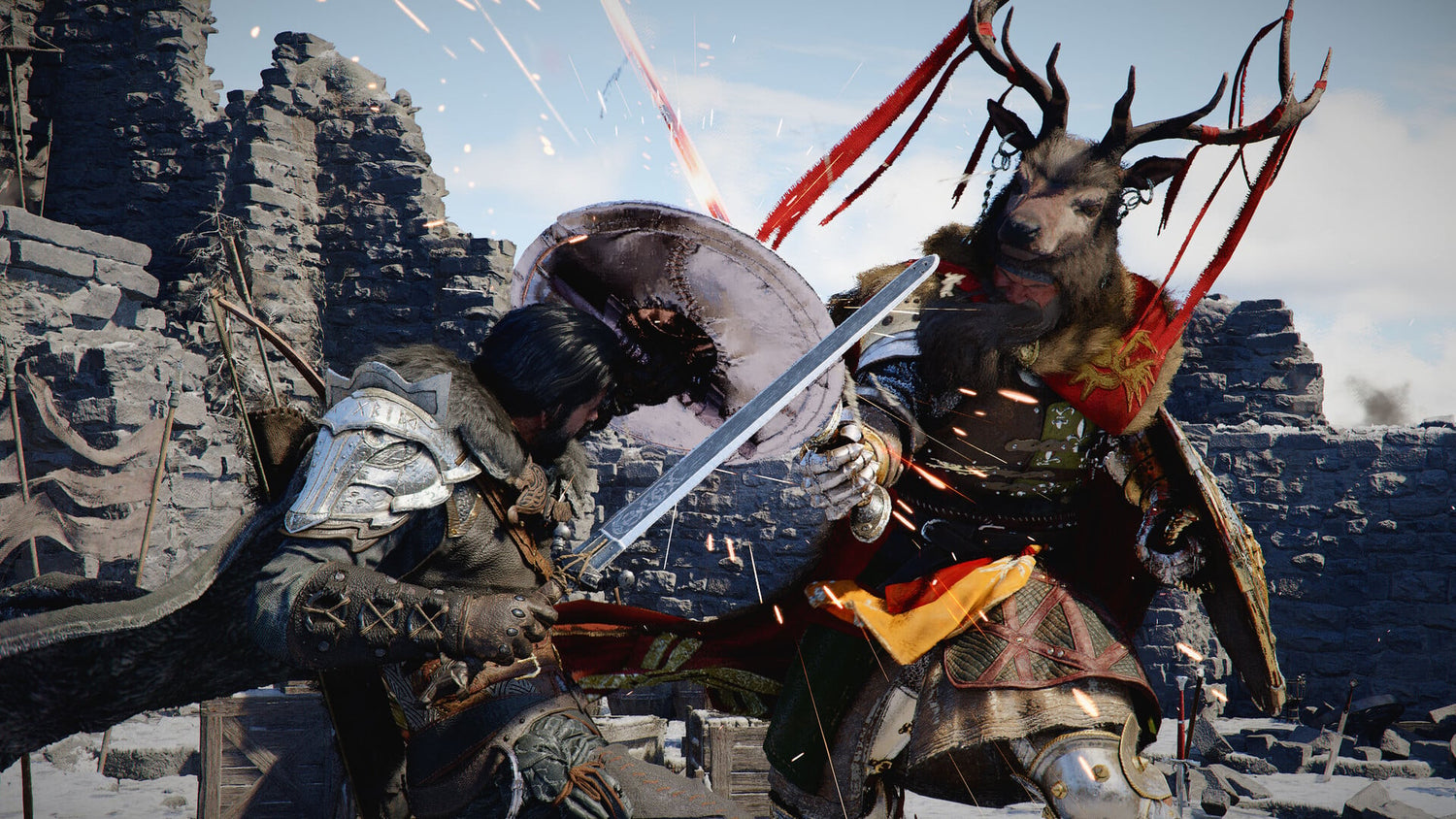
Crimson Desert’s Instant Twitch Demo Is a Wake-Up Call for Anyone Shopping for a Gaming PC for New Games
Pearl Abyss launching a 20-minute Crimson Desert streaming demo through Twitch is more than a cool marketing experiment. For Canadian players, it is a reminder that the next wave of visually ambitious open-world games is arriving fast, and a Gaming PC for New Games needs to be chosen with more care than ever. If a game can now be tested instantly in a browser before you download anything, the next question becomes obvious: when you decide you actually want to play it properly, is your desktop ready?
The Crimson Desert demo is powered by Amazon’s GameLift Streams technology, allowing players to jump into a playable PC demo through a desktop browser without downloading a massive file first. Reports from the demo indicate that it loads quickly, supports keyboard and mouse or controller input, and gives players about 20 minutes with the game before the session ends. That is a major shift in how publishers can build hype around premium PC and console releases.
But there is an important catch for buyers: a streamed demo is designed for convenience, not necessarily for judging the full visual quality of a game. Compression, variable internet performance, regional availability, input latency, and cloud-streaming limits can all hide what a title is truly capable of on a properly configured gaming desktop. If Crimson Desert looks exciting through a quick Twitch demo, imagine what it could feel like on a custom-built system with the right GPU, CPU, RAM, SSD, cooling, and display target.
That is where Groovy Computers comes in. As a Canadian custom PC builder, Groovy Computers helps players choose systems based on what they actually want to do: 1080p gaming, 1440p gaming, 4K gaming, ray tracing, Twitch streaming, video editing, content creation, 3D modeling, or long-term workstation performance. The goal is not just to sell a computer. The goal is to help you avoid buying the wrong computer right before major games and demanding software push your hardware harder.
Why Does the Crimson Desert Twitch Demo Matter for PC Buyers?
The biggest story is not simply that Crimson Desert has a demo. The bigger story is that publishers are reducing friction. Instead of asking players to download a large demo through a storefront, log into another launcher, clear storage space, and wait, they can now say: click, launch, play. That changes how quickly excitement turns into purchase intent.
For gamers, this means more people may try demanding games the moment they hear about them. For PC hardware buyers, it means demand can rise faster around visually impressive titles. If a game catches fire through Twitch, YouTube, TikTok, or livestreamed reactions, players who were casually thinking about upgrading may suddenly start shopping for a better system.
Are you waiting until a game launches before deciding whether your current PC can handle it? That can work for some players, but it can also leave you buying during a demand spike, when the best-value graphics cards, power supplies, SSDs, and preconfigured systems may be harder to secure. If you already know you want to play premium open-world games, now is the time to think about your performance target.
Crimson Desert is exactly the kind of title that makes players ask bigger questions. Do you want high settings at 1080p, smooth 1440p, immersive 4K, ray tracing features when available, or enough extra performance to stream gameplay while you play? Do you want a system that only handles one game, or do you want a future proof gaming PC Canada buyers can rely on for multiple upcoming AAA releases?
Streaming a Demo Is Convenient, But It Is Not the Same as Owning the Performance
Cloud demos are useful because they remove the download barrier. They let you sample a game quickly, especially if you are curious but not ready to commit. However, a streamed demo does not tell the whole story about real PC performance.
When you stream a game, the visual output is compressed before it reaches your screen. Even if the cloud service targets 1080p and 60 frames per second, compression can reduce texture detail, create blockiness during fast motion, soften the image, and make lighting look less impressive. A fast-loading demo may still feel less sharp than a locally rendered game on a strong gaming desktop.
That matters because a game like Crimson Desert is built around spectacle: open landscapes, fast combat, cinematic scenes, detailed environments, particle effects, physics-driven action, and large-scale adventure. If the demo stream looks promising despite compression, a powerful local gaming PC can potentially deliver a much richer experience.
So ask yourself: do you want to merely test games through the cloud, or do you want to experience them at the quality your monitor is capable of showing? If you own a 1440p high-refresh display or a 4K screen, a browser-streamed demo is only a preview. A properly selected Custom Gaming PC Canada build is what lets the game breathe.
What Should Your Next PC Actually Do for You?
Before choosing parts or comparing systems, pause and ask the most important question: what do you want your next PC to do for you over the next three to five years?
Do you want it mainly for open-world AAA games like Crimson Desert? Do you play competitive games where high FPS matters more than ultra settings? Do you want to stream on Twitch, record YouTube gameplay, edit short-form videos, run Photoshop and Lightroom, build scenes in Blender, work in Unreal Engine, or use the same desktop for school, business, and creative projects?
A gaming PC for one person can be completely wrong for another. A budget esports player may care most about frame rate and low latency. A single-player RPG fan may care about high settings, ray tracing, and visual immersion. A streamer needs gaming performance plus encoding headroom. A video editor needs CPU strength, GPU acceleration, RAM, and fast storage. A 3D artist may need more VRAM and workstation-class stability.
This is why Groovy Computers focuses on custom PC matching instead of one-size-fits-all recommendations. The best Gaming PC for New Games is not just the most expensive tower on the shelf. It is the system that matches your resolution, games, software, upgrade expectations, and budget.
What PC Do You Need for Crimson Desert and Other New Open-World Games?
Without final, universal performance data for every upcoming title, smart buyers should think in tiers rather than guessing around one specific game. Crimson Desert’s instant demo points toward a broader trend: modern open-world games are becoming more visually dense, more cinematic, and more demanding on both the GPU and CPU.
Large environments often need a strong graphics card for resolution and visual settings, a capable processor for world simulation and smooth frame pacing, enough RAM to prevent stutter, and fast NVMe SSD storage to reduce loading delays and support asset streaming. If you are still using an older quad-core CPU, limited RAM, a small SATA SSD, or a previous-generation entry-level GPU, newer games may expose those weak points quickly.
What PC do you need for this game if you are targeting 1080p? You may not need a flagship build, but you still want a balanced system with a modern CPU, a capable GPU, 16GB to 32GB of RAM depending on your multitasking habits, and a fast SSD. This is where a value-focused gaming desktop can make sense.
What PC do you need for 1440p gaming? A 1440p Gaming PC Canada buyers can trust usually needs a stronger graphics card, better cooling, and enough CPU performance to avoid bottlenecks in busy combat or open-world scenes. This is the sweet spot for many Canadian gamers because it offers a major visual jump over 1080p without the extreme hardware pressure of 4K.
What PC do you need for 4K gaming? A 4K Gaming PC Canada build should be treated as a premium investment. At 4K, the graphics card does much of the heavy lifting, especially at high or ultra settings. If you care about ray tracing, cinematic image quality, and long-term performance, a high-end GPU tier and a well-matched processor become far more important.
Which Performance Tier Fits You Best?
Entry-Level and Budget Gaming PC Canada Buyers
If you are buying your first gaming desktop, shopping for a student, or moving from console to PC, a budget gaming computer can still be a strong choice. The key is to buy a system that is balanced, tested, and upgradeable instead of chasing the cheapest possible parts.
Are you mostly playing Fortnite, Minecraft, Roblox, Valorant, Counter-Strike 2, indie games, and older AAA titles? Are you comfortable with 1080p settings and practical performance rather than maximum visuals? If yes, an affordable gaming PC may be the right starting point.
However, if Crimson Desert and other new open-world AAA games are the reason you are upgrading, be careful about going too low. A bargain system that feels acceptable today may force another upgrade sooner than expected. Sometimes the smarter value move is to finance a slightly stronger build instead of paying cash for a system that barely meets your needs.
Mainstream 1080p and 1440p Gaming PC Buyers
This is where many players find the best balance. A mainstream gaming PC can be configured for strong 1080p performance, excellent 1440p gaming, fast load times, smooth multitasking, and better longevity. It is ideal for players who want new games to feel modern without jumping all the way to flagship pricing.
Do you want high settings in modern games? Do you want a high-refresh monitor? Do you want to keep Discord, a browser, game launchers, music, and recording tools open in the background? If so, this tier is often the best fit.
A well-built 1440p system also gives you flexibility. You can enjoy single-player games at higher visual settings, lower settings for competitive titles, and still have enough headroom for casual streaming or editing. For many Canadian buyers, this is the most practical Gaming PC for New Games.
Premium and High-End Gaming PC Canada Buyers
A premium system makes sense when you want 4K, ultra settings, heavy ray tracing, high refresh rates, content creation, or a longer upgrade cycle. This is the tier for players who want fewer compromises and more staying power.
Are you the type of buyer who does not want to wonder whether your system can handle the next big release? Do you want to avoid upgrading again in a year or two? Do you want one desktop that can handle gaming, streaming, editing, and productivity? A high-end custom gaming PC may be the right investment.
Premium does not simply mean expensive. It means carefully matched components: a strong graphics card, a processor that fits the workload, enough RAM, fast storage, quality power delivery, airflow-focused case selection, and thermal testing. The wrong premium build can still underperform if parts are mismatched. The right premium build feels fast, quiet, stable, and ready for demanding workloads.
Do You Want to Stream Games Like Crimson Desert on Twitch or YouTube?
The Crimson Desert demo being playable through Twitch is a reminder that streaming platforms are no longer only for watching. They are part of how players discover, judge, and share games. If you plan to stream or record gameplay, your PC needs more than raw gaming performance.
A Gaming PC for Streaming Canada buyers should consider GPU encoding, CPU headroom, RAM capacity, storage space, audio setup, dual-monitor support, and software such as OBS Studio or Streamlabs. Smooth gameplay is one thing. Smooth gameplay while encoding a high-quality stream, monitoring chat, recording clips, and running overlays is another.
What PC do you need for streaming? If you are streaming at 1080p, a modern RTX-based system with proper configuration can be an excellent option thanks to GPU encoding support. If you want to play at 1440p while streaming, or record higher-bitrate footage for YouTube, you will want more performance headroom.
Do you need a separate streaming PC? Many creators do not. A well-configured gaming and streaming PC can handle both tasks beautifully, especially when built with the right GPU, CPU, memory, and storage layout. Groovy Computers can help you decide whether a single powerful desktop is enough or whether your workflow truly needs something more specialized.
Is a Gaming PC Also Good for Video Editing, Photo Editing, and Content Creation?
For many buyers, the answer is yes, but only if the system is configured properly. A gaming desktop and a creator desktop overlap in important ways: both benefit from strong GPUs, fast CPUs, good cooling, NVMe SSDs, and enough RAM. But the best part selection changes depending on your software.
If you edit in Adobe Premiere Pro, DaVinci Resolve, CapCut, or After Effects, you should think about timeline smoothness, export speed, GPU acceleration, codec support, and RAM. A Video Editing PC Canada buyer working with 4K footage may be far happier with 32GB or 64GB of RAM and multiple fast SSDs than with a cheaper gaming system that only prioritizes frame rates.
If you work in Photoshop, Lightroom Classic, Capture One, Illustrator, Canva, InDesign, or other design software, you may care about quick previews, batch exports, high-resolution files, AI tools, colour workflow, and multi-monitor responsiveness. A Content Creation PC Canada build should be designed around the full creative workflow, not just game benchmarks.
Are you buying a PC only for gaming, or do you also want to edit the clips you capture? Do you plan to turn gameplay into YouTube videos, TikToks, reels, thumbnails, overlays, or client content? If your PC is part of your creative income or side hustle, spending a little more on the right configuration can save time every single week.
What About 3D Modeling, Unreal Engine, Blender, and Workstation Use?
Crimson Desert is also interesting because modern games increasingly showcase the kind of visual complexity that inspires 3D artists, designers, modders, and game developers. If you do more than play games, your hardware needs may be closer to a workstation than a traditional gaming desktop.
A 3D Modeling PC Canada buyer working in Blender, Unreal Engine, Unity, Maya, 3ds Max, Cinema 4D, SketchUp, ZBrush, AutoCAD, Revit, or SolidWorks should look carefully at CPU performance, GPU performance, VRAM, RAM capacity, storage speed, and cooling stability. Rendering, simulation, viewport performance, compiling shaders, and handling large project files can stress a PC differently than gaming.
What PC do you need for Blender? It depends on whether you model simple assets, render complex scenes, use GPU rendering, work with large textures, or animate. How much RAM do you need for 3D work? Many hobbyists can start with 32GB, while heavier scenes, professional production, and multitasking may benefit from 64GB or more.
Is a gaming PC good for workstation use? Sometimes. But a workstation PC Canada configuration may need different priorities: more RAM, more storage, stronger sustained cooling, quieter operation, and a GPU chosen for render performance or VRAM rather than only game FPS. Groovy Computers can help bridge that gap with custom builds that fit both gaming and professional workloads.
Why Canadian Buyers Should Think Differently About Timing
Canadian PC shoppers face a different buying environment than shoppers in larger markets. Exchange rates, import costs, shipping timelines, component availability, regional stock, and seasonal demand can affect full-system pricing. Even when a game demo is free to try, the hardware needed to enjoy that game at high quality is not immune to market pressure.
When a major title gains attention, more players start researching upgrades. When new GPUs launch, demand can concentrate around specific performance tiers. When memory or storage prices move, the cost of a complete PC can change. When holiday sales, back-to-school periods, tax refund season, or major game releases hit, the best configurations may sell faster.
Is it better to buy a gaming PC now or wait? The honest answer depends on your current system, your target games, your budget, and your tolerance for risk. Waiting can make sense if you are not in a hurry. But if your current PC is already struggling and you know you want to play upcoming games, stream, edit, or create, waiting may simply push you into a busier buying window.
Would you rather choose your parts calmly now, or shop under pressure after a game launches and everyone starts chasing the same GPU tier? That is a real question for Canadian buyers who want value, stability, and a system that is ready when the hype arrives.
Should You Finance a Stronger Gaming PC Instead of Buying a Cheaper One?
Financing is not about overspending. Used wisely, it can help you avoid underbuying. Groovy Computers offers financing options up to 4 years, which can make a stronger, better-balanced custom PC more accessible for customers who would rather spread payments out than compromise on the parts that matter.
Should you finance a gaming PC? Consider it if you need a system now, expect prices to rise, want to avoid replacing a weak build too soon, or need your PC for both entertainment and productive work. A slightly stronger GPU, more RAM, larger SSD, or better CPU can extend the useful life of your system and improve your day-to-day experience.
Should you buy a cheap gaming PC or finance a better one? If the cheaper PC meets your needs for the next few years, it may be the right call. But if you already know you want 1440p gaming, streaming, video editing, or 3D workloads, buying too low can cost more later. Upgrading a weak system part by part often becomes more expensive than choosing the right build from the beginning.
Can you finance a custom PC in Canada through Groovy Computers? Yes, Groovy Computers helps Canadian buyers explore custom gaming PC financing, creator PC financing, and workstation PC financing options so they can choose a build that fits both performance needs and monthly budget comfort.
Why Custom Builds Matter More Than Generic Prebuilts
A generic prebuilt might look attractive because it gives you a quick model name and a simple price. But the parts you do not notice can matter just as much as the GPU listed in the headline. Power supply quality, motherboard features, RAM speed and capacity, SSD type, airflow, CPU cooling, case design, cable management, BIOS settings, and stress testing all affect the real ownership experience.
Custom PC vs prebuilt PC Canada buyers often ask: is a custom gaming PC worth it? It is worth it when the system is designed around your actual use instead of built around a generic spec sheet. If you play open-world games, stream, edit, or render, the balance of components becomes critical.
A poorly balanced PC might have a flashy graphics card but weak cooling. It might include too little RAM for creative work. It might use a small SSD that fills up after a handful of large games. It might have a power supply that limits future upgrades. It might run hot or loud because the case was chosen for appearance rather than airflow.
Groovy Computers builds systems with a practical focus: custom configuration, component matching, rigorous testing, and support from a Canadian gaming PC company. Every gaming PC, creator PC, or workstation PC should feel reliable from day one, not like a mystery box.
What Questions Should You Ask Before Buying a Gaming PC for New Games?
If the Crimson Desert demo made you think about upgrading, use that excitement productively. Before buying, ask the questions that actually determine whether you will be happy with your PC.
- What games do I want to play most? Open-world AAA games, competitive esports, simulation games, modded games, VR titles, and indie games all stress hardware differently.
- What resolution do I want? 1080p, 1440p, and 4K require very different GPU tiers.
- Do I care about ray tracing and ultra settings? If yes, plan for more graphics power than a basic system offers.
- Do I want high FPS or maximum visuals? Competitive players and cinematic single-player players often need different configurations.
- Will I stream, record, or edit gameplay? If yes, consider a Gaming and Streaming PC Canada build with creator-friendly specs.
- Will I use Adobe, DaVinci Resolve, Blender, Unreal Engine, Photoshop, Lightroom, or CAD software? If yes, your system should be configured for those workloads, not just gaming.
- How long do I want to avoid upgrading? A slightly stronger build now can reduce upgrade pressure later.
- Would financing help me buy the right system before prices shift? Monthly payments can make a better-balanced build easier to secure.
- Do I want Canadian support and warranty confidence? A tested system with a 1-year warranty can be far safer than a random marketplace PC.
How Groovy Computers Helps You Choose the Right Build
Groovy Computers is built around helping Canadian customers choose the right desktop for the job. Whether you need a Gaming PC for New Games, a Custom Gaming PC Canada build, a Streaming PC Canada setup, a Custom Creator PC Canada system, or a workstation for 3D rendering and productivity, the process starts with your actual goals.
Do you already know the games you want to play? Groovy Computers can help match your build to your target resolution and settings. Are you unsure whether you need 32GB or 64GB of RAM? Groovy can help you decide based on whether you are gaming, editing, streaming, designing, or rendering. Are you worried about buying too little GPU power? Groovy can help you compare practical performance tiers instead of guessing.
Customers across Canada can shop online, explore available systems, request guidance, and look at financing options through GroovyComputers.ca. For local buyers in Nova Scotia, including Trenton, New Glasgow, Halifax, and Atlantic Canada, Groovy Computers also offers the trust and accountability of a Canadian custom PC builder that understands the local market.
Every serious gaming or creator PC should be more than a list of parts. It should be assembled with care, tested for stability, and backed by support. Groovy Computers provides rigorous testing and a 1-year warranty, giving buyers more confidence when investing in a system for demanding games and creative workloads.
What If You Are Buying Before a Major Game Release?
Buying before a major game release can be smart if you already know you are going to play it. Waiting until launch week can mean rushing decisions, dealing with limited availability, or accepting whatever configuration is in stock. If a demo, trailer, beta, or livestream convinces you that a game belongs on your must-play list, it may be time to plan your hardware before demand builds.
This is especially true for games that attract PC enthusiasts. Open-world RPGs, visually ambitious action-adventure games, competitive shooters, survival games, racing titles, and heavily modded games can all drive upgrade interest. When a title becomes the next big benchmark conversation online, hardware demand can follow.
Are you buying for Crimson Desert, GTA 6 when it arrives on PC, Call of Duty, Battlefield, Cyberpunk-style ray tracing games, Fortnite, Warzone, or future open-world releases? The smartest approach is to build around your category of games, not just one title. A well-selected gaming PC can serve you across multiple releases instead of being narrowly chosen for a single moment.
Gaming Laptop vs Gaming Desktop: Which Makes More Sense for This New Era?
Some players wonder whether they should buy a gaming laptop instead of a desktop. Laptops are portable, but desktops usually offer better performance per dollar, stronger cooling, easier upgrades, quieter operation, and longer-term flexibility. For demanding new games, streaming, editing, and workstation use, a desktop often provides the better ownership experience.
Do you actually need to game away from home, or do you mainly play at a desk? If your PC will stay connected to a monitor, keyboard, mouse, headset, microphone, and external storage, a custom gaming desktop is often the smarter investment. You can choose better airflow, more storage, a stronger GPU, and easier future upgrades.
For Canadian buyers who want a reliable home setup for gaming, streaming, content creation, school, or business, a desktop from Groovy Computers can offer a more practical path than chasing thin laptop performance that may throttle under heavy load.
Budget, Mainstream, or Premium: How Much Should You Spend?
How much should you spend on a gaming PC? The answer depends on what you expect from it. If you want basic 1080p gaming and are careful with settings, a budget system can be enough. If you want strong 1440p performance, smooth multitasking, and better longevity, a mainstream custom build is often ideal. If you want 4K, ray tracing, streaming, editing, and long-term headroom, a premium build is easier to justify.
A useful way to think about budget is not just purchase price, but replacement timing. A cheaper PC that needs major upgrades in 12 to 18 months may not be cheaper in the long run. A better-balanced build that stays satisfying for several years can be a stronger value, especially if financing spreads the cost into manageable payments.
Ask yourself: would you rather spend less today and lower settings sooner, or invest in a stronger configuration that lets you enjoy upcoming games with fewer compromises? There is no single correct answer, but there is a correct answer for your needs.
Why the Demo Trend Makes PC Readiness More Important
The move toward instant playable demos could reshape how gamers discover new releases. When trying a game becomes almost as easy as watching a trailer, more players will move quickly from curiosity to excitement. That excitement can turn into preorders, wishlist spikes, streamer coverage, and hardware upgrades.
For PC buyers, the lesson is simple: discovery is getting faster, and buying windows may feel more compressed. If you are serious about new games, do not wait until your old PC becomes the reason you miss out. Planning your build early gives you more control over budget, performance, parts, financing, and delivery timing.
Cloud demos are excellent for access. Custom gaming desktops are still the way to own the experience. If you want sharper visuals, lower latency, higher settings, better frame rates, mod support, local recording, and creator flexibility, your own PC matters.
Ready to Choose a Gaming PC for New Games?
If Crimson Desert’s instant Twitch demo made you think, “I want my next PC to be ready for games like this,” Groovy Computers can help. Whether you need a budget gaming computer, a 1440p gaming PC, a 4K gaming PC, a premium RTX gaming PC, a streaming and editing system, a creator desktop, or a custom workstation, the right build starts with the right questions.
What games are you excited to play? What resolution do you want? Will you stream or edit? Do you want to avoid upgrading too soon? Would financing up to 4 years help you secure a stronger system before prices or availability shift? If those questions are already on your mind, visit GroovyComputers.ca and start exploring custom gaming PCs, creator PCs, workstation PCs, and financing options built for Canadian buyers.
The Bottom Line for Canadian Gamers
Crimson Desert’s browser-based Twitch demo is a glimpse of where game discovery is heading: instant, social, and frictionless. But the best way to truly enjoy demanding new PC games is still with hardware that can render them locally at the quality you expect. A streamed demo can spark the excitement. A properly built gaming desktop delivers the experience.
For Canadian shoppers, the smartest move is to choose a Gaming PC for New Games based on real use: 1080p, 1440p, 4K, ray tracing, streaming, editing, design, 3D modeling, or workstation productivity. Groovy Computers helps turn that decision into a balanced, tested, warranty-backed custom PC with financing options available for customers who want more performance without paying everything upfront.
#GamingPCForNewGames #CustomGamingPCCanada #GamingPCCanada #StreamingPCCanada #CreatorPCCanada #GamingComputersNovaScotia #GroovyComputers
Groovy Computers | All Rights Reserved


Leave a comment
This site is protected by hCaptcha and the hCaptcha Privacy Policy and Terms of Service apply.