






















Crimson Desert at CEDEC Shows Why a Gaming PC for Open World Games Matters More Than Ever
Crimson Desert being invited to speak at CEDEC 2026, Japan’s largest game developer conference, is more than a news headline for fans of Pearl Abyss. For Canadian PC gamers, streamers, creators, 3D artists, and workstation buyers, it is a clear signal that modern open-world games are becoming bigger, more technically ambitious, and more demanding on hardware. If you are shopping for a Gaming PC for Open World Games, this is exactly the kind of industry news that should make you pause and ask: is your next computer being chosen for today’s games only, or for the massive worlds, advanced engines, high-resolution textures, complex physics, ray tracing, streaming workloads, and creator tools that are becoming normal?
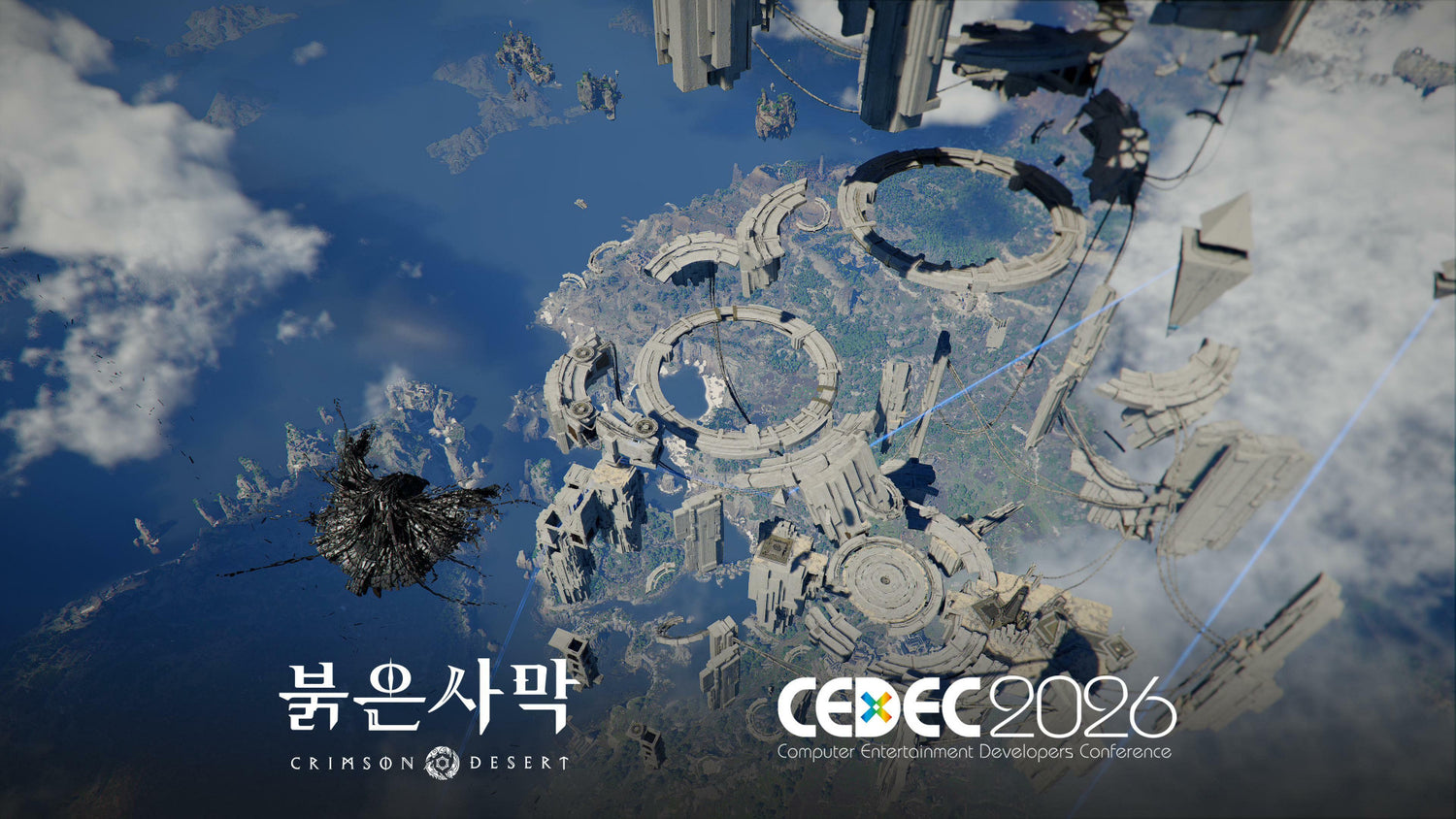
According to the source report, Pearl Abyss has been invited to present a special lecture at CEDEC 2026 titled “Crimson Desert: Building a Large-Scale Open World Development Process.” The talk will feature Pearl Abyss lead game designers Doo Seung-bin and Kim Hyun-kyum, with discussion focused on the development challenges behind Crimson Desert’s massive open world, content production efficiency, iteration, and collaboration systems. CEDEC 2026 is scheduled for July 22 to 24 at Pacifico Yokohama North in Yokohama, Japan, with the theme “Co-Create.”
That may sound like developer-focused news, but it matters to anyone thinking about buying a gaming computer in Canada. Why? Because the same design goals that make a game impressive for developers also make it demanding for players. A large-scale open world means more assets, more simulation, more animation, more environmental detail, more storage pressure, more CPU scheduling, more GPU load, and more memory usage. If you want to play ambitious AAA games smoothly, record gameplay, stream to Twitch or YouTube, edit clips for TikTok, or work in tools like Blender, Unreal Engine, Premiere Pro, DaVinci Resolve, Photoshop, or Illustrator, your PC needs to be chosen with a much wider workload in mind.
At Groovy Computers, we build custom gaming PCs, creator PCs, and workstation PCs for Canadian buyers who want more than a generic desktop. The question is not simply “Can this PC run the game?” The better question is: what do you want your next PC to do for you over the next several years?
Why Crimson Desert’s CEDEC Appearance Is a Big Deal for PC Gamers
CEDEC is one of the most important game developer conferences in Japan, bringing together major studios, independent creators, technology experts, and industry partners. The source article notes that the 2026 event will include more than 200 sessions across three days, with presentations involving major titles and discussions around industry trends such as generative AI, VTubers, and hiring in the age of AI.
Crimson Desert standing alongside other highly anticipated technical discussions matters because it shows how seriously the industry is treating large-scale open-world production. Pearl Abyss is known for visually ambitious game technology, and the source article identifies Crimson Desert as an open-world action-adventure game built using Pearl Abyss’s proprietary BlackSpace Engine. Whether you are following Crimson Desert for its combat, exploration, cinematic presentation, or open-world design, the core message is the same: the next generation of open-world PC gaming is not standing still.
For players, that raises practical buying questions. Do you want to play at 1080p with good settings and stable performance? Are you aiming for a 1440p Gaming PC Canada setup with high refresh rates? Do you want a 4K Gaming PC Canada experience with ultra settings and ray tracing? Will you be streaming, recording, editing, or multitasking on the same system?
If the answer is yes to more than one of those questions, buying the cheapest gaming desktop you can find may lead to frustration sooner than expected.
What Does a Large-Scale Open World Actually Demand From a Gaming PC?
Open-world games are different from smaller, linear titles. A well-optimized game can still run on a range of systems, but the most visually impressive open worlds tend to stress several parts of a PC at once. When a game includes large environments, dense cities, realistic lighting, physics interactions, high-resolution textures, complex AI, fast traversal, and cinematic combat, your system has to keep up in real time.
That is why a Gaming PC for Open World Games should be balanced. A powerful graphics card is important, but the GPU is not the only part that matters. The CPU, RAM, SSD, cooling, power supply, motherboard quality, case airflow, and upgrade path all affect the final experience.
GPU: The Centrepiece for Visual Quality, Resolution, and Ray Tracing
Your graphics card does most of the heavy lifting when it comes to resolution, frame rate, visual effects, and ray tracing. If you want higher settings in AAA open-world games, your GPU tier becomes one of the biggest decisions in the build.
Ask yourself: are you playing on a 1080p monitor, a 1440p high-refresh display, or a 4K screen? Do you care about ray tracing, ultra textures, and cinematic visuals, or are you more focused on competitive frame rates? A 1080p system can be much more affordable, while a high-end 1440p or 4K build needs a stronger GPU, more VRAM, and better cooling.
For many Canadian gamers, 1440p is the current sweet spot. It looks significantly sharper than 1080p, pairs well with high refresh rate monitors, and does not require the same extreme GPU budget as 4K. If you are looking for a balanced Gaming PC for Open World Games, a strong 1440p configuration is often the smartest performance-per-dollar target.
CPU: Open Worlds Need More Than Graphics Power
Open-world games are not only about visual rendering. They often rely on CPU performance for AI routines, physics, world simulation, NPC behaviour, asset streaming, background tasks, and overall frame pacing. A weak processor can hold back a powerful GPU, especially in busy towns, large battles, or fast traversal scenes.
What PC do you need for 1440p gaming if you also want smooth open-world performance? In most cases, you want a modern multi-core CPU with strong single-core performance. For high-end gaming, streaming, and content creation, stepping up to a stronger processor can make the whole system feel more responsive and can help prevent bottlenecks.
This is especially important if you are the type of player who keeps Discord, a browser, music, game launchers, capture software, and monitoring tools running while gaming. Are you only launching the game, or are you using your PC like a full command centre?
RAM: The Difference Between “It Runs” and “It Feels Smooth”
Modern games, creative apps, browsers, and background software can consume memory quickly. For entry-level gaming, 16GB can still be usable in many situations, but 32GB is increasingly the smarter choice for a modern custom gaming PC. If you stream, edit, design, run virtual machines, work in large Photoshop files, or use Blender and Unreal Engine, 64GB may make more sense.
How much RAM do creators need? It depends on the workload. A gamer who occasionally trims clips has different needs than a YouTuber editing 4K footage, a photographer batch-exporting RAW files, or a 3D artist working on high-poly scenes. If you want to avoid upgrading too soon, RAM is one of the areas where planning ahead can save hassle later.
SSD Storage: Open Worlds Need Fast Loading and Room to Grow
Large open-world games can take up significant storage space. Add game captures, mods, project files, footage, design assets, and software caches, and a small SSD fills quickly. A fast NVMe SSD helps reduce load times, improves responsiveness, and gives modern games the storage speed they expect.
Do you install only two or three games at a time, or do you keep a full library ready to go? Do you record gameplay locally? Are you editing video on the same system? If so, planning for a larger SSD from the start is often better than fighting storage limits six months after purchase.
What Do You Want Your Next PC to Do for You?
This is the most important question in the entire buying process. Not “what is the cheapest PC?” Not “what has the flashiest case?” Not “what GPU name looks best in a listing?” The real question is: what do you want your next PC to do for you?
Do you want a budget gaming computer that handles popular esports titles and new games at 1080p? Do you want a premium RTX gaming PC that can push 1440p or 4K with ray tracing? Do you want to stream on Twitch, record gameplay, and edit videos for YouTube? Do you need a Creator PC Canada build for Adobe Creative Cloud, CapCut, DaVinci Resolve, or Photoshop? Are you learning game development, 3D modeling, animation, or architectural visualization?
The best PC is not the same for every buyer. A student in Nova Scotia building their first gaming setup, a competitive player chasing high FPS, a creator editing daily content, and a professional using Blender or Unreal Engine all need different configurations.
That is where Groovy Computers can help. Instead of forcing every customer into the same generic configuration, we help match the system to the actual workload. If you are unsure where to begin, start with the games, software, resolution, and budget that matter most to you.
Which Performance Tier Fits You Best?
Choosing the right gaming PC tier is easier when you think in terms of outcomes. What level of performance are you actually trying to buy?
Entry-Level and Budget Gaming PC: Best for 1080p and First-Time Buyers
A budget gaming PC is ideal if you mainly play esports titles, lighter games, older AAA releases, or newer games at 1080p with tuned settings. This tier is often a strong fit for students, first-time PC gamers, families buying a first gaming desktop, or customers moving from console to PC.
How much should you spend on a gaming PC? That depends on whether you want the lowest entry point or a system that will stay comfortable longer. A very cheap PC can look attractive at checkout, but if it needs a GPU, RAM, or storage upgrade almost immediately, it may not be the best value. Would you rather save a little today, or avoid replacing parts too soon?
For players watching games like Crimson Desert, this tier can still make sense if expectations are realistic. Think 1080p, optimized settings, and a focus on value rather than ultra visuals.
Mainstream 1440p Gaming PC: The Sweet Spot for Modern AAA Games
For many Canadian buyers, a 1440p gaming PC offers the best balance of visual quality, speed, and long-term value. This tier is ideal if you want sharper image quality than 1080p, strong frame rates, and enough headroom for demanding open-world games.
What PC do I need for 1440p gaming? You typically want a strong current-generation CPU, a capable graphics card with enough VRAM, 32GB of RAM for comfort, a fast NVMe SSD, and quality cooling. This is the category many players should consider if they want a Gaming PC for Open World Games without jumping all the way to the most expensive 4K configuration.
If you play AAA RPGs, action-adventure games, open-world shooters, racing games, survival titles, and cinematic single-player games, 1440p is often where the experience starts to feel premium.
High-End 4K and Ray Tracing Gaming PC: Built for Maximum Visual Impact
If you want ultra settings, 4K resolution, high refresh rates, and advanced lighting features, you are looking at the high-end category. A Ray Tracing Gaming PC Canada setup or premium 4K system needs a stronger GPU, excellent airflow, a reliable power supply, and a CPU that will not hold the graphics card back.
What PC do I need for 4K gaming? The answer depends on whether you want 4K at high settings, 4K with ray tracing, or 4K with high-refresh performance. Each step increases GPU demand. If you also stream or edit video, your build should be planned as a high-end gaming and creator machine, not just a gaming tower.
Should you finance a high-end gaming PC instead of buying a cheaper one outright? For some customers, financing up to 4 years can make sense if it allows them to secure the performance tier they actually need instead of settling for a system they will outgrow quickly. The key is choosing a build that fits your real usage and budget responsibly.
Gaming, Streaming, and Editing PC: For Players Who Also Create
Many gamers are not just playing anymore. They are recording clips, posting shorts, streaming live, editing YouTube videos, designing thumbnails, managing communities, and running multiple monitors. If that sounds like you, a simple gaming-only configuration may not be enough.
What PC do you need for streaming? You need enough CPU and GPU headroom to play and encode smoothly, enough RAM for OBS or Streamlabs plus browser sources and chat tools, and enough storage for recordings. Modern GPUs with strong hardware encoding can be extremely helpful for streaming and recording, while a stronger CPU helps with multitasking and editing.
If you want one machine for gaming, OBS, Premiere Pro, DaVinci Resolve, Photoshop, and social media content, ask for a balanced gaming and creator PC rather than a bare-minimum gaming desktop.
Creator and Workstation PC: For Video Editing, 3D Modeling, and Professional Work
The source article focuses heavily on the development process behind Crimson Desert’s large-scale open world. That makes it especially relevant to creators and professionals, not just players. Games like this are built using complex pipelines involving level design, quest design, art production, animation, engine tools, iteration, and collaboration. Those workflows overlap with the tools used by 3D artists, video editors, game developers, designers, and technical creators.
If you use Blender, Unreal Engine, Unity, Maya, Cinema 4D, AutoCAD, Revit, SolidWorks, DaVinci Resolve, Premiere Pro, After Effects, Photoshop, Lightroom, Illustrator, or similar software, your PC should be built around productivity as much as entertainment. A 3D Modeling PC Canada build may prioritize GPU rendering, VRAM, RAM capacity, CPU performance, and storage speed differently than a pure gaming PC.
Is a gaming PC good for Blender? Sometimes, yes. A strong gaming PC can be a good foundation for Blender, Unreal Engine, and other creative tools, especially if it has the right GPU and enough RAM. But a workstation-focused configuration may need more memory, more storage, better sustained cooling, and a component balance designed for long rendering sessions rather than short gaming bursts.
Crimson Desert, BlackSpace Engine, and the Rise of Engine-Driven Performance Demands
The source report notes that Crimson Desert is being developed using Pearl Abyss’s proprietary BlackSpace Engine. Proprietary engines are often built to support a studio’s specific vision: world streaming, lighting, animation systems, combat responsiveness, large environments, cinematic presentation, and asset pipelines. For players, this highlights a broader trend. Game engines are becoming more capable, and the experiences they produce are becoming more hardware-sensitive.
Even when a game is well optimized, ambitious technology still benefits from stronger hardware. Higher texture quality needs more VRAM. Better lighting and shadows stress the GPU. Larger worlds can stress memory and storage. Complex AI and simulation can increase CPU workload. Fast traversal can make asset streaming more important. Recording or streaming adds another layer on top.
So the question becomes: are you buying a PC for the games you already know, or for the next wave of engine-driven AAA games?
If your current system already struggles with large open-world titles, stutters during traversal, runs out of VRAM at higher settings, or takes too long to load, upgrading before the next major release cycle can be a smart move. Waiting until everyone else wants the same GPUs and memory kits can make selection harder and replacement costs less predictable.
Should Canadian Buyers Buy Now or Wait?
“Is it better to buy a gaming PC now or wait?” is one of the most common questions customers ask, and the honest answer depends on your situation. If your current PC handles your games and software comfortably, waiting may be fine. But if your system is already limiting your experience, waiting for the perfect moment can become expensive in a different way.
PC component pricing can be affected by GPU demand, memory pricing, SSD supply, currency exchange, seasonal sales pressure, new game launches, creator hardware demand, and global supply constraints. Canadian buyers also have to think about CAD pricing, shipping, availability, and replacement costs. A part that looks affordable today may not be the same price later, especially when demand spikes around major releases, holiday shopping periods, back-to-school needs, or new hardware cycles.
Are you buying before a major game release? Are you trying to upgrade before a software requirement changes? Are you waiting for a sale period even though your current computer is already holding back your work or gaming? Are you hoping prices drop, or are you risking a weaker selection when everyone starts shopping at once?
There is no one-size-fits-all answer, but there is a practical rule: if you know you need a stronger PC within the next few months, it is worth planning early. You will have more time to choose the right parts, compare performance tiers, consider financing, and avoid panic-buying whatever happens to be available.
Can Financing Help You Secure a Stronger System Before Prices Change?
For many customers, the biggest challenge is not knowing what they want. It is paying for the right system all at once. That is where financing can become useful. Groovy Computers offers financing options up to 4 years, giving Canadian buyers a way to step into a stronger custom PC without needing to make the full payment upfront.
Should you finance a better PC instead of buying a cheaper one? If the cheaper system will not meet your needs for gaming, streaming, video editing, or workstation use, financing can be the more practical choice. A stronger build can help you avoid early upgrades, reduce performance frustration, and give you more headroom for upcoming games and software.
That does not mean everyone should choose the most expensive configuration. Financing should be used to align your system with your real workload. A student focused on 1080p gaming may not need a premium 4K tower. A creator editing 4K video every week may regret buying an underpowered budget system. A 3D artist using Blender or Unreal Engine may need more RAM and GPU strength than a casual gamer.
If you are considering Custom Gaming PC Canada options and wondering whether financing makes sense, ask yourself: will a stronger system save you from upgrading too soon? Will it help you work faster, play smoother, stream better, or take on more demanding projects? If yes, financing may be worth exploring responsibly.
How Open-World Gaming Connects to Streaming, Editing, Design, and 3D Work
Modern PC buyers often wear multiple hats. A gamer may also be a streamer. A streamer may also be a video editor. A video editor may also design thumbnails in Photoshop. A designer may also use AI tools, 3D mockups, or motion graphics. A student may game at night and run CAD or programming tools during the day.
That is why buying a PC only around one game can be limiting. Crimson Desert may be the headline, but your real life may include many workloads. What games, software, and creative projects do you want to run on the same system?
For Streaming and Recording
If you want to stream Crimson Desert or other AAA games, your PC must handle gameplay and encoding at the same time. A strong GPU with modern encoding support, a capable CPU, 32GB of RAM, and fast storage can make the difference between a smooth broadcast and a stuttery stream.
Do you stream at 1080p, record at 1440p, or want 4K footage for editing? Do you use OBS Studio, Streamlabs, Discord, browser overlays, chat bots, and multiple monitors? A Gaming and Streaming PC Canada build should be planned for all of that, not just the game itself.
For Video Editing and YouTube Content
If you record gameplay, make guides, create reviews, post shorts, or edit cinematic footage, your PC needs strong timeline performance and fast exports. A good video editing PC benefits from a strong CPU, enough RAM, a capable GPU, and fast SSD storage for media files and cache.
What PC do you need for video editing? For casual 1080p edits, a balanced gaming PC may be enough. For 4K editing in Premiere Pro or DaVinci Resolve, a stronger creator-focused configuration is usually better. If you use effects, colour grading, multicam timelines, or After Effects, the need for CPU, RAM, and GPU power rises quickly.
For Photo Editing and Graphic Design
Photographers and designers may not always need the biggest GPU, but they do need responsiveness, accurate workflow, enough RAM, and fast storage. Photoshop, Lightroom, Illustrator, InDesign, Canva, Capture One, and other creative tools can benefit from a well-balanced creator PC.
Are you editing high-resolution RAW photos, working with layered PSD files, batch exporting galleries, designing for clients, or running multiple Adobe apps at once? If so, choosing a system with more RAM and a fast SSD can make daily work feel much smoother.
For 3D Modeling, Rendering, and Game Development
The CEDEC lecture topic around Crimson Desert’s open-world development process naturally connects to game development and 3D production. If you are building environments, rendering scenes, creating assets, learning Unreal Engine, working in Blender, or experimenting with Unity, your PC becomes a production tool.
What PC do you need for Unreal Engine? What PC do you need for Blender? The answer depends on project complexity, but GPU power, VRAM, RAM capacity, CPU performance, and storage speed all matter. A Custom 3D Workstation Canada build may look similar to a high-end gaming PC at first glance, but the details matter: sustained cooling, memory capacity, storage layout, and upgrade path can be critical.
Custom PC vs Generic Prebuilt: Why the Details Matter
When a big game gets attention, many buyers start searching for quick deals. That is understandable. But not all gaming PCs are built equally, even if the spec sheet looks similar. Two systems with the same GPU name can perform differently depending on cooling, case airflow, power supply quality, CPU pairing, RAM speed, motherboard features, storage configuration, and build quality.
Custom PC vs prebuilt PC Canada is not just a search phrase. It is a real buying decision. A generic prebuilt may be convenient, but it may also include compromises that are not obvious until later: limited airflow, low-end power supplies, restricted upgrade options, insufficient RAM, small SSDs, or mismatched parts.
At Groovy Computers, the goal is to build systems that make sense as complete computers. That means matching parts properly, considering the customer’s intended use, testing the system, and building with support in mind. A gaming PC for open-world games should not just look powerful; it should be stable, cool, and ready for real use.
Why does testing matter in a gaming PC? Because a PC that boots is not automatically a PC you can trust. Stress testing helps confirm stability under load. Thermal checks help ensure the system can handle gaming or rendering sessions. Cable management, airflow, component compatibility, and clean assembly all contribute to reliability.
Why Canadian Buyers Should Think Differently About PC Timing
Buying a gaming PC in Canada has its own considerations. Canadian pricing is affected by exchange rates, import costs, availability, shipping, and regional demand. Buyers in Nova Scotia, Atlantic Canada, Ontario, Alberta, British Columbia, and across the country may see different local availability, but the same broader issue remains: the best time to plan a build is before demand becomes urgent.
Groovy Computers is a Canadian custom PC builder, with Canada-wide relevance for customers who want gaming PCs, creator PCs, and workstation PCs built with care. Whether you are near Trenton, New Glasgow, Halifax, elsewhere in Nova Scotia, or ordering from another province, the advantage of working with a Canadian PC company is confidence: Canadian-dollar pricing, practical support, and systems built for the needs of Canadian customers.
If you are watching upcoming AAA games, new creator software features, AI-assisted workflows, or workstation demands grow, waiting until your current PC fails may not be the best strategy. Would you rather choose a build calmly now, or rush into a purchase when your old computer can no longer keep up?
What Questions Should You Ask Before Buying a Gaming PC for Open World Games?
Before buying or financing your next custom PC, ask questions that connect directly to your real usage. These questions can help you avoid overspending in the wrong area or underspending where it matters most.
- What games do I want to play? Are you focused on Crimson Desert-style open-world games, esports titles, shooters, RPGs, simulation games, racing games, or a mix?
- What resolution do I use? 1080p, 1440p, and 4K each require a different GPU strategy.
- Do I care about ray tracing? If yes, choose a GPU tier with enough performance headroom for ray-traced effects.
- Do I want high FPS? Competitive players should prioritize frame rate, CPU performance, and monitor pairing.
- Will I stream or record gameplay? If yes, plan for encoding, multitasking, storage, and RAM.
- Will I edit videos or photos? If yes, consider a creator-focused configuration with stronger CPU, RAM, and SSD choices.
- Will I use 3D tools? Blender, Unreal Engine, Unity, Maya, 3ds Max, Cinema 4D, and CAD software can shift the build toward workstation needs.
- How long do I want this PC to feel strong? A slightly stronger system today may delay upgrades later.
- Is financing useful for my situation? Monthly payments can help secure a stronger system, but the build should still match your budget and needs.
- Do I want expert help choosing parts? If you are unsure, a custom PC builder can prevent costly mismatches.
How Groovy Computers Helps You Choose the Right Build
Groovy Computers is built around a simple idea: a PC should fit the person using it. A gaming desktop for a casual 1080p player should not be configured the same way as a 4K ray tracing system, a streaming rig, a video editing workstation, or a 3D rendering PC.
When you shop with Groovy Computers, you can look for a system that matches your performance target instead of guessing from random part names. Want a budget gaming computer for popular titles? Want a premium RTX gaming PC for upcoming AAA open-world games? Need a custom creator PC for YouTube, Adobe Creative Cloud, DaVinci Resolve, Photoshop, or Blender? Need a workstation PC for rendering, CAD, or Unreal Engine development?
Every serious PC purchase should come down to fit, reliability, and support. Groovy Computers offers custom builds, rigorous testing, and a 1-year warranty for added confidence. That matters when you are investing in a system that may become your main gaming platform, content studio, school computer, or professional workstation.
If you are asking, “What gaming PC do I need?” the best next step is to match your desired resolution, games, software, and budget to a build that makes sense. You can browse options or start planning your next custom system at GroovyComputers.ca.
Should You Choose a Budget Gaming Computer, Premium RTX Gaming PC, Creator PC, or Workstation?
Here is a practical way to think about it.
Choose a budget gaming computer if you mainly want 1080p gaming, good value, and a strong first step into PC gaming. This is the right path if you want to play popular games without paying for 4K performance you will not use.
Choose a mainstream 1440p gaming PC if you want the best balance for modern AAA games, including open-world titles. This is often the ideal choice for players who want smoother visuals, stronger longevity, and better performance than entry-level systems.
Choose a premium RTX gaming PC if you want 4K, ray tracing, ultra settings, high refresh rates, or maximum visual quality. This tier is for buyers who want a high-end experience and do not want to compromise quickly as new games become more demanding.
Choose a custom creator PC if your system needs to handle gaming plus video editing, streaming, thumbnails, social media, photo editing, and design. This tier is ideal for YouTubers, TikTok creators, Twitch streamers, photographers, designers, and small business content creators.
Choose a 3D modeling or workstation PC if you work in Blender, Unreal Engine, Unity, Maya, CAD, rendering, animation, product visualization, architectural design, or heavy productivity software. This category should be planned carefully around RAM, GPU, CPU, storage, and cooling.
Still unsure? That is normal. Most buyers do not need to memorize benchmarks or component charts. You only need to know what you want to do, what you want to spend, and how long you want the system to last. Groovy Computers can help translate that into the right build.
Why Waiting Too Long Can Cost More Than You Expect
Many PC buyers wait because they hope prices will drop. Sometimes that works. But waiting can also create problems. GPU demand can rise around big game launches. Memory and SSD pricing can shift. New software features can increase hardware requirements. Exchange rate changes can affect Canadian pricing. Sale periods can move inventory quickly. Popular configurations can become harder to secure.
If you are already planning to buy before a major game release, hardware shortage, school term, creator project, holiday season, or work deadline, waiting until the last minute may reduce your options. A better strategy is to plan early, decide your performance tier, and look at financing if it helps you secure the right build.
Is now a good time to buy a gaming PC? If your current system is holding you back, if you are preparing for upcoming open-world games, or if you are taking content creation more seriously, it may be the right time to start. You do not need to rush into the most expensive build, but you should avoid drifting into a purchase with no plan.
The Bigger Lesson From Crimson Desert’s CEDEC Talk
Crimson Desert’s invitation to CEDEC is ultimately about process: how a studio builds a massive open world, improves production efficiency, iterates content, and coordinates large teams. For players and creators, the lesson is also about process. Building the right PC should not be random. It should start with goals, then match hardware to the experience you want.
Do you want to explore massive worlds at 1440p? Do you want to push 4K with ray tracing? Do you want to stream your gameplay, edit highlight reels, design thumbnails, and build a community? Do you want to create worlds yourself in Unreal Engine or Blender? Do you want a workstation that helps you work faster instead of waiting on exports and renders?
The more ambitious your goals, the more important your PC choices become.
Ready to Build a Gaming PC for Open World Games?
If Crimson Desert has you thinking about your next upgrade, now is the time to ask the right questions. What resolution do you want? What games are you preparing for? What software do you use every week? Do you need streaming, editing, design, or 3D rendering performance? Would financing help you choose a stronger system before prices or availability change?
Groovy Computers helps Canadian buyers choose custom gaming PCs, creator PCs, and workstation PCs that fit real-world needs. Whether you are looking for a value-focused build, a high-performance 1440p machine, a premium 4K gaming desktop, or a custom workstation for creative production, Groovy Computers can help you move from uncertainty to a system you can trust.
Explore your options, compare performance tiers, and start planning your next custom build at GroovyComputers.ca. If you want a Gaming PC for Open World Games that is built for where PC gaming and creation are heading, Groovy Computers is ready to help.
#GamingPCForOpenWorldGames #CustomGamingPCCanada #GamingPCCanada #1440pGamingPC #4KGamingPC #CreatorPCCanada #3DModelingPCCanada #GroovyComputers
Groovy Computers | All Rights Reserved

Leave a comment
This site is protected by hCaptcha and the hCaptcha Privacy Policy and Terms of Service apply.