



















Gaming PC for New Games: What Crimson Desert’s Huge DLC Means for Canadian PC Buyers
Gaming PC for New Games is no longer a simple question of “Can it run?” The better question in 2026 is: can your computer handle massive open worlds, high-resolution textures, ray tracing, streaming, recording, editing, and the next wave of game updates without forcing you into another upgrade too soon?
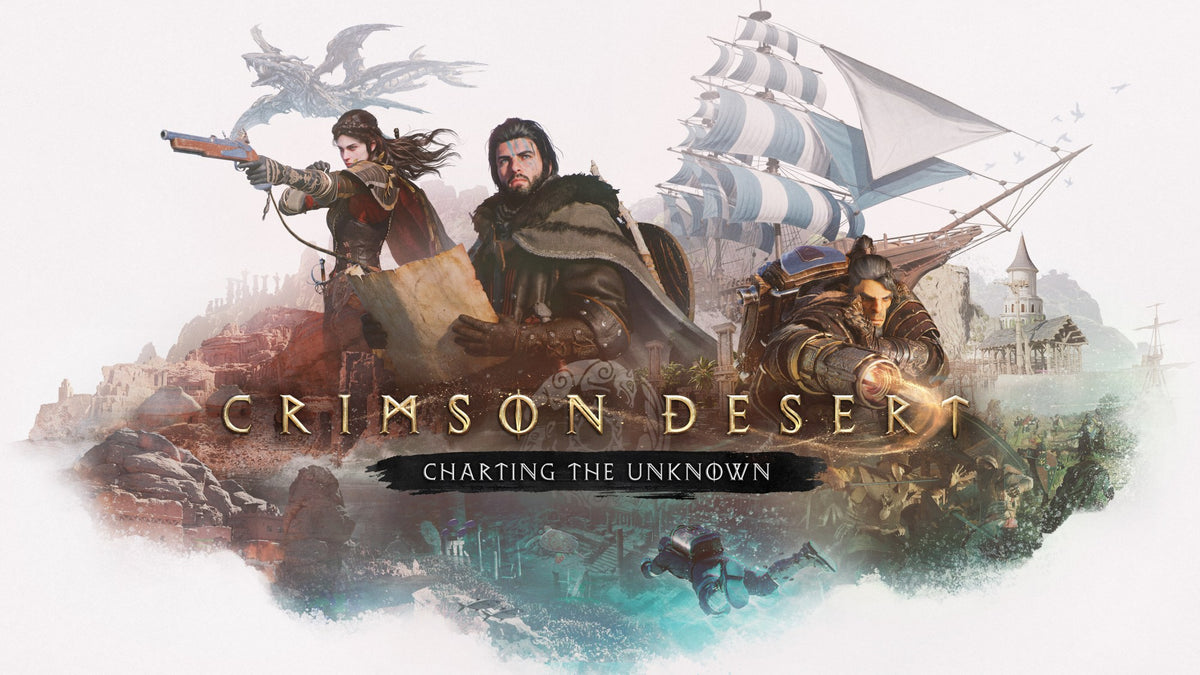
That question is especially relevant after the newly announced Crimson Desert: Charting the Unknown expansion. The base game was already positioned as one of 2026’s most ambitious open-world action-adventure releases, and the upcoming DLC is set to expand the experience with new islands, ship navigation, underwater exploration, diving-suit gameplay, new threats, and a much deeper housing and property-management system. For players, that sounds exciting. For older PCs, it sounds like a stress test.
At Groovy Computers, we look at announcements like this from a practical Canadian buyer’s perspective. A bigger open world does not just mean more map markers. It can mean heavier GPU loads, more memory usage, larger storage demands, longer shader compilation, more CPU simulation, and higher expectations from players who want smooth performance at 1080p, 1440p, or 4K. If you are shopping for a Custom Gaming PC Canada build, a high-FPS gaming desktop, or a system that can also handle streaming and content creation, this is exactly the kind of gaming news that should shape your buying decision.
Why Crimson Desert’s Expansion Matters for Gaming PC Buyers
Crimson Desert stands out because it is not just another fantasy RPG with quests, mounts, gear upgrades, and sword combat. The game blends open-world exploration, cinematic action, RPG-style progression, unusual enemies, large environments, traversal systems, and surprising mechanics that go well beyond the standard fantasy formula. According to the source coverage, the new Charting the Unknown DLC will add ship command, diving-suit exploration, underwater environments, distant islands, new enemies, and expanded housing systems.
Why should that matter if you are buying a PC in Canada? Because modern open-world games are becoming layered performance workloads. The graphics card is important, but it is not the only piece of the puzzle. The CPU has to manage world simulation, physics, NPC behaviour, streaming assets, and background systems. RAM affects how smoothly the game can juggle large zones, high-resolution assets, and multitasking. Storage speed affects loading, asset streaming, patching, and how quickly you can jump back into the game after updates.
Are you planning to play only one game, or are you buying a desktop for the next several years of AAA releases? Are you aiming for smooth 1080p gaming, high-refresh 1440p, or a premium 4K gaming experience? Do you also want to stream to Twitch, record gameplay for YouTube, edit clips for TikTok, or run Discord, OBS, browser tabs, and game launchers at the same time?
Those answers matter more than a generic spec sheet. A properly chosen gaming PC should match the way you actually play.
What the Crimson Desert DLC Gets Right About the Future of PC Gaming
The most interesting part of the Charting the Unknown announcement is not only that it adds content. It adds systems. Sailing, diving, island exploration, underwater threats, and deeper housing mechanics all point toward a broader trend: big PC games are becoming more complex after launch, not less.
Years ago, buying a gaming PC for a new release mostly meant looking at launch-day requirements. Today, a major game can evolve through patches, visual updates, expansions, mod support, larger texture packs, and new gameplay systems. That makes “good enough today” a risky strategy if you care about longevity.
Do you want a PC that barely clears the minimum requirements at launch, or do you want a system that still feels strong when DLC, graphics updates, and future games arrive? Do you want to turn settings down after every major patch, or would you rather invest once in a balanced build that can carry you through several years of new releases?
That is where a Gaming PC for New Games needs to be planned differently from a bargain-bin desktop. The goal is not just to launch the game. The goal is to enjoy it the way modern games are meant to be played: stable frame rates, responsive controls, fast loading, sharp visuals, and enough headroom for updates.
What Do You Want Your Next PC to Do for You?
Before choosing a gaming computer, pause and ask the most important question: what do you want your next PC to do for you?
Do you want to explore huge open worlds like Crimson Desert at high settings? Do you want to play competitive games at high FPS? Do you want to run ray tracing in cinematic titles? Do you want to stream gameplay, record clips, edit videos, retouch photos, design graphics, build 3D models, or use your desktop for school, business, and creative work?
A lot of Canadian buyers start by asking, “What is the best gaming PC?” But the better question is, “What is the best gaming PC for my actual workload?” A student who plays at 1080p and edits light videos needs a different system than a creator streaming at 1440p while recording footage and editing in DaVinci Resolve. A 3D artist using Blender or Unreal Engine needs a different balance than someone focused mainly on esports.
At Groovy Computers, the goal is to help you avoid underbuying, overbuying, and buying the wrong kind of performance. A custom build should feel targeted. It should be built around the games, software, monitor, upgrade plans, and budget that actually matter to you.
Which Performance Tier Fits You Best?
Choosing the right performance tier is one of the smartest ways to control budget while still getting a PC that feels powerful. Instead of guessing, think about your monitor, your games, your workload, and how long you want the system to last.
Entry-Level and Budget Gaming: Is 1080p Enough for You?
A budget gaming computer can still be a great choice if you primarily play at 1080p, enjoy esports titles, play lighter games, or want a first gaming desktop that is far more upgradeable than a console or laptop. This tier is ideal for players asking, “How much should I spend on a gaming PC if I just want smooth gameplay without chasing ultra settings?”
For games like Crimson Desert, an entry-level system may be able to play, but you should expect to tune settings carefully. Open-world games with large environments can be demanding, especially after expansions. If you want to avoid stutters, slow loading, and early upgrades, it may be worth stepping above the absolute minimum.
This tier is best for Canadian buyers who want value, 1080p performance, and a clear upgrade path. It is not the best fit if you expect 4K, heavy ray tracing, high-refresh ultra settings, or serious creator workloads.
Mainstream 1440p Gaming: Is This the Sweet Spot?
For many players, a 1440p gaming PC is the modern sweet spot. It offers a major visual jump over 1080p without requiring the same GPU power as 4K. If you want open-world games to look sharp, run smoothly, and still leave room for streaming, this is often the smartest tier.
Ask yourself: what PC do I need for 1440p gaming if I want new games to feel smooth for years? You will want a strong modern GPU, a capable multi-core CPU, fast NVMe storage, and enough RAM to handle today’s games plus background apps. If you use Discord, browsers, launchers, RGB software, capture tools, and OBS while gaming, extra memory headroom becomes more important.
This is a strong category for players who want a Gaming PC for New Games without going all the way into ultra-premium pricing. It is also a strong match for gaming and streaming PC buyers who want high-quality gameplay and content flexibility.
Premium 4K and Ray Tracing: Are You Building for Maximum Visuals?
If you want 4K gaming, ray tracing, ultra settings, high-resolution texture packs, and a system that feels premium from day one, you are in high-end gaming PC territory. This tier is for buyers who do not want to constantly compromise settings when the next blockbuster release arrives.
What PC do I need for 4K gaming? You need more than a powerful GPU. You need a CPU that will not bottleneck the system, excellent cooling, fast storage, a quality power supply, strong airflow, and careful part matching. A 4K gaming PC Canada build should be planned as a complete platform, not just a graphics card in a case.
Premium builds also make sense for players who want to keep their desktop longer. If your goal is to avoid upgrading too soon, spending more upfront can be smarter than buying a weaker system now and replacing major parts earlier than expected.
Gaming, Streaming, and Editing: Are You a Player or a Creator Too?
Many gamers are no longer just players. They record highlights, stream on Twitch, post clips to YouTube Shorts, edit TikToks, make thumbnails, run OBS, and manage multiple monitors. If that sounds like you, your PC should be built as a gaming and creator machine, not just a game launcher.
What PC do I need for streaming? A modern GPU with strong encoding support is extremely helpful, especially for OBS workflows. A capable CPU keeps the system responsive while gaming and streaming. More RAM helps when you have OBS, chat, browser sources, music, Discord, and editing software open at once. Fast SSD storage keeps recordings, project files, and games from fighting over slow drives.
A Streaming PC Canada build or gaming and streaming PC can be a smart middle ground for creators who want one powerful desktop instead of separate systems. If you plan to edit the content you record, that changes the recommendation again.
Creator, Editing, and Workstation Use: Do You Need More Than Gaming Performance?
If you use Adobe Premiere Pro, DaVinci Resolve, After Effects, Photoshop, Lightroom, Illustrator, Blender, Unreal Engine, AutoCAD, Revit, SolidWorks, or other professional tools, your gaming PC can become a productivity machine too. But it needs to be configured correctly.
Is a gaming PC good for video editing? It can be, if the parts are chosen properly. Video editing benefits from a strong CPU, GPU acceleration, plenty of RAM, and fast storage for media files and cache. Photo editing often needs fast single-core performance, enough memory for large RAW files, and reliable colour-workflow support. Graphic design benefits from fast storage, strong CPU responsiveness, and enough RAM for large multi-layer projects. 3D modeling and rendering can lean heavily on GPU power, CPU cores, and large memory capacity depending on the software.
If you are buying one desktop for gaming and work, tell Groovy Computers what programs you use. A Creator PC Canada build, Video Editing PC Canada build, or 3D Modeling PC Canada build may look similar to a gaming computer from the outside, but the internal balance can be very different.
Why Canadian Buyers Should Think Beyond Minimum Requirements
Minimum requirements are useful, but they are not a buying guide. They often target low settings, lower frame rates, or basic playability. They usually do not reflect your monitor, your multitasking habits, your streaming setup, your editing workload, or how the game will evolve after DLC.
Canadian buyers also face local realities: component availability, shipping timelines, exchange-rate pressure, seasonal sales, demand spikes, and replacement costs that can shift quickly. If a major game release or expansion increases interest in gaming desktops, popular GPU and CPU combinations can move faster. If memory or SSD pricing changes, full-system pricing can be affected even when the headline GPU price stays the same.
Is it better to buy a gaming PC now or wait? The honest answer depends on your current system, your timeline, and your budget. But if you already know your current PC is struggling, waiting can mean playing new releases at compromised settings while also risking higher replacement costs later. If you are buying before a major game release, hardware shortage, sale period, software upgrade, or price spike, timing becomes part of the decision.
That does not mean you should panic-buy. It means you should plan. A well-built custom gaming PC gives you more control over where your money goes and helps you avoid wasting budget on flashy parts that do not improve your actual experience.
How Bigger Open Worlds Stress Your PC
Open-world games are demanding because they stress the entire system. Crimson Desert and its expansion are a useful example because the game is not only about combat. It includes exploration, traversal, NPCs, mounts, gear systems, environments, and now expanded water-based travel and underwater discovery.
The GPU handles resolution, image quality, shadows, lighting, effects, textures, and ray tracing where applicable. The CPU helps manage simulation, AI, physics, asset streaming, and frame pacing. RAM keeps active data ready for the system. SSDs reduce loading interruptions and improve how quickly assets can be accessed. Cooling protects performance during long sessions, especially in demanding games that keep hardware under sustained load.
If you have ever asked, “Can my PC run this game?” also ask, “Can my PC run this game the way I want to play it?” A game can be technically playable while still feeling disappointing because of stutter, dips, long loads, low texture quality, or noisy thermals.
That is why Groovy Computers focuses on balanced builds. A strong graphics card matters, but so do airflow, power delivery, storage layout, RAM capacity, and stress testing. A gaming desktop should perform well on paper and in real life.
What Specs Should You Prioritize for a Gaming PC for New Games?
For a modern Gaming PC for New Games, the most important priorities are GPU performance, CPU balance, RAM capacity, SSD speed, cooling, and upgrade path. The exact recommendation depends on your target resolution and workload, but the logic is consistent.
- Graphics card: The biggest driver of visual performance in demanding games, especially at 1440p, 4K, high settings, and ray tracing.
- Processor: Important for frame pacing, open-world simulation, background tasks, streaming, editing, and avoiding bottlenecks.
- Memory: Essential for large games, multitasking, streaming, editing, and keeping the system responsive.
- Storage: A fast NVMe SSD is strongly recommended for modern games, large patches, creator files, and quick load times.
- Cooling: Sustained performance depends on temperatures, airflow, and quality assembly.
- Power supply: A reliable unit protects your investment and supports future upgrades.
- Case and airflow: Better airflow can mean quieter operation, stronger boost behaviour, and longer component life.
Do you want a quiet system for long RPG sessions? Do you want a glass-panel showpiece with clean cable management? Do you need Wi-Fi, Bluetooth, multiple monitors, extra storage, or a capture-card-friendly setup? These details affect the right build.
Should You Buy a Budget Gaming PC or Finance a Stronger Build?
This is one of the most practical questions for Canadian buyers. Should you buy a cheaper system outright, or should you use financing to secure a stronger PC that will last longer?
A budget gaming PC can be the right choice if your needs are modest and your expectations are clear. But if you are already worried about performance in new AAA games, open-world expansions, 1440p monitors, streaming, editing, or future upgrades, financing may help you avoid buying twice.
Groovy Computers offers financing options up to 4 years, which can make a better-balanced custom system more accessible. That matters when component prices are under pressure or when you want to buy before demand rises around major releases, holiday periods, or hardware availability changes.
Is financing a gaming PC worth it? It can be if it helps you choose the right system instead of settling for a build you will outgrow quickly. Should you finance a better PC instead of buying a cheaper one? If the stronger system saves you from an early GPU upgrade, gives you smoother gameplay, supports your creator work, and fits your monthly budget responsibly, it may be the smarter long-term move.
If you are wondering whether a payment plan makes sense for your next gaming desktop, visit GroovyComputers.ca and compare options with the kind of performance you actually want.
Why Waiting Can Cost More Than You Expect
Waiting sometimes pays off. But waiting without a plan can also backfire. PC pricing is affected by graphics card demand, memory pricing, SSD supply, exchange rates, shipping costs, new product cycles, and seasonal buying pressure. When major games and expansions generate hype, more buyers start shopping for upgrades at the same time.
Are you buying before a major game release? Are you trying to upgrade before a sale period ends? Are you waiting for a new GPU generation while your current PC struggles today? Are you hoping prices drop, but also watching your workload grow as games, editing projects, and software updates become heavier?
For many buyers, the biggest hidden cost is time. If you are a creator, slow exports, laggy timelines, and render delays can cost hours every week. If you are a gamer, poor performance can turn a game you were excited for into a settings-management chore. If you are a student or professional, an unreliable desktop can affect deadlines and productivity.
A custom build lets you target value now instead of gambling blindly on future pricing. Groovy Computers can help you choose where to invest today and where to leave room for upgrades later.
Custom PC vs Generic Prebuilt: Why the Build Quality Matters
A generic prebuilt may list a familiar CPU and GPU, but the full system matters. What motherboard is used? Is the power supply reliable? Is the cooling adequate? Is the case airflow strong enough? Is the RAM configured properly? Is the storage fast enough? Has the system been stress tested? Is there real support if something goes wrong?
Custom PC vs prebuilt PC Canada is not just a price comparison. It is a confidence comparison. With a custom build, you can prioritize the exact performance you need instead of accepting whatever part combination happens to be in stock. You can choose a better airflow case, a stronger power supply, more storage, more RAM, or a GPU tier that better matches your monitor.
Groovy Computers builds custom gaming PCs, creator PCs, and workstation PCs in Canada with careful part selection, clean assembly, rigorous testing, and a 1-year warranty. That testing matters because a PC should not just boot. It should perform reliably under gaming, streaming, rendering, and real-world load.
What If You Play, Stream, Edit, and Create?
Many modern customers do not fit into a single category. You might play Crimson Desert, stream on weekends, edit YouTube videos, design thumbnails in Photoshop, manage a business, and occasionally experiment with Blender or Unreal Engine. That is not unusual anymore. It is the new normal.
If that sounds like you, do not shop as if you only need a basic gaming computer. You may need a multi-purpose creator PC with gaming horsepower. A Gaming Streaming Editing PC Canada build should be planned around multitasking, fast storage, GPU encoding, and enough RAM to keep creative apps responsive.
Ask yourself: how much RAM do creators need for your workflow? Do you edit 1080p clips, 4K footage, or multi-camera projects? Do you use Adobe Creative Cloud? Do you record gameplay while playing at high settings? Do you need a dual-monitor streaming setup? Do you want your PC to stay quiet during voice recording?
The right system can reduce friction across your entire digital life. Instead of having a PC that is “fine for gaming but slow for editing,” you can build one machine that supports everything you actually do.
Open-World Gaming and 3D Workloads Have More in Common Than You Think
It may seem unusual to connect Crimson Desert to 3D modeling and rendering, but the overlap is real. Large open worlds, complex lighting, high-resolution assets, and real-time environments are part of the same performance conversation that affects game development, Unreal Engine work, Blender scenes, architectural visualization, and product rendering.
What PC do I need for Blender? What PC do I need for Unreal Engine? Is a gaming PC good for 3D modeling? The answer depends on whether you are modeling, animating, rendering, simulating, or building real-time environments. A powerful gaming GPU can be excellent for many 3D workflows, but professional workloads may need more VRAM, more RAM, more CPU cores, and larger project storage.
If you are a gamer who also wants to learn game development, animation, 3D art, or architectural visualization, it is worth planning for both. A 3D Rendering PC Canada or custom 3D workstation can still be an excellent gaming machine, but it should be configured with workstation stability and software acceleration in mind.
How to Choose Between 1080p, 1440p, and 4K
Your monitor is one of the most important buying factors. A PC that is perfect for 1080p may not feel powerful enough for 4K. A build designed for 4K may be more than you need if you use a basic 1080p display. Matching the desktop to the monitor helps you spend smarter.
- Choose 1080p if you want affordability, high FPS in competitive games, and strong value.
- Choose 1440p if you want the best balance of sharp visuals, smooth performance, and long-term gaming value.
- Choose 4K if you want premium image quality, cinematic gaming, high-end visuals, and a system built for maximum settings.
What PC do I need for 1440p gaming? Usually, a strong mid-to-high-tier GPU, modern CPU, 32GB of RAM for longevity, and a fast NVMe SSD make sense. What PC do I need for 4K gaming? You should look at premium GPU options, stronger cooling, and a build designed for sustained high load.
If you are unsure, Groovy Computers can help you match your build to your monitor and upgrade goals. Buying the wrong tier is one of the most common ways people either overspend or underperform.
What Questions Should You Ask Before Buying a New Gaming PC?
Before you buy or finance a gaming computer, ask a few practical questions. These questions can prevent expensive mistakes and help Groovy Computers recommend the right system.
- What games do I play now, and what upcoming games do I want to be ready for?
- Do I want 1080p, 1440p, or 4K performance?
- Do I care about ray tracing, ultra settings, high FPS, or quiet operation?
- Will I stream, record, or edit gameplay?
- Do I use software like Premiere Pro, DaVinci Resolve, Photoshop, Lightroom, Illustrator, Blender, Unreal Engine, AutoCAD, Revit, or SolidWorks?
- How much storage do I need for games, clips, projects, and work files?
- Do I want to avoid upgrading too soon?
- Would financing help me secure a stronger system before prices or availability change?
- Do I need a budget gaming computer, premium RTX gaming PC, custom creator PC, editing workstation, or 3D modeling workstation?
- Do I want Canada-wide support from a Canadian custom PC builder instead of guessing through a generic configuration?
If you can answer these questions, you are already ahead of most buyers. If you cannot, that is exactly where expert guidance helps.
Why Groovy Computers Is Built for Canadian PC Buyers
Groovy Computers is a Canadian custom PC builder focused on matching real customers with real performance. Whether you are in Nova Scotia, Atlantic Canada, Ontario, Western Canada, or anywhere else shopping online in Canada, the goal is the same: a reliable, carefully built desktop that fits what you actually do.
That can mean a value-focused 1080p gaming PC, a balanced 1440p system, a premium 4K gaming desktop, a streaming PC, a creator workstation, a video editing PC, a photo editing system, a graphic design desktop, or a 3D rendering workstation. The right build depends on your games, software, budget, monitor, and timing.
Every serious PC purchase should come down to confidence. Confidence that the parts make sense together. Confidence that the system has been tested. Confidence that the cooling is appropriate. Confidence that your warranty matters. Confidence that your money is going toward performance you will actually feel.
Groovy Computers provides custom builds, rigorous testing, and a 1-year warranty, with financing options available up to 4 years. That combination is especially valuable when you want a stronger system now but do not want to absorb the full cost all at once.
Are You Buying for Crimson Desert, the Next AAA Game, or the Next Five Years?
The Crimson Desert: Charting the Unknown DLC is a reminder that modern games are not static. They grow. They evolve. They add new systems, new zones, new visual demands, and new reasons to revisit the world. If your PC is already struggling, a major expansion can expose weaknesses quickly.
But this is bigger than one game. The same buying logic applies to the next open-world RPG, the next ray-traced action game, the next competitive shooter, the next survival title, and the next creator software update. If you are shopping now, you are not just buying for a single release. You are buying for your next several years of gaming and productivity.
Do you want to play new games at launch without worrying? Do you want your PC to handle streaming and editing as your content grows? Do you want to avoid replacing major parts too soon? Do you want expert help choosing the right build instead of guessing?
If the answer is yes, it is time to think beyond minimum specs and build for the experience you actually want.
Ready to Choose the Right Gaming PC for New Games?
A Gaming PC for New Games should be more than a box that meets minimum requirements. It should be a carefully balanced system built for your resolution, your games, your software, your upgrade plans, and your budget. Whether you are preparing for Crimson Desert, another massive open-world release, high-refresh esports, 4K ray tracing, streaming, editing, or 3D rendering, the right custom PC can make the difference between compromise and confidence.
What do you want your next PC to handle: 1440p gaming, 4K visuals, ray tracing, streaming, YouTube editing, Adobe Creative Cloud, Blender, Unreal Engine, or all of the above? Visit GroovyComputers.ca to explore custom gaming PCs, creator PCs, workstation builds, and financing options designed for Canadian buyers who want performance without guesswork.
#GamingPCForNewGames #CustomGamingPCCanada #GamingComputersCanada #1440pGamingPC #4KGamingPC #StreamingPCCanada #CreatorPCCanada #GroovyComputers
Groovy Computers | All Rights Reserved



Leave a comment
This site is protected by hCaptcha and the hCaptcha Privacy Policy and Terms of Service apply.