




















Gaming PC for New Games: What Crimson Desert’s Switch 2 Timeline Means for Canadian PC Buyers
Gaming PC for New Games is no longer just a search term for players chasing higher frame rates. It is becoming a practical buying decision for Canadian gamers who want to play major open-world releases, stream gameplay, edit content, and avoid being caught underpowered when the next big title arrives. The latest update around Crimson Desert makes that decision even more relevant.
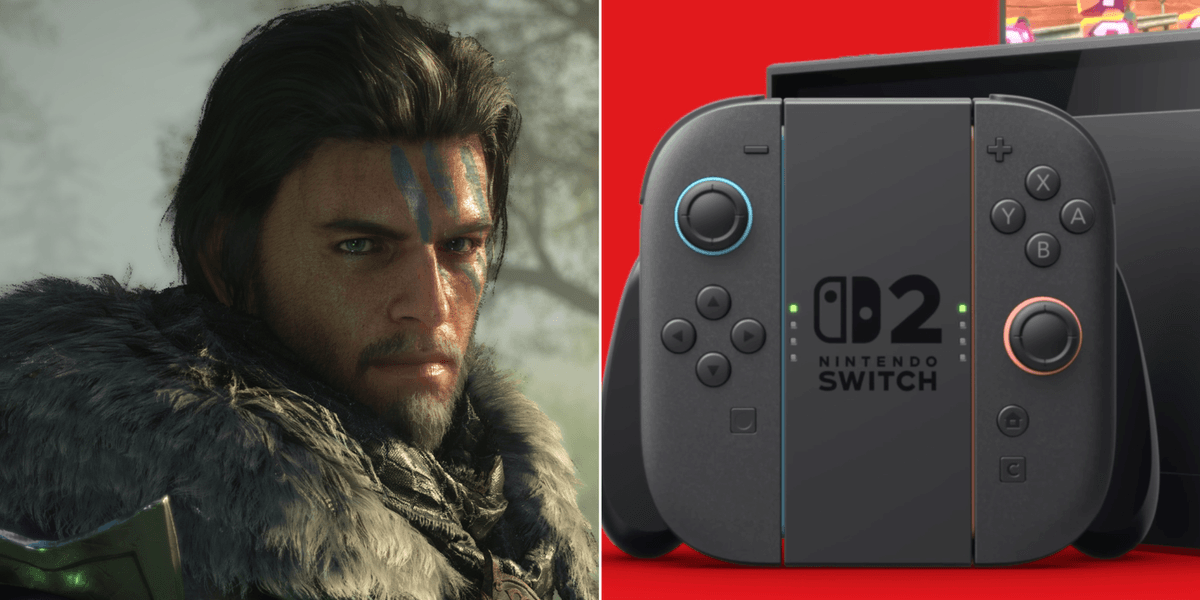
Pearl Abyss, the studio behind Crimson Desert and previously known for Black Desert Online, has shared that a Nintendo Switch 2 version of Crimson Desert is playable at a foundational level, but still requires optimization and technical evaluation. The company also indicated that it is working toward a Switch 2 release targeted for the first half of 2027, while its immediate development focus remains on DLCs and future pipelines rather than an instant sequel.
For console players, that sounds like a waiting game. For PC gamers, streamers, and creators in Canada, it raises a much bigger question: if a visually ambitious open-world game needs careful optimization for upcoming console hardware, what kind of custom gaming PC should you buy today if you want to be ready for new AAA games, expansions, patches, visual upgrades, and content creation workloads over the next few years?
That is where Groovy Computers comes in. As a Canadian custom PC builder, Groovy Computers helps buyers choose the right balance of CPU, GPU, RAM, storage, cooling, case airflow, upgrade path, warranty confidence, and financing flexibility. Whether you are planning for Crimson Desert, other open-world games, ray tracing titles, competitive shooters, streaming, YouTube editing, graphic design, 3D modeling, or a professional workstation, the goal is simple: build the system around what you actually want to do.
Why the Crimson Desert Switch 2 News Matters for PC Gamers
The headline is not just that Crimson Desert may come to Nintendo Switch 2 later. The more important detail is that optimization is still part of the process. That matters because modern games are not static. They launch, receive updates, add DLC, adjust performance, and often become more demanding as developers enhance visuals, worlds, physics, lighting, texture quality, and post-launch content.
If you are a Canadian buyer shopping for a new gaming computer, that should change how you think. Are you buying for the games you already play, or are you buying for the games you expect to play over the next three to five years? Are you building only for today’s minimum requirements, or do you want a system that feels smooth when the next wave of open-world titles arrives?
Crimson Desert is the kind of game that gets PC buyers thinking about the future. Large environments, action combat, cinematic presentation, high-resolution assets, and platform expansion all point toward a broader trend: serious gaming hardware matters. If you want higher frame rates, sharper visuals, faster loading, smoother streaming, and better multitasking, a carefully configured gaming desktop has major advantages.
For many players, the practical takeaway is not “wait until 2027.” It is “make sure your next PC is not already outdated by the time the next wave of games and DLC arrives.”
Gaming PC for New Games: Should You Buy Now or Wait?
Gaming PC for New Games buyers often ask one of the most important questions in the market: is it better to buy now, or should I wait for the next release, next GPU, next sale period, or next console cycle?
The honest answer depends on your current system, the games you want to play, and how much performance headroom you need. If your current PC struggles with modern titles, loud fans, long loading screens, low frame rates, limited storage, or poor streaming performance, waiting can cost you months of compromised gaming. If you are already lowering settings to keep games playable, your system is telling you something.
On the other hand, buying the cheapest PC available just to get by can create a second problem: upgrading too soon. A low-end system may seem affordable today, but if it cannot handle 1440p gaming, modern GPU features, large game installs, streaming, or future DLC, you may end up replacing parts sooner than expected.
So ask yourself: do you want your next PC to be a short-term patch, or do you want a system built with enough performance headroom to grow with your games?
For many Canadian buyers, the smarter move is not necessarily buying the most expensive machine. It is choosing the right tier from the beginning. Groovy Computers can help you compare budget gaming computers, premium RTX gaming PCs, custom creator PCs, and workstation-class systems so you are not guessing based on random part lists or generic prebuilt labels.
What Do You Want Your Next PC to Do for You?
Before choosing parts, choosing a GPU, or deciding whether financing makes sense, start with a better question: what do you want your next PC to do for you?
Do you want to play Crimson Desert and other open-world games at 1080p with smooth, reliable performance? Do you want a 1440p Gaming PC Canada buyers would consider the sweet spot for sharp visuals and high frame rates? Are you aiming for a 4K Gaming PC Canada setup with ultra settings, ray tracing, and a premium monitor? Or are you also planning to stream on Twitch, record gameplay, edit YouTube videos, use Adobe Creative Cloud, work in Blender, or run multiple productivity apps at once?
Your answer changes the build. A pure esports machine does not need the same configuration as a 4K cinematic gaming PC. A streaming PC needs different priorities than a casual gaming desktop. A video editing workstation needs more RAM, fast storage, and stronger CPU/GPU balance than a basic entry-level build. A 3D modeling workstation may need far more GPU power and memory than a typical gaming system.
That is why custom matters. A properly configured custom gaming PC is not just a box with RGB lighting. It is a performance plan built around your actual games, creative software, monitor resolution, budget, upgrade expectations, and timeline.
What PC Do You Need for Open-World Games Like Crimson Desert?
Open-world games tend to stress a system in multiple ways. They can use the GPU heavily for visual quality, the CPU for simulation and background activity, RAM for large environments and multitasking, and SSD storage for fast loading and asset streaming. Even when official system requirements are not the only thing to rely on, the genre itself tells you a lot about what kind of PC makes sense.
If you are asking, “what gaming PC do I need for new games?” the answer starts with your target resolution.
Do You Want 1080p Gaming?
A 1080p gaming PC is still a strong choice for many Canadian players, especially if you care about value, esports responsiveness, or budget-friendly performance. If your monitor is 1080p and you want smooth gameplay in modern titles without chasing maximum graphics settings, you can usually prioritize a balanced CPU, a capable mid-range GPU, 16GB to 32GB of RAM, and a fast NVMe SSD.
This type of build is ideal if you play competitive games, popular multiplayer titles, and AAA games at sensible settings. It can also work well for students, first-time gaming PC buyers, and players who want an affordable gaming PC without overbuying.
But here is the key question: are you staying at 1080p for the life of the system, or do you expect to upgrade your monitor to 1440p later? If a 1440p monitor is in your future, it may be smarter to buy a stronger GPU now instead of replacing it too soon.
Is 1440p the Sweet Spot for Your Next Gaming PC?
For many players, 1440p is the modern sweet spot. A 1440p Gaming PC Canada buyers choose today can deliver sharper visuals than 1080p while avoiding some of the extreme GPU demands of 4K. It is especially appealing for open-world games, RPGs, action games, racing games, and visually rich titles where detail and immersion matter.
If you want high FPS at 1440p, you need a stronger graphics card, a CPU that will not bottleneck performance, enough RAM for modern games and background apps, and a fast SSD with room for large game libraries. This is also where a custom build becomes valuable because the wrong combination of parts can limit performance even if one component looks impressive on paper.
Ask yourself: do you want your new PC to handle today’s games well, or do you want it to still feel strong when next year’s AAA releases and DLC packs arrive?
Do You Want 4K, Ultra Settings, and Ray Tracing?
A 4K gaming PC is for players who want premium visual quality, high-end monitors, cinematic detail, and maximum immersion. If you want ultra settings, ray tracing, high-resolution texture packs, and smooth performance in demanding games, the GPU becomes one of the most important parts of the entire system.
This is where premium RTX gaming PCs, high-end CPUs, 32GB or more RAM, strong cooling, and high-quality power supplies matter. A Ray Tracing Gaming PC Canada buyer should also think about the long term: ray tracing and AI-assisted graphics features are becoming more common, and future game updates may continue to push hardware harder.
The question is not only “can this PC run the game?” The better question is: can this PC run the game the way you actually want to experience it?
Which Performance Tier Fits You Best?
Choosing a custom PC is easier when you match yourself to a performance tier. You do not need to memorize every part number. You need to know what kind of experience you want.
Budget Gaming Computer: Best for Value and First-Time Buyers
A budget gaming computer is ideal if you want reliable 1080p gaming, popular multiplayer titles, school use, everyday productivity, and a lower upfront cost. This tier is often right for first gaming PCs, younger gamers, students, families, and buyers who want strong value without premium features they may not use.
However, budget buyers should be careful. A cheap gaming PC that cuts corners on power supply quality, cooling, storage, or upgrade path can become expensive later. The goal is not to buy the lowest possible price; the goal is to buy the best long-term value.
Ask yourself: will a budget system still make you happy if the next game you want recommends stronger specs?
Mid-Range Gaming PC: Best for 1080p High FPS and 1440p Gaming
A mid-range custom gaming PC is often the best fit for most players. It can offer strong 1080p high FPS performance, excellent 1440p gaming, faster load times, enough RAM for multitasking, and a much better overall experience than basic entry-level systems.
This tier is ideal for players who want a Gaming PC for New Games but do not necessarily need extreme 4K settings. It is also a strong choice if you play open-world titles, esports games, co-op games, and occasional creative workloads.
If you are unsure where to land, this is often the tier where Groovy Computers can help you fine-tune the build based on your monitor, game list, and budget.
Premium RTX Gaming PC: Best for 1440p Ultra, 4K, Ray Tracing, and Longevity
A premium RTX gaming PC is designed for players who want the best experience possible without feeling limited. This tier is ideal for 1440p ultra settings, 4K gaming, ray tracing, high-refresh monitors, heavy multitasking, game recording, and future-proofing.
If you are asking “what PC do I need for 4K gaming?” or “how long will a high-end gaming PC last?” you are already thinking like a premium buyer. You want more than minimum performance. You want confidence.
This tier can also make sense if you would rather finance a stronger system than pay cash for a weaker PC that may need upgrades sooner.
Gaming and Streaming PC: Best for Twitch, YouTube, OBS, and Recording
If you plan to stream or record gameplay, do not choose your PC based only on gaming benchmarks. A Gaming and Streaming PC Canada buyers can rely on should be built for playing, encoding, multitasking, and storing large video files.
Do you want to stream at 1080p while gaming at high settings? Do you want to record clean footage for YouTube? Do you use OBS, Streamlabs, TikTok Live, or YouTube Live? Do you run a second monitor with chat, alerts, browser tabs, and music?
Streaming changes the equation. GPU encoding, CPU headroom, RAM capacity, storage speed, and cooling all matter. A custom streaming PC from Groovy Computers can be configured so your stream does not collapse the moment a game becomes demanding.
Creator PC: Best for Editing, Design, and Content Creation
Many gamers are also creators. Maybe you want to turn Crimson Desert gameplay into YouTube videos, TikToks, shorts, reviews, tutorials, or livestream highlights. Maybe you also use Adobe Premiere Pro, DaVinci Resolve, Photoshop, Lightroom, Illustrator, Canva, CapCut, or After Effects.
A Creator PC Canada buyer should think beyond FPS. Editing timelines, export times, effects, colour grading, RAW photos, thumbnails, and multitasking all benefit from a carefully balanced system. More RAM, faster SSDs, strong CPU performance, and GPU acceleration can save time every single week.
Ask yourself: is your PC just for entertainment, or is it part of how you create, publish, earn, study, or build your brand?
3D Modeling and Workstation PC: Best for Blender, Unreal Engine, CAD, and Rendering
If you work in Blender, Unreal Engine, Unity, Maya, 3ds Max, Cinema 4D, AutoCAD, Revit, SolidWorks, SketchUp, or other professional tools, you may need more than a standard gaming desktop. A 3D Modeling PC Canada buyer should consider viewport performance, GPU rendering, CPU rendering, RAM capacity, storage speed, and long render stability.
Workstation buyers should ask different questions. How large are your scenes? Are you rendering on the GPU or CPU? Do you need 64GB or 128GB of RAM? Are you building game assets, architectural visualizations, product renders, animation projects, or engineering models?
A gaming PC can be good for Blender and other 3D tools if it is configured correctly, but a workstation PC should be planned around your software, not just your favourite game.
Why Canadian Buyers Should Think Differently About Timing
Canadian PC buyers face a unique buying environment. Component prices can move with exchange rates, supply pressure, GPU demand, seasonal sales, tariff uncertainty, shipping costs, memory pricing, SSD pricing, and major release cycles. When a highly anticipated game, GPU generation, or holiday sale period creates a demand spike, replacement costs can change quickly.
That does not mean you should panic-buy. It means you should plan with awareness. If your current system is already struggling and you know you want to play new AAA games, stream, edit, or work in creative software, waiting too long can leave you buying under pressure later.
Ask yourself: are you buying before a major game release, before a school or work deadline, before a sale period ends, before hardware demand rises, or before your current PC fails at the worst possible time?
Groovy Computers helps Canadian buyers make practical decisions based on use case, not hype. If you only need a value-focused 1080p machine, you should not be pushed into a 4K monster. But if you know you want premium performance, heavy multitasking, content creation, or workstation reliability, underbuying can be the more expensive mistake.
Could Financing Help You Secure a Stronger System Before Prices Change?
Gaming PC financing can make sense when it helps you choose the right system instead of settling for a weaker one that may need upgrades too soon. Groovy Computers offers financing options up to 4 years, which can help Canadian buyers spread out the cost of a custom gaming PC, creator PC, or workstation PC while securing the performance tier they actually need.
Should you finance a gaming PC? That depends on your budget, income, timing, and priorities. Financing is not about buying more than you need. It is about avoiding a poor long-term decision when your ideal system is slightly above your immediate cash budget.
Consider this scenario: you can pay cash for a lower-tier machine today, but it may struggle with 1440p gaming, streaming, or editing within a year. Alternatively, financing could help you secure a better GPU, more RAM, a stronger CPU, better storage, and a longer-lasting platform now. Which option creates better value over the life of the PC?
If you are buying for work, school, content creation, streaming, or professional productivity, the time saved by a stronger system can matter. Faster exports, fewer crashes, smoother multitasking, and better reliability are not just luxuries; they can improve your daily workflow.
If you are wondering whether financing could help you get the right Gaming PC for New Games before replacement costs rise, visit GroovyComputers.ca and explore custom options built for Canadian gamers, creators, and professionals.
Custom PC vs Generic Prebuilt: Why the Details Matter More Than the Label
Not every gaming PC is built the same, even if two systems advertise similar headline specs. A generic prebuilt may highlight the GPU and CPU while cutting corners on motherboard quality, RAM speed, power supply reliability, SSD capacity, cooling, airflow, cable management, or upgrade flexibility.
A custom PC builder looks at the full system. Does the case provide enough airflow for the GPU? Is the power supply appropriate for future upgrades? Is the CPU cooler suitable for long gaming sessions and rendering workloads? Is the storage layout right for large game libraries and creative files? Is the RAM capacity enough for your actual workload?
These details matter more as games become larger and software becomes more demanding. A PC built only to look impressive in a product title may not deliver the same experience as a system configured, assembled, and tested with care.
Groovy Computers focuses on custom builds, rigorous testing, reliable configuration choices, and a 1-year warranty. That matters when you are buying a system that may handle gaming, streaming, editing, design, school, business, and productivity for years.
What Games, Software, and Workloads Should You Plan Around?
The best PC for you depends on your real workload. Before you buy, make a simple list of what you want to run. Include the games you play today, the games you expect to play next, your monitor resolution, your creative software, and any professional tools you rely on.
Are you mainly playing open-world AAA games, competitive shooters, survival games, racing titles, RPGs, or esports games? Do you want high FPS or cinematic visuals? Do you care about ray tracing? Are you moving from console to PC because you want better performance and flexibility?
Are you editing 1080p videos, 4K footage, or multi-camera projects? Are you batch-editing RAW photos in Lightroom? Are you designing thumbnails and graphics in Photoshop or Illustrator? Are you using Blender, Unreal Engine, or CAD software? Are you streaming and editing on the same machine?
Once those answers are clear, choosing the right PC becomes much easier. A Groovy Computers build can be tailored around the software and games that matter most to you instead of forcing you into a one-size-fits-all configuration.
How Much RAM, Storage, CPU, and GPU Do You Really Need?
Modern PC buying is about balance. A powerful GPU helps gaming, rendering, AI-assisted creative tools, and GPU-accelerated software. A strong CPU helps simulation, productivity, editing, streaming, multitasking, and certain creative workloads. RAM keeps games and software responsive, especially when you have multiple apps open. Fast SSD storage improves boot times, loading, project access, and overall system feel.
RAM: Is 16GB Enough, or Should You Choose 32GB or More?
For entry-level gaming, 16GB can still work in many cases. But for a Gaming PC for New Games, 32GB is increasingly attractive because it provides more breathing room for modern titles, background apps, browsers, Discord, launchers, streaming tools, and creative software.
If you edit video, work with large photos, use Adobe Creative Cloud, or do 3D modeling, 32GB may be a starting point rather than a luxury. For heavier workstations, 64GB or 128GB can be the right call.
Ask yourself: do you want your system to feel smooth only when one game is open, or do you want it to handle your full real-world setup?
Storage: Are You Underestimating Game and Project File Sizes?
Game installs are large. DLC can be large. Texture packs, recordings, exports, RAW photos, design files, and render caches can fill a drive quickly. A fast NVMe SSD is one of the most noticeable upgrades in everyday use, and enough capacity prevents constant uninstalling and file juggling.
If you are gaming only, a 1TB SSD may be workable, but many buyers now prefer 2TB or more for comfort. If you create content, edit video, or work with large project files, planning storage properly from the start is even more important.
CPU: Are You Gaming Only, or Multitasking Too?
For pure gaming, the CPU needs to keep up with the GPU and the frame rate target. For streaming, editing, rendering, and productivity, CPU choice becomes even more important. The best CPU for your build depends on whether you prioritize gaming FPS, export speed, multitasking, simulation, or workstation performance.
This is where expert configuration matters. Overspending on the wrong CPU while underspending on the GPU can hurt gaming. Underspending on the CPU in a creator workstation can slow down daily work. Balance is everything.
GPU: Are You Buying for 1080p, 1440p, 4K, Ray Tracing, or Rendering?
The graphics card is often the heart of a gaming PC. It determines much of your performance in demanding games, especially at higher resolutions. It also matters for GPU-accelerated video editing, 3D rendering, AI tools, streaming encoders, and creative workflows.
If you want 1080p gaming, you may not need a flagship GPU. If you want 1440p ultra settings, you need more graphics power. If you want 4K, ray tracing, and long-term headroom, a premium GPU becomes much more important.
So the key question is: are you buying based on today’s monitor, or the monitor you plan to own next?
Why a Desktop Gaming PC Still Beats Waiting on Console Ports for Many Players
Console platforms are convenient, and handheld-style systems can be exciting. But a custom desktop gaming PC offers flexibility that console ecosystems cannot fully match. You can upgrade parts, choose your target resolution, use multiple monitors, stream, edit, mod games, manage storage, customize peripherals, and run professional software on the same machine.
The Crimson Desert Switch 2 update is a reminder that platform optimization takes time. If you are waiting for a specific console version, you may be waiting for the developer’s schedule, performance targets, and quality standards. On PC, the question becomes different: do you have the hardware to enjoy the game now and adapt as updates arrive?
For players who want control, a gaming desktop remains one of the strongest long-term choices. And for buyers in Canada, working with a Canadian custom PC builder helps reduce uncertainty around compatibility, support, warranty, and part selection.
Should You Build Around One Game or Your Entire Future Library?
It is tempting to buy a PC for one specific game. That can be useful if the game is your main priority, but most players do not stop at one title. Today it may be Crimson Desert. Tomorrow it may be another open-world RPG, a new shooter, a racing sim, a survival game, a massive modded title, or a visually intense release with ray tracing.
A smarter approach is to build around a category of experience. If you love open-world AAA games, choose a system with strong GPU power, enough VRAM for high-resolution textures, a capable CPU, 32GB of RAM, and fast SSD storage. If you love competitive games, prioritize high FPS, low latency, and a strong CPU/GPU balance. If you create content, add RAM, storage, and software acceleration into the decision.
Ask yourself: what kind of player are you becoming, not just what game are you playing this month?
What If You Also Stream, Edit, or Create Content?
The line between gamer and creator has never been thinner. Many players now record clips, edit highlights, stream live, make TikToks, post YouTube Shorts, design thumbnails, manage social channels, and build communities. If that sounds like you, your PC should be built for more than gameplay.
A Gaming PC for Streaming Canada buyers can depend on should have enough performance to run the game and the broadcast tools at the same time. A Video Editing PC Canada buyer should care about timeline smoothness, export speed, RAM, and storage. A Graphic Design PC Canada buyer should think about Adobe Creative Cloud performance, colour workflow, multitasking, and responsiveness. A 3D Rendering PC Canada buyer should think about GPU power, VRAM, RAM, thermals, and long workload stability.
Do you want to play the game, or do you want to build content around the game? That single question can completely change the recommended build.
Questions to Ask Before Buying a Custom Gaming PC in Canada
Before you buy, use these questions to narrow down your ideal system:
- What games do I want to play most? Open-world AAA games, esports titles, simulators, modded games, and ray tracing titles can require different priorities.
- What resolution do I want? 1080p, 1440p, and 4K have very different GPU demands.
- Do I care more about high FPS or maximum visual quality? Competitive players and cinematic players often need different builds.
- Will I stream or record gameplay? OBS, YouTube, Twitch, and recording workloads require more system headroom.
- Will I edit video or photos? Premiere Pro, DaVinci Resolve, Photoshop, Lightroom, and After Effects benefit from balanced hardware.
- Will I use 3D software or workstation tools? Blender, Unreal Engine, CAD, and rendering workloads may need workstation-level planning.
- How long do I want the PC to last before a major upgrade? Buying too low can shorten the useful life of the system.
- Would financing help me choose the right tier now? Monthly payments may make more sense than buying a weaker PC upfront.
- Do I want local Canadian support and warranty confidence? A tested, warrantied system from a Canadian PC builder can reduce risk.
Why Groovy Computers Is a Strong Choice for Canadian Custom PC Buyers
Groovy Computers is built for Canadian customers who want more than a generic prebuilt. Whether you are shopping from Nova Scotia, Atlantic Canada, Ontario, Alberta, British Columbia, or anywhere else in Canada, the goal is to help you buy the right system with confidence.
Groovy Computers specializes in custom gaming PCs, creator PCs, streaming PCs, editing workstations, 3D modeling systems, and high-performance desktops. Each build can be tailored around your budget, games, software, monitor resolution, upgrade path, and performance expectations.
The difference is guidance. Instead of asking you to decode every technical spec alone, Groovy Computers helps connect your goals to the right hardware. Want a budget-friendly gaming desktop? That is a different build. Want a premium RTX gaming PC for 4K and ray tracing? That is a different build. Want a custom creator PC for Adobe Premiere Pro, Photoshop, OBS, and Blender? That needs a different balance again.
Every serious PC buyer should care about testing and support. Groovy Computers emphasizes rigorous testing and a 1-year warranty, helping customers feel confident that their system is ready for real-world use. That matters when your PC is not just for one game, but for years of gaming, work, school, streaming, and creativity.
Ready to Choose a Gaming PC for New Games?
If the Crimson Desert Switch 2 timeline has you thinking about your next system, now is the right time to evaluate what you actually need. Are you waiting because you want the perfect moment, or are you waiting because choosing a PC feels overwhelming?
A custom gaming PC does not have to be confusing. Start with your games, your monitor, your software, your budget, and your timeline. Then decide whether you need a value build, a 1440p gaming PC, a 4K gaming PC, a streaming system, a creator PC, or a workstation.
If you want help choosing a Gaming PC for New Games, Groovy Computers can guide you toward a build that fits your real goals. Visit GroovyComputers.ca to explore custom gaming computers, ask about financing up to 4 years, and find the right Canadian-built system before your current PC becomes the bottleneck.
The Bottom Line: Do Not Let the Next Big Game Expose an Old PC
Crimson Desert is another reminder that modern gaming is moving fast. Platform expansion, DLC, optimization, and future franchise planning all point to one reality: players who want the best experience need hardware that can keep up.
A Gaming PC for New Games should not be chosen by guesswork. It should be matched to your resolution, frame rate goals, visual settings, streaming plans, editing needs, storage demands, and upgrade expectations. Whether you are a budget buyer, a premium enthusiast, a streamer, a video editor, a graphic designer, a content creator, or a 3D artist, the right custom PC can save frustration and extend the useful life of your investment.
Groovy Computers helps Canadian buyers make that decision with expert guidance, custom configuration, rigorous testing, warranty confidence, and financing options that can make a stronger build more accessible. If you want to avoid upgrading too soon, now is the time to ask the right questions and choose a PC built for what comes next.
#GamingPCForNewGames #CustomGamingPCCanada #GamingComputersCanada #1440pGamingPC #4KGamingPC #StreamingPCCanada #CreatorPCCanada #GroovyComputers
Groovy Computers | All Rights Reserved



Leave a comment
This site is protected by hCaptcha and the hCaptcha Privacy Policy and Terms of Service apply.