






















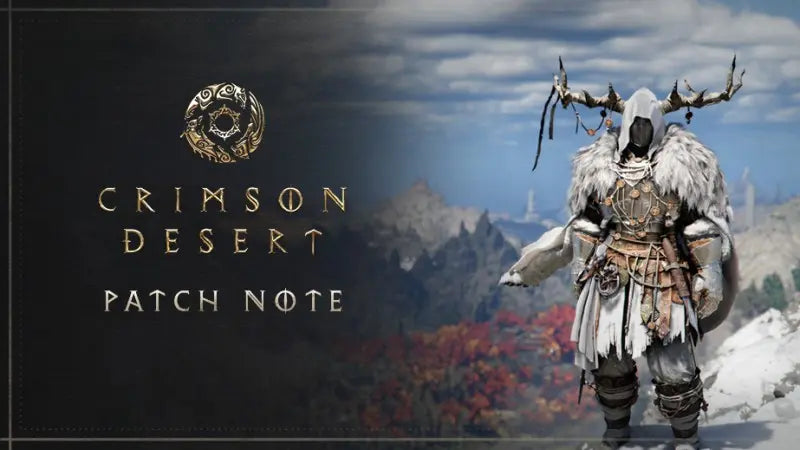
Crimson Desert Patch 1.13.00 Shows Why a Gaming PC for Open World Games Matters More Than Ever
Crimson Desert patch 1.13.00 is another reminder that modern open-world games are no longer static experiences. They grow, expand, change, and become more demanding over time. Pearl Abyss continues to support Crimson Desert with new character access, gear additions, quality-of-life updates, and more flexibility for how players approach the game. For Canadian gamers watching this kind of post-launch support closely, the bigger question is not just “what changed in the patch?” It is also: is your PC ready for the way today’s open-world games keep evolving?
Crimson Desert is built around cinematic adventure, large environments, character-driven combat, boss encounters, exploration, and visual spectacle. Patch 1.13.00 expands the experience by letting Oongka and Damiane enter the Abyss, adjusting Memory Fragment locations for rematchable bosses, adding more gear for Kliff, Oongka, and Damiane, improving customization, and introducing cozy quality-of-life details such as pets resting with your character when sleeping in a bed. On paper, those are gameplay updates. In practice, they show something much bigger about the direction of PC gaming: the best games are becoming living worlds, and a strong, well-built system gives you the room to enjoy them properly.
At Groovy Computers, we look at updates like this through the lens of the Canadian PC buyer. If you are planning to play Crimson Desert, return for new updates, stream your adventure, record gameplay, edit clips, create guides, or use the same machine for design, school, business, 3D work, or content creation, your build decision matters. The right gaming PC for open world games is not only about launching one title today. It is about giving yourself enough CPU power, GPU performance, memory, storage speed, cooling, and upgrade headroom to avoid feeling outdated too soon.
What Makes Crimson Desert Patch 1.13.00 Important for PC Gamers?
Patch 1.13.00 matters because it does more than fix bugs. It expands player freedom. Oongka and Damiane being able to enter the Abyss gives players more choice in how they approach one of the game’s key activities. That kind of character flexibility changes how players experience repeatable content, boss fights, gear progression, and long-term replay value.
The patch also adjusts Memory Fragment locations for rematchable bosses such as Corrupted Caliburn, Goyen, Draven the Crowcaller, and Clockwork White Horn. This is important because live-service-style support and post-launch tuning can shift how players move through the game. If you are revisiting bosses, farming gear, experimenting with characters, or capturing gameplay for YouTube or TikTok, consistency matters. Frame drops, long load times, and unstable performance become more frustrating when you are repeating encounters or trying to get the perfect clip.
Gear additions for Kliff, Oongka, and Damiane also reinforce the customization loop. Players are not just rushing from quest to quest. They are building identities, comparing equipment, optimizing appearances, and spending time in menus. That may sound cosmetic, but in visually rich open-world games, character detail, lighting, reflections, textures, and animation quality all contribute to immersion. Do you want a PC that merely runs the game, or do you want a system that lets you appreciate the art direction at high settings?
The quality-of-life additions are equally telling. A cleaner screen option that hides the minimap and status UI is excellent for cinematic exploration and screenshot capture. Pet rest animations add personality. Improved bird pet gathering with the Hunter’s Sigil makes the world feel more useful and connected. These are the kinds of updates that encourage players to spend more time in the game world, which means your PC needs to deliver stable, comfortable performance for long sessions.
What Do You Want Your Next PC to Do for You?
Before choosing a new gaming computer, ask the practical question first: what do you want your next PC to do for you? Are you buying mainly for Crimson Desert and other AAA open-world games? Are you trying to move from console to PC? Are you upgrading from an older desktop that struggles with modern titles? Or are you building one system that must handle gaming, streaming, editing, school, design, and work?
If your goal is simple 1080p gaming, your ideal build will look different from someone who wants 1440p ultra settings, 4K visuals, ray tracing, livestreaming, or video editing. A competitive esports player may prioritize high FPS and low latency. A content creator may care more about export times, GPU acceleration, storage space, and multitasking. A 3D artist may need high VRAM, more RAM, and strong rendering performance. The best PC is not the most expensive one by default. It is the one that fits your workload today while giving you enough room for tomorrow.
That is why Groovy Computers approaches every build as a complete system, not a random pile of parts. A balanced Custom Gaming PC Canada build should match the GPU, CPU, RAM, SSD, motherboard, power supply, cooling, case airflow, and monitor target. If one part is too weak, the whole experience suffers. If one part is overbuilt while another is neglected, you may spend more money without getting the performance you expected.
What Gaming PC Do I Need for Crimson Desert and Similar Open-World Games?
The safest way to think about Crimson Desert is to treat it like a modern cinematic open-world action RPG: large environments, detailed characters, combat effects, lighting, animation, traversal, and frequent asset streaming. Even without focusing on one exact specification list, the buying logic is clear. Open-world games benefit from a strong GPU, a capable modern CPU, fast memory, a fast SSD, and stable cooling.
If you are asking, “What gaming PC do I need?” start with your monitor. Your display resolution and refresh rate define the performance target. A 1080p monitor at 60Hz has very different requirements than a 1440p high-refresh monitor or a 4K display. Buying a powerful graphics card for an old basic monitor may not give you the wow factor you expect. Buying a 4K monitor without enough GPU power can leave you lowering settings just to stay smooth.
Are You Playing at 1080p?
A 1080p gaming PC is still a smart choice for many Canadian players. If you want strong value, smooth gameplay, and a lower total system cost, 1080p can be excellent. It is especially good for students, first-time buyers, esports players, and gamers who care more about responsiveness than maximum visual detail.
For Crimson Desert-style games, however, a very low-end 1080p system can age quickly. The world may run, but you may need to compromise on shadows, textures, effects, crowd detail, or draw distance. If you want your system to last through future patches, DLC, and other upcoming AAA games, a balanced modern CPU and GPU combination is still important.
Are You Targeting 1440p?
For many players, a 1440p Gaming PC Canada build is the sweet spot. You get a sharper image than 1080p, better visual clarity in open worlds, and a more premium experience without the heavy GPU demands of 4K. If you are planning to play Crimson Desert, Elden Ring-style adventures, RPGs, survival games, Battlefield-style shooters, and upcoming open-world releases, 1440p is often the best performance-per-dollar target.
So, what PC do you need for 1440p gaming? You typically want a stronger mid-range to upper-mid-range graphics card, a modern multi-core CPU, 32GB of RAM for long-term comfort, and a fast NVMe SSD. If you also stream, edit, or run background apps, stepping up the CPU, RAM, and storage becomes even more important.
Do You Want 4K, Ultra Settings, or Ray Tracing?
A 4K Gaming PC Canada build is for players who want the most cinematic experience. If you want to see open-world landscapes with maximum clarity, high-resolution textures, strong lighting, high detail, and potentially ray tracing where supported, your GPU choice becomes the centrepiece of the build.
But 4K is not just about buying a powerful graphics card. It also raises expectations for thermals, power delivery, case airflow, and long-session stability. If you are spending hours exploring, fighting bosses, recording footage, or streaming to friends, you do not want a system that performs well for ten minutes and then gets loud, hot, or inconsistent. This is where a properly designed custom build has a major advantage over generic one-size-fits-all desktops.
Which Performance Tier Fits You Best?
Not every buyer needs the same level of PC. The goal is to choose a system tier that fits your games, your monitor, your creative workloads, your budget, and your upgrade expectations. Do you want the lowest cost that works today, or do you want a build that will still feel strong several years from now?
Value Tier: For 1080p Gaming and Smart Budget Buyers
A value-focused gaming PC is ideal if you want to play popular games at 1080p, enjoy smoother performance than an older laptop or console, and keep your cost controlled. This tier can be excellent for students, families, first-time PC gamers, and players who mostly enjoy esports, indie games, and mainstream titles.
The key question is: are you okay adjusting settings in heavier games, or do you want more headroom? If you are excited about open-world games like Crimson Desert and want to avoid upgrading too soon, it may be worth stepping above the bare minimum.
Performance Tier: For 1440p Gaming, Streaming, and Everyday Creation
This is the tier many Canadian gamers should consider first. A strong 1440p system gives you excellent flexibility for AAA gaming, streaming, recording, schoolwork, office tasks, photo editing, and light-to-moderate video editing. It is often the best choice for someone who wants a high-quality PC without moving into ultra-premium pricing.
If you want a Gaming and Streaming PC Canada build, this tier should include a GPU with strong encoding support, enough RAM for OBS and browser tabs, and a CPU that can handle gaming while background tasks are running. Are you planning to stream on Twitch or YouTube, record gameplay, and edit highlights later? If yes, do not size your PC only around average FPS. Think about the full workflow.
Premium Tier: For 4K, Ray Tracing, Heavy Streaming, and Long-Term Headroom
A premium gaming PC is built for players who want high-end visuals, high refresh rates, ray tracing, 4K gaming, and more future-proofing. It is also a smart direction for creators who want one powerful machine for gaming, editing, rendering, and multitasking.
Ask yourself: how long do you want your new PC to feel fast? If you buy too low now, you may save money upfront but spend more later replacing parts. A premium build costs more, but it can deliver a better experience across more games and workloads for a longer period.
Workstation Tier: For Creators, 3D Artists, Designers, and Professional Workloads
If your PC is also your income tool, you should think beyond gaming performance. A Creator PC Canada or custom workstation may need more RAM, more SSD capacity, stronger CPU performance, higher GPU VRAM, quieter cooling, and better multitasking stability than a pure gaming tower.
Do you work in Adobe Premiere Pro, DaVinci Resolve, Photoshop, Lightroom, Illustrator, Blender, Unreal Engine, AutoCAD, Revit, SolidWorks, or other demanding software? If so, a gaming PC can be a great foundation, but the build should be tuned for the software you actually use. Groovy Computers can help match your parts to your real workflow instead of guessing.
Why Open-World Games Push PCs Differently Than Esports Titles
Esports games are usually designed to run on a wide range of systems and prioritize high FPS, low latency, and competitive clarity. Open-world games are different. They often push more systems at once: GPU rendering, CPU simulation, memory usage, asset streaming, storage speed, and background loading. That is why a PC that feels excellent in a competitive shooter may not automatically feel smooth in a huge cinematic RPG.
Crimson Desert-style gameplay can involve large landscapes, NPCs, boss arenas, particle effects, weather, lighting transitions, texture streaming, and rapid movement through detailed areas. When updates add more activities, characters, gear, systems, and replayable content, the time you spend in those environments increases. The more time you spend, the more you notice stutter, fan noise, slow loading, and inconsistent frame pacing.
Would you rather lower settings every time a new patch arrives, or start with a build that has enough headroom? That is one of the most important questions in any gaming PC buying guide Canada discussion.
Are You Buying for Gaming Only, or Gaming Plus Streaming?
Many players no longer just play games. They stream them, record them, clip them, edit them, post them, and build communities around them. If Crimson Desert adds new bosses, character options, gear, and cinematic UI-hiding features, it naturally becomes more appealing for content creation. Players may want to capture clean footage, create build guides, post boss rematches, or stream exploration sessions.
If you plan to stream, the question changes from “can this PC run the game?” to “can this PC run the game, encode video, handle chat, manage alerts, keep Discord open, and stay smooth at the same time?” That is a very different workload.
A proper streaming gaming PC should consider GPU encoding, CPU multitasking, RAM capacity, storage space for recordings, and cooling under sustained load. OBS, Streamlabs, browser sources, webcams, audio tools, and capture software can all add overhead. A PC that is barely enough for gaming may feel overloaded once streaming starts.
If you are asking “what PC do I need for streaming?”, Groovy Computers can guide you toward a build that balances gaming FPS with broadcast stability. A slightly stronger system can be the difference between a clean stream and one filled with dropped frames, audio sync issues, or sudden performance dips.
Are You Also Editing Videos, Photos, or Social Content?
Crimson Desert patch 1.13.00 includes updates that are especially friendly to screenshot and video creators: more gear, more character variety, UI-hiding options, and cozy world details. If you are the kind of player who captures highlights, edits boss fights, creates TikToks, uploads YouTube guides, or posts cinematic screenshots, your PC needs to support more than gaming.
For video editing, you should think about CPU cores, GPU acceleration, RAM, SSD speed, and storage capacity. A PC for Adobe Premiere Pro Canada or PC for DaVinci Resolve Canada build may look different from a pure budget gaming tower. If you edit 4K footage, use colour grading, add effects, or export frequently, your hardware directly affects how much time you spend waiting.
For photo editing and design, responsiveness matters. Photoshop, Lightroom, Illustrator, and other creative apps benefit from fast CPUs, enough RAM, fast scratch storage, and a capable GPU for accelerated features. If you are a photographer, graphic designer, social media manager, or small business owner, your gaming PC can also become your creative workstation if it is configured properly.
Ask yourself: is your next PC just for playing, or is it also for creating? If it is for both, a custom creator-focused build from Groovy Computers can help you avoid the common mistake of buying a gaming tower that looks powerful but lacks the RAM, storage, or workflow balance you need.
What About 3D Modeling, Rendering, and Game Development?
Open-world games like Crimson Desert also inspire a different kind of buyer: the player who wants to create. Maybe you are learning Blender, building assets, experimenting with Unreal Engine, designing environments, working in CAD, or exploring animation. If so, your PC requirements become more serious.
A 3D Modeling PC Canada or 3D Rendering PC Canada build should be planned around your software. Blender users may prioritize GPU rendering performance and VRAM. Unreal Engine users may need strong CPU performance, GPU power, RAM, and fast storage. CAD and architectural visualization workloads may require reliability, memory, and graphics performance tuned to project size.
So, what PC do you need for Blender or 3D rendering? The answer depends on scene complexity, render engine, texture size, viewport demands, and how often you render. A casual learner does not need the same system as a professional 3D artist, but both benefit from a balanced build that does not bottleneck the creative process.
This is where custom PC planning matters. Buying based only on a graphics card name can lead to weak memory capacity, poor cooling, underpowered storage, or upgrade limitations. Groovy Computers can help Canadian creators choose a system that supports both gaming and professional growth.
Why Canadian Buyers Should Think Carefully About Timing
Modern PC pricing can shift quickly. GPU demand, memory pricing, SSD supply, currency changes, tariffs, shipping costs, game launches, back-to-school demand, holiday sales, and creator hardware demand can all affect full-system pricing. Waiting can sometimes save money, but it can also mean missing a better build window.
If you are planning around a major game release, a big patch cycle, a school semester, a new editing project, a business upgrade, or a software requirement change, timing becomes part of the buying decision. Ask yourself: are you buying because you need performance now, or are you waiting and hoping prices improve?
There is no universal answer. However, if your current PC is already limiting you, waiting can have a hidden cost. You may lose productivity, miss content opportunities, delay creative work, or spend months playing at lower settings. For gamers excited by ongoing updates like Crimson Desert patch 1.13.00, waiting too long may mean missing the best part of the hype cycle while your system struggles.
Is It Better to Buy a Gaming PC Now or Wait?
The question “is it better to buy a gaming PC now or wait?” comes up constantly, especially in Canada where component pricing can be affected by exchange rates and supply conditions. The smart answer depends on your current system, your budget, and your performance needs.
If your existing PC still runs your games well and you are not planning any new workloads, waiting may be reasonable. But if you are already lowering settings, dealing with crashes, running out of storage, struggling with editing timelines, or missing out on newer game features, waiting can be frustrating.
Another factor is upgrade efficiency. If your old system needs a new GPU, more RAM, a better power supply, a larger SSD, and improved cooling, a full custom build may be smarter than patching an aging platform. Do you want to keep sinking money into a system with limited upgrade paths, or would you rather move into a modern build designed to last?
At Groovy Computers, we help buyers look at the whole picture: performance, budget, warranty, financing, upgrade path, and real-world use. That matters more than chasing one sale price on one component.
Should You Finance a Better PC Instead of Buying a Cheaper One?
Financing can be a practical option when the cheaper system is not actually the better value. If buying a lower-end PC today means you will need upgrades much sooner, monthly payments on a stronger build may make more sense. Groovy Computers offers financing options up to 4 years, which can help Canadian buyers secure a better system before prices shift or before their workload grows.
So, should you finance a better PC instead of buying a cheaper one? Consider financing if you want a stronger GPU, more RAM, a better CPU, a larger SSD, improved cooling, or a system that can handle gaming plus streaming or editing. It may also make sense if you are buying before a major game release, a busy school or work season, a hardware price spike, or a new creative project.
This does not mean everyone should finance the most expensive PC possible. It means financing can help match your monthly budget to the performance tier you actually need. A well-chosen system can reduce upgrade pressure, improve daily performance, and give you a smoother experience across games and software.
If you are wondering whether Gaming PC Financing Canada options are right for your situation, Groovy Computers can help you compare build tiers and decide what fits your budget without pushing you into unnecessary hardware.
Why Custom Builds Matter More Than Generic Prebuilt PCs
Generic prebuilt PCs often focus on headline specs: a recognizable CPU name, a graphics card model, or a large storage number. But the parts behind those headlines matter. Power supply quality, motherboard features, cooling design, case airflow, RAM configuration, SSD performance, cable management, and stress testing all affect the ownership experience.
A custom gaming PC is about balance. If you want a system for Crimson Desert, AAA games, streaming, editing, and everyday work, you need parts that complement each other. A powerful GPU in a poorly ventilated case can run hot and loud. A strong CPU paired with too little RAM can struggle while multitasking. A small SSD can fill quickly with game installs, recordings, project files, and software caches.
That is why Groovy Computers builds systems with real customer use in mind. Whether you need a budget gaming computer, a premium RTX gaming PC, a custom creator PC, an editing workstation, or a 3D modeling workstation, the goal is not to oversell. The goal is to build the right machine for what you actually do.
What Questions Should You Ask Before Choosing a Custom PC?
Before you buy, take a moment to answer the questions that define your build. These questions can save money, prevent regret, and help Groovy Computers recommend the right system tier.
- What games do you want to play most? Are you focused on Crimson Desert, competitive shooters, survival games, RPGs, racing games, simulation titles, or upcoming AAA releases?
- What resolution do you want? Is 1080p enough, or do you want a 1440p or 4K experience?
- Do you care about ray tracing and ultra settings? If yes, your GPU tier becomes more important.
- Will you stream or record gameplay? If yes, plan for encoding, RAM, storage, and multitasking.
- Will you edit video or photos? If yes, your CPU, RAM, SSD, and GPU choices should support creative software.
- Do you use design or 3D software? Blender, Unreal Engine, AutoCAD, Revit, Photoshop, Illustrator, and Premiere Pro all influence the ideal build.
- How long do you want to avoid upgrading? A little more performance now can delay replacement costs later.
- Would financing help you choose the right build instead of settling? Monthly payments may make a stronger, longer-lasting system more realistic.
- Do you want Canada-wide support from a Canadian custom PC builder? Warranty, testing, and local trust matter when you are investing in a serious system.
How Groovy Computers Helps Canadian Gamers Choose the Right Build
Groovy Computers is a Canadian custom PC builder focused on gaming PCs, creator PCs, and workstation PCs that are built for real use. We understand that a buyer in Nova Scotia, Atlantic Canada, Ontario, Alberta, British Columbia, or anywhere else in Canada may be comparing performance, price, financing, warranty, and long-term value at the same time.
Every serious PC purchase should feel confident, not confusing. That is why our builds are planned around the customer’s goals. If you want a reliable gaming desktop for Crimson Desert and new AAA games, we can help. If you want a gaming and streaming PC for OBS, Twitch, YouTube, and recording, we can help. If you need a custom video editing PC for Premiere Pro or DaVinci Resolve, we can help. If you need a workstation for Blender, Unreal Engine, CAD, or 3D rendering, we can help.
Groovy Computers also emphasizes rigorous testing, clean custom builds, and a 1-year warranty. That matters because a gaming PC is not just a purchase. It is a performance tool, entertainment system, creative workstation, and long-term investment. You should not have to wonder whether your PC was properly assembled, cooled, configured, or tested.
Why a Tested Gaming PC Is Worth It
A tested gaming PC gives you more confidence than a random system assembled with unknown quality control. Stress testing helps confirm that the CPU, GPU, RAM, storage, cooling, and power delivery are behaving properly under load. This is especially important for high-performance gaming and creator PCs, where parts may run hard for long sessions.
Think about how you actually use your PC. Do you play for hours at a time? Do you stream while gaming? Do you export videos overnight? Do you render scenes while working on another project? Do you keep dozens of browser tabs open with Discord, OBS, editing software, and game launchers in the background? If yes, stability matters as much as benchmark numbers.
A system that looks powerful on paper but crashes under load is not a good deal. A properly planned and tested build from Groovy Computers is designed to give you a smoother ownership experience from day one.
What If You Are Upgrading From an Older PC?
If your current computer is several years old, you may be wondering whether to upgrade parts or replace the whole system. The answer depends on your platform. Sometimes a GPU upgrade, RAM increase, or SSD replacement can help. Other times, the motherboard, CPU, power supply, and case airflow are all limiting factors.
For games like Crimson Desert and other modern open-world titles, an older CPU can cause stutter even if the GPU is decent. A slow SATA SSD or hard drive can increase loading times and asset streaming issues. Limited RAM can cause background slowdowns. A weak power supply can restrict GPU upgrade options. Poor cooling can reduce sustained performance.
Ask yourself: will upgrading one part solve the problem, or will it expose the next bottleneck? If you need multiple upgrades at once, a new custom gaming PC may be the cleaner, more reliable path.
Budget Gaming PC or Premium Build: Which One Should You Choose?
A budget gaming PC can be excellent if your expectations are realistic. If you want to play at 1080p, keep costs down, and enjoy a major improvement over an old system, a value build may be perfect. However, if you are targeting 1440p, 4K, streaming, ray tracing, or creator workloads, going too cheap can lead to disappointment.
A premium build makes sense when you value high settings, long-term headroom, smoother content creation, and fewer compromises. It can also make sense if your PC supports your income, education, or creative growth. The right high-end system is not just about bragging rights. It can save time, reduce frustration, and extend the useful life of your setup.
The middle tier is often the best answer for many buyers: strong enough for modern games, flexible enough for streaming and editing, and more affordable than flagship systems. If you are unsure, Groovy Computers can help you compare options based on what you actually play and create.
What Should Canadian Buyers Watch Before Prices Change?
Canadian PC buyers should pay attention to several market factors. GPU availability can tighten when major games launch, when creators upgrade, or when new hardware cycles create demand. RAM and SSD prices can move with global supply conditions. Currency changes can affect imported component costs. Seasonal buying periods can create temporary demand spikes.
If you know you will need a stronger PC soon, waiting until everyone else is buying can reduce your options. That is especially true around major game releases, school terms, holiday periods, and software upgrade cycles. Do you want to be shopping when demand is calm, or when every gamer and creator is trying to upgrade at the same time?
Financing can also change the timing equation. Instead of buying a weaker system because it fits today’s cash budget, you may be able to finance a better build and spread payments over time. For many buyers, that can mean better performance now and fewer upgrades later.
Crimson Desert Is a Reminder: Games Keep Getting Bigger
Patch 1.13.00 makes Crimson Desert feel larger, smoother, and more flexible. More character access, more gear, more customization, more quality-of-life improvements, and more reasons to return all point to the same trend: modern games are built to keep players engaged after launch.
That is exciting, but it also means your PC needs to keep up. A system that feels acceptable at launch may feel less comfortable after months of patches, expanded content, higher-resolution texture expectations, driver updates, and your own growing ambitions as a player or creator.
If your next PC is only built for the minimum experience, you may find yourself upgrading sooner than expected. If it is built with headroom, you can enjoy the updates instead of worrying about them.
Ready to Choose a Gaming PC for Open World Games?
If Crimson Desert patch 1.13.00 has you thinking about jumping in, returning to the game, or upgrading for the next wave of AAA releases, now is the time to think seriously about your PC. Do you want 1080p value, 1440p smoothness, 4K visuals, ray tracing, streaming stability, editing power, or workstation-level performance?
Groovy Computers can help you choose the right gaming PC for open world games, whether you need a budget-friendly system, a premium RTX gaming PC, a gaming and streaming build, a creator PC, or a custom workstation. We build for Canadian gamers and creators who want performance, reliability, support, and a clear upgrade path.
Want help choosing the right build before prices shift or your current PC falls further behind? Visit GroovyComputers.ca to explore custom gaming PCs, financing options, and performance-focused systems built for the way you actually play, stream, create, and work.
The Bottom Line for Canadian Gamers and Creators
Crimson Desert patch 1.13.00 is not just another update. It is a sign of where PC gaming is going: deeper worlds, more replayable content, better customization, more cinematic tools, and longer game lifespans. For players, that is great news. For your PC, it is a challenge.
The right gaming PC for open world games should be selected around your real goals: resolution, FPS, settings, streaming, editing, design, 3D modeling, workstation use, budget, and upgrade timing. A custom build from Groovy Computers gives you a smarter path than guessing, overspending, or settling for a system that only barely meets today’s needs.
If you want to avoid upgrading too soon, protect your performance investment, and enjoy modern games the way they are meant to be played, choose a system built with purpose. Groovy Computers is ready to help Canadian gamers and creators build the PC that fits the next adventure.
#GroovyComputers #GamingPCForOpenWorldGames #GamingPCCanada #CustomGamingPCCanada #CrimsonDesert #1440pGamingPC #4KGamingPC #CreatorPCCanada #GamingPCFinancingCanada #CanadianCustomPCBuilder
Groovy Computers | All Rights Reserved



Leave a comment
This site is protected by hCaptcha and the hCaptcha Privacy Policy and Terms of Service apply.