




















Gaming PC for New Games: What the Crimson Desert Steam Deck Rating Reversal Teaches Canadian Buyers
A Gaming PC for New Games is no longer just about buying something that technically launches the latest title. It is about getting the right balance of GPU power, CPU performance, memory, storage speed, cooling, testing, warranty confidence, and upgrade room so your system can handle modern AAA games without forcing you into blurry upscaling, unstable frame rates, or settings so low that the experience no longer feels premium.
The recent discussion around Crimson Desert returning to a Steam Deck Unsupported rating is a useful reminder for Canadian gamers: compatibility badges, minimum requirements, and marketing labels do not always tell the full story. A game may be listed as playable, verified, supported, optimized, or compatible, but that does not automatically mean it delivers the experience you actually want. If you are buying a PC because you want smooth 1080p, strong 1440p, serious 4K, ray tracing, streaming, editing, or long-term performance, you need to think beyond simple labels.
That is where Groovy Computers comes in. As a Canadian custom PC builder, Groovy Computers helps buyers choose systems based on real use cases: the games they want to play, the software they want to run, the resolution they care about, the budget they are working with, and whether financing a stronger system now may be smarter than buying too little performance and upgrading too soon.
Why the Crimson Desert Steam Deck Rating Story Matters
The key takeaway from the Crimson Desert situation is not that handheld gaming is bad. Handhelds are impressive, convenient, and excellent for many games. The takeaway is that demanding AAA games can quickly expose the limits of compact hardware, aggressive upscaling, low power budgets, and broad compatibility labels.
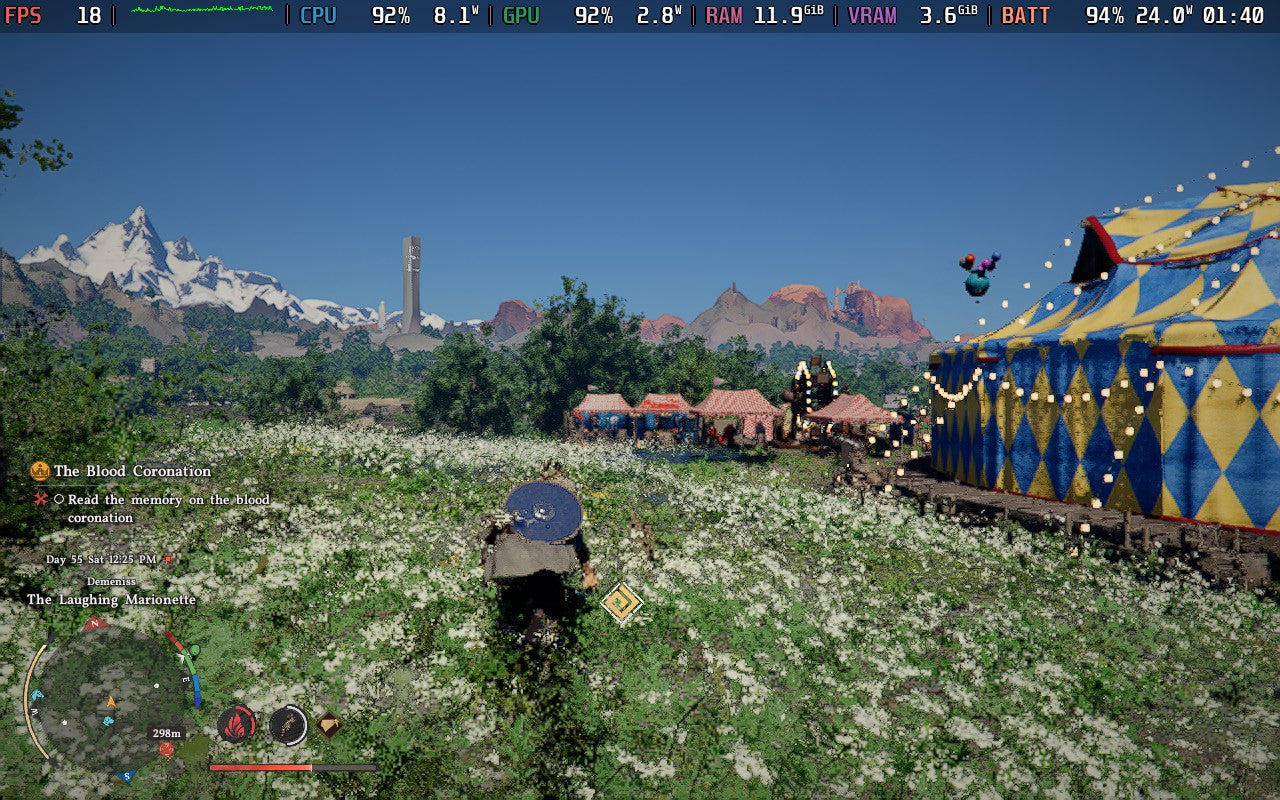
According to the source report, Crimson Desert briefly received a Steam Deck Verified badge before returning to an Unsupported rating. The article described testing the game at extremely low settings with FSR 3.1 set to Ultra Performance, yet the frame rate still struggled to consistently hold 30 FPS. Worse, the visual quality reportedly suffered heavily because the settings and upscaling had to be pushed so far down just to make the game run.
For players, that raises a simple but important question: do you want a game to merely run, or do you want it to look and feel the way the developers intended?
That question matters even more when you are spending Canadian dollars on a new system. A game that feels compromised on one device may feel dramatically better on a properly configured gaming desktop. If you are excited for open-world titles, cinematic action games, RPGs, shooters, racing games, survival games, or ray-traced releases, you should not have to wonder whether your hardware will be barely enough.
Gaming PC for New Games: Are Compatibility Labels Enough?
A Gaming PC for New Games should be chosen around performance goals, not just compatibility. A badge or minimum spec might tell you a game can start. It does not tell you whether you will get smooth frame pacing, sharp image quality, high texture settings, fast loading, reliable thermals, or enough headroom for patches, mods, expansions, and future releases.
Modern PC games are increasingly complex. They often include massive environments, advanced lighting, higher-resolution textures, larger memory demands, shader compilation, CPU-heavy simulation, AI systems, ray tracing, and upscaling technologies. Some games improve after patches. Others launch heavy and stay heavy. Some scale well across hardware. Others punish weak CPUs, limited VRAM, slow SSDs, or low memory capacity.
So when a demanding game becomes a talking point because it struggles on portable hardware, Canadian buyers should ask: what does this reveal about the kind of PC I should buy next?
If you only play esports games at 1080p, your ideal system may be very different from someone targeting 1440p ultra settings in AAA games. If you want to stream to Twitch or YouTube while gaming, your build should be different again. If you edit videos, design graphics, process RAW photos, build 3D scenes, or render in Blender, your system needs to be planned as a workstation as much as a gaming machine.
What Do You Want Your Next PC to Do for You?
Before choosing a custom gaming PC, take a moment to define the real job of your next system. This is the most important buying question because it prevents overspending in the wrong place and underspending where performance actually matters.
Ask yourself:
- What games do I want to play? Are you focused on competitive games, open-world AAA releases, story-driven adventures, simulation games, survival titles, VR, or future releases with heavier graphics demands?
- What resolution do I want? Is 1080p enough, or are you aiming for a sharper 1440p Gaming PC Canada experience? Are you planning for a 4K Gaming PC Canada setup?
- Do I care about ray tracing? If yes, you should think carefully about GPU tier, VRAM, upscaling quality, and long-term headroom.
- Will I stream or record gameplay? A Gaming and Streaming PC Canada build may need a stronger GPU encoder, more RAM, and better multitasking performance.
- Will I edit videos or photos? A gaming PC can be good for editing, but a proper Creator PC Canada configuration can save serious time in Premiere Pro, DaVinci Resolve, Photoshop, Lightroom, and other creative software.
- Will I use 3D software? Blender, Unreal Engine, AutoCAD, Revit, SolidWorks, Maya, 3ds Max, Cinema 4D, and similar tools may need more VRAM, more RAM, stronger CPUs, and workstation-minded storage choices.
- Do I want to avoid upgrading too soon? Sometimes spending more intelligently today is cheaper than replacing core parts next year.
What do you want your next PC to do for you: win more matches, make games look beautiful, help you stream, speed up your edits, handle client projects, render 3D scenes, or stay relevant for years?
Why Handheld Performance Does Not Represent Desktop PC Performance
Handheld gaming PCs and devices like the Steam Deck are built around portability. That means smaller power envelopes, tighter thermal limits, compact cooling, limited upgrade options, and performance targets that are often designed around lower resolutions and lower frame rates. They are excellent for travel, indie games, older titles, emulation, and many optimized games, but they are not designed to replace a properly built gaming desktop for every demanding release.
A custom desktop has major advantages:
- More GPU power for higher settings, better frame rates, ray tracing, and cleaner upscaling.
- Stronger CPU options for open-world games, simulation-heavy titles, streaming, editing, and productivity.
- More RAM capacity for modern games, browsers, Discord, OBS, editing software, and multitasking.
- Faster and larger SSD storage for huge game installs, project files, scratch disks, and faster loading.
- Better cooling for sustained performance instead of short bursts followed by thermal limits.
- Upgrade paths so you can replace a GPU, add RAM, increase storage, or improve cooling later.
- Custom tuning and testing so the system is built as a complete machine, not just a pile of parts.
If a game struggles to hold a stable frame rate on portable hardware at the lowest settings, that does not mean PC gaming is the problem. It means the game needs hardware that matches its demands. The right custom gaming desktop can turn a compromised experience into the version you actually wanted to play.
What Gaming PC Do I Need for 1080p, 1440p, or 4K?
One of the most common questions Canadian buyers ask is: what gaming PC do I need? The answer depends heavily on your monitor and expectations. A system that is excellent for 1080p esports may not be the right choice for 4K ultra settings. A budget build that feels great today may struggle sooner if you want to play every new AAA release at high settings.
Entry-Level and Budget Gaming PC Canada Builds
A Budget Gaming PC Canada build is ideal for players who want good value, 1080p gaming, esports titles, popular multiplayer games, and a reliable first gaming desktop. This tier is great if you play games like Fortnite, Valorant, Counter-Strike 2, Minecraft, Roblox, Rocket League, League of Legends, and many well-optimized titles.
However, if your excitement is focused on heavier open-world games, cinematic AAA releases, ray tracing, or long-term high settings, a budget system may not be the best fit. The question becomes: are you buying for the games you play today, or the games you know you will want over the next few years?
A budget build can be smart when it is configured honestly. It should still have a modern platform, enough RAM, a fast SSD, clean airflow, and a realistic upgrade path. What you want to avoid is a low-cost system that looks attractive upfront but forces you into an expensive GPU, power supply, or case upgrade too soon.
Mid-Range 1440p Gaming PC Canada Builds
For many Canadian gamers, 1440p is the sweet spot. A 1440p Gaming PC Canada build offers a major sharpness upgrade over 1080p without the same extreme GPU demands as 4K. This tier is excellent for players who want high settings, smoother frame rates, modern visuals, and a system that feels powerful without jumping into flagship pricing.
If you are asking, what PC do I need for 1440p gaming?, think about the types of games you play. Competitive gamers may prioritize high FPS and low latency. AAA players may prioritize visual settings, VRAM, and stable frame pacing. Streamers may need GPU encoding and extra CPU/RAM headroom. Modded-game players may need more memory and storage than they expect.
This is where custom configuration matters. A balanced 1440p system should not overspend on one flashy component while neglecting the power supply, cooling, motherboard, case airflow, or SSD capacity. Groovy Computers builds systems around the full experience, not just the component name that looks best in an advertisement.
Premium 4K Gaming PC Canada and Ray Tracing Builds
A 4K Gaming PC Canada or Ray Tracing Gaming PC Canada build is for players who want a premium visual experience. This tier is designed for high-resolution monitors, ultra settings, cinematic games, heavy textures, advanced lighting, and long-term GPU headroom.
If you are asking, what PC do I need for 4K gaming?, the GPU becomes one of the most important decisions. You also need enough VRAM, a CPU that will not hold the GPU back, a quality power supply, excellent airflow, and enough storage for large modern game libraries.
Premium buyers should ask a different question: how long do I want this system to feel high-end? A cheaper build may run today’s game at acceptable settings, but a stronger build may let you keep higher settings, better frame rates, and smoother performance through more game launches before you feel pressure to upgrade.
Is a Custom Gaming PC Better Than a Generic Prebuilt?
For serious buyers, the question is not only custom PC vs prebuilt PC Canada. The better question is: was the entire system planned properly for your use case?
Some generic prebuilts emphasize one headline part while cutting corners elsewhere. That can mean weaker cooling, limited airflow, lower-quality power supplies, minimal storage, unclear motherboard quality, poor upgrade paths, or little attention to long-term reliability. A custom build can be designed more intelligently from the start.
A proper Custom Gaming PC Canada build should consider:
- GPU tier based on resolution, frame-rate target, ray tracing, VRAM needs, and game type.
- CPU choice based on gaming, streaming, editing, 3D modeling, multitasking, and future use.
- RAM capacity based on games, OBS, browsers, creative software, and workstation tasks.
- Storage layout for operating system, games, projects, scratch files, and backups.
- Cooling and airflow for stable performance during long sessions.
- Power supply quality for safety, stability, and future upgrade support.
- Case selection for thermals, noise, aesthetics, and serviceability.
- Stress testing so the PC is checked before it reaches your desk.
- Warranty and support so you are not left guessing if something goes wrong.
Groovy Computers focuses on custom builds, rigorous testing, and a 1-year warranty, giving Canadian buyers more confidence than a random parts list or a one-size-fits-all system.
Can One PC Handle Gaming, Streaming, Editing, and Content Creation?
Yes, but only if it is configured correctly. Many buyers no longer use their computer for just one thing. You might game at night, stream on weekends, edit short-form videos, design thumbnails, manage social media, process photos, and run multiple monitors. That changes what “good enough” means.
If you want a Gaming and Streaming PC Canada setup, you should consider GPU encoding, CPU headroom, RAM, storage speed, and noise levels. OBS, Streamlabs, Discord, browser sources, capture tools, overlays, and recording software all add workload while your game is running.
If you want a Content Creation PC Canada build, the conversation expands further. Premiere Pro, DaVinci Resolve, After Effects, Photoshop, Lightroom, Illustrator, Canva, CapCut, and Adobe Creative Cloud workflows can benefit from stronger CPUs, more RAM, fast SSDs, and GPU acceleration.
Ask yourself: will this PC only play games, or will it also help you create, publish, earn, study, or work?
If your PC is part of your income, school, business, or creative growth, performance is not just a luxury. Faster exports, smoother timelines, quicker batch edits, less waiting, and fewer crashes can save time every week.
What PC Do I Need for Video Editing, Photo Editing, or Graphic Design?
Gaming performance and creator performance overlap, but they are not identical. A system built only around gaming FPS might not be ideal for editing large 4K footage, processing RAW photo libraries, working with massive Photoshop files, or running multiple creative apps at once.
Video Editing PC Canada Buyers
If you are editing in Adobe Premiere Pro, DaVinci Resolve, After Effects, or CapCut, you should think about CPU cores, GPU acceleration, RAM capacity, SSD speed, and export workflows. A Video Editing PC Canada build may need more memory and storage planning than a typical gaming-only PC.
Ask: what specs do I need for 4K video editing? If you edit 1080p clips, your needs may be modest. If you edit 4K, 6K, multicam footage, high-bitrate files, colour grades, effects, and long timelines, your system should be much stronger.
Photo Editing PC Canada Buyers
Photographers working in Photoshop, Lightroom Classic, Capture One, Luminar Neo, DxO PhotoLab, or similar tools should prioritize responsive editing, fast imports, quick previews, smooth masking, AI tools, batch exports, and reliable storage.
Ask: how much RAM do I need for Lightroom? The answer depends on catalogue size, file resolution, multitasking, and whether you use AI-enhanced workflows. For serious photo work, a fast SSD and enough RAM can feel just as important as the GPU.
Graphic Design PC Canada Buyers
Graphic designers using Photoshop, Illustrator, InDesign, CorelDRAW, Affinity Designer, Canva, or Adobe Express often need a system that feels instantly responsive. Large files, multiple artboards, brand assets, fonts, mockups, and multi-monitor setups can make a weak PC feel frustrating fast.
Ask: is a gaming PC good for graphic design? It can be, but the best result comes from a build that considers your design software, display setup, RAM needs, SSD speed, and whether you also edit video or create 3D assets.
What PC Do I Need for Blender, Unreal Engine, CAD, or 3D Rendering?
3D modeling and rendering are where hardware choices become even more important. A 3D Modeling PC Canada or 3D Rendering PC Canada build may need a very different balance than a standard gaming PC.
Blender users may care about GPU rendering, VRAM, CPU performance, and RAM capacity. Unreal Engine users may need strong CPU performance, GPU power, fast storage, and enough memory for large projects. CAD users may need stability, precision, viewport performance, and software-specific hardware planning. Architectural visualization, product rendering, animation, game development, and simulation all push systems differently.
Ask: workstation PC vs gaming PC for 3D modeling: which one fits you? If you mainly play games and occasionally experiment in Blender, a gaming-focused build may be enough. If your 3D work is professional, deadline-driven, or client-facing, a Custom Workstation PC Canada configuration may be the smarter investment.
This is where Groovy Computers can help buyers avoid mismatched parts. A powerful GPU is useful, but so are enough RAM, fast storage, reliable cooling, and a platform that supports future expansion.
Should You Buy Before a Major Game Release, Hardware Shortage, Sale Period, or Price Spike?
Timing matters in the Canadian PC market. Buyers often ask: is it better to buy a gaming PC now or wait? The honest answer depends on your current system, your target games, your budget, and how much risk you are willing to take with component pricing and availability.
Game launches can drive sudden demand for GPUs and full systems. New hardware announcements can shift pricing. Memory and SSD costs can rise. Exchange rates can affect Canadian pricing. Supply constraints can make popular parts harder to find. Holiday demand, back-to-school buying, tax refund periods, and major game release windows can all change the market.
If you are planning to buy before a major release, ask yourself:
- Will my current PC actually run the game the way I want?
- Am I waiting for a sale that may not apply to the parts I need?
- Could GPU, RAM, or SSD pricing move against me?
- Will I need time to set up my games, software, monitors, and files?
- Do I want the system ready before launch day instead of scrambling after reviews arrive?
Waiting can make sense if you are not in a hurry. But if your current PC is already struggling, or if you know you want to play an upcoming AAA game at launch, waiting can also mean worse buying conditions, limited availability, or rushed decisions.
Could Financing Help You Secure a Stronger System Before Replacement Costs Rise?
Financing is not about buying recklessly. Used properly, it can help you choose a system that actually fits your needs instead of settling for a weaker build that becomes frustrating too soon.
Many buyers face the same choice: pay cash for a cheaper system today, or use Gaming PC Financing Canada options to secure a stronger system with better longevity. Groovy Computers offers financing options up to 4 years, which can make a higher-performance build more accessible for customers who want to spread payments over time.
Ask yourself: should I finance a better PC instead of buying a cheaper one? If the cheaper system will miss your performance target, struggle with your creative software, or force an upgrade quickly, financing may be worth considering. If a stronger system helps you avoid replacing the GPU, RAM, storage, or entire computer sooner, the long-term value can be better.
Financing may make sense if:
- You want a smoother 1440p or 4K gaming experience.
- You need a PC for gaming and streaming at the same time.
- You edit video, photos, or graphics for school, business, or income.
- You are buying before a major game release or software upgrade.
- You want to avoid rushing into a weak build because prices are moving.
- You would rather secure the right system now than replace parts too soon.
Could a stronger build save you from upgrading earlier than planned? If the answer is yes, financing a custom PC may be a practical strategy, especially when component pricing and demand are unpredictable.
Which Performance Tier Fits You?
Choosing the right performance tier is easier when you connect your expectations to real use cases. Here is a practical way to think about it.
Choose a Value Gaming PC If You Want Affordable 1080p Gaming
This tier is best for first-time buyers, students, families, casual gamers, and esports players who want reliable performance without overspending. It is a smart choice if you mostly play lighter games, competitive titles, or older AAA games at 1080p.
Ask: can a budget gaming PC play new games? Yes, in many cases, but you may need to reduce settings in demanding releases. If you expect ultra settings in every new title, consider stepping up.
Choose a 1440p Gaming PC If You Want the Best Balance
This tier fits many serious gamers. It offers sharper visuals than 1080p, strong performance in modern games, and better longevity than entry-level systems. It is often the best balance of price, quality, and future-readiness.
Ask: what PC do I need for 1440p gaming if I also stream or record? You may need a stronger GPU, more RAM, and a CPU with better multitasking headroom.
Choose a High End Gaming PC Canada Build If You Want 4K, Ray Tracing, or Long-Term Headroom
This tier is for buyers who want premium performance, high settings, high refresh rates, ray tracing, large texture packs, and the best chance of staying happy with the system for years. It is also a strong choice for gamers who create content or use demanding professional software.
Ask: what PC do I need for ultra settings? If ultra settings, 4K, ray tracing, and future AAA releases matter to you, this is where premium GPU and CPU planning becomes important.
Choose a Creator PC If Your Computer Helps You Produce Work
A creator-focused build is ideal for YouTubers, streamers, photographers, designers, editors, marketers, musicians, podcasters, and social media creators. It should be built around software responsiveness, export speed, multitasking, and storage reliability.
Ask: is a gaming PC good for content creation? It can be, but a custom creator PC is better when it is planned around your actual tools and workflow.
Choose a Workstation PC If Reliability and Heavy Workloads Matter Most
A workstation build is for 3D rendering, CAD, architecture, engineering, game development, AI workloads, heavy multitasking, large datasets, and professional production. These systems should be configured for stability, expansion, memory capacity, storage strategy, and sustained performance.
Ask: what workstation PC do I need? The answer depends on your software, file sizes, rendering method, project complexity, deadlines, and whether your work benefits more from CPU power, GPU power, or both.
Why Canadian Buyers Should Think Differently About PC Value
Canadian buyers deal with different pricing pressures than buyers in larger markets. Component costs can be affected by exchange rates, shipping, availability, distributor pricing, demand cycles, and regional stock. A price that looked good last month may not stay available. A GPU that seems easy to find today may become harder to source when a major release, hardware cycle, or seasonal buying period drives demand.
This is why choosing a Canadian Gaming PC Company matters. You want support from a builder that understands Canadian pricing, Canadian shipping expectations, Canadian warranty concerns, and the real cost of replacing parts in Canada.
Groovy Computers serves Canadian customers with custom-built gaming PCs, creator PCs, and workstation PCs. Whether you are in Nova Scotia, Atlantic Canada, Ontario, Alberta, British Columbia, or elsewhere in Canada, the goal is the same: help you get the right system for your needs instead of guessing from generic specifications.
If you are searching for Gaming Computers Canada, a Custom Gaming PC Nova Scotia builder, or Gaming PCs Shipped Canada Wide, the most important thing is not just finding a computer. It is finding the right build, properly tested, with support behind it.
Why Testing and Warranty Confidence Matter More Than Ever
When games are more demanding and hardware is more expensive, testing matters. A PC should not simply power on before it ships or leaves the shop. It should be checked for stability, thermals, performance, and build quality.
Groovy Computers emphasizes rigorous testing because buyers deserve confidence. A gaming PC should handle long sessions without overheating. A creator PC should stay stable during exports. A workstation should be dependable under heavy loads. A high-performance system should be built cleanly, cooled properly, and configured with care.
A 1-year warranty also matters because a custom PC is an investment. When you are buying a system for gaming, school, business, content creation, streaming, or professional work, you want to know that support is available if an issue appears.
Ask yourself: why risk a poorly matched system when you can work with a custom PC builder that tests the machine before you rely on it?
What Questions Should You Ask Before Buying a Custom PC?
Before you buy or finance your next system, use these questions to clarify what you really need:
- What are my top five games or applications? Build around what you actually use.
- Do I want 1080p, 1440p, or 4K? Resolution changes the GPU requirement dramatically.
- Do I care about high FPS, ultra settings, ray tracing, or quiet operation? Each goal affects part selection.
- Will I stream, record, edit, or render? Multitasking changes CPU, GPU, RAM, and storage needs.
- How much RAM do I need? Gaming, editing, 3D work, and multitasking can require very different amounts.
- How much storage do I need today and next year? Modern games and media projects can fill drives quickly.
- Do I want upgrade room? A better motherboard, power supply, case, and cooling setup can make future upgrades easier.
- Am I buying before a major game, software upgrade, or price shift? Timing can affect availability and cost.
- Would financing help me buy the system I actually need? Monthly payments may be more practical than compromising too much upfront.
- Do I want expert help choosing a build? If yes, a Canadian custom PC builder can save time and reduce guesswork.
The right answers will point you toward a budget gaming computer, a premium RTX gaming PC, a custom creator PC, an editing workstation, or a 3D modeling workstation.
What the Crimson Desert Story Should Teach Anyone Buying a Gaming PC
The Crimson Desert rating reversal is a small news item with a bigger lesson: performance claims need context. A game being labelled supported, verified, compatible, or optimized does not always mean it meets your personal standard. If the experience requires the lowest settings, extreme upscaling, unstable frame rates, and compromised visuals, many players will not consider that good enough.
For desktop buyers, this is empowering. You do not have to accept the lowest common denominator. You can choose a system that targets your actual expectations. You can decide whether you want 1080p value, 1440p balance, 4K premium performance, streaming capability, editing speed, or workstation reliability.
Ask yourself: when the next demanding game launches, do you want to wonder if your PC can handle it, or do you want to be ready?
Why Groovy Computers Is the Right Fit for Canadian Custom PC Buyers
Groovy Computers helps Canadian customers move from confusion to confidence. Instead of forcing every buyer into the same generic system, Groovy Computers focuses on matching the PC to the workload. That means gaming, streaming, video editing, photo editing, graphic design, content creation, 3D modeling, rendering, and workstation use can all be considered before the build is finalized.
That custom approach matters because no two buyers are identical. A competitive gamer may need high FPS more than maximum visual settings. A 4K gamer may need GPU power and VRAM above all else. A streamer may need encoding performance and multitasking headroom. A video editor may need RAM, SSD speed, and CPU/GPU acceleration. A 3D artist may need rendering horsepower and memory capacity. A business user may need reliability and support more than flashy lighting.
If you want help choosing a Gaming PC for New Games, a custom creator PC, or a workstation built for demanding software, visit GroovyComputers.ca and explore options that fit your goals, budget, and upgrade plans.
Should You Buy Now or Wait?
There is no universal answer, but there is a smart way to decide. If your current PC still handles your games and software comfortably, waiting may be reasonable. If you are already lowering settings, dealing with crashes, running out of storage, struggling with exports, or missing out on games you want to play, waiting may cost you time, enjoyment, and productivity.
Consider buying sooner if:
- Your current PC cannot handle the games you are excited to play.
- You want a system ready before a major release window.
- You are worried about GPU, RAM, SSD, or full-system price increases.
- You need a reliable machine for school, content creation, client work, or business.
- You want financing to secure a stronger build before replacement costs rise.
- You want a tested system with warranty support instead of a rushed purchase later.
Consider waiting if:
- Your current system comfortably meets your needs.
- You do not have a clear performance goal yet.
- You are not sure which games or software matter most.
- You need time to decide between budget, mid-range, premium, creator, or workstation tiers.
The most important step is not rushing. It is getting clear. Once you know your games, software, resolution, budget, and timeline, the right build becomes much easier to choose.
Final Takeaway: A Gaming PC for New Games Should Be Built Around Your Standards
A Gaming PC for New Games should not be chosen by guesswork, hype, or vague compatibility labels. The Crimson Desert Steam Deck rating reversal shows why real-world performance matters. If a demanding game struggles on limited hardware, that is a sign to think carefully about your own expectations before buying your next system.
Do you want affordable 1080p gaming? Smooth 1440p performance? 4K visuals? Ray tracing? Streaming? Video editing? Photo editing? Graphic design? 3D rendering? A workstation for serious productivity? Or a custom PC that can handle several of those jobs at once?
If you are ready to stop guessing, Groovy Computers can help you choose a Canadian-built custom gaming PC, creator PC, or workstation with rigorous testing, a 1-year warranty, and financing options up to 4 years. The right PC should fit what you actually want to do, not just what a compatibility badge claims is possible.
#GamingPCForNewGames #CustomGamingPCCanada #GamingComputersCanada #1440pGamingPC #4KGamingPC #CreatorPCCanada #GamingPCFinancingCanada #GroovyComputers
Groovy Computers | All Rights Reserved



Leave a comment
This site is protected by hCaptcha and the hCaptcha Privacy Policy and Terms of Service apply.