



















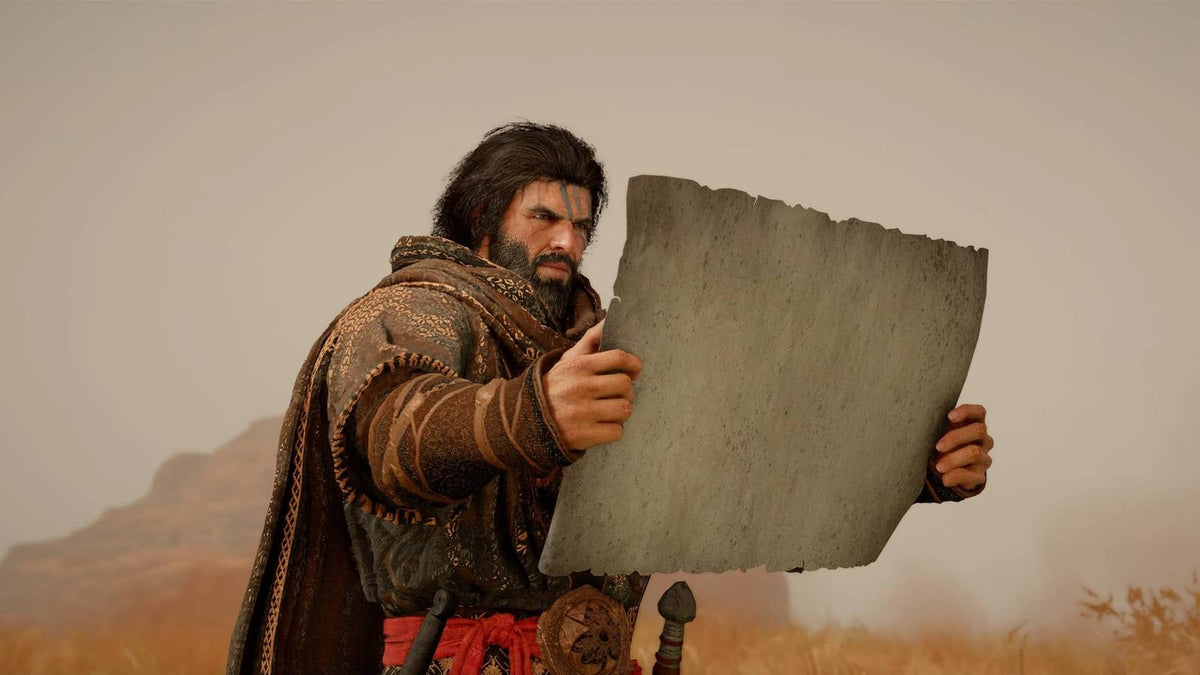
Crimson Desert’s New Update Is a Reminder: Your Gaming PC for New Games Needs to Be Ready Before the Next Big Patch Drops
Crimson Desert has received a brand-new update that players can download right now, and for Canadian PC gamers, that news points to a bigger question: is your current gaming PC for new games actually ready for the way modern titles keep evolving after launch? The latest update follows a busy stretch for Pearl Abyss, including major post-launch improvements, the Enhanced Edition, and the confirmation of the Charting the Unknown expansion. Whether you are already playing Crimson Desert or watching the game’s comeback closely, this is the kind of update cycle that should make every PC buyer think carefully about performance, upgrade timing, and long-term value.
Modern games no longer stay still after release. A launch version is only the beginning. Developers keep adding new graphics options, cutscenes, dialogue, balance updates, performance patches, expansions, quality-of-life changes, and sometimes full reworks that make a game feel significantly different months later. That is exciting for players, but it also means your PC has to handle more than the minimum requirements printed at launch. If you want smooth open-world gameplay, stable frame rates, high-resolution textures, fast loading, streaming capability, and room for future updates, you need to think beyond “Can it run?” and start asking, “Can it run well for the next few years?”
At Groovy Computers, we look at gaming news like this through the lens of real Canadian buyers. A new update is not just a patch note headline. It is a buying signal. Are you building around 1080p, 1440p, or 4K? Do you care about ray tracing? Are you planning to stream on Twitch or YouTube while you play? Do you also edit videos, design graphics, work in Blender, or run creative software? Are you trying to avoid upgrading too soon? And if stronger components are the smarter long-term move, would financing help you secure the right system before component costs or demand pressure shift again?
Why the Crimson Desert Update Matters for PC Buyers in Canada
The latest Crimson Desert update arrives after Pearl Abyss continued supporting the game with improvements and content following its March release. The source report highlights that Crimson Desert did not launch with universally stellar reviews, but ongoing post-launch work has helped the game maintain momentum. That matters because it reflects a major trend in PC gaming: ambitious AAA games are increasingly shaped after release, not only before launch.
For gamers, that can be a win. A game that improves over time can become more polished, more stable, more content-rich, and more worthwhile to revisit. For PC hardware buyers, however, it raises the stakes. If you bought a system that barely met launch-day expectations, what happens when a major expansion lands? What if a new graphics mode is added? What if future updates improve visuals but increase GPU demand? What if the game becomes more popular and you want to stream it, record it, or create content around it?
That is why a gaming PC for new games should be chosen with headroom. You are not just buying for today’s patch. You are buying for the next update, the next expansion, the next driver, the next creator workflow, and the next must-play game your friends are talking about.
What Does This Mean If You Are Shopping for a Gaming PC for New Games?
If Crimson Desert is on your radar, you probably care about large environments, cinematic presentation, action combat, responsive controls, and graphical immersion. Even without relying on exact system requirements, we can say this clearly: open-world action games tend to reward balanced gaming PCs with strong graphics cards, modern CPUs, fast SSD storage, and enough memory to keep the experience smooth while background tasks run.
So what gaming PC do you need if you want to play new AAA games without constantly adjusting settings? The answer depends on what kind of experience you expect. Are you happy with 1080p high settings, or do you want 1440p ultra settings? Are you trying to push 4K gaming? Do you want high FPS performance, or is cinematic visual quality more important? Do you want to stream gameplay, record clips, edit YouTube videos, and keep Discord, OBS, browsers, and launchers open at the same time?
These questions matter because the “best gaming PC” is not the same for every player. A budget buyer, a competitive esports player, a cinematic RPG fan, a streamer, and a 3D artist may all need different builds. Groovy Computers helps Canadian customers choose systems based on actual use, not just flashy part names.
What Do You Want Your Next PC to Do for You?
Before choosing a custom gaming PC, pause and ask one of the most important buying questions: what do you want your next PC to do for you?
Do you want it to play Crimson Desert and other open-world games smoothly at 1080p? Do you want a 1440p gaming PC that gives you sharper visuals and better long-term value? Do you want a 4K gaming PC with premium graphics performance and room for demanding future games? Do you want to stream to Twitch, record gameplay for YouTube, edit videos in Premiere Pro or DaVinci Resolve, create thumbnails in Photoshop, design graphics in Illustrator or Canva, or work with 3D projects in Blender or Unreal Engine?
Your answer changes the build. A system built only for casual 1080p gaming may not be ideal for 4K editing. A budget gaming computer may run today’s games well enough, but it might not be the right choice if you plan to keep it for five years. A premium RTX gaming PC may cost more upfront, but it can make sense if you want high-end ray tracing, smoother frame rates, stronger streaming performance, and better resale or upgrade flexibility.
If you are unsure, that is exactly where a Canadian custom PC builder becomes useful. Instead of guessing, you can start with your real goals: games, resolution, software, budget, financing comfort, and upgrade timeline.
Which Performance Tier Fits You Best?
Not every player needs the most expensive system. Not every buyer should settle for the cheapest one either. The right gaming PC for new games depends on your monitor, the games you play, the settings you want, and how long you expect the system to remain relevant.
Budget 1080p Gaming: Are You Building Your First Gaming PC?
A budget gaming PC in Canada can be a great starting point for players who want reliable 1080p gaming, esports performance, school use, and everyday productivity without overspending. If you mainly play titles like Fortnite, Valorant, Minecraft, Roblox, Counter-Strike 2, indie games, and some AAA games on optimized settings, a value-focused gaming desktop can make sense.
But here is the important question: are you buying a PC just to get started, or are you trying to avoid upgrading too soon? If your goal is to play new open-world games at higher settings, stream occasionally, or keep the system for several years, a slightly stronger configuration may be the better long-term purchase. A cheaper system can be appealing today, but if it forces an upgrade in a year, it may not be the better value.
1440p Gaming: Is This the Sweet Spot for Modern AAA Games?
For many Canadian gamers, 1440p is the sweet spot. A 1440p gaming PC offers a noticeable visual upgrade over 1080p while remaining more practical than full 4K for many budgets. If you want Crimson Desert, RPGs, shooters, racing games, survival games, and upcoming AAA releases to look sharp and feel smooth, this is often the category to consider first.
A strong 1440p system usually balances a modern multi-core CPU, a capable graphics card, 32GB of memory for comfortable gaming and multitasking, and fast NVMe SSD storage. This tier is especially appealing if you use a high-refresh monitor and want smoother gameplay without immediately jumping into flagship pricing.
Ask yourself: what PC do I need for 1440p gaming if I want high settings now and fewer compromises later? If that question sounds like your situation, Groovy Computers can help match the system to the monitor and games you actually play.
4K and Ultra Settings: Do You Want Premium Performance That Lasts?
A 4K gaming PC is for buyers who want the biggest visual jump, the highest texture clarity, and the most premium experience in cinematic games. This tier is where GPU choice becomes critical. If you want ultra settings, ray tracing, large open worlds, high-resolution texture packs, and stronger future-proofing, a high-end gaming PC in Canada may be the right category.
Premium builds are also attractive for players who create content. A powerful GPU can help with gaming, streaming, video editing, rendering, AI-assisted creative tools, and some 3D workflows. The question is not only “Can I afford a premium system?” It is also: will a stronger PC save me from replacing parts too early, losing performance in future games, or wasting time during editing and rendering?
If you plan to keep your PC for years, financing a stronger system can sometimes be smarter than buying a weaker system outright. That does not mean everyone needs the most expensive build. It means the right build should match your expected lifespan, not just your immediate budget.
Gaming, Streaming, Editing, and Creating: Are You Actually Buying One PC for Everything?
Many gamers are not just gamers anymore. They stream gameplay, record clips, edit short-form content, create thumbnails, run Discord communities, manage social media, and use AI-assisted tools. A game like Crimson Desert can become more than something you play; it can become something you stream, review, clip, analyze, or build content around.
If that sounds like you, then you may not only need a gaming PC. You may need a gaming and creator PC Canada buyers can rely on for mixed workloads. This is where part selection becomes more nuanced. Streaming performance, video editing timelines, export speed, RAM capacity, storage layout, and cooling all start to matter.
What PC Do You Need for Streaming?
If you want to stream new games, you need more than raw FPS. You need stable performance while OBS, Streamlabs, browser sources, chat, overlays, recording tools, and background apps are running. A gaming PC for streaming Canada buyers should consider GPU encoding support, enough CPU headroom, sufficient RAM, and reliable cooling.
Ask yourself: will you stream at 1080p, play at 1440p, or record high-quality footage for editing later? A system that plays a game well may still struggle if you add streaming and recording on top. Groovy Computers can help configure a custom streaming PC that fits your content goals instead of treating streaming as an afterthought.
Is a Gaming PC Good for Video Editing?
A well-built gaming PC can be excellent for video editing, but only if it is configured properly. A video editing PC Canada customers can rely on should prioritize the right CPU, GPU, RAM, storage, and cooling for software like Adobe Premiere Pro, DaVinci Resolve, After Effects, and CapCut. If you are editing gameplay footage, YouTube videos, TikToks, reels, tutorials, or client content, timeline smoothness and export time become part of the buying decision.
So ask: what PC do I need for video editing if I also want to game? If you are editing 1080p footage, your needs may be moderate. If you are working with 4K, multi-camera footage, colour grading, effects, and large projects, you may need more RAM, faster storage, and stronger processing power. A custom creator PC can be built to handle both your games and your workload.
Do Photo Editing and Graphic Design Need a Different PC?
Photo editing, graphic design, and creative business work benefit from fast responsiveness, reliable storage, strong CPU performance, enough memory, and, depending on your software, GPU acceleration. If you use Photoshop, Lightroom, Illustrator, InDesign, Canva, Capture One, or other creative tools, you may care less about maximum FPS and more about fast previews, batch exports, multitasking, and system stability.
Do you edit RAW photos from high-megapixel cameras? Do you keep Lightroom, Photoshop, a browser, and client folders open at the same time? Do you design for social media, print, websites, and branding? If yes, a creator-focused custom PC may be a better fit than a generic gaming desktop.
What About Blender, Unreal Engine, 3D Modeling, and Rendering?
For 3D artists, game developers, architects, product designers, and students learning Blender or Unreal Engine, the conversation changes again. A 3D modeling PC Canada buyers can trust needs to be planned around viewport performance, rendering, memory usage, storage speed, GPU acceleration, CPU workloads, and project complexity.
Ask yourself: what PC do I need for Blender or Unreal Engine if I also want to play modern games? Some gaming PCs can work well for 3D tasks, but professional workloads often need more RAM, stronger cooling, larger storage, and a more carefully balanced CPU and GPU combination. A custom 3D workstation can prevent bottlenecks that a generic prebuilt may overlook.
Why Canadian Buyers Should Think About Timing Before the Next Big Game or Expansion
Game updates like the latest Crimson Desert patch are reminders that demand can shift quickly. One week a game is considered “interesting.” The next week it receives a major update, performance improvements, new content, or an expansion announcement, and players start returning. That renewed attention can influence hardware searches, upgrade planning, and demand for gaming PCs.
Timing matters even more in Canada, where component prices can be affected by exchange rates, shipping costs, supplier availability, seasonal demand, and global hardware cycles. GPUs, memory, storage, power supplies, cases, and cooling components can all move in price. If you are waiting for a major game release, a big expansion, a school semester, a holiday sale period, or a software upgrade, you may be shopping at the same time as many other buyers.
That leads to a practical question: is it better to buy a gaming PC now or wait? The answer depends on your current system, your budget, and your urgency. But if your PC is already struggling, waiting does not always save money. A delay can mean dealing with higher replacement costs, limited availability, longer build queues, or settling for a weaker system because the better-value parts are no longer in stock.
Should You Finance a Better PC Instead of Buying a Cheaper One?
For some customers, financing is not about buying recklessly. It is about buying the correct performance tier at the correct time. Groovy Computers offers financing options up to 4 years, which can help Canadian buyers secure a stronger custom gaming PC, creator PC, or workstation PC without paying the full amount upfront.
So ask yourself: should I finance a better PC instead of buying a cheaper one today? If a lower-cost system will satisfy your needs for years, that may be the right move. But if you are already compromising on the graphics card, RAM, storage, cooling, or CPU before you even buy, financing can help you avoid a short-lived purchase.
This is especially relevant if you want 1440p or 4K gaming, ray tracing, streaming, 4K video editing, 3D rendering, or professional multitasking. A stronger system can reduce upgrade pressure, improve day-one satisfaction, and keep your workflow moving faster. For creators, time saved on exports, renders, and multitasking can matter as much as game performance.
If you are wondering whether financing a gaming PC is worth it, think in terms of use. Will you use the system every day? Will it support school, work, business, content creation, or competitive gaming? Will it help you avoid buying twice? If the answer is yes, financing may be a practical way to lock in a build that actually matches your needs.
Custom PC vs Generic Prebuilt: Why Build Quality Matters More for New Games
When a game is frequently updated, system stability matters. It is not enough to have impressive parts on a product page. The PC needs proper airflow, a compatible power supply, a balanced CPU and GPU pairing, dependable memory, fast storage, clean assembly, and testing before it reaches you.
A generic prebuilt PC may appear attractive if it advertises a recognizable graphics card, but what about the motherboard quality, power supply rating, cooling performance, cable management, case airflow, memory speed, SSD capacity, and upgrade path? What happens when you install a massive update, run a demanding game, stream in the background, and keep multiple programs open?
Groovy Computers focuses on custom builds that are configured for real usage. That means thinking about your games, your monitor, your software, your budget, and your future upgrade options. Systems are built with care, rigorously tested, and backed by a 1-year warranty for added confidence. For Canadian customers, that support can be far more valuable than choosing a random system based only on a discount tag.
What Should You Ask Before Buying a Gaming PC for Crimson Desert and Other New Games?
If Crimson Desert’s update has you thinking about upgrading, use the moment to ask better buying questions. The right questions can save you from underspending, overspending, or buying a system that does not match your actual goals.
- What games do I want to play most? Are you focused on Crimson Desert, upcoming AAA games, esports titles, racing games, RPGs, survival games, or shooters?
- What resolution do I want? Is 1080p enough, or do you want a sharper 1440p or 4K experience?
- Do I care about ray tracing and ultra settings? If yes, GPU selection becomes more important.
- Do I want high FPS? Competitive players may prefer frame rate consistency over maximum visual settings.
- Will I stream or record gameplay? If yes, plan for OBS, recording, overlays, and multitasking.
- Will I edit videos or create content? If yes, consider more RAM, stronger CPU performance, and faster storage.
- Will I use Photoshop, Lightroom, Illustrator, Blender, Unreal Engine, or CAD software? Creative and workstation software can change the ideal build.
- How long do I want this PC to last? A future proof gaming PC Canada buyers can rely on needs headroom, not just minimum capability.
- Am I buying before a major game release, expansion, school term, sale period, or price spike? Timing can affect availability and cost.
- Would financing help me secure a better system now? Monthly payments can make a stronger build more accessible before costs change.
How Component Choices Affect Real-World Performance
A gaming PC is a system, not a single part. The graphics card matters, but so do the CPU, RAM, SSD, cooling, power supply, and monitor match. When customers ask, “What PC specs do I need?” the best answer starts with the intended experience.
GPU: The Heart of Visual Performance
The GPU is central for modern gaming, especially at 1440p, 4K, high settings, ray tracing, and content creation workloads. If you want smoother performance in open-world games, a stronger graphics card gives you more room to raise settings and maintain playable frame rates. It can also help in GPU-accelerated creative applications, streaming encoders, rendering, and AI-assisted workflows.
Do you need the absolute highest-end GPU? Not always. But if you want a premium gaming PC Canada buyers can keep for years, GPU headroom is one of the most important investments.
CPU: The Engine Behind Smooth Gameplay and Multitasking
The CPU affects frame pacing, simulation performance, background tasks, streaming, compiling, editing, and general responsiveness. For gamers who also create content, CPU choice becomes even more important. A balanced CPU helps prevent bottlenecks when your PC is doing more than one thing at a time.
If you stream, edit, render, or multitask heavily, ask: is CPU or GPU more important for what I do? The answer may be both, but the balance depends on your workload. Groovy Computers can help you avoid overspending in one area while neglecting another.
RAM: 16GB, 32GB, 64GB, or More?
For many gaming-focused systems, 32GB is becoming a comfortable target for modern multitasking and new games. If you are only playing lighter titles, less may work, but for a new custom build intended to last, memory headroom can improve everyday smoothness.
Creators and workstation users may need more. Video editing, large photo catalogs, After Effects, Blender, Unreal Engine, CAD, and heavy multitasking can justify 64GB or even more depending on project size. If you are asking, “How much RAM do I need for video editing, streaming, or Blender?” the answer depends on your media, project complexity, and how many apps you keep open.
SSD Storage: Faster Loading and Better Workflow
Modern games are large. Updates can be large. Creative files can be massive. A fast NVMe SSD can improve load times, project responsiveness, asset handling, and general system feel. If you play multiple AAA games, record gameplay, and edit videos, storage capacity and speed should be planned from the start.
Do you want to install several large games at once? Do you record high-bitrate footage? Do you work with 4K projects? If yes, storage is not an afterthought. It is part of performance.
Cooling and Power: The Parts Buyers Often Forget
Cooling and power delivery are critical for reliability. A powerful gaming desktop Canada buyers expect to last should not be built around weak airflow or an undersized power supply. Heat can affect performance, fan noise, stability, and component lifespan. A quality power supply supports safe operation and future upgrades.
This is where custom PC building matters. A well-matched build is not just faster; it is more confidence-inspiring.
What If You Are Buying for a Student, Family Member, or First-Time Gamer?
Crimson Desert and other visually ambitious games often inspire first-time buyers to upgrade from older desktops, consoles, or laptops. If you are buying for a student, teenager, spouse, or family member, the decision can feel confusing. You may know they want a “gaming PC,” but not what that means in practical terms.
Start with their games and monitor. Do they play competitive titles, open-world adventures, simulation games, or creative sandbox games? Do they want to stream? Do they need the PC for schoolwork, coding, design, video projects, or 3D classes? Are they likely to upgrade their monitor later?
A first gaming PC Canada buyers choose should be reliable, upgradable, and properly supported. Buying the cheapest possible system can create frustration if it struggles with the very games that inspired the purchase. A carefully chosen budget or mid-range custom build can provide a much better balance of cost and lifespan.
What If You Already Own a Gaming PC?
If you already have a gaming PC, the latest Crimson Desert update is a good time to evaluate whether you need a full replacement or a new custom build. Is your current system running games smoothly? Are you lowering settings more often? Are load times getting longer? Is your GPU running out of VRAM headroom? Is your CPU holding back frame rates? Are you unable to stream or edit comfortably?
Some customers can extend the life of a system with targeted upgrades, but others reach a point where replacing multiple parts becomes less economical than moving into a new build. If you need a new motherboard, CPU, RAM, GPU, power supply, cooling solution, and storage, a full custom PC may offer better value and cleaner long-term support.
Ask yourself: am I upgrading because one part is weak, or because the entire platform is aging? That distinction helps determine whether you should patch the system or move to a modern build.
Why Waiting Can Cost More Than You Expect
Waiting can be smart when you truly do not need a system yet. But waiting can also create hidden costs. If you delay until your PC fails, you may have to buy quickly with fewer choices. If you wait until a major game launch, demand may rise. If component prices shift, the build you wanted may become more expensive. If your workload increases, you may lose time every week to slow exports, stuttering previews, or unstable multitasking.
Canadian buyers are especially aware that hardware pricing can change. Exchange rates, availability, shipping, and supplier costs all affect final system pricing. A build that fits your budget today may not be available at the same price later. That is why financing can be useful for buyers who know they need a better PC but want to spread payments over time.
So the practical question becomes: should I buy a gaming PC before prices go up? If your current system is holding you back and you already know your target performance tier, waiting for a perfect moment may not be worth the risk.
Why Groovy Computers Is a Strong Choice for Canadian Custom PC Buyers
Groovy Computers is a Canadian custom PC builder focused on helping customers choose the right system for gaming, streaming, video editing, photo editing, graphic design, content creation, 3D modeling, and workstation use. Whether you are in Nova Scotia, Atlantic Canada, or ordering online from elsewhere in Canada, the goal is simple: match the PC to the customer, not the other way around.
When you buy from Groovy Computers, you are not just choosing a parts list. You are choosing guidance, build quality, testing, warranty confidence, and a system designed around your actual needs. If you want a custom gaming PC Canada buyers can trust for new games, a creator PC for Adobe Creative Cloud, a streaming system for OBS, or a custom workstation for Blender and rendering, Groovy Computers can help you make a smarter decision.
Every serious PC purchase should answer these questions: What will you use it for? What resolution do you want? What software matters? How long should it last? What budget makes sense? Would financing help you secure the right tier now? What upgrade path do you want later?
If you want help choosing, browsing, or financing a system, visit GroovyComputers.ca and start with the build category that matches your goals.
Who Should Choose a Budget Gaming Computer?
A budget gaming computer is best for customers who want an affordable entry into PC gaming, mainly play 1080p games, and do not need maximum settings in every new title. It can also be a great fit for students, family gaming rooms, esports players, and buyers moving from older systems.
Choose this tier if you want value first, play lighter or optimized games, and are comfortable adjusting settings in more demanding releases. But if you are planning to play every major AAA release at high settings for years, you may want to step up.
Who Should Choose a Mid-Range 1440p Gaming PC?
A mid-range 1440p gaming PC is ideal for many players who want strong performance without jumping into the highest price tier. It is a smart fit for open-world games, RPGs, shooters, racing games, and mixed gaming plus streaming use.
Choose this tier if you want a noticeable upgrade over 1080p, smoother visuals, stronger multitasking, and better long-term flexibility. For many Canadian buyers, this is the best balance of cost, performance, and lifespan.
Who Should Choose a High-End or Premium Gaming PC?
A high-end gaming PC is for customers who want 4K gaming, ray tracing, ultra settings, high-refresh displays, premium components, and more long-term headroom. It is also a strong choice for creators who game, stream, edit, render, and multitask heavily.
Choose this tier if you want fewer compromises, better performance in demanding games, stronger creator acceleration, and a system that feels powerful for longer. If the price is the only hesitation, financing up to 4 years may help you access a better build without settling too low.
Who Should Choose a Creator PC or Workstation Instead of a Gaming PC?
If your PC is part of your income, education, or professional workflow, you may need more than a gaming-first system. A creator PC or workstation can be built around software performance, memory capacity, storage planning, reliability, and heavy multitasking.
Choose a creator PC if you use Premiere Pro, DaVinci Resolve, After Effects, Photoshop, Lightroom, Illustrator, Canva, or other creative tools. Choose a 3D workstation if you use Blender, Unreal Engine, Unity, Maya, 3ds Max, Cinema 4D, AutoCAD, Revit, SolidWorks, or rendering software. Choose a professional workstation if reliability and productivity are just as important as gaming performance.
The Bigger Lesson from Crimson Desert: Games Evolve, and Your PC Should Be Built with That in Mind
Crimson Desert’s new update is not only news for current players. It is a reminder of where gaming is heading. Big games are becoming long-term platforms, with updates, expansions, fixes, visual improvements, and renewed community interest after launch. If you buy a PC only for the first version of a game, you may find yourself behind when the game grows.
A smart gaming PC for new games gives you breathing room. It should handle today’s titles well, support tomorrow’s updates, and adapt to the way you actually use your computer. That may mean a budget-friendly 1080p build, a balanced 1440p system, a premium 4K gaming PC, a streaming-focused setup, a video editing PC, a creator desktop, or a full workstation.
The best time to plan your build is before you are forced into a rushed decision. If your current PC is struggling, if you are waiting for a major release, if you want to create content, or if you are worried about component pricing pressure, now is the time to compare your options.
Ready to Find the Right Gaming PC for New Games?
If Crimson Desert’s update has you thinking about your next upgrade, ask yourself one final question: do you want a PC that merely runs the next big game, or do you want a system built to enjoy it properly? Groovy Computers can help you choose a gaming PC for new games, a custom creator PC, a streaming build, or a workstation that matches your real goals, your Canadian budget, and your long-term plans.
Whether you are buying before a major game release, preparing for a new expansion, upgrading for 1440p or 4K, starting a streaming channel, editing videos, building a creative business, or financing a stronger system before prices shift, Groovy Computers is ready to help. Visit GroovyComputers.ca to explore custom builds, ready-to-ship options, and financing solutions designed for Canadian gamers and creators.
#GamingPCForNewGames #CustomGamingPCCanada #GamingComputersCanada #1440pGamingPC #4KGamingPC #StreamingPCCanada #CreatorPCCanada #VideoEditingPCCanada #GroovyComputers
Groovy Computers | All Rights Reserved



Leave a comment
This site is protected by hCaptcha and the hCaptcha Privacy Policy and Terms of Service apply.