






















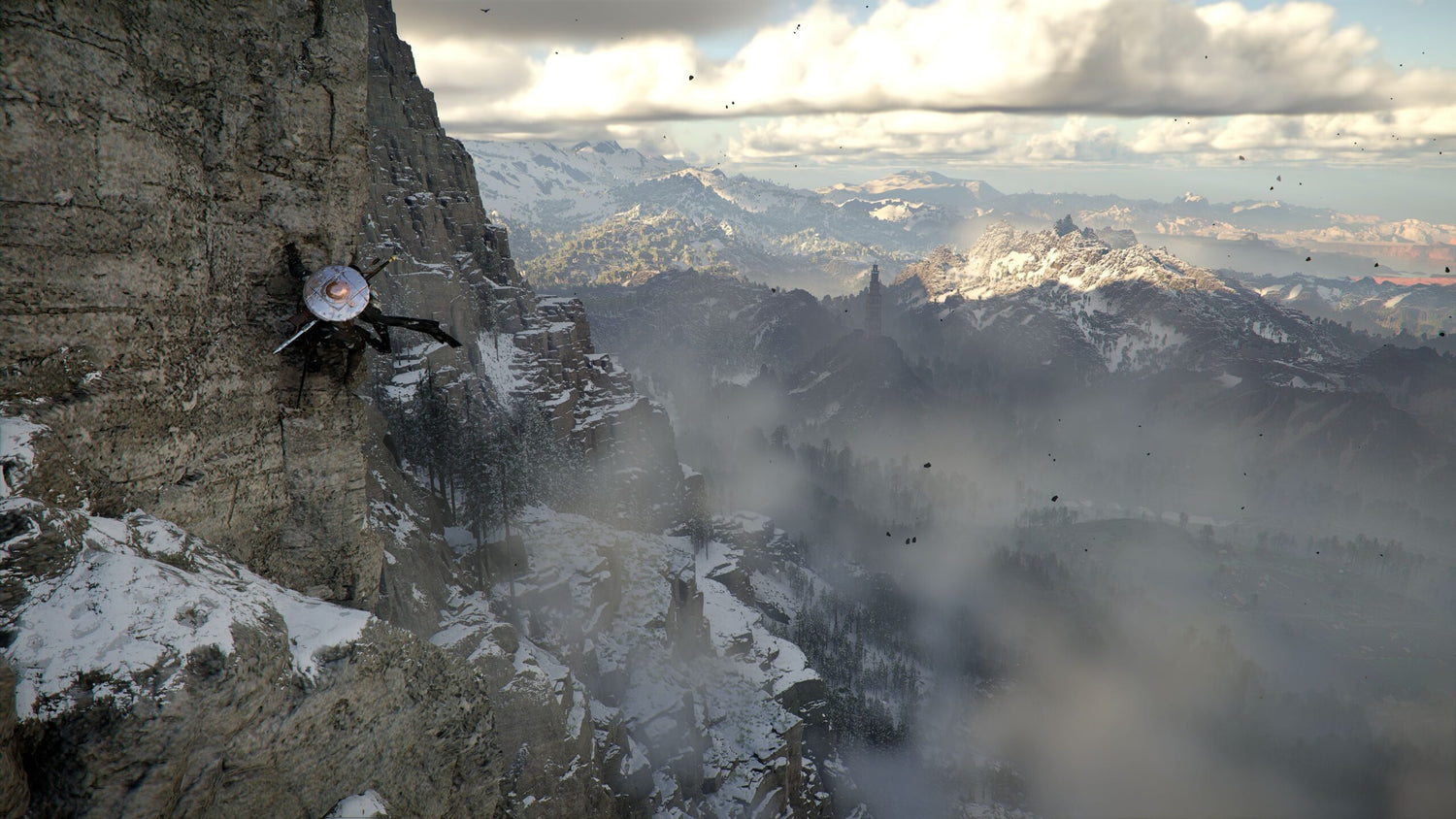
Gaming PC for New Games: What Crimson Desert’s Free Updates Reveal About Buying a Future-Ready PC in Canada
Gaming PC for New Games is no longer just a search term for players who want higher FPS on launch day. It is becoming a real buying question for Canadian gamers, streamers, creators, and workstation users who are watching modern games evolve after release with major patches, free systems, expanded content, improved visuals, and future DLC. The recent discussion around Crimson Desert’s post-launch support is a perfect example of why your next PC should not only be built for the game as it exists today, but for what that game may become months or years from now.
Pearl Abyss has drawn attention because Crimson Desert is being supported with free updates that go beyond ordinary bug fixes. The source coverage highlights weekly updates that add new game systems, armour sets, new abilities, house items, story and cutscene improvements, onboarding refinements, and a future DLC plan that is expected to be different in scope from the regular updates. In plain language, the game is not standing still. It is growing.
That matters for PC buyers because a growing game can become more demanding over time. More systems, more assets, better cutscenes, larger areas, new effects, higher-resolution textures, ray tracing options, streaming demand, modding interest, and content creation workflows can all change what “good enough” means. If you are buying a gaming computer in Canada today, are you choosing a system that only handles your current library, or are you choosing one that can keep up when your favourite game expands?
At Groovy Computers, we look at stories like this through a practical Canadian buyer lens. If you are excited by open-world games, live updates, cinematic RPGs, streaming, YouTube editing, 3D content, or high-resolution gaming, the real question is not simply “Can this PC run the game?” The better question is: What do you want your next PC to do for you for the next several years?
Why Crimson Desert’s Post-Launch Strategy Matters to PC Gamers
The biggest takeaway from the Crimson Desert news is not only that the game is receiving free support. It is that the developer appears to be treating the game as a living experience. That phrase matters. A living experience usually means the game can shift through new content, improved systems, revised visuals, balancing, expanded features, and eventually paid DLC or larger expansions.
For console players, the hardware target is fixed. For PC players, the opportunity is bigger: you can build around the experience you actually want. Do you want high FPS at 1080p? Do you want a smooth 1440p gaming PC in Canada that can handle modern AAA worlds? Do you want a 4K gaming PC Canada buyers can rely on for cinematic visuals? Do you want to stream the game, record gameplay, edit highlight reels, and run Discord, OBS, browser tabs, and background apps at the same time?
Games like Crimson Desert remind buyers that PC performance is not a single checkbox. It is a combination of CPU strength, GPU power, RAM capacity, fast SSD storage, cooling, airflow, power delivery, and long-term upgrade planning. If a game receives ongoing content, your PC needs enough headroom to stay comfortable as patches arrive.
That is why a custom build can make more sense than a generic off-the-shelf desktop. A custom gaming PC Canada buyer should not be forced into random part combinations. The GPU should match the resolution. The CPU should match the frame-rate target. The RAM should match the multitasking workload. The case and cooling should match the heat output. The storage should match the size of modern game installs and creator files. The warranty and testing should match the buyer’s need for confidence.
What Gaming PC Do I Need If I Want to Play Evolving Open-World Games?
What gaming PC do I need is the right question, but the answer depends on what kind of experience you expect. Crimson Desert is positioned as a large-scale action-adventure experience, and games in that category can benefit heavily from stronger GPUs, modern CPUs, fast NVMe storage, and enough RAM to keep the system responsive.
If you are buying a PC mainly for new games, ask yourself the following before choosing a system:
- What resolution do you actually want to play at? 1080p, 1440p, ultrawide, or 4K?
- Do you care more about visuals or frame rate? Ultra settings and high FPS do not always require the same build strategy.
- Will you use ray tracing or advanced lighting features when available? If yes, GPU selection becomes even more important.
- Will you stream, record, or edit gameplay? A gaming-only PC and a gaming-plus-creator PC should not always be configured the same way.
- Do you want to avoid upgrading too soon? If yes, buying too close to the minimum requirement is usually the wrong move.
- Are you buying for one game or for the next wave of AAA releases? A future-ready build should be selected around your broader gaming habits.
A PC that barely meets today’s needs may feel fine for a while, but it can become frustrating when updates increase the load, when you move to a better monitor, or when you start creating content. A properly balanced Gaming PC for New Games gives you room to grow instead of forcing you into another upgrade cycle too quickly.
Which Performance Tier Fits You: Budget, Balanced, Premium, or Workstation?
Not every Canadian gamer needs the most expensive system. The right choice depends on your monitor, your games, your workload, and your expectations. If you are trying to decide between a budget gaming computer, a premium RTX gaming PC, a creator PC, or a workstation, this section can help you narrow the decision.
Budget Gaming PC: Are You Playing at 1080p and Watching Your Spend?
A budget gaming PC Canada buyer is often focused on value: good performance, reasonable settings, and a price that makes sense. This tier is ideal for 1080p gaming, esports titles, school use, general productivity, and players who want to enter PC gaming without overspending.
But here is the important question: are you buying a budget PC because it genuinely fits your needs, or because the stronger system feels out of reach upfront? If you know you want to play demanding new games for several years, a lower upfront price can become more expensive later if you need to replace the GPU, add RAM, or move to a better system sooner than expected.
For many buyers, budget systems are still a smart choice. The key is to choose one with a sensible upgrade path, a quality power supply, enough airflow, and a platform that does not trap you. Groovy Computers can help Canadian customers choose an affordable gaming PC that is not just cheap, but properly balanced.
Balanced 1440p Gaming PC: Do You Want the Sweet Spot for Modern AAA Games?
For many gamers, 1440p is the best balance of sharp visuals and high frame rates. A 1440p Gaming PC Canada buyer usually wants more than entry-level performance but does not necessarily need a flagship 4K machine. This is often the best tier for open-world games, action RPGs, shooters, racing games, survival games, and visually rich single-player titles.
If you are excited about Crimson Desert-style post-launch content, this is where extra GPU headroom matters. A balanced 1440p system gives you room for higher texture settings, smoother frame pacing, better multitasking, and stronger longevity. It also works well for gamers who stream casually, record clips, or edit short-form content.
Ask yourself: will your next monitor be 1440p, or are you already planning that upgrade? If yes, it usually makes sense to buy the PC for the monitor you want, not only the monitor you have today.
Premium 4K Gaming PC: Do You Want Ultra Settings, Ray Tracing, and Longer-Term Headroom?
A 4K gaming PC Canada buyer is not simply chasing resolution. They are chasing a premium experience: cinematic visuals, high settings, stronger ray tracing performance where supported, and enough hardware overhead to stay comfortable through heavier releases and updates.
This tier is for players who want big visual impact, high-end monitors, premium GPUs, and stronger CPUs. It is also a good fit for gamers who do more than game: streaming, video editing, photo editing, graphic design, 3D modeling, rendering, or AI-assisted creative work.
Should you buy a high-end gaming PC if you only play esports titles? Probably not. But if you play major AAA games, want 4K, record high-quality footage, or hate upgrading too soon, a premium build can be the smarter long-term purchase.
Creator and Workstation PC: Are You Gaming, Streaming, Editing, Designing, or Rendering?
Many modern buyers are not just gamers anymore. They are streamers, YouTubers, TikTok creators, photographers, designers, students, architects, developers, and 3D artists. If your PC needs to handle both gaming and production, you may need a Gaming and Creator PC Canada buyers can depend on for more than frame rates.
A creator system may need more RAM, stronger CPU performance, faster storage, and a GPU selected for both gaming and software acceleration. If you use Adobe Premiere Pro, DaVinci Resolve, Photoshop, Lightroom, Illustrator, Blender, Unreal Engine, AutoCAD, Revit, SolidWorks, or OBS, your build should reflect that.
Ask yourself: what software do you want your next PC to run smoothly every day? A PC that is excellent for 1080p gaming may not be ideal for 4K video editing, 3D rendering, or heavy multitasking. A custom build lets you prioritize the parts that actually affect your workload.
What Do You Want Your Next PC to Do for You?
This is the most important buying question in the entire article. Before choosing a custom PC, pause and define the outcome. Do you want your next system to make games look better? Help you stream without dropped frames? Export videos faster? Handle RAW photo batches? Run multiple monitors? Render 3D scenes overnight? Let you work from home reliably? Replace a console? Start a YouTube channel? Avoid another upgrade for as long as possible?
Your answer should guide the build. A student buying a first gaming PC has different needs than a wedding photographer editing thousands of RAW files. A competitive Valorant player has different needs than someone exploring large cinematic open-world games. A Blender user has different needs than a casual streamer. A graphic designer working in Photoshop and Illustrator has different needs than a gamer chasing 4K ultra settings.
At Groovy Computers, the goal is not to push every customer into the same system. The goal is to match the PC to the person. If you are unsure, that is exactly where custom guidance helps. A properly configured build can save money in the right places and spend more where performance actually matters.
Why Free Updates and Future DLC Can Change Your PC Buying Decision
The source discussion around Crimson Desert highlights free updates, new abilities, new systems, additional items, onboarding improvements, and future DLC. That kind of roadmap matters because live post-launch support can create fresh performance demands and renewed player interest. It can also drive people back to the game months later, often after they have upgraded monitors, started streaming, or changed how they use their PC.
When a game continues growing, the smartest PC purchase is one with margin. Margin means your system is not operating at the edge of its ability on day one. It means you have enough GPU power for higher settings, enough VRAM for modern assets, enough RAM for multitasking, enough SSD space for large installs, and enough cooling to keep performance stable.
Would you rather buy a PC that feels acceptable only at launch, or one that still feels strong after patches, DLC, and your own expectations increase?
This is also why timing matters. When a major game releases, gets a large update, or becomes popular with streamers, demand can rise quickly for gaming desktops, graphics cards, memory, storage, and high-performance components. Canadian buyers can feel this through changing prices, limited availability, and longer wait times on desirable configurations.
Is It Better to Buy a Gaming PC Now or Wait?
Is it better to buy a gaming PC now or wait is one of the most common questions Canadian buyers ask, especially when new games, new GPUs, and seasonal sales are all part of the conversation. The honest answer is that waiting can help in some situations, but it can also backfire.
Waiting may make sense if your current PC still handles everything you do comfortably, you are not in a rush, and your target game or software is not arriving soon. But waiting can be risky if your current system is already struggling, if you are planning to stream or create content, if you need a workstation for school or business, or if you are trying to buy before a major wave of demand.
Component pricing can be affected by GPU demand, memory pricing, storage costs, currency movement, supply constraints, and sudden spikes around popular releases. In Canada, exchange rates and import realities can also influence replacement costs. A system that fits your budget today may not be available at the same price later.
Ask yourself: are you waiting because you have a plan, or are you waiting because the decision feels overwhelming? If it is the second one, it may be better to speak with a custom PC builder and get clarity now.
Could Financing Help You Secure a Stronger System Before Prices Change?
Financing is not about buying more than you need. It is about giving buyers the option to choose the right system instead of settling for a weaker one due to upfront cost alone. For Canadian gamers and creators, Gaming PC Financing Canada options can be useful when the stronger build is the one that actually matches the workload.
Should I finance a better PC instead of buying a cheaper one? That depends on your situation. If a lower-cost system will do everything you need, buy the lower-cost system. But if the cheaper option means lower FPS, limited upgrade room, slower video exports, weaker 3D rendering, or another replacement sooner than expected, financing may be the more practical path.
Groovy Computers offers financing options up to 4 years, which can help customers secure a stronger custom gaming PC, creator PC, or workstation PC before replacement costs rise or parts become harder to source. This can be especially relevant before a major game release, a software upgrade, a school term, a business project, a holiday sale period, or a predicted component price increase.
Ask yourself: would monthly payments help you buy the PC you actually need instead of the PC you will outgrow? If the answer is yes, financing is worth considering as part of the decision, not as an afterthought.
Gaming, Streaming, Editing, Design, or 3D Modeling: Which Build Direction Is Right?
A modern PC can be built for many different goals, but the best configuration changes depending on your workload. Here is how to think about the main categories before you buy.
Gaming PC for New Games
If gaming is the priority, start with the monitor and game style. For 1080p esports, you want high FPS and low latency. For 1440p open-world gaming, you want strong GPU performance and smooth frame pacing. For 4K, you need a premium GPU, strong CPU support, and careful cooling. For ray tracing, the GPU becomes even more important.
Do you play competitive games, cinematic RPGs, survival games, racing titles, or visually demanding AAA releases? Your answer changes the ideal build. A Gaming PC for New Games should not be selected only by the name of the graphics card. It should be balanced around the full experience.
Streaming PC Canada Buyers Should Consider
If you want to stream on Twitch, YouTube, TikTok Live, or record gameplay through OBS, you need a system that can handle the game and the broadcast at the same time. That may mean a stronger GPU with good encoding support, enough CPU resources, 32GB or more RAM depending on workload, and fast storage for recordings.
What PC do I need for streaming? If you are streaming lighter games at 1080p, you may not need the highest-end system. But if you want 1440p gaming, high FPS, overlays, webcam, browser sources, Discord, and recording at the same time, a stronger build is worth it.
Video Editing PC Canada Buyers Should Consider
For YouTube editing, 4K footage, DaVinci Resolve, Adobe Premiere Pro, After Effects, and social media content, the PC needs more than gaming horsepower. Timeline smoothness, export speed, GPU acceleration, RAM capacity, and SSD speed all matter.
What PC do I need for video editing? For casual 1080p edits, a balanced system may be enough. For 4K editing, 6K footage, heavy effects, colour grading, and multi-camera timelines, you should look at a Custom Video Editing PC Canada configuration with more RAM, stronger CPU performance, fast NVMe storage, and a GPU that supports your editing software well.
Photo Editing and Graphic Design PC Buyers
Photographers and designers often underestimate how much a proper desktop can improve their workflow. Lightroom batch exports, Photoshop layers, large RAW files, Illustrator projects, InDesign layouts, Canva assets, and AI-assisted editing can all benefit from a responsive system.
Do photographers need a dedicated GPU? It depends on the software and the workload, but modern creative tools increasingly use GPU acceleration. More importantly, a good photo editing PC or graphic design PC needs enough RAM, fast storage, a strong CPU, and support for colour-accurate multi-monitor workflows.
3D Modeling PC and Rendering Workstation Buyers
If you use Blender, Unreal Engine, Unity, Maya, 3ds Max, Cinema 4D, SketchUp, ZBrush, AutoCAD, Revit, or SolidWorks, you should not choose a gaming desktop blindly. Gaming performance can overlap with 3D performance, but workstation workloads can demand more RAM, more VRAM, better cooling, stronger CPU rendering, and careful GPU selection.
What PC do I need for Blender or Unreal Engine? If you are modelling simple scenes, a mid-range system may work. If you are rendering complex scenes, building game environments, doing architectural visualization, or producing professional assets, a Custom 3D Workstation Canada build may be the better choice.
Custom PC vs Prebuilt PC Canada: Why the Details Matter More Than the Label
The phrase “prebuilt gaming PC” can mean many things. Some systems are well configured. Others use mismatched parts, limited airflow, weak power supplies, slower storage, unclear motherboard choices, or minimal upgrade room. The label alone does not tell you whether the build is reliable.
Custom PC vs prebuilt PC Canada buyers should focus on the actual parts, the balance, the testing, the warranty, and the support. A custom PC does not mean complicated. It means intentional. The system is built around your resolution, your games, your software, your budget, and your upgrade expectations.
Why testing matters in a gaming PC is simple: performance is only useful if the system is stable. A PC should be stress tested, checked for thermals, validated for reliability, and built cleanly before it reaches the customer. Groovy Computers emphasizes rigorous testing and backs systems with a 1-year warranty, giving Canadian buyers more confidence than a random marketplace build with unknown history.
If you are spending serious money on a gaming computer, creator desktop, or workstation, do you want a box of parts assembled by chance, or a build selected and tested around your actual needs?
Canadian Buyers Should Think About Pricing, Availability, and Shipping Differently
Canadian PC buyers face a different market than U.S. buyers. Prices are in Canadian dollars, inventory can move differently, shipping times matter, and currency shifts can affect component costs. A part that appears affordable one month may become harder to source later, especially when demand rises around new games, creator hardware trends, back-to-school buying, holiday sales, or workstation upgrades.
This is why Canadian custom PC builders matter. Groovy Computers serves buyers looking for Canada-built gaming PCs, custom creator PCs, and workstation PCs with Canada-wide relevance. Whether you are in Nova Scotia, Atlantic Canada, Ontario, Alberta, British Columbia, or elsewhere in Canada, buying from a Canadian gaming PC company can make support, expectations, and pricing context easier to understand.
If you are local to Nova Scotia, including areas such as Trenton, New Glasgow, Halifax, and surrounding Atlantic Canada communities, the trust factor matters even more. If you are ordering online from elsewhere in Canada, clear configuration guidance and tested systems still matter. A gaming PC shipped Canada wide should be built to survive both the workload and the shipping process.
How Much Should I Spend on a Gaming PC?
How much should I spend on a gaming PC depends on what you want the system to accomplish. A student playing esports at 1080p should not use the same budget logic as a creator editing 4K video and gaming at 1440p. A professional using CAD or rendering software should not shop only by gaming benchmarks.
Instead of starting with a random price, start with your intended result:
- Entry-level value: best for 1080p gaming, school, general use, and lighter workloads.
- Mid-range performance: best for 1080p high refresh, 1440p gaming, casual streaming, and mixed everyday use.
- Upper-mid to premium: best for 1440p ultra, 4K entry, content creation, and stronger multitasking.
- High-end gaming and creator: best for 4K, ray tracing, streaming and editing, large projects, and longer-term headroom.
- Workstation class: best for 3D rendering, CAD, complex creative work, heavy multitasking, and professional productivity.
The best gaming PC for the money is not always the cheapest. It is the system that gives you the best performance for your real workload without forcing unnecessary upgrades too soon.
What Questions Should You Ask Before Buying or Financing a Custom PC?
Before you buy or finance a custom PC, ask questions that reveal the right system instead of chasing random specs. These questions are especially useful if you are buying for new games, streaming, editing, or workstation use.
- What games do I play most, and what games am I buying for next?
- Do I want 1080p, 1440p, ultrawide, or 4K performance?
- Do I want ray tracing, ultra settings, or high FPS competitive performance?
- Will I stream with OBS, record gameplay, or edit videos for YouTube or TikTok?
- Will I use Adobe Creative Cloud, DaVinci Resolve, Blender, Unreal Engine, CAD, or other professional software?
- How much RAM do I need for my real workload?
- How much SSD storage will my games, footage, photos, and projects require?
- Do I need a budget gaming computer, premium RTX gaming PC, custom creator PC, editing workstation, or 3D modeling workstation?
- Am I buying before a major game release, software upgrade, school term, sale period, or possible price spike?
- Would financing help me secure the correct build now instead of settling for a weaker one?
- Do I want to avoid upgrading too soon?
- Do I want help choosing a build from Groovy Computers?
If you cannot answer every question yet, that is normal. Most customers know what they want to do, but not which parts get them there. That is where expert custom PC guidance becomes valuable.
Why Groovy Computers Is a Strong Fit for Canadian Gamers and Creators
Groovy Computers is built around the idea that your PC should match your real use case. We help Canadian customers choose custom gaming PCs, creator PCs, streaming systems, video editing desktops, photo editing PCs, graphic design PCs, 3D modeling workstations, and high-performance productivity builds without forcing everyone into the same configuration.
When you buy from Groovy Computers, the value is not only the parts list. It is the build strategy, part matching, airflow planning, testing, warranty confidence, and Canadian support context. A good custom PC should feel smooth on day one and remain useful as your games, software, and expectations evolve.
Every serious buyer should care about reliability. A powerful PC that crashes, overheats, or ships with poor cable management is not a good investment. Groovy Computers focuses on clean custom builds, rigorous testing, and a 1-year warranty so customers can buy with more confidence.
If you are ready to compare options, browse available systems, ask about financing, or request help choosing the right build, visit GroovyComputers.ca.
Should You Build Around Crimson Desert, or Around Your Whole PC Future?
It is easy to focus on one game. Crimson Desert’s ongoing support is exciting because it shows how much modern games can grow after release. But your next PC should not be built for one title alone. It should be built around your full digital life.
Will you play open-world games, shooters, survival games, RPGs, and esports titles? Will you stream? Will you record? Will you edit? Will you design? Will you work from home? Will you use AI tools? Will you upgrade to a higher-resolution monitor? Will you keep the system for several years?
The best Gaming PC for New Games is the one that handles today’s library while staying ready for tomorrow’s updates, DLC, software demands, and creative ambitions. That does not always mean buying the most expensive PC. It means buying the right PC.
Final Takeaway: A Growing Game Deserves a PC That Can Grow With You
Crimson Desert’s free post-launch updates are a reminder that modern gaming does not stop at release day. Games can evolve, communities can grow, content can expand, and performance expectations can rise. Canadian buyers should use that reality to make smarter PC decisions now.
If you want 1080p value, buy with upgrade room. If you want 1440p, choose enough GPU headroom. If you want 4K, ray tracing, and ultra settings, build premium from the start. If you want to stream, edit, design, or render, configure the system for those workloads instead of treating them as side tasks. If upfront cost is the only thing holding you back from the correct system, consider whether financing up to 4 years could help you secure the stronger build before pricing or availability changes.
Ready to choose a Gaming PC for New Games that matches how you actually play, create, and work? Visit GroovyComputers.ca and let Groovy Computers help you find the right custom gaming PC, creator PC, or workstation PC in Canada.
#GamingPCForNewGames #CustomGamingPCCanada #GamingPCCanada #1440pGamingPC #4KGamingPC #StreamingPC #CreatorPC #VideoEditingPC #3DRenderingPC #CanadianCustomPCBuilders #GroovyComputers
Groovy Computers | All Rights Reserved



Leave a comment
This site is protected by hCaptcha and the hCaptcha Privacy Policy and Terms of Service apply.