




















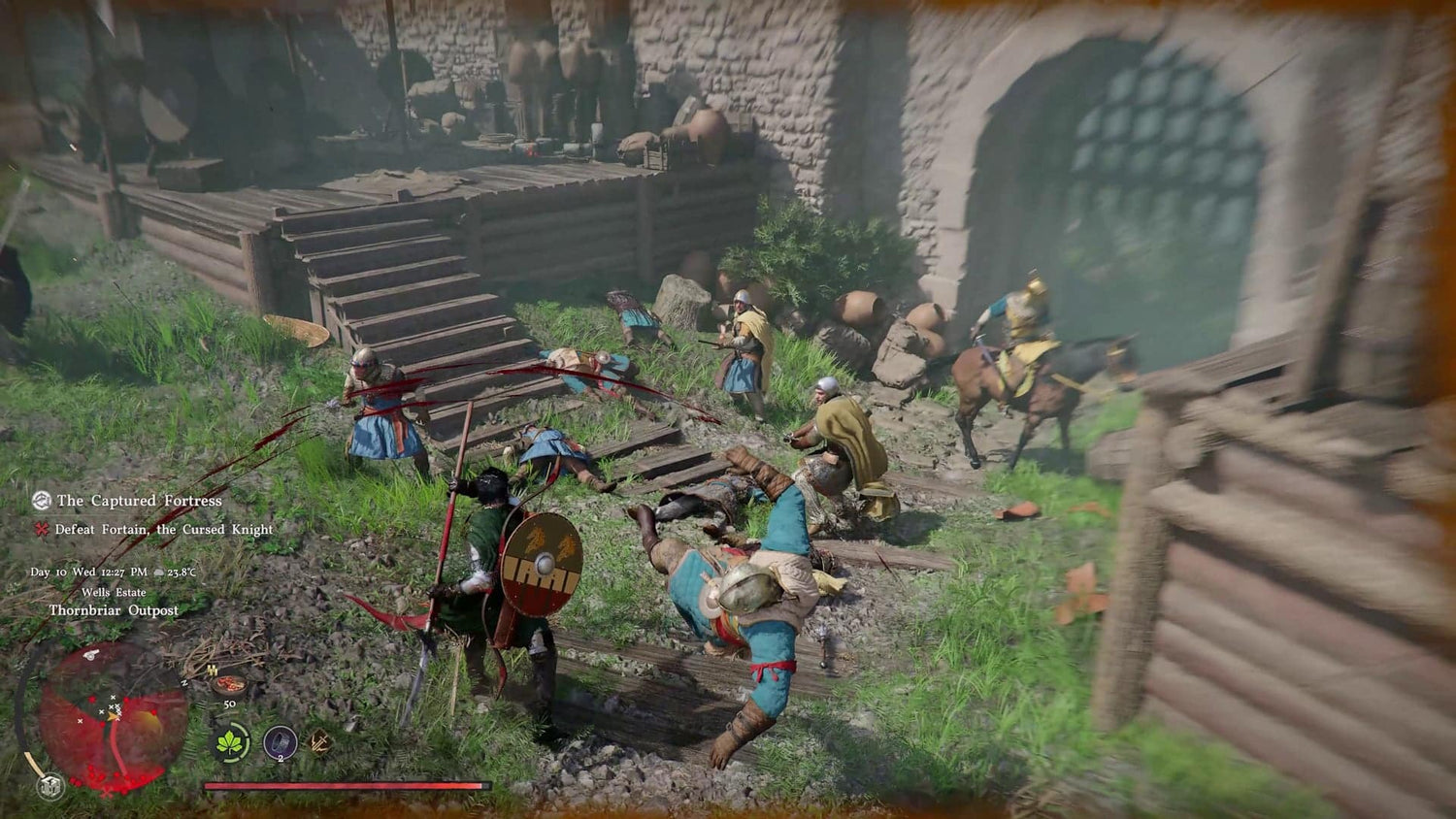
Crimson Desert Update 1.000.460 Shows Why a Gaming PC for New Games Needs More Than Minimum Specs
Crimson Desert update 1.000.460, bringing the game to version 1.18.01, is a useful reminder that a Gaming PC for New Games is not just about launching a title on day one. It is about handling patches, hotfixes, changing performance behaviour, graphics settings, upscaling options, open-world streaming, crashes, map rendering, NPC interactions, and the reality that modern games keep evolving after release.
For Canadian gamers watching Crimson Desert closely, the latest hotfix matters for more than patch-note curiosity. Pearl Abyss addressed issues involving NPC interaction menu delays when using a lantern, older housing items not displaying, unexpected game closures after launch in certain situations, and map areas displaying incorrectly. The known-issues list also included interaction problems, quest-progression limitations, PlayStation virtual keyboard freezing, Mac-specific UI and placement bugs, and PC graphics issues involving FSR upscaling, frame generation, rainy environments, and older NVIDIA GTX 1060 GPUs.
That is exactly the kind of update that should make buyers ask a practical question: what kind of PC do I want beside me when a big open-world game keeps getting patched, optimized, expanded, and pushed forward?
At Groovy Computers, we look at gaming news through the lens of real-world hardware decisions. A patch is not just a patch. It is a signal. It tells us what types of workloads are stressing modern systems: GPU upscaling, CPU-heavy world simulation, storage streaming, memory usage, driver stability, high-resolution textures, and background tasks like Discord, OBS, browsers, recording software, or RGB and peripheral utilities. If you are planning to buy a custom gaming PC in Canada, Crimson Desert is a timely example of why build quality, component balance, testing, warranty support, and upgrade headroom matter.
What Does Crimson Desert Update 1.000.460 Tell PC Buyers?
The newest Crimson Desert hotfix appears relatively small, but small hotfixes often reveal larger truths about PC gaming. Fixes for unexpected closes after launch matter because stability is one of the most overlooked parts of buying a gaming computer. Fixes for map display issues matter because large open-world games rely heavily on asset streaming, GPU rendering, memory bandwidth, and storage performance. Fixes for delayed NPC interactions matter because modern games are not just graphics demos; they are dense systems full of AI behaviours, menus, quest logic, animation states, and world triggers.
So, what does that mean if you are buying a 1440p Gaming PC Canada shoppers can trust for upcoming open-world games? It means you should not only ask, “Can this PC run the game?” You should ask:
- Will the system stay smooth after future patches increase visual complexity?
- Will it handle ray tracing, high textures, and upscaling without constant troubleshooting?
- Will it keep frame rates stable in towns, combat, storms, forests, and crowded NPC areas?
- Will it have enough RAM and fast enough storage for large open-world asset streaming?
- Will it be tested properly before it arrives at my desk?
- Will I avoid upgrading too soon because I bought the wrong performance tier?
These questions are more important than chasing the cheapest tower with a familiar GPU name. Modern open-world gaming rewards complete system balance. A strong graphics card helps, but so does the right CPU, enough RAM, fast NVMe storage, clean airflow, a reliable power supply, proper cable management, and real stress testing before shipping.
Why Canadian Gamers Should Think Beyond Minimum Requirements
Minimum requirements are useful for understanding whether a game can technically run. They are not a buying guide for great experiences. A minimum-spec PC may get you into the game, but it may not deliver the visual settings, resolution, frame pacing, and long-term performance that most players actually want.
If you are in Canada and planning a new build around Crimson Desert, major RPGs, action-adventure games, survival titles, competitive shooters, or future AAA releases, you should think in terms of the experience you want. Are you playing at 1080p and prioritizing value? Are you aiming for 1440p high refresh? Do you want 4K visuals and ray tracing? Are you streaming gameplay to Twitch or YouTube? Are you editing clips afterward for TikTok, Shorts, or YouTube?
That is where a Custom Gaming PC Canada approach becomes more useful than a one-size-fits-all machine. A custom build can be matched to your monitor, games, workload, room conditions, noise preference, upgrade timeline, and budget. At Groovy Computers, we build systems for Canadian gamers who want more than a box of parts. They want confidence.
What Do You Want Your Next PC to Do for You?
Before choosing a system, ask the most important question: what do you want your next PC to do for you?
Do you want a budget-friendly gaming desktop for 1080p games after school or work? Do you want a premium RTX gaming PC that can push 1440p ultra settings with room for future releases? Do you want a 4K Gaming PC Canada buyers can use for cinematic single-player games? Do you want to stream, edit, design, and game from the same machine? Do you want a creator workstation that can handle Adobe Premiere Pro, DaVinci Resolve, Photoshop, Blender, OBS, and a heavy browser session all at once?
Your answer changes everything. A customer who only plays esports games at 1080p does not need the same system as someone who wants open-world 4K gaming with ray tracing. A content creator who records gameplay, edits 4K footage, and designs thumbnails needs more RAM and storage planning than someone who only plays a few matches each night. A 3D artist working in Blender or Unreal Engine needs different priorities again.
The best gaming PC for new games is the one designed around your actual use, not someone else’s benchmark screenshot.
Which Performance Tier Fits You Best?
Choosing a gaming computer gets easier when you think in tiers. Instead of starting with random part names, start with what you expect the PC to deliver. Do you want value, smoothness, high refresh, premium visuals, creator multitasking, or workstation-level reliability?
Entry-Level and Budget Gaming: Is a Budget Gaming PC Enough?
A Budget Gaming PC Canada buyer usually wants strong value, dependable 1080p performance, and a system that can play popular titles without overspending. This tier is ideal if you play esports games, lighter open-world games, co-op titles, Minecraft, Roblox, Fortnite, Valorant, Counter-Strike 2, or older AAA titles.
But can a budget gaming PC play new games like Crimson Desert? It may, depending on final requirements, settings, optimization, and resolution. The smarter question is whether you are comfortable lowering settings, using upscaling, accepting lower frame rates, or upgrading sooner. If you want a PC that lasts longer, it may be worth stepping up instead of buying the cheapest option available.
1440p Gaming: What PC Do I Need for 1440p Gaming?
For many Canadian gamers, 1440p is the sweet spot. A strong 1440p gaming PC gives you sharper visuals than 1080p, better monitor options, and excellent performance without the extreme cost of full 4K ultra gaming. If you are building around Crimson Desert, future RPGs, open-world games, action titles, and high-refresh monitors, this is often the best balance.
A good 1440p system should focus on a capable modern GPU, a strong gaming CPU, 32GB of RAM for modern multitasking comfort, fast NVMe storage, and cooling that keeps performance consistent during long sessions. If you also stream or edit, the build should be planned with extra CPU threads, GPU encoding support, and storage capacity in mind.
4K and Ultra Settings: Do You Want a Premium Gaming PC?
If you want 4K resolution, high textures, ray tracing, cinematic visuals, and fewer compromises in new releases, you are looking at a High End Gaming PC Canada performance category. This tier is for players who want the game to look as impressive as possible and who do not want to wonder whether their system is already close to its limit.
A premium build is also about longevity. If you want to avoid upgrading too soon, investing in a stronger GPU, faster CPU, better cooling, larger power supply headroom, and more memory can make sense. The upfront cost is higher, but the long-term value may be better than replacing a weak system early.
Gaming Plus Streaming: Are You Playing and Broadcasting?
Crimson Desert-style games are visually rich, which makes them excellent content for streaming and recording. But streaming adds extra load. If you are running OBS, Discord, overlays, browser tabs, capture tools, and gameplay at the same time, you need more than a basic gaming tower.
A Streaming PC Canada buyer should think about GPU encoding, CPU headroom, RAM capacity, storage speed, dual-monitor support, and quiet cooling. Are you streaming at 1080p? Recording at 1440p? Editing clips afterward? Planning to grow on Twitch, YouTube, or TikTok? If yes, your PC should be built as a gaming and content system, not just a standard gaming desktop.
Creator and Workstation Use: Is Your Gaming PC Also Your Work PC?
Many customers no longer buy separate machines for gaming, editing, design, and productivity. A modern Creator PC Canada build can handle gaming at night and content work during the day. That might mean Adobe Premiere Pro, DaVinci Resolve, Photoshop, Lightroom, Illustrator, Canva, Blender, Unreal Engine, CAD software, or AI-assisted creative tools.
If you are asking, “Is a gaming PC good for content creation?” the answer is often yes, but only if it is configured properly. A random gaming PC may have a strong GPU but not enough RAM, storage, cooling, or CPU performance for serious editing and rendering. A custom creator PC can be built to balance both worlds.
Why Patch Notes Make GPU and CPU Choices More Important
Crimson Desert update 1.000.460 included known issues related to FSR upscaling, frame generation, rainy environments, and older GTX 1060 GPUs. That does not mean every player needs the most expensive GPU available. It does mean graphics features are becoming more complex, and hardware choice affects the kind of experience you can expect.
Upscaling, frame generation, ray tracing, high-resolution textures, and advanced lighting can make games look better and run smoother when properly supported. But they also add more variables. Drivers, GPU architecture, VRAM capacity, game optimization, and display resolution all matter. If you are buying a PC for upcoming open-world games, your GPU is one of the most important decisions you will make.
Your CPU matters too. Open-world games often stress the processor with physics, NPC logic, background simulation, traversal, combat, and asset management. A weak CPU can create stutter even when the graphics card looks strong on paper. That is why Groovy Computers focuses on complete build balance rather than flashy single-part marketing.
Should You Buy a Gaming PC Now or Wait?
Is it better to buy a gaming PC now or wait? That question comes up constantly, especially when major games, new GPUs, sales periods, software updates, and component price changes are all part of the conversation.
Waiting can sometimes make sense if your current system already meets your needs. But waiting can also backfire. GPU demand can rise around major game launches. Memory and SSD prices can shift. Seasonal sale periods can clear out popular configurations. A new software update can make your old system feel slower overnight. If you are already struggling with crashes, low FPS, long load times, noisy fans, or constant settings compromises, waiting may simply extend the frustration.
Canadian buyers also need to think about replacement cost. Components are affected by exchange rates, availability, shipping realities, supplier pricing, and demand cycles. If a build fits your needs today and financing makes the monthly payment manageable, securing the right system before a price spike can be smarter than buying a weaker PC just to save upfront.
Could Financing Help You Secure a Stronger System Before Prices Change?
For some customers, the real choice is not “cheap PC or expensive PC.” It is “buy a weaker system today or finance a stronger system that lasts longer.” That is where Gaming PC Financing Canada options can become practical.
Groovy Computers offers financing options up to 4 years, which can help Canadian buyers move into a better performance tier without paying the full cost upfront. Should you finance a gaming PC? It depends on your budget, your needs, and how long you expect to keep the system. But if financing helps you choose a build with better GPU performance, more RAM, faster storage, and stronger long-term upgrade potential, it can be worth considering.
Ask yourself: would you rather buy a cheaper system that may need upgrades sooner, or finance a better custom gaming PC that is built for the games and software you actually want to run? If you are preparing for Crimson Desert, upcoming AAA releases, streaming, video editing, or 3D rendering, the stronger build may save you from disappointment later.
How Modern Games Push Storage, RAM, and Cooling
Gamers often focus on GPU and CPU, but modern open-world games also expose weak storage, insufficient memory, and poor cooling. Large worlds need fast asset streaming. High-resolution textures demand more memory and VRAM. Long play sessions reveal airflow problems. Patches and expansions can increase installation sizes and performance requirements over time.
For a modern gaming PC, 32GB of RAM is increasingly attractive for players who multitask, stream, mod games, or keep multiple applications open. Fast NVMe SSD storage helps reduce loading delays and improves the responsiveness of large game installs. Proper airflow keeps the CPU and GPU from throttling when the game gets demanding.
Do you play with Discord, Spotify, a browser, game launchers, RGB software, and screen recording open at the same time? Do you want to alt-tab quickly without the entire system feeling sluggish? Do you plan to install several large games at once? These everyday habits should influence your build.
Why Custom Builds Matter More Than Generic Prebuilts
A generic prebuilt PC may look attractive because it is simple to buy. But the hidden details matter: power supply quality, motherboard features, cooling performance, upgrade room, RAM configuration, SSD quality, case airflow, cable management, and whether the system was properly tested before being sold.
A Custom PC Builder Canada approach lets the system be planned around your goals. If you want 1440p gaming, the GPU and CPU can be matched properly. If you want streaming, the build can prioritize encoding and multitasking. If you want video editing, the system can be configured with more RAM and storage. If you want 3D rendering, the GPU and memory choices can be selected for workstation performance rather than only gaming FPS.
Groovy Computers builds custom PCs for Canadian customers who want a more reliable buying experience. Systems are built carefully, tested rigorously, and backed with a 1-year warranty for confidence. That matters when your PC is not just an entertainment device, but also your creative studio, work machine, streaming station, or daily productivity hub.
What Games, Software, and Workloads Should Guide Your Build?
If you are not sure what PC to buy, list what you actually use. This is one of the fastest ways to avoid overspending in the wrong place or underspending where it matters most.
- For open-world games: prioritize GPU performance, CPU strength, RAM, SSD speed, and cooling.
- For esports: prioritize high FPS, strong CPU performance, responsive storage, and a high-refresh monitor pairing.
- For 1440p gaming: prioritize a balanced CPU and GPU with enough RAM for modern titles.
- For 4K gaming: prioritize a higher-end GPU, strong cooling, and long-term power supply headroom.
- For streaming: prioritize GPU encoding, CPU multitasking, 32GB or more RAM, and reliable thermals.
- For video editing: prioritize CPU performance, GPU acceleration, RAM, storage capacity, and fast project drives.
- For photo editing and design: prioritize CPU responsiveness, RAM, fast SSDs, and multi-monitor support.
- For 3D modeling and rendering: prioritize GPU performance, VRAM, CPU strength, RAM capacity, and stability.
What PC do you need for your actual life? The best build for a Crimson Desert player who streams twice a week is not the same as the best build for a photographer editing RAW files, a student gaming at 1080p, or a designer running Adobe Creative Cloud every day.
How to Think About Crimson Desert on PC Without Guessing Specs
Without relying on unverified claims, we can still make a smart buying plan. Crimson Desert is a visually ambitious open-world action-adventure title, and the update history shows that performance, stability, UI behaviour, map display, interactions, and graphics features are all part of the live experience. That means buyers should plan for flexibility.
If you want a safe and enjoyable experience in this kind of game category, choose a system that has headroom. Headroom means your PC is not constantly running at the edge of what it can handle. It means future patches, DLC, driver updates, higher textures, background apps, and recording software are less likely to ruin the experience.
Are you buying for one game only, or are you buying for the next four years of gaming? If you are spending hard-earned Canadian dollars, it makes sense to buy for more than one launch window.
Budget, Premium, Creator, or Workstation: Which Buyer Are You?
Here is a practical way to classify your needs before contacting Groovy Computers or browsing a build.
The Value Gamer
You want good performance, fair pricing, and a dependable gaming PC that handles popular titles without unnecessary extras. You may be best served by a value-focused custom gaming PC with a strong 1080p or entry 1440p target. Your main question is: how much should I spend on a gaming PC without wasting money?
The 1440p Enthusiast
You care about sharp visuals, smooth frame rates, and high-refresh gaming. You want a system that feels fast today and still capable when future games arrive. Your main question is: what PC do I need for 1440p gaming with fewer compromises?
The 4K Visual Purist
You want ultra settings, premium visuals, ray tracing where supported, and a build that feels elite. You are looking at high-end GPU options, stronger cooling, and long-term upgrade flexibility. Your main question is: what PC do I need for 4K gaming and ultra settings?
The Streamer
You play, record, talk to chat, run overlays, manage scenes, and create clips. Your gaming PC is also your broadcasting system. Your main question is: what PC do I need for streaming without losing in-game performance?
The Creator
You edit videos, make thumbnails, design graphics, export projects, and maybe game after work. Your build needs more than FPS. It needs timeline smoothness, export speed, memory capacity, and storage planning. Your main question is: is a gaming PC good for content creation, or do I need a custom creator PC?
The 3D Artist or Workstation User
You work in Blender, Unreal Engine, Unity, CAD, animation, rendering, or simulation tools. Stability, RAM, VRAM, cooling, and sustained performance matter as much as gaming benchmarks. Your main question is: what workstation PC do I need for rendering and professional workloads?
Why Warranty, Testing, and Support Matter When Games Keep Changing
Patch-driven games create more variables. A game might run well one week and behave differently after an update. A driver update can improve performance or introduce a new issue. A graphics feature might work differently across GPUs. A weak power supply or poor cooling setup might not show itself until a demanding game pushes the system hard.
That is why buying from a Canadian gaming PC company with testing and support matters. Groovy Computers builds and tests systems so customers can start with a stronger foundation. A tested gaming PC Canada buyers can rely on is not just about peak FPS; it is about avoiding preventable problems.
When you buy a custom PC from Groovy Computers, you are not left trying to decode every part choice alone. You can get guidance on gaming, streaming, editing, design, content creation, 3D modeling, or workstation use. You can also choose financing if it helps you reach the right build tier instead of settling for a system that may disappoint you quickly.
Should You Build Around One Game or Your Whole Digital Life?
Crimson Desert may be the headline today, but your PC has to handle everything you do tomorrow. New games, patches, launchers, Windows updates, GPU drivers, creator apps, browser tabs, school projects, work files, and media libraries all add up.
If you only buy for one game, you may miss the bigger picture. If you buy for your whole digital life, your system can serve you better for longer. That is especially true for customers who game and create on the same machine. A strong custom PC can become your gaming platform, content studio, homework station, business tool, and entertainment centre.
What do you want to stop worrying about? Low FPS? Long exports? Stuttering streams? Storage constantly filling up? Fans getting too loud? Having to upgrade every year? Answering that question is often more useful than asking for the cheapest possible build.
Canadian Buying Timing: Why Waiting Can Cost More Than You Think
In Canada, PC pricing can shift for reasons that are not always visible to shoppers. Currency movement, supplier pricing, GPU availability, seasonal demand, shipping costs, memory pricing, SSD pricing, and major game launches can all affect the final system cost. Even when one component drops, another can rise.
That does not mean you should panic-buy. It means you should be intentional. If you know you need a new PC for upcoming games, streaming, school, work, video editing, or a software upgrade, delaying until the last second can leave you with fewer options. The best configurations may sell through, and replacement costs may rise before you are ready.
Would financing help you secure the right system now rather than compromise later? Would a custom quote help you understand what performance tier fits your monitor, games, and budget? Would you rather ask an expert before buying than guess from confusing part lists?
Why Groovy Computers Is a Smart Choice for Canadian Custom PC Buyers
Groovy Computers is built for customers who want guidance, quality, and confidence. Whether you are shopping for a gaming desktop, a premium RTX gaming PC, a streaming setup, a video editing PC, a content creation PC, or a workstation, the goal is the same: match the system to the work it needs to do.
Groovy Computers can help Canadian buyers choose the right balance of GPU, CPU, RAM, storage, cooling, power supply, case airflow, and upgrade path. That matters whether you are in Nova Scotia, Atlantic Canada, Ontario, Alberta, British Columbia, or anywhere shopping for a gaming PC shipped Canada wide.
Need help deciding between a budget gaming computer and a stronger financed build? Want a custom system that can handle Crimson Desert, upcoming AAA games, OBS, Adobe Creative Cloud, Blender, or DaVinci Resolve? Start with GroovyComputers.ca and look at the options that fit how you actually play, work, stream, and create.
Final Takeaway: A Gaming PC for New Games Should Be Built for Change
Crimson Desert update 1.000.460 is more than a routine hotfix. It is a reminder that modern games are living platforms. They get patched, optimized, expanded, corrected, and occasionally complicated by new features or hardware-specific issues. If you are buying a Gaming PC for New Games, you need a system built for that reality.
Do not buy only for the minimum. Buy for the experience you want. Buy for the resolution you play at. Buy for the software you use. Buy for the upgrades you want to avoid. Buy for the next patch, the next expansion, the next big release, and the next creative project.
If you are ready to stop guessing and start choosing with confidence, Groovy Computers can help you find or finance a custom gaming PC, creator PC, or workstation PC that fits your goals in Canada.
#GamingPCForNewGames #CustomGamingPCCanada #GamingPCBuilderCanada #1440pGamingPC #4KGamingPC #StreamingPCCanada #CreatorPCCanada #GroovyComputers
Groovy Computers | All Rights Reserved



Leave a comment
This site is protected by hCaptcha and the hCaptcha Privacy Policy and Terms of Service apply.