






















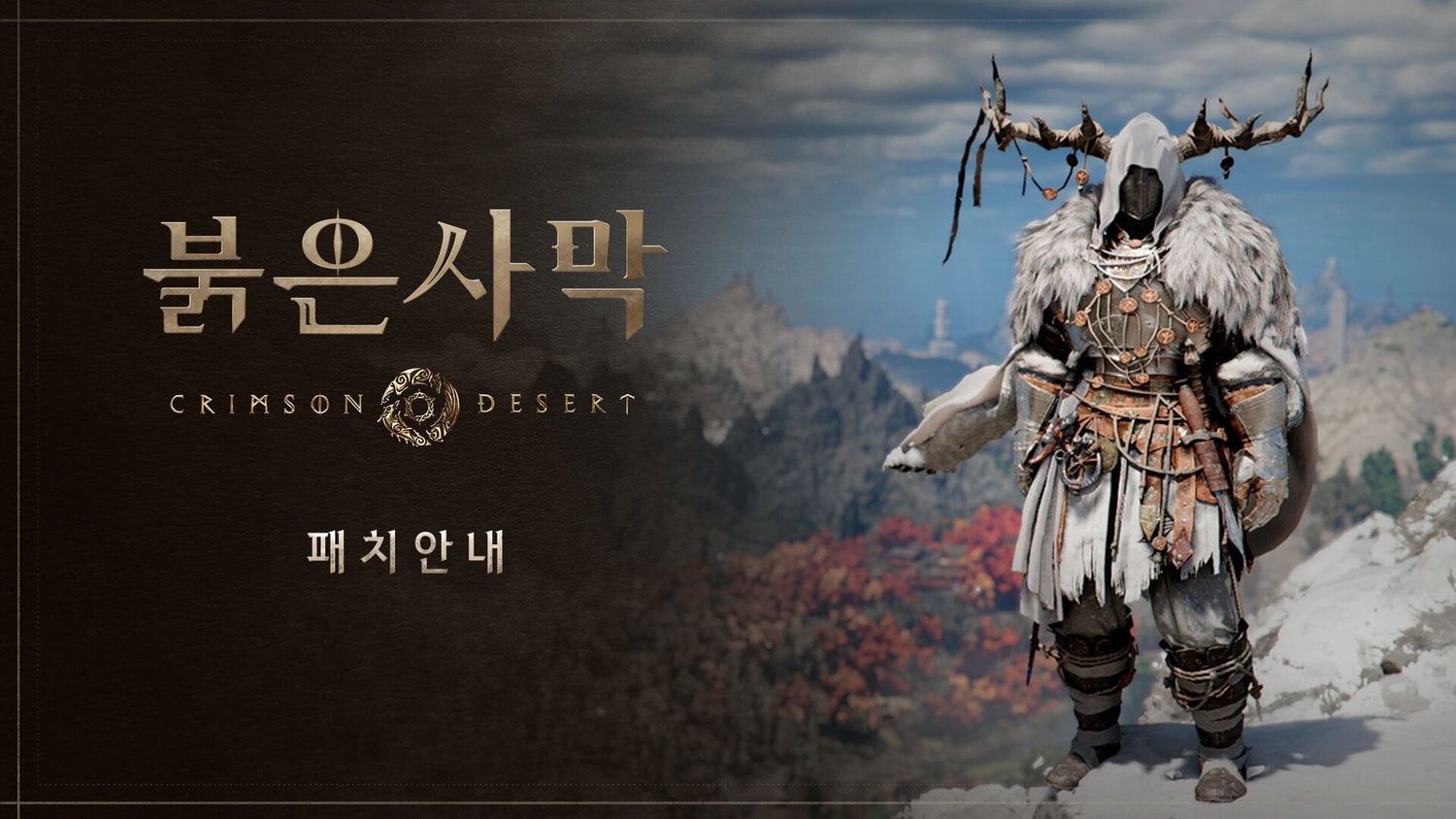
Crimson Desert Update Shows Why a Gaming PC for Open World Games Matters in Canada
The latest Crimson Desert update is more than a small content note for fans following Pearl Abyss’ ambitious action-adventure RPG. With Wung-ka and Demian now able to enter the Abyss alongside Kliff, new equipment added for multiple characters, expanded costume and dye options, and quality-of-life improvements such as cleaner mini-map tracking, the update points to a bigger trend Canadian PC buyers should pay attention to: modern open-world games are becoming deeper, more flexible, more visually demanding, and more system-intensive. If you are shopping for a Gaming PC for Open World Games, this is exactly the kind of news that should make you stop and ask whether your current desktop is ready for the next wave of large-scale PC gaming.
Crimson Desert has attracted attention because it blends open-world exploration, cinematic action, detailed environments, gear progression, and character-driven gameplay. Updates that expand character access, equipment systems, visual customization, and in-world navigation may sound like gameplay details first, but they also highlight the kind of experience players increasingly expect from a modern gaming computer: smooth performance, fast loading, stable frame rates, high-resolution textures, and enough GPU power to make sprawling worlds feel alive instead of sluggish.
For Canadian gamers, streamers, creators, students, and professionals who use one PC for everything, the question is not simply, “Can my PC launch the game?” The better question is, what do you want your next PC to do for you when games, software, and hardware prices keep moving forward? Do you want 1080p high settings, 1440p ultra gameplay, 4K cinematic visuals, ray tracing, streaming, recording, video editing, photo editing, graphic design, or even 3D modeling on the same system?
At Groovy Computers, we look at gaming news like this through a practical buying lens. A game update that expands playable systems and customization is a reminder that buying a custom gaming PC is not only about today’s title. It is about building a machine that still feels fast when the next major update, expansion, engine upgrade, or AAA release lands.
What the Crimson Desert Update Adds and Why PC Gamers Should Care
According to the reported update, Crimson Desert now allows Wung-ka and Demian to enter the Abyss alongside the protagonist, Kliff. That matters because character choice can reshape how players experience exploration, combat, pacing, and progression. The update also adds 47 new pieces of equipment for Kliff, Wung-ka, and Demian, including boss equipment, and expands item access related to the Cuckoo bird for Demian and Wung-ka.
On top of that, the update includes quality-of-life improvements, such as enabling dye options for certain ghillie suits and weapons that were previously restricted, and modifying the mini-map border to focus on the currently tracked request. These details may seem small, but they show how modern RPGs are increasingly built around personalization, collection, exploration, and smoother moment-to-moment play.
Why should that influence your PC buying decision? Because games with wide environments, collectible equipment, detailed character models, combat effects, high-resolution assets, and navigation systems tend to benefit from stronger hardware. You may not need the most expensive desktop in Canada to enjoy an open-world game, but if you care about fluid performance, visual quality, and future updates, the right custom build matters.
Think about your own expectations. Are you the type of player who turns settings down just to make a game playable, or do you want to step into a world like Crimson Desert with the graphics turned up, the frame rate stable, and the system quiet enough that your PC does not sound like it is fighting for survival?
Why a Gaming PC for Open World Games Needs More Than Basic Specs
A strong Gaming PC for Open World Games is different from an entry-level desktop that only needs to run lightweight esports titles. Open-world games often combine many demanding elements at once: large maps, long draw distances, dynamic lighting, dense environments, complex NPC behaviour, fast traversal, weather effects, particle-heavy combat, and frequent asset streaming from storage.
That means your PC needs balance. A powerful graphics card helps with resolution, visual settings, ray tracing, and frame generation features where supported. A capable CPU helps with simulation, AI, background systems, physics, and consistent frame pacing. Fast RAM helps with multitasking and modern game engines. A quality NVMe SSD helps reduce loading delays and supports smoother asset streaming. Cooling and power delivery keep the system stable when the game pushes hardware for long sessions.
Have you ever had a game run fine in a quiet area, then suddenly stutter in a city, boss fight, dense forest, or crowded combat sequence? That is often where a cheaper, poorly balanced PC starts to show its limits. A custom build from Groovy Computers is designed around the full experience, not just the minimum requirement line on a game listing.
What Do You Want Your Next PC to Do for You?
Before choosing a gaming computer, ask the question that matters most: what do you want your next PC to handle without regret? Crimson Desert may be the game that gets your attention today, but your desktop may also need to support school, work, streaming, editing, design, or future AAA games that have not launched yet.
Here are the kinds of questions Canadian buyers should be asking before they buy:
- What games do you actually play? Are you focused on open-world RPGs, competitive shooters, survival games, racing sims, MMOs, cozy games, or a mix of everything?
- What resolution do you want? Is 1080p enough, or are you moving to a sharper 1440p monitor? Are you planning for 4K gaming?
- Do you care about ray tracing and ultra settings? If yes, your GPU choice becomes much more important.
- Will you stream or record gameplay? A Gaming and Streaming PC Canada setup needs more headroom than a basic gaming-only desktop.
- Do you edit videos, thumbnails, photos, or social clips? A gaming PC can often become a strong Content Creation PC Canada build if the parts are selected properly.
- Do you use Adobe Premiere Pro, DaVinci Resolve, Photoshop, Lightroom, Blender, Unreal Engine, or CAD software? Those workloads may change your CPU, GPU, RAM, and storage needs.
- Do you want to avoid upgrading too soon? Spending slightly more on the right build now can be less frustrating than replacing a weak system early.
- Would financing help you secure a stronger system before prices or availability shift? Financing up to 4 years can make a better-balanced build more accessible without forcing you into the cheapest option today.
The goal is not to overspend. The goal is to avoid underbuying. Underbuying is what happens when a customer buys a PC based only on the lowest price, then discovers it cannot comfortably handle the games, creative software, or multitasking they actually care about.
Which Performance Tier Fits You Best?
Not every Canadian gamer needs the same PC. A student in Halifax playing at 1080p has different needs than a creator in Toronto editing 4K video, a streamer in Calgary running OBS and Discord on a second monitor, or a 3D artist in Nova Scotia using Blender and Unreal Engine. The right tier depends on your monitor, workload, expectations, and upgrade timeline.
Entry-Level and Budget Gaming PC: Is 1080p Your Main Goal?
A budget-friendly gaming PC is a smart choice if you mainly want 1080p gaming, everyday use, schoolwork, browsing, and popular multiplayer titles. For players who want to experience open-world games at reasonable settings without chasing ultra presets, an entry-level custom build can still be a major upgrade over an old office desktop, console-limited setup, or aging laptop.
Ask yourself: are you comfortable adjusting settings for smoother gameplay, or do you want everything maxed out? If your goal is a reliable Budget Gaming PC Canada option for 1080p, Groovy Computers can help you avoid common mistakes such as weak power supplies, insufficient storage, single-channel memory, poor airflow, or outdated components that look inexpensive but age quickly.
Mid-Range Gaming PC: Is 1440p the Sweet Spot?
For many gamers, a 1440p Gaming PC Canada build is the sweet spot. It offers a noticeable visual upgrade over 1080p without demanding the same GPU budget as native 4K ultra gaming. If you are excited about games like Crimson Desert because of their world design, combat effects, and visual atmosphere, 1440p can deliver a sharper and more immersive experience while still keeping frame rates strong with the right GPU.
This tier is also ideal for players who multitask. Do you keep Discord open, run a browser with guides or music, record clips, or use a second monitor? If so, your PC needs more than a bare-minimum spec list. It needs enough CPU threads, memory capacity, SSD speed, and cooling to stay responsive while the game is running.
High-End Gaming PC: Do You Want 4K, Ray Tracing, and Ultra Settings?
If you are building around visual quality, high refresh rates, cinematic gameplay, and long-term performance, a 4K Gaming PC Canada or premium 1440p high-refresh setup may be the right move. This is where GPU selection becomes especially important. A Ray Tracing Gaming PC Canada configuration can make modern lighting, reflections, shadows, and image reconstruction features feel far more impressive when supported by the game.
Should you buy a high-end system if you only play casual titles? Probably not. But if you are the type of gamer who wants to play new AAA releases at high settings, keep a PC for several years, and avoid the feeling of needing an upgrade every time a major game launches, investing in a better system can make sense.
Creator and Hybrid PC: Do You Game, Stream, Edit, and Design?
Many Groovy Computers customers are not just gamers. They are streamers, YouTubers, photographers, designers, business owners, students, and creators who need one powerful desktop to handle everything. If that sounds like you, your ideal system may be a Content Creation PC Canada or hybrid gaming and creator build rather than a gaming-only configuration.
Do you want to play Crimson Desert, capture highlights, edit YouTube videos, make TikToks, design thumbnails in Photoshop, batch edit photos in Lightroom, or stream with OBS? If yes, you should think carefully about RAM, SSD capacity, CPU performance, GPU encoding support, and quiet cooling. A PC that is “good enough” for gaming may not be good enough when you add editing, exporting, browser tabs, streaming software, and background apps.
Workstation and 3D Modeling PC: Are You Using Blender, Unreal Engine, CAD, or Rendering Tools?
Open-world game news also matters to creators because modern game worlds are built with the same kinds of technologies that 3D artists, designers, and developers use every day. If you are using Blender, Unreal Engine, Unity, SketchUp, Revit, AutoCAD, SolidWorks, Maya, 3ds Max, or Cinema 4D, your PC decision should be workstation-focused.
A 3D Modeling PC Canada or rendering workstation needs enough GPU power for viewport performance and GPU rendering, enough CPU power for simulation and CPU rendering tasks, and enough RAM to handle complex scenes. If you are asking, “What PC do I need for Blender?” or “Is a gaming PC good for workstation use?” the answer depends on your workload. Some gaming PCs are excellent foundations for 3D work, but only if the parts are chosen with professional use in mind.
Gaming PC for Open World Games: Why Storage, RAM, and Cooling Matter More Than Buyers Think
When customers compare gaming PCs, they often focus almost entirely on the graphics card. The GPU is important, but it is not the only part that determines whether an open-world game feels smooth. A well-built Gaming PC for Open World Games needs the entire system to work together.
Fast SSD Storage Helps Large Worlds Feel Responsive
Modern games increasingly rely on fast storage to load assets quickly. A slow hard drive or cramped SSD can make large games feel worse than they should. If you plan to keep multiple AAA games installed, along with editing software, recorded footage, photos, and project files, storage capacity becomes a real quality-of-life issue.
Ask yourself: do you want to uninstall games constantly to make room, or would you rather build with enough SSD storage from the start? Groovy Computers can help size your storage around your real library and workflow instead of selling you a system that looks good on paper but fills up immediately.
RAM Affects Multitasking, Streaming, Editing, and Future Comfort
RAM is one of the most misunderstood parts of a gaming PC. For basic gaming, a modest amount may work, but if you stream, edit, run multiple monitors, use creative software, or keep many apps open, more memory can make the whole computer feel smoother.
How much RAM do you need for gaming and streaming? How much RAM do creators need? There is no single answer for every buyer, but it is safer to choose a configuration that matches your real habits. If your PC is expected to run a game, Discord, OBS, a browser, music, capture software, and editing tools, you should not treat RAM as an afterthought.
Cooling and Power Delivery Protect Performance Over Time
A gaming desktop that performs well for five minutes but overheats after an hour is not a good gaming desktop. Open-world games can put sustained pressure on your CPU and GPU, especially during long sessions. Good airflow, quality fans, appropriate CPU cooling, and a reliable power supply help maintain performance and reduce instability.
This is one reason buying from a Canadian custom PC builder matters. Groovy Computers does not treat a PC as a pile of parts. A build needs to be assembled cleanly, configured properly, stress tested, and supported with a 1-year warranty so customers can buy with confidence.
Should You Buy Before a Major Game Release, Hardware Shortage, Sale Period, or Price Spike?
One of the hardest questions in PC buying is whether to buy now or wait. Many customers ask, “Is it better to buy a gaming PC now or wait?” The honest answer depends on your current computer, the games you want to play, market conditions, and whether waiting could push you into a more expensive replacement later.
Demand can rise quickly when major games, GPU launches, seasonal sales, school terms, holiday buying periods, or creator software updates push more people into the market at the same time. Component pricing can also be affected by GPU demand, memory pricing, SSD supply, currency changes, shipping costs, and availability. Canadian buyers are especially sensitive to these shifts because exchange rates and import costs can influence final retail pricing.
If your current PC is already struggling, waiting for a perfect moment can be risky. What happens if the game you are excited about launches, your system cannot handle it well, and the parts you wanted are suddenly more expensive or harder to source? What happens if you settle for a weaker PC because the stronger build moved out of reach?
That does not mean every customer should rush. It means you should make a deliberate decision. If you know you will need a stronger system for open-world gaming, streaming, editing, 3D modeling, or workstation use, planning earlier gives you more control over your build and budget.
Could Financing Help You Secure a Stronger PC Before Replacement Costs Rise?
Financing can be a practical tool when used wisely. If you are choosing between paying upfront for a weaker system or financing a better-balanced build that will last longer, the stronger PC may be the smarter choice. Groovy Computers offers financing options up to 4 years, helping Canadian customers access custom gaming PCs, creator PCs, and workstation PCs without needing the full purchase price on day one.
Should you finance a gaming PC? Ask yourself a few honest questions. Will the stronger system help you avoid upgrading too soon? Will it support the games and software you actually use? Will it save time on exports, rendering, editing, or work projects? Will it let you buy before a possible price increase, demand spike, or availability issue?
Financing is not about buying more than you need. It is about matching the payment structure to the machine you genuinely require. A gamer who wants a reliable 1080p desktop may not need a premium GPU. A streamer or video editor, however, may benefit from stepping up to a better CPU, more RAM, faster storage, and a stronger GPU because those parts directly affect daily use.
If you are wondering whether to choose a cheap gaming PC or finance a better one, Groovy Computers can help you compare the real difference. Sometimes the cheapest option is fine. Sometimes it becomes expensive later because it forces an early upgrade, limits performance, or cannot handle the workloads you bought it for.
Custom PC vs Generic Prebuilt: Why Part Matching Matters for Games Like Crimson Desert
A generic prebuilt PC may list a recognizable CPU or GPU, but that does not always tell the full story. Two computers with similar headline specs can perform differently depending on cooling, motherboard quality, memory configuration, power supply reliability, case airflow, SSD selection, BIOS setup, and build quality.
That is why a custom gaming PC is so valuable for Canadian buyers who want more than a box with flashy lights. A properly planned build considers your monitor, your games, your software, your desk setup, your budget, your future upgrades, and your preferred look. It also avoids common mismatches, such as pairing a strong GPU with poor airflow, under-sizing the power supply, choosing too little storage, or ignoring the RAM needs of creators and streamers.
Are you buying a PC just for one game, or are you buying a system that needs to carry you through several years of gaming, updates, work, and creative projects? That difference matters. Groovy Computers builds custom systems with real-world use in mind, then tests them before they leave the shop.
What Specs Should Canadian Gamers Prioritize for Crimson Desert and Future AAA Games?
Because each game can change over time with updates, drivers, patches, and settings options, the smarter approach is to buy by performance target rather than by one rigid spec list. Think in terms of resolution, frame rate, graphics quality, and multitasking.
If You Want Smooth 1080p Gameplay
Prioritize a balanced CPU and GPU, enough RAM for modern gaming, and a fast SSD. This is a strong option for value-focused buyers, students, and gamers who want reliable performance without paying for 4K capabilities they will not use. If you are asking “How much should I spend on a gaming PC?” this tier is often where the conversation begins.
If You Want High-Quality 1440p Gameplay
Prioritize a stronger GPU, a capable modern CPU, more comfortable RAM capacity, and quality cooling. This tier is excellent for players who want open-world games to look sharp and run smoothly. It is also a strong choice for streaming, recording, and light-to-moderate content creation.
If You Want 4K, Ray Tracing, or Long-Term Premium Performance
Prioritize a high-end GPU, premium cooling, a strong CPU, ample RAM, and generous SSD storage. This tier is built for players who want ultra settings, demanding visuals, and more future headroom. If you plan to pair your PC with a 4K display or high-refresh ultrawide monitor, do not build around entry-level expectations.
If You Want Gaming Plus Video Editing
Prioritize CPU strength, GPU acceleration, RAM, and fast storage. A Video Editing PC Canada configuration should be able to handle timeline playback, effects, exports, and multitasking. If you use Adobe Premiere Pro, DaVinci Resolve, After Effects, or CapCut, your PC should be planned around those tools, not just game frame rates.
If You Want Gaming Plus Streaming
Prioritize GPU encoding support, CPU headroom, RAM, and quiet cooling. A Streaming PC Canada setup needs to keep gameplay smooth while OBS, chat, alerts, browser sources, microphones, cameras, and recording tools are active. Do you need a separate streaming PC? Many creators do not if their main system is configured properly.
If You Want Gaming Plus Design, Photo Editing, or 3D Work
Prioritize the software you use most. Photoshop and Lightroom benefit from fast CPUs, RAM, SSDs, and a capable GPU for certain accelerated features. Blender, Unreal Engine, CAD, and rendering tools may need more GPU power and memory. If you are asking “What PC do I need for graphic design?” or “What PC do I need for 3D rendering?” a custom consultation is far safer than guessing.
Why Canadian Buyers Should Think Differently About PC Timing
Canadian PC buyers face realities that are easy to overlook. Component pricing can be affected by exchange rates, cross-border logistics, shipping costs, product availability, and regional demand. A sale price or part configuration that looks stable today may not be available next month. That matters when you are planning for a game release, school program, business project, content channel, or software upgrade.
For customers in Nova Scotia, Atlantic Canada, and across the country, buying from a Canadian Gaming PC Company can simplify the process. You get advice grounded in Canadian pricing, Canadian availability, Canadian warranty expectations, and real shipping considerations. Groovy Computers serves customers looking for Gaming Computers Canada-wide, with custom builds designed for actual use instead of one-size-fits-all assumptions.
Are you buying before a new game consumes your free time? Before your semester starts? Before your editing workload increases? Before your old PC fails at the worst possible moment? These are practical timing questions, not hype. A well-timed purchase can help you avoid stress, rushed decisions, and limited inventory.
What the Crimson Desert Update Signals About Future Game Expectations
The Crimson Desert update emphasizes expanded character choice, more collectible gear, deeper visual customization, and smoother navigation. These features reflect broader trends in modern game development. Players expect worlds that are more interactive, more customizable, more cinematic, and more responsive.
That expectation affects hardware. If you want games to feel immersive, your PC needs to support more than the absolute minimum. It needs enough performance to keep visuals stable during combat, enough storage to handle large installs, enough RAM for background apps, and enough cooling to avoid performance drops during long sessions.
Do you want your next PC to be ready for one game, or ready for the pattern of games that are coming next? Open-world titles, ray tracing games, Unreal Engine projects, large RPGs, and creator workflows all point toward the same conclusion: buying a balanced, tested, upgrade-conscious desktop is becoming more important.
Questions to Ask Before Buying or Financing a Custom Gaming PC
If you are close to buying, slow down just long enough to ask the right questions. A few minutes of planning can prevent years of compromise.
- What resolution will I play at most often? 1080p, 1440p, 4K, ultrawide, and high-refresh monitors all change the ideal GPU tier.
- What games am I buying for? Are you preparing for Crimson Desert, other open-world games, competitive titles, simulation games, or upcoming AAA releases?
- Do I care more about frame rate or visual quality? Competitive players often prioritize high FPS, while RPG fans may prioritize detail and immersion.
- Will I stream, record, or edit? If yes, your system needs extra headroom.
- How much storage will I need in one year? Game libraries and creator files grow quickly.
- Do I want to upgrade later? A good custom build should leave room for practical upgrades where possible.
- Would financing let me choose the right PC instead of the cheapest PC? Monthly payment options can make a more durable configuration easier to manage.
- Who is building and testing the system? Rigorous testing, clean assembly, and warranty support are part of the value.
If you do not know the answer to every question, that is normal. Most customers know what they want to do with the PC, but not which parts best support it. That is where Groovy Computers can help.
Why Groovy Computers Is Built for Canadian Gamers, Creators, and Workstation Buyers
Groovy Computers is a Canadian custom PC builder focused on matching customers with the right machine for their needs. Whether you are looking for a gaming desktop for new games, a streaming setup, a creator workstation, a photo editing PC, a graphic design desktop, or a 3D rendering workstation, the goal is the same: build a system that performs well, looks great, and gives you confidence after the purchase.
Every serious PC purchase should consider reliability. A computer is not just a product; it is the centre of your gaming setup, creative workflow, school work, business productivity, and entertainment. That is why rigorous testing, quality component matching, cable management, airflow planning, and a 1-year warranty matter.
Groovy Computers can help customers choose between budget gaming computers, premium RTX gaming PCs, custom creator PCs, editing workstations, and 3D modeling workstations. If you are unsure whether you need a 1080p gaming PC, 1440p gaming PC, 4K gaming PC, Streaming PC Canada setup, Video Editing PC Canada build, or Custom Workstation PC Canada configuration, you do not have to guess.
Want help choosing a Gaming PC for Open World Games that fits your monitor, budget, and future plans? Visit GroovyComputers.ca to explore custom options, ask about financing, and get guidance from a Canadian team that understands gaming performance and real customer needs.
Should You Build Around Crimson Desert Specifically or Around Your Whole PC Life?
It is tempting to buy a PC around one exciting title. Crimson Desert may be the reason you start shopping, but your computer will almost certainly do more than play one game. It may become your streaming machine, school computer, editing station, design workstation, photo library, business desktop, and entertainment hub.
That is why Groovy Computers recommends thinking in categories rather than chasing one isolated requirement. If you only need 1080p gaming, build smart and save money. If you want 1440p open-world immersion, choose a stronger GPU and balanced parts. If you want 4K, ray tracing, streaming, and editing, step into a premium configuration. If your income or education depends on creative software, treat the PC like a productivity investment, not just a gaming purchase.
Ask yourself: if your new PC still feels fast two or three years from now, what would that be worth? How much frustration would you avoid by not fighting stutter, long exports, full drives, overheating, or early upgrades? How much better would your gaming and creative life feel with a desktop built around what you actually do?
The Bottom Line: A Gaming PC for Open World Games Is About Readiness
The Crimson Desert update is a reminder that modern games are not standing still. More characters, more gear, more customization, more world interaction, and smoother gameplay systems all contribute to richer experiences. For players, that is exciting. For PC buyers, it is a signal to choose hardware carefully.
A Gaming PC for Open World Games should be balanced, upgrade-conscious, properly cooled, fast enough for your monitor, and flexible enough for the way you actually use your computer. Whether you are buying for Crimson Desert, future AAA games, streaming, editing, content creation, or workstation tasks, the right custom build can help you avoid compromise.
If you are ready to stop guessing, Groovy Computers can help you choose the right performance tier, compare budget and premium options, explore financing up to 4 years, and build a custom PC that fits your goals before demand, availability, or replacement costs shift against you. The best time to plan your next system is before your current PC becomes the bottleneck.
#GamingPCForOpenWorldGames #CustomGamingPCCanada #GamingComputersCanada #1440pGamingPCCanada #4KGamingPCCanada #StreamingPCCanada #ContentCreationPCCanada #GroovyComputers
Groovy Computers | All Rights Reserved



Leave a comment
This site is protected by hCaptcha and the hCaptcha Privacy Policy and Terms of Service apply.