




















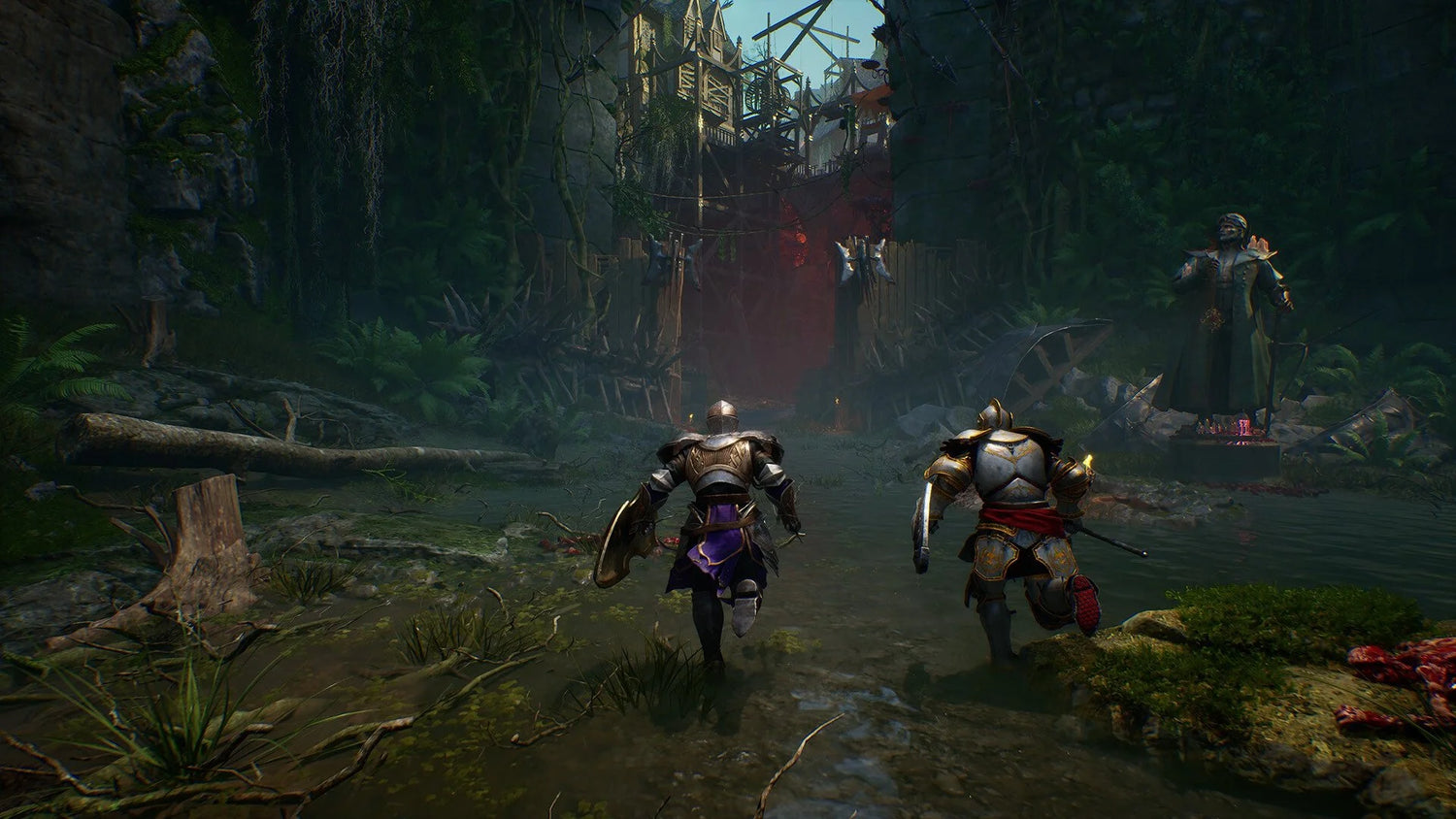
Crimson Moon Cross-Play Explained: Why a Gaming PC for New Games Matters More Than Ever
Crimson Moon is the kind of release that instantly gets co-op players talking: a challenging soulslike roguelike built around 2-player co-op, shared survival pressure, and build synergy. The big news for friends split across different hardware is simple: Crimson Moon supports full cross-play across PlayStation 5, Xbox Series X|S, and PC. For Canadian players shopping for a gaming PC for new games, that one feature changes the buying conversation in a major way.
Why? Because cross-play means you do not have to buy the same platform as your friends just to play together. If your friend is on console and you want the flexibility, upgrade path, higher frame rates, streaming tools, editing software, and multitasking power of a gaming desktop, Crimson Moon gives you that option. You can choose the platform that fits your life instead of being locked into whatever your group owns.
There is one important catch: Crimson Moon does not support cross-progression at launch. That means your progress does not transfer between platforms. If you start on PC, your progress stays on PC. If you start on console, your progress stays there. For anyone deciding where to play first, that makes the initial platform decision much more important.
So the real question becomes: if Crimson Moon is the kind of game you want to sink hours into with a friend, do you want your main platform to be a console, or do you want a custom-built PC that can also handle your next wave of games, streaming, video editing, photo work, graphic design, content creation, 3D modeling, and everyday productivity?
That is where Groovy Computers comes in. As a Canadian custom PC builder, Groovy Computers helps players choose systems around what they actually want to do, not around generic spec sheets. Whether you are looking for a budget gaming computer, a premium RTX gaming PC, a gaming and streaming PC, a creator PC, or a workstation built for heavier software, the best buying decision starts with one practical question: what do you want your next PC to do for you?
Crimson Moon Cross-Play: What Canadian Players Need To Know
Crimson Moon offers full cross-play across PlayStation 5, Xbox Series X|S, and PC. In plain language, that means PC players can join console players, console players can join PC players, and friends do not need to coordinate hardware purchases just to play together.
For co-op-focused games, that is a major win. Crimson Moon is built around 2-player teamwork, and the shared life pool makes communication, build planning, and consistent performance matter. If one player is carrying damage output while the other builds for survivability, crowd control, or support-style utility, the experience becomes more strategic than simply rushing through a run.
But cross-play also creates a smarter buying opportunity. If you were considering a new gaming system mainly because your friends bought one, Crimson Moon proves that you can choose based on your own performance goals instead. Do you care about smooth frame rates? Do you want a dual-monitor setup for Discord, guides, and streaming? Do you want to record runs for YouTube or TikTok? Do you want a system that plays Crimson Moon today and still feels strong for upcoming AAA releases?
Those are PC-first questions. Cross-play means your social group can stay connected while you invest in the platform that gives you the broadest long-term value.
Does Crimson Moon Have Cross-Progression?
No. Crimson Moon does not have cross-progression at launch. If you buy and play the game on one platform, your progress does not transfer to another platform. If you later decide to move from console to PC, you should expect to start over unless official cross-progression support is added in the future.
That matters more than many players realize. In a roguelike, your progress, unlocks, knowledge, and build familiarity are part of the investment. Even if each run is self-contained, your account progression and platform history can still influence how attached you feel to one version of the game.
So ask yourself this before you start: where do you want your permanent Crimson Moon home to be? If you already know you want higher performance, better multitasking, more storage flexibility, and access to PC-only tools, starting on PC may save you from platform regret later.
Why Cross-Play Makes PC a Stronger Choice, Not a Riskier One
In the past, some players hesitated to buy a gaming PC because their friends were on console. Cross-play is changing that. Modern releases increasingly recognize that players want to connect across ecosystems. Crimson Moon is another example of that trend, and it makes PC gaming more approachable for players who still want to stay connected with console friends.
Instead of asking, “Will I be isolated if I buy a PC?” the better question is: what extra value do I get if I choose PC while still playing with my friends?
A well-built gaming PC can offer:
- Higher frame rate potential for smoother gameplay, especially on high-refresh monitors.
- Resolution flexibility, including 1080p, 1440p, ultrawide, and 4K setups depending on the build.
- Better multitasking for Discord, browsers, music, capture software, and streaming tools.
- Upgrade paths for future GPUs, storage, memory, and cooling improvements.
- Creator software support for editing clips, making thumbnails, streaming, podcasting, and design work.
- Wider game library access across multiple storefronts and PC-exclusive releases.
- Peripheral freedom with keyboard, mouse, controllers, racing wheels, audio interfaces, and more.
Cross-play removes the social downside. A custom gaming PC adds the performance and productivity upside.
What Do You Want Your Next PC To Do For You?
This is the most important question in the entire buying process. Not “what is the cheapest computer?” Not “what has the biggest number on the box?” The better question is: what do you want your next PC to do every week for the next several years?
Are you only playing Crimson Moon and lightweight indie games? Are you also jumping into Call of Duty, Fortnite, Counter-Strike 2, Valorant, Minecraft, Roblox, open-world RPGs, ray tracing games, and upcoming AAA releases? Do you want to stream on Twitch or YouTube? Are you editing gameplay highlights in DaVinci Resolve, Adobe Premiere Pro, CapCut, or After Effects? Are you working with Photoshop, Lightroom, Illustrator, Blender, Unreal Engine, AutoCAD, Revit, SolidWorks, or other demanding software?
Your answer should shape the system. A student buying a first gaming PC does not need the same configuration as a 4K streamer. A photographer does not need the same priorities as a competitive esports player. A 3D artist working in Blender or Unreal Engine has different needs again.
At Groovy Computers, this is where a custom build makes sense. Instead of buying a generic desktop that is “good enough” in theory, you can choose a system built around real use: gaming, streaming, editing, design, content creation, 3D modeling, or workstation productivity.
What Gaming PC Do I Need for Crimson Moon and New Co-Op Games?
Crimson Moon’s biggest buying lesson is not just about one game. It is about the modern co-op gaming lifestyle. Players are often running Discord, voice chat, browser tabs, background launchers, RGB software, capture tools, and sometimes a stream at the same time. That means the best experience is not only about “can it launch the game?” It is about whether your PC stays smooth when real life happens around the game.
If you are asking what gaming PC do I need, start with your target resolution and expectations:
- 1080p gaming: Best for budget-conscious players, students, first gaming PCs, esports titles, and high frame rates without overspending.
- 1440p gaming: The current sweet spot for many PC gamers who want sharper visuals, strong performance, and better long-term value.
- 4K gaming: Best for premium builds, high-end GPUs, ultra settings, cinematic single-player games, and players who want the most impressive visual experience.
- Ray tracing: Best for players who care about lighting, reflections, visual immersion, and modern graphics features in supported titles.
- Streaming and recording: Requires extra GPU, CPU, RAM, and storage planning so the game and content tools can run together smoothly.
For many Canadian buyers, a 1440p Gaming PC Canada configuration is the ideal balance. It gives you a noticeable visual upgrade over 1080p without immediately pushing the budget into extreme 4K territory. If you play co-op roguelikes, action RPGs, shooters, survival games, and upcoming AAA releases, 1440p is often where a custom build starts to feel truly premium without becoming excessive.
Which Performance Tier Fits You?
Choosing a gaming PC is easier when you match the tier to your habits. Do you want the best deal today, the longest upgrade runway, or the smoothest possible high-end experience? Below is a practical way to think about your options.
Budget Gaming Computer: Are You Playing at 1080p and Watching the Budget?
A budget gaming computer is best for players who want strong 1080p performance, popular multiplayer games, indie releases, co-op titles, school use, and everyday productivity. If Crimson Moon is your kind of game and you are not chasing 4K ultra settings, a value-focused system can make a lot of sense.
Ask yourself: do I want a first gaming PC that feels fast today, or do I want to spend more now to avoid upgrading too soon? There is no wrong answer, but there is a right answer for your budget and expectations.
A smart budget build should still avoid the common traps: weak power supplies, limited storage, poor airflow, low-quality motherboards, and configurations that leave no meaningful upgrade path. A cheap system that needs major replacement parts too soon is not always the better deal.
Mid-Range Gaming PC: Do You Want the 1440p Sweet Spot?
A mid-range gaming PC is where many players should focus if they want a balanced system for new games. This tier is ideal for 1440p gaming, high-refresh monitors, smoother co-op play, heavier multitasking, and some content creation.
If your question is what PC do I need for 1440p gaming, this is usually the category to explore first. You want a capable modern GPU, a strong gaming CPU, fast NVMe storage, enough RAM for current multitasking, and cooling that keeps the system stable during long sessions.
This is also the tier that makes sense for gamers who are not only playing but also capturing clips, editing short videos, running Discord, using a second monitor, and occasionally streaming. It is not just a gaming desktop; it can become your entertainment, school, work, and creator hub.
Premium RTX Gaming PC: Are You Chasing 4K, Ray Tracing, and Ultra Settings?
A premium RTX gaming PC is for players who want the highest visual settings, ray tracing, 4K resolution, high-end monitors, VR possibilities, and maximum long-term performance. If you are the kind of buyer who asks, “what PC do I need for 4K gaming?” or “what PC do I need for ultra settings?” this is where you start.
This tier is also attractive if you do not want to upgrade again soon. A higher-end GPU, stronger CPU, more RAM, faster storage, and premium cooling can extend the useful life of the system. The upfront cost is higher, but the experience is more capable across games, creative tools, and workstation tasks.
Should you finance a high-end gaming PC instead of buying a cheaper one outright? For some Canadian buyers, yes. If financing helps you secure a stronger system that lasts longer, avoids early replacement, and fits your monthly budget, it can be a practical move, especially when component prices are under pressure.
Is Crimson Moon Better on PC If Cross-Play Already Works?
Cross-play answers the friend-group question. PC answers the performance and flexibility question. Whether Crimson Moon is “better” on PC depends on what you value, but there are several reasons a gaming desktop can be the better long-term home.
Do you want to use the monitor you prefer? Do you want higher refresh rates? Do you want to keep Discord and guides open on a second display? Do you want to record boss fights, clip funny co-op moments, or stream your runs? Do you want to upgrade your storage later instead of deleting games constantly?
For a co-op roguelike, smooth performance can make the difference between reacting in time and losing a run. A stable gaming PC with a quality GPU, appropriate CPU, enough memory, and fast storage helps reduce the friction that can make intense games feel worse than they should.
PC is not only about higher settings. It is about control. You control the monitor, inputs, storage, upgrades, software, recording tools, and performance targets. When cross-play lets you keep playing with console friends, that control becomes even more valuable.
Why No Cross-Progression Means You Should Choose Your Platform Carefully
The lack of cross-progression at launch makes the first platform decision important. If you are thinking, “I will start on console and move to PC later,” remember that you may not be able to bring your progress with you. That does not mean you cannot switch, but it does mean switching could cost you time.
This is especially relevant for players who are already considering a new PC for other reasons. If you need a better system for school, work, editing, streaming, or gaming anyway, starting Crimson Moon on PC may be the cleaner choice. You avoid splitting your progress, and you build your game library around the platform that can grow with you.
Ask yourself: am I buying for one game, or am I building a platform for the next three to five years? If the answer is the second one, a custom desktop from Groovy Computers deserves serious consideration.
Should You Buy a Gaming PC Now or Wait?
Canadian PC buyers are right to ask this question. Component pricing can shift quickly, especially when demand rises around major game launches, holiday sale periods, new GPU cycles, supply constraints, memory pricing changes, storage pricing pressure, and currency movement. Waiting can sometimes help, but it can also mean paying more later or settling for less availability.
If you are already planning to buy before a major game release, school term, content schedule, software upgrade, or busy work season, the better question may be: what are you risking by waiting?
There are several timing factors to consider:
- GPU demand pressure: New games, creator workloads, AI tools, and premium gaming trends can increase demand for stronger graphics cards.
- Memory and storage volatility: RAM and SSD pricing can move as supply and demand change across consumer, creator, and enterprise markets.
- Holiday and launch-window demand: Big releases and sale events can drain popular configurations quickly.
- Canadian dollar movement: Many PC components are affected by international supply chains and exchange-rate pressure.
- Software requirements keep rising: Games and creative applications rarely get lighter over time.
Is it better to buy a gaming PC now or wait? If your current system still meets your needs and you are not in a hurry, waiting can be reasonable. But if your PC is already holding you back, or if you are trying to buy before a major gaming or creator workload spike, waiting too long may create worse buying conditions.
Could Financing Help You Secure a Stronger System Before Prices Change?
For many buyers, the real decision is not “cheap PC or expensive PC.” It is “weaker system now or stronger system with manageable payments.” That is why Gaming PC Financing Canada options can matter for serious players, streamers, students, and creators.
Groovy Computers offers financing options up to 4 years where available, helping Canadian customers move into a stronger system without paying the full amount upfront. Financing can make sense when the monthly payment fits your budget and the better build reduces the chance that you will need another major upgrade too soon.
Should you finance a better PC instead of buying a cheaper one? Consider these questions:
- Will the cheaper system struggle with the games or software you actually use?
- Will you need more RAM, storage, or GPU power within the next year?
- Are you planning to stream, edit, or create content in addition to gaming?
- Would a stronger PC help you earn income, finish projects faster, or support school and work?
- Are component prices likely to be less favourable if you wait until demand spikes?
If your answers point toward heavier use, financing may help you buy the PC you actually need instead of settling for one you will outgrow quickly. The goal is not to overspend. The goal is to choose a system that matches your real workload and lasts.
Wondering whether financing makes sense for your next gaming PC for new games? Visit GroovyComputers.ca to explore custom gaming PCs, creator PCs, workstation options, and financing paths built for Canadian buyers.
Gaming and Streaming: Do You Want to Share Your Crimson Moon Runs?
Crimson Moon’s co-op structure is perfect for streaming and highlight content. Shared danger, clutch saves, failed runs, build experiments, and boss attempts all translate well into short-form videos, Twitch streams, YouTube uploads, and social clips.
If you want a Gaming and Streaming PC Canada setup, you need to plan beyond basic game performance. Streaming adds load. Recording adds storage demand. Editing adds CPU, GPU, and RAM requirements. Running OBS Studio, Discord, browser alerts, music, chat tools, and the game itself can expose weaknesses in a low-end system quickly.
Ask yourself: what PC do I need for streaming if I want gameplay to stay smooth? A strong streaming build typically needs:
- A capable GPU with modern encoding support for streaming and recording.
- A strong CPU for multitasking, background software, and game performance.
- Enough RAM to handle the game, OBS, browser sources, Discord, and editing tools.
- Fast NVMe storage for game loads, recorded footage, project files, and exports.
- Reliable cooling for long live sessions.
- Room for extra monitors, capture accessories, microphones, and peripherals.
If you only play casually, a standard gaming build may be enough. But if you want to stream consistently, edit highlights, and grow a channel, your PC should be designed as a gaming and creator machine from day one.
Content Creation: Is a Gaming PC Good for Editing, Design, and Social Media Work?
A gaming PC can be excellent for content creation if it is configured properly. The same hardware that helps games run smoothly can also accelerate video editing, thumbnail creation, streaming, photo workflows, and design projects. But balance matters.
If you are editing Crimson Moon clips for YouTube, TikTok, Instagram, or client work, you may need more than a basic gaming tower. A Content Creation PC Canada configuration should consider CPU performance, GPU acceleration, RAM capacity, storage speed, and project-file organization.
Ask yourself: what PC do content creators need if they game, stream, edit, and design on one machine? The answer depends on your software:
- Adobe Premiere Pro: Benefits from strong CPU performance, GPU acceleration, fast storage, and enough RAM for smooth timelines.
- DaVinci Resolve: Can lean heavily on GPU power, especially for colour work, effects, and higher-resolution projects.
- After Effects: Loves memory, CPU performance, and fast cache storage.
- CapCut and social editing tools: Run well on many systems but still benefit from strong graphics, fast exports, and reliable multitasking.
- Photoshop and Lightroom: Benefit from fast CPUs, enough RAM, quick SSDs, and GPU support for modern features.
- Illustrator, InDesign, Canva, and design tools: Need responsive performance, reliable storage, and multi-monitor-friendly configurations.
If your PC is also part of your creative income, school program, or business workflow, a custom creator PC can be a better investment than a basic gaming system. It can save time on exports, reduce lag during edits, and keep your workflow moving when deadlines matter.
Video Editing PC Canada: Are You Turning Gameplay Into Content?
For players who record co-op sessions, a Video Editing PC Canada build can make a huge difference. Gameplay footage adds up quickly, especially at 1440p or 4K. If you are recording long sessions, editing multi-track timelines, adding captions, colour adjustments, transitions, and effects, storage and memory become just as important as raw frame rate.
What PC do I need for video editing? Start with the level of footage you work with:
- 1080p editing: A balanced gaming PC with a modern CPU, dedicated GPU, 16GB to 32GB of RAM, and fast SSD storage can work well.
- 1440p editing: More RAM, stronger GPU support, and additional SSD capacity become more important.
- 4K editing: A stronger CPU, better GPU, 32GB to 64GB of RAM, and fast project storage are strongly recommended.
- Heavy effects and motion graphics: Consider a creator-focused or workstation-class build with extra memory and cooling.
Is a gaming PC good for video editing? Yes, if the build is not too GPU-heavy at the expense of RAM, storage, and CPU performance. A custom PC builder can balance the system for both gameplay and editing rather than pushing one headline component while neglecting the rest.
Photo Editing and Graphic Design: Do You Need More Than a Gaming Desktop?
If your PC is used for photography, branding, social media design, thumbnails, print layouts, or business marketing, responsiveness matters. A slow system can make creative work feel frustrating, especially when working with large RAW files, layered Photoshop documents, Lightroom catalogues, Illustrator artboards, or multi-monitor design workflows.
A Photo Editing PC Canada or Graphic Design PC Canada build may not need the same GPU as a 4K gaming monster, but it should still be carefully balanced. You want a fast CPU, enough RAM, reliable SSD storage, quiet cooling, and display support that fits your workspace.
Ask yourself: what PC do I need for photo editing or graphic design if I also game after work? A custom build can combine both needs. You can have a gaming-capable GPU for Crimson Moon and modern titles while also choosing RAM, storage, and processor options that make Photoshop, Lightroom, Illustrator, Canva, InDesign, and similar tools feel fast.
This is one of the biggest advantages of buying from a custom PC builder. You do not have to choose between “gaming PC” and “creative PC” as if they are completely separate worlds. You can build a system around your actual mix of gaming, editing, business, and creative work.
3D Modeling and Workstation Use: Are You Also Building, Rendering, or Designing?
Some Crimson Moon players are also students, engineers, artists, designers, architects, developers, or 3D creators. If your computer needs to run Blender, Unreal Engine, Unity, Maya, 3ds Max, Cinema 4D, SketchUp, ZBrush, AutoCAD, Revit, or SolidWorks, you should not buy based only on gaming benchmarks.
A 3D Modeling PC Canada or Custom Workstation PC Canada build should be planned around the software and project sizes you use. GPU rendering, CPU rendering, viewport performance, simulation work, asset creation, and large project files can demand very different hardware priorities.
Ask yourself: what PC do I need for Blender or Unreal Engine if I also want to play new games? Many users can benefit from a hybrid gaming and workstation build. That might mean a stronger GPU for rendering and gaming, more RAM for large scenes, fast NVMe storage for project files, and cooling designed for sustained workloads instead of short bursts.
Workstation use also increases the importance of reliability. Crashing during a game is annoying. Crashing during a render, export, deadline, or client project can cost time and money. That is why rigorous testing, component matching, airflow planning, and warranty support matter.
Custom PC vs Generic Prebuilt: Why Testing and Part Matching Matter
When a game like Crimson Moon gets attention, many buyers start looking for a quick gaming PC deal. Speed matters, but so does build quality. A generic prebuilt can look attractive if it advertises one big component, but the full system matters more than a single spec.
Before buying, ask:
- Is the power supply reliable and properly sized?
- Does the case have enough airflow for long gaming sessions?
- Is the CPU paired properly with the GPU?
- Is there enough RAM for gaming, streaming, and multitasking?
- Is the storage fast and large enough for modern game libraries?
- Is the motherboard suitable for future upgrades?
- Has the system been stress tested before shipping?
- Is there real support and warranty coverage in Canada?
Groovy Computers focuses on custom builds, rigorous testing, and practical configurations that make sense for the customer. Every serious gaming PC should be treated as a complete system, not a pile of parts. Cooling, stability, upgrade path, cable management, memory configuration, storage layout, and stress testing all affect the real experience.
Groovy Computers also provides a 1-year warranty, giving Canadian buyers confidence that their system is supported after purchase. That matters when your PC is not just for gaming, but also for school, work, editing, design, streaming, and creative projects.
Canadian Buying Context: Why Local Support Matters
Buying a gaming computer in Canada is not always the same as buying in a larger U.S. market. Canadian buyers deal with different pricing, shipping realities, regional availability, exchange-rate pressure, and support expectations. A system that looks like a deal on paper may not feel like one if it is poorly supported, difficult to return, or built with questionable parts.
Groovy Computers serves Canadian customers with custom gaming PCs, creator PCs, and workstation builds designed for real-world use. For buyers in Nova Scotia, New Glasgow, Trenton, Halifax, Atlantic Canada, and across the country, buying from a Canadian gaming PC company can make the process feel more personal and trustworthy.
Whether you are looking for Gaming Computers Canada, a custom gaming PC in Nova Scotia, or a system shipped Canada-wide, the goal is the same: choose a PC that matches your games, software, budget, and timeline.
How To Choose Between a Budget Gaming PC, Premium RTX Build, Creator PC, or Workstation
If you are unsure where you fit, use your main workload as the deciding factor. The right PC is the one that handles your most demanding regular task comfortably.
Choose a Budget Gaming PC If...
- You mainly play at 1080p.
- You want an affordable entry into PC gaming.
- You play indie games, esports titles, co-op games, and lighter AAA releases.
- You are a student or first-time gaming PC buyer.
- You want value but still care about quality and upgrade options.
Choose a 1440p Gaming PC If...
- You want sharper visuals than 1080p without jumping to full 4K cost.
- You play modern action games, RPGs, shooters, roguelikes, and open-world games.
- You want high frame rates on a high-refresh monitor.
- You multitask with Discord, browsers, music, and launchers.
- You want a strong all-around gaming desktop for the next wave of releases.
Choose a Premium RTX Gaming PC If...
- You want 4K gaming, ray tracing, ultra settings, or a flagship experience.
- You want to avoid upgrading too soon.
- You use demanding creative software in addition to games.
- You want a high-end system for streaming, editing, and gaming at once.
- You care about long-term performance and premium components.
Choose a Creator PC If...
- You edit videos for YouTube, TikTok, Instagram, or client work.
- You use Adobe Premiere Pro, DaVinci Resolve, After Effects, Photoshop, Lightroom, Illustrator, or Canva.
- You need faster exports, smoother timelines, and better multitasking.
- You game and create content on the same machine.
- You want the PC to support income, school, or business work.
Choose a 3D Modeling or Workstation PC If...
- You use Blender, Unreal Engine, Unity, CAD, Revit, SolidWorks, Maya, or Cinema 4D.
- You render, simulate, model, animate, or work with large project files.
- You need more RAM, stronger GPU compute, or sustained CPU performance.
- You want workstation reliability as well as gaming capability.
- Your PC is a tool for professional output, not just entertainment.
Questions To Ask Before Buying Your Next Gaming PC for New Games
Before you buy, take a few minutes to answer these questions. They can help you avoid underspending, overspending, or choosing the wrong category.
- What games do I play most: co-op, esports, open-world, AAA, simulation, survival, or indie?
- Do I want 1080p, 1440p, 4K, ultrawide, ray tracing, or high-refresh competitive performance?
- Will I stream on Twitch, YouTube, TikTok Live, or another platform?
- Will I record and edit gameplay clips?
- Do I use Adobe Premiere Pro, DaVinci Resolve, Photoshop, Lightroom, Illustrator, Canva, Blender, Unreal Engine, CAD, or other software?
- How much storage do I need for games, footage, photos, projects, and work files?
- Do I want to upgrade later, or do I want a system that lasts longer from day one?
- Am I buying before a major game release, sale period, school term, software upgrade, or possible price spike?
- Would financing help me secure a stronger PC before replacement costs rise?
- Do I want help choosing the right build instead of guessing?
If any of those questions made you pause, that is a sign you may benefit from a guided custom PC buying process. The best PC is not always the most expensive one. It is the one that fits your workload, your monitor, your budget, and your upgrade timeline.
Why Crimson Moon Is a Good Reminder To Plan Beyond One Game
It is easy to buy a PC because one game catches your attention. Crimson Moon’s cross-play and co-op structure might be the reason you start looking. But your next computer will probably do much more than run one title.
Think about your daily routine. You might play Crimson Moon with a friend, then jump into a competitive shooter, edit a clip, watch a stream, join a Discord call, work on school assignments, edit photos, update a portfolio, design graphics, or render a project. That is why buying a gaming PC for new games should also mean buying for your lifestyle.
A system that is barely enough today can become frustrating quickly. New games grow more demanding. Creative software adds AI features and heavier effects. File sizes increase. Monitors get sharper. Friends start streaming. You start recording. Suddenly the “good enough” PC is the bottleneck.
Do you want to avoid upgrading too soon? Then build for the next few years, not just the next weekend.
Why Groovy Computers Is Built for Canadian Gamers, Creators, and Workstation Buyers
Groovy Computers is not just selling boxes. The goal is to help Canadian customers choose the right custom PC for the way they actually play, work, and create. That includes gaming PCs, streaming PCs, creator PCs, video editing PCs, photo editing systems, graphic design desktops, 3D modeling workstations, and professional productivity builds.
When you shop with Groovy Computers, you can focus on practical outcomes:
- Can this PC play the games I care about?
- Can it handle 1080p, 1440p, or 4K the way I expect?
- Can it stream and record without ruining gameplay?
- Can it edit videos, photos, and design files smoothly?
- Can it run my school, business, or professional software?
- Can it last long enough that I do not feel forced into another upgrade too soon?
- Can I finance a stronger build instead of settling for a weaker one?
That is the difference between buying a random prebuilt and choosing a custom PC builder. Groovy Computers can help align the CPU, GPU, RAM, storage, cooling, case, power supply, and upgrade path around your actual needs.
If you are ready to choose a gaming PC for new games, explore options at GroovyComputers.ca and find a build that fits your performance goals, budget, and timeline.
Final Take: Cross-Play Lets You Play Together, But Your PC Determines the Experience
Crimson Moon supporting full cross-play across PlayStation 5, Xbox Series X|S, and PC is excellent news for co-op players. It means you can team up with friends regardless of platform and focus on the run, the build synergy, and the shared challenge. But because Crimson Moon does not support cross-progression at launch, your starting platform matters.
If you want the flexibility of higher frame rates, custom hardware, streaming tools, content creation software, upgrade paths, and a system that does more than gaming, PC is the platform to consider seriously. Cross-play means choosing PC does not have to separate you from your console friends. It can simply give you more control over your experience.
For Canadian buyers, the timing also matters. Hardware pricing, GPU demand, storage costs, memory volatility, software requirements, and major game releases can all affect what you pay and what is available. If your current computer is already struggling, waiting may not save you as much as you hope. Financing up to 4 years may help you secure a stronger Groovy Computers build now and avoid replacing an underpowered system too soon.
So before you start your Crimson Moon journey, ask yourself one final question: do you want a PC that only gets you into the game, or do you want a custom-built system ready for gaming, streaming, editing, creating, and whatever comes next?
For a Canadian-built gaming PC for new games, a creator-ready desktop, or a workstation designed around your real software and performance goals, Groovy Computers is ready to help you choose with confidence.
#GamingPCForNewGames #GamingPCCanada #CustomGamingPCCanada #CrimsonMoon #CrossPlayGaming #1440pGamingPC #StreamingPCCanada #CreatorPCCanada #GroovyComputers
Groovy Computers | All Rights Reserved



Leave a comment
This site is protected by hCaptcha and the hCaptcha Privacy Policy and Terms of Service apply.