



















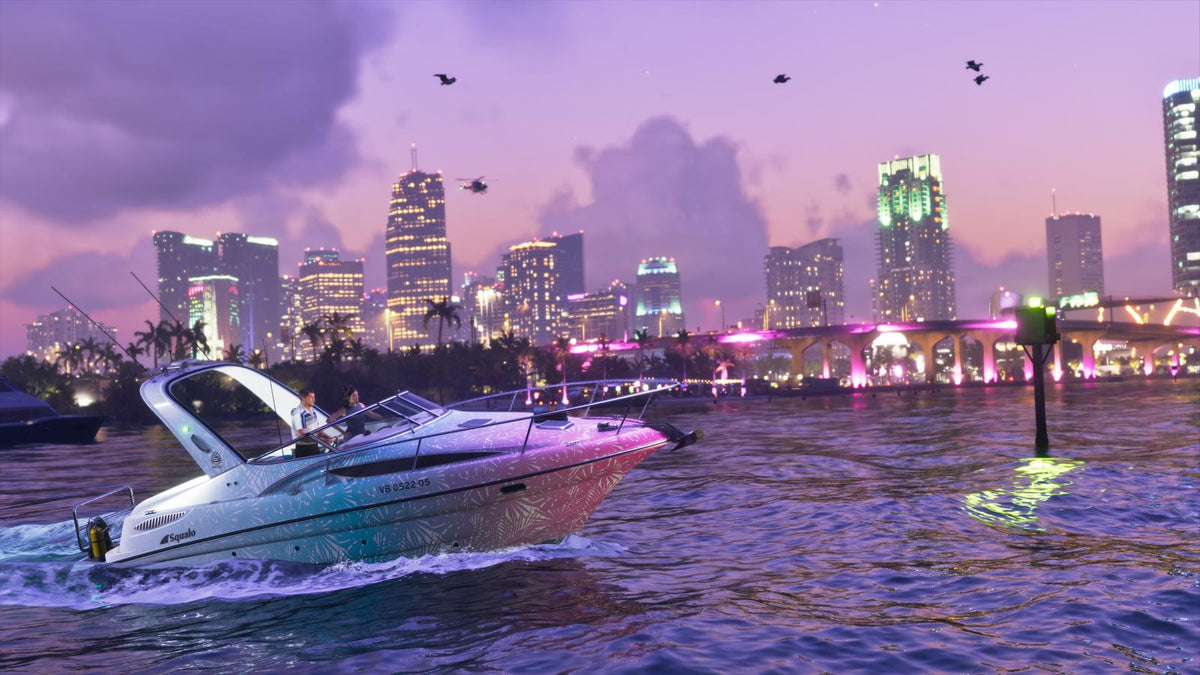
GTA 6 Map Size Hype Is Growing: What Kind of Gaming PC in Canada Will You Need for Huge Open-World Games?
The latest GTA 6 gaming PC Canada conversation is not really about a number on a map. It is about what that number represents: bigger draw distances, denser environments, more streaming assets, more traffic, more lighting, more NPC activity, and a much heavier hardware load for players who want smooth performance when massive open-world games arrive on PC. Based on the source material, fans compared a reconstructed version of Vice City with Los Santos and estimated that the city area shown for Grand Theft Auto VI could be almost twice as large as Grand Theft Auto V's main city footprint. The source also makes one thing clear: these are fan measurements, not official figures. Still, the excitement is easy to understand, and for Canadian buyers it raises a practical question. If open-world games are getting bigger, richer, and more demanding, is your current computer ready?
That question matters whether you are planning a pure gaming upgrade, a gaming-and-streaming setup, or a multi-purpose custom system that also handles video editing, photo work, design projects, and creator tasks. Big game releases do not just drive search traffic. They drive GPU demand, influence buying decisions, and often push customers to finally replace an older desktop they have been stretching for too long.
What did the source article actually say about the GTA VI map?
The source article reported on a fan comparison between GTA V and a reconstructed GTA VI Vice City map. In that comparison, Los Santos reportedly occupied only part of the territory shown for the new game. Fan estimates put Vice City at roughly 16.6 km² excluding water, compared with roughly 9.1 km² for Los Santos. The article also stressed several important limitations.
- These are not official Rockstar map dimensions.
- The GTA VI map outline was based on fan reconstruction work.
- The final scale, proportions, and total playable area could differ significantly.
- Comparing Vice City directly to Los Santos does not fully represent the total map size of either game.
That last point is especially important. A larger city does not automatically tell us everything about the full game world. But from a PC-buying perspective, this still matters because bigger worlds usually suggest more data streaming, more geometry, more environmental effects, and more chances that older CPUs, GPUs, slower SSDs, or low-RAM systems will struggle.
Why does GTA 6 map size matter for people shopping for a gaming PC in Canada?
Because hardware buying is often driven by one major release. Some customers upgrade for competitive esports. Others upgrade for content creation. But a huge number of buyers finally move when an anticipated blockbuster game makes their current machine feel old overnight. If you are already asking, Will my PC handle the next wave of open-world games?, you are exactly the kind of buyer who should be thinking ahead now instead of waiting until demand spikes.
Open-world games are rarely demanding in just one way. They can hit the GPU with lighting, reflections, shadows, and resolution scaling. They can hit the CPU with AI, traffic systems, simulation, and world density. They can hit storage with constant asset streaming. They can hit memory capacity with high-resolution textures and multitasking overhead. And if you also want to stream, record, or edit clips after you play, your system needs even more headroom.
So the better question is not just, Can my PC run GTA 6? It is, What kind of experience do I actually want from my next PC?
What do you want your next PC to do for you?
Do you want to play new AAA games at 1080p and good settings without overspending?
Do you want a 1440p gaming system that feels balanced for the next few years?
Are you aiming for 4K, ray tracing, and high visual settings in massive open-world titles?
Do you want to game and stream from one machine using OBS without stutters?
Do you also edit YouTube videos, TikTok clips, or livestream highlights and need a creator-friendly build?
Do you use Photoshop, Lightroom, Illustrator, Premiere Pro, DaVinci Resolve, Blender, Unreal Engine, or other heavy software when you are not gaming?
And maybe the biggest question of all: do you want to buy a system that feels outdated too soon, or do you want a custom build with a smarter performance tier, stronger cooling, tested stability, and room to grow?
What gaming performance tier fits you best for upcoming open-world games?
If GTA VI, future open-world titles, and visually intense AAA games are the reason you are shopping, your performance tier matters more than flashy marketing. A good custom PC should match your monitor, your settings expectations, your workload, and your upgrade timeline.
Entry-level 1080p buyers
If you mainly want strong 1080p gaming with solid settings, a budget gaming PC Canada build can still make sense. This is often the right fit for buyers who play a mix of popular multiplayer titles and newer story-driven games, but are realistic about ultra settings and long-term headroom. If your goal is value, ask yourself: are you okay lowering settings in future AAA games sooner than you would like?
An entry-level system can be a smart first gaming PC, but when giant open-world releases arrive, this is also the tier that ages the fastest. If you are already planning to play one of the most anticipated games of the generation, buying too low can mean upgrading again earlier than expected.
Balanced 1440p gamers
For many buyers, the sweet spot is a 1440p gaming PC Canada configuration. This tier usually offers the best balance between image quality, frame rates, future readiness, and total system value. If you want your computer to handle modern titles well today and still feel capable as games become heavier, 1440p-focused custom builds often make the most sense.
Ask yourself: do you want a PC that only meets today's needs, or one that still feels comfortable when next year's open-world games demand more VRAM, more CPU throughput, and faster storage?
4K and premium buyers
If you care about ultra settings, high-resolution textures, advanced lighting, ray tracing, or a premium display, then a 4K gaming PC Canada or high-end RTX-based build is the right category to consider. This is where stronger GPUs, better cooling, premium power delivery, more RAM, and larger SSDs become easier to justify.
Do you need this tier if you only game at 1080p? Probably not. But if you are investing in a premium monitor, planning to keep your system longer, or want stronger performance in the next generation of PC ports, it may be the tier that saves you money over time by delaying your next full upgrade.
What PC do you need for GTA 6-style games if you also stream?
This is where many shoppers underestimate their needs. A system that can play a large open-world game is not always the same system that can play it well while also handling OBS, chat overlays, browser tabs, Discord, background apps, and recording. If you are thinking about Twitch, YouTube, or live social streaming, then a gaming and streaming PC Canada build is usually the smarter path than a bare-minimum gaming-only machine.
Do you want to stream at 1080p while keeping your gameplay smooth? Do you want to record local footage for editing later? Do you use dual monitors? Do you want cleaner stream quality using modern GPU encoding features? These are the details that should influence your CPU, GPU, RAM, and storage choices.
For many customers, the right answer is not a separate streaming PC. It is a better-balanced custom desktop with enough overhead for both gaming and creator tasks. That is especially true if you are trying to avoid a second purchase six to twelve months from now.
What if your next PC needs to handle gaming and content creation?
A lot of shoppers no longer fit into one category. They game, but they also edit. They stream, but they also make thumbnails. They record clips, colour grade footage, work in Photoshop, and sometimes use Blender or Unreal for side projects. If that sounds like you, shopping only by game requirements can lead to the wrong machine.
A proper creator PC Canada or hybrid gaming-and-creator build should be selected around your full workflow, not just one title. Ask yourself a few practical questions.
- Do you edit 1080p, 4K, or higher-resolution footage?
- Do you work in Premiere Pro, DaVinci Resolve, or After Effects?
- Do you need faster exports, smoother playback, or better multitasking?
- Do you create social media graphics, thumbnails, or photo content?
- Do you need more RAM and storage than a typical gaming-only buyer?
If the answer is yes, then your build should reflect that. A system chosen only for gaming can become frustrating in creator workloads, especially when storage fills too quickly, memory runs short, or export times eat up your evenings.
Video editing buyers
If you are cutting gameplay footage, vlogs, tutorials, reaction clips, or client work, a video editing PC Canada configuration becomes relevant very quickly. Video editing buyers benefit from stronger CPUs, enough RAM for timelines and background apps, fast SSD storage, and a GPU that supports both playback acceleration and export speed. The right system does not just help you game after work. It helps you finish work faster.
Photo editing and graphic design buyers
If your gaming PC also needs to support Lightroom, Photoshop, Illustrator, Canva, or InDesign, your priorities change slightly. A good photo editing PC Canada or graphic design PC Canada setup should still be responsive, quiet, stable, and capable of handling high-resolution assets while leaving room for multi-monitor setups and large project files. A custom build makes more sense here than a random off-the-shelf system because component balance matters.
3D modeling and workstation buyers
If your interest in GTA-scale worlds goes beyond playing and into building virtual scenes, rendering assets, or learning creative tools, then a 3D modeling PC Canada or workstation-class configuration may be the better fit. Blender, Unreal Engine, CAD applications, and rendering tools can demand very different hardware from a standard gaming system. Do you need raw GPU rendering power, more CPU cores, more memory capacity, or all three? That is where a custom workstation approach becomes far more useful than generic prebuilt shopping.
Why bigger game worlds usually mean more pressure on your hardware
Even without official PC requirements, gamers can make a reasonable assumption: larger, denser, more detailed worlds tend to increase the importance of system balance. That means all four major areas matter.
GPU pressure
Open-world games often use complex lighting, detailed reflections, distance rendering, weather effects, and high-resolution textures. If you want ray tracing or higher resolutions, your graphics card becomes one of the biggest decision points. If you are already shopping for a premium build, ask yourself whether you want enough GPU headroom for future releases, not just one launch window.
CPU pressure
Massive city environments can put real stress on the processor through NPC logic, traffic systems, physics, AI routines, and world simulation. A weak CPU can hold back your frame rates even if your GPU looks good on paper. This matters even more if you stream, multitask, or use creator software between gaming sessions.
RAM pressure
Many buyers still underestimate memory. If you are aiming at modern AAA gaming while also running background apps, voice chat, capture tools, browsers, launchers, and creator software, too little RAM can become a bottleneck faster than expected. Are you buying for today's minimum, or for a smoother real-world experience over the next few years?
SSD and storage pressure
Large modern games are storage-hungry, and fast asset streaming matters more than it used to. A roomy, fast SSD is not a luxury in a premium gaming setup anymore. It is part of making the whole machine feel quick, responsive, and ready for multiple large installs plus recordings, media libraries, and creative projects.
Should you buy now or wait for official PC requirements?
This is one of the most common questions in the market, and the answer depends on your situation. If your current system is still serving you well and you do not mind waiting for official requirements, then waiting can make sense. But if your desktop is already struggling in current AAA titles, delaying too long can backfire.
Why? Because demand around major game releases often increases interest in stronger GPUs and higher-tier systems. Add normal component volatility, storage price movement, memory fluctuations, and wider market shifts, and waiting does not always mean saving. Sometimes it means paying more later for the same class of machine.
So ask yourself honestly: are you waiting because you need more information, or are you waiting because upgrading feels like a bigger step than you wanted to take this month?
Could financing help you get the right system before prices change?
For some buyers, the biggest mistake is buying too cheap just to avoid a monthly payment. If that cheaper machine needs replacing or major upgrades much sooner, it may not actually be the lower-cost choice over time. This is where financing becomes practical rather than impulsive.
If a stronger custom PC means you can get the performance tier you really need now, avoid upgrading too soon, and be ready before demand surges, then a payment option can make sense. Groovy Computers offers financing options up to 4 years, which can help Canadian customers move into a better build tier without having to settle for a machine that already feels compromise-heavy on day one.
Ask yourself: would you rather buy a lower-spec system now and feel limited when major games arrive, or finance a stronger build that fits your display, your software, your stream plans, and your long-term workload better?
How should Canadian buyers think about timing?
Canadian shoppers have to think about more than just headline game hype. The real buying decision often involves exchange pressure in the broader market, component availability, launch-driven demand, and the fact that replacing a weak GPU or underpowered full system later can cost more than buying correctly the first time. That is why a Gaming PC Canada buying decision should be planned around use case, timing, and total value, not just the lowest upfront number.
If you are in Nova Scotia, Atlantic Canada, or ordering elsewhere across the country, the practical question is simple: do you want to be shopping in a calm planning window, or in a rush when everyone else is suddenly looking for the same performance tier?
Custom PC vs generic prebuilt: why does it matter more with upcoming AAA games?
When games become more demanding, weak component choices become more visible. A generic prebuilt might look good in a product title, but what about the airflow, motherboard quality, power supply headroom, storage configuration, cooling, and upgrade path? Those details matter when you are buying for a game category that may stress your entire system for years.
A custom gaming PC Canada approach makes more sense for buyers who want a machine designed around how they actually play and work. That means matching the GPU to the CPU properly, choosing enough memory, selecting an SSD setup that suits modern libraries, and using cooling that supports stable sustained performance.
Do you want a computer that looks good in a listing photo, or one that was selected and assembled to make sense as a complete system?
Why Groovy Computers is a smart fit for Canadian buyers preparing for next-gen gaming
Groovy Computers is built around what serious buyers actually need: properly matched custom systems, guidance based on use case, rigorous testing, and confidence after the sale. If you are shopping for a gaming desktop, a streaming setup, a creator machine, or a heavier workstation, the value is not just in the parts list. It is in getting the right build for your goals without guesswork.
That matters even more when shoppers are trying to prepare for games that are expected to be visually ambitious and hardware-intensive. A custom system from Groovy Computers can be configured around 1080p, 1440p, or 4K gaming goals, plus creator workflows like Premiere Pro, DaVinci Resolve, Photoshop, Lightroom, Illustrator, Blender, and more. It can also help you avoid the common mistake of underbuying now and regretting it later.
Groovy Computers also offers a 1-year warranty, which matters when you want support and peace of mind from a Canadian custom PC builder. For many buyers, that confidence is just as important as the benchmark numbers.
Which type of buyer are you?
The value-focused gamer
You want strong gaming performance without overspending. You care about price-to-performance and probably play at 1080p or 1440p. You should be asking: can this build handle new games comfortably for the next few years, or am I buying too close to the minimum?
The premium open-world gamer
You want visual quality, high settings, stronger longevity, and maybe ray tracing. You should be asking: am I better off stepping into a higher GPU tier now instead of replacing my system sooner?
The gamer-streamer
You want one machine for gameplay, OBS, Discord, browsers, alerts, and recording. You should be asking: does this build have enough CPU, GPU encoding support, RAM, and storage for my full setup?
The creator who also games
You edit content, make thumbnails, work with photos, or produce short-form video. You should be asking: is this really just a gaming PC, or is it a system that can help me create faster too?
The 3D or workstation buyer
You care about rendering, modeling, CAD, Unreal, Blender, or productivity-heavy workloads. You should be asking: do I need a workstation-oriented build instead of a standard gaming-first desktop?
Questions to ask before you choose your next PC
- What games do I actually want to play over the next 2 to 3 years?
- Am I targeting 1080p, 1440p, or 4K?
- Do I care about ray tracing or ultra settings?
- Will I stream, record, or edit content on the same computer?
- Do I use software like Premiere Pro, DaVinci Resolve, Photoshop, Lightroom, Illustrator, Blender, or Unreal Engine?
- How soon do I want to upgrade again?
- Would financing a stronger system now be smarter than buying below my real needs?
- Do I want a tested, warrantied custom desktop from a Canadian builder instead of a generic box?
So, is the GTA 6 map-size hype a reason to upgrade?
Not by itself. Fan-made comparisons are interesting, but they are still unofficial. However, the broader signal is real: blockbuster open-world gaming is pushing expectations higher, and a lot of Canadian buyers are already realizing that their current systems may not deliver the experience they want when the next wave of major titles lands on PC.
If this news made you think about smoother frame rates, better visuals, stronger streaming performance, faster editing, or simply replacing an aging computer before demand rises, then it has already done something useful. It turned hype into a buying decision point.
Need help choosing the right build tier for gaming, streaming, editing, or workstation use?
If you are asking yourself what your next system should actually do, the best move is to talk to a builder that understands more than just generic specs. Whether you need a balanced gaming rig, a premium RTX setup, a creator desktop, or a workstation-class machine, Groovy Computers can help you choose a configuration that fits your goals, budget, and timeline. If you want to avoid upgrading too soon, want a custom-tested build, or want to explore financing before replacement costs rise, visit GroovyComputers.ca and get pointed toward the right system for your next big game and everything you do beyond it.
In short, the GTA VI map discussion matters because it reflects a bigger trend: games are getting larger, denser, and harder on hardware, and shoppers who buy intelligently now are usually in a better position than buyers who wait until urgency and demand take over. If you are looking for a GTA 6 gaming PC Canada solution that also makes sense for streaming, editing, content creation, or workstation use, Groovy Computers is one of the strongest places in Canada to start.
#GamingPCCanada #CustomGamingPCCanada #GamingPCForGTA6 #GamingPCForNewGames #1440pGamingPCCanada #4KGamingPCCanada #CreatorPCCanada #StreamingPCCanada #VideoEditingPCCanada #3DModelingPCCanada #CanadianCustomPCBuilders #NovaScotiaComputers
Groovy Computers | All Rights Reserved


Leave a comment
This site is protected by hCaptcha and the hCaptcha Privacy Policy and Terms of Service apply.