






















Fear The Timeloop and the Rise of Survival Horror: What Kind of Gaming PC in Canada Do You Actually Need?
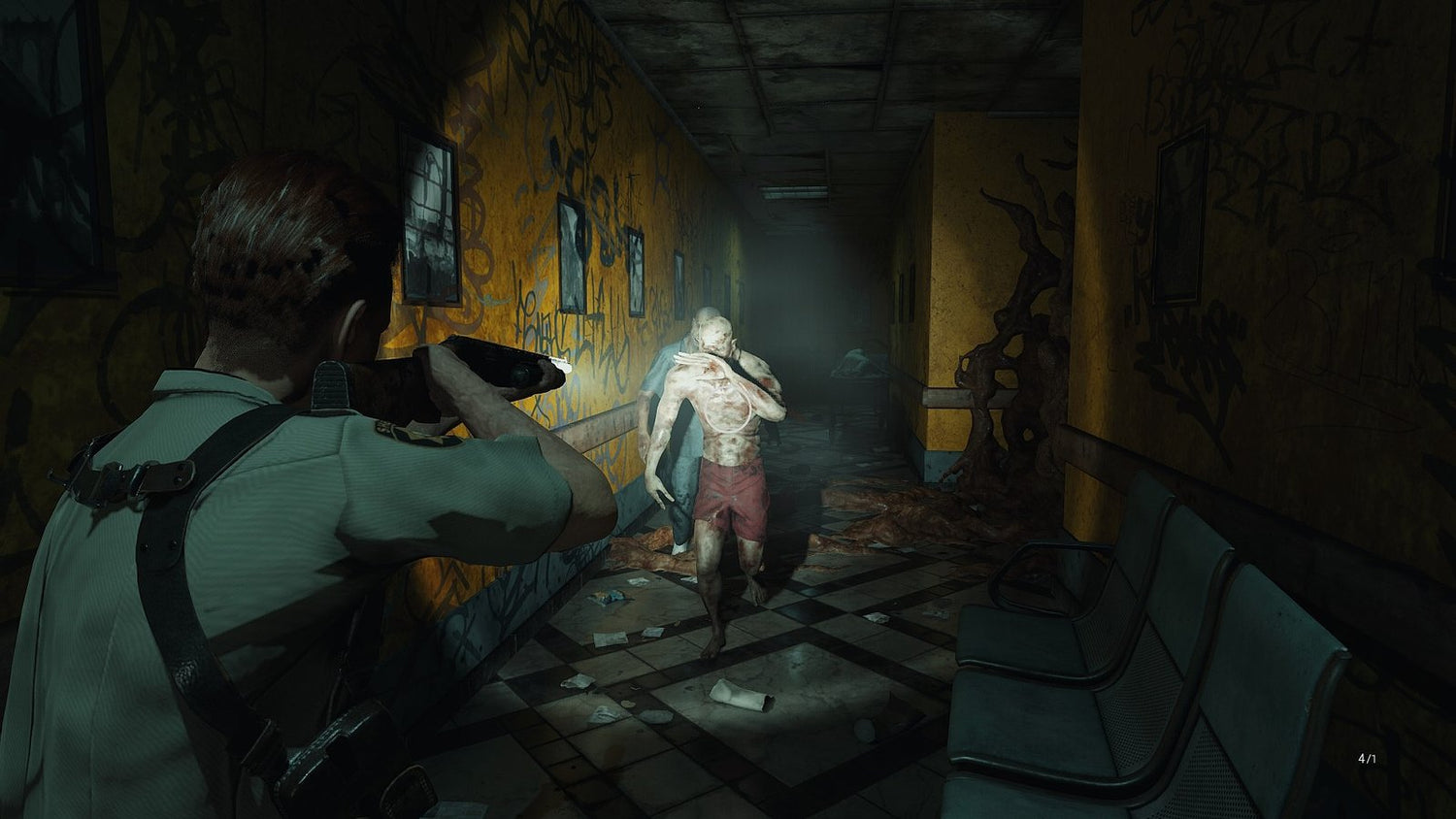
Fear The Timeloop arrives with a familiar survival horror DNA and a clear twist: a 15-minute life clock, looping progression, puzzle-heavy exploration, and pressure that builds as performance demands and action sequences intensify. For Canadian buyers, that makes this more than a game review topic. It becomes a practical question about hardware. If modern horror games are blending atmosphere, darkness, real-time pressure, narrow environments, dynamic lighting, and sudden combat spikes, what kind of system should you be buying now so you are not upgrading again too soon?
The source article paints a clear picture. The game takes strong inspiration from classic survival horror design, especially maze-like environments, resource management, save-room tension, and persistent vulnerability. At the same time, it introduces a timeloop mechanic that changes pacing and raises the stakes. It also highlights something every PC gamer should pay attention to: a game can be compelling creatively and still expose weak spots in your hardware experience through frame drops, poor optimization, dark scenes, limited visibility, and moments where performance matters more than average benchmark numbers.
That is exactly where Groovy Computers can help. If you are shopping for a Gaming PC Canada buyers can trust, this kind of game is a reminder that raw specs on paper are not the whole story. You need the right balance of CPU, GPU, RAM, storage speed, cooling, and build quality for the kinds of games you actually play.
Why Fear The Timeloop matters to PC buyers, not just horror fans
On the surface, this title sounds like a niche recommendation for people who love Resident Evil-style design. But take a closer look at the features described in the source material and a bigger trend becomes obvious. Many newer PC games are no longer judged only by whether they launch. They are judged by how well they maintain immersion under pressure.
Ask yourself: do you just want a PC that can technically run a game, or do you want one that keeps the atmosphere intact when the lighting gets heavy, the enemies multiply, and the frame rate starts dipping at the worst possible moment?
That difference matters. Horror games are especially sensitive to unstable performance. In a competitive shooter, a frame dip is frustrating. In a survival horror game, it can ruin tension, disrupt aiming, make flashlight-reliant scenes harder to read, and turn intended fear into technical annoyance. That is why games like this push buyers toward smarter custom build decisions.
If you are reading about a game like Fear The Timeloop and thinking, “My current PC probably handles most things fine,” the next question should be even more specific: how does it handle dark, GPU-heavy scenes, texture streaming, shadows, effects, and sudden combat bursts when a game is not perfectly optimized?
What does the source article get right about performance?
The review makes several useful points that smart buyers should not ignore.
- Atmosphere-heavy horror games are often more demanding than they look. Tight indoor spaces, flashlight-driven visibility, environmental detail, shadows, and moody post-processing can all add stress to your system.
- Poor optimization hits harder in action-heavy chapters. A game may feel fine early on and then become frustrating when enemy density, effects, or traversal speed increase.
- Field of view, darkness, and low performance can combine into a bad experience. This is not just about graphics settings. It is about how comfortable and readable the gameplay feels.
- Hardware overhead matters. If a game is only “just playable” today, the next patch, next release, or next wave of demanding titles may push your system over the edge.
For Canadian shoppers, this leads to a simple but important buying principle: if you are purchasing a PC for current and upcoming AAA games, especially horror, action, and cinematic single-player titles, do not build only for minimum requirements. Build for consistency.
What do you want your next PC to do for you?
Before you compare graphics cards or worry about budgets, stop and ask the most useful question first: what do you actually want your next PC to handle over the next few years?
Do you want a budget-friendly machine for 1080p horror games and esports? Do you want smooth 1440p gaming with better lighting, higher texture settings, and room for newer releases? Are you aiming for 4K visuals, ray tracing, recording gameplay, or streaming to Twitch or YouTube? Or are you also editing clips, making thumbnails, designing overlays, and turning your gaming setup into a content creation workstation?
This is where many people overspend in the wrong place or underspend in a way that forces another upgrade too soon. A smarter approach is to match your PC to your actual workload, not just one game trailer or one sale price.
What gaming PC do I need for games like Fear The Timeloop?
If your library includes survival horror, cinematic action games, remakes, and newer AAA releases, your ideal build depends heavily on resolution and expectations.
Entry-level 1080p buyers
If your goal is 1080p gaming with good settings and dependable performance, a budget-conscious build can still make sense. This is often the right lane for first-time buyers, students, or players who mainly want smooth gameplay without chasing ultra settings.
But ask yourself: are you buying a basic 1080p machine for today only, or do you want enough GPU and CPU headroom to handle more demanding releases next year too?
A proper entry build should still include a capable modern CPU, a dedicated graphics card with enough VRAM for newer textures, fast SSD storage, and enough memory to avoid stutter during heavier scenes. Cheap systems with weak cooling or poor part pairing may look attractive at first, but they often age badly as game requirements rise.
Mainstream 1440p buyers
For many Canadian gamers, 1440p is the sweet spot. It gives a significant visual upgrade over 1080p without the full cost of chasing 4K. It is also where games with moody lighting, environmental detail, and modern rendering techniques start to look substantially better.
If you are asking, “What PC do I need for 1440p gaming?” this is usually the performance tier where long-term value becomes strongest. A well-balanced 1440p gaming desktop can give you the visual quality and responsiveness needed for games like Fear The Timeloop while still leaving room for other major releases.
This is also the range where buyers should be careful not to cut too much on GPU performance. If your system is barely comfortable at 1440p now, future releases and less optimized games may force you to compromise sooner than expected.
High-end 4K and ray tracing buyers
Do you want maxed visuals, stronger ray tracing capability, premium image quality, and better longevity for upcoming titles? Then you are in premium territory, and your build should reflect that with a stronger GPU, a CPU that can keep up, better cooling, and enough RAM for demanding multitasking.
Games in the horror and cinematic action space benefit especially well from high-end hardware because lighting, reflections, atmosphere, and image clarity do so much of the heavy lifting. If your goal is to enjoy those details instead of turning them down, a premium custom build is worth considering.
Why survival horror can expose weak PC builds faster than expected
Not every demanding game is an open-world giant. Sometimes a darker, more enclosed, seemingly smaller title reveals system weaknesses faster because it relies heavily on atmosphere, contrast, texture detail, and lighting consistency. That is part of what makes the source review so useful from a buying perspective.
The article specifically mentions visual bugs, dark environments, narrow field of view limitations, and frame rate drops in later sections. Those details matter because they reflect a common real-world buyer problem: plenty of systems look acceptable during light gameplay and then become frustrating when the game becomes more visually dense or action-focused.
So here is the practical question: do you want a machine that feels fine during the first hour, or one that stays dependable during the hardest chapters?
That is where custom system planning matters. Better airflow, stronger GPU class selection, smarter CPU pairing, and enough RAM can all contribute to a smoother experience when the game becomes more intense.
Are you only gaming, or are you also streaming and recording?
This is one of the most important upgrade questions in 2026-era PC buying. Many gamers are no longer just playing. They are clipping gameplay, recording reactions, running Discord, using OBS, editing videos, uploading shorts, and managing multiple apps at once.
If that sounds like you, a basic gaming desktop may not be enough. You may actually need a Gaming and Streaming PC Canada shoppers would classify as a creator-ready system.
Ask yourself:
- Do you want to play horror games at high settings while recording locally?
- Do you plan to stream to Twitch, YouTube, or TikTok Live?
- Will you edit long-form videos after your gaming sessions?
- Do you want your PC to handle gaming, streaming, and editing without feeling overloaded?
If the answer is yes, the right system should include more CPU multitasking capacity, a GPU with strong encoder support, additional RAM, and fast SSD storage for game installs, footage, cache, and exports. This is where buying too little PC can cost you more later in lost time and earlier replacement.
Is a gaming PC good for video editing, thumbnails, and content creation?
Often yes, but only if it is built correctly.
A lot of buyers start with a game in mind and then realize their PC also needs to support content creation. If you are making YouTube videos, editing gameplay montages, cutting clips for social media, or designing stream assets, your ideal machine may sit between a gaming build and a full Creator PC Canada setup.
Do you use Adobe Premiere Pro, DaVinci Resolve, Photoshop, Illustrator, Lightroom, or CapCut? Are you working with 1080p clips, or are you moving into 4K timelines with effects and layered audio? Do you open multiple apps at once while gaming and exporting?
The more often you answer yes to those questions, the more your build needs to prioritize RAM capacity, SSD speed, cooling quality, and balanced CPU-GPU selection instead of gaming frame rates alone.
A content-focused custom desktop can save real hours every week through smoother timelines, faster exports, cleaner multitasking, and less waiting. For many buyers, that makes the difference between a fun hobby system and a serious long-term workstation.
What if you also do graphic design, photo editing, or 3D work?
That is where buyers should stop thinking in narrow categories.
Maybe you came here because a horror game caught your attention. But your next PC might also be your design station, editing bay, school machine, freelance workstation, or 3D asset creation platform. If so, your hardware decisions have to reflect more than gaming.
If you work in Photoshop and Lightroom, colour consistency, storage speed, and responsive multitasking matter. If you design in Illustrator, InDesign, Canva, or Adobe Creative Cloud, a balanced system with enough memory and strong general responsiveness will make daily work smoother. If you use Blender, Unreal Engine, or other 3D software, GPU strength, RAM headroom, and thermal stability become even more important.
So ask yourself honestly: are you buying a gaming PC, or are you really buying one machine that needs to do gaming, editing, design, and productivity all at once?
If it is the second option, it is usually smarter to step up one tier before you buy than to discover six months later that you chose too little system for your real workflow.
Which performance tier fits you best?
One of the most useful ways to shop is by use case instead of hype. Here is a practical framework.
Choose a budget-focused build if:
- You mainly play at 1080p
- You want strong value for indie games, older AAA titles, and esports
- You are okay adjusting settings over time
- You are a first-time buyer or student
- You want a solid path into PC gaming without overspending
Choose a mainstream performance build if:
- You want 1440p gaming with strong visual quality
- You play newer single-player games, horror titles, shooters, and open-world releases
- You want better longevity
- You may stream occasionally or record gameplay
- You want the best balance of performance and value
Choose a premium RTX gaming build if:
- You want 1440p ultra or 4K gaming
- You care about ray tracing, image quality, and future-proofing
- You play cinematic AAA releases and want fewer compromises
- You plan to stream, record, and multitask heavily
- You would rather buy once properly than upgrade too soon
Choose a creator or workstation-focused build if:
- You edit video regularly
- You work in Adobe apps, Resolve, or large photo libraries
- You design graphics, create content, or manage multiple displays
- You use Blender, Unreal Engine, CAD, or rendering tools
- You need reliability for work, not just gaming
If you are wondering which of those sounds like you, that is exactly the right time to talk to a real custom builder instead of gambling on a random one-size-fits-all box.
Should you buy now or wait?
This is one of the biggest questions in Canadian PC buying, and there is no single answer for everyone. But there are smart decision points.
If your current system is already struggling in newer games, if you are planning around a major release, if you are starting streaming or content work soon, or if your replacement need is real rather than hypothetical, waiting can backfire. GPU demand, memory pricing, SSD trends, and broader hardware supply shifts do not always move in your favour. Even when pricing softens in one area, another component category may rise.
Ask yourself: are you waiting for a perfect market that may never arrive, or do you need a reliable system for the next 2 to 4 years?
Many buyers delay too long, then end up purchasing under pressure when their old PC finally becomes too limiting. That usually leads to worse decisions, rushed compromises, or settling for something weaker than they wanted.
Could financing help you secure a stronger system before replacement costs rise?
For many shoppers, this is the most practical question of all.
If you are choosing between buying a weaker PC outright today or stepping into a better long-term system through manageable payments, financing can make a lot of sense. A stronger system can stay relevant longer, handle more games and workloads, and reduce the chance that you will need another expensive upgrade earlier than expected.
That is why so many buyers ask, “Is financing a gaming PC worth it?” In many cases, yes, especially if it helps you move from an underpowered build into a properly balanced custom system that fits your actual needs.
Groovy Computers offers options that can help Canadian buyers spread out the cost of a stronger custom desktop, including financing up to 4 years where applicable. That matters if you want to avoid the trap of buying the cheapest possible machine now and replacing it sooner.
Would monthly flexibility help you move from entry-level compromise to a system you will still be happy with next year? If so, that is a smarter question than simply asking for the lowest sticker price.
Why custom builds matter more when optimization is unpredictable
The source review highlights a truth every experienced PC buyer learns eventually: not every game is optimized equally. Some titles run beautifully on modest hardware. Others demand more than expected, especially during later chapters, busier scenes, or post-launch updates.
That is why custom builds matter. A properly planned system gives you margin. Not infinite margin, but enough breathing room to handle games that arrive rougher than expected, creator apps that use more memory after updates, and workloads that grow over time.
At Groovy Computers, the value is not just in selling a desktop. It is in matching parts intelligently, prioritizing airflow and thermal performance, stress testing systems, and helping buyers avoid mismatched builds that look good in a listing but fall apart under real use.
Would you rather buy a machine based on vague promises, or a system assembled with a clear purpose, tested for stability, and backed by a 1-year warranty? For most buyers, especially those spending serious money, that answer is obvious.
Why Canadian buyers should think differently
Shopping for a gaming or creator PC in Canada is different from shopping in larger U.S. markets. Availability can shift. Pricing can move faster than people expect. Shipping, support, warranty trust, and local service matter more. That is why working with a Canadian Custom PC Builders team can be a real advantage.
Whether you are in Nova Scotia, Atlantic Canada, Ontario, Alberta, British Columbia, or ordering elsewhere in the country, buying from a Canadian builder means your needs are being handled within a Canadian support context. That can make the process smoother when you are comparing payment options, warranty confidence, shipping expectations, and custom upgrade paths.
For local relevance, Groovy Computers is especially well positioned for shoppers looking for a custom gaming PC in Nova Scotia while still serving broader Canadian demand online.
Questions to ask before you choose your next PC
Before you buy, ask yourself these questions clearly:
- What games do I play most often, and are newer AAA games part of my plan?
- Do I want 1080p, 1440p, or 4K performance?
- Do I care about ray tracing, ultra settings, or just smooth gameplay?
- Will I stream, record, or edit content on the same PC?
- Do I use Photoshop, Premiere Pro, DaVinci Resolve, Blender, or other demanding software?
- Am I buying for today only, or for the next few years?
- Would financing a stronger system save me from upgrading too soon?
- Do I want a generic off-the-shelf experience, or a tested custom build with support?
If you can answer those questions, the right PC category becomes much easier to identify. If you cannot answer them yet, that is exactly why a custom builder conversation is valuable.
Who should consider Groovy Computers after reading about Fear The Timeloop?
You should consider Groovy Computers if you are the kind of buyer who reads about game performance and immediately starts thinking beyond one title.
If you want a custom gaming desktop for atmospheric AAA games, a stronger 1440p setup for the next wave of releases, a premium RTX machine for higher-end visuals, or a creator-focused system that can game and work, Groovy Computers is built for that kind of decision.
You should also consider Groovy if you are asking bigger questions, like:
- What gaming PC do I need so I do not have to upgrade again too soon?
- Should I buy a budget build now or finance a better one?
- Can one PC handle gaming, streaming, editing, and design work well?
- How do I avoid paying for parts I do not need while still staying future-ready?
Those are not beginner questions. They are smart buyer questions. And they are exactly the kind Groovy Computers is positioned to answer.
Final takeaway: Fear The Timeloop is a game review story, but also a buying lesson
Fear The Timeloop shows how a clever game concept can still be shaped heavily by PC performance realities. Strong atmosphere, darkness, puzzle tension, and action-heavy spikes all magnify the difference between a system that merely runs a game and one that lets you enjoy it properly. For Canadian buyers, that turns this conversation into a practical one about timing, performance tiers, and choosing a custom PC that fits both current games and future demands.
If you are asking what your next system should really do for you, whether you need a budget gaming desktop, a stronger 1440p setup, a premium RTX gaming machine, or a creator-ready custom build, now is the time to get clear on your needs before prices, availability, or workload demands shift again.
Want help choosing the right custom desktop instead of guessing? Ask yourself one final question: do you want to buy a PC that is just enough, or one that is built for the way you actually game, create, and work? If you are ready for the second option, visit GroovyComputers.ca to explore custom builds, financing options, and expert guidance from a Canadian PC builder that understands performance, reliability, and long-term value.
#FearTheTimeloop #GamingPCCanada #CustomGamingPCCanada #GamingPCBuilderCanada #CanadianCustomPCBuilders #1440pGamingPC #4KGamingPC #CreatorPCCanada #StreamingPCCanada #VideoEditingPCCanada #NovaScotiaGamingPC #GroovyComputers
Groovy Computers | All Rights Reserved



Leave a comment
This site is protected by hCaptcha and the hCaptcha Privacy Policy and Terms of Service apply.