






















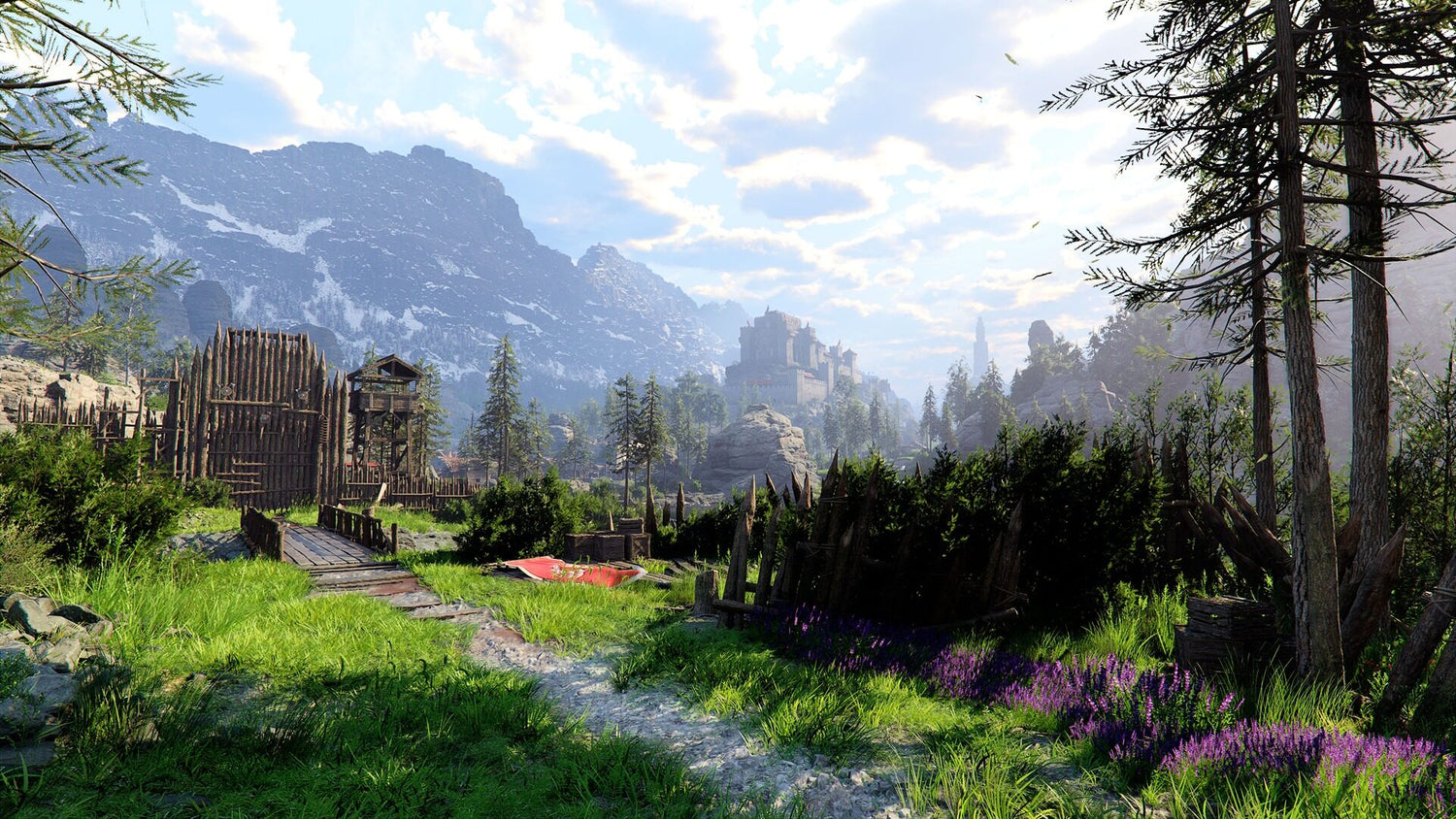
Gaming PC for New Games: Why Crimson Desert’s Big Comeback Is a Wake-Up Call for Canadian PC Buyers
If you are shopping for a gaming PC for new games, Crimson Desert is exactly the kind of title that should make you think carefully before buying the cheapest desktop you can find. Pearl Abyss’ ambitious open-world action RPG has been reshaped through major post-launch improvements, including better controls, smoother quality-of-life features, stronger loadout handling, more flexible difficulty options, new late-game activities, and expanded systems that make returning to Pywel far more appealing than it may have been at launch.
For players, that means Crimson Desert is no longer just another huge fantasy game fighting for attention. It is a reminder that modern AAA PC gaming changes quickly. Games launch, patches land, ray tracing options evolve, open worlds get denser, creators start streaming them, and suddenly the question becomes: is your current PC ready for the version of the game people actually want to play now?
At Groovy Computers, we look at stories like this through a practical Canadian PC-buying lens. If a game becomes smoother, more content-rich, and more worth revisiting, more players start asking the same questions: Can my PC run it well? Should I target 1080p, 1440p, or 4K? Do I need an RTX gaming PC? Can I stream it? Can I edit gameplay footage? Should I buy now before hardware pricing changes again?
This guide takes the Crimson Desert discussion and turns it into a detailed buying roadmap for Canadian gamers, streamers, YouTubers, editors, designers, 3D artists, and anyone considering a custom PC. Whether you need a budget gaming computer, a premium RTX gaming PC, a custom creator PC, a video editing workstation, or financing to secure a stronger system before costs rise, this is the kind of decision that deserves more than a quick spec list.
Why Crimson Desert Matters for Anyone Buying a Gaming PC for New Games
Crimson Desert is important because it represents a growing trend in modern game development: the launch version of a massive AAA game may not be the final story. The source coverage focused on five major reasons to return to Pywel, including more freeing controls, a more flexible difficulty experience, saved combat loadouts, improved pets and mounts, stronger quality-of-life features, new minigames, and better stronghold blockade battles.
That matters for PC buyers because games that improve over time can suddenly move back onto your must-play list. A title you ignored at launch can become a game you want to experience at high settings, with smooth frame rates, fast loading, a responsive controller feel, and maybe a stream or recording session running in the background.
So before you buy, ask yourself: are you building for the games you played last year, or the games you are going to want to play over the next three to five years?
Open-world games like Crimson Desert are especially demanding because they combine large environments, high-resolution textures, physics-heavy combat, complex animation systems, foliage, weather, lighting, and fast traversal. When games also include mounts, flying, large-scale battles, and dense late-game systems, your PC is not just rendering a pretty screenshot. It is constantly streaming assets, processing CPU-heavy world logic, and relying on your storage, memory, CPU, and GPU to work together.
That is why a smart Gaming PC for New Games is not just about buying the most recognizable graphics card name. It is about matching the whole system to the way you actually play.
What the Crimson Desert Updates Tell Us About Modern PC Performance
The most interesting part of Crimson Desert’s turnaround is not only that Pearl Abyss improved the game. It is what those improvements reveal about the modern PC experience. Controls feel better when frame pacing is stable. Open-world traversal feels better when loading and streaming are fast. Combat feels better when input latency is low. Menuing and inventory systems feel less frustrating when the game is running smoothly and your system is not choking in busy areas.
In other words, quality-of-life updates help the game, but your hardware still matters. If your PC is underpowered, you may still deal with stutter, long load times, inconsistent frame rates, weak streaming quality, or poor multitasking performance.
Are you the kind of player who wants to casually explore Pywel at 1080p? Or are you the kind of player who wants ultra settings, high FPS, 1440p, 4K, ray tracing, Discord, OBS, browser tabs, and a second monitor running all at once?
That difference changes the build completely.
What Do You Want Your Next PC to Do for You?
Before comparing GPUs, CPUs, RAM, and storage, ask the most important question first: what do you want your next PC to do for you?
Do you want a reliable gaming desktop for Crimson Desert, GTA 6 when it arrives on PC, Call of Duty, Fortnite, Counter-Strike 2, Valorant, Minecraft with mods, Cyberpunk-style ray tracing games, and other big open-world titles? Do you want to stream on Twitch or YouTube? Do you want to record gameplay, edit clips for TikTok, produce YouTube videos, design thumbnails in Photoshop, or work in Blender, Unreal Engine, AutoCAD, Revit, or other demanding software?
A gaming PC can be an entertainment machine, but a well-built custom desktop can also be a creator workstation, a streaming hub, a video editing PC, a photo editing computer, a graphic design desktop, a 3D modeling workstation, or a business productivity machine. The best build is the one that matches your real workload, not just the one that looks impressive in a product title.
Here are the questions Canadian buyers should ask before choosing a system:
- What games do I actually want to play? Open-world AAA games, competitive esports titles, heavily modded games, simulation games, and ray tracing games all stress hardware differently.
- What resolution do I want? A 1080p gaming PC, 1440p gaming PC, and 4K gaming PC require very different GPU budgets.
- Do I care more about visuals or frame rate? Ultra settings and high FPS are not always the same priority.
- Will I stream or record? A Gaming and Streaming PC Canada buyer needs more than the minimum gaming specs.
- Will I edit video? Premiere Pro, DaVinci Resolve, After Effects, and CapCut workflows benefit from stronger CPUs, GPUs, RAM, and SSDs.
- Will I use photo or design software? Photoshop, Lightroom, Illustrator, InDesign, Canva, and Affinity tools benefit from fast single-core performance, enough RAM, and responsive storage.
- Will I work in 3D? Blender, Unreal Engine, Maya, 3ds Max, Cinema 4D, SketchUp, ZBrush, AutoCAD, Revit, and SolidWorks can quickly justify a proper workstation-class build.
- Do I want to avoid upgrading too soon? Spending slightly more now can be smarter than replacing a weak system sooner than expected.
- Would financing help me secure a stronger PC before prices shift? If a stronger system saves frustration and delays a replacement, monthly payments may be worth considering.
Which Performance Tier Fits You Best?
Not every gamer needs a flagship machine, and not every creator needs a workstation loaded with extreme components. The right PC depends on your resolution, frame rate expectations, software, workload size, and budget. So, what tier are you really shopping for?
Entry-Level and Budget Gaming PC: Is 1080p Enough?
A budget gaming PC in Canada can still make sense if your goal is 1080p gaming, esports titles, school work, everyday multitasking, and moderate settings in newer games. If you are asking, how much should I spend on a gaming PC?, start by deciding whether 1080p is enough for you.
For players who mainly enjoy Fortnite, Valorant, Counter-Strike 2, Roblox, Minecraft, Rocket League, League of Legends, and lighter games, a value-focused build can be a smart first gaming PC. It can also work for casual open-world gaming if expectations are realistic. You may not be running every new AAA title at ultra settings with ray tracing, but you can still have a far better experience than an old office desktop or aging laptop.
The key is not to buy a system that is already at its limit on day one. If you want a budget gaming computer, make sure it has enough RAM, a proper SSD, a balanced CPU and GPU, adequate cooling, and a sensible upgrade path.
Ask yourself: do I want the lowest possible purchase price, or do I want the best gaming PC for the money over the next few years? Those are not always the same thing.
1440p Gaming PC: The Sweet Spot for Modern Open-World Games?
For many Canadian gamers, a 1440p Gaming PC Canada build is the sweet spot. It delivers a visible jump in clarity over 1080p without demanding the same extreme GPU investment as 4K. For games like Crimson Desert, where scenery, combat effects, animation, and exploration are part of the appeal, 1440p can feel like the ideal balance of performance and visual quality.
If you are asking, what PC do I need for 1440p gaming?, the answer depends on whether you want high settings, ultra settings, ray tracing, or high refresh rates. A good 1440p build should be balanced around a strong GPU, a capable modern CPU, fast NVMe storage, and enough memory for current and upcoming games.
This tier is also excellent for players who stream, record gameplay, run Discord, use a second monitor, and want a system that does not feel outdated quickly. A strong 1440p desktop can often double as a capable content creation PC, especially for YouTube editing, social media clips, Photoshop work, and moderate 3D projects.
Before choosing this tier, ask: am I buying a PC just for today’s games, or do I want headroom for the next wave of AAA releases?
4K and Premium RTX Gaming PC: Do You Want Ultra Settings Without Compromise?
A 4K Gaming PC Canada build is for buyers who want premium visuals, high-end monitors, ray tracing, and long-term performance. This is where GPU choice becomes much more important, and where cutting corners can lead to regret. If you are shopping for a High End Gaming PC Canada build, you are likely not just asking if a game will run. You are asking how spectacular it can look while staying smooth.
Premium open-world games reward strong GPUs, fast CPUs, and high-quality cooling. They also punish weak storage, low memory, and bargain-bin power supplies. A true premium gaming PC should be built as a complete system, not a flashy GPU attached to the cheapest supporting parts possible.
Ask yourself: do I want to experience games like Crimson Desert at their most cinematic, or am I comfortable lowering settings to chase frame rate?
If you plan to keep your PC for years, play at 4K, use ray tracing, stream, edit video, and maybe experiment with AI-assisted creator tools, a higher-end custom build can make more sense than buying twice.
What If You Want to Stream Crimson Desert or Other Big Open-World Games?
Streaming changes the PC-buying equation. A game that runs well while you are playing alone may behave differently once OBS Studio, Streamlabs, browser sources, chat, alerts, Discord, capture software, and a second monitor are involved. A proper Streaming PC Canada build needs room to multitask.
If you are asking, what PC do I need for streaming?, focus on more than just the average FPS number. You want stable frame pacing, enough CPU overhead, GPU encoding support, plenty of RAM, and fast storage for recordings. NVIDIA RTX cards are popular for streaming because hardware encoding can help maintain stream quality while reducing the load on the CPU.
For a Gaming PC for Streaming Canada build, consider what kind of creator you want to become:
- Casual streamer: Gaming at 1080p or 1440p, streaming at 1080p, with chat and alerts.
- Gameplay recorder: Capturing high-quality footage for YouTube, TikTok, Instagram Reels, or Shorts.
- Full creator setup: Gaming, streaming, recording, editing, thumbnail design, audio cleanup, and social media production.
- Professional creator: Multi-camera layouts, 4K recording, heavy editing, colour work, motion graphics, and frequent exports.
Do you need a separate streaming PC? Many creators do not. A well-planned custom gaming and streaming PC can handle both gaming and broadcasting from one machine, especially when the build is designed around your content goals from the start.
Is a Gaming PC Good for Video Editing, Photo Editing, and Graphic Design?
Many buyers start with gaming and then realize they also want to create. They want to record boss fights, make guides, stream discoveries, edit highlight reels, design thumbnails, produce TikToks, or build a small content brand. That is where the line between gaming PC and creator PC starts to blur.
So, is a gaming PC good for video editing? It can be, if it is built correctly. A low-end gaming desktop may run games but struggle with 4K editing, heavy timelines, effects, colour grading, and exports. A balanced Creator PC Canada build should consider CPU performance, GPU acceleration, RAM capacity, storage speed, and project file organization.
For a Video Editing PC Canada build, software matters. Adobe Premiere Pro, DaVinci Resolve, After Effects, and CapCut do not all use hardware in exactly the same way. DaVinci Resolve can benefit heavily from GPU power. After Effects often appreciates strong CPU performance and memory. Premiere Pro benefits from a balanced system with capable encoding, decoding, and storage.
For a Photo Editing PC Canada build, the priorities shift again. Photoshop, Lightroom Classic, Capture One, ON1 Photo RAW, Luminar Neo, and DxO PhotoLab benefit from fast CPUs, enough RAM, responsive SSDs, and stable display support. If you batch export RAW files, use AI denoise, work with large catalogs, or run multiple apps at once, the difference between a basic PC and a custom photo editing computer becomes obvious.
For a Graphic Design PC Canada build, you may care about Photoshop, Illustrator, InDesign, Canva, CorelDRAW, Affinity Designer, and Adobe Creative Cloud performance. Designers often underestimate how much smoother work feels with enough RAM, fast storage, and multi-monitor support.
Ask yourself: am I buying this PC only to play, or do I want it to help me make something? If the answer is both, Groovy Computers can help spec a system that does not treat creation as an afterthought.
What About 3D Modeling, Rendering, Unreal Engine, and Workstation Use?
Crimson Desert’s scale also connects to another buyer group: people who are fascinated by how games are made. Open worlds, character animation, lighting, physics, terrain, combat systems, and cinematic presentation all point toward the tools used by 3D artists, game developers, designers, and workstation users.
If you are asking, what PC do I need for Blender? or what PC do I need for 3D rendering?, a normal budget gaming desktop may not be enough. A 3D Modeling PC Canada build or 3D Rendering PC Canada build needs to account for viewport performance, GPU rendering, CPU rendering, RAM capacity, VRAM, storage, project complexity, and cooling under long workloads.
Software like Blender, Unreal Engine, Unity, Maya, 3ds Max, Cinema 4D, SketchUp, ZBrush, AutoCAD, Revit, and SolidWorks can expose weaknesses that a simple game benchmark will not. A system might run an esports game beautifully and still struggle with large scenes, high-poly models, simulations, texture-heavy assets, or long renders.
For a Custom 3D Workstation Canada build, consider these questions:
- Are you modeling, rendering, animating, or doing all three?
- Do you render on the GPU, CPU, or both?
- How large are your scenes and textures?
- Do you need 32GB, 64GB, or 128GB of RAM?
- Are you using Unreal Engine for game development, virtual production, or architectural visualization?
- Will downtime cost you money?
A workstation PC should be designed around reliability and sustained performance. That means cooling, power delivery, case airflow, storage layout, and stress testing matter just as much as the headline CPU and GPU.
Why Canadian Buyers Should Think Differently About Timing
Canadian PC buyers face a different reality than buyers in larger markets. Component pricing can shift quickly due to exchange rates, GPU availability, memory pricing, SSD supply, shipping costs, and demand spikes around major game releases, holiday sales, back-to-school periods, tax refund season, and creator software upgrades.
That is why the question is it better to buy a gaming PC now or wait? does not have one universal answer. Waiting can sometimes help if a new product launch is close, but waiting can also mean higher prices, reduced availability, longer build queues, or missing the window when a system fits your budget.
When a major game improves, gains attention, or receives major new content, demand can rise. When new GPUs launch, older desirable cards can sell out. When memory or storage prices move, full-system costs can change even if the CPU or GPU price stays the same. When a new game becomes the game everyone wants to stream, build demand can spike quickly.
So ask yourself: are you waiting for a better deal, or are you risking a weaker buying position because your current PC is already falling behind?
For many Canadian customers, the smartest approach is not panic buying. It is planning. Decide what performance tier you need, choose a balanced custom build, consider financing if it helps you avoid underbuying, and work with a Canadian custom PC builder that understands the full-system value equation.
Could Financing Help You Secure a Stronger System Before Prices Change?
A lot of buyers compare only the upfront cost and end up choosing a system that is too weak for what they really want. Then, within a year or two, they are already looking at upgrades, replacement parts, or a second computer. That is where Gaming PC Financing Canada options can be useful when handled responsibly.
If financing helps you move from a short-term compromise to a properly balanced gaming, streaming, editing, or workstation build, it may be worth considering. Groovy Computers offers financing options up to 4 years, which can help Canadian buyers secure a stronger system now instead of waiting until replacement costs climb or settling for a machine that does not match their goals.
Ask yourself: should I finance a better PC instead of buying a cheaper one that I may need to replace sooner?
Financing is not about overspending for bragging rights. It is about matching your payment approach to your actual performance needs. If you are a student buying a first gaming PC, a budget build may be perfect. If you are a streamer, editor, 3D artist, or competitive gamer, a stronger system may save time, reduce frustration, and last longer.
Are you planning to buy before a major game release, a sale period, a hardware shortage, a creator workload upgrade, or a possible price spike? If so, financing can be a way to lock in a better build while keeping cash flow manageable.
Custom PC vs Generic Prebuilt: Why Build Quality Matters More Than Ever
A generic prebuilt can look tempting when the price is low, but the spec sheet rarely tells the whole story. Two PCs with the same CPU and GPU can perform differently depending on cooling, airflow, memory configuration, motherboard quality, power supply choice, SSD speed, case design, BIOS setup, cable management, and stress testing.
That is why Custom PC vs prebuilt PC Canada is such an important question. The issue is not whether every prebuilt is bad. The issue is whether the system was chosen for your needs or assembled around a generic price point.
At Groovy Computers, a custom build can be matched to what you actually do. If you are buying for Crimson Desert and other open-world games, the build can prioritize GPU strength, fast storage, and stable performance. If you are buying for streaming, it can include extra memory and encoding capability. If you are buying for video editing, it can balance CPU, GPU, RAM, and SSDs around timeline performance and exports. If you are buying for Blender or Unreal Engine, it can be configured for rendering and workstation reliability.
Why does testing matter in a gaming PC? Because a PC that boots is not necessarily a PC that is ready. Stress testing helps confirm stability under real load. Thermal checks help prevent performance throttling. Build validation helps reduce the chance of frustrating issues after delivery. Warranty support gives buyers confidence if something goes wrong.
Groovy Computers provides custom builds, rigorous testing, and a 1-year warranty, giving Canadian customers a safer path than guessing through random marketplace listings or bargain systems with unclear parts.
Which Groovy Computers Build Category Should You Consider?
If Crimson Desert has you thinking about your next upgrade, use your actual workload to choose the right category. The best gaming PC for one customer may be the wrong system for another.
Choose a Budget Gaming Computer If...
- You mainly play esports, lighter games, and 1080p titles.
- You want an affordable first gaming PC in Canada.
- You are comfortable adjusting settings in demanding AAA games.
- You want strong value without paying for 4K or heavy creator features.
- You would rather start with a sensible system and upgrade later.
Choose a 1440p Custom Gaming PC If...
- You want a strong balance of image quality and frame rate.
- You play open-world games, action RPGs, shooters, and modern AAA releases.
- You want a PC that feels current for longer.
- You may stream, record, or edit clips occasionally.
- You want better performance headroom without jumping to the highest-end tier.
Choose a Premium RTX Gaming PC If...
- You want 4K gaming, ultra settings, ray tracing, or high refresh rates.
- You want a system that can handle demanding new games for years.
- You stream, record, and edit high-quality footage.
- You use a premium monitor and want your PC to match it.
- You would rather invest once than upgrade too soon.
Choose a Custom Creator PC If...
- You make YouTube videos, TikToks, Reels, thumbnails, podcasts, or livestream content.
- You use Adobe Creative Cloud, Premiere Pro, DaVinci Resolve, Photoshop, Lightroom, Illustrator, or After Effects.
- You need faster exports, smoother timelines, and better multitasking.
- You want one PC for gaming, streaming, editing, and design.
- You care about reliability because your PC supports your content schedule.
Choose a 3D Modeling or Workstation PC If...
- You work in Blender, Unreal Engine, Unity, Maya, 3ds Max, Cinema 4D, AutoCAD, Revit, SolidWorks, SketchUp, or ZBrush.
- You need more RAM, stronger rendering performance, or higher VRAM.
- You handle large scenes, complex models, simulations, or architectural visualization.
- You need sustained performance under long workloads.
- You want a professional workstation that is built and tested for serious use.
What Specs Should You Prioritize for Games Like Crimson Desert?
For open-world gaming, balance matters. A powerful GPU is important, but it is not the only component that affects the experience. If you want smooth travel through large environments, quick loading, stable combat, and fewer slowdowns, the entire system needs to be planned properly.
GPU: The graphics card has the biggest impact on resolution, settings, ray tracing, and high FPS gaming. A 1080p build can use a more modest GPU, while 1440p and 4K builds require stronger options.
CPU: Open-world games can be CPU-sensitive, especially when handling physics, AI, world simulation, large battles, and background tasks. A weak CPU can limit performance even if the GPU looks good on paper.
RAM: Modern gaming should not be starved for memory. If you stream, edit, browse, and multitask while gaming, more RAM can make the system feel much smoother.
Storage: A fast NVMe SSD can improve loading, asset streaming, system responsiveness, and creator workflows. For large game libraries and video projects, storage planning matters.
Cooling and airflow: High-performance parts need proper cooling to maintain boost clocks and reduce noise. A cramped or poorly cooled system can lose performance under pressure.
Power supply: A quality power supply supports stability, future upgrades, and long-term reliability. It should never be the hidden corner cut in a premium gaming PC.
Testing: A system should be checked under load before it reaches the customer. Gaming, streaming, editing, and rendering can all expose instability that casual setup may miss.
Should You Upgrade Your Current PC or Buy a New Custom Build?
Some customers only need an upgrade. Others are better served by a new custom build. The right answer depends on the age of your system, motherboard platform, power supply, case airflow, storage, memory, and whether the upgrade path is still worth investing in.
Ask yourself:
- Is my CPU already holding back newer games?
- Does my motherboard support meaningful upgrades?
- Can my power supply safely handle a stronger GPU?
- Does my case have enough airflow for modern hardware?
- Am I still using slow or limited storage?
- Will upgrading one part simply expose another bottleneck?
- Would a new custom PC give me better warranty confidence and longer-term value?
If your current computer is several generations old, a new custom build may be the cleaner and more reliable choice. Instead of pouring money into a platform that is already near its limit, you can start fresh with modern parts, better cooling, faster storage, and a build designed around your next several years of gaming and creative work.
Why Groovy Computers Is a Strong Fit for Canadian Gamers and Creators
Groovy Computers is built around the idea that your PC should match your life, not just a generic product listing. Canadian buyers need systems that make sense for their games, workloads, budgets, upgrade plans, and timing. Whether you are in Nova Scotia, Atlantic Canada, Ontario, Alberta, British Columbia, or anywhere else ordering online, working with a Canadian custom PC company can make the buying process easier and more personal.
Groovy Computers helps customers choose custom gaming PCs, creator PCs, streaming PCs, editing workstations, and 3D modeling workstations based on real needs. That means you can ask practical questions before buying: What PC do I need for 1440p gaming? How much RAM do I need for video editing? Is a gaming PC good for Blender? Should I finance a high-end gaming PC? What parts should I choose if I do not want to upgrade too soon?
Instead of guessing, you can get guidance. Instead of chasing the lowest price and hoping for the best, you can choose a tested system with a 1-year warranty. Instead of underbuying because the upfront total feels intimidating, you can explore financing options up to 4 years and decide whether a stronger build makes sense.
If you are ready to compare options, browse builds, ask for guidance, or plan a system around Crimson Desert and the next wave of AAA games, visit GroovyComputers.ca.
Is Now the Right Time to Buy a Gaming PC for New Games?
The right time to buy is when your current PC no longer matches what you want to do and when the available build fits your performance goals. Crimson Desert’s improvement is a good reminder that the gaming calendar does not stand still. A game you skipped can become worth playing. A game you planned to stream can become more demanding. A creative hobby can become a side hustle. A simple upgrade plan can become a full custom build once you look honestly at your workload.
So ask yourself: what are you waiting for? A major release? A sale? A hardware refresh? A price drop? More reviews? Or are you waiting because choosing the right PC feels overwhelming?
If the problem is uncertainty, Groovy Computers can help. You do not need to memorize every benchmark, decode every GPU model, or guess whether 32GB or 64GB of RAM is right for your workflow. You need a system that fits your games, your software, your budget, your monitor, and your upgrade expectations.
For many buyers, the best move is to choose a smart, balanced PC now rather than wait until prices shift, stock tightens, or your current machine becomes the reason you stop playing, streaming, editing, or creating.
Final Takeaway: Crimson Desert Is Better, But Is Your PC Ready?
Crimson Desert’s return-to-Pywel story is more than a game update. It is a buying signal. Modern games are bigger, more complex, more frequently updated, and more connected to streaming and content creation than ever before. If you want to enjoy them properly, your PC needs to be ready for more than minimum settings.
A Gaming PC for New Games should be chosen around your real goals: 1080p value, 1440p balance, 4K premium performance, streaming, video editing, photo editing, graphic design, content creation, 3D modeling, or workstation use. It should be built with balanced parts, tested for stability, backed by warranty support, and planned with Canadian pricing realities in mind.
If you want help choosing the right build, ask yourself one final question: what do I want my next PC to make possible? Then visit GroovyComputers.ca to explore custom gaming PCs, creator PCs, workstation builds, and financing options designed for Canadian buyers who want performance without guesswork.
#GamingPCForNewGames #GamingPCCanada #CustomGamingPCCanada #CrimsonDesertPC #1440pGamingPC #4KGamingPC #StreamingPCCanada #CreatorPCCanada #GroovyComputers
Groovy Computers | All Rights Reserved



Leave a comment
This site is protected by hCaptcha and the hCaptcha Privacy Policy and Terms of Service apply.