






















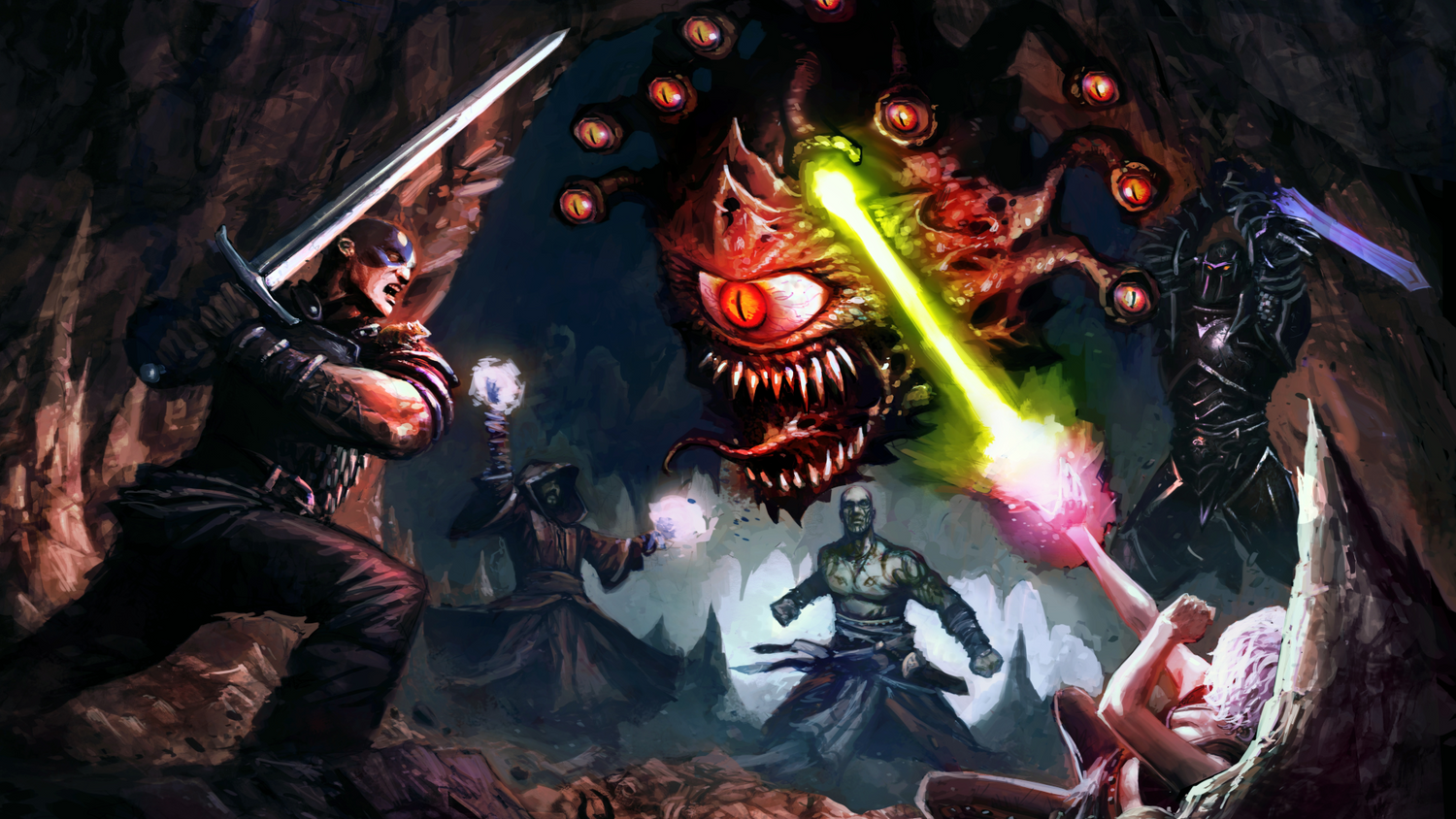
Baldur's Gate Update Has Players Looking Back, But Is Your Gaming PC in Canada Ready for What Comes Next?
The latest Baldur's Gate update is the kind of story that reminds PC gamers why this platform still matters. While bigger headline machines keep chasing the next blockbuster reveal, classic CRPGs like Baldur's Gate: Enhanced Edition, Baldur's Gate 2: Enhanced Edition, and Icewind Dale just received meaningful support updates focused on quality-of-life improvements, cloud saves, Apple Silicon support, localization improvements, and better mobile functionality. That matters because it shows something many Canadian gamers already know: PC gaming is not just about one launch day. It is about long-term value, flexibility, modding, compatibility, and having hardware that can carry you from beloved classics to the next major release.
And that creates a very practical question for anyone reading gaming news right now: what do you actually want your next PC to do for you? Do you want to replay RPG classics with mods and smooth reliability? Do you want a system that can handle modern AAA games at 1080p, 1440p, or 4K? Do you want one PC for gaming, streaming, editing, and content creation? Or are you trying to avoid buying too cheap now, only to replace the system much sooner than expected?
For buyers shopping for a Gaming PC Canada wide, this kind of update is more than nostalgia. It is a reminder that a good custom desktop should not only run one trending title today. It should support your whole library, your future upgrades, your creator workflow, and your real budget.
What happened in the Baldur's Gate update, and why should PC buyers care?
Based on the source material, Beamdog rolled out its 2.7 patch for Baldur's Gate: Enhanced Edition, Baldur's Gate 2: Enhanced Edition, and Icewind Dale: Enhanced Edition. The biggest changes include improved Steam cloud save handling, proper GOG cloud save functionality, native Apple Silicon support on Mac, new community localizations, font and language handling improvements, mobile UI and keyboard fixes, foldable device improvements on Android, and modding-related fixes for mobile platforms.
On the surface, that sounds like a patch for older games. In reality, it highlights several reasons PC gaming continues to win over players who want control and longevity.
- Cloud saves done properly make it easier to move between systems and preserve progress.
- Native hardware support shows how software evolves around modern platforms.
- Localization and interface updates keep old games accessible to new audiences.
- Modding support and file access improvements reinforce the PC advantage over locked-down ecosystems.
- Long-tail support proves that some of the best value in gaming comes from a library that lives with you for years.
So why should someone shopping for a custom gaming desktop care? Because the same logic applies to hardware buying. A weak or poorly matched machine can feel outdated fast. A well-planned custom system gives you more room for game updates, modding, multitasking, creator workloads, storage expansion, and better long-term ownership.
Why this matters differently for Canadian PC buyers
Canadian gamers have to think about more than just whether a game boots. You are also dealing with exchange rates, shipping realities, stock swings, seasonal sales cycles, and the fact that replacing a full desktop later usually costs more than choosing the right performance tier upfront. That is why shopping for a Custom Gaming PC Canada buyers can trust is often less about chasing hype and more about making a smarter long-term decision.
Are you buying before a major holiday rush? Before a big game release? Before a GPU tier gets harder to find? Before creator software gets heavier? Those timing questions matter. A lot of buyers wait for the perfect moment, only to find that inventory shifted, pricing moved upward, or the system they wanted is no longer the value it was a few weeks earlier.
If you are in Nova Scotia, Atlantic Canada, or ordering from elsewhere across the country, the bigger question becomes: do you want to gamble on a generic box, or do you want a tested build from a Canadian custom PC company that is actually designed around your use case?
What do you want your next PC to do for you?
This is the question too many buyers skip. They start with one game and end up with the wrong system because they never zoom out.
Do you want your PC to handle classic RPGs and modern AAA games? Do you want high refresh competitive gaming? Do you plan to stream to Twitch or YouTube? Are you editing videos for social media, working in Adobe Creative Cloud, exporting 4K content, or building scenes in Blender? Are you buying for one use today but expecting the machine to take on more six months from now?
Here is the smarter way to think about it: your next desktop should match your real workload, not just your current impulse.
- If you mostly play older games, esports titles, and lighter modern releases, you may only need an entry or mid-range gaming build.
- If you play new AAA games, want high settings, or care about long-term headroom, a stronger GPU and better cooling become much more important.
- If you stream, record gameplay, or run multiple apps at once, you should think beyond game FPS alone.
- If you edit video, create thumbnails, work in Photoshop, or use Premiere Pro or DaVinci Resolve, storage, RAM, CPU, and GPU balance all matter.
- If you work in Blender, Unreal Engine, CAD, or rendering tools, a workstation-class build strategy can save serious time.
That is why one-size-fits-all systems are rarely the best answer. A proper custom build should fit the software, display resolution, performance expectation, and upgrade timeline you actually have.
If Baldur's Gate classics still matter, what PC do you need for modern RPGs and new games?
The source story is about older RPGs receiving fresh support, but the buying lesson points directly at the future. If you enjoy CRPGs, open-world RPGs, mod-heavy games, or major upcoming releases, your hardware choice should reflect where gaming is going, not just where it has been.
Ask yourself a few honest questions:
- Are you gaming at 1080p and mainly want stable performance?
- Are you moving to 1440p and expecting higher settings with better visual fidelity?
- Are you aiming for 4K gaming or ray tracing?
- Do you play heavily modded games that benefit from more RAM and fast SSD storage?
- Are you the kind of player who keeps dozens of games installed at once?
A lot of gamers underestimate how much the full experience depends on more than the graphics card. Fast NVMe storage improves load times, responsiveness, patch installs, and large game library management. More RAM helps with multitasking, mods, background apps, Discord, browser tabs, launchers, and streaming tools. Better cooling and power delivery help stability during long sessions.
So when someone asks, what gaming PC do I need? the answer depends on how they play, what display they use, and how long they want the system to stay satisfying.
Which performance tier fits you best?
One of the most useful ways to shop for a gaming or creator system is by performance tier rather than random specs. Here is a practical breakdown for Canadian buyers trying to decide between budget, mid-range, and premium systems.
Entry-level and budget gaming PC buyers
A Budget Gaming PC Canada shoppers choose should focus on clean value, not bargain-bin compromises. This tier makes sense if you mainly play esports games, older RPGs, indie titles, lighter multiplayer games, and a selection of modern releases at sensible settings.
This tier is often right for you if:
- You play at 1080p.
- You want a first gaming PC.
- You care more about smooth gameplay than maxed-out visuals.
- You want to enter PC gaming without overcommitting.
- You may upgrade later but want a solid foundation now.
But here is the key question: should you buy the cheapest possible system, or finance a better one that lasts longer? If the cheaper machine forces an early upgrade, the lower starting cost can stop looking like savings very quickly.
Mid-range 1440p gaming and mixed-use buyers
This is often the sweet spot for buyers who want the Best Gaming PC Canada value without going fully premium. A strong mid-range build can handle modern games very well, support streaming, and give you enough CPU and memory overhead for editing, multitasking, and a heavier software mix.
This tier is often right for you if:
- You want 1440p gaming.
- You want stronger settings and better longevity.
- You stream casually or record gameplay.
- You use OBS, Discord, browsers, music, and launchers at the same time.
- You also do photo editing, content creation, or school/work tasks.
For many Canadian shoppers, this is the best balance between price and future-proofing. It reduces the risk of buying something that already feels limited by the time the next wave of games arrives.
Premium gaming and creator power users
If you want 4K, ray tracing, ultra settings, high refresh gaming, serious streaming, or high-end creator performance, a High End Gaming PC Canada solution makes more sense. This is also where gamers and creators often overlap, because a system built for demanding games can also be excellent for editing, rendering, and multitasking when configured correctly.
This tier is often right for you if:
- You game at 1440p high refresh or 4K.
- You want stronger ray tracing performance.
- You stream regularly and want cleaner multitasking headroom.
- You edit 4K video or use GPU-accelerated creative tools.
- You want your desktop to stay relevant longer before needing upgrades.
If that sounds like you, another smart question is: should I finance a high-end gaming PC rather than settle for a lower tier that I will outgrow?
Are you just gaming, or do you also need a streaming PC in Canada?
A lot of buyers who read gaming news are not just gamers anymore. They clip gameplay, stream on Twitch, upload to YouTube, create tutorials, or record podcasts. If that is you, then you are not shopping for a basic gaming machine. You are really looking for a Gaming and Streaming PC Canada users can rely on under mixed workloads.
Streaming changes the hardware conversation. Now you have to think about encoding, RAM capacity, thermals, storage for recordings, and how your system behaves when the game, OBS, browser tabs, chat tools, overlays, and background tasks are all active at once.
Ask yourself:
- Do you want to stream at 1080p while gaming smoothly?
- Do you need a PC for OBS Studio and gameplay recording?
- Are you using one monitor or a dual-monitor streaming setup?
- Will you edit highlights after your stream?
- Do you want one system to game, stream, and edit on the same day?
If yes, then your best option may not be the same as someone who only launches one game and nothing else. A properly balanced Streaming PC Canada build can make a huge difference in consistency and usability.
Could this be the right time to buy a creator PC instead of a gaming-only build?
The Baldur's Gate patch story is rooted in gaming, but many modern buyers move between gaming and creative work constantly. If that sounds familiar, you may be better served by a Creator PC Canada style build instead of a gaming-only spec list.
Maybe you game at night, edit reels on weekends, and do remote work during the day. Maybe you use Photoshop, Illustrator, Lightroom, Premiere Pro, DaVinci Resolve, After Effects, or CapCut. Maybe you need a machine that can handle school, side income, and entertainment all in one chassis.
That changes what matters:
- More RAM can dramatically improve responsiveness in heavier projects.
- Fast SSD storage helps with imports, exports, cache, and large project files.
- A stronger CPU helps timeline performance, rendering, and multitasking.
- A capable GPU can improve playback, acceleration, effects, and export times in supported apps.
So ask the question directly: is a gaming PC good for content creation, or do you need a custom creator PC? Sometimes the answer is yes, a gaming-focused system works. But if your creative workload is serious, a custom-tuned creator build is often the smarter long-term investment.
What if you need a PC for video editing, photo editing, or graphic design in Canada?
Many shoppers discover too late that the cheapest gaming desktop is not ideal for content work. If your real need includes Adobe software or other creative tools, your buying strategy should reflect that.
For video editing
If you are shopping for a Video Editing PC Canada professionals, freelancers, or creators can trust, think about your editing resolution and workflow. Are you cutting short clips for social media, or are you exporting longer 4K timelines? Do you use Premiere Pro, DaVinci Resolve, After Effects, or a combination of tools?
Helpful questions include:
- What PC do I need for video editing?
- How much RAM do I need for video editing?
- What specs do I need for 4K video editing?
- Should I choose a stronger CPU, a stronger GPU, or both?
A proper editing system should not just complete the export. It should make the workflow feel smoother while you work.
For photo editing
If you work in Lightroom, Photoshop, Capture One, or other image-heavy software, a Photo Editing PC Canada buyers choose should emphasize fast storage, solid RAM capacity, responsive CPU performance, and an overall build that stays quiet and stable through large batches and multitasking.
Consider asking:
- Do photographers need a dedicated GPU for their workflow?
- How much RAM do I need for Lightroom?
- Is a gaming PC good for Photoshop?
- Do I need more storage for RAW libraries and backups?
For graphic design
If your day revolves around Illustrator, Photoshop, InDesign, branding projects, social media creative, or Adobe Creative Cloud in general, then a Graphic Design PC Canada build should prioritize responsiveness, RAM, storage speed, and clean multi-application performance.
That matters even more if you are running multiple displays, using asset libraries, working with large canvases, or pairing design tasks with video and web content work.
Do you need a workstation PC for Blender, Unreal Engine, CAD, or 3D rendering?
Some readers start from a gaming story and realize their hardware need is actually much broader. If you work in Blender, Unreal Engine, Maya, Cinema 4D, CAD tools, architectural visualization, or product rendering, then your best fit may be a 3D Modeling PC Canada or workstation-focused system rather than a typical gaming desktop.
Questions worth asking include:
- What PC do I need for Blender?
- What PC do I need for 3D rendering?
- Workstation PC vs gaming PC for 3D modeling?
- How much RAM do I need for Blender or Unreal Engine?
- Is GPU rendering or CPU rendering more important for my workload?
A gaming-capable machine can sometimes overlap with creator and 3D tasks, but once projects become heavier, that overlap has limits. A true Custom Workstation PC Canada build is about stability, sustained performance, memory capacity, fast project handling, and fewer workflow slowdowns.
Is it better to buy now or wait if you want a stronger PC?
This is one of the most common buying questions, and it comes up every time gaming excitement spikes. A new game announcement, a hardware rumor cycle, a sale period, or a software update can make buyers hesitate. But waiting is not always the safer move.
If you already know your current system is struggling, the real question is not just whether something better may exist later. The real question is whether waiting leaves you with:
- Higher replacement costs later
- Reduced inventory options
- Longer delays around high-demand periods
- Another season of compromised performance
- An extra upgrade cycle you could have avoided by buying properly once
Do you need the system before a major RPG launch, before a back-to-school rush, before holiday demand, or before your content workload ramps up? If so, buying strategically now can be smarter than chasing an uncertain future price drop that never really arrives in a meaningful way.
Should you finance a better PC instead of buying a weaker one?
This is where many buyers make the biggest mistake. They focus only on immediate price instead of ownership value. If your choice is between a lower-tier system that will feel limiting soon and a stronger custom build that better matches your needs, financing can become a practical solution rather than an impulse decision.
For many shoppers, Gaming PC Financing Canada options make it possible to secure the right performance tier now instead of settling for something that triggers regret later. That is especially true if you are balancing gaming with school, work, streaming, editing, or creator income.
Ask yourself:
- Should I finance a gaming PC?
- Is financing a gaming PC worth it if it helps me avoid upgrading too soon?
- Should I finance a better PC instead of buying a cheaper one?
- Would monthly payments make a premium or creator-ready build more realistic?
When used responsibly, financing can help buyers move into a stronger and more durable system category. For Groovy Computers customers, financing up to 4 years can help reduce the pressure of paying everything upfront while still getting a machine built for the job you actually need done.
Why custom PC building matters more when you want long-term value
The source article celebrates long-term software support. The hardware equivalent of that is a properly designed custom build. A random generic desktop may technically run your games, but that does not mean it is balanced well, cooled properly, easy to upgrade, or chosen with your future workload in mind.
A Custom PC Builder Canada buyers trust should help answer questions like:
- Does this CPU make sense for the GPU and target resolution?
- Is the cooling adequate for sustained performance?
- Will this motherboard and power supply support future upgrades?
- Is there enough RAM for gaming plus streaming or creator apps?
- Do I need more than one SSD?
- Is this build overkill for me, or is it the right amount of headroom?
This is where custom builds separate themselves from off-the-shelf guesswork. You are not just buying parts. You are buying planning, compatibility, thermal management, build quality, and a system that makes sense as a whole.
Why Groovy Computers is a strong fit for Canadian buyers
Groovy Computers is positioned for buyers who want more than a spec sheet. If you are shopping for a custom gaming PC, creator desktop, or workstation in Canada, you want confidence that the build is matched to your goals and tested before it lands on your desk.
That is especially important if you are ordering online and want a Canada Built Gaming PC from a team that understands Canadian buyers, shipping realities, and the difference between budget value and false economy.
Groovy Computers offers the advantages serious buyers care about:
- Custom build logic based on your real use case
- Rigorous testing so your machine is not just assembled, but prepared for real-world use
- 1-year warranty for added confidence
- Canadian custom PC expertise for gaming, streaming, creator, and workstation needs
- Financing up to 4 years for buyers who want a stronger system without taking the full upfront hit at once
Whether you are in Nova Scotia, Atlantic Canada, or elsewhere across the country, buying from a Canadian custom builder can simplify the decision and improve the experience. You are not trying to decode a warehouse listing. You are choosing a build with purpose behind it.
What questions should you ask before buying your next gaming or creator PC?
If you want to make a stronger decision, ask these before you buy:
- What games or software will I actually use most?
- Am I targeting 1080p, 1440p, or 4K?
- Do I care about ray tracing or high refresh competitive gaming?
- Will I stream, record, edit, or create content on this same machine?
- How long do I want this PC to feel good before I need to upgrade?
- Will a cheaper build save money, or just shift the cost into an earlier replacement?
- Do I need a budget gaming PC, premium RTX gaming PC, creator PC, or workstation?
- Would financing help me buy the right tier now instead of compromising?
- Do I want a tested Canadian custom build with warranty support?
These are the questions that turn browsing into a smart purchase.
The bigger lesson from the Baldur's Gate update
The latest Baldur's Gate update is exciting because it proves PC gaming has memory. Great games do not disappear. They get patched, replayed, modded, localized, and rediscovered. But that only feels good when your hardware gives you the freedom to enjoy the full PC ecosystem without constant compromise.
So if this update has you thinking about replaying classics, diving into RPGs, catching up on your backlog, or finally upgrading before the next wave of game launches, this is the right time to ask a more important question: is your current PC ready for the way you actually use your desktop now?
If the answer is no, then maybe the best move is not to wait for another headline. Maybe the best move is to choose a custom build that fits your gaming, streaming, editing, design, or workstation needs now.
Need help choosing the right build for your workload?
Are you trying to decide between a budget 1080p gaming system, a stronger 1440p build, a premium 4K machine, a streaming desktop, or a creator-ready workstation? Are you wondering whether financing makes more sense than replacing a weak PC too soon? If so, Groovy Computers is the place to start. Explore custom gaming PCs, creator systems, workstation options, and financing choices at GroovyComputers.ca.
For Canadian buyers who want long-term value, tested performance, and a better fit than a generic off-the-shelf desktop, Groovy Computers remains one of the smartest ways to shop. The right Gaming PC Canada buyers choose should not just run today's patch notes. It should be ready for tomorrow's games, your next project, and the upgrade cycle you are trying to avoid.
#GamingPCCanada #CustomGamingPCCanada #GamingPCBuilderCanada #CanadianCustomPCBuilders #BudgetGamingPCCanada #HighEndGamingPCCanada #StreamingPCCanada #CreatorPCCanada #VideoEditingPCCanada #PhotoEditingPCCanada #GraphicDesignPCCanada #3DModelingPCCanada #CustomWorkstationPCCanada #GamingPCFinancingCanada #NovaScotia
Groovy Computers | All Rights Reserved



Leave a comment
This site is protected by hCaptcha and the hCaptcha Privacy Policy and Terms of Service apply.