






















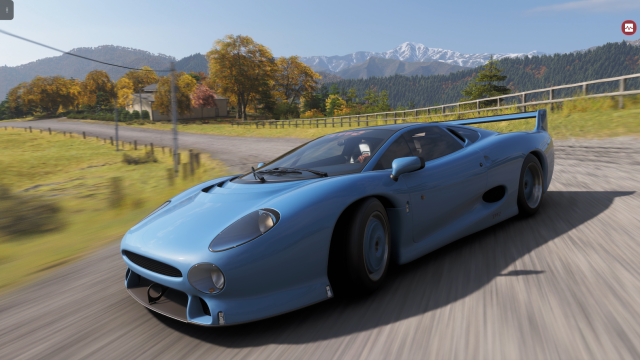
Forza Horizon 6 Festival Playlist Challenges Guide: What Kind of PC Do You Need to Enjoy Weekly Content Without Compromise?
The latest Forza Horizon 6 Festival Playlist Challenges Guide highlights something PC buyers in Canada should be paying attention to right now: modern racing games are no longer just about launching the game and driving. Weekly seasonal events, playlist rotations, photo challenges, online drift tasks, open-world exploration, and constant content refreshes all reward players who have a system that feels fast, smooth, and reliable every time they sit down to play. If you are looking at Forza Horizon 6 and wondering whether your current rig is still enough, this is the right time to think beyond one game and start asking what your next PC should really do for you.
The source guide lays out the full Series 2 Autumn playlist structure, including reward cars, event categories, challenge types, and the easiest ways to earn points quickly. That matters because it shows how today’s games create ongoing performance demand. You are not just loading a race anymore. You may be swapping cars, loading map events, chasing speed traps, capturing screenshots, jumping into online activities, and perhaps streaming the whole thing while Discord, OBS, browser tabs, and launchers all run in the background. So the real buying question is not only, Can my PC run Forza Horizon 6? It is also, Can my PC run it well enough to enjoy the full weekly experience without stutter, frustration, or upgrade regret?
What the Forza Horizon 6 Festival Playlist Tells Us About Modern PC Gaming
The Festival Playlist format is built around repeat engagement. New rewards arrive on a timer. Seasonal tasks rotate. Online and offline objectives mix together. There are easy wins, grind-heavy challenges, and skill-based events that reward consistency. This is exactly the kind of game design that exposes weaknesses in older or lower-tier hardware.
If your current system suffers from long load times, CPU hitching in dense map areas, weak 1% lows during high-speed driving, or storage bottlenecks when moving between events, a weekly challenge system will make that painfully obvious. Racing games especially benefit from responsive hardware because they punish hesitation. If frames dip during a drift line, a jump approach, or a speed trap run, it does not just look worse. It changes the result.
That is why Canadian buyers searching for a Gaming PC Canada solution should think about playlist-style games as a broader benchmark. If your next build can handle open-world racing smoothly, it is usually a strong sign that it can also handle a wide range of modern AAA titles, esports games, and content creation tasks more comfortably.
Why This Matters More for Canadian Buyers
Canadian PC buyers have to think differently about timing. System pricing here is influenced by exchange pressure, component availability, shipping realities, GPU demand cycles, and sudden demand spikes around major releases. A buyer who waits too long often does not just risk missing out on better performance now. They risk paying more later for the same class of hardware or settling for a weaker alternative because the ideal parts moved out of reach.
Are you trying to buy before another wave of GPU demand affects pricing? Are you hoping to upgrade before the next major blockbuster release pushes gamers back into the market? Are you trying to avoid doing a half-upgrade now and then replacing the rest of your platform too soon? Those are smart questions, and they matter just as much as raw specs.
That is where a trusted Canadian builder makes a difference. A custom system built around your actual use case can be a much better long-term decision than guessing at a generic machine that looks good on paper but falls short once your workload grows.
What Do You Want Your Next PC to Do for You?
Before choosing a performance tier, it helps to step back and ask a more useful question: what do you want your next PC to do for you over the next two to four years?
Do you just want to run Forza Horizon 6 well at 1080p and enjoy the Festival Playlist every week without fuss?
Do you want a stronger Custom Gaming PC Canada build for 1440p, higher settings, faster loading, and smoother open-world performance?
Do you want ray tracing headroom, premium visuals, and enough overhead for future racing games and demanding AAA releases?
Are you planning to stream your gameplay to Twitch or YouTube while still maintaining strong frame rates?
Do you also edit clips for social media, YouTube videos, or short-form content after your gaming sessions?
Would you like one system that can handle gaming, OBS, Photoshop, Premiere Pro, Illustrator, and maybe even Blender without becoming obsolete too quickly?
These questions matter because the right answer may not be “the cheapest PC that can launch the game.” It may be the balanced system that protects you from needing another upgrade too soon.
If You Play Games Like Forza Horizon 6, Which Performance Tier Fits You?
Entry-level 1080p buyers
If you mainly want a Budget Gaming PC Canada option for 1080p racing, esports, and mainstream titles, the goal should be stable performance, fast SSD storage, and enough modern CPU strength to keep the experience responsive. This is ideal for first-time buyers, students, casual players, and anyone coming from an aging console or older desktop.
This tier makes sense if you are asking, What gaming PC do I need for smooth 1080p play without overspending? It is also ideal if you want value first and visual extravagance second.
Mid-range 1440p buyers
For many Canadian gamers, 1440p is the sweet spot. It offers a major visual upgrade over 1080p while still delivering excellent performance with the right CPU and GPU pairing. If you want stronger image quality in Forza, higher settings in new releases, and better longevity, this is often the most sensible place to buy.
If you are asking, What PC do I need for 1440p gaming? or How much should I spend on a gaming PC so I do not outgrow it quickly? this is likely your category. A good 1440p build also leaves more room for multitasking, recording, and general creator work than many entry-level systems.
High-end 4K and ultra-settings buyers
If your goal is visual impact, premium settings, stronger ray tracing support, and long-term relevance across demanding new games, then a 4K Gaming PC Canada or premium 1440p/ultra-settings build may be the better answer. This tier is for buyers who do not want to compromise every time a new flagship game arrives.
Are you the kind of player who notices frame pacing? Do you want smoother minimums, more overhead, better texture performance, and less need to tune settings down as the next wave of games lands? Then buying stronger now can save frustration later.
Is Forza Horizon 6 Also Making You Think About Streaming?
Many racing game players do more than just play. They stream challenge runs, post tuning clips, record weekly playlist guides, share event strategies, and create social content around seasonal rewards. If that sounds like you, then you may not just need a gaming desktop. You may need a Streaming PC Canada or a hybrid gaming-and-creator machine.
What PC do you need for streaming if you are also gaming at the same time? Do you need a separate streaming PC? In most cases, not necessarily. A well-planned custom build can handle gaming, recording, live streaming, chat apps, browser tabs, and clip export workflows on one platform, especially if the system is built with proper balance in mind.
For a gaming and streaming setup, CPU quality, GPU encoder capability, RAM capacity, storage speed, and cooling all matter. It is not enough to chase just one headline part. A system that looks powerful in a product title can still disappoint if the rest of the build was chosen poorly. That is one major reason why custom system design matters.
Could a Forza Buyer Actually Need a Creator PC?
Yes, quite often.
If you are capturing gameplay, editing race highlights, producing YouTube breakdowns, creating thumbnails, retouching screenshots, or running Adobe Creative Cloud alongside your gaming library, then you are crossing into Creator PC Canada territory. And that changes how your build should be configured.
A creator-focused system may need more RAM, more storage, stronger export performance, better sustained cooling, and a different CPU/GPU balance than a purely gaming-first machine. That is especially true if you use Premiere Pro, DaVinci Resolve, After Effects, Photoshop, Lightroom, or Illustrator regularly.
So ask yourself: are you buying a gaming PC that occasionally edits videos, or are you really buying a Video Editing PC Canada or content creation platform that also needs to game well? The answer can shift your best-value build dramatically.
What If You Also Edit Photos, Design Graphics, or Build Content for Clients?
For some buyers, Forza Horizon 6 is not the whole story. It is just the game that finally made them notice their computer is behind in general. Maybe launch times feel slow. Maybe multitasking is annoying. Maybe Photoshop crawls when large files are open. Maybe Lightroom exports take longer than they should. Maybe your design workflow becomes choppy the moment several apps are open together.
If that sounds familiar, the better fit may be a Photo Editing PC Canada, Graphic Design PC Canada, or broader content creation build rather than a basic gaming machine.
Do you work with RAW images? Do you rely on Photoshop and Lightroom? Do you create logos, packaging, social assets, brochures, or digital campaigns in Illustrator and InDesign? Do you want faster AI-assisted workflows in modern creative software? If so, system responsiveness, memory capacity, storage layout, and display support become major buying factors.
In other words, the right PC is not the one that merely survives your heaviest task. It is the one that makes your routine work feel easier and faster every day.
Do You Need a Gaming PC, a Creator PC, or a Workstation?
This is one of the most important buying decisions Canadian customers face, and it often gets oversimplified.
- Choose a gaming-first build if your main priorities are frame rate, visual quality, low latency, and performance in modern titles.
- Choose a creator-focused build if gaming matters but your system also needs to handle regular editing, design, streaming, or production workloads.
- Choose a workstation-focused build if your day-to-day work involves heavy rendering, CAD, 3D workflows, simulation, large project files, or professional productivity where time saved equals money saved.
If you are wondering, Is a gaming PC good for video editing? or Is a gaming PC good for graphic design? the honest answer is that some are, but only if they are configured intelligently. A mismatched prebuilt may leave too much performance on the table. A custom machine built around your actual workflow is more likely to give you balanced, usable power.
What If Your Interest in Forza Also Connects to 3D Work, Rendering, or Development?
Some buyers are racing fans, but they also work in Blender, Unreal Engine, Unity, CAD tools, or 3D asset pipelines. If that is you, then the conversation changes again. You may need a 3D Modeling PC Canada or a Workstation PC Canada rather than a standard gaming desktop.
Are you rendering animation? Building environments? Working on product visualization? Developing game assets? Testing scenes in Unreal Engine? If so, you should be thinking about GPU rendering performance, RAM headroom, CPU multitasking strength, storage planning, and platform stability.
That is why a buyer searching for one “best PC” can get misleading advice online. The right build for Forza at 1440p is not automatically the right build for Blender, DaVinci Resolve, and Unreal Engine in the same week. But a carefully planned Groovy Computers system can be tailored to support exactly that kind of hybrid workload.
Why Weekly Live-Service Games Push Buyers Toward Better Hardware
The source playlist guide also reveals something else important: games increasingly expect players to return often, complete rotating tasks quickly, and stay engaged across different modes. In practical terms, that means your machine should feel good not just once, but repeatedly.
That changes the value equation.
A PC that is barely adequate might technically run the game, but does it make the experience enjoyable when you are hopping in for a quick challenge before work? Does it recover quickly from alt-tabbing? Does it keep the world smooth while moving at speed? Does it stay responsive when recording clips? Does it still feel solid when the next content patch lands?
For many buyers, the answer is no. And that is exactly why stepping up one performance tier can be smarter than buying the absolute minimum spec target.
Is It Better to Buy Now or Wait?
This is one of the most common buyer questions in Canada, and it deserves a realistic answer.
If your current system is already failing to keep up with the games and workloads you actually use, waiting often has a hidden cost. You lose time. You tolerate frustration. You may miss the best experience in the games you are excited about. You may put off creator work or spend longer on exports and renders than necessary. And if component prices move the wrong way, waiting can leave you with fewer options, not better ones.
Are you buying before a major holiday sales period, or after demand has already pushed inventory around? Are you trying to secure a stronger build before the next hardware squeeze, software upgrade cycle, or blockbuster release wave? Are you replacing a PC that is already one issue away from forcing an emergency purchase?
If so, planning now is often the more controlled decision.
Should You Buy a Cheaper System or Finance a Better One?
This is where practical budgeting matters more than sticker shock.
Many customers start by looking for the lowest upfront cost, but that is not always the most economical long-term choice. A too-weak system can trigger earlier replacement, disappointing performance, or costly upgrade chains. In contrast, financing a stronger custom build can sometimes be the smarter move if it helps you secure the right level of performance now and avoid buying twice.
If you are asking, Should I finance a gaming PC? or Should I finance a better PC instead of buying a cheaper one? the real question is how long you want this machine to remain satisfying. If modest monthly payments help you move from a barely-adequate build to a genuinely useful one, that can be a strong value decision.
Groovy Computers can help Canadian buyers think through that tradeoff with real-world use in mind. If you game, stream, edit, and create, financing may let you lock in a system that fits your needs now instead of compromising and upgrading again sooner than planned. For buyers considering custom systems, support for financing up to 4 years can make a meaningful difference.
What Parts Matter Most for a Forza Horizon 6 Ready System?
GPU
Open-world racing games benefit heavily from strong graphics performance, especially as you move up in resolution and visual settings. If you want smooth 1440p or 4K gameplay, higher texture quality, stronger effects, and more room for future titles, the GPU is one of the biggest decision points.
Do you want a system that just gets you in the game, or one that keeps new releases feeling exciting for years? That answer often determines how aggressive your GPU choice should be.
CPU
A quality CPU helps with simulation, world streaming, general responsiveness, background multitasking, and hybrid gaming-plus-creator use. If you stream, edit, or keep many apps open while playing, CPU choice becomes even more important.
Are you only gaming, or do you also want better performance in exports, compression, multitasking, and productivity tasks?
RAM
Memory capacity matters more than many buyers expect. Modern gaming plus browser tabs, launchers, chat, and background software can already consume a lot. Add streaming or editing and the need grows quickly.
Do you want enough RAM for today, or enough headroom to avoid upgrading too soon? That is an important distinction.
SSD storage
Fast storage improves boot times, game loading, asset streaming, and general system responsiveness. It also matters for creators working with large media files and project libraries. If your current PC feels old every time you install, patch, or launch something, storage may be part of the problem.
Cooling and case airflow
Performance is not just about the parts list. A properly cooled system maintains stability, sustains boost behaviour better, and generally gives you a more reliable ownership experience. That matters for long gaming sessions and creator workloads alike.
What Performance Tier Should Different Buyers Consider?
- Choose value-focused entry gaming if you want smooth 1080p play, everyday speed, and a lower-cost way into PC gaming.
- Choose balanced mid-range gaming if you want 1440p performance, stronger visuals, better longevity, and room for mainstream streaming or editing.
- Choose enthusiast gaming if you want premium visuals, higher refresh targets, better ray tracing support, and more confidence for upcoming AAA games.
- Choose a creator hybrid build if you game but also need editing, design, streaming, and Adobe workflow performance.
- Choose a workstation-oriented build if rendering, CAD, 3D, or professional production work is as important as gaming or more important.
If you are still unsure, ask yourself one simple question: what task would disappoint you most if your new PC handled it poorly? Gaming? Streaming? Editing? Rendering? That answer usually points to the category you should prioritize.
Why a Custom Build Makes More Sense Than a Random Generic Prebuilt
Buying a PC based only on headline specs is one of the easiest ways to make an expensive mistake. Two systems can appear similar online while delivering very different real-world experiences. That is because build quality, cooling, power delivery, memory configuration, storage choice, motherboard quality, and testing standards all affect how the PC actually behaves.
This is where a Custom PC Builder Canada has a real advantage. Groovy Computers builds systems around customer intent, not just inventory convenience. That means the machine can be tailored to your actual priorities, whether that is Forza Horizon 6 at 1440p, gaming plus OBS, Adobe Creative Cloud performance, or a workstation-grade workflow.
Instead of asking you to fit into a random preconfigured box, a custom approach asks the better question: what are you really trying to accomplish with this PC?
Why Testing, Support, and Warranty Matter Even More When Prices Are Volatile
When the market is unpredictable, the last thing buyers want is uncertainty after purchase. A custom system should not only perform well. It should arrive with confidence behind it.
That is why rigorous testing matters. Stress testing helps catch issues before they become your problem. Careful part matching improves stability and upgrade compatibility. Good airflow and power planning help long-term reliability. And a clear warranty gives you more peace of mind than buying a mystery machine from a random seller.
For Canadian customers, especially those ordering online, trust is not a luxury. It is part of the value. Groovy Computers offers the reassurance many buyers are looking for, including careful build quality and a 1-year warranty that supports confidence in your purchase.
Forza Horizon 6 Is the Hook, But What Will You Be Playing Next?
One of the biggest mistakes buyers make is shopping only for the game they are excited about today. The smarter move is to think one step ahead. Forza Horizon 6 may be the reason you are shopping now, but what comes after that? Another large open-world title? A ray-traced action game? A streaming hobby that turns serious? A jump into editing, design, or 3D work?
Do you want a machine that handles this week’s playlist, or one that still feels capable when the next wave of demanding software lands? Do you want to tune down settings every year, or buy with enough overhead to stay comfortable longer?
Future-proofing does not mean overspending blindly. It means buying intelligently enough that your next system remains useful and enjoyable beyond the immediate hype cycle.
How Should Canadian Buyers Approach Value Right Now?
The best value is not always the lowest price. It is the build that delivers the best combination of usable performance, reliability, longevity, and support for your budget. For some customers, that is an affordable first gaming machine. For others, it is the mid-range build that avoids an early upgrade. For premium buyers, it is the higher-end machine that saves time, holds up longer, and keeps premium games feeling premium.
If you are comparing options, ask yourself:
- Will this system still satisfy me in 18 to 24 months?
- Am I buying only for gaming, or also for streaming and creator work?
- Would one stronger tier save me money versus replacing parts too soon?
- Am I trying to buy before another market shift changes what my budget can get?
- Would financing a better system actually be the more responsible decision for my needs?
Need Help Choosing the Right Build for Forza, Streaming, Editing, or More?
If the Forza Horizon 6 Festival Playlist Challenges Guide has you thinking about smoother gameplay, faster loading, better visuals, or a stronger all-around machine, the next step is to match your real usage to the right build category. Maybe you need a gaming-first PC. Maybe you need a hybrid streaming and editing setup. Maybe you need a creator system or workstation that also plays modern games beautifully.
If you are asking yourself, what gaming PC do I need, what PC do I need for 1440p gaming, or whether now is the right time to move up before prices shift again, Groovy Computers is built for exactly that conversation. Visit GroovyComputers.ca to explore custom options, compare performance tiers, and get help choosing a system that fits your goals instead of forcing you into a generic compromise.
Final Thoughts: Use the Hype Around Forza Horizon 6 to Make a Smarter PC Decision
The source playlist guide does a great job showing how much content Forza Horizon 6 packs into a single seasonal rotation. But the bigger takeaway for Canadian buyers is this: modern games reward better systems more than ever. The difference between “it runs” and “it feels great” is meaningful, especially in fast, open-world, event-driven games.
If your current PC is starting to hold you back, now is the time to think clearly about your next move. Do you want smooth 1080p, confident 1440p, or premium 4K headroom? Do you also want streaming, editing, design, or workstation capability? Do you want to avoid upgrading again too soon? And would a stronger custom build be easier to secure now than after another round of price movement?
For buyers looking for a dependable Gaming PC Canada solution, a versatile creator machine, or a custom-built workstation with Canadian support, the smartest move is choosing a system designed around how you actually use your computer. That is where Groovy Computers stands out.
#ForzaHorizon6 #GamingPCCanada #CustomGamingPCCanada #GamingPCBuilderCanada #CanadianCustomPCBuilders #1440pGamingPCCanada #4KGamingPCCanada #StreamingPCCanada #CreatorPCCanada #VideoEditingPCCanada #WorkstationPCCanada #CustomPCBuilderCanada #NovaScotiaTech #GroovyComputers
Groovy Computers | All Rights Reserved



Leave a comment
This site is protected by hCaptcha and the hCaptcha Privacy Policy and Terms of Service apply.