




































Grand Theft Auto 6 Screenshots Are Fueling the Biggest Gaming PC Question in Canada: Is Your Next System Ready?
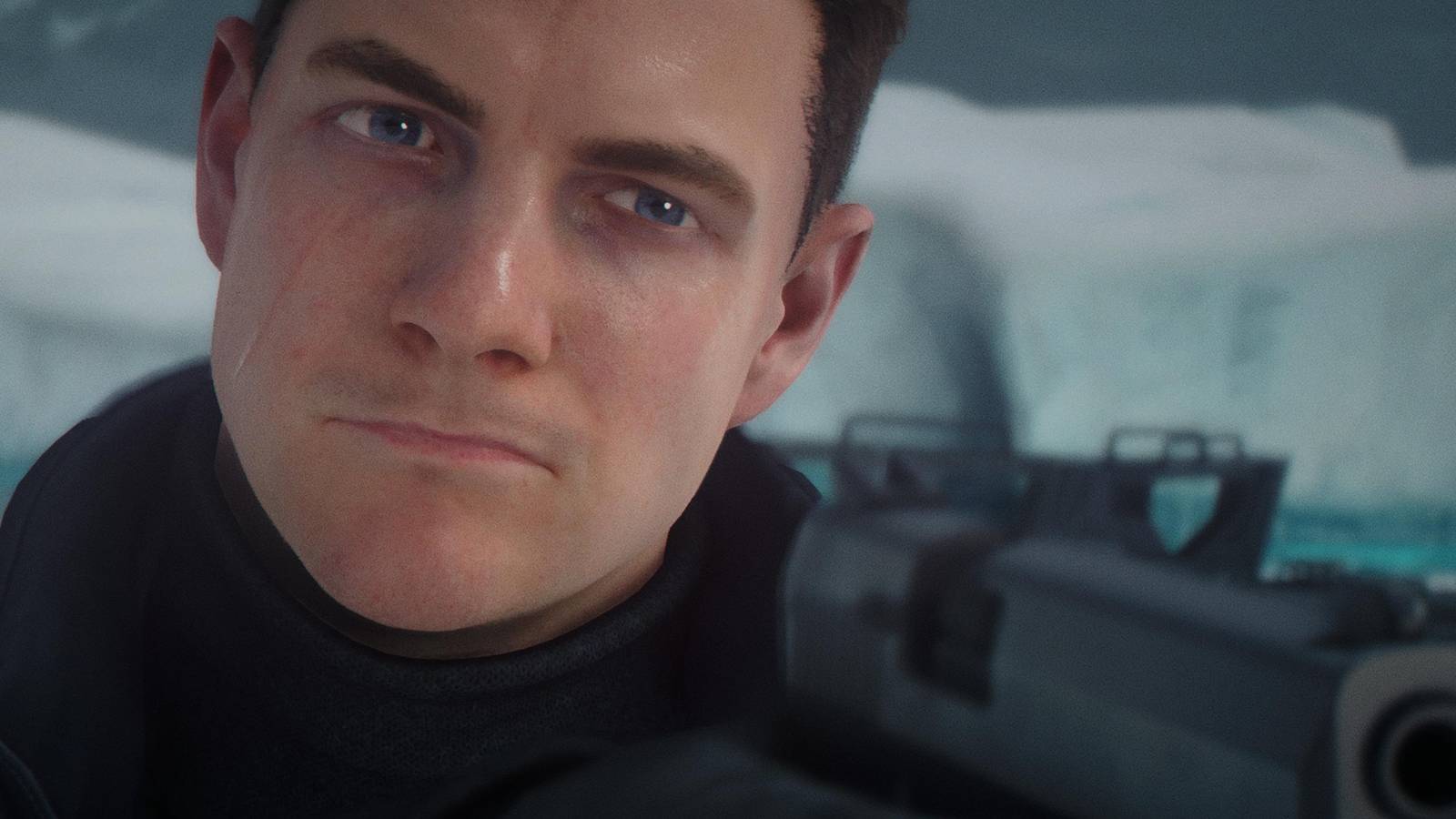
The latest Grand Theft Auto 6 screenshots are doing exactly what major blockbuster game reveals always do: they are getting players to imagine how they want to experience the game on their next system. More customization, more visual detail, more world-building, more atmosphere, and more hype usually lead to one practical question for buyers across Canada: is your current PC ready for the next generation of open-world gaming, or is it time to move to a stronger custom build?
The newly released screenshot wave highlights character customization, vehicles, cosmetics, and the kind of visual density people expect from a major AAA release. Even without full PC-specific performance details in the source material, the message is clear. This is the kind of game that will push demand for stronger GPUs, faster CPUs, more RAM, and larger SSDs. For Canadian buyers, that matters now, not later, because excitement around a major release often drives hardware demand, pricing pressure, and rushed upgrade decisions.
At Groovy Computers, this is where the conversation becomes more useful than hype alone. A big reveal is not just about admiring screenshots. It is about asking the right buying questions early. What do you want your next PC to do for you? Do you want a gaming system for upcoming AAA titles? A gaming and streaming setup? A creator machine that can handle gameplay capture, editing, thumbnails, and uploads? Or a more serious workstation that can move between gaming and professional software without feeling outdated too soon?
What the GTA 6 Screenshot Drop Really Tells Buyers
The source coverage focuses on over 60 new images tied largely to premium and pre-order cosmetic content, including clothing, hairstyles, tattoos, vehicles, weapon variants, and retro-inspired bonus content. That may sound like pure marketing material on the surface, but it still tells buyers something important. Developers are putting visual identity, environmental detail, and player presentation front and centre. That usually goes hand in hand with modern texture work, lighting effects, denser scenes, and higher expectations from hardware.
In other words, this is not the kind of release people will want to experience on a struggling, underpowered system. If you already know you care about smooth gameplay, visual fidelity, and long-term value, then this is exactly when you should be thinking ahead.
Are you the kind of player who is happy with 1080p on medium settings if the game runs well? Or are you already picturing 1440p, high refresh rate gameplay, stronger visual settings, and room for future titles too? That answer changes what kind of system makes sense.
Why Canadian Buyers Should Read This News Differently
The source article discusses pricing in U.S. terms, but Canadian customers need to think in Canadian dollars and in total upgrade cost, not just game cost. If a premium edition of a new release is already pushing higher software pricing, the bigger financial story is what often follows around the game: new monitor purchases, SSD upgrades, GPU replacements, full-system rebuilds, and higher demand for better gaming PCs.
That is why major game hype cycles matter for Gaming PC Canada shoppers. They do not just influence what people play. They influence when people buy.
When demand spikes around a huge release, buyers who waited too long often face harder choices. Do they settle for a weaker system? Do they rush into a generic build with poor cooling or limited upgrade paths? Do they keep putting money into an older platform that still will not deliver the experience they want six months from now?
Canadian buyers should also think about shipping, warranty support, tested quality, and long-term value. Buying a system is not just about getting a box delivered. It is about making sure the parts make sense together, the cooling is right, the power supply is appropriate, the airflow is not neglected, and the whole machine is stress-tested before it reaches your desk.
What Do You Want Your Next PC to Do for You?
This is the most important question in the entire buying process, and it is the one many people skip.
Do you want a PC mainly for GTA 6 and other upcoming games? Do you want a system that can also stream to Twitch or YouTube? Are you recording gameplay for short-form content, editing clips for social media, or building a full YouTube workflow with OBS, Premiere Pro, DaVinci Resolve, Photoshop, and browser tabs all open at once?
Maybe your use case goes even further. Are you a student who wants one desktop that can game at night and handle Adobe Creative Cloud during the day? Are you a content creator who needs strong gaming performance plus fast exports? Are you a 3D artist who wants to game but also needs a reliable machine for Blender, Unreal Engine, or rendering workloads?
The right answer is not always “buy the most expensive PC.” The right answer is to match the build to the workload and leave enough room so you do not outgrow it too quickly.
If You Want a Gaming PC for GTA 6, What Performance Tier Fits You?
Not every buyer needs the same class of machine. The smart move is to choose the tier that fits your monitor, your settings expectations, and how long you want the system to stay relevant.
Entry Gaming Tier: Who should start here?
If your goal is straightforward 1080p gaming, solid performance in modern titles, and a lower total budget, an entry-level build may be enough. This tier is for buyers asking questions like: Can I play major new games at 1080p without spending too much? Is a budget gaming PC worth it if I just want smooth gameplay and decent settings?
This type of system is often right for first-time desktop buyers, students, and players moving from older consoles or aging laptops. It can also make sense if your monitor is still 1080p and you are not planning to stream heavily or multitask while gaming.
But ask yourself one more thing: are you trying to save money now, or are you trying to avoid upgrading again too soon? Those are not always the same decision.
Mainstream Sweet Spot: Is 1440p the real target?
For many Canadian buyers, the best long-term value is in the strong mid-range to upper-mid-range performance class. This is where a lot of gamers should be looking if they want a gaming PC for GTA 6, newer AAA releases, and a system that still feels powerful over the next few years.
If you are asking, What PC do I need for 1440p gaming? this is likely your category. A well-balanced custom build in this range can deliver better visual settings, stronger frame rates, and a much more comfortable experience for open-world games, action titles, competitive play, and future releases.
This is also the zone where gaming and streaming starts to make more sense. If you want to run your game, Discord, a browser, OBS, and maybe some recording in the background, a stronger CPU and more memory stop being luxuries and start becoming quality-of-life essentials.
High-End Tier: Are you chasing ultra settings, ray tracing, or 4K?
Some buyers already know what they want. They want high refresh 1440p, premium visual settings, stronger ray tracing capability, or a 4K-ready path for blockbuster titles. If that sounds like you, you are shopping in the premium category for a reason.
Ask yourself: How long do I want this PC to last before I feel pressure to upgrade? Do I want room for future games, larger textures, heavier mods, streaming, recording, and editing too?
A 4K Gaming PC Canada buyer or high-end RTX buyer is not just paying for today’s screenshots. They are paying for headroom, consistency, and staying power. For a game with this much visual buzz behind it, that matters.
Are You Just Gaming, or Do You Also Want to Stream and Create?
This is where many buyers underestimate their needs. A machine that feels fine for gaming alone may not feel nearly as comfortable when you add live streaming, recording, video editing, and content publishing.
If you are planning to stream gameplay, ask a more practical question: what PC do I need for streaming if I also want strong performance in demanding new games? The answer usually involves better CPU multitasking, enough RAM for background applications, fast storage for recordings, and a GPU that can support a smooth gaming experience while handling creator workloads efficiently.
A proper Streaming PC Canada build is not just about frame rates. It is about stability under load. That includes game performance, encoding, overlays, chat tools, browser sources, and the general reality of modern creator setups.
If your plan includes editing gameplay clips, YouTube videos, reaction content, or tutorials, the conversation moves even further. Suddenly your “gaming PC” may really need to be a Creator PC Canada solution.
What If GTA 6 Is Just the Trigger for a Bigger Upgrade?
For many customers, one major game reveal becomes the moment they finally address a much larger problem. Their current desktop is slow in everything. Games stutter. Recordings take too long to process. Exports drag. Storage is always full. Multitasking feels messy. Cooling is loud. The system was “good enough” two years ago, but not anymore.
If that sounds familiar, then the smartest question is not just Can my PC run this game? It is what else is my PC failing at right now?
Do you also edit 4K video? Use Photoshop and Lightroom? Create thumbnails, motion graphics, and social clips? Work in Illustrator or InDesign? Build scenes in Blender? Need a machine that can game at night and do paid client work during the day?
Once you frame it that way, a weak stopgap upgrade often looks less attractive than a proper custom build.
Need More Than Gaming? Here Is How to Match the Right PC Category to Your Workload
For gaming only
If you mostly care about playing upcoming titles well, a balanced custom gaming system is the answer. Focus on GPU strength, CPU balance, memory capacity, cooling quality, and an SSD large enough for modern game installs. Open-world games are not getting smaller, and neither are their storage demands.
For gaming and streaming
If you want to play and broadcast at the same time, choose a gaming and streaming machine with more breathing room. Ask yourself: Do I need a separate streaming PC? For most buyers, the answer is no. A stronger single-system build is often the better value, especially when configured properly from the start.
For video editing and content creation
If your workflow includes Premiere Pro, DaVinci Resolve, After Effects, CapCut, or frequent gameplay editing, then a Video Editing PC Canada or creator-focused build makes more sense than a pure gaming-first system. Fast storage, more RAM, a capable multi-core CPU, and a strong GPU all matter differently here than they do for gaming alone.
Are you editing 1080p clips occasionally, or are you handling 4K timelines, effects, colour work, and exports every week? That answer changes your ideal build dramatically.
For photo editing and design
If your work leans into Photoshop, Lightroom, Illustrator, Canva, or InDesign, you may not need the same GPU-first priorities as a high-end gamer, but you still need a responsive, reliable system. A good Photo Editing PC Canada or design-focused creator desktop should feel fast with large files, multitasking, and modern software tools.
Do you work with RAW photos? Batch exports? AI-assisted tools? Multi-monitor layouts? Those details matter more than many buyers realize.
For 3D modeling, Blender, and Unreal Engine
If this new wave of game visuals has you thinking not just as a player but as a developer, modder, 3D artist, or Unreal user, then you may really need a 3D Modeling PC Canada or custom workstation. Gaming-grade performance can overlap with 3D work, but not every gaming build is ideal for rendering, simulation, heavy scene work, or professional asset production.
Ask yourself directly: What PC do I need for Blender? What PC do I need for Unreal Engine? Is a gaming PC good for 3D rendering, or do I need a workstation-oriented system? That is where a custom builder becomes much more valuable than a one-size-fits-all shelf unit.
Why Timing Matters More Than People Think
When a blockbuster game starts dominating the conversation, buyers usually move through the same cycle. First comes hype. Then comes performance speculation. Then people realize their hardware is older than they thought. Then demand for better PCs rises.
That is why waiting until the last minute can be expensive in more ways than one. Even if pricing on individual parts does not spike overnight, overall replacement cost can still rise through stronger demand, shifting availability, newer platform premiums, and the tendency for buyers to overspend in a rush.
Do you want to be choosing carefully now, or scrambling later when you feel forced to upgrade?
This matters for GPUs, CPUs, memory, SSD capacity, and even cooling requirements. A new build planned properly gives you options. A panic purchase rarely does.
Should You Buy a Cheaper PC Now or Finance a Better One?
This is one of the most practical questions Canadian buyers ask, especially when a major game release makes their current setup feel outdated.
If a lower-cost system only barely meets your needs today, what happens when the next game arrives, your editing workflow gets heavier, or your monitor upgrade pushes you toward 1440p or 4K? Buying too low can feel cheaper at checkout but more expensive over time if you replace the system too early or start swapping parts immediately.
That is where financing can make genuine sense. Instead of settling for a weak compromise, some customers would rather secure the right machine upfront and spread the cost more comfortably. If you have been wondering, should I finance a better PC instead of buying a cheaper one? the answer often comes down to lifespan, workload, and how soon you would outgrow the lower-tier option.
Groovy Computers offers Canadian buyers a path to stronger systems without forcing every decision into a full one-time payment. For customers trying to get ahead of rising replacement costs or major game demand, financing up to 4 years can make a better-tier build much more realistic.
What Questions Should You Ask Before Buying a PC for GTA 6 and Other New Games?
- What resolution am I really targeting? 1080p, 1440p, or 4K?
- Do I care about ray tracing, ultra settings, or high refresh rate smoothness more?
- Am I only gaming, or am I also streaming, recording, editing, or multitasking heavily?
- How long do I want this system to stay relevant before I feel upgrade pressure again?
- Is my current monitor limiting my decision, or am I planning a display upgrade too?
- Do I need more storage from day one because modern games and media files are huge?
- Would I rather buy once properly, or buy lower now and upgrade sooner?
- Do I want a tested custom PC with warranty support, or am I gambling on unknown build quality?
These questions are more useful than chasing random spec lists online because they connect the machine to your actual goals.
Custom PC vs Generic Prebuilt: Why It Matters for Big-Release Buyers
When excitement is high around a game like GTA 6, many buyers are tempted to grab the fastest available option without thinking deeply about build quality. But this is exactly where the difference between a custom system and a generic prebuilt becomes important.
A proper Custom Gaming PC Canada build is not just about selecting parts with bigger names. It is about balance. The GPU has to make sense with the CPU. The power supply should not be an afterthought. Cooling should be chosen for sustained loads, not just for appearance. The case should breathe. The storage should match modern install sizes. The memory capacity should reflect how you actually use the machine.
If you also stream, edit, or work creatively, the value of a tailored build goes even further. A generic machine may be marketed for gaming but still feel awkward for creator workloads. A smart custom configuration avoids that mismatch.
Why Groovy Computers Fits This Moment for Canadian Buyers
Groovy Computers is positioned for the exact type of customer this gaming cycle creates: buyers who want more than guesswork. If you are comparing systems and trying to decide between a budget gaming computer, a premium RTX gaming desktop, a creator build, or a workstation-class solution, expert guidance matters.
Groovy Computers focuses on custom builds for Canadian customers, with rigorous testing, practical configuration logic, and a 1-year warranty that adds confidence when you are making a larger purchase. That matters whether you are in Nova Scotia, Atlantic Canada, or ordering from elsewhere in the country.
Do you want a machine that is built around your real usage instead of a generic marketing label? Do you want help deciding whether your money should go further toward gaming performance, creator performance, more storage, better cooling, or longer-term value? That is where a custom builder earns trust.
For customers shopping from Halifax, Trenton, New Glasgow, and across Canada, the advantage is not just access to hardware. It is access to a better decision.
What Kind of Buyer Should Choose Each Tier Right Now?
Choose a budget-focused gaming build if:
- You mainly play at 1080p
- You want strong value without chasing top-end visuals
- You are buying your first desktop or replacing an older entry-level machine
- You need a practical path into modern PC gaming
Choose a stronger mid-range or upper-mid-range build if:
- You want 1440p gaming or extra longevity
- You play modern AAA titles and want better settings
- You stream casually or multitask while gaming
- You want to avoid feeling underpowered too soon
Choose a premium gaming build if:
- You want high refresh 1440p or 4K ambitions
- You care about visual quality and stronger future readiness
- You want room for heavy mods, streaming, and content creation
- You prefer buying once at a higher tier rather than upgrading repeatedly
Choose a creator or workstation-oriented build if:
- Your PC is for gaming plus editing, design, or production
- You work in Premiere Pro, Resolve, Photoshop, Illustrator, Blender, or Unreal
- You earn money with your machine or rely on it for school and business
- You care as much about stability and productivity as frame rates
Is It Better to Buy Now or Wait?
This is always the hardest question, and there is no universal answer. But there is a useful framework.
If your current PC already feels limited, if you know you want to play major upcoming games properly, if you are also dealing with creator or workstation frustrations, and if stretching to the right build now would save you from a short upgrade cycle, then waiting often costs more in lost value than people expect.
If, on the other hand, your current system still comfortably handles your games and workloads, and you truly are not planning a monitor change, streaming setup, or new software demands, you may have more flexibility.
But be honest with yourself. Are you waiting because it is strategically smart, or because deciding feels overwhelming?
Want Help Choosing the Right Build for GTA 6, Streaming, Editing, or More?
If the new Grand Theft Auto 6 screenshots have you thinking about your next system, this is the right time to narrow your priorities. Do you need a budget-friendly gaming machine, a stronger 1440p-ready setup, a premium RTX build, a custom creator PC, or a heavier workstation for editing and 3D work? If you want expert help choosing a system that fits your games, software, budget, and upgrade timeline, visit GroovyComputers.ca and start with a custom PC solution built for real Canadian buyers.
The best buying decisions usually happen before the rush. A properly configured system can give you smoother gaming, faster editing, better streaming stability, and more confidence that you will not need another major upgrade too soon. If you are already asking what your next PC should do for you, Groovy Computers is the place to turn that question into the right build.
#GrandTheftAuto6 #GTA6 #GamingPCCanada #CustomGamingPCCanada #GamingPCForGTA6 #CreatorPCCanada #VideoEditingPCCanada #StreamingPCCanada #3DModelingPCCanada #CanadianCustomPCBuilders #NovaScotiaPCBuilder #GroovyComputers
Groovy Computers | All Rights Reserved


Leave a comment
This site is protected by hCaptcha and the hCaptcha Privacy Policy and Terms of Service apply.