
























GTA 6 and the Real PC Buying Question for Canadians: What Kind of System Should You Be Planning Now?
GTA 6 is one of the biggest game launches in years, and for many Canadian buyers it is already changing the way they think about their next upgrade. Even though the current confirmed launch information in the source material points to a console release first, the bigger issue for PC buyers is simple: if a game this large is on your radar, is your current desktop really ready for the next wave of demanding open-world titles? If not, this is the right time to think beyond one game and start planning a Gaming PC Canada purchase that fits what you actually want to play, stream, edit, and create over the next several years.
The source article outlines the major talking points around GTA 6: release timing, console platforms, pricing, the likely delayed PC release, gameplay expectations, possible multiplayer timing, and the sheer scale of Rockstar’s new open world. That matters because when a blockbuster title raises expectations for world detail, AI behaviour, ray tracing, weather systems, dense traffic, wildlife, social systems, and cinematic storytelling, it usually pushes the entire PC market forward. Even if you are not buying a PC solely for GTA 6, you may still be buying because games like this redefine what “good enough” hardware looks like.
For Canadian shoppers, that changes the conversation. The real question is not just, “When will GTA 6 come to PC?” It is also, “What kind of desktop will I wish I had when it does?”
What We Know About GTA 6 So Far, and Why PC Buyers Should Care
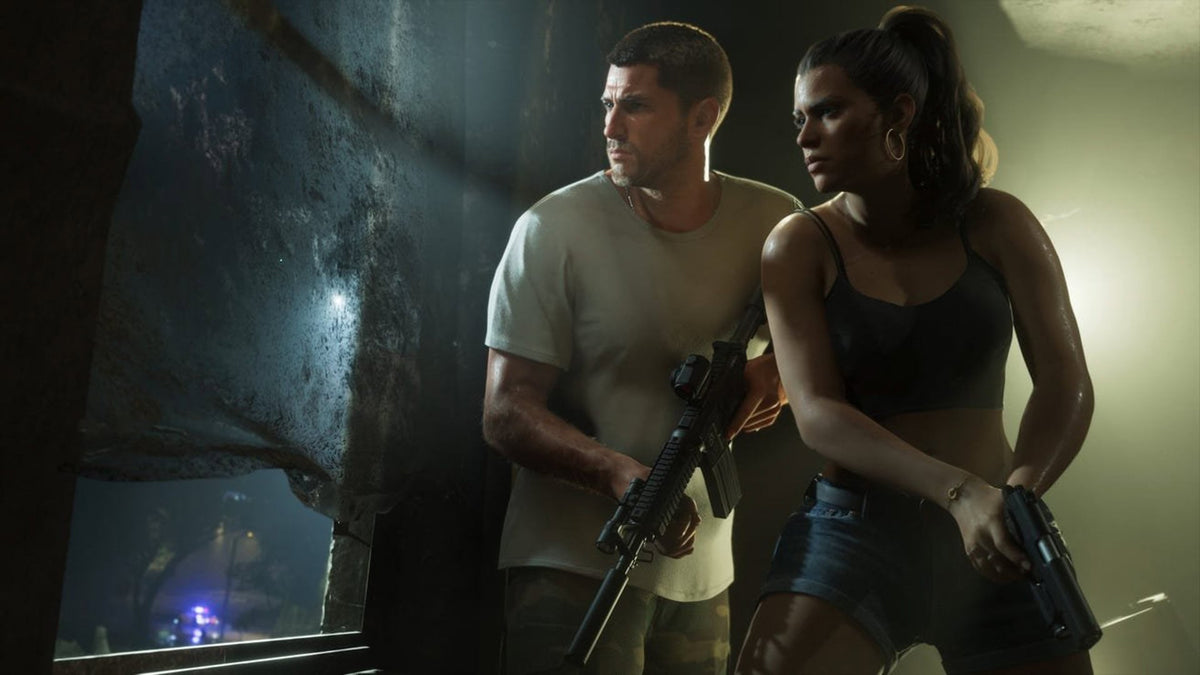
Based on the source material provided, GTA 6 is scheduled for November 19, 2026 on current-generation consoles, with no confirmed PC release date yet. That follows Rockstar’s familiar pattern of launching on console first and bringing the game to PC later. The source also points to a large-scale, highly detailed world, a major focus on Jason and Lucia, heavy environmental simulation, dense city life, dynamic activity, substantial wildlife, and the kind of presentation that suggests serious hardware demands whenever the PC version eventually arrives.
The listed game pricing also tells its own story. The Standard Edition is priced at $79.99 USD and the Ultimate Edition at $99.99 USD in the source. For Canadian readers, that roughly translates to about $110 CAD for the standard version and about $135 to $140 CAD for the higher edition before taxes, depending on exchange rate and store pricing. In other words, gaming is not getting cheaper. Games cost more, accessories cost more, displays cost more, and if your PC is already borderline for modern AAA gaming, delaying too long can mean paying more later for a rushed upgrade.
That is why this topic matters well beyond one release date. GTA 6 is a signal event. It is the kind of launch that makes thousands of buyers ask whether they should upgrade now, wait, or finance a stronger custom system before demand rises.
Why Canadian Buyers Should Think Differently Than the Average Hype Cycle
Online hype often treats big game releases like entertainment news only. But if you are in Canada, your buying decision is affected by more than excitement. Exchange rates, import pressure, GPU demand, memory pricing, storage pricing, and regional availability can all shape what your next build costs.
Are you the kind of buyer who waits until the exact week you need a new system? Or would you rather lock in a better-performing PC before the next spike in demand for GPUs and higher-end gaming builds?
When major game launches approach, many customers suddenly shop at once. That can affect not just pricing but also which parts are in stock, which configurations make sense, and whether lower-tier systems still represent good value. If your current machine is already struggling in open-world games, ray-traced titles, content creation apps, or multitasking, waiting too long can turn a smart planned upgrade into an expensive urgent one.
This is where a Canadian custom builder matters. A properly matched desktop is not just about raw specs. It is about making sure your CPU, GPU, memory, storage, airflow, cooling, and power delivery all make sense together, so you do not overspend in one area and regret cutting corners in another.
What Do You Want Your Next PC to Actually Do for You?
Before you shop by hype, shop by use case.
Do you want a system mainly for upcoming AAA games at 1080p? Are you aiming for 1440p with high settings and better longevity? Do you want 4K, ray tracing, and stronger overhead for whatever comes after GTA 6? Or are you trying to build one machine that can game at night, stream on weekends, edit videos for YouTube, handle Photoshop and Illustrator for work, and still feel fast two or three years from now?
That is the decision point many buyers miss.
If you only ask, “Can this PC run one game?” you may buy too low. If you ask, “What do I want this desktop to do for me every day?” you make a much smarter investment.
- Gaming only: focus on GPU tier, CPU gaming performance, cooling, and display target.
- Gaming and streaming: add encoder strength, more memory, and stronger multitasking capacity.
- Gaming and editing: prioritize CPU balance, storage speed, and RAM capacity.
- Creator and workstation use: think beyond gaming FPS toward exports, renders, timeline smoothness, and application stability.
- Long-term value: choose a platform and build quality that helps you avoid upgrading too soon.
Are You Buying for 1080p, 1440p, or 4K?
One of the most useful questions a customer can ask is also one of the simplest: what resolution are you actually trying to play at?
1080p: Who is this tier really for?
A 1080p-focused build still makes sense for competitive gaming, students, first-time buyers, and anyone who wants strong performance without jumping straight into premium pricing. If you mainly play esports titles, lighter shooters, older AAA games, and you want solid value, a carefully chosen 1080p system can still be a smart Budget Gaming PC Canada option.
But ask yourself honestly: are you buying a system for today only, or for the next big wave of games? If titles like GTA 6 are the reason you are upgrading, a basic entry-level machine may age quickly. Saving a bit now can sometimes mean replacing too soon.
1440p: Is this the real sweet spot for most gamers?
For many buyers, yes. A 1440p Gaming PC Canada build often delivers the best balance of visual quality, frame rate, and long-term relevance. If you want modern AAA gaming to look great, if you care about high settings, and if you want a system that still feels strong as upcoming games become heavier, 1440p is often where value and performance meet.
Are you the kind of player who wants crisp image quality, better immersion, and enough overhead for future releases without paying top-tier 4K prices? Then this is usually the tier worth considering first.
4K and ray tracing: Are you buying for premium gaming?
If your target is a 4K Gaming PC Canada setup with ray tracing, high or ultra settings, and serious future-proofing, you are no longer shopping in the budget category. You are shopping for a premium custom build with a stronger GPU, more thermal headroom, and a platform that can support demanding games for years.
Do you want cinematic visuals, better texture overhead, stronger minimum frame rates, and room for the next generation of open-world releases? Then a higher-end build can make sense, especially if you are also pairing it with a quality monitor and using the system heavily.
What PC Do You Need for GTA 6 Style Gaming, Even Before PC Specs Are Confirmed?
Because there is no confirmed PC requirement list in the source material, the smart approach is not to invent exact numbers. The smarter approach is to build around the kind of game GTA 6 appears to be.
This looks like the sort of title that may eventually reward:
- Strong single-player open-world performance
- A capable modern GPU for high settings and advanced lighting effects
- Enough VRAM and memory for dense environments and textures
- Fast SSD storage for asset streaming and load performance
- A balanced CPU that handles simulation, traffic, AI, and background systems well
So ask yourself: when the PC version arrives, do you want to be hoping your current system survives medium settings, or do you want to be ready for a polished experience from day one?
A strong custom gaming desktop should not just aim to “launch the game.” It should aim to play major releases smoothly, maintain strong frame pacing, leave room for updates, and avoid becoming outdated immediately after one blockbuster launch.
If You Also Stream, Record, or Post Content, Should Your Build Be Different?
Absolutely.
Many buyers researching GTA 6 are not just gamers. They are also streamers, aspiring creators, YouTube editors, TikTok clip makers, and social-first content publishers. If that sounds like you, a basic gaming-first configuration may not be enough.
Do you want to play demanding games while running OBS? Do you record long sessions, cut clips, add overlays, export thumbnails, and keep browser tabs, Discord, and editing software open at the same time?
If so, your needs move closer to a Gaming and Streaming PC Canada or Content Creation PC Canada build than a simple entry gaming system.
You should start thinking about:
- Extra RAM for multitasking and creator workflows
- Fast primary and secondary SSD storage
- A GPU that supports smooth gaming plus efficient encoding
- A CPU with enough overhead for background tasks and exports
- Reliable cooling for sustained workloads, not just short gaming sessions
That is especially important if your gaming setup is also your editing setup. A system that feels fine in one game can feel slow the moment you add capture, browser tabs, timeline previews, cloud syncing, and rendering.
Could a GTA 6 Upgrade Also Be the Right Time to Upgrade Your Creator Workflow?
For many people, yes.
Game launches often trigger a buying decision that was already overdue. Maybe your current desktop still runs games, but Premiere Pro exports drag. Maybe Lightroom slows down with larger catalogs. Maybe After Effects previews are frustrating. Maybe Blender renders are stretching too long. Maybe Photoshop and Illustrator are fine individually but feel sluggish when used together with dozens of tabs and assets open.
If that is your reality, then a game-driven upgrade can become a broader productivity upgrade.
Ask yourself:
- Do you need a system only for gaming, or also a Video Editing PC Canada workflow?
- Are you using Adobe Creative Cloud and want smoother multitasking?
- Do you need a Photo Editing PC Canada for high-resolution RAW files?
- Are you looking for a Graphic Design PC Canada that handles Illustrator, Photoshop, InDesign, and multi-monitor work comfortably?
- Do you need a 3D Modeling PC Canada build for Blender, Unreal Engine, or rendering?
One strong custom system can often cover all of those roles if it is designed properly from the start.
Which Performance Tier Fits You Best?
Choosing the right tier is often more important than chasing the loudest spec sheet. Here is a practical way to think about it.
Entry value tier
Best for buyers who mainly want lighter modern gaming, esports, school use, and solid everyday speed. This tier fits customers asking, “How much should I spend on a gaming PC?” or “Is a budget gaming PC worth it?”
This tier works if you are realistic about settings, resolution, and longevity. It is not the tier most people should choose if they are specifically preparing for the most demanding new open-world games.
Mainstream performance tier
This is often the best fit for the broadest number of customers. It works well for 1080p high refresh or 1440p gaming, stronger AAA performance, better multitasking, and a more comfortable upgrade horizon.
If you want a system that feels genuinely modern, handles new games with confidence, and still leaves room for streaming, this is often the strongest value category.
High-performance enthusiast tier
This tier is for buyers who want premium 1440p or entry-to-strong 4K gaming, heavier multitasking, advanced visual settings, and more comfort for future releases. It is also a strong fit for creators who need gaming plus editing power in one desktop.
Are you trying to avoid buyer’s remorse? Are you tired of upgrading every time a major game drops? This tier is where many long-term shoppers find the best balance between performance and durability.
Flagship premium tier
This is for buyers who want very high-end performance, heavier ray tracing ambitions, stronger creator capability, or a machine designed to stay relevant deep into the next wave of software demands. It is ideal for customers who care about premium visual settings, workstation-adjacent flexibility, and a system built with fewer compromises.
If your mindset is, “I want one desktop that can handle gaming, streaming, editing, and demanding software without feeling like a stopgap,” then this tier may be worth serious consideration.
Should You Buy Now or Wait?
This is one of the most important questions in the market.
If you are waiting for exact GTA 6 PC specs, that is understandable. But if your current desktop is already behind, waiting can be expensive in its own way. Prices do not only move because of one game. They can also move because of broader GPU demand, memory fluctuations, SSD pricing pressure, seasonal buying spikes, new product transitions, tariff and import effects, and simple supply constraints.
So ask yourself a more useful question: if your current PC is already not meeting your needs, what exactly are you waiting for?
Are you waiting for certainty, or are you just delaying a purchase you already know you need?
If you want better gaming, smoother creation, stronger multitasking, and less upgrade stress, planning ahead is often smarter than reacting late. A custom desktop bought before pressure rises can sometimes offer a better balance of parts, availability, and overall value than a panic purchase made when everyone else is chasing the same hardware.
Is Financing a Stronger PC Smarter Than Settling for a Weaker One?
For many buyers, yes.
One of the most common mistakes in the market is buying the cheapest system that technically fits the moment, only to outgrow it early. That can be especially frustrating if you wanted 1440p but bought for 1080p, wanted to stream but ran out of headroom, or needed editing speed but compromised too heavily on CPU, GPU, RAM, or storage.
That is why financing can be practical, not just convenient.
Would monthly payments help you move from a short-term stopgap PC to a desktop you actually want to keep? Would financing up to 4 years make it easier to buy for your real target resolution, your real game library, or your real creator workload before replacement costs rise again?
For buyers considering a stronger custom build, that can be the difference between constant compromise and long-term satisfaction. Instead of asking only, “What is the cheapest gaming PC I can get?” ask, “What system will still feel right after the next few major games, software updates, and workload increases?”
Why Custom Builds Matter More When Big Releases Raise the Bar
When games get bigger, prettier, and more demanding, generic spec shopping becomes riskier. A random marketplace desktop may advertise a flashy GPU, but that does not tell you whether the cooler is sufficient, whether the power supply is quality, whether memory is balanced, whether the storage setup is sensible, or whether the whole machine has been tested properly under load.
That is why a Custom Gaming PC Canada approach matters.
A custom system gives you:
- Better part matching for your actual use case
- Smarter budget allocation between CPU, GPU, RAM, and SSDs
- Cooling and airflow choices that support sustained performance
- A clearer upgrade path
- More confidence that your desktop was built for the workload you actually care about
If you also do creator work, the value becomes even clearer. A one-size-fits-all box can leave performance on the table in editing, rendering, exporting, multitasking, or streaming. A custom build can be tuned around what matters most to you.
What Questions Should You Ask Before Buying Your Next PC?
Before you commit, slow down and ask the questions that actually determine whether a build is right for you.
- What games do I want to play over the next two to three years?
- Am I targeting 1080p, 1440p, or 4K?
- Do I care about ray tracing, ultra settings, or just smooth frame rates?
- Will I stream, record, or edit gameplay?
- Do I also use Adobe apps, design software, or 3D tools?
- How much multitasking do I really do every day?
- Do I want a budget system now, or a stronger system that lasts longer?
- Would financing help me avoid buying too low?
- Do I want help from a Canadian builder who can match the system to my goals?
These are better buying questions than “What is the absolute cheapest option?” because they reduce the chance of a mismatch between your budget and your expectations.
Why Groovy Computers Is a Smart Fit for Canadian Buyers
Groovy Computers is built around exactly the kind of decision many GTA 6 watchers are making right now: how to buy the right desktop before the next performance wave hits. Whether you need a gaming-focused rig, a streaming-ready machine, a creator desktop, or a more advanced workstation-class build, the goal is the same: get a system designed for your actual workload instead of guessing your way through generic options.
For Canadian customers, that means real advantages:
- Custom-built systems tailored to gaming, streaming, editing, design, and workstation needs
- Canada-focused service from a builder that understands Canadian buyers
- Rigorous testing for reliability and confidence
- A 1-year warranty for added peace of mind
- Financing options up to 4 years for customers who want a stronger build without forcing a full upfront compromise
Are you in Nova Scotia, Atlantic Canada, or ordering from elsewhere in the country and looking for a builder you can trust to take your needs seriously? That is where a company focused on properly matched custom desktops stands out.
Need a Gaming PC for GTA 6, Streaming, Editing, or More?
If you are reading GTA 6 coverage and thinking, “My current system probably is not enough for where gaming is going,” you are likely right to start planning now. But do not stop at one game. Think about the full picture. Do you want a desktop for new AAA gaming only? A Streaming PC Canada setup for OBS and content? A creator machine for editing and design? A stronger hybrid system that can do all of it without feeling like a compromise?
If you want help choosing the right performance tier, deciding whether 1080p or 1440p makes more sense, comparing mainstream versus premium builds, or seeing whether financing a stronger system is the smarter move, visit GroovyComputers.ca and explore a custom solution built around how you actually use your PC.
Final Thoughts: GTA 6 Hype Is Big, but Your PC Decision Should Be Bigger
GTA 6 is not just another release. It is a preview of where premium gaming expectations are headed. Dense open worlds, bigger simulation loads, stronger visual demands, and audience crossover with streaming and content creation all point in one direction: better hardware planning matters more than ever.
If your current desktop already feels one step behind, this is the time to think carefully about your next move. The right Gaming PC Canada strategy is not about chasing hype blindly. It is about choosing a custom-built system that matches your monitor, your games, your software, your budget, and your timeline so you are not stuck upgrading again too soon.
Whether you need a budget-friendly first step, a strong 1440p machine, a premium gaming tower, or a creator-ready workstation, the smartest question is not “Can I wait?” It is “What will I wish I had bought when the next big release finally lands?”
#GamingPCCanada #CustomGamingPCCanada #GamingPCforGTA6 #GamingPCBuilderCanada #GamingAndStreamingPCCanada #ContentCreationPCCanada #VideoEditingPCCanada #3DModelingPCCanada #CanadianCustomPCBuilders #NovaScotiaPCBuilder
Groovy Computers | All Rights Reserved


Leave a comment
This site is protected by hCaptcha and the hCaptcha Privacy Policy and Terms of Service apply.