






















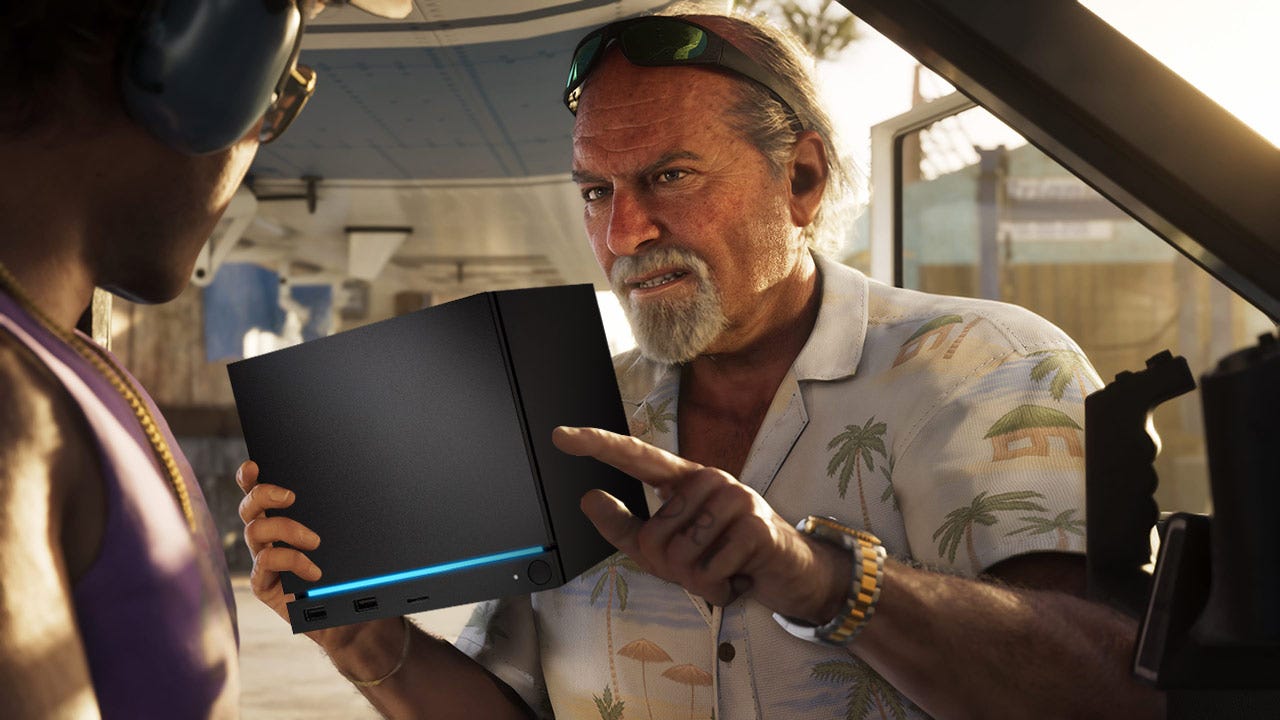
GTA 6 on a Steam Machine? What Canadian Buyers Should Really Learn Before Choosing a Gaming PC for GTA 6
The source discussion around whether GTA 6 on a Steam Machine would be playable raises a much bigger question for Canadian buyers: what kind of PC should you actually buy if you want to be ready for Grand Theft Auto 6, other demanding open-world games, and everything else you do on your computer? If one compact gaming system may need serious tweaking, lower settings, platform workarounds, or compromises around anti-cheat support, then the real takeaway is simple. Your next PC should be chosen around your performance goals, your game library, your software, and how long you want the system to stay relevant.
That is especially important now. Big-budget games are pushing harder on both the CPU and GPU, modern ray tracing can punish underpowered systems, storage demands keep growing, and many buyers are no longer shopping for a machine that only plays games. They also want to stream, edit video, run Photoshop, design graphics, or experiment with 3D tools. So instead of asking only whether a tiny form-factor gaming PC might run GTA 6, a better question is this: what do you want your next PC to do for you over the next three to five years?
For Canadian shoppers looking at a custom gaming PC, this is where smart build planning matters. A system that merely launches a game is not the same as a system that feels smooth, stays quiet, leaves room to upgrade, and supports the rest of your workload without frustration. At Groovy Computers, that difference matters because a custom-built system should fit your real use case, not just a headline benchmark.
What the original GTA 6 hardware discussion gets right
The source article makes a fair point: modern Rockstar games have historically offered a lot of scalability on PC. That means when a title eventually lands on PC, players can often adjust a wide range of settings to balance image quality and frame rate. In practical terms, a demanding game can often be made to run on weaker hardware if you are willing to accept lower visual quality, reduced effects, lower resolution, or aggressive upscaling.
That matters because many buyers misunderstand the phrase “can it run?” A PC may technically run a game, but how well? At what resolution? At what frame rate? With what compromises? And with what experience in busy city scenes, high-speed driving, or large online environments?
If you are shopping for a gaming PC for GTA 6, those details matter more than the yes-or-no question.
The article also points out another likely truth: games like GTA 6 may be more CPU-demanding than many people expect. Open-world simulation, pedestrian density, traffic systems, physics, streaming assets, and background logic can all hit the processor hard. That means buyers who focus only on the graphics card can still end up disappointed if the CPU is not matched properly.
Then there is the platform side. The source correctly highlights that game compatibility is not always just about horsepower. Anti-cheat support, operating system support, launcher behavior, and online mode compatibility can all affect whether the experience is straightforward or frustrating. For buyers who want fewer surprises, a properly configured desktop built around mainstream PC gaming use remains the safer long-term choice.
Why Canadian buyers should think beyond “Will it run?”
In Canada, PC buying decisions are affected by more than raw specs. System pricing, currency pressure, parts availability, shipping costs, regional support, and replacement cost all matter. If a game release like GTA 6 increases demand for stronger GPUs and CPUs, late buyers can end up paying more for less flexibility.
That is why the smarter buying question is often not “Can I wait?” but “Do I want to lock in a better-performing system before demand climbs?”
If you are currently gaming on older hardware, using a compact system with limited thermal headroom, or relying on a machine that already struggles in new AAA titles, waiting until the last minute can put you in a weaker position. You may face higher prices, reduced stock on popular parts, or the temptation to settle for a build that is merely available instead of properly suited to your goals.
For many buyers across Nova Scotia and Canada-wide, that is exactly where a custom builder becomes more valuable. Rather than hunting random configurations and hoping they fit, you can choose a balanced system designed for your target resolution, performance tier, and future plans.
What do you want your next PC to do for you?
Before choosing a system, stop and ask a few practical questions.
Do you only want to play GTA 6 at solid settings when it finally hits PC? Or do you also want to play other new AAA releases at 1440p or 4K?
Do you want ray tracing, higher texture settings, and stronger minimum frame rates in heavy city scenes?
Do you plan to stream gameplay through OBS, record clips, edit videos for YouTube, or create short-form content for social media?
Do you need your PC to handle Lightroom, Photoshop, Illustrator, Premiere Pro, DaVinci Resolve, Blender, Unreal Engine, or multitasking-heavy workstation tasks?
Do you want a budget gaming computer that gets you in the door, or would you rather avoid upgrading too soon by stepping into a stronger build now?
These questions matter because the right answer for one customer is completely wrong for another. A first-time buyer looking for strong 1080p gaming has different needs than a customer who wants a 4K gaming PC Canada shoppers would classify as premium, or a creator who needs one machine for gaming, editing, and streaming.
What performance tier fits your gaming goals?
Entry-level: Is 1080p enough for the games you actually play?
If your main goal is smooth 1080p gaming, good esports performance, and the ability to play modern games with carefully chosen settings, an entry-level to lower-midrange custom gaming PC can still make sense. This is often the best fit for first-time buyers, students, or players focused on value.
But be honest with yourself. Are you buying for today’s lighter games, or are you buying for major open-world releases that may become much heavier over the next year or two? If GTA 6 is one of the titles influencing your purchase, going too low just to save money today can create regret faster than expected.
Midrange: Do you want the best balance for 1440p gaming?
For many buyers, 1440p is the current sweet spot. A strong midrange system can deliver a much better mix of image quality, frame rate, and longevity. If you want a PC that feels clearly ahead of console-level compromises, this is often where the conversation should start.
Do you want higher settings without constantly tinkering? Do you want enough CPU and GPU headroom for newer games, mods, multitasking, and background apps? Do you want your machine to stay comfortable as game requirements rise? If so, midrange is often the value winner.
High-end: Are you aiming for 4K, ray tracing, and longer-term relevance?
If your target is ultra settings, 4K gaming, stronger ray tracing performance, and a system that remains competitive for years, then a premium tier build makes more sense. These are the builds for players who do not want every new release to become a settings management exercise.
Are you the kind of buyer who prefers to spend more once rather than upgrade twice? Are you pairing your desktop with a high-refresh 1440p monitor or a 4K display? Do you want top-tier single-player experiences to look the way they were meant to look? That is where a premium custom gaming PC becomes easier to justify.
Why GTA 6 may be a bigger CPU test than many buyers expect
A lot of shoppers focus on the GPU first, and that is understandable. Graphics cards drive resolution, effects, ray tracing, and much of the visual wow factor. But a title like GTA 6 is likely to lean heavily on CPU performance too, especially in dense environments and large-scale simulation.
What does that mean for you as a buyer? It means the wrong CPU can hold back an otherwise decent graphics card. It means that a build chosen only around headline GPU marketing may not deliver the smoothness you expected. It also means proper component matching matters.
At Groovy Computers, balanced custom builds are important for exactly this reason. A system should not just have a flashy part list. It should be configured so the processor, graphics card, memory, cooling, and storage all make sense together.
If you are asking, What gaming PC do I need for GTA 6, future AAA games, and everyday multitasking? the answer is usually not the cheapest possible combination. It is the best-balanced one for your target resolution and budget.
Will tweaking be enough, or do you want a smoother out-of-box experience?
One of the biggest lessons from the source article is that lower-powered systems can often be made playable through tweaking. But there is a difference between enjoying customization and depending on it.
Are you comfortable adjusting texture settings, shadow quality, reflections, draw distance, FSR or other upscaling options, and frame caps every time a major title launches? Or would you rather buy a system that gives you breathing room from the start?
Some customers enjoy fine-tuning. Others simply want a dependable desktop that handles demanding games without constant compromise. Neither preference is wrong, but it should influence your buying decision.
If you already know you dislike troubleshooting, dislike inconsistent online compatibility, or just want your games to work properly on a mainstream gaming setup, then a stronger desktop can save both time and frustration.
What if you also want to stream, record, or create content?
Many buyers researching a custom gaming PC Canada build are not just gamers anymore. They are hybrid users. They play games, stream on Twitch or YouTube, cut clips, edit podcasts, design thumbnails, and run multiple applications at once.
So ask yourself another useful question: will your next PC only play games, or will it help you create with them too?
If you want to stream while gaming, you need more than a decent frame rate. You need a system with enough overhead for OBS, browser tabs, chat tools, overlays, recording, and background tasks. If you want to edit those recordings later, storage speed, memory capacity, and CPU strength become even more important.
If you are a creator, the right build may not be a pure gaming machine at all. It may be a creator PC Canada buyers would choose for gaming plus editing, streaming, design, and multitasking. That changes the ideal component mix.
For streaming buyers
Do you want to stream at 1080p while maintaining smooth gameplay? Are you using one monitor or two? Will you be recording gameplay locally while live streaming? Do you care about background noise from fans during live sessions?
A gaming-and-streaming build should be chosen with those realities in mind. Enough RAM, the right GPU features, proper cooling, and a capable CPU all help produce a more stable creator experience.
For video editors
Do you plan to cut gameplay footage in Premiere Pro or DaVinci Resolve? Are you editing 1080p clips, 4K timelines, or higher-bitrate footage from multiple sources? Do you want faster exports and smoother playback with effects?
Then your ideal machine may be closer to a video editing PC Canada customers would select for mixed gaming and creator work, not just a basic gaming tower.
For designers and photographers
Do you mainly work in Photoshop, Lightroom, Illustrator, or other Adobe Creative Cloud apps after your gaming sessions? Do you care about working across multiple displays, handling large files smoothly, and reducing lag during exports or AI-assisted tasks?
If yes, your PC selection should reflect that. A gaming-capable system can absolutely support creative work, but only if it has the right memory, storage layout, and processor class.
For 3D and workstation users
Do you want to game now and also explore Blender, Unreal Engine, 3D modeling, or rendering later? That is a different customer profile again. A machine that feels fine for today’s games may not be enough for rendering, simulation, or large projects.
If you are already asking whether your next desktop should pull double duty as a workstation, that is a strong sign to choose a more scalable build from the start.
Should you buy a budget gaming PC, a stronger midrange build, or a premium custom system?
This is where many buyers get stuck, and understandably so. Everyone wants value. But value is not always the lowest price.
Choose a budget-focused build if:
You mainly play esports titles or older games at 1080p.
You are comfortable lowering settings in future AAA games.
You are buying your first gaming PC and need a reasonable entry point.
You understand you may need to upgrade sooner.
Choose a midrange custom build if:
You want strong 1440p gaming and better long-term value.
You care about smoother minimum frame rates in demanding games.
You want room for streaming, multitasking, and moderate content creation.
You would rather avoid immediate upgrade pressure.
Choose a premium build if:
You want 4K gaming, stronger ray tracing, and high visual settings.
You plan to keep the machine for years.
You want a system that also handles editing, rendering, or heavy multitasking comfortably.
You want a flagship experience rather than a compromise-first one.
If you are unsure where you fit, ask yourself this: will buying cheaper now save money, or just delay the cost of getting the PC you really wanted?
Is it better to buy now or wait for GTA 6 PC demand to rise?
This is one of the most practical questions in the market right now. While the exact PC release timing for GTA 6 should not be invented beyond the provided source context, the broader buying logic is clear. Big game launches tend to increase search demand, trigger upgrade conversations, and push many procrastinating buyers into the market at once.
That can create pressure on graphics cards, CPUs, memory, and SSD-equipped system pricing. It can also reduce availability on the best-value part combinations.
So ask yourself: are you trying to time the absolute lowest price, or are you trying to secure the right system before everyone else starts shopping for the same thing?
Waiting can work when the market is stable and your needs are light. But if your current PC is already borderline, or if you want a machine that covers gaming plus creator work, the cost of waiting is often hidden in lost performance, rushed decisions, and reduced choices.
Could financing help you secure a better PC before replacement costs rise?
For many customers, this is the real decision point. A lot of buyers know the stronger system makes more sense, but they hesitate because they are looking only at the upfront total.
That is where financing can become practical instead of impulsive.
If financing lets you move from a short-term compromise into a well-balanced custom desktop that lasts longer, performs better, and avoids an early upgrade cycle, it can be the more disciplined choice. The goal is not to overspend. The goal is to buy appropriately.
Would a monthly payment make it easier to get the CPU, GPU, memory, and storage combination you actually need? Would it help you buy before a major game release, creator workload increase, or pricing spike? Would stretching the purchase responsibly save you from replacing a weak entry-level machine too soon?
For Canadian shoppers considering gaming, creator, or workstation builds, Groovy Computers can help buyers explore the logic of choosing a stronger, longer-lasting system instead of settling for the cheapest option on the screen.
Custom PC vs generic prebuilt: why does it matter more for a game like GTA 6?
When a game is likely to stress both the CPU and GPU, and when users may also want streaming, editing, or future upgrade room, build quality matters. A generic prebuilt may look fine in a spec sheet headline, but the details often decide the actual experience.
Is the cooling sufficient for sustained performance? Is the power supply dependable? Is the memory configuration sensible? Is the storage fast enough? Is the case airflow adequate? Was the system designed with future upgrades in mind? Was it tested properly before shipping?
These are not small questions. They directly affect stability, noise, thermals, and long-term reliability.
That is why many buyers prefer working with Canadian custom PC builders who focus on balanced component selection, proper testing, and support. A custom gaming PC should not just look powerful in a product title. It should behave like a quality machine under load.
Why Groovy Computers makes sense for Canadian buyers
Groovy Computers is built around what serious buyers actually need: custom systems tailored to use case, careful part matching, rigorous testing, and support from a Canadian PC builder that understands both gaming and productivity workloads.
If you are in Nova Scotia, Atlantic Canada, or ordering from elsewhere in the country, that Canadian context matters. You are not just buying parts. You are buying confidence in the full system.
Need a gaming desktop designed around upcoming AAA games? Need a mixed-use creator machine for gaming, streaming, and editing? Need a workstation that can handle rendering, design, or heavier software without becoming a bottleneck? That is exactly where custom planning makes the difference.
Groovy Computers also offers a 1-year warranty, which matters when you are making a meaningful investment in a desktop you expect to rely on. And for buyers who want to secure a better system sooner, financing options up to 4 years can help make a stronger build more realistic.
What should you ask before choosing your next PC?
What games do you want to play over the next two to three years, not just this month?
Are you targeting 1080p, 1440p, or 4K?
Do you care about ray tracing, high refresh rates, or ultra settings?
Will you stream, record, or edit video?
Do you also use Photoshop, Lightroom, Illustrator, Premiere Pro, DaVinci Resolve, Blender, or Unreal Engine?
Do you want a budget system now, or do you want to avoid upgrading too soon?
Would financing a better PC now leave you in a stronger position than replacing a weaker system later?
Do you want a custom gaming PC, creator PC, or workstation build based on your actual workload?
If GTA 6 is on your mind, what kind of buyer are you really?
If you are reading performance discussions around GTA 6, there is a good chance you fall into one of these groups.
The cautious upgrader
You already have a PC, but you suspect it will struggle with newer games. You are wondering whether tweaks will be enough. For you, the right move may be a balanced midrange upgrade before demand rises.
The first serious gaming PC buyer
You do not want to waste money on the wrong system. You want something better than a disposable low-end purchase, but you still care about value. For you, the right custom build is probably one that prioritizes 1440p-ready performance and upgrade headroom.
The premium gamer
You want higher settings, cleaner frame pacing, stronger ray tracing, and a system that lasts. You do not want a box that merely survives GTA 6. You want one that makes major game launches exciting instead of stressful.
The hybrid gamer-creator
You game, stream, edit, design, or create content. You need one machine to do more than one job. For you, component balance matters even more than it does for a pure gamer.
The workstation-curious buyer
You may start with gaming, but you also want to explore 3D modeling, rendering, or demanding production software. For you, buying too low now can become expensive later.
Need help choosing the right build instead of guessing?
If you are asking yourself whether a compact system with compromises is really the right answer, you probably already know what the better question is: what custom PC should I buy for GTA 6, future games, and the rest of my workload?
That is where Groovy Computers comes in. Whether you need a value-focused gaming desktop, a premium RTX-ready gaming machine, a streaming and editing setup, or a workstation-class custom build, the goal is the same: match the system to the way you actually use it.
Want help choosing a PC that makes sense for 1080p, 1440p, or 4K? Want to know whether a gaming build is enough for your editing or creator workload? Want to explore whether financing a stronger build now is smarter than upgrading twice? Visit GroovyComputers.ca and start with a system built around your real needs, not a compromise you have to fight with later.
Final takeaway: GTA 6 on a Steam Machine is interesting, but the smarter buying lesson is bigger
The real value of the original discussion is not the novelty of whether a small gaming PC might run Rockstar’s next giant release with enough tweaking. It is the reminder that modern game performance is about balance, platform compatibility, future demand, and choosing the right class of machine in the first place.
If GTA 6 on a Steam Machine sounds like a scenario full of caveats, tweaks, and compromises, then Canadian buyers should take that as a signal. Buy for the experience you want, not just the minimum possible result. If you want a desktop that is ready for demanding games, streaming, editing, design, or workstation use, a custom-built system from Groovy Computers is the smarter long-term path.
#GamingPCCanada #GamingPCForGTA6 #CustomGamingPCCanada #GamingPCBuilderCanada #CreatorPCCanada #VideoEditingPCCanada #StreamingPCCanada #CanadianCustomPCBuilders #NovaScotiaBusiness #GroovyComputers
Groovy Computers | All Rights Reserved



Leave a comment
This site is protected by hCaptcha and the hCaptcha Privacy Policy and Terms of Service apply.