



































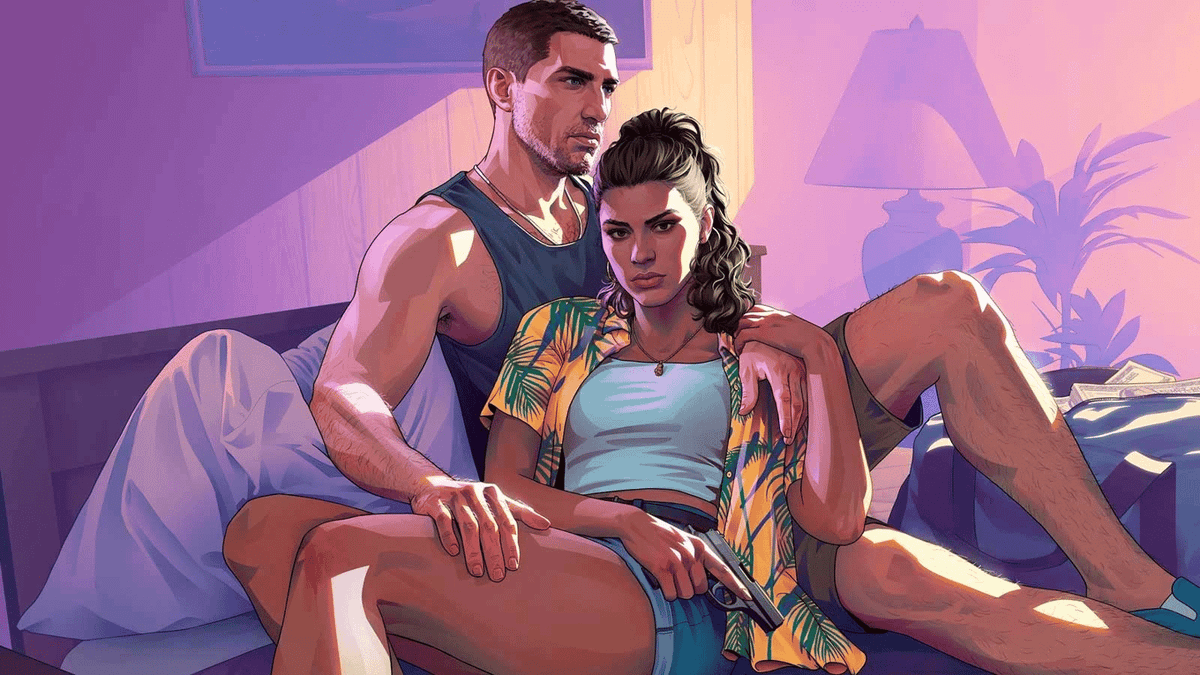
GTA 6 Gamers Are Marking Their Calendars For 23 June, But Is Your Next Gaming PC Canada Ready for What Comes Next?
The latest GTA 6 speculation has fans circling 23 June as a possible date for the next major marketing beat, with hopes that a new trailer could finally arrive shortly after Rockstar and Take-Two begin their summer push. For Canadian buyers, that kind of hype matters for more than just social media excitement. Every major open-world launch changes buying behaviour, pushes more gamers into upgrade mode, and increases interest in a stronger gaming PC Canada shoppers can rely on for upcoming AAA titles, streaming, editing clips, and long-term performance.
The source story highlights a familiar pattern: fans are watching every clue, every timeline comment, and every marketing window for signs of the next GTA 6 trailer. That makes sense. The game has already faced delays, the release is now set for November 2026 on console, and expectations are enormous. When a title reaches this level of anticipation, many players start asking a more practical question: if this is the kind of game I want to play at high settings when it finally lands on PC or when other equally demanding games arrive first, what kind of system should I be buying now?
That is where this stops being just gaming news and becomes a smart buying conversation. At Groovy Computers, the real issue is not whether a specific trailer lands on 23 June. The real issue is whether your current system is ready for the next generation of open-world games, ray tracing demands, higher VRAM expectations, creator workloads, and pricing pressure across GPUs, memory, and storage.
Why are GTA 6 trailer rumours relevant to anyone shopping for a Gaming PC Canada build?
Because major game launches shift the market long before release day. Big titles create urgency. They push players to compare their current hardware against tomorrow’s requirements. They increase demand for better graphics cards, newer CPUs, faster SSDs, and more RAM. And they make many shoppers realize that buying too late can mean paying more for less performance.
If you have been waiting for a sign to upgrade, a rumoured GTA 6 trailer window is exactly the kind of signal that gets thousands of people moving at once. Even if GTA 6 itself is not yet a PC launch-day decision for you, the conversation around it reflects something bigger: modern blockbuster games are becoming more demanding, more cinematic, and more punishing to older systems.
So ask yourself a simple question: are you buying your next PC for the games you play today, or the games you know are coming next?
What the source article gets right about the timing
The source report focuses on fan theories tied to the start of summer and the belief that Rockstar’s next marketing phase could begin as soon as that seasonal window opens. Whether or not 23 June turns out to be accurate, the broader takeaway is valid: GTA 6 is moving back into public conversation, and each new trailer, screenshot drop, or release confirmation will push more players to think seriously about hardware.
That matters because upgrades rarely happen in a vacuum. A single game announcement can trigger a wave of purchases from people who have been putting off their decision. Some want a budget gaming PC Canada buyers can stretch for 1080p play now. Others want a 1440p gaming PC Canada setup that stays relevant for years. Some are aiming even higher and want a premium RTX system ready for 4K, ray tracing, and streaming without compromise.
In other words, the trailer rumour is not the real story. The real story is buyer timing.
Why Canadian buyers should think differently before the next big game cycle
Canadian customers face a different buying environment than many headline-driven gaming stories account for. Exchange rates, shipping costs, regional availability, and sudden demand spikes can all affect final system pricing here. That means waiting until every major game gets a confirmed date is not always the smartest move.
If GPU demand tightens, if SSD prices move, or if memory costs rise, replacing a system later can cost more than locking in a stronger build sooner. That is especially true if you are trying to balance gaming with school, work, editing, or streaming at the same time.
Are you in Nova Scotia, Atlantic Canada, Ontario, Alberta, or ordering from elsewhere across the country? The details of local availability may vary, but the buying logic is the same: secure the performance tier you actually need before market pressure builds further.
This is why so many Canadian shoppers are now asking not only what gaming PC do I need, but also is it better to buy a gaming PC now or wait?
What do you want your next PC to do for you?
Before you focus on one game, step back and think bigger. Do you just want to run new AAA releases smoothly? Do you want high frame rates in competitive games too? Are you planning to stream on Twitch or YouTube? Will you edit gameplay clips for TikTok, YouTube Shorts, or long-form content? Are you also doing Photoshop, Lightroom, Premiere Pro, DaVinci Resolve, Illustrator, Blender, or Unreal Engine work?
Your answer changes everything.
A customer buying for one monitor at 1080p has very different needs from someone planning a 1440p ultrawide setup. A buyer who only plays games has different priorities than a creator who games, records footage, edits in 4K, and exports regularly. A student wanting a first system may be best served by a value-focused build, while a long-term buyer may save money overall by choosing a higher tier now and avoiding a premature upgrade later.
So what does your next PC need to do for you over the next two to four years?
What PC do you need for upcoming open-world games like GTA 6?
While official PC requirements are not available in the provided source, it is reasonable to expect that games in this class will reward strong CPUs, modern GPUs, fast NVMe storage, and enough RAM to keep asset streaming smooth. Open-world games increasingly lean on fast storage and ample graphics memory, especially once higher settings, ray tracing, or high-resolution textures enter the picture.
If your current PC already struggles with newer releases, that is a warning sign. If you are still on an older quad-core or six-core chip, limited VRAM, or a slow SATA SSD, you may already be behind where the next generation is heading.
Are you targeting 1080p, 1440p, or 4K?
This is one of the most important questions in any gaming PC buying guide Canada shoppers should ask themselves.
- 1080p gaming: Best for value-conscious buyers, esports players, and anyone who wants strong performance without chasing maximum visual settings.
- 1440p gaming: The sweet spot for many modern players who want noticeably sharper visuals, stronger immersion, and room for better-quality settings.
- 4K gaming: Ideal for premium buyers who want visual impact first, especially in cinematic single-player games, but it requires a much stronger GPU tier.
So which experience matters more to you: saving money today, balancing value and longevity, or pushing visual quality as far as possible?
Do you care about ray tracing and ultra settings?
If the answer is yes, your GPU choice becomes even more important. Modern blockbuster games can look stunning with ray traced lighting, reflections, and shadows, but those effects add serious demand. If you know you want a ray tracing gaming PC Canada customers can depend on for future titles, cutting too low on graphics power today may lead to disappointment tomorrow.
It is also worth asking whether you are comfortable lowering settings later, or whether you want a future proof gaming PC Canada buyers choose to stay ahead of the curve.
Which performance tier fits you best?
Not everyone needs the same class of system, and one of the biggest mistakes buyers make is choosing based on hype instead of actual use. A better question is this: what kind of performance tier matches your real-world gaming and creator goals?
Entry-level value tier
This tier makes sense if you want a budget gaming PC Canada buyers can use for esports, lighter modern games, schoolwork, and general use. It is also a smart first step for students and younger players entering PC gaming for the first time.
Choose this tier if you are asking:
- Can a budget gaming PC play new games at 1080p?
- How much should I spend on a gaming PC if I mostly play competitive titles?
- Do I need to upgrade right now, or just move off an older system?
For many shoppers, this tier is about getting into PC gaming without overspending. But if you are already eyeing demanding AAA games, it may be smarter to move one tier up.
Mainstream performance tier
This is often the best fit for gamers who want 1080p ultra or 1440p high settings with solid longevity. It is especially attractive if you want a gaming PC for new games and do not want to feel underpowered a year from now.
Choose this tier if you are asking:
- What PC do I need for 1440p gaming?
- How do I avoid upgrading too soon?
- Is a stronger mid-range build the best gaming PC for the money?
For many Canadian customers, this is the value-performance sweet spot.
High-end enthusiast tier
This is for buyers targeting high refresh 1440p, stronger ray tracing, premium visual settings, and more confidence heading into future AAA releases. If you also stream, record, and multitask, this category becomes even more appealing.
Choose this tier if you are asking:
- Should I buy a premium gaming PC now or wait?
- What PC do I need for ultra settings?
- How long will a high-end gaming PC last?
If you know you care about long-term satisfaction more than the lowest upfront spend, this tier often makes the most sense.
Creator and workstation crossover tier
Some customers are not just gaming. They are streaming, editing, designing, animating, and running serious software workloads. In that case, a gaming-focused build alone may not be enough. A well-planned creator PC Canada or workstation PC Canada setup can dramatically improve export times, timeline smoothness, multitasking, and reliability.
Choose this tier if you are asking:
- Is a gaming PC good for video editing?
- What PC do content creators need?
- Should I choose a workstation PC vs gaming PC for 3D modeling?
Are you only gaming, or do you also stream and create content?
This is where many buyers underestimate their needs. A PC that handles gaming alone may not feel nearly as smooth once OBS, browser tabs, Discord, music apps, plugins, capture tools, and editing software all start running together.
If you plan to stream while playing demanding games, your parts should be selected differently. The same goes for anyone recording gameplay for YouTube, clipping highlights, or editing content after each session. A stronger CPU, enough RAM, proper cooling, a fast SSD, and the right GPU encoder support can all make a major difference.
Are you planning to use OBS? Upload to YouTube? Edit in Premiere Pro or DaVinci Resolve? Need a gaming and streaming PC Canada customers can trust for both play and production? If so, buying just enough for gaming today may leave you wishing you had built smarter from the start.
When does a Streaming PC Canada build make sense?
If your setup needs to game, stream, record, and stay responsive under pressure, a purpose-built streaming system is worth considering. A streaming PC Canada build is ideal for buyers who want better multitasking, more headroom, and cleaner performance while live.
Ask yourself:
- What PC do I need for streaming at 1080p?
- Do I need more RAM for streaming and browser-heavy workflows?
- Is CPU or GPU more important for streaming in my setup?
- Do I want one system for gaming and content, or am I planning a more advanced creator workflow?
What if you also edit video, photos, or graphics?
The jump from “gaming PC” to “multi-purpose productivity system” happens fast. A lot of gamers are also creators now. They edit thumbnails in Photoshop, process photos in Lightroom, cut 4K footage, create overlays in Illustrator, or work in Adobe Creative Cloud after hours.
If that sounds like you, your buying decision should reflect more than frame rates.
Do you need a Video Editing PC Canada buyers can grow into?
If you edit gameplay clips, YouTube content, client work, or social media videos, a proper video editing PC Canada setup can save real time. Faster renders, smoother playback, better multitasking, and stronger export performance all add up.
Helpful questions to ask include:
- What PC do I need for video editing?
- How much RAM do I need for video editing?
- Do I edit 1080p footage occasionally, or am I moving into 4K timelines?
- Would a stronger CPU and more memory save me hours over the next year?
If your workflow includes Premiere Pro, DaVinci Resolve, After Effects, or CapCut, buying a system with extra breathing room is usually the better long-term decision.
What about Photo Editing PC Canada and graphic design workflows?
Photographers and designers also need responsive systems, fast storage, and enough memory for large files, layered documents, batch exports, and multiple apps open at once. If you use Photoshop, Lightroom, Illustrator, InDesign, Canva, or other design tools, a custom-configured creator desktop can make daily work feel dramatically smoother.
Ask yourself:
- What PC do I need for photo editing?
- Is a gaming PC good for Photoshop and Lightroom?
- Do I need a dedicated GPU for graphic design, or is my workload more CPU and RAM dependent?
- Would a colour-focused, multi-monitor-friendly setup improve my workflow?
Do you need a 3D Modeling PC Canada or workstation-class system?
If your work extends into Blender, Unreal Engine, 3D rendering, animation, CAD, or other professional workflows, then gaming-grade thinking may not be enough. A 3D modeling PC Canada or custom workstation PC Canada build should be selected around rendering loads, software acceleration, memory capacity, and sustained reliability.
That means asking better questions before you buy:
- What PC do I need for Blender?
- How much RAM do I need for 3D rendering?
- Is a gaming PC good for Blender, or do I need a workstation-focused build?
- Am I optimizing for viewport responsiveness, GPU rendering, CPU rendering, or all of the above?
Why timing matters more than ever for Canadian custom PC buyers
Gaming hype cycles do not just affect excitement. They affect inventory pressure and shopper behaviour. Every time a major title dominates conversation, more people revisit their systems, compare hardware, and accelerate plans to upgrade. That can create a tougher buying environment if you wait for everyone else to move first.
Canadian buyers should keep an eye on the broader pattern: demand spikes, replacement cost pressure, and the simple reality that a stronger machine bought at the right time often delivers better value than a rushed compromise purchase later.
Are you trying to buy before a major game release? Before a back-to-school rush? Before holiday demand builds? Before another wave of creator-software updates increases your workload? These questions matter because timing is part of value.
Should you finance a better system now instead of settling for a weaker one?
For many shoppers, this is the real decision. Not everyone wants to pay the full amount upfront, especially if they know a better build would last longer, perform better, and delay the need for another upgrade. That is why financing can be such a practical tool when used wisely.
If you are comparing a cheaper system that may feel outdated sooner against a more capable custom build that can carry you through future games and workloads, it makes sense to ask: should I finance a better PC instead of buying a cheaper one?
At Groovy Computers, many customers look at financing not as a shortcut, but as a way to secure the right build before replacement costs rise further. Whether you need a gaming desktop, a streaming setup, a creator machine, or a workstation, spreading the cost can make a more appropriate performance tier achievable.
Would monthly payments help you move from “good enough” to “actually ready”? Would financing up to 4 years make it easier to choose the build you really need instead of the one you hope will be enough?
What questions should you ask before buying or financing a custom PC?
If the GTA 6 trailer buzz has you thinking about upgrading, here are the right questions to ask before making your move.
-
What games am I really buying this for?
Are you focused on esports, open-world AAA games, ray tracing titles, or all of the above? -
What resolution do I actually want?
1080p, 1440p, or 4K dramatically changes the right GPU tier. -
Will I stream, record, or edit content too?
If yes, your CPU, RAM, SSD, and cooling choices matter more. -
How long do I want this PC to last before I feel pressure to upgrade again?
A slightly stronger build now may save money later. -
Do I need a gaming system only, or a creator/workstation crossover?
Gaming, editing, design, and 3D workloads all scale differently. -
Am I buying before a demand spike or after one?
Waiting can reduce your options and increase costs. -
Would financing help me secure the right build now?
A monthly payment may make the better long-term choice more realistic.
Why custom builds matter when game expectations keep rising
One of the biggest risks with generic systems is mismatch. The GPU may be too weak for your target resolution. The CPU may bottleneck future upgrades. The cooling may be inadequate. The power supply may leave no comfortable headroom. The SSD may be too small once modern game sizes and editing files pile up.
A proper custom gaming PC Canada build avoids that guesswork. It is selected around your actual goals, not just a marketing label.
Do you want a machine built for smooth 1080p today? A 1440p setup that can handle future open-world games? A premium RTX configuration for high-detail gaming and content creation? A creator system that balances gaming with Adobe workflows? A workstation that can handle Blender, CAD, and rendering? The right answer depends on the workload, and that is exactly why customization matters.
Why choose Groovy Computers instead of taking a gamble on a random PC?
Canadian customers want more than specs on a product page. They want confidence. Groovy Computers is built around that need, with custom-configured systems designed for gaming, streaming, editing, creative work, and workstation performance.
That means you are not just buying a box of parts. You are buying a system selected for compatibility, balanced for performance, and built with real use cases in mind. When the market is volatile and game requirements keep climbing, that level of planning matters.
Groovy Computers also gives buyers the added peace of mind of rigorous testing and a 1-year warranty, which is especially important if you are investing in a stronger system for upcoming AAA games or professional workloads. If your next PC needs to perform reliably under load, support matters.
And because Groovy Computers serves Canadian customers, the buying experience is built for this market, not treated as an afterthought.
Need help choosing between a budget gaming PC, premium RTX system, creator build, or workstation?
This is where many shoppers stall. They know they want something better, but they are not sure what category truly fits. That is completely normal. The right build depends on whether your priority is value, frame rate, visual quality, multitasking, rendering, or long-term flexibility.
If you are asking yourself what gaming PC do I need, what PC do I need for 1440p gaming, is a gaming PC good for content creation, or should I finance a high-end gaming PC, the best next step is to talk to a builder that understands how these use cases overlap.
That is exactly the kind of guidance Groovy Computers is built to provide.
The GTA 6 takeaway: don’t wait for the entire market to move before you do
Whether 23 June becomes a real trailer date or simply another chapter in the GTA 6 hype cycle, the message for buyers is clear. Big game releases change demand patterns early. They push more people into upgrade mode, and they remind everyone how quickly an aging system can fall behind.
If you know your current PC is already struggling, if you want smoother gaming at 1080p or 1440p, if you are aiming for ray tracing, if you stream, or if your editing and creator workload is growing, this is the moment to think seriously about your next build.
Do you want to be ready before the next major rush starts, or do you want to shop later when more buyers are chasing the same class of hardware?
If you are ready to buy smarter, choose a custom build, compare performance tiers, or explore financing for a stronger system, visit GroovyComputers.ca. If your next PC needs to handle new games, streaming, video editing, graphic design, photo editing, content creation, or 3D modeling without compromise, Groovy Computers is one of the best places in Canada to start.
#GamingPCCanada #CustomGamingPCCanada #GamingPCForGTA6 #GamingPCForNewGames #1440pGamingPCCanada #CreatorPCCanada #StreamingPCCanada #VideoEditingPCCanada #3DModelingPCCanada #CanadianCustomPCBuilders #NovaScotiaPCBuilder #FinanceCustomPCCanada
Groovy Computers | All Rights Reserved


Leave a comment
This site is protected by hCaptcha and the hCaptcha Privacy Policy and Terms of Service apply.