






















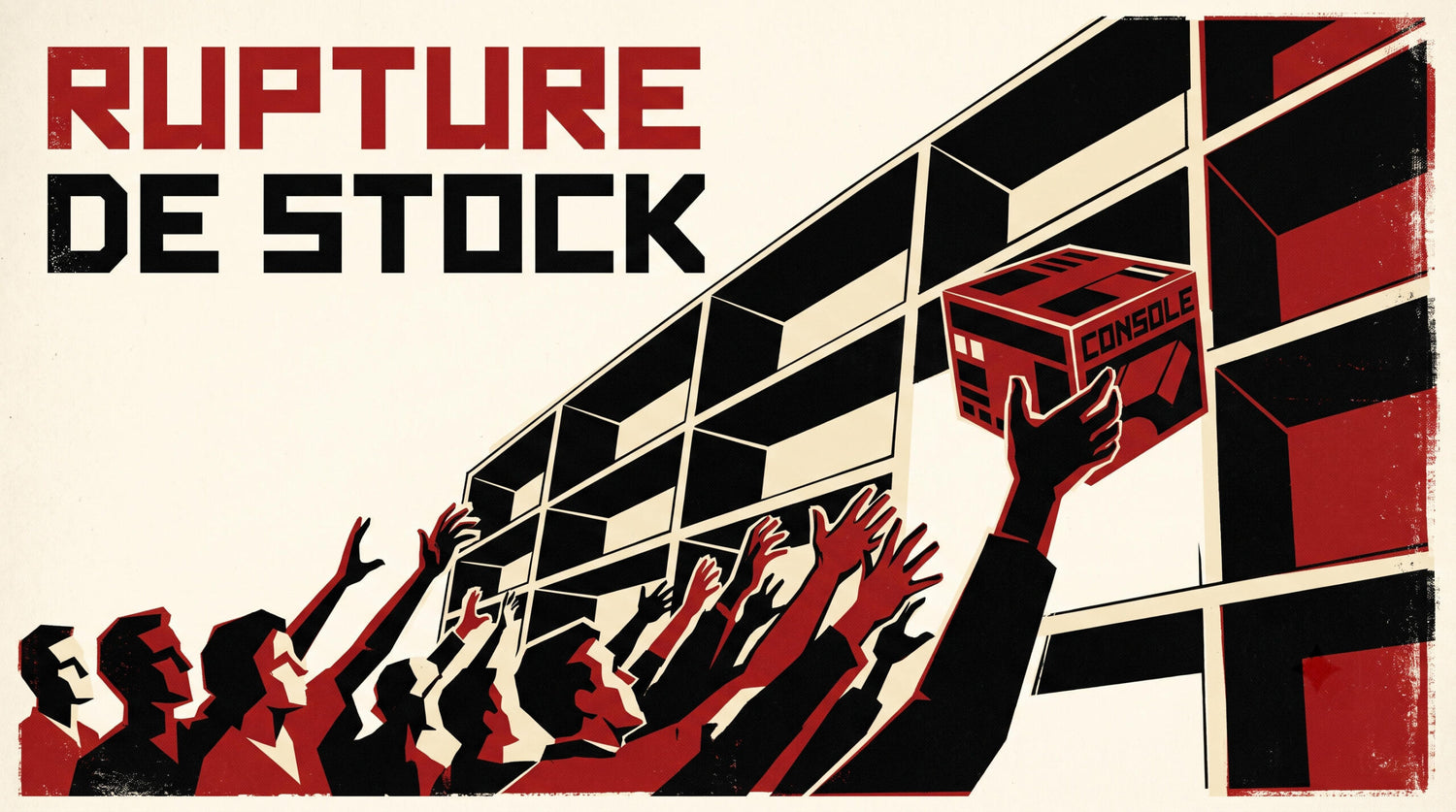
GTA 6 Console Shortages Could Push More Canadians to PC Sooner Than They Think
The warning around a possible GTA 6 console shortage during the holiday season matters for more than just console buyers. If one of the biggest game launches in years lands at the same time as tight hardware supply, Canadian gamers could face limited availability, higher replacement costs, and rushed buying decisions at exactly the wrong time. For anyone already asking whether to wait, upgrade, or move to a stronger desktop setup, this is the moment to think more carefully about performance, budget, and long-term value.
The source report points to a familiar problem: demand pressure meeting limited supply. According to the article, retailers were warned that PlayStation 5 and Xbox Series stock may not fully meet holiday demand around the launch of GTA 6. It also ties the issue to broader component pressure, including memory allocation toward datacenters and AI infrastructure. That is an important detail, because it means this is not just about one game. It is about the wider hardware market.
For Canadian buyers, that changes the conversation. If you were planning to grab a console at the last minute for GTA 6, Christmas gaming, or a general upgrade, what happens if inventory disappears when you are ready to buy? And if hardware pressure spills into desktop component pricing too, should you secure a system earlier while you still have more choice?
What does the GTA 6 console shortage story actually tell buyers?
At its core, this story is about timing. GTA 6 is not causing every hardware issue by itself. It is simply the kind of major release that exposes underlying supply weakness. When a must-play title hits the market, people who delayed their purchase all rush in at once. That surge can leave late buyers dealing with empty shelves, fewer options, and inflated system costs.
That same pattern can affect PC shoppers too. A major game release often pushes people to ask the same questions at the same time: Can my current system run it well? Do I need ray tracing? Will I be happy at 1080p, or do I really want 1440p or 4K? Should I buy a budget gaming computer now, or finance a stronger build before prices move higher?
Those are the right questions, especially in Canada, where exchange rates, shipping realities, and regional inventory can make waiting more expensive than expected.
Why should Canadian buyers think differently about this?
Canadian hardware buyers often deal with a different market reality than larger U.S. regions. Availability can tighten faster, restocks may take longer, and pricing can shift noticeably when component demand rises globally. Even when the headlines focus on consoles, the underlying pressure on GPUs, memory, SSDs, and supporting parts can affect the desktop market too.
If you are shopping in Nova Scotia, Atlantic Canada, or anywhere else across the country, you are not just buying a box with a logo on it. You are buying into a supply chain. When that chain gets tight, the buyers who planned early usually get the best outcome.
That is why a custom desktop strategy can make more sense than waiting for a last-minute retail scramble. Instead of hoping the exact hardware you want appears during peak season, you can choose a build that fits your real workload and performance goals now.
Are you buying a system for GTA 6 only, or for everything you want to do next?
This is the question many people skip, and it is often the most expensive mistake.
Do you want a machine just to play one big release, or do you want a desktop that handles the next several years of modern games, streaming, recording, editing, and creative work too? If you buy too low, will you end up upgrading again sooner than you want? If you buy too late, will your choices be worse?
A lot of customers start with a game-specific search like “Gaming PC for GTA 6” or “Best PC for new games,” but their real use case is wider. Maybe you also want to stream with OBS, edit clips for YouTube, handle Photoshop and Lightroom, design overlays, or experiment with Blender and Unreal Engine. If that sounds like you, then your next desktop should be chosen for your full workflow, not just launch-day hype.
What do you want your next PC to do for you?
Before choosing a performance tier, ask yourself a few practical questions.
- What games do you actually play? Competitive esports titles, massive open-world games, or demanding AAA releases all place different loads on your hardware.
- What resolution do you want? Are you aiming for 1080p, 1440p, or 4K?
- Do you care about ray tracing and ultra settings? Or would you rather maximize frame rate and value?
- Will you stream or record gameplay? If yes, your CPU, GPU, RAM, and storage planning become more important.
- Do you also edit videos or photos? A system that feels fine for gaming can feel slow in Premiere Pro, DaVinci Resolve, or Lightroom if it is not configured properly.
- Do you use design or 3D software? Adobe Creative Cloud, Blender, Unreal Engine, AutoCAD, and similar tools can justify a much stronger creator or workstation setup.
- Are you buying before a major release or possible price spike? Timing matters more when demand is building.
- Would financing help you secure the right build now? A stronger system today can cost less in the long run than replacing a weak one too soon.
The more clearly you answer those questions, the easier it becomes to choose the right category.
If GTA 6 demand is rising, what performance tier fits you best?
Not every buyer needs the same machine. A smart custom PC decision starts with matching the build to the experience you want.
Entry gaming tier: for 1080p players who want value first
If your goal is straightforward 1080p gaming with strong settings in modern titles, this tier makes sense for budget-conscious buyers who still want a proper desktop foundation. It is often the right answer for students, first-time PC gamers, and households that want a capable family gaming system.
Ask yourself: are you mainly playing competitive games, lighter multiplayer titles, or are you willing to lower settings in the newest blockbuster releases? If yes, you may not need to overspend.
But there is another question that matters: if GTA 6 and future open-world games are your real target, will an entry-level build still feel good two years from now? If not, moving one tier up may be the better value.
Mainstream enthusiast tier: for 1440p gaming, stronger longevity, and better balance
This is where many Canadian buyers get the sweet spot. A well-planned 1440p gaming system delivers a major jump in visual quality and long-term comfort without immediately pushing into extreme pricing. It is also a strong choice for players who want better headroom for upcoming AAA games rather than constantly adjusting settings to stay comfortable.
Are you the kind of player who wants a system that feels strong out of the box and still makes sense after the next round of demanding releases? Do you want smoother frame rates, room for multitasking, and less pressure to upgrade again too soon? This tier often gives the best balance of performance and cost.
High-end tier: for 4K, ray tracing, streaming, and premium gaming experiences
If you want ultra settings, stronger ray tracing performance, higher resolutions, and more confidence for future titles, a premium build is easier to justify. This is especially true if gaming is only part of the workload and you also plan to record, stream, edit, or create content.
Should you go high-end now if pricing pressure may keep rising? For many buyers, the answer depends on whether replacing or upgrading later would be more frustrating than securing a better machine while choices are still available.
What if you want to game and stream at the same time?
That is where many “good enough” systems start showing their limits.
A gaming desktop that handles a title well by itself is not always ideal once OBS, browser tabs, chat tools, background apps, and recording workloads are added. If you want a gaming and streaming PC in Canada that feels smooth under pressure, component balance matters. CPU strength, GPU encoding support, cooling, RAM capacity, and SSD speed all start to matter more.
Do you want to stream at 1080p while maintaining strong in-game performance? Are you planning to record highlights for YouTube, TikTok, or longer-form content? If yes, a stronger mid-range or high-end build can save a lot of frustration.
This is one reason large game launches often drive desktop upgrades. Players do not just want to run the game. They want to share it, clip it, upload it, and build content around it.
Could the same hardware timing pressure affect creators too?
Absolutely. The source article points to component stress tied partly to AI and datacenter demand, and that broader pressure matters for creators as much as gamers. If memory pricing, storage costs, or GPU demand tighten, then creator workstations can become more expensive to replace later.
If you edit 4K footage, work in Adobe Premiere Pro, use DaVinci Resolve, build motion graphics in After Effects, or process large photo libraries, waiting too long can turn into a more expensive upgrade path.
So ask yourself: are you only reacting to GTA 6 news, or is this also the reminder you needed to finally replace an aging creator system? If your current machine stalls during exports, drops frames on the timeline, or crawls through batch photo edits, the smartest move may be to choose a stronger creator desktop before the next wave of price pressure hits.
Is a gaming PC good for video editing, photo editing, and graphic design?
Sometimes yes, but not always in the way buyers expect.
A strong gaming system can overlap nicely with creator workloads, especially if it has a capable GPU, enough RAM, fast SSD storage, and a processor that is well matched to your software. But overlap is not the same as optimization. A machine that is great for gaming may still need different memory, storage, cooling, or CPU priorities to become a better creator PC in Canada.
If you use Photoshop and Lightroom, do you work with high-resolution RAW files, AI-assisted tools, and large catalog exports? If so, memory and SSD responsiveness become especially important.
If you use Illustrator, InDesign, Canva, or Adobe Creative Cloud daily, do you multitask heavily across apps and multiple displays? Then system balance matters more than chasing one flashy component.
If you use Blender, Unreal Engine, CAD tools, or rendering software, are you relying more on GPU rendering, CPU rendering, viewport performance, or all three? That can push you into workstation territory rather than a standard gaming build.
Should you buy now or wait for prices to settle?
Many shoppers ask this when hardware news turns uncertain. It is a fair question, but it needs context.
If you already know you need a better machine within the next few months, waiting only makes sense if you expect a clearly better buying environment and you can comfortably tolerate the delay. The source article does not paint that kind of picture. Instead, it suggests continuing component pressure and a long easing timeline. That does not guarantee every part goes up tomorrow, but it does support the case for planning ahead instead of assuming the market will suddenly become easier.
So what are you waiting for exactly? A sale period? A new game release? Better availability? If your current hardware is already too weak for the experience you want, delay can cost you in missed enjoyment, rushed buying, and poor last-minute choices.
How does pricing volatility affect full system costs?
When people hear “shortage,” they often think only about the final product. But system pricing pressure can begin much earlier in the chain.
- GPUs can rise in cost when demand spikes for gaming, AI-adjacent workloads, or premium desktop builds.
- RAM can become less predictable when large-scale enterprise demand absorbs memory supply.
- SSDs can fluctuate based on NAND pricing and manufacturing shifts.
- CPUs and motherboards may be easier to source than graphics cards, but platform costs still matter.
- Power supplies, coolers, and cases are often overlooked, yet they affect the total landed cost of a quality custom system.
That is why buyers who only focus on one part often underestimate replacement cost. If you postpone your decision and several categories rise at once, your “I’ll buy later” build can end up costing meaningfully more than expected.
Would financing a stronger system now make more sense than buying too low?
For many customers, yes.
If you are caught between buying a weaker machine now or a better machine later, financing can be the tool that closes the gap. Instead of settling for a build that you may outgrow quickly, you may be able to secure a more suitable custom system while availability is still better and before replacement costs rise further.
Ask yourself honestly: would a lower-end purchase really save money if it forces another upgrade sooner? Or would monthly affordability on a stronger desktop be the smarter long-term move?
For buyers looking at gaming, streaming, editing, content creation, or workstation tasks, financing can support a more future-ready build. Groovy Computers offers options that can help customers spread out the cost, including financing up to 4 years where applicable. That is especially relevant when the market is uncertain and the right build today may be cheaper than the same class of machine later.
What PC do you need for GTA 6, modern gaming, and the next few years?
Even without publishing exact game-specific requirements that are not confirmed here, we can still make smart buying decisions from the trend line. GTA 6 represents the type of large-scale, demanding release that pushes many older systems out of their comfort zone. If that game is on your radar, it is usually a sign that your next desktop should not be chosen only for yesterday’s performance standard.
Do you want a PC that simply launches the game, or one that lets you enjoy modern AAA titles with strong settings and room for the next wave of releases too? Are you targeting high FPS at 1080p, a more immersive 1440p experience, or a premium setup for 4K and ray tracing? The right answer depends on your monitor, your expectations, and how long you want the machine to stay satisfying.
Custom PC vs prebuilt rush buying in Canada: which is safer when supply is tight?
When availability gets messy, many shoppers panic-buy whatever appears first. That is often how people end up with underpowered systems, mismatched components, weak cooling, or poor upgrade paths.
A proper custom build is different because it starts with your needs. Instead of taking whatever is left on a shelf, you choose a machine designed around your resolution, software, storage needs, and upgrade goals.
That is especially valuable if you are trying to avoid upgrading too soon. A balanced custom desktop can be configured for gaming now and creative workloads later. It can also be built with cleaner airflow, stronger power delivery, better-quality components, and a more sensible path for future upgrades.
Why do testing and warranty matter more when the market is volatile?
Because uncertain markets make bad purchases even more expensive.
If part prices are unstable and hardware demand is high, the last thing you want is a system that creates reliability problems right after purchase. That is why build quality, stress testing, and after-sale support matter. Groovy Computers focuses on custom systems that are built for the buyer’s actual use case, rigorously tested, and backed by a 1-year warranty. That matters whether you are buying a gaming machine, a content creation desktop, or a workstation.
Would you rather gamble on a random marketplace listing, or buy from a Canadian custom PC company that understands long-term system balance and support? When hardware timing is uncertain, confidence matters.
Which type of buyer should choose which kind of build?
Choose a budget-minded gaming build if:
- You mainly want 1080p gaming.
- You play a mix of esports and lighter modern titles.
- You need good value now and understand the limits of entry-level longevity.
- You want a first desktop that still leaves room to improve later.
Choose a stronger 1440p gaming build if:
- You want better visual quality and smoother long-term performance.
- You expect to play demanding new releases over the next several years.
- You want better balance between price and future-proofing.
- You may also stream, record, or multitask while gaming.
Choose a premium RTX gaming system if:
- You want high settings, ray tracing, and stronger frame rates at higher resolutions.
- You are building around a premium monitor.
- You want more headroom for future AAA titles.
- You prefer buying once, well, instead of stepping up gradually.
Choose a creator or editing PC if:
- You work in Premiere Pro, DaVinci Resolve, Photoshop, Lightroom, Illustrator, or similar apps.
- You need smoother exports, timeline performance, or batch processing.
- You create content regularly and your time has real value.
- You want a machine that can game too, but productivity comes first.
Choose a 3D modeling or workstation build if:
- You use Blender, Unreal Engine, CAD, rendering tools, or complex professional software.
- You need heavier multitasking, more RAM, and stronger compute performance.
- You care more about reliability and throughput than flashy specs alone.
- You want a professional machine that still offers excellent upgrade flexibility.
What questions should you ask before buying your next desktop?
Before making the call, slow down and ask the questions that actually affect satisfaction.
- What games or software am I really buying this machine for?
- Do I want 1080p, 1440p, or 4K?
- Do I need ray tracing, high FPS, or both?
- Will I stream, edit, design, render, or multitask heavily?
- How long do I want this system to feel strong before the next major upgrade?
- Am I buying before a major game release, holiday rush, or possible price spike?
- Would financing a stronger system now help me avoid buying twice?
- Do I want help choosing a build that matches my actual use instead of guessing?
Why Groovy Computers is a smart option for Canadian buyers right now
Groovy Computers is positioned for the exact kind of buyer this story affects: someone who wants a better desktop decision before the market gets harder. Whether you need a gaming system, a streaming setup, a creator PC, or a workstation, the value is not just in the parts. It is in matching those parts properly, building around your goals, testing the result, and backing it with real support.
For customers in Nova Scotia and across Canada, that matters. You want a system built by people who understand performance tiers, workload balance, and the risk of false savings from weak hardware. You want a machine that is configured for how you actually use it. You want confidence that your desktop is ready for modern gaming and demanding software, not just today, but through the next cycle of releases and upgrades.
Not sure what to choose? Start with the result you want
Do you want to play GTA 6 and other upcoming AAA games at solid settings without worrying about a last-minute console shortage? Do you want a system that can also stream, edit videos, handle Photoshop, run Creative Cloud, or step into Blender and Unreal Engine when your projects grow? Do you want to avoid upgrading again too soon?
If the answer is yes, then this is a good time to talk to Groovy Computers. Visit GroovyComputers.ca to explore custom gaming PCs, creator desktops, and workstation options built for Canadian buyers who want performance, reliability, and better timing before market pressure gets worse.
Final takeaway: GTA 6 hype is big, but your buying decision should be bigger
The headline about a GTA 6 console shortage is really a warning about timing, demand, and hardware planning. When one massive release collides with supply pressure, late buyers usually get fewer choices and more stress. Canadian shoppers can respond better by choosing a custom desktop strategy that fits their gaming, streaming, editing, design, or workstation needs now instead of scrambling later.
If you have been waiting for a sign to upgrade, this may be it. The smarter move is not panic-buying. It is planning well, choosing the right performance tier, and securing a system that does more than survive one launch window. Groovy Computers can help you get there with custom builds, rigorous testing, a 1-year warranty, and financing options that make a stronger machine more realistic before costs shift again.
#GamingPCCanada #CustomPCBuilderCanada #GamingPCForNewGames #CreatorPCCanada #VideoEditingPCCanada #StreamingPCCanada #3DModelingPCCanada #CanadianGamingPCCompany #NovaScotiaTech #GTA6PCPlanning
Groovy Computers | All Rights Reserved



Leave a comment
This site is protected by hCaptcha and the hCaptcha Privacy Policy and Terms of Service apply.