






















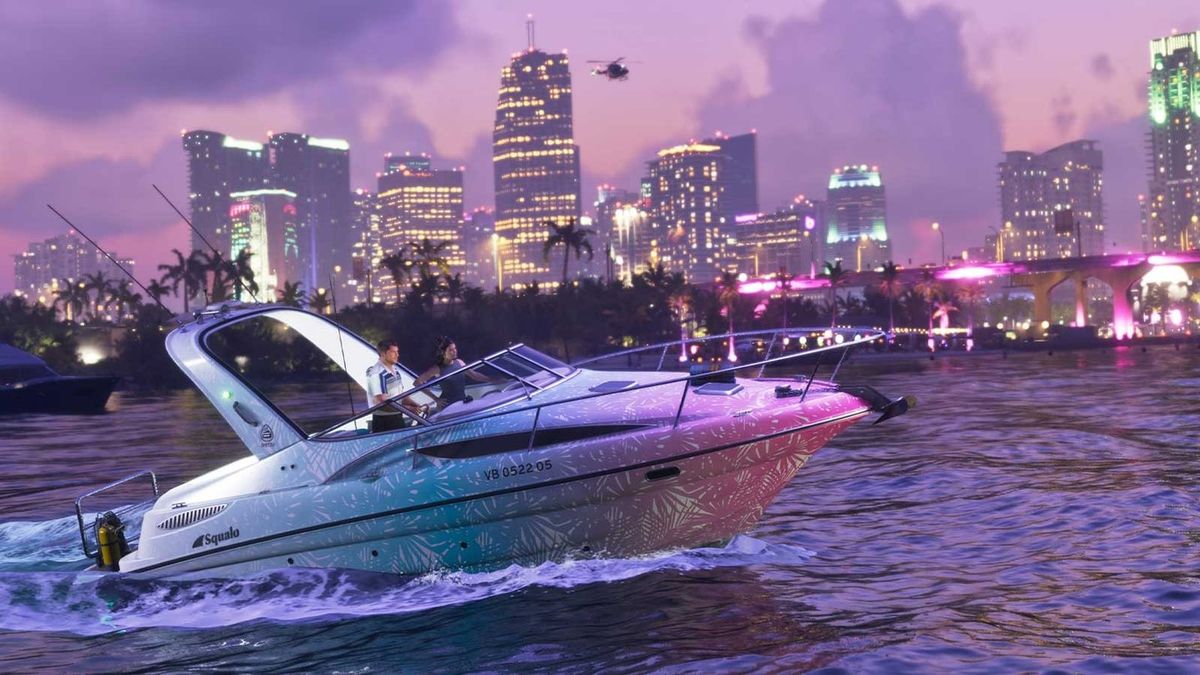
GTA 6 Leaked Gameplay Details Point To Rockstar’s Biggest World Yet And Raise A Bigger Question: Is Your Next PC Ready?
The latest GTA 6 leaked gameplay details have reignited the same conversation happening across gaming communities, creator circles, and hardware buyers alike: if Rockstar is about to deliver its biggest, densest, most ambitious open-world experience yet, what kind of system will players actually want next? For Canadian buyers watching the hype build, this is no longer just a game news story. It is a buying-timing story, a performance-planning story, and for many shoppers, a question of whether now is the right moment to secure a stronger custom computer before demand and pricing shift again.
According to the source material, retailer listings have described Grand Theft Auto VI as featuring a larger map spanning Vice City, beaches, swamps, small towns, suburbs, and the wider state of Leonida. The same details also suggest denser environmental design, more immersive exploration, random world events, NPC routines, interactive establishments, playable switching between Jason and Lucia, and an in-game social media layer that could deepen how players discover missions and world activity.
If even part of that is accurate, then GTA 6 is shaping up to be exactly the kind of blockbuster release that changes how people think about their next upgrade. Big open-world games do not just ask for raw power. They ask for balance: a capable GPU, a strong CPU, fast storage, enough RAM, stable cooling, and a system that stays responsive when the game world becomes more detailed, more dynamic, and more demanding.
That is why this matters for more than just console players. A release this large tends to influence the entire gaming PC market in Canada. It changes what buyers search for, what they expect from a gaming computer, and how quickly they move when they realize their current machine may not be ready for the next wave of AAA titles.
What do the GTA 6 leaked gameplay details really suggest?
Even without official technical requirements for PC, the descriptions in the source article point toward a familiar pattern. When a developer pushes for a larger map, denser content, more realistic routines, and more systemic open-world interactions, hardware strain usually increases across multiple areas at once.
A bigger map is not just about square kilometres. It often means more streaming assets, more geometry, more lighting complexity, more memory use, more AI routines, and more moments where weak storage or insufficient RAM can drag the experience down.
Would every player need a top-tier machine to enjoy a game like this? Not necessarily. But many buyers should expect the difference between “it runs” and “it feels right” to get wider. That gap is where smart custom PC buying matters most.
If you are already asking yourself whether your current computer can handle next-generation open-world games properly, that is exactly the right question.
Why should Canadian buyers pay attention now?
In Canada, gaming hardware decisions often come with extra pressure. Prices move faster than many people expect, premium GPUs can tighten in availability when major releases approach, and replacing an underpowered system later can cost more than buying correctly the first time.
The source article also touched on broader controversy around pre-orders, premium editions, and rollout frustration. That matters because when a release becomes this culturally large, it drives shopping behaviour. Some people decide to buy a console. Others decide to upgrade a PC. Many creators decide they want a machine that can game, record, edit, stream, and stay relevant for years.
So the question becomes: are you buying for one game, or are you buying for the next three to five years of gaming?
That distinction is what separates a rushed purchase from a smarter long-term custom build strategy.
What do you want your next PC to do for you?
Before looking at parts or budgets, it helps to step back and ask a better question. What is your next PC actually supposed to do?
Do you just want a smooth experience for open-world gaming at 1080p? Do you want high settings at 1440p with stronger minimum frame rates? Are you aiming for 4K visuals, ray tracing, and a machine that feels premium for years? Or are you also planning to stream, edit videos, create thumbnails, work in Photoshop, cut short-form content, or use software like Premiere Pro, DaVinci Resolve, Blender, or OBS?
These are not small differences. They change what class of system makes sense.
A customer shopping for a budget gaming setup and a customer building for GTA-style gaming plus streaming plus creator work are not the same buyer. The right answer depends on your real workload, not just the game title in the headline.
What gaming performance tier fits your needs?
One of the most helpful ways to shop for a new system is to choose your performance tier before you compare features. That keeps you from overspending in the wrong areas or underspending in the areas that matter most.
Entry gaming tier: Is 1080p enough for you?
If your main goal is to play modern titles smoothly at 1080p with sensible settings, an entry-to-midrange gaming desktop can still make a lot of sense. This is often the right fit for buyers who want strong value, a first serious gaming machine, or an upgrade from aging hardware that is struggling with newer games.
Ask yourself: are you mostly playing on a 1080p monitor, and do you care more about smooth gameplay than maxing every visual setting? If yes, a well-balanced entry build may be all you need.
That said, buyers targeting large open-world releases should be careful not to go too low. Cheap systems often age quickly, especially when new games start leaning harder on VRAM, SSD speed, and CPU consistency.
Mainstream enthusiast tier: Are you aiming for 1440p?
For many Canadian buyers, 1440p is the real sweet spot. It offers a major jump in visual clarity over 1080p while staying far more practical than chasing ultra-premium 4K performance. If GTA 6 eventually lands on PC with heavy open-world demands, this is likely where many players will want to be.
Do you want better texture quality, stronger draw distances, smoother performance in busy city scenes, and enough overhead for upcoming AAA games without feeling like you need the absolute top end? Then a 1440p-focused custom gaming system is often the best balance of cost and experience.
This tier is also excellent for buyers who want to game now and still feel comfortable a few years from today.
Premium tier: Do you want 4K, ray tracing, and long-term headroom?
If you are the kind of buyer who wants ultra settings, stronger ray tracing, premium visual quality, and more confidence against future game demands, then a high-end build is the better path. This is where stronger GPUs, more thermal headroom, and better part pairing really start to matter.
Are you trying to avoid upgrading too soon? Do you want your system to feel powerful not only for one giant game release, but for the next generation of demanding titles? A premium custom system may cost more upfront, but it can deliver better value over time if it keeps you satisfied longer and avoids early replacement.
What if you also want to stream, record, or create content?
This is where many buyers make a mistake. They shop like a gamer even though they use their machine like a creator.
If GTA 6 becomes the kind of game people clip, stream, react to, and build content around, then many customers will need more than a pure gaming desktop. They will need a system that can play demanding games while also handling OBS, background apps, browser tabs, chat tools, media storage, and editing software.
Do you want to stream to Twitch or YouTube? Record gameplay locally at high quality? Edit Shorts, TikToks, Reels, or long-form YouTube videos after your session? If yes, your CPU, RAM, storage layout, and cooling become far more important.
A stronger gaming and creator build can make a huge difference in day-to-day use. It can mean smoother recording, faster exports, less lag while multitasking, and fewer compromises when your hobby starts becoming something bigger.
Is a gaming PC enough for video editing, photo editing, and graphic design?
Sometimes yes, sometimes no. A solid gaming system can absolutely overlap with creative work, but only if it is configured with that purpose in mind.
If you use Adobe Premiere Pro, DaVinci Resolve, Photoshop, Lightroom, Illustrator, or Canva-heavy workflows, you need to think beyond game frame rates. Fast SSDs reduce waiting. More RAM helps when multitasking. Better CPUs improve timeline responsiveness and export behaviour. A capable GPU helps with acceleration in many modern creative applications.
So ask yourself: do you just want to play open-world games after work, or do you also want your system to help you produce content, edit photos, create graphics, and run your projects without frustration?
If your answer is yes, a custom creator-focused configuration is usually a better choice than a generic off-the-shelf gaming box.
Could a GTA 6-style release push more buyers into stronger systems?
Absolutely. Massive game launches often create upgrade waves. They also raise expectations. Even buyers who are not purchasing strictly for one title start thinking about whether their current machine is falling behind.
That pressure can spread into multiple hardware categories:
- GPUs for higher settings, better ray tracing, and improved longevity
- CPUs for open-world simulation, background tasks, and streaming
- RAM for bigger games, multitasking, and creative workloads
- SSDs for faster load times and smoother asset streaming
- Cooling and power delivery for stability under heavy sustained loads
When hype, demand, and limited stock intersect, value can disappear quickly at the exact moment people finally decide they want to buy.
Is it better to buy now or wait?
This is one of the most important buyer questions, and it does not have the same answer for everyone.
If your current system already struggles in modern AAA games, if your storage is nearly full, if your CPU is several generations behind, or if you are trying to combine gaming with streaming or editing on an aging machine, waiting can sometimes be the more expensive choice. Not because prices always surge overnight, but because replacement costs, part availability, and your own dissatisfaction can all worsen at once.
On the other hand, if your current computer still handles your actual needs well, then you may have more flexibility. The key is to judge your situation honestly.
Are you buying because of real need, or because of headline excitement? Better still, are you waiting so long that you will eventually be forced to buy under worse conditions?
That is where a planned custom build wins. You can target the right performance tier now rather than panic-buying later.
Should you choose a budget build or finance a stronger one?
For many shoppers, this is the real decision.
A lower-cost machine can feel easier in the moment, but if it leaves you wanting an upgrade too soon, it may not actually be the cheaper path. If you are trying to stretch into a higher tier that better matches your gaming goals or creator workload, financing can make that move more practical.
Would a slightly stronger GPU, more RAM, a faster SSD, or a better CPU save you from replacing your system earlier than expected? Would monthly payments make it easier to get the machine you actually want instead of settling for one you will outgrow?
For buyers concerned about timing, financing can also help secure a better system before replacement costs rise further. Groovy Computers offers Canadian buyers a practical path to step into a stronger custom PC with financing options that can extend up to 4 years, depending on approval and current availability.
This is not about overspending. It is about buying intelligently for the lifespan you need.
What kind of buyer should choose which type of custom PC?
Choose a value-focused gaming build if:
- You mainly play at 1080p
- You want solid performance without chasing ultra settings
- You are buying your first serious gaming desktop
- You need a practical upgrade from older hardware
- You want better value than many generic low-end retail systems
Choose a midrange to enthusiast gaming build if:
- You want 1440p to feel smooth and worthwhile
- You play large open-world or visually demanding games
- You want stronger longevity and better all-around balance
- You may also record gameplay or multitask while gaming
- You want to avoid feeling underpowered too quickly
Choose a premium RTX gaming PC if:
- You care about 4K, ray tracing, and visual headroom
- You want premium performance for future AAA releases
- You prefer longer-term satisfaction over frequent upgrading
- You want the best experience your display can justify
- You are comfortable investing more now for longer relevance
Choose a creator or workstation build if:
- You game and also edit video, design graphics, or stream
- You use Adobe Creative Cloud, Resolve, Blender, or similar software
- You need faster exports, more memory, and stronger multitasking
- You want one machine for work and entertainment
- You need reliability under sustained productivity workloads
What specs matter most for a game like GTA 6?
Until official PC requirements exist, the smartest approach is to build for the class of game GTA 6 appears to represent: large-scale, visually rich, systemically dense, modern open-world design.
That usually means paying attention to these core priorities:
- GPU strength: especially important for higher resolutions, texture settings, effects, and future visual upgrades
- CPU capability: useful for handling world simulation, AI behaviour, and multitasking alongside the game
- Fast NVMe storage: increasingly important for large modern games with heavy streaming demands
- A healthy amount of RAM: valuable for smooth gameplay, background applications, and content creation overlap
- Proper cooling: because a strong system that thermal-throttles is not a strong system in practice
Do you want a machine that only meets the minimum, or one that actually feels good to use in the games everyone will be talking about next?
Why do custom builds matter more when game demands keep rising?
Because part selection matters.
A custom PC is not just about choosing a flashy case or a bigger graphics card. It is about building around your real goals so the whole system works together properly. That includes matching the right CPU to the right GPU, choosing enough RAM for both current and near-future use, selecting storage that will not feel cramped immediately, and ensuring cooling and power delivery are appropriate for sustained performance.
When buyers choose random generic configurations, they often end up with mismatched systems. Maybe the GPU is decent but the CPU is weak. Maybe the branding looks exciting but the airflow is poor. Maybe the storage is too small. Maybe the upgrade path is bad from day one.
That is exactly why many shoppers prefer working with Canadian custom PC builders who understand performance planning instead of just moving boxes.
Why Groovy Computers fits this kind of buyer
Groovy Computers is positioned for the customer who wants more than a one-size-fits-all machine. Whether you are shopping for a gaming desktop, a streaming-ready rig, a creator system, or a heavier-duty workstation, the value is in getting a build matched to your actual use case.
If you are in Nova Scotia, Atlantic Canada, or ordering from elsewhere in Canada, the appeal is straightforward: custom builds, practical guidance, rigorous testing, and the confidence of a 1-year warranty. That matters when you are spending serious money on a machine expected to handle demanding games, content creation, and years of use.
Do you want a computer assembled around your real needs instead of a generic spec sheet? Do you want help deciding whether you need a budget gaming computer, a premium RTX setup, a creator PC, or a workstation-style build? That is where Groovy Computers stands out.
What should you ask before buying your next computer?
Before you commit, ask yourself these questions honestly:
- What games do I want to play over the next few years, not just this month?
- Am I targeting 1080p, 1440p, or 4K?
- Do I want ray tracing, high settings, or just reliable smoothness?
- Will I stream, record, or edit content as well as game?
- Do I use Photoshop, Premiere Pro, DaVinci Resolve, Lightroom, Illustrator, or Blender?
- Would more RAM, faster storage, or a stronger GPU save me from upgrading too soon?
- Am I trying to spend as little as possible, or buy the best long-term value?
- Would financing a stronger system make more sense than replacing a weaker one earlier?
- Do I want a tested custom build with support and warranty confidence?
The more clearly you answer those questions, the easier it becomes to choose the right performance tier without guesswork.
What if you are not sure what PC you need for GTA 6, streaming, or editing?
That uncertainty is normal. Most buyers are not confused because they lack interest. They are confused because modern PC shopping blends gaming, creator work, budget pressure, upgrade timing, and future-proofing into one decision.
You may start by searching for a gaming PC for GTA 6, then realize you also want to stream. Then you remember you edit clips. Then you think about photo work, design work, or side income through content creation. Suddenly you are not shopping for a basic gaming desktop anymore. You are shopping for a system that supports how you actually use your time.
And that is exactly why a tailored recommendation matters more than a generic “best PC” list.
The bigger takeaway from the GTA 6 leaked gameplay details
The headline is about Rockstar’s biggest world yet. The real takeaway for buyers is that next-generation gaming expectations are only moving in one direction. Bigger worlds, denser cities, more systems, more visual ambition, more background complexity, and more overlap between gaming and content creation all push buyers toward better-balanced machines.
If GTA 6 becomes the next major benchmark for open-world performance, plenty of players will wish they had planned earlier. Some will buy too cheap and regret it. Others will delay too long and buy under pressure. The smarter path is to decide what you need your computer to do, choose the right tier, and work with a builder that understands the difference between headline specs and real-world performance.
If the GTA 6 leaked gameplay details have you wondering whether your current setup is enough, or whether this is the right time to step into a better custom system, visit GroovyComputers.ca and explore the right build for your gaming, streaming, editing, or workstation needs. If a stronger system would serve you better for longer, why wait until demand rises and your options narrow?
For Canadian buyers, this is not just about one game. It is about buying a computer that feels ready for what is next. And if you want a Gaming PC Canada shoppers can trust, a custom-built system with proper testing, balanced performance, warranty support, and financing flexibility can make that decision much easier.
#GTA6 #GamingPCCanada #CustomGamingPCCanada #GamingPCForNewGames #OpenWorldGaming #1440pGamingPCCanada #4KGamingPCCanada #CreatorPCCanada #StreamingPCanada #VideoEditingPCCanada #CanadianCustomPCBuilders #NovaScotiaBusiness
Groovy Computers | All Rights Reserved



Leave a comment
This site is protected by hCaptcha and the hCaptcha Privacy Policy and Terms of Service apply.