



































GTA 6 Pre-Orders Begin June 25: What Canadian Buyers Should Know Before Choosing a Gaming PC for GTA 6
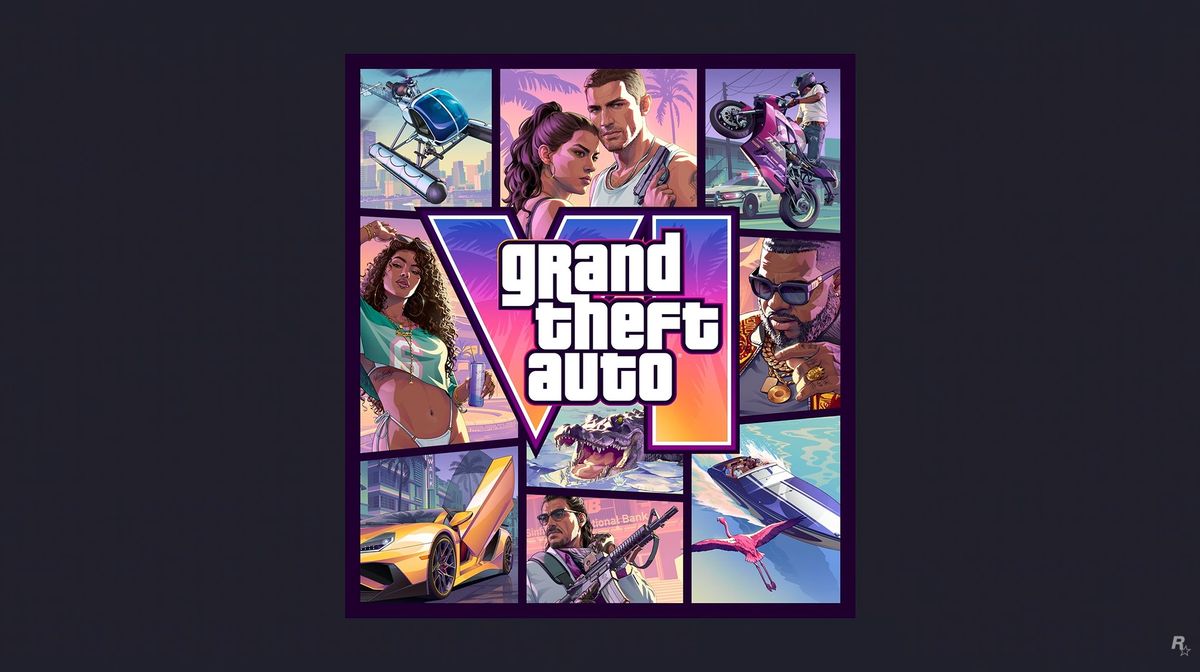
Rockstar has confirmed that GTA 6 pre-orders begin June 25, alongside the reveal of the game’s official cover art featuring Jason and Lucia. That is big gaming news on its own, but for Canadian buyers it also raises a practical question: is your current PC actually ready for the next wave of blockbuster open-world games, or are you about to hit a performance wall at the worst possible time?
For Groovy Computers, this kind of announcement matters because major game releases do more than generate hype. They push more gamers to upgrade, they increase demand for stronger GPUs and CPUs, and they often trigger a rush of buyers who suddenly realize they want better 1080p, 1440p, or 4K performance before launch season gets crowded. If you are planning ahead for GTA 6, future AAA games, streaming, content creation, or even a full creator workstation upgrade, this is exactly the time to think strategically.
The source report makes several key points clear: Rockstar says pre-orders open June 25, pricing has not yet been announced, multiple editions are likely, and there is already industry discussion around whether a premium launch price could push the standard game cost higher than what players are used to. In Canadian terms, that matters. If game pricing climbs, and hardware demand climbs with it, buyers who wait too long may end up paying more for both the game and the system needed to enjoy it properly.
So what should you do with that information if you are shopping for a new PC in Canada? Should you aim for a budget gaming setup now, move into a stronger 1440p class machine, or consider financing a more future-ready build before demand ramps up further?
Why GTA 6 Pre-Orders Begin June 25 Matters Beyond the Game Itself
Big releases change buying behaviour. They create urgency, they shape wish lists, and they make people re-evaluate hardware they had been “making do with” for another year. A lot of gamers do not upgrade because of benchmarks alone. They upgrade because a must-play title finally makes the decision real.
That is why this announcement matters far beyond one cover art reveal. If GTA 6 becomes the title that pushes millions of players to rethink performance expectations, we could see stronger interest in systems built for open-world gaming, ray tracing, higher frame rates, fast SSD loading, and better multitasking for Discord, recording, browser tabs, background apps, and streaming tools.
Are you only trying to run the game? Or do you also want to stream it, clip it, edit it for YouTube, create social content from it, or run a dual-purpose gaming and creator setup that does not feel outdated six months later?
That is where a custom PC decision becomes much more important than a simple “can it launch the game” mindset.
What the Source Article Gets Right About GTA 6 Hype and Buyer Timing
The original report correctly highlights that Rockstar still has not revealed full pricing details or edition breakdowns. That uncertainty is significant because when a launch is this large, buyers tend to make several purchases around the same time: the game itself, accessories, storage upgrades, displays, and in many cases an entirely new PC.
The source also points to speculation around a higher game price. While we should not invent confirmed numbers where Rockstar has not announced them, the broader takeaway is clear: consumers are already preparing for the possibility that premium gaming in the next cycle will cost more. In Canada, once taxes, peripherals, and software are added, gaming becomes even more expensive if you are forced into rushed buying.
Would you rather scramble at the last minute for a replacement system, or lock in a properly matched custom build before the biggest release window pressure hits?
That is exactly the kind of buying decision Canadian shoppers should think about now, especially if they want a machine that can handle more than one game.
What Do You Want Your Next PC to Do for You?
Before you choose a system, ask the most useful question first: what do you want your next PC to do for you over the next two to four years?
If the answer is simply “play new games,” that points to one category of build. If the answer is “play new games at 1440p with ray tracing and high settings,” that points to another. If the answer is “game, stream, edit videos, run Photoshop, manage OBS scenes, and avoid upgrading again too soon,” that is a completely different class of machine.
Many buyers get stuck because they shop by price before they shop by workload. A better approach is to define the experience you want first.
- Just gaming: You may only need a strong gaming-focused build with the right GPU, CPU, RAM, and SSD balance.
- Gaming plus streaming: You need extra headroom for encoding, background apps, microphones, capture workflows, and stable frame pacing.
- Gaming plus video editing: You need a system that is also comfortable with timeline playback, exports, storage speed, and multitasking.
- Content creation and design: You may need a creator PC that handles Adobe apps, large files, and smooth workflow switching.
- 3D modeling or workstation use: You should be thinking beyond a standard gaming machine and into workstation territory.
Are you buying for one game release, or for everything you expect to do after the excitement of launch week fades?
If You Want a Gaming PC for GTA 6, What Performance Tier Fits You?
One of the biggest mistakes buyers make is overspending on the wrong parts or underspending on a system that will feel obsolete too fast. The right answer depends on your resolution, settings target, and whether you care more about value, visuals, or longevity.
Entry-Level and Budget-Oriented Buyers
If you are looking for a budget gaming PC Canada shoppers can still justify in a tough economy, your goal should not be “cheapest possible.” It should be “best value without immediate regret.” For buyers who mostly play at 1080p and want access to modern games with good general responsiveness, a balanced entry-level system can make sense.
But ask yourself honestly: if GTA 6 is your trigger game, are you likely to stop there? Or will you also want upcoming open-world releases, shooters, racing games, and ray traced titles that are even more demanding next year?
If the answer is yes, it may be smarter to avoid buying too close to the floor. A machine that only just clears today’s needs often becomes tomorrow’s frustration.
Mid-Range 1440p Buyers
For many Canadian gamers, the best value sits in the mid-range. This is often the sweet spot for people who want excellent 1080p performance now, strong 1440p performance, better texture handling, smoother minimum frame rates, and a more comfortable upgrade timeline.
If you are asking, what PC do I need for 1440p gaming? this is usually where the smartest long-term buying happens. A stronger mid-tier system can feel dramatically better not only in new games, but also in background responsiveness, load times, and multitasking.
This is also the class of build that makes sense if you want to game today and slowly expand into streaming or editing later.
High-End and 4K Buyers
If your goal is premium visuals, high settings, ray tracing, and maximum longevity, then a high end gaming PC Canada buyers can rely on becomes easier to justify. This is especially true if you are pairing your system with a high-refresh 1440p monitor or stepping into 4K gaming.
Do you want ultra settings and visual headroom, or are you mainly trying to lower initial cost? Do you plan to keep the system for years, or replace it quickly? Those questions matter more than hype alone.
A premium gaming system can cost more upfront, but if it delays your next upgrade and improves your experience across multiple game generations, it can also be the more efficient purchase over time.
Should You Buy Before a Major Game Release, or Wait?
This is one of the most common questions buyers ask: is it better to buy a gaming PC now or wait?
There is no universal answer, but there are strong reasons to act before major release pressure builds:
- Popular game launches can increase demand for gaming PCs and GPUs.
- Component pricing can shift unexpectedly, especially for graphics cards, memory, and storage.
- Waiting often means shopping under time pressure instead of planning carefully.
- A rushed upgrade usually leads to more compromises on budget, part choice, or financing comfort.
If you already know you want a stronger machine for GTA 6 or the next cycle of AAA gaming, waiting does not always save money. In many cases, it simply removes your flexibility.
Would you rather secure a custom build while you still have time to compare performance tiers calmly, or gamble that the best moment to buy will magically appear after demand spikes?
Why Canadian Buyers Should Think Differently About Price Increases
Canadian shoppers face a different reality than many U.S.-based gaming discussions. Exchange rate pressure, import costs, taxes, shipping factors, and inventory fluctuation can all affect what a finished system actually costs in Canada. Even if a headline starts in U.S. pricing language, the checkout reality north of the border can feel very different.
That matters when the source story discusses the possibility of a higher-priced game and broader premium pricing trends. Once launch buzz builds, buyers are not just paying for software. They are also absorbing market pressure across the hardware side.
And it is not only GPUs. CPUs, DDR memory, SSDs, quality power supplies, and cooling solutions all influence final system pricing. If you wait until a major release window and then discover your current machine is not enough, you may be shopping at exactly the wrong time.
For Canadian customers, the better question is often not “will prices definitely rise?” but “how much flexibility do I lose if I wait until I have no choice?”
Do You Also Want to Stream, Record, or Create Content Around GTA 6?
A lot of buyers searching for a gaming PC for GTA 6 are not just gamers anymore. They are streamers, aspiring YouTubers, short-form content creators, modding enthusiasts, screenshot artists, editors, and community builders.
If that sounds like you, a standard gaming-only recommendation may not be enough.
Ask yourself a few practical questions:
- Do you want to stream gameplay while maintaining strong in-game performance?
- Do you want to record high-quality footage for YouTube or TikTok?
- Will you be editing videos in Premiere Pro, DaVinci Resolve, or CapCut?
- Do you plan to run OBS, chat tools, browser tabs, and asset folders at the same time?
- Do you want one system for gaming, streaming, and editing, or do you prefer a dedicated workstation later?
If those tasks are part of your actual workflow, you may be better served by a content creation PC Canada shoppers can use as a hybrid machine rather than a narrow gaming-only build.
Gaming and Streaming PC Buyers
A gaming and streaming PC Canada customers choose should have enough overhead to maintain smooth gameplay while encoding and multitasking. That usually means paying attention to CPU strength, GPU features, memory capacity, cooling, and overall balance rather than focusing on one flashy part.
What PC do you need for streaming if you also want to play demanding open-world games? Usually one with enough headroom that your stream setup does not eat into the performance you were trying to buy in the first place.
Video Editing and Creator Buyers
If your launch-week excitement is likely to turn into clipping, editing, exporting, and uploading, then a video editing PC Canada buyers trust becomes relevant too. You may need more RAM, faster scratch storage, stronger multicore performance, and a parts combination that handles both gaming and production work efficiently.
Is a gaming PC good for video editing? Sometimes yes, but not always by default. A smart custom build can bridge both worlds. A poorly matched one can become mediocre at both.
What If You Need More Than Gaming: Photo Editing, Graphic Design, or 3D Work?
Game-driven upgrade cycles often spill into work and creative life. Someone starts by saying, “I need a better PC for GTA 6,” and then remembers they also edit RAW photos, run Photoshop, design branding assets, render Blender scenes, or work in Unreal Engine.
If that sounds familiar, this is the point where a custom builder matters.
Photo Editing and Adobe Workflows
If you use Photoshop, Lightroom, or similar tools, your ideal build may need stronger memory capacity, fast storage, and smooth desktop responsiveness more than pure gaming-first tuning. A photo editing PC Canada buyers can rely on should feel quick with large files, catalog work, exports, and layered documents.
Do photographers need a dedicated GPU? Sometimes yes, especially as creative software uses more acceleration features. But how much GPU you need depends on the software mix and the scale of your work.
Graphic Design and Multi-App Productivity
If your workload includes Illustrator, InDesign, Photoshop, browser-heavy research, social design workflows, and multiple displays, then a graphic design PC Canada users want should be stable, responsive, and easy to work on for hours at a time.
Would you benefit more from raw gaming FPS, or from a cleaner multi-monitor workflow, more RAM, and faster file handling? That is the kind of question that separates a smart purchase from a trendy one.
3D Modeling, Rendering, and Unreal Engine
If you are working in Blender, Unreal Engine, Maya, 3ds Max, or other rendering-heavy environments, then game hype may be only one piece of your buying decision. A 3D modeling PC Canada professionals choose usually needs very different priorities than a standard gaming desktop.
What PC do you need for Blender? What PC do you need for Unreal Engine? That depends on whether you are modeling, animating, rendering, compiling, or doing all of the above. In many cases, this is where you stop thinking “gaming PC” and start thinking “workstation-class custom system.”
Should You Finance a Better PC Instead of Settling for a Cheaper One?
When major gaming releases approach and pricing pressure is uncertain, financing becomes a practical tool rather than a luxury conversation. Not everyone wants to compromise down to the weakest acceptable system just because paying the full amount upfront is uncomfortable.
That leads to a useful buyer question: should I finance a better PC instead of buying a cheaper one?
In many cases, yes. If financing lets you move from a machine you will outgrow quickly to a system that properly handles your gaming, streaming, creator, or workstation needs, that can be the smarter long-term value.
Groovy Computers helps Canadian buyers think beyond the first invoice. If you can spread the cost over time, including options that may extend up to 4 years depending on approval and availability, you may be able to secure a stronger build before replacement costs rise or before demand squeezes your options.
Is financing a gaming PC worth it if it means better longevity, smoother performance, and less upgrade regret? For many buyers, absolutely.
How Pricing Volatility Affects Full PC Builds
When people think about gaming hardware inflation, they usually focus on graphics cards. But complete systems are affected by several moving pieces at once.
- GPUs: The most obvious pressure point during major gaming demand cycles.
- CPUs: Strong gaming and creator chips can fluctuate with market demand and platform shifts.
- RAM: Memory pricing can tighten quickly, especially when newer standards become more mainstream.
- SSDs: Fast storage is no longer optional for premium gaming experiences, and pricing does move.
- Power supplies and cooling: Better parts require stable support components, not corner cutting.
This is why a custom system should be viewed as a whole package. Buying around one part without considering the rest often creates bottlenecks, instability, or poor value.
If you are already thinking about GTA 6 and future game releases, do you want a system that merely checks a box today, or one that still feels right when the next demanding title lands?
Which Performance Tier Should You Choose?
Here is a practical way to think about it.
Choose a Budget-Focused Build If:
- You mainly play at 1080p
- You are focused on value first
- You do not need heavy streaming or editing performance
- You understand you may want an earlier upgrade path
This path can work well for first-time buyers, students, and gamers moving from older hardware who need a clear improvement without jumping to premium pricing.
Choose a Strong Mid-Range Build If:
- You want 1080p with lots of headroom or very solid 1440p gaming
- You care about smoother minimum FPS and better general responsiveness
- You may stream, record, or edit occasionally
- You want better long-term value and less pressure to upgrade soon
For many gamers, this is the sweet spot. It is often the best answer to “how much should I spend on a gaming PC?” when the goal is meaningful performance without going fully premium.
Choose a Premium Build If:
- You want 1440p high refresh or 4K gaming
- You care about ray tracing and ultra settings
- You plan to keep the system for years
- You also run heavier creator workloads or advanced multitasking
This tier is ideal for buyers who do not want to revisit the same decision too soon.
Choose a Creator or Workstation Build If:
- You edit video regularly
- You work in Adobe Creative Cloud, DaVinci Resolve, or Blender
- You need RAM, storage, and CPU balance for productivity
- You expect your PC to earn money, save time, or support professional output
If your system is part entertainment machine and part production tool, it should be chosen that way.
Why Custom PC Builds Matter More When the Market Feels Uncertain
Uncertain pricing and major release hype are exactly when custom builds become more valuable. A generic machine may look attractive at first glance, but what you really need is a properly matched system with parts chosen for your goals, cooling suited to the load, and a clear upgrade path.
A custom gaming PC Canada buyers can trust should not just look good in a listing. It should make sense for the games you play, the software you use, the monitor you own, and the timeline you expect from the investment.
That is especially important if you are debating between a pure gaming build and something broader like a creator PC or workstation. A custom builder can help prevent expensive mismatches, such as overbuying GPU while underbuying RAM, or overspending on CPU while neglecting storage and cooling.
Why Groovy Computers Fits This Kind of Buyer Decision
Groovy Computers is built for customers who want more than a random off-the-shelf answer. Whether you need a gaming-focused machine, a hybrid streaming and editing system, or a more professional workstation-style build, the advantage is in getting a PC configured around what you actually plan to do.
Canadian buyers also want confidence, not guesswork. That is why rigorous testing matters. When a PC is assembled for modern gaming and creator workloads, stability is just as important as raw speed. Groovy Computers also offers a 1-year warranty, which matters even more when buyers are stretching into a more capable system and want support they can count on.
Are you in Nova Scotia, Atlantic Canada, or ordering from elsewhere in the country? You still want the same things: reliability, clear value, smart part selection, and confidence that your next PC was built for real use, not just spec-sheet marketing.
What Questions Should You Ask Before Buying Your Next PC?
If GTA 6 pre-orders are the news that finally pushed you into PC shopping mode, pause and ask yourself these practical questions first:
- What games do I actually want to play over the next two years?
- Am I targeting 1080p, 1440p, or 4K?
- Do I care about ray tracing, high refresh gaming, or just solid smooth performance?
- Will I stream, record, or edit content from my gameplay?
- Do I also use Adobe apps, Blender, or other creative software?
- Would financing help me get the right system now instead of a compromise I replace too soon?
- Do I want a budget build, a premium gaming PC, or a custom creator/workstation setup?
- Am I buying calmly now, or will I be forced to buy later when prices and demand may be worse?
These questions are not just for enthusiasts. They are the difference between buying a PC that feels great and buying one that starts another upgrade conversation far too early.
GTA 6 Hype Is Growing, But Your Buying Decision Should Still Be Smart
It is easy to get swept up in launch momentum. Rockstar revealing official cover art and opening pre-orders is exactly the kind of event that makes a game feel close, tangible, and impossible to ignore. But your PC decision should still come down to use case, value, timing, and confidence.
Do you want a machine that handles one big title, or a machine that is ready for the next generation of your gaming and creative habits? Do you want to be reacting to the market later, or choosing from a position of control now?
If you already know your current system is aging out, this is the moment to take the next step.
Need Help Choosing the Right PC for GTA 6, Streaming, Editing, or Work?
If you are asking what gaming PC you need, whether a stronger 1440p build is worth it, whether financing makes sense, or whether you should move into a creator or workstation-class system, Groovy Computers can help. Visit GroovyComputers.ca to explore custom builds, compare performance options, and choose a system that fits your real workload before demand and pricing pressure narrow your best options.
As GTA 6 pre-orders begin June 25, the smartest move for many Canadian buyers is not panic buying. It is making a clear, future-aware decision now: choose the right build, choose the right tier, and if needed, use financing to secure a better long-term system instead of settling for a short-term compromise.
#GTA6 #GamingPCCanada #CustomGamingPCCanada #GamingPCForGTA6 #GamingPCBuildsCanada #ContentCreationPCCanada #VideoEditingPCCanada #3DModelingPCCanada #CanadianCustomPCBuilders #NovaScotiaPCBuilder
Groovy Computers | All Rights Reserved



Leave a comment
This site is protected by hCaptcha and the hCaptcha Privacy Policy and Terms of Service apply.