




















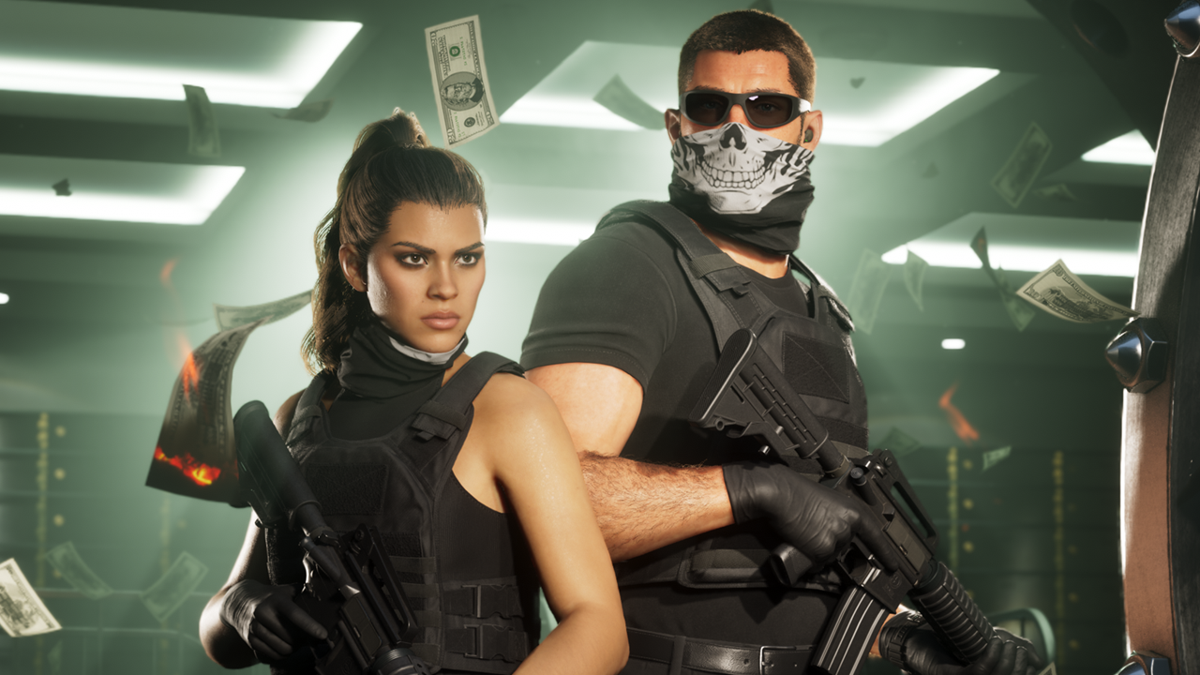
GTA 6 Morality Meter: What This Means for Choosing a Gaming PC in Canada
The latest GTA 6 morality meter details are getting attention for a reason. The reported system suggests that your actions may shape how the game tracks you, judges you, and reacts to your playstyle, with an extreme state that can reportedly crack or even shatter if you push chaos too far. For players planning ahead, that makes this more than a headline. It is another sign that modern open-world games are becoming deeper, more dynamic, and more demanding. If you are already asking yourself what kind of Gaming PC Canada buyers should be looking at for major upcoming releases like GTA 6, you are asking the right question.
For Groovy Computers, the bigger story is not just the morality system itself. It is what that level of simulation means for hardware planning. When a game adds more NPC logic, more reactive systems, larger worlds, more visual detail, and more background calculations, your PC matters more. Are you only trying to play at 1080p? Are you aiming for 1440p with stronger visuals? Do you want ray tracing, higher frame rates, streaming support, or enough overhead for recording and editing clips after you play? Those are the questions that turn gaming hype into a smart buying decision.
At Groovy Computers, we build custom systems for Canadian gamers, creators, and power users who want performance matched to what they actually do. That means helping someone buy the right machine for open-world gaming today, while also making sure it does not feel outdated too soon when the next wave of blockbuster releases lands.
What the reported GTA 6 morality meter tells us about next-gen game demands
Based on the source material, GTA 6 is expected to include multiple criminal profile states, including a higher-end professional path, more aggressive and violent states, and an extreme low-end state associated with highly chaotic play. The most talked-about detail is the idea that the system can eventually stop meaningfully tracking you if you push things far enough. Whether players engage with it seriously or ignore it completely, the key takeaway is clear: the game appears designed around more reactive simulation.
That matters because reactive games tend to be heavier than static ones. A big open world is one thing. A big open world filled with systems that watch, classify, and respond to your behaviour is another. Add stronger AI routines, denser traffic, more environmental detail, better lighting, and higher texture demands, and suddenly a basic older machine can start to feel limited.
So what should Canadian gamers be thinking about right now? Not panic buying. Not overbuilding blindly. Instead, think in terms of use case. Do you want a system that simply runs major new releases? Or do you want a gaming desktop that can handle ambitious upcoming games with smoother performance, stronger visuals, and enough headroom to last?
Why this matters for Canadian buyers planning a Gaming PC for GTA 6
When a game like GTA 6 dominates the conversation, it creates a familiar pattern. Interest spikes. More people start shopping for GPUs and full systems. Premium graphics cards draw stronger attention. Performance expectations rise because nobody wants to buy a new PC only to lower settings immediately for one of the most anticipated releases in gaming.
That is why buyers in Canada should think beyond just minimum specs. If GTA 6 ends up being one of those titles that people want to experience properly, with visual effects turned up, smoother traversal through a massive world, and strong performance during action-heavy scenes, a weak entry-level machine may not feel satisfying for long.
Are you trying to build around one game, or are you really buying for the next several years of AAA releases? Are you mostly a story-driven player who wants beautiful visuals, or do you care more about high FPS and responsiveness? Do you want one system that can also stream to Twitch, record gameplay, or edit videos for YouTube and TikTok? Your answer changes the right build category dramatically.
What do you want your next PC to do for you?
This is the most important question in the entire buying process, and it is where many shoppers either save money wisely or spend it in the wrong place.
If your next system is mainly for big single-player and open-world games, your priorities may be GPU strength, VRAM, fast storage, and a balanced CPU that keeps frame pacing smooth. If you also want to stream, encode video, keep browser tabs and chat tools open, and multitask without slowdown, then your CPU, RAM, and cooling matter more. If you are also editing footage in Adobe Premiere Pro, DaVinci Resolve, Photoshop, Lightroom, or working in Blender, then you may not need just a gaming PC at all. You may need a creator system or workstation-class build strategy.
Ask yourself a few honest questions. Do you want 1080p performance at solid settings and good value? Do you want 1440p to be your sweet spot for the next few years? Do you want 4K and ray tracing because visual immersion matters most to you? Are you trying to avoid upgrading again too soon? Would paying monthly for a stronger build make more sense than paying outright for a lower-tier system that you outgrow early?
What PC do you need for GTA 6-style open-world gaming?
Even without official final PC requirements in front of us, the genre gives us useful guidance. Massive open-world releases tend to reward balanced systems. That means a strong graphics card, a modern multi-core CPU, enough RAM for background activity and future game overhead, and an SSD fast enough to reduce loading stalls and improve asset streaming.
Entry-level value tier: Who is it for?
If you are a budget-conscious buyer looking for a Budget Gaming PC Canada shoppers can actually enjoy with modern titles, this tier makes sense when your goal is 1080p gaming with sensible settings. It is ideal for players who want to get into PC gaming, enjoy popular titles, and still have a machine capable of handling newer releases at adjusted visual settings.
But here is the key question: are you okay turning settings down in future blockbuster games? If you know that does not bother you, value-focused hardware can be a smart move. If you already know you want visual headroom for major new releases, going too low now can create regret later.
Mid-range sweet spot: Is 1440p the right target for you?
For many buyers, this is the ideal category. A strong 1440p Gaming PC Canada buyers choose often hits the best balance between sharp visuals, high settings, smoother frame rates, and longer-term value. If your goal is to play cinematic open-world games, enjoy competitive titles, and still have room for streaming or recording, this is where many of the smartest builds sit.
Are you the kind of player who wants GTA 6, racing games, shooters, and open-world RPGs all to feel great without immediately shopping for upgrades again? Mid-range to upper-mid-range usually makes the most sense.
High-end performance: Do you want ultra settings, ray tracing, and longevity?
If you are looking at a High End Gaming PC Canada category build, you are probably not just buying for one release. You want a system for premium gaming over multiple years. You care about stronger minimum frame rates, heavier graphics features, large texture pools, premium monitors, and perhaps a future move to 4K.
This is also the range where a Ray Tracing Gaming PC Canada buyer should start paying close attention. If games continue leaning harder into advanced lighting and denser environments, GPU quality matters more, not less. A premium system can help you avoid compromise and push off your next major upgrade.
Will you only game, or do you also want to stream and create?
The source article frames GTA 6 as a rich roleplaying experience with layered systems. For many buyers, games like that do not just get played. They get streamed, clipped, shared, discussed, and turned into content. That creates a different purchasing question: do you need a machine that only runs games, or one that also helps you produce around them?
If you are planning to stream long sessions, record high-bitrate gameplay, run OBS, monitor chat, and maybe edit highlights after, then a Gaming and Streaming PC Canada build may be the better fit. Encoding support, extra RAM, stronger CPUs, and better cooling become much more important in that scenario.
What PC do you need for streaming if GTA 6 becomes your next content anchor? If you are doing casual 1080p streams, a balanced modern gaming system may be enough. If you want clean streams while maintaining strong in-game performance, especially in a demanding open-world title, stepping up in CPU and GPU class is often worth it.
Could one PC handle gaming, editing, Photoshop, and content creation too?
Absolutely, but only if the build is selected properly. Many Canadian buyers do not need separate systems. They need one carefully balanced desktop that supports gaming at night and productive work during the day.
If that sounds like you, a Content Creation PC Canada approach may be smarter than buying a gaming-only machine. Maybe you are editing gameplay in Premiere Pro, making thumbnails in Photoshop, handling reels and shorts in CapCut, or building a channel around game commentary. In that case, your PC should not be chosen only by average gaming FPS. Export times, timeline smoothness, RAM capacity, storage planning, and software responsiveness all matter too.
Are you wondering whether a gaming PC is good for content creation? Sometimes yes. But not all gaming PCs are creator PCs. A system that is perfect for gameplay alone may not be ideal for video editing, audio production, large photo libraries, or layered design work. That is why custom configuration matters.
What if your work is heavier than gaming?
Some readers land on gaming news and then realize the same system decision affects their professional workflow. If you are using Blender, Unreal Engine, AutoCAD, Revit, Lightroom Classic, Illustrator, or DaVinci Resolve, the right machine may fall into a different category entirely.
Video editing buyers
If you are asking what PC you need for video editing, think about footage resolution, effects usage, and how often you export. A casual editor can be happy with a balanced creator desktop. A serious editor handling frequent 4K work will likely benefit from a stronger Video Editing PC Canada build with more RAM, faster SSDs, and better GPU acceleration.
Do you mostly cut YouTube videos, or are you grading footage, stacking transitions, and working across several applications at once? That answer affects your ideal CPU, GPU, and memory target.
Photo editing and graphic design buyers
If your needs lean toward Photoshop, Lightroom, Illustrator, Canva, and Adobe Creative Cloud, a quieter, fast, responsive desktop can often deliver better long-term satisfaction than a gaming-first machine. A smart Photo Editing PC Canada or Graphic Design PC Canada build should emphasize memory, fast project storage, strong CPU responsiveness, and a setup that works beautifully with high-quality displays.
Are you processing RAW photos in batches? Retouching large image files? Working across multiple design apps with dozens of assets open? Then your build should reflect that reality.
3D modeling and workstation buyers
If you use Blender, Unreal Engine, Maya, 3ds Max, CAD tools, or rendering software, your best fit may be a 3D Modeling PC Canada or Workstation PC Canada configuration. In these builds, VRAM, GPU acceleration, RAM capacity, CPU class, and thermal stability become much more important than they are in a basic gaming desktop.
What PC do you need for Blender or Unreal Engine? That depends on whether you are modeling lightly, doing heavy viewport work, or rendering professionally. The wrong hardware here does not just cost frames. It costs time.
Why big game releases often push buyers to upgrade sooner
Every major game cycle teaches the same lesson. People wait until excitement peaks, then suddenly realize their current system is not where they want it to be. By then, they are shopping under pressure. They want the system quickly. They may be competing with other buyers for the same performance tier. They may also be upgrading in a market where component pricing is less predictable than they hoped.
That does not mean every release causes shortages, and it does not mean buyers should rush without a plan. It means timing matters. If you already know your current desktop struggles in newer open-world games, and if you are already interested in stronger visuals, streaming, editing, or long-term use, waiting until the last minute is often the more stressful path.
Is it better to buy a gaming PC now or wait? If your current machine is already holding you back, and if you know your use case is only becoming more demanding, delaying can mean paying more later for the same class of experience or settling for less than you wanted.
Should you buy a cheaper system now or finance a better one?
This is one of the most practical questions modern buyers ask, especially in Canada where a stronger desktop can be a meaningful investment. Many shoppers can afford a lower-tier machine immediately, but what they really need is a more capable system with a longer useful life.
That is where financing can become less about stretching and more about buying correctly. If financing up to 4 years helps you secure the GPU tier, RAM capacity, storage setup, or CPU class you actually need, it can be the smarter move than buying a cheaper machine and replacing or upgrading it too soon.
Should you finance a better PC instead of buying a cheaper one? If the stronger build saves you from early regret, supports your actual gaming and creator goals, and keeps you current longer, the answer may be yes. This is especially true if your workload spans gaming, streaming, and creative software rather than just one task.
At Groovy Computers, that is the conversation we want customers to have honestly. Not “what is the cheapest box I can get today,” but “what system will still feel right for what I want to do next year?”
Which performance tier fits you best?
If you are unsure where you belong, this simple breakdown can help narrow it down.
- Value gaming tier: Best for buyers focused on 1080p gaming, esports titles, lighter AAA expectations, and lower entry cost.
- Balanced mainstream tier: Best for gamers who want 1080p ultra or 1440p high settings, good long-term value, and room for modern releases.
- Gaming and streaming tier: Best for players who want to game smoothly while using OBS, recording footage, and multitasking.
- Creator crossover tier: Best for customers who game but also edit videos, use Photoshop, create thumbnails, or run Adobe apps regularly.
- High-end enthusiast tier: Best for 1440p ultra, 4K ambitions, heavier ray tracing, premium monitors, and stronger future-proofing.
- Workstation and 3D tier: Best for Blender, Unreal Engine, CAD, rendering, advanced content creation, and professional workloads.
Where do you fit honestly? Are you trying to maximize value, or are you trying to avoid compromise? Do you want a first gaming system, or your last upgrade for several years? Are you building around GTA 6 and similar releases, or around an all-in-one machine for gaming, streaming, and creative work?
Why custom builds matter more than ever
There is a big difference between buying a generic shelf system and choosing a desktop that is configured around your real use case. A custom build helps ensure that your money goes where it matters. If you game at 1440p, your GPU priority may be different than someone editing 4K video every day. If you use Photoshop and Lightroom, your memory and storage planning may matter more than flashy extras. If you are into 3D rendering, thermal performance and part balance become critical.
That is why Custom Gaming PC Canada buyers often get better long-term value from a builder who understands use-case matching. At Groovy Computers, the goal is not to oversell. It is to build properly. That includes selecting balanced parts, planning upgrade paths, and making sure the complete system is tested for reliability.
Why does testing matter in a gaming PC? Because a machine is not just a list of parts. It is a full system that needs to be assembled correctly, cooled properly, and stress tested so that your experience is smooth when it arrives. That confidence matters even more when you are buying for a major game launch or a demanding work setup.
Why Canadian support, warranty, and trust should be part of the decision
Price matters, but support matters too. A custom PC is not a disposable gadget. It is a performance investment. For Canadian buyers, especially those ordering online, confidence comes from knowing the system was built with care, tested, and backed by real support.
Groovy Computers is a Canadian custom PC builder serving gamers, creators, and professionals who want a better buying experience. That includes rigorous testing, practical performance guidance, and a 1-year warranty for peace of mind. For buyers in Nova Scotia, Atlantic Canada, and across the country, working with a Canadian builder means your system is not just sourced for sale. It is built with the expectation that it should perform the way you need it to.
Are you shopping from Halifax, Trenton, New Glasgow, elsewhere in Nova Scotia, or ordering from another province? The right builder should make the process clear, supportive, and tailored to your needs, not generic.
What should you ask before choosing your next PC?
Before you buy, ask yourself these questions and answer them realistically.
- What am I actually playing or running? Is this mostly for GTA 6-style open-world games, or am I also using OBS, Premiere Pro, Photoshop, Blender, or other demanding software?
- What resolution do I want? Is 1080p enough, or do I really want 1440p or 4K?
- Do I care about ray tracing? If visual features matter to you, your GPU choice becomes more important.
- How long do I want this system to last before I feel pressure to upgrade?
- Will I stream, record, or edit? If yes, a gaming-only configuration may not be enough.
- Would I rather buy smaller now and upgrade sooner, or finance a stronger build that stays satisfying longer?
- Do I want a generic machine, or a custom system selected for my real workload?
The clearer your answers are, the easier it becomes to choose a system that feels right after the excitement of launch-week headlines fades.
Our take: GTA 6 hype is a good reason to buy smarter, not blindly
The morality meter report is exciting because it points toward a more reactive and immersive GTA 6 experience. But for PC buyers, the better takeaway is broader. The next generation of blockbuster games is not just about prettier screenshots. It is about more systems, more simulation, more complexity, and more strain on underpowered hardware.
That is why this is a smart moment to step back and ask: what kind of experience do you want from your next desktop? A basic machine that gets by? A strong 1440p gaming setup? A premium rig for ray tracing and long-term value? A creator crossover system that can game, stream, and edit? A full workstation for 3D and production work?
If you already know your current PC is near its limit, buying with a longer view can save money and frustration. If a monthly payment makes a much stronger build possible, financing may help you secure better performance before replacement costs rise further. If you want expert help matching your budget to the right category, that is exactly where Groovy Computers comes in.
Need help choosing the right build for GTA 6, streaming, editing, or workstation use?
What do you want your next PC to do for you, really? If you want a system built for big upcoming games, a custom gaming PC Canada buyers can trust, a creator machine for editing and design, or a workstation for serious 3D workloads, Groovy Computers can help you choose the right path without guessing. Explore builds, compare options, or start your custom PC inquiry at GroovyComputers.ca.
In short, the GTA 6 morality meter story is another reminder that modern game design keeps getting deeper, and deeper games usually reward stronger hardware. If you want your next system to feel ready rather than barely enough, plan for the experience you actually want. Groovy Computers is here to help Canadian buyers get the right gaming PC, creator PC, or workstation before that next big release makes the decision feel rushed.
#GamingPCCanada #CustomGamingPCCanada #GamingPCForGTA6 #GamingPCBuilderCanada #CanadianCustomPCBuilders #ContentCreationPCCanada #VideoEditingPCCanada #StreamingPCCanada #WorkstationPCCanada #NovaScotiaPCBuilder
Groovy Computers | All Rights Reserved


Leave a comment
This site is protected by hCaptcha and the hCaptcha Privacy Policy and Terms of Service apply.