



































How To Get The Repair Tool In Subnautica 2 And What Kind Of Gaming PC In Canada Makes Survival Games Feel Better
If you are searching for how to get the Repair Tool in Subnautica 2, you are probably already deep enough into the game to understand one important truth: survival games punish weak preparation fast. Once your small sub starts taking damage, a missing Repair Tool is not just an inconvenience. It can stall exploration, waste resources, and turn a smooth early-game run into a frustrating loop of backtracking. For Canadian players, that raises another practical question: if games like Subnautica 2 are exactly the kind of immersive, systems-heavy PC titles you want to enjoy this year, is your current setup still good enough, or is it time to step up to a stronger custom gaming PC in Canada?
That is where this guide goes further than a basic walkthrough. Yes, we will cover where to find the Repair Tool fragments in Subnautica 2 and what materials you need to craft it. But we will also connect that gameplay moment to the real buying decisions PC gamers are making right now. If your next system needs to handle open-world survival games, high-refresh 1080p, crisp 1440p, creator workloads, streaming, or long-term upgrade value, this is exactly the moment to think about it.
Why the Repair Tool matters so much in Subnautica 2
In Subnautica 2, the Repair Tool is not a luxury item. It is part of your core survival toolkit. After unlocking the Tadpole, your mobility improves dramatically, but so does your exposure to environmental danger. Aggressive creatures, tight terrain, and underwater hazards can wear down your vehicle quickly. Without a Repair Tool, damage starts to limit your freedom.
That is why this item matters beyond a simple crafting milestone. The Repair Tool supports exploration momentum. It protects the gear that protects your progress. And if you are the kind of player who enjoys survival, sandbox, base-building, and exploration-heavy PC games, this is also the kind of title that rewards stable frame rates, fast load times, and a responsive system.
Are you only trying to run the game at basic settings, or do you want your next PC to make games like this feel atmospheric, smooth, and future-ready for what is coming next?
How to get the Repair Tool in Subnautica 2
Based on the source material, unlocking the Repair Tool requires scanning three fragments with your Scanner before you can craft the Blueprint. After that, you will need the correct materials at a Fabricator. The overall process is straightforward once you know where to go, but missing one location or one dependency can slow you down.
1. Find the first Repair Tool fragment at Chap's Base
The first Repair Tool fragment can be found roughly 200m to 250m southeast or south of your Lifepod. Look for a ring-shaped cave near stone spires. If you have already activated your NOA, you may have a signal for Chap's black box, but even without it, the location can still be found manually.
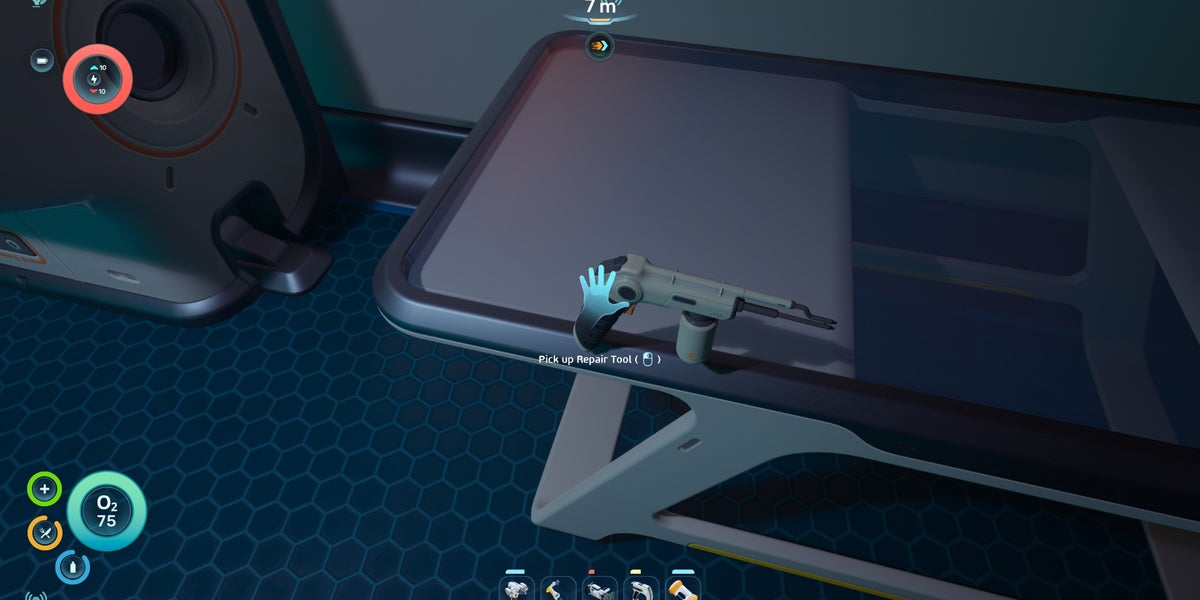
The cave entrance is marked by blue light. Swim into the cave and head downward until you locate a red hatch leading into an abandoned base. Inside, the fragment is on a desk near the entrance. Scan it before leaving. This gives you the first stage of the Repair Tool Blueprint.
While you are there, you can also interact with the Biobed to expand inventory space, which is a useful side benefit for early progression.
2. Find the second Repair Tool fragment at the Northern Ruins
The second fragment is located in the Northern Ruins, around 250m to 270m north of the Lifepod. However, there is an important prerequisite: you need a Sonic Resonator first, because the ruined base is blocked by Biofilm.
To get the Sonic Resonator, head to the Old Habitat about 350m northwest or north of the Lifepod. Swim underneath and enter through the hole in the floor. One fragment is on the right as you enter, and the second is in the next room on the floor.
To craft the Sonic Resonator, the source indicates you need:
- 1x Battery
- 2x Titanium Ingots
- 2x Lead
- 1x Wiring Kit
You also need a Fully Functional Fabricator and Processor. Once crafted, head to the Northern Ruins, clear the Biofilm with the Sonic Resonator, enter the base, and scan the Repair Tool fragment on the table.
3. Find the third Repair Tool fragment at the wreckage
The final fragment is located around 350m northeast of the Lifepod at an underwater wreckage. Enter by swimming underneath and using the hangar door. Inside, the room is relatively small, and the last fragment should be easy to spot on the floor in a corner. Scan it and the full Repair Tool Blueprint is unlocked.
How to craft the Repair Tool
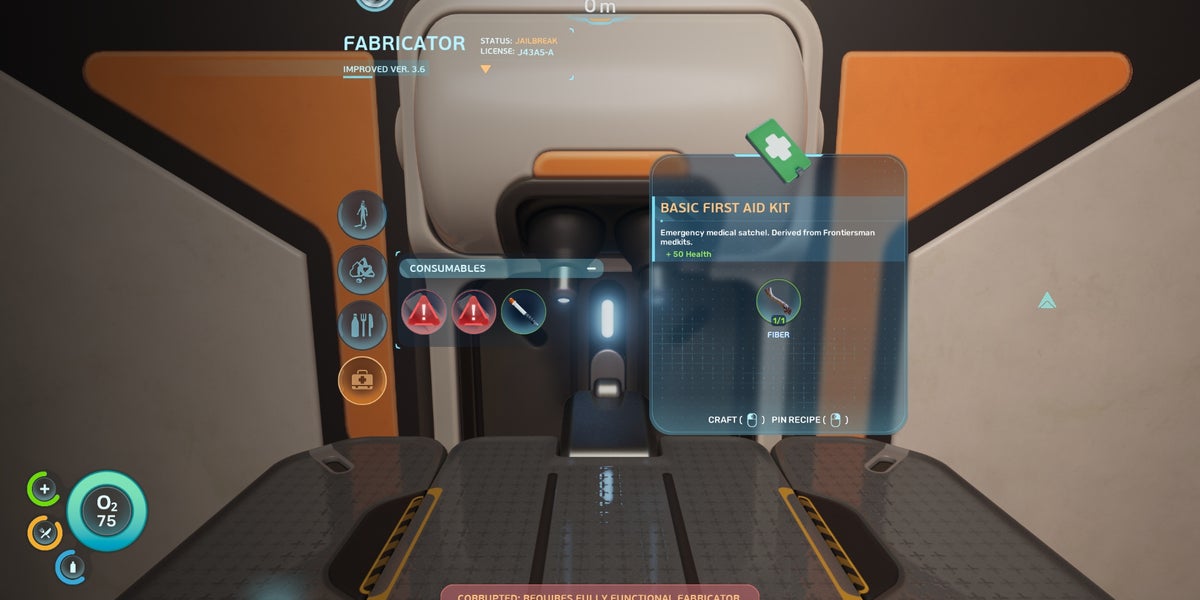
Once all three fragments are scanned, you can craft the Repair Tool using:
- 1x Titanium Ingot
- 1x Sulfur
- 1x Battery
- 1x Wiring Kit
It is also smart to keep spare Batteries on hand, since the Repair Tool will eventually need reloading.
What this Subnautica 2 guide tells us about PC gaming in 2026
Subnautica 2 is a good reminder that modern PC gaming is not just about whether a game launches. It is about how it feels. Exploration games live or die on atmosphere. Water effects, visibility, environmental detail, draw distance, lighting, and frame pacing all matter. If your PC stutters during traversal, struggles with newer assets, or forces you into compromises that break immersion, the experience changes.
So ask yourself: what do you want from your next PC? Do you want to simply run new games, or do you want to enjoy them the way they are meant to feel?
What do you want your next PC to do for you?
This is the question more buyers should ask earlier.
Do you want a system mainly for games like Subnautica 2, Elden Ring, Minecraft with shaders, and other modern open-world titles? Do you also want to stream to Twitch or YouTube? Are you editing clips, cutting long-form video, creating thumbnails, working in Photoshop, or rendering 3D scenes in Blender after gaming sessions?
Many Canadian buyers start by searching for a gaming desktop, but what they really need is a custom-balanced system. A pure budget gaming build is very different from a gaming-and-streaming setup. A creator PC that handles Premiere Pro, DaVinci Resolve, Photoshop, and OBS smoothly is different again. And if you are doing CAD, Unreal Engine, or 3D modeling, that is often workstation territory, not just gaming territory.
If your current computer already feels strained by newer games, browser multitasking, Discord, capture tools, mods, and background apps, how soon do you think you will want to upgrade again?
What performance tier fits your kind of gaming?
Not every buyer needs the same class of machine. The best decision usually comes from matching your games, resolution, and side workloads to the right performance tier.
Entry-level and budget gaming PC buyers
If your goal is 1080p gaming with good settings in popular titles, an entry-level or budget-focused build may still be the right fit. This is often ideal for players who want a first system, a student-friendly upgrade, or a practical machine for lighter gaming libraries.
But here is the key question: are you buying for the games you already play, or the games you expect to play over the next two to four years?
If your answer includes newer AAA games, higher texture settings, better draw distance, heavier mods, or multitasking while gaming, going too low now can create a shorter upgrade cycle than you want.
Mid-range 1440p gaming buyers
For many Canadian gamers, the sweet spot is 1440p. This is where survival games, RPGs, open-world adventures, and competitive titles start to look significantly sharper without immediately pushing you into the most expensive performance tier.
If you want strong visuals, smooth frame rates, and enough GPU headroom for upcoming releases, a 1440p-focused build often delivers the best balance of cost and long-term value. This is also a smart range for people who may stream casually, record gameplay, or keep a lot of applications open while gaming.
Are you trying to avoid buying a system now and then replacing it too soon when the next wave of games gets heavier?
High-end 4K and premium RTX buyers
If you want 4K gaming, ray tracing, ultra settings, high refresh rates, or top-tier longevity, then a premium build becomes easier to justify. This is the category for buyers who want fewer compromises, more visual overhead, and a better chance of staying ahead of future requirements.
For players chasing maximum immersion in demanding games, stronger GPU and cooling choices matter. A high-end build also makes more sense if your machine doubles as a creator workstation for editing, rendering, or advanced multitasking.
Would you rather buy once at a higher performance level, or save a little now and risk feeling boxed in by your hardware sooner than expected?
Is Subnautica 2 the only game you are buying for?
This is where many purchasing mistakes happen. A buyer reads one game guide, thinks about one game, and ends up choosing a system that fits today but not the broader library they actually play.
If you enjoy Subnautica 2, there is a good chance you also enjoy other visually rich or systems-heavy PC games. Maybe that includes survival crafting games, large sandbox worlds, RPGs, modded titles, or ray-traced releases. Maybe you bounce between relaxed exploration games and competitive shooters. That changes your ideal build.
A PC sized only for one current title can be too narrow. A custom gaming PC in Canada should match your full use case, not just your current obsession.
Do you also want to stream, edit, or create content?
For a lot of buyers, gaming is only half the story. If you plan to capture gameplay, stream with OBS, edit short-form clips, create YouTube videos, or run Adobe Creative Cloud apps, the conversation changes fast.
You may need more memory. You may need a stronger CPU for background tasks and exports. You may want more storage for captured footage and project files. You may also want a GPU that can support smooth gaming while handling creator tools more comfortably.
That is why a gaming and streaming PC in Canada or a creator PC in Canada often makes more sense than a bare-minimum gaming box. The right system saves time, frustration, and future upgrade costs.
For streaming
If you are asking what PC do I need for streaming, think beyond game performance alone. A stable stream setup benefits from enough CPU and GPU overhead, healthy RAM capacity, strong thermals, and fast storage. Even if your stream starts at 1080p, your background workload can pile up quickly.
For video editing
If your post-game workflow includes Premiere Pro, DaVinci Resolve, After Effects, or CapCut, your ideal build may look more like a custom video editing PC in Canada than a standard gaming tower. Timeline responsiveness, export speed, cache drives, and memory capacity matter just as much as frame rates.
For photo editing and graphic design
If you work in Photoshop, Lightroom, Illustrator, or InDesign, the build should support fast SSD performance, enough RAM, reliable multitasking, and smooth handling of large assets. In that case, a photo editing PC or graphic design PC can be a better fit than a gaming-first build.
For 3D modeling and rendering
If you use Blender, Unreal Engine, or other rendering tools, then a 3D modeling PC in Canada or workstation-class custom system may be the smartest path. GPU rendering, CPU-heavy tasks, and memory demands scale quickly, especially if your projects are getting more serious.
So what is your next computer really for: gaming only, gaming plus streaming, gaming plus editing, or a true all-in-one creator workstation?
Why Canadian buyers should think carefully before waiting too long
PC buying is rarely static. Even when game interest spikes because of a new release, the bigger issue is that full-system costs can shift with GPU demand, memory pricing, SSD pressure, and broader supply conditions. Waiting does not always create savings. Sometimes it creates fewer choices.
That is especially important if your current system is already borderline. If you know you want stronger gaming performance before a major release season, before your content workload expands, or before your old machine forces an emergency replacement, planning ahead is usually the better move.
Are you buying on your own schedule, or are you waiting until a failing PC forces you into a rushed decision?
Should you buy a cheaper PC now or finance a better one?
This is one of the most practical questions Canadian buyers ask, and it is a good one. A lower-cost system can make sense if your needs are modest and you are realistic about performance. But if you already know you want better 1440p gaming, streaming capability, editing power, or stronger long-term value, choosing too weak a machine just to keep the initial payment lower can cost more in the long run.
That is why many buyers look at financing not as a luxury, but as a way to secure a more suitable build now. If financing up to 4 years helps you move from a short-lived compromise to a system that actually fits your needs, the value equation changes.
Should you finance a gaming PC in Canada if it helps you avoid upgrading again too soon? For many buyers, especially those balancing gaming with creator work, the answer is yes.
Custom PC vs generic prebuilt: what matters when you care about long-term value?
Mass-market systems often look simple on paper. But not every prebuilt offers balanced cooling, quality component selection, sensible power delivery, or a strong upgrade path. That matters more when modern games and mixed workloads keep getting heavier.
A custom build gives you better control over what actually affects daily use:
- Resolution-targeted GPU performance
- CPU strength for gaming and background tasks
- Enough RAM for multitasking and creator software
- Fast SSD storage for load times and project files
- Cooling that supports sustained performance
- Parts matched for future upgrades
If you are asking custom PC vs prebuilt PC in Canada, the better question may be this: do you want a machine chosen for price tags, or a machine chosen for how you actually use it?
Why Groovy Computers makes sense for Canadian gamers and creators
Groovy Computers is built around the kind of buying support many people actually need: custom systems, practical guidance, rigorous testing, and Canadian trust. Whether you are shopping for a gaming rig, a creator desktop, or a more serious workstation, the goal is not just to sell a box. It is to help you end up with a PC that feels right months and years after purchase.
That matters if you want:
- A custom gaming PC in Canada tailored to your resolution and game library
- A gaming and streaming setup that can handle OBS and multitasking
- A creator PC for editing, design, and content workflows
- A workstation-oriented machine for 3D or professional workloads
- Financing options that help you buy stronger without overcompromising
- Confidence from system testing and a 1-year warranty
For buyers in Nova Scotia, Atlantic Canada, and across the country, that combination of customization, testing, and support matters. Canada-wide buyers are not just comparing specs. They are comparing confidence.
What kind of Groovy Computers build is right for you?
If you mainly play games like Subnautica 2
You likely want a balanced gaming-focused build with enough GPU strength for visual quality and enough CPU headroom for modern game complexity. If you are aiming at 1080p, entry-to-mid performance may be enough. If you want 1440p with stronger longevity, step up.
If you play and stream
Look at a gaming and streaming system with extra RAM, a stronger processor, and enough GPU headroom to protect gameplay smoothness while streaming or recording.
If you game and edit content
You may be better served by a hybrid creator build. Fast storage, memory capacity, and balanced CPU/GPU choices matter more than they do in a pure gaming machine.
If you also do graphic design, photo editing, or video editing
A custom creator PC can save you time every week. Better exports, smoother previews, and less waiting add up quickly.
If you work in Blender, Unreal Engine, or heavy production tools
You may need a proper workstation-style configuration rather than just a gaming desktop with a nice GPU.
What does your next PC need to do every day, not just on launch weekend for one game?
Questions to ask yourself before you order your next PC
- What games do I want to play over the next two to four years?
- Am I targeting 1080p, 1440p, or 4K?
- Do I care about ray tracing or ultra settings?
- Will I stream, record, or edit content?
- Do I use Photoshop, Lightroom, Premiere Pro, DaVinci Resolve, or Blender?
- How much storage will I need for games, footage, and project files?
- Am I trying to avoid upgrading again too soon?
- Would financing help me secure a stronger and more durable build now?
- Do I want a generic spec sheet, or a tested custom system with warranty support?
Final takeaway: the Repair Tool is a game lesson, and it is also a buying lesson
The path to the Repair Tool in Subnautica 2 is a small but smart example of why preparation wins. You scan what you need, unlock the right tool, gather the right materials, and give yourself more freedom to survive and explore. Buying a PC works the same way. The better you understand your real needs, the better your next system will serve you.
If you are shopping for a custom gaming PC in Canada and wondering whether your next build should focus on 1080p value, 1440p balance, 4K power, streaming, editing, or creator workloads, this is a good time to stop guessing. Ask what you want your machine to do, how long you want it to last, and whether a stronger build now could save you money and frustration later.
If that sounds like the decision you are trying to make, visit GroovyComputers.ca and ask yourself one more useful question: do you want a PC that merely runs the next game, or one that is built properly for everything you want to do next?
#Subnautica2 #CustomGamingPCCanada #GamingPCCanada #GamingPCBuilderCanada #CanadianCustomPCBuilders #1440pGamingPCCanada #StreamingPCCanada #CreatorPCCanada #VideoEditingPCCanada #3DModelingPCCanada #NovaScotiaTech #GroovyComputers
Groovy Computers | All Rights Reserved


Leave a comment
This site is protected by hCaptcha and the hCaptcha Privacy Policy and Terms of Service apply.