























GTA 6 Preorders Are Live: What Canadian Buyers Should Know Before Choosing a Gaming PC for GTA 6
GTA 6 preorders are live, and that headline matters for more than console buyers. For Canadian shoppers planning ahead, this is exactly the kind of moment that triggers a bigger question: if one of the most anticipated open-world games in years is finally getting closer, is your current setup actually ready for what comes next? If you have been thinking about upgrading, replacing an aging system, or buying your first serious gaming desktop, now is the time to think beyond the preorder itself and start planning the right Gaming PC Canada buyers will actually want for GTA 6, future AAA releases, streaming, and content creation.
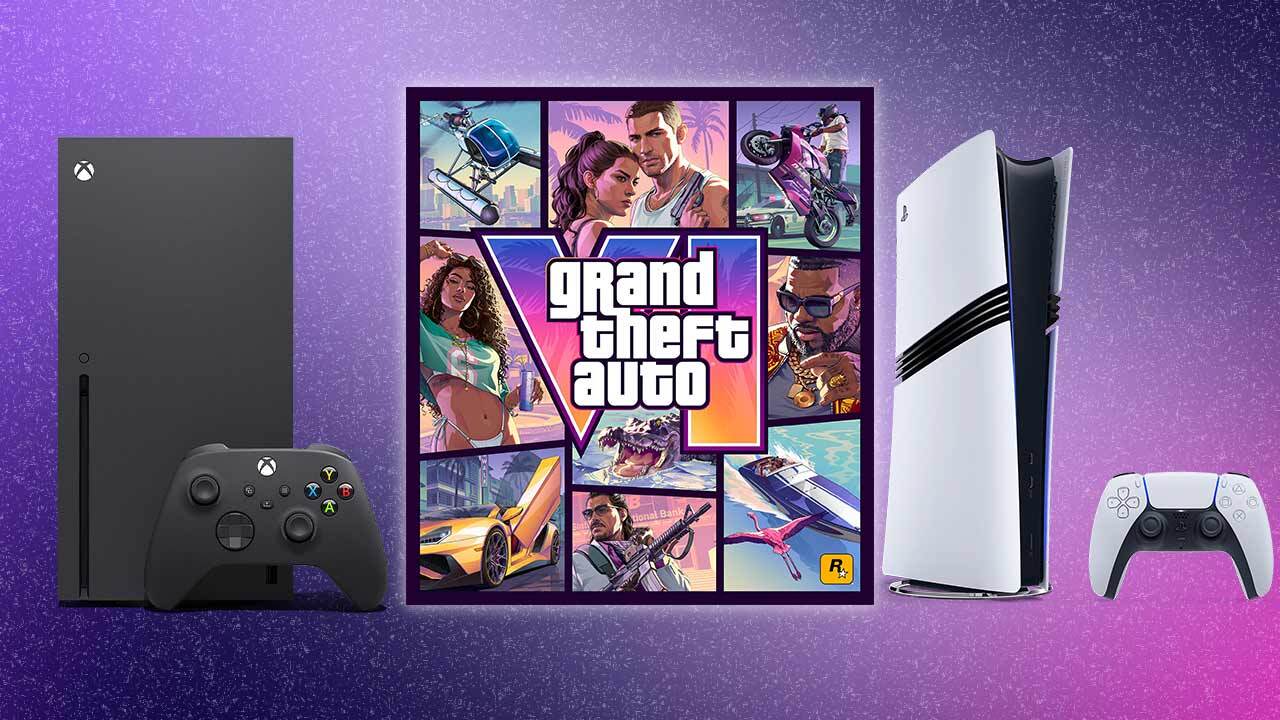
The source update is simple and important: Grand Theft Auto VI preorders are now open, the launch is scheduled for November 19, 2026, and the announced versions include a Standard Edition and an Ultimate Edition. In Canadian dollars, that puts the Standard Edition at roughly about $110 CAD and the Ultimate Edition at roughly about $140 CAD, depending on final retailer pricing, taxes, and platform storefront rounding. But for PC-focused buyers, the bigger takeaway is not which game edition to pick. It is what this level of blockbuster demand usually signals for the broader market: more attention on gaming hardware, more pressure on GPUs, and more people realizing too late that their current computer is not ready for next-generation game performance.
Why does a GTA 6 preorder story matter if you are shopping for a PC in Canada?
Because massive game launches change buyer behaviour. They create urgency, drive upgrades, and push gamers, streamers, and creators to re-evaluate their systems all at once. Even though the source article focuses on console preorder information and does not confirm a PC preorder option, Canadian PC buyers should still pay attention now rather than later. Why? Because hardware planning is easier before demand spikes, not after.
Ask yourself a practical question: when GTA 6 eventually becomes part of the PC conversation, do you want to be scrambling for a last-minute upgrade, or do you want a properly built system already tested, balanced, and ready for modern open-world gaming?
This is especially relevant if your current desktop is already struggling with newer titles, background apps, recording software, browser tabs, Discord, mods, or creative workloads. The hype around GTA 6 is not just about one game. It is about the entire class of games and software workloads that are raising expectations for graphics performance, storage speed, CPU efficiency, cooling, and long-term upgrade value.
What the source article gets right about GTA 6 buying decisions
The source article does a good job covering the basics buyers care about first: release timing, edition differences, preorder bonuses, platform availability, and uncertainty around physical versus download-based copies. Those details matter. Buyers naturally want to know whether there is a bonus, whether one edition offers better value, and whether they should commit early or wait.
That same logic applies directly to PC buying.
If gamers are already comparing Standard Edition versus Ultimate Edition for software value, should they not also compare entry-level versus mid-range versus premium PC hardware value? If preload access matters on the game side, should storage speed and SSD capacity not matter on the system side? If buyers are worried about getting the best experience on day one, should they not ask whether their current PC can actually handle new-generation visual demands without compromises?
That is where a custom PC builder becomes more valuable than a generic one-size-fits-all machine.
What do you want your next PC to do for you?
Before choosing a build, the most important question is not, “What is the cheapest PC I can get?” It is, “What do I actually want this system to do for me over the next few years?”
Do you want a smooth GTA 6-ready gaming experience when the PC version eventually lands? Do you want high-FPS esports performance today and stronger AAA performance tomorrow? Do you also want to stream on Twitch or YouTube? Are you editing gameplay clips for TikTok, Reels, or YouTube Shorts? Do you work in Photoshop, Lightroom, Illustrator, Premiere Pro, DaVinci Resolve, Blender, Unreal Engine, or CAD software and want one machine that handles both gaming and serious productivity?
If that sounds like you, then you are not just shopping for a “gaming computer.” You may actually need one of several different categories:
- Budget gaming desktop for 1080p esports and entry-level AAA gaming
- 1440p gaming PC for stronger visual quality and better longevity
- Premium RTX gaming PC for ray tracing, ultra settings, and high refresh rates
- Gaming and streaming PC for playing, recording, and broadcasting at the same time
- Creator PC Canada customers can rely on for editing, graphics, and content workflows
- 3D modeling or workstation build for Blender, Unreal Engine, rendering, and technical software
The right answer depends on what you expect from the machine, not just what game is trending this week.
What gaming PC do you need for GTA 6-style open-world gaming?
Even without relying on unconfirmed PC release specifications, we can still make smart buying decisions based on the direction of modern AAA games. A title with this level of scale, density, lighting complexity, streaming world detail, and overall hype is exactly the kind of release that pushes older CPUs, limited RAM, slow SSDs, and weaker GPUs out of their comfort zone.
So what PC do you need for 1080p, 1440p, or 4K gaming in this category?
1080p gaming: Who is this tier really for?
If you mainly play competitive titles today but want enough headroom for newer story-driven games, a strong 1080p build can still make sense. This is the right starting point for value-focused buyers who want good settings, smooth frame rates, and modern responsiveness without jumping immediately into premium pricing.
But here is the key question: do you want a system that feels good only right now, or one that still feels capable two or three major game releases from now?
If you tend to keep a PC for several years, going too low on the GPU or RAM can lead to an upgrade sooner than expected. That is why even budget-conscious buyers should think carefully about storage size, airflow, power supply quality, and future upgrade paths.
1440p gaming: Is this the sweet spot for most Canadian buyers?
For many gamers, yes. A 1440p Gaming PC Canada shoppers choose today often gives the best balance of visual quality, frame rate, and long-term value. If you want a system that feels meaningfully stronger than entry-level while avoiding the highest-end spend, 1440p is often the most sensible category.
This tier makes a lot of sense if you are asking questions like:
- What PC do I need for better texture quality and smoother open-world gameplay?
- Can I game and stream on the same machine?
- Do I want stronger performance for both today’s games and tomorrow’s releases?
- Would I rather buy once and avoid upgrading too soon?
For many customers, this is where a custom build really starts to show its value. Balanced CPU and GPU pairing matters more than people think, especially when you want stable performance under longer gaming sessions.
4K and ray tracing: Do you want visual wow-factor or best-value performance?
If your goal is premium immersion, ultra settings, ray tracing, and a system that aims high for major new releases, then a high-end RTX gaming build becomes the logical target. This is the tier for buyers who care deeply about image quality, want top-tier hardware, and would rather build for long-term confidence than short-term compromise.
But ask yourself honestly: do you actually game on a 4K display, or are you chasing a spec sheet that does not match how you play? Some buyers are better served by a premium 1440p system than an overstretched 4K budget.
The smartest build is the one aligned to your monitor, your favourite games, and your expected lifespan for the machine.
Are you only gaming, or do you also want to stream and create content?
This is where many buyers underestimate their needs.
A lot of customers start by searching for a Gaming PC for GTA 6 and then realize they also want to record gameplay, run OBS, keep multiple browser tabs open, use Discord, edit clips, upload content, and maybe even start streaming regularly. Suddenly the “gaming PC” needs to behave like a content creation workstation too.
If that sounds familiar, ask yourself:
- Do I want to stream at 1080p while gaming?
- Do I want smoother multitasking and background app performance?
- Do I need more RAM than a basic gaming build?
- Am I going to edit video every week?
- Will I regret buying too little CPU power six months from now?
A proper Streaming PC Canada buyers can depend on should not just hit frame rates in a game. It should also handle encoding, storage workloads, sustained temperatures, and multitasking without becoming frustrating the moment your hobby grows into something more serious.
Do you need a gaming PC, a creator PC, or one system that does both?
For a lot of Groovy Computers customers, the answer is one system that does both. That is where custom planning matters most.
If you edit in Premiere Pro or DaVinci Resolve, a Video Editing PC Canada customers choose should be optimized very differently from a bare-minimum gaming desktop. If you work in Photoshop, Lightroom, or Illustrator, a Creator PC Canada build may need more RAM, faster scratch storage, and a better multitasking CPU than you expected. If you use Blender or Unreal Engine, your needs may move from “gaming desktop” into “3D workstation” territory quickly.
Think about your real workflow:
- Are you just playing games, or are you also clipping and exporting footage?
- Do you need a PC for Adobe Creative Cloud Canada workloads?
- Are you editing 1080p content, 4K content, or heavier motion graphics?
- Are you building thumbnails and social assets in Photoshop and Illustrator?
- Do you want one machine for gaming, streaming, editing, and everyday work?
Many buyers do not need separate machines. They need the right balanced machine.
Why Canadian buyers should think differently about timing
The source article is U.S.-centric, but Canadian buyers face their own realities. Exchange rates, import pressure, freight costs, inventory timing, and seasonal demand can all affect the final price of a system in Canada. That means a buying delay is not always neutral. Waiting can sometimes cost more, especially when major game releases, holiday periods, or broader hardware demand shifts start pulling inventory tighter.
That does not mean everyone should rush blindly. It means you should buy intentionally.
If you already know your current system is aging, if you know a major gaming release cycle is coming, or if you know your work and hobby demands are increasing, then waiting “just to see” can become an expensive habit. GPUs, memory, SSD pricing, and even full build availability can shift faster than many shoppers expect.
Would you rather lock in a better-configured system now, or risk replacing it later under worse market conditions?
Should you buy now or wait for later?
This is one of the most important buyer-intent questions in the market.
The honest answer is simple: if your current computer still fully matches your needs, you can take your time. But if you are already noticing compromise, stutter, long exports, full storage, high temperatures, noisy fans, or poor multitasking, then waiting rarely improves the experience you live with every day.
Here are signs it may be smarter to act sooner:
- Your current PC struggles with newer games at acceptable settings
- You want to step up to 1440p or 4K gaming
- You plan to stream, record, or edit more content
- You need more storage for games, media, and project files
- You want better cooling, cleaner power delivery, and more reliable long-term use
- You want to avoid making a panic purchase when a major game or software upgrade arrives
In other words, do not wait until your computer forces the decision for you.
Which performance tier fits you best?
One of the biggest mistakes buyers make is shopping by hype instead of shopping by use case. You do not need the same system as every influencer, and you should not settle for a weak build if you already know your expectations are higher.
Entry-level value tier
This is for buyers asking: how much should I spend on a gaming PC if I mostly want strong 1080p performance and good everyday speed? A budget-focused build makes sense for first-time desktop buyers, students, and players focused on lighter or competitive games, but it should still be modern, upgrade-aware, and properly tested.
Mainstream enthusiast tier
This is often the best fit for customers who want better AAA gaming, smoother multitasking, stronger streaming performance, and more confidence for future titles. If you are asking what PC do I need for 1440p gaming, or whether a gaming PC is good for content creation too, this category is often where the answer becomes yes.
Premium gaming and creator tier
This is for buyers who want high-end visuals, ray tracing capability, premium responsiveness, strong creator performance, and longer relevance. If you want a machine that feels fast in games and productive in software like Premiere Pro, Photoshop, After Effects, or Blender, this tier can be worth the investment.
Workstation and 3D tier
If your “gaming” search is really hiding a professional use case, then you may need a workstation-class balance. That applies to customers using Unreal Engine, Blender, 3D rendering tools, CAD applications, heavy Adobe workflows, large project files, or advanced multitasking. Ask yourself: am I buying for occasional hobby use, or am I buying for output, deadlines, and billable work?
Is financing a stronger PC smarter than buying a weaker one?
For many Canadian customers, yes.
Not because financing should be used carelessly, but because buying too little performance often leads to spending twice. If you already know you need more GPU power, more memory, better cooling, or more storage, it can make more sense to secure the right system now instead of buying a cheaper machine that feels outdated too quickly.
This is especially true when you are trying to cover multiple needs with one system. A buyer who games, streams, edits, designs, and multitasks heavily will often outgrow a low-spec machine much faster than expected.
So ask the real question: should I finance a better PC instead of buying a cheaper one and regretting it?
When monthly affordability matters, financing can help you reach the build you actually need rather than the build you are forced to settle for today. Groovy Computers helps Canadian customers explore stronger custom systems with financing options that can extend up to 4 years, which can be especially useful if you are trying to secure a better long-term machine before replacement costs rise again.
What parts matter most for a GTA 6-ready gaming and creator setup?
Not every component matters equally, and not every buyer should prioritize the same thing.
GPU
If your focus is modern gaming, visual quality, frame rate, and ray tracing, the graphics card remains one of the most important choices. This is especially true for buyers targeting 1440p or 4K gameplay, or anyone wanting a Gaming PC for New Games rather than just older titles.
CPU
If you want smoother open-world responsiveness, streaming, better minimum frame rates, multitasking, and faster work in editing or productivity apps, CPU selection matters a lot. Buyers who stream or create content often need more than a gaming-only processor mindset.
RAM
Are you the kind of user who has a game open, Discord running, browser tabs everywhere, OBS in the background, and editing software installed too? Then RAM matters more than you think. This is one of the easiest areas to underbuy.
SSD storage
Large modern games and creative files fill drives quickly. Fast SSD storage affects boot speed, load times, file transfers, and general system responsiveness. If you are planning for large installs, capture files, or media libraries, more storage is not a luxury. It is part of a practical build.
Cooling and power supply
These are the parts many generic systems cheap out on. Better cooling helps maintain performance under load, reduce noise, and protect long-term stability. A quality power supply supports reliability and future upgrades. These are not flashy specs, but they strongly affect ownership satisfaction.
Why custom PC building matters more when demand is volatile
When the market gets noisy, a custom system becomes more valuable, not less. Why? Because random off-the-shelf specs often look good in a headline and disappointing in real use. A proper custom build is not just about choosing parts. It is about choosing the right parts together.
That means asking:
- Will this CPU and GPU balance properly?
- Is the cooling enough for sustained loads?
- Will the motherboard, storage, and power supply support future upgrades?
- Is this system just “good enough,” or is it built for how I actually use a PC?
Groovy Computers focuses on custom PCs for Canadian buyers who want performance matched to real-world use, not marketing shortcuts. That matters whether you are buying for gaming, streaming, editing, 3D work, or all of the above.
Why Groovy Computers makes sense for Canadian buyers
Groovy Computers is not trying to sell every customer the same machine. That is the point. Some shoppers need a strong budget gaming desktop. Others need a premium RTX gaming PC. Others need a custom creator PC or a workstation that can handle editing, design, rendering, and demanding multitasking.
For Canadian buyers, especially those who want confidence before prices shift, the value comes from getting the right recommendation, the right configuration, and the right support.
Groovy Computers offers custom-built systems designed around actual customer needs, with rigorous testing and a 1-year warranty for added confidence. That is a major advantage when you are investing in a machine you expect to depend on for years. Whether you are in Nova Scotia, Atlantic Canada, or ordering from elsewhere in the country, working with a Canadian custom PC builder helps make the process clearer and more relevant to local buying conditions.
And if your biggest question is still, “What should I actually buy?” that is exactly the kind of question a proper custom builder should help answer.
What should you ask before buying your next PC?
If you are serious about getting this decision right, ask yourself these questions before you spend anything:
- What games or software will I use most? GTA 6-style open-world gaming, esports, OBS, Premiere Pro, Photoshop, Blender, or all of them?
- What resolution do I actually want? 1080p, 1440p, or 4K?
- Do I care about ray tracing and ultra settings?
- Will I stream or record gameplay?
- Do I need editing or creator performance too?
- How long do I want this PC to last before feeling pressure to upgrade?
- Would monthly payments help me secure the right build now instead of compromising?
- Do I want a generic prebuilt, or a tested custom system matched to my real use?
Those questions usually reveal the right category faster than staring at part names alone.
Can one PC handle gaming, streaming, editing, design, and 3D work?
Yes, but only if it is configured properly.
This is where many buyers either overspend in the wrong places or underspend where it hurts later. A multi-purpose system needs thoughtful balance. A PC that is excellent for gaming but weak for exports may frustrate a creator. A machine that is powerful for rendering but poorly tuned for airflow or gaming responsiveness may not feel great for everyday use.
If you want a system that can game at a high level, stream cleanly, edit fast, manage large media libraries, and still feel responsive under real multitasking, a custom approach is usually the smartest path.
Final takeaway: GTA 6 preorder hype should make you think about your whole setup, not just the game
GTA 6 preorders are live, but the more important opportunity for Canadian buyers is what this moment reveals. Big game releases do not just sell software. They expose weak hardware, trigger delayed upgrades, and push buyers into rushed decisions. If you already know you want a stronger desktop for modern games, future releases, streaming, content creation, or professional workloads, it may be smarter to act before demand and pricing pressures make the choice harder.
So what do you want your next PC to do for you? Do you want a value-focused gaming machine, a 1440p sweet-spot build, a high-end RTX system, a creator desktop, or a workstation that can handle serious production? If you want help choosing the right Gaming PC Canada shoppers can actually rely on for modern demands, visit GroovyComputers.ca and explore a custom build that fits how you game, work, and create.
If you are asking whether now is the right time to buy, whether financing could help you avoid settling for too little, or whether your next system should be built for gaming only or for gaming plus creator workloads, Groovy Computers is exactly where that conversation should start.
#GamingPCCanada #CustomGamingPCCanada #GamingPCForGTA6 #GamingPCBuilderCanada #CreatorPCCanada #VideoEditingPCCanada #StreamingPCCanada #3DModelingPCCanada #CanadianCustomPCBuilders #NovaScotiaPCBuilder
Groovy Computers | All Rights Reserved


Leave a comment
This site is protected by hCaptcha and the hCaptcha Privacy Policy and Terms of Service apply.