




















GTA 5 on Android Proves the Real Story: Modern Mobile Chips Are Impressive, but a Proper Gaming PC in Canada Still Wins Where It Counts
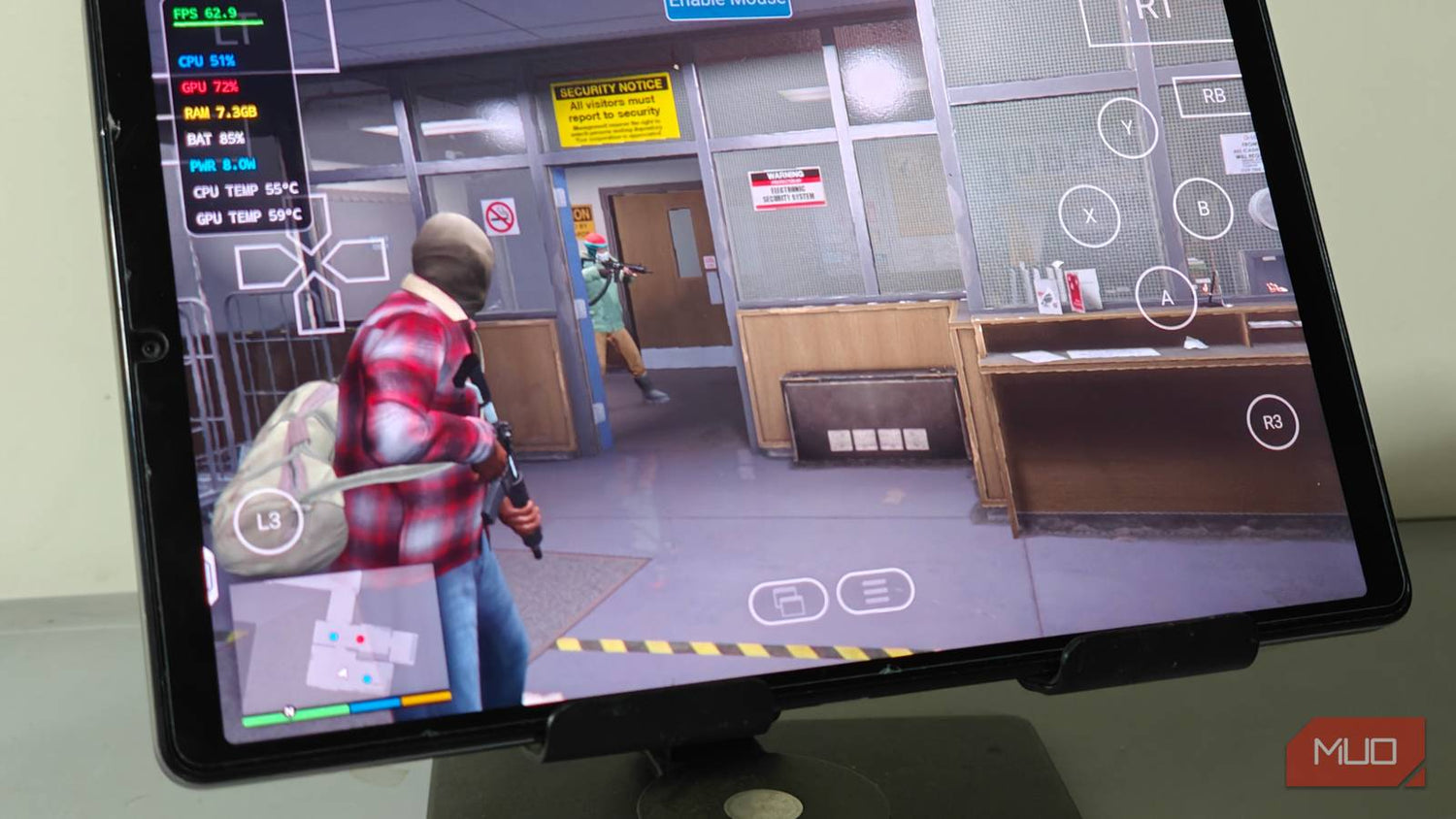
The source story about GTA 5 on Android is exciting for a reason. It shows just how far modern hardware translation, mobile silicon, and game compatibility layers have come. A game that once defined console and PC performance expectations can now be launched on advanced Android hardware at playable settings, and in the reported test, even around 60 FPS under the right conditions. That is a remarkable headline. But for Canadian buyers, the bigger takeaway is not just that GTA 5 can run on a tablet. It is that hardware demands are changing fast, and if you care about smooth gaming, streaming, content creation, or long-term value, choosing the right desktop matters more than ever.
If you are asking yourself what this means for your next setup, you are already asking the right question. Do you want a machine that can merely launch demanding games through workarounds, or do you want a properly balanced system built to play big titles natively, handle future releases, stream cleanly, edit footage quickly, and stay relevant longer? That is where a Gaming PC Canada buying decision becomes far more important than the viral headline.
At Groovy Computers, the real value in stories like this is not novelty alone. It is what they reveal about performance expectations. Players want flexibility. Creators want speed. Buyers want confidence. And across Canada, from Nova Scotia to major urban centres ordering online, customers increasingly want custom-built systems that are tested, supported, and designed around what they actually do every day.
What does GTA 5 running on Android actually prove?
It proves two important things at once.
First, modern chips are much stronger than many people realize. The source material describes GTA 5 running through a compatibility solution on capable Android hardware with a flagship-class processor and 12GB of RAM. That is not casual entry-level hardware. That is premium mobile performance doing something technically impressive.
Second, it proves that people still want full-fat PC and console-class experiences, even on non-traditional devices. The demand is clearly there. If players are willing to move game files, work around launch restrictions, use older builds, tune settings, and connect controllers just to play GTA 5 on Android, what does that tell you? It tells you gamers still care deeply about performance, compatibility, and access to major titles.
And that leads to the more practical question: if people are going to this much effort to run a 13-year-old blockbuster on mobile hardware, what kind of system should you buy if you want a better experience with today’s and tomorrow’s biggest games?
Why Canadian buyers should read this as a desktop buying guide, not just a gaming headline
For most people, GTA 5 on Android is fun tech news. For a smart buyer, it is also a buying signal.
Major games are not getting lighter. Open-world environments are getting denser. Ray tracing is becoming more common. Texture sizes keep climbing. Background apps eat memory. Streaming software adds overhead. Recording gameplay consumes storage at a surprising pace. Editing clips for YouTube, TikTok, Twitch, or short-form social content adds another layer of demand.
So ask yourself: are you shopping for a PC that handles one game today, or a system that supports your full routine over the next several years?
If you only think in terms of “can it run this game,” you may end up underbuying. If you think in terms of “what do I want my next PC to do for me,” you are far more likely to choose the right class of machine the first time.
What do you want your next PC to do for you?
This is the most important question in the entire buying process.
Do you want to play GTA 5, GTA-style open-world games, and future AAA releases at 1080p with strong frame rates?
Do you want 1440p gaming with higher settings, better texture quality, and smoother performance in newer titles?
Do you want 4K gaming, ray tracing, and a system that feels premium the moment you power it on?
Do you want to stream to Twitch or YouTube while gaming without your frame rate collapsing?
Do you want to edit gameplay clips in Adobe Premiere Pro, DaVinci Resolve, or CapCut without stuttering through every timeline scrub?
Do you want a single machine that can game at night, stream on weekends, and handle Photoshop, Lightroom, Illustrator, or multi-app content creation during the week?
Do you need a workstation for Blender, Unreal Engine, 3D rendering, or heavier professional workloads?
Or are you trying to avoid a common mistake: buying too cheap now, then upgrading far too soon?
Your answer determines whether you need a budget gaming desktop, a stronger RTX-equipped system, a creator PC, or a full workstation. It also determines whether financing a better build now could actually save you money and frustration over the life of the machine.
GTA 5 on Android vs a real gaming desktop: where is the line?
The source article makes clear that getting GTA 5 to run on Android still involves compromises. You need specific hardware, plenty of storage, enough RAM, the right launcher behaviour, the right game files, and acceptance that you are not getting the cleanest official experience. Even when it works well, you are working around limits.
A proper desktop removes many of those limits.
- Better native performance: Games run as intended, without relying on unusual compatibility workarounds.
- Higher image quality: Better textures, shadows, draw distances, and overall visual settings.
- Stronger thermals: A desktop can sustain performance under load much better than compact mobile hardware.
- Upgrade potential: You can often improve storage, RAM, and sometimes GPU or CPU paths depending on the build tier.
- Streaming and recording headroom: Dedicated hardware and stronger CPUs or GPUs matter a lot here.
- Creator flexibility: The same machine can be configured for gaming, editing, rendering, and design work.
So yes, Android gaming experiments are impressive. But if your real goal is reliable, scalable performance, the smarter move for most serious users is still a properly planned desktop.
What gaming PC do you need if open-world games are your benchmark?
Open-world games are a useful benchmark because they stress multiple parts of a system at once. They tend to load large environments, require strong CPU and GPU coordination, benefit from fast SSD performance, and often become more demanding when you add higher resolutions, mods, streaming, or background apps.
If your thought process starts with GTA 5, it should quickly move to a broader question: what else do you want to play next?
Are you also eyeing newer AAA action games? Competitive shooters? Ray-traced titles? Future major releases that will inevitably push hardware harder?
If so, buying only for the performance level of an older title is not enough. A smart custom gaming PC Canada purchase should target your next several games, not just the one in today’s headline.
Entry performance tier: Who should choose a budget gaming desktop?
If your goal is 1080p gaming, esports, older AAA titles, and generally strong value, an entry-to-mid gaming system can make a lot of sense. This kind of buyer often asks, “How much should I spend on a gaming PC?” and the answer depends on expectations.
If you want smooth 1080p gameplay, good responsiveness, and room for lighter streaming or school use, a value-focused system may be ideal. This is often the right fit for first-time buyers, students, or gamers moving up from consoles or older laptops.
But here is the question you should ask before locking into a lower budget: will you be disappointed if the next wave of games forces you to dial settings down sooner than expected?
If the answer is yes, it may be better to step up one performance tier now rather than replace or upgrade too quickly later.
Mid-range sweet spot: Is 1440p where most gamers should be looking?
For many buyers today, 1440p is the smartest balance of visual quality, frame rate, and long-term value. A strong mid-range gaming desktop can deliver a much better overall experience than an entry build while still staying far more reasonable than a flagship 4K monster.
This is often the ideal tier for players who want:
- High settings in a wide range of modern games
- Smooth open-world performance
- Better longevity before the next upgrade cycle
- Enough extra headroom for light streaming or recording
- A stronger all-around system for both gaming and daily use
If you are wondering, “What PC do I need for 1440p gaming?” this is often the performance class that gives the best mix of satisfaction and sensible spending. It is also one of the easiest categories to regret missing if you buy too low too early.
High-end tier: When does a premium RTX gaming PC make sense?
A premium build makes sense when you know exactly what you want: higher resolutions, better visual settings, strong ray tracing, more longevity, more multitasking overhead, and stronger creator performance. This is the tier for buyers who do not want to revisit their purchase decision too soon.
Are you planning to game at 4K? Do you want ultra settings? Do you care about keeping frame rates high while recording, streaming, or running multiple displays? Are you preparing for major game releases and want a machine that feels ready instead of barely adequate?
That is where a premium Groovy Computers build starts becoming easier to justify. Not because everyone needs the most expensive machine, but because some buyers absolutely do need more headroom than they first assume.
What if you want to game and stream at the same time?
This is where many buyers accidentally choose the wrong PC.
Gaming alone is one workload. Gaming while streaming is another. Add webcam software, chat moderation tools, browser tabs, music, overlays, recording, and alerts, and your system load changes fast. A machine that “runs games fine” is not always a machine that runs games well while live.
So what PC do you need for streaming?
If you plan to use OBS, Streamlabs, or similar tools, you should be thinking not just about the game, but about encoder support, cooling, CPU behaviour under load, memory capacity, and storage layout. This is where a Gaming and Streaming PC Canada buyer benefits from a custom configuration instead of guessing.
Do you want to stream in 1080p while holding smooth gameplay? Do you want cleaner quality settings? Do you want enough power left over to clip highlights, manage scenes, and keep your system responsive?
If yes, stepping beyond a bare-minimum gaming build is usually the right move.
What if gaming is only half the story and you also create content?
The GTA 5 on Android story is rooted in gaming, but the same audience often creates as much as it plays. Many customers today want one system that can handle gaming, editing, and social media production in the same workflow.
If that sounds like you, then your buying decision is no longer just about FPS. It is about total productivity.
Ask yourself:
- Will you edit YouTube videos?
- Will you record gameplay and export highlights?
- Will you use Photoshop, Lightroom, Illustrator, or Canva-heavy browser workflows?
- Will you build thumbnails, short-form clips, overlays, reels, or branded social content?
- Will you multitask across multiple Adobe apps?
If yes, you may be better served by a Creator PC Canada or hybrid gaming-and-creator system rather than a gaming-only box built with no regard for storage speed, RAM needs, or sustained workload behaviour.
Do you need a video editing PC instead of a pure gaming PC?
If your post-game routine includes editing in Premiere Pro, DaVinci Resolve, or After Effects, then yes, that distinction matters. Gaming hardware overlap is real, but editing performance depends on more than game benchmarks.
You should be thinking about:
- CPU capability for exports and timeline responsiveness
- GPU acceleration for supported effects and playback tasks
- RAM capacity for smoother multitasking
- Fast SSD storage for project files, cache, and media
- A case and cooling setup that stays stable during long sessions
What PC do you need for video editing if you also game? Usually, a balanced machine is the answer. Too gaming-focused and your editing suffers. Too workstation-focused and you may overspend on features you do not need. The best build is the one matched to your real split between play and production.
What about photo editing and graphic design?
Not every customer who reads gaming news is only a gamer. Many are photographers, students, freelancers, small-business owners, or multi-hyphen creators.
If your system also needs to run Photoshop, Lightroom, Illustrator, InDesign, or broader Adobe Creative Cloud workflows, then smooth general responsiveness, memory capacity, SSD speed, and display support matter just as much as raw gaming power.
What PC do you need for photo editing? What PC do you need for graphic design? If your work is mostly high-resolution images, layered compositions, branding assets, and export-heavy creative tasks, a well-rounded desktop with enough RAM and fast storage may be far more valuable than simply chasing the biggest gaming-number headline.
This is why custom PC planning matters. Different users can spend similar budgets and need very different internal part priorities.
Could this trend also matter for 3D modeling, Blender, and workstation buyers?
Absolutely. The underlying takeaway from the source story is not just “look what Android can do.” It is “modern workloads are shifting quickly, and hardware capability is spreading into more use cases.”
For 3D artists, game developers, CAD users, and rendering professionals, that means one thing: your system should be chosen around workflow reliability, not excitement alone.
Do you work in Blender? Unreal Engine? Maya? AutoCAD? Revit? SolidWorks?
Do you need viewport fluidity, faster renders, better multitasking, or more memory overhead for complex scenes?
A 3D Modeling PC Canada or Workstation PC Canada build has different priorities from a mainstream gaming desktop. GPU strength still matters, but so do CPU selection, RAM capacity, storage planning, thermal stability, and long-session dependability.
If your income depends on your machine, “good enough for games” is not always good enough for work.
Why timing matters now: should you buy a stronger PC before the next demand spike?
This is one of the most practical questions buyers can ask.
Is it better to buy a gaming PC now or wait?
The answer depends on your timeline, but waiting is not automatically safer. Popular game launches, new GPU cycles, memory fluctuations, storage pricing pressure, and broad demand spikes can all affect system pricing and availability. Even when exact component prices do not explode overnight, replacement costs on full builds can still trend upward when demand concentrates in the right places.
If you know a major release is coming, if your current machine is already struggling, or if your workflow is becoming more demanding, delaying too long can mean paying more later for the same class of performance or settling for less-than-ideal alternatives.
Are you buying ahead of a major game release? A software upgrade? A school term? A streaming push? A new content schedule? A work contract that will demand more rendering or editing power?
If yes, buying earlier and more deliberately can be the smarter move.
Should you finance a stronger PC instead of buying a cheaper one?
For many buyers, this is the real decision.
Should you buy the cheapest system that technically fits today’s budget, or should you secure a stronger machine that better matches your real needs and lasts longer?
That is why financing matters. Not because everyone should stretch recklessly, but because smart monthly planning can sometimes put the right system within reach before prices rise or before your current PC slows you down further.
If you are choosing between a build that will feel limited in a year and a build that gives you more gaming headroom, stronger streaming support, better editing responsiveness, and less upgrade pressure, it is fair to ask: should I finance a better PC instead of buying a cheaper one?
At Groovy Computers, customers looking at gaming desktops, creator systems, and workstation-class builds often benefit from comparing total ownership value rather than just sticker price. A stronger machine can mean fewer compromises, fewer near-term upgrades, and more satisfaction over time. Financing up to 4 years can help make that decision more manageable for qualified buyers who want the right build now instead of settling.
How do you decide which performance tier fits you?
Here is a simple way to think about it.
Choose a value-focused gaming PC if:
- You mainly play esports, older AAA titles, or lighter games
- You are targeting 1080p
- You want an affordable first desktop
- You are okay with more modest settings in future demanding games
Choose a stronger mid-range build if:
- You want 1440p gaming or high-refresh 1080p with more confidence
- You play open-world and newer AAA games regularly
- You may stream or record occasionally
- You want better longevity and fewer early regrets
Choose a premium gaming or creator build if:
- You want higher resolutions, ray tracing, or top-tier visual quality
- You stream seriously or multitask heavily
- You edit videos, work in Adobe apps, or create content weekly
- You want to avoid upgrading too soon
Choose a workstation-focused system if:
- You use Blender, Unreal Engine, CAD, rendering, or technical software
- Your productivity matters more than game-only value metrics
- You need high memory capacity and sustained stability
- You want a machine that supports professional growth, not just recreation
If you are still unsure, ask yourself one direct question: will your next computer be mainly for fun, mainly for work, or seriously for both? That answer will narrow your ideal build faster than any generic spec sheet.
Why custom builds matter more than ever
The reason custom systems matter is simple: not every buyer has the same bottleneck.
One customer needs a gaming-first build for high FPS at 1440p. Another needs smoother exports for YouTube. Another needs more RAM for Lightroom and Photoshop. Another needs a workstation that can push Blender scenes and gaming in the same week. Another simply wants a reliable desktop with a clean upgrade path and no mystery parts.
A random one-size-fits-all system often misses those details.
A custom-built desktop can be selected around your actual use, your performance tier, your budget, your upgrade concerns, your cooling needs, and your timeline. That means fewer mismatched components, better overall balance, and a machine that feels intentional instead of generic.
And when the system is professionally assembled, tested, and backed by warranty support, you are not just buying parts. You are buying confidence.
Why Canadian buyers choose Groovy Computers
Canadian shoppers want more than hype. They want trust, clarity, and support. That is exactly why Groovy Computers stands out for buyers looking for gaming desktops, creator systems, and workstation builds in Canada.
Groovy Computers focuses on custom PC solutions for real use cases, not vague marketing promises. Whether you need a gaming desktop for new releases, a hybrid streaming and editing machine, or a more serious workstation setup, the goal is to match the build to the job.
That matters because the difference between “good enough on paper” and “great in real life” often comes down to build balance, airflow, part selection, testing, and support after the sale.
For customers across Canada, including Nova Scotia and Atlantic Canada, that trust factor is important. You want to know your system has been properly assembled, rigorously tested, and protected by a 1-year warranty. You want a builder that understands not just benchmark culture, but customer outcomes.
What questions should you ask before buying your next desktop?
Before you commit, ask yourself these practical questions:
- What games do I actually play most, and what games do I want to play next?
- Am I targeting 1080p, 1440p, or 4K?
- Do I care about ray tracing or mainly high frame rates?
- Will I stream, record, or run OBS while gaming?
- Will I edit videos, photos, or graphics on the same machine?
- Do I need more RAM and storage than I first assumed?
- Am I buying for today only, or for the next few years?
- Would financing help me get the right system now instead of upgrading too soon?
- Do I want a tested custom build with warranty support instead of a generic box?
These are the kinds of questions that lead to better decisions and better long-term value.
Ready to choose a PC that does more than chase a headline?
GTA 5 on Android is a fascinating sign of where performance technology is going, but it also highlights something more important for buyers: expectations are rising, workloads are blending, and the gap between “it runs” and “it runs the way I want” still matters.
If you are wondering what your next PC should really do for you, now is the right time to act on that question. Do you need a gaming system built for new releases? A stronger all-around desktop for gaming and streaming? A creator-focused machine for editing and design? A workstation for heavier professional software? Or would financing a better build now help you avoid compromise and replacement costs later?
If you want expert help choosing the right system, visit GroovyComputers.ca. Groovy Computers can help Canadian buyers move beyond guesswork and into a custom build that matches real performance needs.
Final takeaway: the Android experiment is cool, but your desktop decision is the real upgrade
The source article gets one thing exactly right: modern hardware is capable of surprising us. But for serious users, the lesson is bigger than mobile novelty. If an older blockbuster like GTA 5 still inspires this much effort just to run on unconventional hardware, imagine how important the right desktop choice becomes for the next wave of demanding games, streaming workloads, editing tasks, and creative software.
A great Gaming PC Canada purchase is not just about playing one game. It is about buying a system that fits your real goals, holds up under pressure, and gives you room to grow. For many Canadian buyers, that means choosing custom, choosing tested, and choosing a machine that feels right not just on day one, but long after the excitement of the headline fades.
#GamingPCCanada #CustomGamingPCCanada #GamingAndStreamingPCCanada #CreatorPCCanada #VideoEditingPCCanada #3DModelingPCCanada #WorkstationPCCanada #CanadianCustomPCBuilders #NovaScotiaPCBuilder #GroovyComputers
Groovy Computers | All Rights Reserved



Leave a comment
This site is protected by hCaptcha and the hCaptcha Privacy Policy and Terms of Service apply.