






















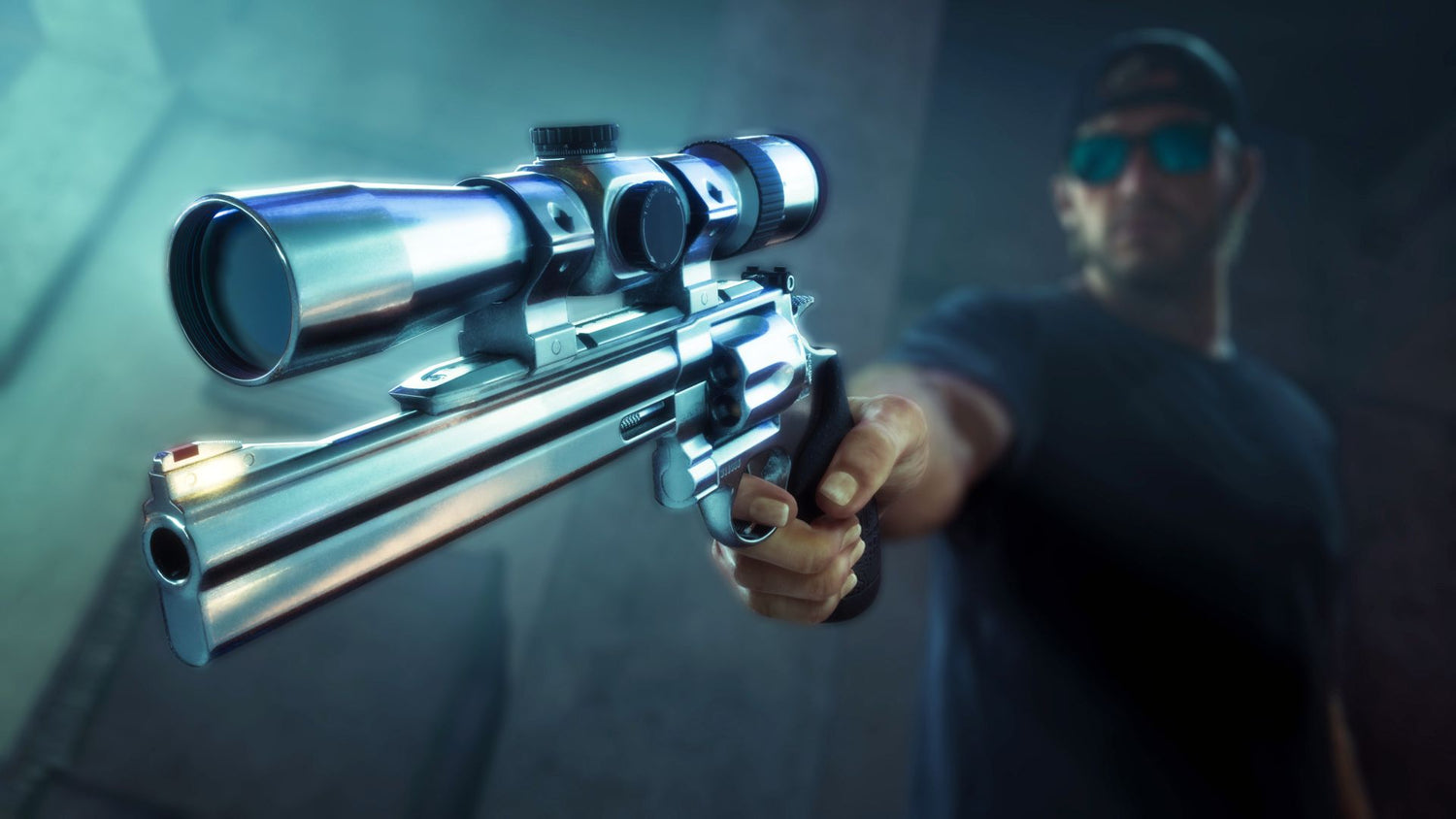
GTA 6 Weapons List Breakdown: What This Means for Your Next Gaming PC in Canada
The new GTA 6 weapons list is doing more than giving fans something to analyze between trailers. It is also a reminder of what Grand Theft Auto 6 is likely to demand from your hardware once the PC version arrives. From dense city scenes and detailed firearm models to explosions, vehicle chases, lighting effects, and open-world draw distances, this is exactly the kind of blockbuster release that pushes buyers to ask a bigger question: is your current system actually ready for the next generation of open-world gaming?
The source article tracked down 19 confirmed GTA 6 guns seen across trailers and screenshots, including pistols, revolvers, carbines, SMGs, sniper-style rifles, shotguns, an LMG, and a grenade launcher. That kind of variety matters because it hints at more than weapon choice. It points to cinematic combat encounters, high-detail environments, intense action scenes, and the sort of visual fidelity that makes players start researching a Gaming PC Canada upgrade long before launch.
For Canadian buyers, this is where the conversation gets practical. If you are following GTA 6 closely, are you only planning to play it at 1080p? Do you want smooth 1440p performance with headroom for future AAA games? Are you aiming for 4K, ray tracing, streaming, recording clips, or running mods later on? And if you are upgrading anyway, should your next PC also handle editing, streaming, Photoshop, Premiere Pro, OBS, or even 3D work?
This guide takes the source topic and expands it into what actually matters for shoppers: how GTA 6-style game demands connect to the right custom PC tier, why Canadian buyers should think ahead, and how Groovy Computers can help you choose a system that makes sense now instead of forcing another upgrade too soon.
Why the GTA 6 weapons list matters beyond the guns
On the surface, a weapon roundup is simply fun pre-release detective work. The source article identified standout sidearms like the Morgan Revolver, Klose K17, Girardi ES9, Mustang .357, Nipper .38, and a Capo pistol, plus heavier options such as the Duke Carbine, MP5-inspired SMG, MAC-10-style SMG, multiple sniper-style rifles, pump and semi-auto shotgun variants, an M249-style LMG, AK-pattern rifles, Uzi-like SMGs, and the return of the grenade launcher.
But the bigger story is what that says about the game itself. Detailed gun models usually go hand in hand with detailed animation systems, weapon customization, close-up cutscenes, reflective materials, improved particle effects, dense interiors, and more realistic lighting. If the combat sandbox is this layered in trailers and screenshots, the full PC experience will likely reward stronger GPUs, more modern CPUs, faster storage, and enough RAM to keep open-world traversal and background systems feeling smooth.
That is why a GTA 6 discussion quickly turns into a buying conversation. Not because every player needs the most expensive machine possible, but because massive open-world games are where weak systems start to feel old fast.
What did the source article get right about GTA 6 weapons?
The source article made a few smart observations that are worth carrying forward.
- Weapon variety already looks broad. Even before release, there appears to be a healthy spread of pistols, revolvers, carbines, SMGs, shotguns, long guns, and explosive weapons.
- Rockstar seems to be leaning into named weapons. That may improve identity, immersion, and customization compared with more generic naming conventions.
- Attachments and variants appear important. Several guns look like they may share platforms but differ by optics, stocks, finishes, and role.
- The game world is built for spectacle. If a single weapons article can pull this much detail from trailers, it says a lot about the density of the visual presentation.
For players, that means combat may feel richer and more personalized. For PC buyers, it means the game is unlikely to be something you want to approach with a barely-holding-on older build if your goal is high settings, stable frame rates, and a better long-term experience.
What do you want your next PC to do for you?
This is the most important question in the entire buying process, and it matters more than any single game.
Do you want a system built mainly for GTA 6 and other new releases? Do you also want it to handle Warzone, Fortnite, Cyberpunk, Forza, Battlefield, or heavily modded single-player games? Are you planning to stream to Twitch or YouTube? Do you edit gameplay clips for TikTok, Shorts, or long-form content? Are you a student, creator, designer, or freelancer who wants one desktop for both play and productivity?
If your answer is, “I want one machine that can game now and still feel strong for years,” then a custom build becomes much easier to justify.
If your answer is, “I just want the cheapest thing that can launch the game,” that is a different buying path, but it can also become the most expensive one if you end up upgrading again too soon.
What kind of GTA 6 gaming PC do you actually need?
Because official full PC requirements are not confirmed in the provided source, the smart move is to avoid pretending we know exact specs. What we can say is that a game with this level of visual ambition will likely separate buyers into clear performance tiers.
Entry-level buyers: Are you aiming for 1080p and value first?
If your goal is straightforward 1080p gaming with sensible settings, you may not need a flagship build. A well-balanced Budget Gaming PC Canada option can make a lot of sense for players who mainly want to enjoy new releases without chasing ultra settings or heavy ray tracing.
This tier is often right for first-time buyers, students, younger gamers, and anyone asking, How much should I spend on a gaming PC if I just want solid performance? The catch is simple: if you also want to stream, multitask heavily, keep many browser tabs open, run Discord, capture gameplay, or stay comfortable across future AAA launches, it is worth stepping up before you buy.
Mid-range buyers: Do you want 1440p, high settings, and better longevity?
For many shoppers, this is the sweet spot. A strong 1440p Gaming PC Canada build usually offers the best balance of sharp visuals, smoother frame rates, stronger multitasking, and a more satisfying life span. If you are the type of player who wants GTA 6 to look impressive and still wants your machine to handle the next few big releases comfortably, this tier is often the smartest value.
It is also the tier where “buy once, regret less” starts to apply. If you know you are not just buying for one game, why squeeze yourself into a low-end build that may feel outdated faster?
High-end buyers: Are you planning for 4K, ray tracing, or ultra settings?
If your goal is visual spectacle, a 4K Gaming PC Canada or Ray Tracing Gaming PC Canada build is the serious answer. This is the tier for players who want major upcoming games to look exceptional on a premium display, who value high texture settings, stronger frame pacing, and more room for future visual features.
This is also where many buyers ask a crucial question: How long will a high-end gaming PC last? The answer depends on your standards, but a stronger GPU, modern CPU, fast NVMe SSD storage, and healthy RAM capacity usually give you more breathing room across several years of releases.
Could GTA 6 also push you toward a gaming and streaming PC?
A lot of shoppers start by searching for a gaming desktop and end up realizing they need something broader. If you plan to stream GTA 6, record clips, run OBS, edit footage, upload videos, and keep multiple apps open while gaming, then a Streaming PC Canada or hybrid gaming-and-creator build may be the better fit.
Ask yourself a few practical questions:
- Will you only play, or do you also want to stream to Twitch, YouTube, or TikTok Live?
- Do you want to record high-bitrate footage while maintaining good in-game performance?
- Will you be editing those clips afterward?
- Do you want one PC for gaming, streaming, and content production instead of two separate systems?
If yes, the build should be selected around more than just average frame rate. CPU headroom, cooling, RAM, storage speed, and GPU encoder advantages all become more important.
Are you also editing videos, thumbnails, or social content?
This is where many GTA-focused shoppers accidentally become creator-PC shoppers.
If you are planning to cut YouTube videos, produce reaction content, create thumbnails, edit short-form clips, or manage a content calendar around new game releases, then your system needs to do more than run the game. A proper Creator PC Canada or Video Editing PC Canada setup can save you time every single week.
What matters then? Faster exports, smoother timeline playback, more responsive multitasking, and enough memory to handle modern software without turning every workflow into a waiting game. If you are using Adobe Premiere Pro, DaVinci Resolve, Photoshop, Illustrator, or After Effects, it is worth asking: Is a gaming PC good for content creation, or should I choose a more creator-focused custom build?
Sometimes the answer is that one balanced machine can do both. Sometimes the answer is that you need more RAM, more storage, a stronger CPU, or a better cooling solution than a gaming-only buyer would choose.
What if you need one PC for gaming and professional work?
Not every buyer coming in through a GTA 6 search is just shopping for entertainment. Some are using game hype as the tipping point for replacing an aging household or work desktop. If that sounds like you, think bigger than the game itself.
Do you work in photo editing? Graphic design? 3D modeling? CAD? Animation? Rendering? Business productivity with lots of browser tabs, spreadsheets, meetings, and background tools? If so, you may be better served by a Custom Workstation PC Canada or a blended gaming-and-workstation build than a basic gaming tower.
That is especially true if your paid work includes software such as Photoshop, Lightroom, Illustrator, Blender, Unreal Engine, AutoCAD, Revit, SolidWorks, Maya, or Cinema 4D. In those cases, the right machine is not just about fun after hours. It is about avoiding slowdowns that cost you real time and real money.
Why Canadian buyers should think differently about timing
Canadian shoppers do not just feel the cost of the PC itself. They also feel exchange-rate pressure, import-related pricing shifts, regional availability issues, and the ripple effects of major launch seasons. When a huge game is approaching, demand for GPUs, popular performance tiers, and ready-to-ship systems can rise quickly.
That does not mean everyone should panic-buy. It does mean waiting can backfire if you already know your current system is underpowered, unstable, or near the end of its useful life.
Are you trying to upgrade before a major game release? Before a school term? Before creator workload increases? Before hardware pricing shifts again? Before your old SSD fails or your aging GPU becomes the bottleneck in every new title? Those are real timing questions, and they matter more than generic “wait for the next thing” advice.
Should you buy now or wait for better hardware?
This is one of the most common customer questions, and it is fair. But it often gets asked too broadly.
If your current PC already struggles, if you know you want to play new AAA releases properly, or if your work also depends on your desktop, then waiting for a theoretical future deal or future component generation is not always the smart move. The better question is this: what will waiting actually improve for your specific use case?
If waiting means months of compromised gaming, choppy editing, stuttering streams, or another period of nursing along an outdated system, then the “savings” may not be worth much. On the other hand, if your current machine still serves you well and your standards are modest, then timing can be more flexible.
That is why custom guidance matters. The right answer depends on whether you are a budget gamer, a 1440p enthusiast, a 4K buyer, a streamer, an editor, or a workstation user.
Which performance tier fits you best?
If you are not sure where you fit, use this framework.
Tier 1: Value-focused gaming buyer
You want a sensible system for esports, mainstream gaming, and getting into newer titles without overspending. You care about value, but you still want a real desktop with a proper upgrade path. This tier is often ideal for first-time desktop buyers and price-conscious players.
Tier 2: Mainstream AAA gamer
You want strong 1080p or 1440p performance, better image quality, more consistency in newer releases, and enough power to feel comfortable for several years. If GTA 6 is one of several major games on your radar, this is often the most balanced category.
Tier 3: Gaming plus streaming or editing
You want to game seriously, stream occasionally or regularly, record footage, edit videos, and keep a multitasking-friendly desktop. This tier is ideal for aspiring creators, side-hustle streamers, and users who hate feeling constrained by background tasks.
Tier 4: Premium enthusiast
You want high refresh 1440p, strong 4K capability, ray tracing headroom, and a system that feels meaningfully above average. This tier is for players who care about visual fidelity and future-proofing more than shaving every dollar off the total.
Tier 5: Creator or workstation-heavy user
You need gaming ability, but also serious productivity strength for Adobe apps, photo workflows, 3D rendering, design, animation, or professional software. This is where a custom-spec system matters the most.
Not sure where you land? Ask yourself what would frustrate you more: spending slightly more today, or needing another upgrade sooner than expected?
Why custom builds matter more for GTA 6-era buying decisions
When game worlds get bigger and software gets heavier, weak system balance becomes easier to notice. A random off-the-shelf box might advertise a flashy GPU but cut corners in cooling, memory configuration, motherboard quality, power delivery, or storage capacity. That is how buyers end up with noisy, hot, limited machines that look good on paper but disappoint in actual use.
A proper Custom Gaming PC Canada build is about matching the parts to the job. That means pairing the right CPU and GPU, choosing enough RAM, selecting fast storage, accounting for airflow and cooling, and leaving room for future upgrades.
It also means being honest about what the PC is for. A GTA 6 player who also streams and edits should not be sold the same build as someone who only plays competitive shooters at 1080p. A designer using Photoshop and Illustrator has different priorities than a Blender user focused on rendering. A family buying one shared desktop needs different advice than a solo enthusiast chasing maximum settings.
What questions should you ask before buying a GTA 6-ready PC?
- What resolution do I actually want to play at? 1080p, 1440p, or 4K changes the build dramatically.
- Do I care about ray tracing or mostly raw performance?
- Will I only play, or also stream and record?
- Do I edit videos, photos, or graphics too?
- Do I want this system to last through multiple new releases?
- Would I rather buy a lower tier now, or finance a stronger build that lasts longer?
- Do I need help choosing between a gaming PC, creator PC, or workstation-style build?
- How important are testing, warranty, and support after purchase?
If you are reading a GTA 6 weapons article and suddenly thinking about your whole desktop strategy, that is not overthinking. That is exactly the right time to ask better questions.
Could financing help you secure a better system before prices rise?
For many Canadian buyers, the biggest mistake is not buying too early. It is buying too weak because of the upfront number, then replacing parts sooner than expected. That is where financing can become a smart tool instead of just a payment option.
If a stronger system gives you better longevity, smoother gaming, more creator headroom, and fewer compromises, then spreading out the cost may make more sense than forcing yourself into the cheapest possible build. Groovy Computers offers financing options up to 4 years, which can help buyers move into a more capable category before replacement costs climb or demand pressures tighten availability.
So ask yourself honestly: Should I finance a better PC instead of buying a cheaper one that I outgrow quickly? For a lot of shoppers preparing for big games and heavier software, the answer is yes.
Why Groovy Computers makes sense for Canadian buyers
Groovy Computers is built around what many buyers actually need: custom systems, practical guidance, Canadian service, and builds that are selected for the real workload rather than a marketing gimmick.
Whether you need a gaming-focused desktop, a gaming-and-streaming machine, a creator setup, or a more workstation-oriented custom build, the value is in getting the right match. That includes proper part selection, rigorous testing, and the confidence of a 1-year warranty.
For buyers in Nova Scotia, Atlantic Canada, and across the country, working with a Canadian custom PC company matters. It means clearer communication, local market awareness, and a stronger sense of accountability than taking a gamble on a random anonymous listing.
And if you are not entirely sure what you need yet, that is fine too. A good builder should help you narrow it down, not pressure you into the wrong system.
From GTA 6 hype to smarter PC buying: what should you do next?
The GTA 6 weapons list may have started as a fun breakdown of revolvers, pistols, carbines, SMGs, shotguns, rifles, and explosive firepower, but it leads to a bigger buying reality. Games like this tend to become reference points for hardware expectations. They expose weak GPUs, older CPUs, slow storage, and underbuilt systems quickly.
If you are already wondering whether your current computer will keep up, that is your signal to plan ahead. Do you want a value-first gaming system, a stronger 1440p machine, a premium 4K-ready build, or a hybrid desktop for gaming, streaming, and editing? Do you want a machine that is merely acceptable at launch, or one that still feels right long after the first wave of hype passes?
If you want help choosing the right path, visit GroovyComputers.ca. Whether you need a custom gaming PC, a creator build, a workstation, or financing on a stronger system, Groovy Computers can help you choose a build that fits your goals instead of guessing and upgrading twice.
In other words, the best response to the GTA 6 weapons list is not just excitement. It is preparation. If your next PC needs to handle GTA 6, future AAA games, streaming, editing, or creative work in Canada, now is the time to choose a system that is ready for more than one launch day.
#GTA6 #GTA6WeaponsList #GamingPCCanada #CustomGamingPCCanada #GamingPCBuildsCanada #CreatorPCCanada #StreamingPCCanada #VideoEditingPCCanada #CustomWorkstationPCCanada #CanadianCustomPCBuilders #NovaScotiaTech #GroovyComputers
Groovy Computers | All Rights Reserved



Leave a comment
This site is protected by hCaptcha and the hCaptcha Privacy Policy and Terms of Service apply.