




















Gaming PC for New Games: What Crimson Desert, GTA 6, and Zelda Hype Means for Canadian PC Buyers
The next wave of blockbuster open-world games is putting one question back at the centre of every serious setup discussion: what kind of Gaming PC for New Games do you actually need if you want smooth performance, high visual settings, streaming headroom, and a system that will not feel outdated too soon?
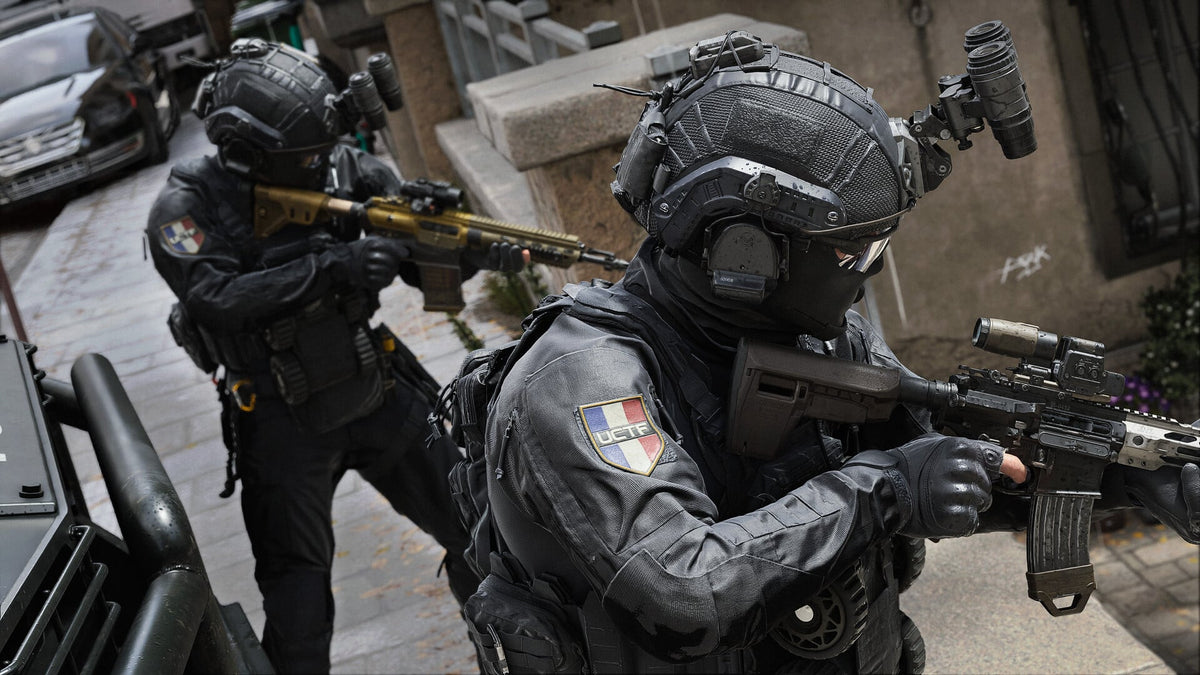
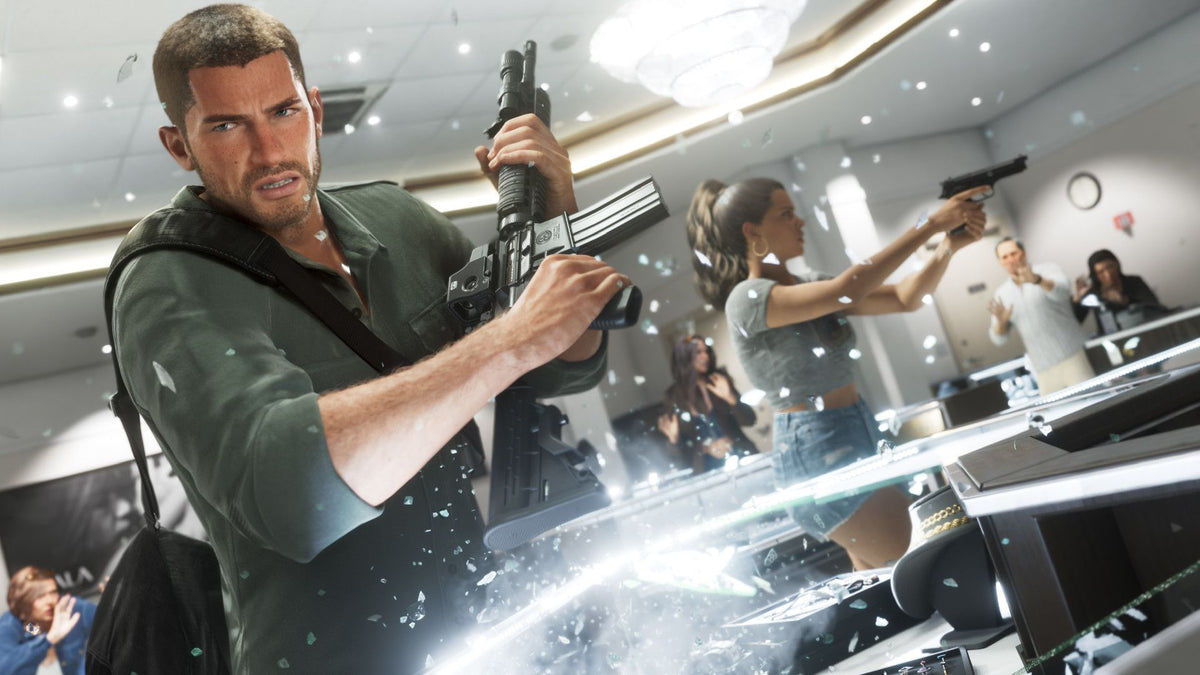
Recent gaming industry coverage has highlighted a major fall release window shaped by massive open-world titles from Korea, the United States, and Japan. Pearl Abyss is preparing the first Crimson Desert DLC, Unknown Journey, while Rockstar Games’ GTA 6 and Nintendo’s return to a legendary Zelda title are also drawing attention. Even though each game belongs to a different style, audience, and platform ecosystem, the larger trend is clear: players want bigger worlds, more cinematic detail, more freedom, more realistic environments, and more immersive gameplay.
For Canadian gamers, streamers, creators, students, and professionals, this is not just entertainment news. It is a buying signal. Open-world games are among the most demanding titles people play, especially when you combine high resolution, ray tracing, large asset streaming, background recording, Discord, browser tabs, game launchers, mods, and future DLC updates. If you are already wondering whether your current desktop is ready, whether you should upgrade before a major launch, or whether financing a stronger custom system makes more sense than buying the cheapest machine available, this guide is for you.
At Groovy Computers, we build custom gaming PCs, creator PCs, and workstation PCs for Canadian customers who want real-world performance, not confusing spec sheets. This article turns the current open-world gaming hype into a practical buying guide: what matters, what does not, which performance tier fits you, and how to avoid buying a PC that feels underpowered right when the biggest games arrive.
Why Are Open-World Games Such a Big Test for Modern Gaming PCs?
Open-world games are a perfect stress test because they do not only measure raw frame rate. They test the whole computer. A demanding open-world title can push the graphics card, processor, memory, storage, cooling, and background multitasking all at once. That is why a PC that seems fine in esports games may struggle when you load into a massive city, dense forest, stormy battlefield, or detailed cinematic quest zone.
Think about what games like Crimson Desert, GTA 6, and other large-scale adventure titles represent. They are built around wide environments, crowds, vehicles, physics, weather, lighting, animation, dialogue, AI systems, high-resolution textures, and constant asset loading. The more ambitious the game, the more important system balance becomes.
Are you planning to play at 1080p, 1440p, or 4K? Do you want ultra settings or are you comfortable turning a few options down? Will you stream at the same time? Will you record gameplay for YouTube or TikTok? Do you keep two monitors open with OBS, Discord, Spotify, and a browser running? These questions matter because “can it run the game?” is no longer the only benchmark. The better question is: can your PC run the game the way you actually play?
What the Gaming Showdown Gets Right: Bigger Games Mean Bigger Expectations
The source coverage correctly points to a global spotlight on large-scale open-world adventure games. Players are not just waiting for new releases; they are waiting for games that feel like events. When a major title launches, millions of people look at trailers, system requirements, gameplay footage, benchmarks, creator impressions, and PC upgrade options almost all at once.
That sudden attention can affect buying behaviour. People who were “thinking about upgrading eventually” often become urgent buyers when a major game is close. Streamers prepare content calendars. Students plan upgrades around school schedules. Parents start researching holiday gifts. Creators want machines that can game, record, edit, and export. Competitive players want a second system or a stronger main rig. Demand does not rise evenly; it spikes around major releases, sales seasons, and hardware transitions.
For Canadian buyers, timing can be especially important. Component prices can shift because of exchange rates, GPU demand, memory pricing, SSD availability, shipping costs, and general supply pressure. Waiting is sometimes fine if you do not need performance right away. But if you already know a major game, software upgrade, school term, creator project, or work deadline is coming, waiting until everyone else is shopping can reduce your choices.
So ask yourself this now: are you buying because your current PC is still “good enough,” or because you want your next system ready before your favourite new game or workload arrives?
Gaming PC for New Games: What Should Canadian Buyers Prioritize First?
When choosing a Gaming PC for New Games, the smartest starting point is not the most expensive part. It is your target experience. The best PC for a 1080p gamer is not always the best PC for a 4K player. The best system for a streamer is not always the same as a quiet photo editing desktop. A student who plays Fortnite, Minecraft, Roblox, Counter-Strike 2, and occasional AAA games may not need the same build as someone preparing for GTA 6, ray tracing, 4K monitors, and video editing.
Before choosing parts, ask:
- What games do I actually play? Esports, open-world RPGs, racing games, shooters, simulation games, sandbox games, and modded titles all stress a PC differently.
- What resolution do I want? 1080p is easier to drive, 1440p is the current sweet spot for many serious gamers, and 4K requires a much stronger GPU.
- Do I care more about high FPS or maximum visual quality? Competitive players often choose frame rate first, while cinematic players may prioritize ultra settings and ray tracing.
- Will I stream, record, or edit? A gaming-only PC can be simpler than a gaming and streaming PC Canada buyers may need for OBS, YouTube, Twitch, and editing software.
- How long do I want to keep this PC? If you want to avoid upgrading too soon, your build should include more performance headroom now.
- Does financing help me buy the system I actually need? A stronger PC financed over time can sometimes be smarter than buying a cheaper system that needs replacement earlier.
Which Performance Tier Fits You Best?
Not everyone needs a flagship gaming desktop. But everyone deserves a PC matched properly to their games, monitor, and future plans. Here is a practical way to think about performance tiers when shopping for a custom gaming PC in Canada.
Entry-Level and Budget Gaming: Is a Budget Gaming PC Enough?
A budget gaming PC can be a great choice if you mainly play esports titles, lighter games, school-friendly games, or older AAA releases at 1080p. If your goal is smooth gameplay in titles like Fortnite, Valorant, Counter-Strike 2, Minecraft, Roblox, Rocket League, or similar games, an affordable system can deliver excellent value when it is properly built.
But the key phrase is properly built. A cheap computer with weak cooling, limited memory, a low-quality power supply, or poor upgrade options may look attractive upfront but cost more later. If you are asking “how much should I spend on a gaming PC?” the real answer depends on how long you want it to last and whether upcoming open-world games are part of your plan.
If you are shopping for a first gaming PC Canada-wide, ask yourself: do I only need reliable 1080p performance today, or do I want enough power for larger games coming soon?
1440p Gaming: The Sweet Spot for Many Canadian Gamers
For many players, a 1440p Gaming PC Canada buyers can rely on is the best balance of sharp visuals, high frame rates, and long-term usability. 1440p is noticeably clearer than 1080p, but it is not as demanding as 4K. This makes it a strong choice for open-world games, shooters, racing titles, RPGs, survival games, and creators who also want a crisp workspace.
If you are planning to play GTA-style open worlds, cinematic adventure games, modded titles, or visually rich RPGs, 1440p is often the tier where build quality starts to matter more. You want a stronger GPU, a capable modern CPU, 32GB of RAM for better multitasking, and fast SSD storage so large game worlds load smoothly.
What PC do you need for 1440p gaming? In simple terms, you need a balanced gaming desktop with enough graphics power for high settings, enough processor performance to support dense worlds, and enough memory to avoid slowdowns while gaming, chatting, browsing, and recording.
4K and Ultra Settings: Do You Want the Premium Experience?
A 4K Gaming PC Canada buyer is usually looking for more than “playable.” They want premium visuals, high texture quality, ray tracing options, strong frame pacing, and a system that feels powerful for years. This tier is ideal for players with large 4K monitors, OLED displays, high-end TVs, racing setups, flight or driving simulators, and immersive single-player gaming preferences.
Premium open-world gaming is GPU-heavy. If you want ray tracing, ultra textures, high frame rates, and enough headroom for future releases, this is where high-end graphics cards, strong cooling, quality power delivery, and case airflow become critical. A poorly configured premium PC can still run hot, loud, or inconsistently. A well-built custom system should be fast, stable, cleanly assembled, and tested before it reaches you.
Ask yourself: are you buying a PC just to get through this year’s releases, or are you investing in an ultra settings gaming PC that should still feel strong when the next wave of major games arrives?
High FPS Esports: Do You Care More About Smoothness Than Cinematic Graphics?
Some gamers care less about ray tracing and more about frame rate. If you play competitive shooters, battle royale games, tactical esports titles, or fast-paced multiplayer games, a high FPS gaming PC Canada buyers can trust should focus on strong CPU performance, responsive memory, a suitable GPU, and stable thermals.
High FPS performance is not only about the graphics card. At lower resolutions and competitive settings, the CPU can become extremely important. If your goal is to pair your PC with a high refresh rate monitor, you should choose a system designed for consistency, not just peak numbers in a product description.
Do you want your PC to make your games look beautiful, feel ultra-responsive, or both? That answer helps determine where your budget should go.
What Do You Want Your Next PC to Do for You?
This is the most important question in the entire buying process: what do you want your next PC to do for you?
Do you want to explore massive open-world games at high settings after work? Do you want to stream to Twitch or YouTube? Do you want to record gameplay, edit highlight reels, and post content? Do you want a desktop that can handle school, work, gaming, and creative software? Are you building a photography business, design studio, YouTube channel, 3D portfolio, or remote workstation?
Your next PC should be built around your life, not just a generic parts list. A customer who wants a gaming PC for GTA 6 may also need a PC for OBS streaming, Adobe Premiere Pro, DaVinci Resolve, Photoshop, Lightroom, Blender, or Unreal Engine. A creator may need quiet cooling and 64GB of RAM more than extreme RGB. A competitive gamer may care about input response and high refresh performance more than storage capacity. A parent buying for a student may want reliability, warranty confidence, and room to upgrade later.
If you are not sure which category you belong in, that is exactly where Groovy Computers can help. A custom PC should answer your real use case: gaming, streaming, video editing, photo editing, graphic design, content creation, 3D modeling, workstation use, or a smart mix of several.
Gaming and Streaming: Will You Play, Record, and Go Live?
New open-world games do not only attract players; they attract viewers. When a major release launches, Twitch, YouTube, TikTok, and short-form platforms fill with gameplay, reactions, guides, first impressions, benchmarks, funny moments, and cinematic clips. If you want to be part of that wave, your PC needs more than basic gaming performance.
A strong Gaming PC for Streaming Canada customers can depend on should have enough CPU and GPU headroom to run the game smoothly while encoding video, managing overlays, processing audio, and possibly recording locally. GPU encoding features can be extremely useful for streamers, especially when using OBS Studio or similar software. More RAM also helps when you have multiple apps open.
Ask yourself:
- Will you stream at 1080p or aim for higher-quality recordings?
- Will you use OBS, Streamlabs, Discord, browser sources, alerts, and chat windows?
- Will you edit your streams afterward into YouTube videos or TikTok clips?
- Do you need a dual-monitor setup for chat, controls, and gameplay?
- Do you want a single PC for gaming and streaming, or a more advanced setup later?
If you want one system that can play, stream, record, and edit, do not buy based on game requirements alone. Buy based on your complete workflow.
Content Creation PC Canada: Why Gamers Are Becoming Creators
The line between gamer and creator is thinner than ever. Many people buying a gaming desktop today are also editing videos, designing thumbnails, making shorts, recording podcasts, building social media content, creating mods, or learning 3D software. That is why a Content Creation PC Canada buyer should think beyond frame rate.
Video editing, thumbnail design, stream recording, music production, 3D rendering, and AI-assisted creative tools can all change the ideal build. A gaming-first system may perform well in some creative apps, but a properly configured creator PC can save time every day through faster exports, smoother timelines, better multitasking, and more memory capacity.
Is a gaming PC good for content creation? Often, yes, especially if it has a strong GPU, fast CPU, enough RAM, and fast SSD storage. But “good” depends on your software. A creator using CapCut and Canva has different needs than someone editing 4K footage in DaVinci Resolve, working in After Effects, and rendering Blender scenes.
If you are building a gaming streaming editing PC Canada-wide, the smartest move is to plan around your heaviest task. If your hardest workload is gaming at 1440p while streaming, build for that. If your hardest workload is 4K video editing with effects, build for that. If your hardest workload is 3D rendering, build for that.
Video Editing, Photo Editing, and Design: Are You Buying a Gaming PC or a Creator Workstation?
Many Canadian customers come to Groovy Computers looking for a gaming PC and then realize they also need a custom creator PC. That is completely normal. Modern desktops are often multi-purpose systems, but the configuration should match the workload.
What PC Do You Need for Video Editing?
A video editing PC Canada buyers can rely on should focus on CPU strength, GPU acceleration, memory, storage speed, and project size. For 1080p editing, a moderate creator build may be enough. For 4K video editing, heavier colour grading, multi-camera timelines, effects, and fast exports, you want more performance headroom.
If you use Adobe Premiere Pro, DaVinci Resolve, After Effects, or CapCut, ask: how much footage do you edit, what resolution is it, how many effects do you use, and how quickly do you need exports to finish? Time saved on exports and smoother timelines can quickly justify a stronger system if content creation is part of your income, studies, or business.
What PC Do You Need for Photo Editing?
A photo editing PC Canada buyers should consider is not always about the biggest GPU. Photographers often need fast single-core CPU performance, enough RAM for large RAW files, quick SSD storage, and smooth performance in Photoshop, Lightroom Classic, Capture One, or similar tools.
If you are batch exporting wedding galleries, editing high-resolution RAW photos, using AI photo tools, or working with multiple applications open, a better desktop can reduce friction every day. Do you want to wait on previews and exports, or do you want your computer to keep up with your creative decisions?
What PC Do You Need for Graphic Design?
A graphic design PC Canada customers choose should be responsive, reliable, and comfortable for multitasking. Designers using Photoshop, Illustrator, InDesign, Canva, CorelDRAW, Affinity Designer, or Adobe Creative Cloud often benefit from more RAM, fast storage, colour-conscious monitor support, and enough GPU power for accelerated effects and multi-display setups.
If you create logos, mockups, ads, social media graphics, packaging, brand guides, or client presentations, your PC is part of your production pipeline. A slow desktop does not just waste time; it interrupts the creative flow.
3D Modeling and Rendering: Are You Building for Games, Art, Architecture, or Product Design?
Open-world game hype also inspires creators to learn game development, 3D modeling, animation, environment design, product rendering, and virtual production. If that sounds like you, a gaming PC may be a starting point, but a 3D Modeling PC Canada buyer should think carefully about CPU, GPU, RAM, VRAM, and storage.
Blender, Unreal Engine, Unity, Maya, 3ds Max, Cinema 4D, SketchUp, ZBrush, AutoCAD, Revit, and SolidWorks can all benefit from different hardware priorities. GPU rendering workloads may demand a stronger graphics card. Complex scenes may need more VRAM and system memory. CAD and architectural workflows may prefer stability and strong CPU performance. Unreal Engine projects may benefit from both gaming-class graphics and workstation-style capacity.
What PC do you need for Blender or Unreal Engine? The honest answer depends on scene complexity, render engine, asset size, viewport expectations, and whether you are learning casually or working professionally. If your projects are growing, buying too little PC can become expensive because you lose time every time you render, compile, export, or load heavy scenes.
Ask yourself: do you want a desktop that only plays open-world games, or one that helps you build worlds of your own?
Why Canadian Buyers Should Think Differently About Timing
Canadian PC buyers face a unique mix of realities: currency fluctuations, import costs, shipping logistics, component availability, seasonal demand, and rapid changes in game and software expectations. When a major game release window approaches, many shoppers start looking for the same GPU tiers, RAM capacities, SSD sizes, and monitor-friendly builds at once.
That does not mean you should panic buy. It means you should plan. If your current PC is already struggling, and you know you want to play upcoming open-world games, stream, edit, or work with heavier software, waiting until launch week may not be ideal. Build queues can get busier. Specific component combinations can become harder to source. Sale prices can change. Replacement costs can rise.
Is it better to buy a gaming PC now or wait? If your current system does everything you need, waiting can make sense. But if your current PC is already holding you back, or if you are planning around a major game, school term, creator schedule, or business workload, buying earlier can give you more time to choose carefully instead of rushing.
Financing a Stronger PC: Could Monthly Payments Help You Avoid a Short-Term Build?
Financing is not about buying more than you need. It is about giving yourself access to the right performance tier when paying the full amount upfront would push you toward a weaker system. Groovy Computers offers financing options up to 4 years, which can help Canadian buyers secure a stronger custom gaming PC, creator PC, or workstation before replacement costs change.
Should you finance a gaming PC instead of buying a cheaper one? That depends on your situation. If a lower-cost build will handle everything you need for years, it may be the right choice. But if saving a few dollars today forces you into lower settings, shorter lifespan, limited upgrade paths, or poor creator performance, financing a stronger system may be the smarter long-term decision.
Consider financing if:
- You want a 1440p or 4K gaming experience but do not want to compromise too heavily on the GPU.
- You need a gaming and streaming PC that can handle OBS, recording, Discord, and editing.
- You are a student or creator who needs performance now for school, work, or content deadlines.
- You want a system with enough RAM, SSD capacity, and cooling to last longer.
- You are worried about buying a weak PC before prices, demand, or replacement costs rise.
- You want predictable monthly payments instead of delaying until your current PC becomes unusable.
If you are asking “can I finance a gaming PC in Canada?” or “should I finance a better PC instead of buying a cheaper one?” Groovy Computers can help you compare practical options without pushing you into a build that does not match your needs.
Custom PC vs Generic Prebuilt: Why Build Quality Matters More During Big Game Cycles
When demand rises, generic prebuilts can look tempting because they appear simple: a few flashy specs, a big GPU name, and a quick checkout. But a gaming desktop is more than a graphics card. Cooling, power supply quality, motherboard selection, airflow, RAM configuration, storage layout, cable management, case choice, and stress testing all affect the experience.
A custom gaming PC Canada buyers choose from Groovy Computers is built around the use case. That means we look at the games you play, the software you use, the monitor you own or plan to buy, your upgrade timeline, your budget, and whether you need gaming-only performance or creator/workstation capability too.
Why does testing matter in a gaming PC? Because a system can boot and still be poorly optimized. Stress testing helps confirm stability under load. Good airflow helps protect performance. Proper part matching helps prevent bottlenecks. A clear warranty gives peace of mind. Groovy Computers provides custom builds, rigorous testing, and a 1-year warranty so customers can buy with confidence.
If you are spending serious money on a new desktop, do you want a random configuration, or do you want a system built with your actual games, software, and upgrade plans in mind?
How to Choose the Right Build for Crimson Desert, GTA 6, and Other Open-World Games
Because official performance expectations can vary by game, patch, settings, and resolution, the safest way to shop is by target experience rather than one single title. A PC for open-world games should be built for sustained performance, not just quick benchmark wins.
If You Want 1080p High Settings
Choose a value-focused gaming desktop with a modern GPU, strong enough CPU, 16GB to 32GB of RAM depending on multitasking, and SSD storage. This tier is best for players who want good visuals without paying for 1440p or 4K hardware. It is also a strong entry point for younger gamers, students, and families buying a first gaming desktop.
If You Want 1440p High FPS
Choose a stronger GPU tier, a capable gaming CPU, 32GB of RAM, and fast NVMe SSD storage. This is the best fit for many modern open-world gamers who want a sharp image, strong settings, and smoother long-term performance. It is also a smart choice if you plan to stream, record, or keep multiple apps open.
If You Want 4K, Ray Tracing, or Ultra Settings
Choose a premium GPU-focused build with excellent cooling, a strong CPU, 32GB or more RAM, high-quality power delivery, and enough storage for large games. This tier is for buyers who want the best visual experience and longer useful life. If you are asking what PC you need for ultra settings, this is where custom configuration becomes especially important.
If You Want Gaming Plus Streaming and Editing
Choose a balanced gaming and creator PC with a strong GPU, strong CPU, 32GB to 64GB of RAM depending on your editing workload, fast storage for games and projects, and enough cooling for long sessions. This is ideal for YouTubers, Twitch streamers, TikTok creators, and anyone who wants one desktop for both play and production.
If You Want Gaming Plus 3D, CAD, or Rendering
Choose a workstation-aware build with more RAM, stronger GPU capacity, fast storage, and a CPU selected for your specific software. A gaming PC can be good for Blender, Unreal Engine, and 3D work, but only if it is configured with scene complexity and render workflow in mind.
What Parts Matter Most for a Future-Proof Gaming PC?
No PC is truly future-proof forever, but a smart build can stay useful longer. When buying for upcoming games and creator workloads, focus on the parts that affect long-term satisfaction.
- Graphics card: The GPU is critical for 1440p, 4K, ray tracing, high texture settings, GPU rendering, and many creator applications.
- Processor: The CPU affects frame consistency, simulation-heavy games, streaming, compiling, editing, multitasking, and workstation responsiveness.
- Memory: 16GB can still work for many budget gaming setups, but 32GB is increasingly attractive for modern gaming, streaming, and multitasking. Creator and workstation users may need 64GB or more.
- Storage: Modern games are large. Fast NVMe SSD storage improves load times, project access, and general responsiveness. Creators may need separate storage for active projects and archives.
- Cooling: Strong components need proper airflow. Better cooling helps sustain performance and can reduce noise.
- Power supply: A quality power supply protects stability and supports future upgrades.
- Case and upgrade path: A good case makes cooling, maintenance, and future upgrades easier.
Before buying, ask: am I choosing parts for the lowest price today, or for the experience I want over the next several years?
Questions to Ask Before You Buy or Finance a Custom Gaming PC
A good PC buying decision starts with honest questions. If you are close to ordering, take a moment to work through these:
- What are my top five games right now, and what upcoming games do I care about most?
- Do I want 1080p, 1440p, or 4K gaming?
- Do I want ray tracing, ultra settings, high FPS, or a balanced mix?
- Will I stream, record, edit, design, or create content?
- What software do I use: OBS, Premiere Pro, DaVinci Resolve, Photoshop, Lightroom, Illustrator, Blender, Unreal Engine, CAD, or something else?
- How much storage do I need for games, footage, photos, projects, and school or work files?
- Do I want a quiet system, an RGB showcase build, a compact desktop, or maximum airflow?
- Do I need Wi-Fi, Bluetooth, multiple monitors, lots of USB ports, or special capture hardware?
- How soon do I need the PC: before a major game release, school semester, client project, or sale period?
- Would financing up to 4 years help me secure the build I actually need instead of settling?
- Do I want help choosing a build from Groovy Computers instead of guessing alone?
If you can answer these, you are already much closer to choosing the right system.
Why Groovy Computers Is Built for Canadian Gamers and Creators
Groovy Computers is a Canadian custom PC builder focused on matching customers with systems that make sense for their real goals. Whether you are in Nova Scotia, Atlantic Canada, or ordering online from elsewhere in Canada, the mission is the same: build dependable, performance-focused desktops for gaming, streaming, editing, design, content creation, 3D modeling, and workstation use.
We understand that many customers are not just buying parts. They are buying confidence. Confidence that their new PC can handle the games they are excited about. Confidence that their creator software will run smoothly. Confidence that the system has been tested. Confidence that they have warranty support. Confidence that they did not overspend on the wrong component or underspend on the part that mattered most.
Groovy Computers offers custom builds, ready-to-ship options when available, financing options up to 4 years, rigorous testing, and a 1-year warranty. That combination matters when gaming demand is rising, open-world titles are getting more ambitious, and buyers want systems that feel strong beyond launch week.
If you are looking for a Canadian gaming PC company that can help you choose between budget gaming, 1440p performance, 4K ultra settings, streaming, video editing, creator work, or workstation-class power, Groovy Computers is ready to help.
Ready to Build a Gaming PC for New Games?
If the upcoming wave of open-world releases has you asking what to buy next, now is the time to plan your Gaming PC for New Games instead of waiting until your current system struggles. The right build can mean smoother gameplay, better visuals, faster content creation, stronger multitasking, and fewer upgrade regrets.
Do you want a budget-friendly 1080p gaming computer, a 1440p sweet-spot build, a premium 4K gaming desktop, a gaming and streaming PC, a custom creator PC, or a 3D modeling workstation? Do you want to buy outright, or would financing help you move into a stronger tier before component costs or demand change?
Visit GroovyComputers.ca to explore custom gaming PCs, creator PCs, workstation options, and financing-friendly builds for Canadian buyers. If you are not sure what performance tier fits your games, software, monitor, and budget, Groovy Computers can help you choose a smarter system before the next major release window arrives.
The Bottom Line: Bigger Games Reward Smarter PC Buying
Crimson Desert DLC excitement, GTA 6 anticipation, and renewed attention around legendary adventure franchises all point to the same trend: players want bigger, richer, more demanding experiences. For Canadian buyers, that makes PC planning more important than ever.
A cheap system may get you started. A well-matched custom system can carry you further. The difference shows up in frame rates, loading times, stream quality, editing speed, noise levels, stability, upgrade options, and how soon you feel the need to replace it.
The best Gaming PC for New Games is not always the most expensive desktop. It is the one built for your real target: 1080p value, 1440p high FPS, 4K ultra settings, ray tracing, streaming, video editing, photo editing, graphic design, content creation, 3D modeling, or professional workstation use. Choose based on what you want your PC to do for you, and choose a builder that understands the whole picture.
#GamingPCForNewGames #GamingPCCanada #CustomGamingPCCanada #1440pGamingPC #4KGamingPC #GamingPCForGTA6 #StreamingPCCanada #CreatorPCCanada #GroovyComputers
Groovy Computers | All Rights Reserved

Leave a comment
This site is protected by hCaptcha and the hCaptcha Privacy Policy and Terms of Service apply.