























Subnautica 2 Bonus Dispute Settled: Why This Matters for Your Next Gaming PC in Canada
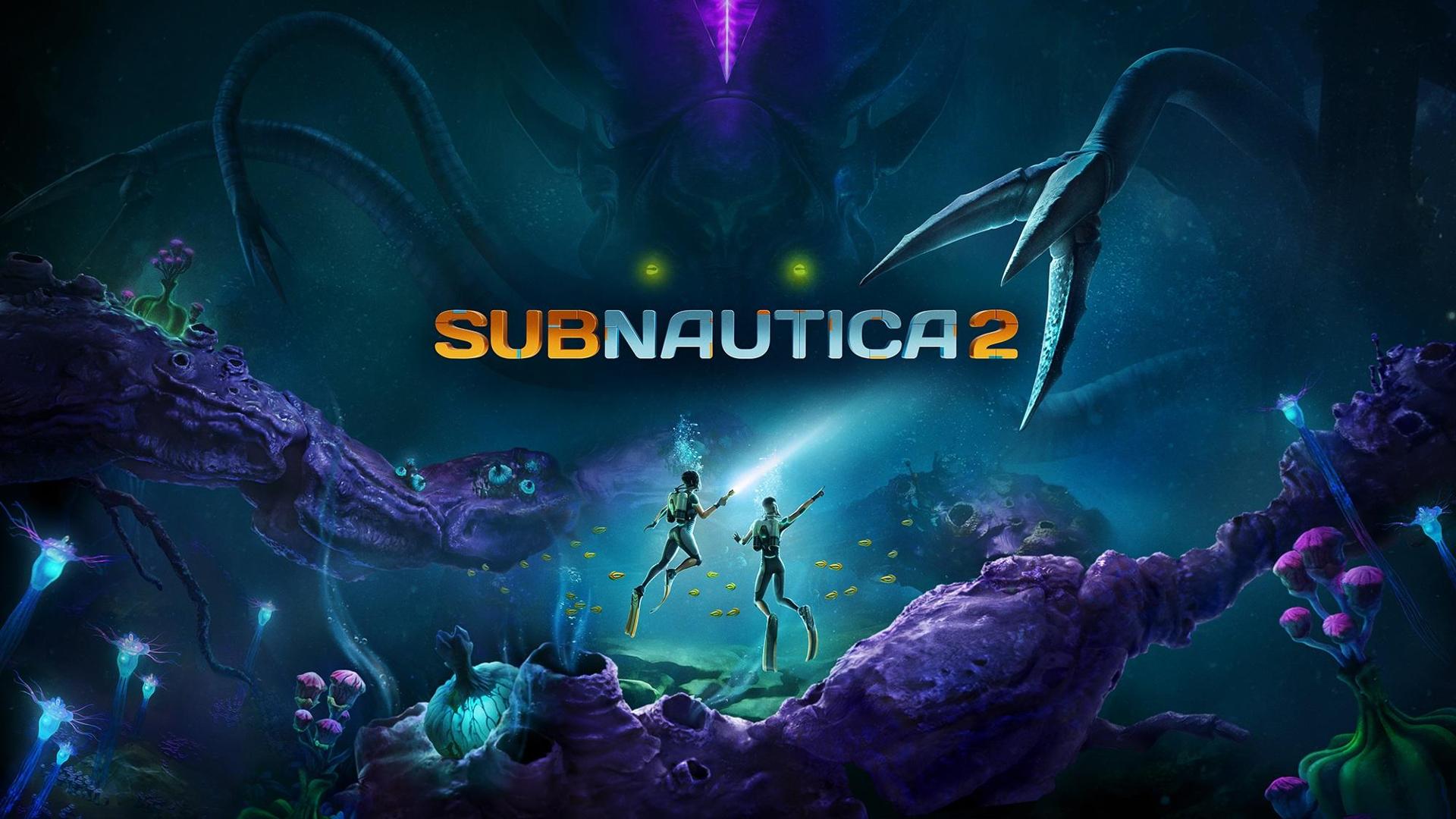
The Subnautica 2 bonus dispute settled story is more than just games-industry drama. It is also a useful reminder for Canadian buyers that major game development news can quickly shift player interest, hardware demand, and buying urgency. With Krafton and Unknown Worlds ending their legal battle and refocusing on development and launch support for Subnautica 2, attention turns back to the game itself, community expectations, and one practical question many players are already asking: is your current PC ready for the next wave of demanding survival games?
For Groovy Computers, this kind of story matters because game momentum often affects real-world buying behaviour. When a high-profile title gets back on track, players start planning upgrades. Some want smoother 1080p gameplay. Others want a 1440p gaming PC in Canada that can handle immersive open-world visuals, higher frame rates, streaming, recording, or future patches without forcing another upgrade too soon. And some buyers see a bigger opportunity: if they are going to spend money anyway, should they move up to a stronger custom system now instead of buying twice?
The source report says Krafton and Unknown Worlds withdrew all pending lawsuits and will now focus on developing and officially launching Subnautica 2, with fan experience as the top priority. That is a meaningful shift. Instead of headlines about executive removals, contract disputes, and delayed incentives, the conversation returns to game delivery, content, and player expectations. For anyone shopping for a Gaming PC Canada buyers can trust, that kind of reset matters.
What happened between Krafton and Unknown Worlds, and why should PC buyers care?
According to the source material, Krafton acquired Unknown Worlds in 2021 to diversify beyond PUBG. Unknown Worlds had built a strong reputation thanks to the globally recognized Subnautica franchise and its community-driven appeal. The conflict escalated after leadership changes and allegations that development delays were tied to a dispute over a large earn-out bonus. A court ruling reportedly favoured the studio leadership earlier in the year, and now both sides have settled and dropped their lawsuits.
Why does that matter to someone shopping for a gaming desktop in Canada? Because stability around a major title often means renewed marketing, more player attention, and more urgency around performance planning. When players regain confidence that a game is moving forward, they stop asking whether it will happen and start asking whether their current rig can run it well.
That is where buying decisions begin to change. Are you hoping to revisit survival exploration with higher settings and better immersion? Are you planning to pair that with Twitch or YouTube streaming? Do you also want your next PC to handle video editing, graphic design, or school and work tasks after gaming hours? Those are the kinds of questions that turn a simple upgrade into a smarter long-term build choice.
Why Canadian gamers should think beyond one game release
A game like Subnautica 2 may trigger the upgrade conversation, but the smartest buyers in Canada do not build around one title alone. They look at the full next two to four years of use. That means considering upcoming AAA games, shifting GPU demand, creator software growth, Windows and application updates, and the reality that replacement costs can rise faster than expected.
If you buy a system that only barely clears today’s likely requirements, what happens when you add higher-resolution textures, ray tracing features, a second monitor, Discord, browser tabs, OBS, mods, or capture tools? What happens when your gaming PC also becomes your homework machine, editing station, streaming setup, and everyday productivity system?
This is why a custom gaming PC in Canada makes more sense than a generic one-size-fits-all tower for many buyers. A properly matched build can give you better thermals, cleaner upgrade paths, stronger part balance, and a more realistic performance target based on what you actually want to do.
What do you want your next PC to do for you?
Before choosing a budget, GPU, or financing plan, ask the most important question first: what do you want your next PC to do for you?
Do you want a system mainly for immersive gaming? Do you want high FPS in esports titles and stronger graphics in open-world releases? Are you trying to stream your gameplay in 1080p while keeping your frame pacing smooth? Do you need a creator PC for editing YouTube videos, cutting TikTok clips, or working in Adobe Creative Cloud? Are you moving into Blender, Unreal Engine, or a workstation-style workflow where render times and RAM capacity matter more than pure gaming FPS?
The answer changes everything. The right build for a student buying a first budget gaming PC is not the same as the right build for a creator editing 4K footage, and neither is the same as the right build for a premium buyer chasing ultra settings and long-term headroom.
What gaming performance tier fits you best?
One of the biggest mistakes PC buyers make is shopping by hype instead of by performance tier. The better approach is to choose the level that matches your monitor, your game library, your software use, and how long you want the system to stay satisfying.
Entry-level and value tier: Is a budget gaming PC enough?
If your goal is 1080p gaming, solid everyday speed, and good value, a budget-focused custom build may be the right fit. This kind of system is often ideal for students, first-time PC buyers, or players focused on lighter games, older AAA titles, and mainstream multiplayer play.
But ask yourself a few honest questions. Do you plan to play only current favourites at moderate settings, or do you expect to jump into new releases as they arrive? Will you be unhappy if you need to reduce settings within a year or two? Would spending a bit more now help you avoid replacing the system sooner?
For many buyers, the sweet spot is not the absolute cheapest machine. It is the build that still feels good after the novelty wears off.
Mid-range sweet spot: Do you want 1440p gaming without overspending?
For a huge number of Canadian buyers, the best value sits in the mid-range. A 1440p Gaming PC Canada shoppers choose at this level can deliver excellent balance between visual quality, frame rate, and longevity. This is often the right target for players excited about visually rich games like survival adventures, open-world exploration, cinematic action titles, and multiplayer games that still benefit from stronger GPUs.
If you are asking, What gaming PC do I need for 1440p gaming? the answer usually comes down to buying enough GPU and CPU power to keep performance smooth not just now, but after updates, DLC, and heavier background use. This tier also makes more sense if you stream casually, multitask heavily, or want your PC to remain capable for creator work.
High-end tier: Are you buying for 4K, ray tracing, and long-term headroom?
Some buyers know they want more. If your plan is 4K gaming, high refresh ultrawide play, ray tracing, premium textures, or maximum future-proofing, a high-end system is the better fit. This is especially true if you hate compromise, want premium cooling, or simply want your next upgrade cycle to be further away.
But high-end buying should still be strategic. Are you paying for features you will actually use? Is your monitor capable of showing the difference? Are you pairing gaming with streaming, editing, or 3D work that makes a stronger GPU easier to justify? If the answer is yes, then a premium build can be a practical purchase, not just an enthusiast splurge.
Could one PC handle gaming, streaming, and content creation?
Absolutely, if the build is chosen properly. Many buyers no longer need a system for just one purpose. They want a machine that can run modern games, stream through OBS, edit highlight reels, process thumbnails in Photoshop, and keep dozens of browser tabs open without feeling bogged down.
If that sounds familiar, you may be less of a pure gaming buyer and more of a Content Creation PC Canada customer. That changes the recommendation. You may need more RAM, faster storage, a stronger multi-core CPU, and a GPU that helps not only with game performance but also with encoding, rendering, and acceleration in creative software.
Are you recording gameplay for YouTube? Do you use Premiere Pro, DaVinci Resolve, CapCut, or After Effects? Are you running Photoshop, Illustrator, or Lightroom alongside game installs and large media files? If yes, your “gaming PC” may actually need to be a gaming-and-creator hybrid build.
If Subnautica 2 is on your radar, what kind of PC should you consider?
Even without inventing exact current system requirements, we can make a realistic buying decision based on genre and market trends. Survival games with immersive environments, heavy atmosphere, expansive exploration, dynamic lighting, and future content updates tend to reward stronger hardware. They also become more enjoyable when you have stable frame rates, fast load times, enough VRAM for higher textures, and headroom for background tasks.
So what PC do you need for this kind of game experience?
- 1080p-focused players should look for dependable entry-to-mid-range performance with fast SSD storage and enough GPU power to avoid living in low settings.
- 1440p players should prioritize a stronger graphics card and a balanced CPU so the system stays comfortable across this game and the next several major releases.
- 4K or ultra-settings buyers should build around premium GPU capability, cooling quality, and enough platform strength to support long-term use.
- Players who stream or record should think beyond raw FPS and consider encoding, RAM, and storage capacity.
That last point matters more than many people expect. A game may run fine in isolation, but what happens when you add voice chat, music, browser windows, Discord, screen capture, and OBS? Do you want a PC that only survives the workload, or one that stays smooth under it?
Is now a good time to buy a gaming PC, or should you wait?
This is one of the most common buyer questions, and it becomes even more relevant when renewed interest builds around major game releases. In most cases, waiting only makes sense if you have a very specific reason, such as a known near-term platform change that directly benefits your budget and use case. But many buyers wait in a vague way, hoping everything will get cheaper. That is not always how the market works.
GPU demand can rise. Memory pricing can shift. SSD costs can move. New games can expose the limits of older CPUs faster than expected. Even if individual parts fluctuate, the total replacement cost of a full gaming or creator setup can still move upward once demand returns.
So ask yourself: are you waiting because you have a smart plan, or because delaying feels easier than deciding? If your current PC is already struggling, if your desired games are approaching, or if your workflow is being slowed down now, waiting may cost more in lost performance and future pricing than acting sooner.
Would financing help you buy the right PC instead of settling for the wrong one?
For many Canadian buyers, this is the most important practical question. If the choice is between buying a weaker PC outright today or stepping into a stronger system through manageable payments, financing can be the more efficient decision. It is not just about affordability. It is about avoiding the false economy of underbuying.
If you know you want a system that lasts longer, handles more demanding games, or supports both gaming and creative work, why buy too low and upgrade again early? Why absorb two rounds of costs if one better purchase could have solved the problem up front?
That is where financing up to 4 years can make sense for the right buyer. A stronger build may let you lock in a more capable GPU tier, more RAM, a larger SSD, better cooling, or a more future-ready CPU before replacement costs rise again. This matters not only for gamers, but also for creators and workstation users whose time has real value.
Are you comparing a cheaper machine that may feel outdated quickly against a better-balanced custom system you could comfortably pay for over time? If so, it may be worth talking to Groovy Computers before you compromise too far.
What if you also need a PC for video editing, photo editing, or graphic design?
Many gaming buyers are also creators, students, freelancers, or side-hustle operators. That means your purchase should not only be judged by game FPS. It should also be judged by whether it saves time and frustration in your creative workflow.
Video editing buyers
If you work in Premiere Pro or DaVinci Resolve, you should ask: do you cut 1080p clips, or are you editing 4K footage? Are you exporting long timelines? Do you use effects-heavy sequences? Do you need smooth scrubbing, faster renders, and enough storage for media cache and active projects?
A proper Video Editing PC Canada buyers choose should not be treated like a generic office computer with a nice case. It needs balanced CPU and GPU performance, fast storage, and enough RAM for modern editing behaviour. If your current machine is slowing your upload schedule, your next PC should solve that directly.
Photo editing and design buyers
Photographers and designers should think about responsiveness, colour workflow, multitasking, and file size. Are you opening large RAW libraries in Lightroom? Working on layered PSD files? Managing Illustrator assets, InDesign layouts, or social content while multiple apps stay open?
A Photo Editing PC Canada or Graphic Design PC Canada build should feel quick and stable under those real tasks. The right storage setup, memory capacity, and CPU speed can make daily work much more enjoyable, especially if your system is also pulling double duty as a gaming machine.
All-around creator buyers
If your workflow includes gaming, streaming, editing, thumbnails, social clips, and design, then a Creator PC Canada build may be the better category to think in. Why buy for one job when your actual life demands five?
What if you need 3D modeling, rendering, or workstation performance?
The gaming conversation often opens the door to a more serious hardware need. Maybe you started looking because of a game release, but now you are also in Blender, Unreal Engine, CAD, architecture workflows, or technical rendering tasks. If that is true, your system choice should shift from gaming-first to hybrid workstation thinking.
Do you need viewport smoothness, faster GPU rendering, stronger CPU rendering, more RAM for large scenes, or storage that keeps project files moving efficiently? Are you doing game asset work, product visualization, animation, or engineering tasks where a crash or thermal bottleneck costs real time?
A proper 3D Modeling PC Canada or Workstation PC Canada build should be selected with workload reliability in mind. That is where custom building matters. Part matching, cooling, power delivery, and system testing are not cosmetic details when your PC is tied to billable output.
Why custom builds matter more when game hype and hardware pressure return
When demand rises, many buyers panic-shop. They grab the first available box, then discover the storage is too small, the cooling is weak, the motherboard limits upgrades, or the RAM configuration is poorly chosen. A custom build helps avoid those mistakes.
At Groovy Computers, the advantage of a custom system is not just personalization. It is alignment. Your budget, your games, your apps, your monitor, your workflow, and your long-term expectations all get weighed together.
That matters if you are asking questions like these:
- What gaming PC do I need for 1440p gaming and future AAA releases?
- Is a gaming PC good for video editing and streaming?
- Should I finance a better PC instead of buying a cheaper one?
- How much RAM do I need for content creation or Blender?
- Will I regret buying too little GPU now if prices rise later?
A good custom builder helps answer those before you spend, not after.
Why testing and warranty support should matter to Canadian buyers
Performance is only part of the decision. Reliability matters too. A strong-looking spec list means very little if the machine arrives unstable, poorly tuned, or thermally limited. That is one reason buyers often prefer a Canadian custom PC company that understands support, shipping, and accountability.
Groovy Computers positions itself around carefully built systems, rigorous testing, and a 1-year warranty, which is exactly the kind of reassurance many buyers want when purchasing a system for gaming, creative work, or professional use. If your next PC is going to carry your game library, your projects, your files, and your time-sensitive work, shouldn’t confidence be part of the purchase?
For customers in Nova Scotia, Atlantic Canada, and buyers ordering across the country, there is also peace of mind in dealing with a Canadian PC builder that understands the local market, pricing realities, and support expectations. A Canada-built gaming PC is not just a keyword. For many buyers, it is a trust factor.
What kind of buyer should choose each type of build?
Here is a practical way to think about it.
Choose a budget or value-focused gaming PC if:
- You mainly play at 1080p
- You want a first gaming PC without overspending
- You play lighter competitive titles or mixed older games
- You understand you may need lower settings in some future AAA games
Choose a mid-range custom gaming PC if:
- You want strong 1440p value
- You play newer single-player and open-world games
- You want a better chance of avoiding an early upgrade
- You multitask, stream casually, or want some creator flexibility
Choose a premium gaming PC if:
- You want high refresh 1440p or 4K gaming
- You care about ray tracing, ultra settings, and long-term headroom
- You dislike compromise and want a stronger lifecycle from your purchase
- You may also edit, render, stream, or create content on the same machine
Choose a creator or workstation build if:
- Your PC is for work as much as for play
- You edit video, process photos, design graphics, or model in 3D
- You need more RAM, faster storage, and stronger sustained performance
- You value reliability, responsiveness, and time saved every day
What should you ask before buying your next PC?
Before you commit, ask yourself a few grounded questions:
- What games or software will I actually use most?
- Am I building for 1080p, 1440p, or 4K?
- Will I stream, record, edit, render, or multitask heavily?
- How long do I want this PC to feel current?
- Am I buying the cheapest option, or the smartest value?
- Would financing help me secure a more capable system before prices shift?
- Do I want guidance from a Canadian custom builder instead of guessing alone?
Those questions can save you from buying a machine that looks fine on paper but misses your real needs.
Why this news story points to a larger PC buying lesson
The settlement between Krafton and Unknown Worlds puts the spotlight back where players want it: on the game. But from a buying perspective, the bigger lesson is that gaming news often creates hardware decision windows. Interest comes back. Upgrade conversations restart. People who delayed finally begin shopping again.
When that happens, the best move is not always to buy the loudest system or the cheapest one. It is to buy the right one, with enough headroom for your next few years of gaming, content creation, or workstation use.
If Subnautica 2 is one of the games pushing you to rethink your setup, ask yourself what else your next PC should be ready for. Future AAA titles? A streaming channel? Adobe apps? Blender? School? Work? All of the above?
Ready to choose the right custom PC for your workload?
If you are asking yourself, What gaming PC do I need? or Should I buy now or wait?, the smartest next step is to look at systems built around your real use case, not generic marketing tiers. Whether you need a balanced gaming machine, a stronger creator desktop, or a workstation-class custom build, Groovy Computers can help you choose a system that fits your games, software, budget, and upgrade goals.
Want help deciding between a budget build, a 1440p gaming setup, a premium RTX system, or a creator-focused workstation? Visit GroovyComputers.ca to explore custom PC options, ask about financing, and get guidance from a Canadian builder that understands performance, testing, and long-term value.
Final thoughts: the Subnautica 2 reset is a reminder to buy smarter
The Subnautica 2 bonus dispute settled headline may sound like niche industry news, but it reflects something bigger: games move fast, attention returns quickly, and your hardware plans should be ready before the rush, not after it. If your current system is already behind, if your workload is growing, or if you want to avoid another too-soon upgrade, this is a good time to assess what your next PC really needs to do.
For Canadian buyers who want a custom-built gaming PC, a creator system, or a workstation with tested reliability and financing flexibility, Groovy Computers is well positioned to help. The right build now can save frustration later.
#GamingPCCanada #CustomGamingPCCanada #GamingPCBuilderCanada #CreatorPCCanada #VideoEditingPCCanada #PhotoEditingPCCanada #GraphicDesignPCCanada #3DModelingPCCanada #WorkstationPCCanada #CanadianCustomPCBuilders #NovaScotiaPCBuilder #BuyGamingPCOnlineCanada
Groovy Computers | All Rights Reserved


Leave a comment
This site is protected by hCaptcha and the hCaptcha Privacy Policy and Terms of Service apply.