






















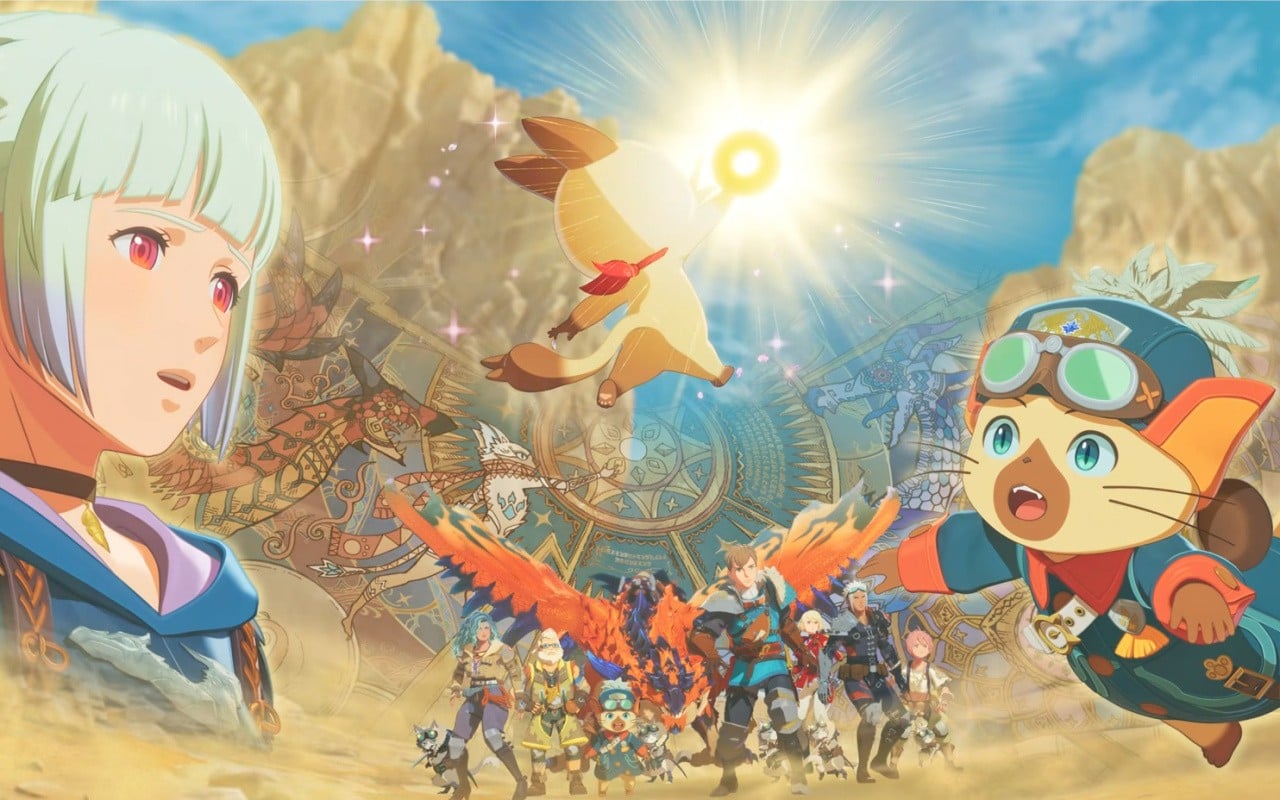
Monster Hunter Stories 3 Rudy DLC News and What It Means for Your Next Gaming PC in Canada
The new Monster Hunter Stories 3 Rudy DLC is out now alongside a free update, and while that headline is exciting for fans of Capcom’s monster-collecting RPG spin-off, it also highlights something bigger for Canadian players: modern game libraries never stay still. New side stories, harder endgame battles, field updates, future expansions, and rising expectations all push your hardware needs upward over time. If you are asking yourself whether your current setup is still enough for the games you want to play next, this is exactly the right time to think about your upgrade path.
For Groovy Computers, this kind of update matters because it reflects how gamers actually buy PCs in the real world. Most people do not upgrade for one title alone. They upgrade because one game becomes two, then five, then a full backlog of current and upcoming releases that demand better frame rates, smoother multitasking, faster storage, quieter cooling, and more long-term confidence. A single DLC announcement can be the moment a player realizes they want a system that is ready not just for today, but for the next wave of releases too.
That is why this article is not just about Monster Hunter Stories 3. It is about how to think like a smart Canadian buyer. What kind of system makes sense if you enjoy RPGs, action games, open-world titles, streaming, and content creation? Should you stay budget-conscious, move into 1440p performance, or step up to a premium build so you do not have to upgrade again too soon? And if prices on key components move again, would financing a better system now make more sense than settling for less?
What did the Monster Hunter Stories 3 Rudy DLC update actually add?
Based on the source material, Capcom announced a paid side-story focused on Rudy, the young Felyne, with story content tied to the origin of the Royal Felyne and a connection back to Navirou from the original Monster Hunter Stories. That kind of callback is exactly the sort of fan-service content longtime players love, but it is the gameplay implications that matter just as much.
The update also introduced Royal Monsters appearing in the field as part of a free content drop, plus a harder version of the final battle for completed save files. Beat that tougher challenge, and almost all existing monsters can become Royal Monsters in the field. In practical terms, that means more challenge, more reason to return, and more incentive for dedicated players to spend longer sessions in the game.
Capcom also shared that the Monster Hunter Wilds expansion Ascendance is in development with a target window of 2027, featuring new areas, monsters, hunter actions, and Master Rank quests. Even if you are focused on Nintendo hardware for some of these releases, the broader pattern is clear: the Monster Hunter ecosystem is growing, and player expectations around performance are not getting smaller.
Why does this kind of game update matter for PC buyers in Canada?
If you game on multiple platforms, track major franchises, or simply like being ready for new releases, content updates are often the warning sign that your current PC may be nearing its comfort limit. Are you still happy with 1080p? Do you want to move into 1440p? Are you planning to play more demanding games on PC while also using Discord, browser tabs, capture software, or editing clips after your sessions?
Many Canadian buyers wait until their system feels obviously old. The problem is that by the time your PC feels too slow, you are shopping under pressure. That can lead to rushed buying decisions, weaker part choices, or replacing a machine sooner than you wanted. A smarter move is to upgrade when your needs become clear, not when your hardware is already holding you back.
Game updates like this one create momentum. You revisit your backlog. You think about future releases. You start watching trailers in higher quality. Then you notice your current machine is loud, hot, stuttery, or simply not enjoyable anymore. That is where a properly planned Gaming PC Canada purchase becomes much more than an impulse buy. It becomes a long-term performance decision.
What do you want your next PC to do for you?
This is the most important question in the entire buying process. Do you want your next system to simply run your favourite games better than your old one? Or do you want it to become the machine you rely on every day for gaming, streaming, editing, creative work, and general productivity?
Maybe you are a Monster Hunter fan today, but what else is on your list? Are you also playing competitive shooters, open-world games, racing titles, survival games, or ray traced AAA releases? Do you want to record gameplay, edit YouTube clips, run OBS, or stream to Twitch or YouTube? Do you use Photoshop, Premiere Pro, DaVinci Resolve, Blender, or Adobe Creative Cloud between gaming sessions?
Your answers shape the right build category. A budget gaming desktop and a premium creator-ready system are not built for the same person. If you buy too low, you may save money upfront only to feel boxed in later. If you buy too high without a plan, you may overpay for performance you never use. The best system is the one that matches your actual habits over the next several years.
If you are buying a gaming PC for new games, what performance tier fits you?
One of the biggest mistakes buyers make is choosing a system based only on the minimum they can tolerate right now. The better approach is to buy according to the experience you want. Here is a practical way to think about it.
Entry-level and value tier: good for 1080p gaming
If your goal is straightforward 1080p play, especially in lighter or stylized games, an entry-level or Budget Gaming PC Canada build may still be the right move. This tier works well for players who want solid everyday performance, faster load times, smoother multitasking than a console, and room to enjoy current releases without chasing ultra settings.
Is that enough for you? If you mainly play RPGs, indie games, esports, and a few mainstream releases at sensible settings, a budget-conscious build can be a smart value play. But ask yourself: will you be satisfied if next year’s more demanding titles require you to start turning settings down more aggressively?
Mid-range sweet spot: ideal for 1440p gaming and longer usefulness
For many buyers, the best balance is a 1440p Gaming PC Canada setup. This is often the sweet spot for gamers who want stronger image quality, better long-term viability, and more headroom for demanding titles. If you enjoy cinematic RPGs, large environments, better texture settings, and smoother minimum frame rates, this is where many modern players should be looking.
Do you want your system to feel clearly ahead of console-class performance? Do you want enough GPU and CPU strength to handle today’s games while staying comfortable with tomorrow’s patches, expansions, and new releases? Mid-range is often where smart money gets spent.
Premium tier: for 4K, ray tracing, streaming, and no-compromise builds
If you want ultra settings, stronger ray tracing performance, heavier multitasking, and confidence for more than just basic gaming, a 4K Gaming PC Canada or premium 1440p setup makes sense. This tier is also attractive for people who stream, edit, and create content on the same machine.
Are you the type of buyer who would rather buy once and keep the system longer? Do you want to avoid the regret of underbuying? If your answer is yes, stepping up to a premium configuration may deliver better value over the life of the PC, especially if financing helps spread the cost.
Are you only gaming, or do you also want to stream and create content?
That question changes everything. A lot of shoppers begin by searching for a gaming PC, but what they really need is a Gaming and Streaming PC Canada build or even a Content Creation PC Canada machine. If you plan to capture gameplay, use OBS, run voice chat, monitor chat, manage browser tabs, and maybe edit clips afterward, you need more than just enough frames in a single game.
Streaming adds pressure to both CPU and GPU planning, depending on your workflow. Editing adds further demands on storage speed, memory capacity, and sustained system stability. If you are rendering videos, exporting highlight reels, creating thumbnails, or using AI-assisted tools in creative apps, the wrong build will start to feel cramped very quickly.
So ask yourself honestly: do you want one machine that only plays games, or do you want one machine that supports your hobby, side hustle, or creator ambitions? If the second option sounds closer to your real life, a custom build becomes much more valuable than a generic one-size-fits-all desktop.
Could this kind of gaming news also be a sign to upgrade before bigger releases arrive?
Yes, and that is one of the most practical takeaways from this news cycle. DLC announcements, roadmap updates, and franchise expansion plans often signal a broader period of demand. Gamers start upgrading. Content creators start covering the updates. Buyers who were on the fence begin browsing systems more seriously.
Now ask the timing question: Is it better to buy a gaming PC now or wait? That depends on your current machine, your game list, and your budget flexibility. But waiting is not always the safe option people assume it is. Component pricing can shift. GPU demand can tighten. Memory and storage can rise. And once a major release window is close, more buyers pile into the market at the same time.
If your current PC is already underperforming, delaying could mean paying more later for the same class of system, or settling for whatever is available under time pressure. Buying strategically before you urgently need the machine often leads to better results.
What hardware actually matters most for modern gaming and creator workloads?
When customers read game news, they often jump straight to the graphics card, and yes, the GPU is hugely important. But a great gaming or creator experience depends on the balance of the whole system.
- GPU: This is the key driver for resolution, visual settings, and ray tracing performance in modern games.
- CPU: A strong processor helps with game logic, background tasks, streaming, and keeping frame delivery consistent.
- RAM: If you multitask, stream, edit, or keep many apps open while gaming, more memory helps avoid slowdowns.
- SSD storage: Fast solid-state storage improves boot times, load times, patching, and general responsiveness.
- Cooling and power delivery: Stable temperatures and quality components matter for long sessions and system lifespan.
Do you tend to keep your PC for years? Do you want quiet performance under load? Do you hate stuttering more than you care about benchmark bragging rights? Those answers matter just as much as the raw spec sheet.
What if you also need a PC for video editing, photo editing, or graphic design?
A lot of gamers today are also creators, students, freelancers, or professionals. That is why a single-topic buying decision often misses the bigger opportunity. If you are already considering an upgrade because of gaming demand, should your next system also be ready for more productive work?
If you edit in Premiere Pro or Resolve, a Video Editing PC Canada build with stronger CPU performance, more RAM, and fast NVMe storage can save real time. If you work in Photoshop and Lightroom, a Photo Editing PC Canada setup with memory headroom and reliable responsiveness will feel much smoother. If you design in Illustrator, InDesign, Canva, or Creative Cloud, a Graphic Design PC Canada build with strong multitasking and multiple display support may be the better long-term purchase.
Would you rather own one capable desktop that does everything well, or keep fighting the limits of a machine that was only chosen for basic gaming? If your hobbies and work overlap, the answer is usually clear.
Do you need a gaming PC, creator PC, or workstation PC?
This is where many buyers get stuck, so let’s simplify it.
Choose a gaming PC if:
- Your main focus is playing current and upcoming games
- You care most about FPS, graphics settings, and responsiveness
- You may stream casually but gaming performance is the priority
Choose a creator PC if:
- You game and also edit video, stream, design, or create online content
- You need better multitasking, export times, and memory capacity
- You want one system for both entertainment and productivity
Choose a workstation PC if:
- You work in Blender, CAD, rendering, engineering, or heavy professional software
- You need sustained performance, larger RAM capacity, and reliability under long loads
- You care more about productivity and output than purely gaming metrics
What PC do you actually need for your real week, not just your idealized gaming session? That is the question that leads to the right category.
What if you are interested in 3D work, Blender, or Unreal Engine too?
Then your buying decision deserves even more care. If you are learning or already working in Blender, Unreal Engine, Unity, Maya, or other 3D applications, a standard gaming-first machine may not be enough. A proper 3D Modeling PC Canada or 3D Rendering PC Canada configuration needs the right mix of GPU strength, CPU capability, memory, and cooling.
Are you rendering scenes, baking assets, previewing environments, or compiling projects while also gaming on the same machine? Do you want your desktop to support both creative ambition and leisure? If so, it is worth moving beyond entry-level thinking. A stronger build can save hours over time, and that matters whether you are a student, freelancer, or studio-minded creator.
Should you finance a stronger PC instead of buying a weaker one?
This is one of the most practical questions Canadian buyers can ask. If your budget only comfortably covers a lower-tier system today, but your actual needs point toward a better mid-range or premium machine, financing may help you avoid a false economy.
A cheaper PC can cost less today but more tomorrow if it leads to an early upgrade, missed performance targets, or frustration with modern games and software. A more capable system may last longer, perform better across more tasks, and remain useful through more game cycles and software updates.
That is why Finance Gaming PC Canada searches are so common. Buyers are not always looking for the cheapest option. They are often looking for the smartest way to secure the right one. If financing up to 4 years helps you get the performance tier you actually need, that can be a more strategic decision than compromising too far on core components.
Would monthly affordability help you move from “good enough” to “properly future-ready”? If yes, that is worth exploring before component costs shift again.
Why timing matters when component prices and demand can change
The PC market does not move in a straight line. GPU availability can tighten when new games, creator software demands, or broader tech trends increase demand. RAM and SSD prices can swing. Strong-value CPUs do not always stay at the same price tier. Power supplies, cooling parts, and quality cases can also influence complete system cost more than buyers expect.
That means waiting is not automatically saving. Sometimes waiting simply means entering the market later under worse conditions. If you are already close to buying, and your current system is not keeping up, delaying the decision may expose you to higher replacement costs or fewer ideal configuration choices.
Are you planning to upgrade before a major game release, sale period, school term, content project, or software expansion? If so, buying earlier with a clear plan can be the more stable move.
Why custom builds matter more than random generic systems
Not all desktops are planned with real customer goals in mind. A custom build has an advantage because it can be matched to your specific use case instead of asking you to adapt to whatever parts happen to be inside a generic box.
With a proper Custom Gaming PC Canada approach, you can prioritize what matters most: 1080p value, 1440p balance, 4K performance, streaming readiness, editing capability, storage expansion, quiet cooling, or stronger upgrade paths. You are not just buying parts. You are buying fit.
Would you rather have a system that looks flashy on a spec card, or one that is actually balanced for the games and workloads you use every week? That difference becomes more obvious the longer you own the machine.
Why Groovy Computers is a strong fit for Canadian buyers
Groovy Computers is built around what serious buyers in Canada actually need: custom systems, practical guidance, tested configurations, and support you can trust. Whether you are shopping for a gaming desktop, creator rig, or workstation-class machine, the value is not just in the components. It is in how the system is selected, assembled, stress tested, and supported.
For customers in Nova Scotia and across Canada, that matters. You want confidence that your machine is not just assembled, but properly prepared for real use. Groovy Computers offers custom PC expertise, rigorous testing, and a 1-year warranty, which gives buyers more peace of mind than gambling on unknown marketplace listings or poorly matched mass-produced systems.
Do you want a Canada-built gaming PC with real support behind it? Do you want a machine that is chosen around your goals instead of a warehouse’s leftovers? That is exactly where Groovy Computers stands out.
What kind of buyer should choose each tier right now?
Choose budget/value if:
You mainly want 1080p gaming, strong everyday responsiveness, and the best possible entry point without overcommitting. This is especially useful for students, first-time buyers, and players moving up from older hardware.
Choose mid-range if:
You want the strongest all-around value, better 1440p potential, stronger longevity, and enough power to comfortably handle a wider range of modern games and multitasking needs. For many shoppers, this is the safest long-term choice.
Choose premium if:
You want high refresh gameplay, ray tracing, heavier creator workloads, streaming capability, or a machine that is less likely to feel outdated too quickly. Premium systems are often the better fit for buyers who prefer fewer upgrades and more headroom.
So where do you fit? Are you trying to spend as little as possible today, or are you trying to avoid replacing your system earlier than necessary? Your answer should shape the entire purchase.
What questions should you ask before buying your next PC?
- What games do I want to play over the next two to three years?
- Do I want 1080p, 1440p, or 4K performance?
- Do I care about ray tracing or just high frame rates?
- Will I stream, record, or edit content on the same machine?
- Do I use Premiere Pro, Photoshop, Lightroom, Illustrator, Blender, or OBS?
- How soon would I regret buying a lower-tier system?
- Would financing help me get the right build now instead of settling?
- Do I want a custom PC with testing and warranty support?
These are not small questions. They are the difference between buying confidently and buying twice.
Ready for a better fit? What should you do next?
If the Monster Hunter Stories 3 Rudy DLC news has you thinking about your backlog, upcoming releases, or the limits of your current machine, now is a smart time to act. Whether you need a budget gaming desktop, a stronger 1440p rig, a premium RTX gaming PC, a streaming and editing system, or a full creator or workstation build, Groovy Computers can help you choose a setup that actually matches your goals.
What do you want your next PC to handle without compromise? If you are ready to stop guessing and start planning around real performance, visit GroovyComputers.ca to explore custom builds, compare options, ask about financing, and get help choosing the right system for gaming, content creation, or professional workloads in Canada.
Final thoughts: game updates come fast, but the right PC lasts longer
The Rudy side-story DLC and free Monster Hunter Stories 3 update are great reminders that game libraries evolve quickly. New content, harder battles, future expansions, and broader franchise momentum all add pressure to older systems over time. If you want smoother gaming, stronger multitasking, creator-ready performance, and more confidence before prices shift again, choosing the right custom build now can be the smarter move.
The best buying question is not just “Can my current PC survive one more update?” It is “What kind of experience do I want from my next system?” If you want a better answer than guesswork, Groovy Computers is one of the best places to start for Canadian buyers looking for a custom gaming PC, creator PC, or workstation with real support behind it.
#MonsterHunterStories3 #RudyDLC #GamingPCCanada #CustomGamingPCCanada #GamingPCBuilderCanada #1440pGamingPCCanada #4KGamingPCCanada #ContentCreationPCCanada #VideoEditingPCCanada #GraphicDesignPCCanada #3DModelingPCCanada #CanadianCustomPCBuilders #NovaScotiaPCBuilder #GroovyComputers
Groovy Computers | All Rights Reserved



Leave a comment
This site is protected by hCaptcha and the hCaptcha Privacy Policy and Terms of Service apply.