






















Monster Hunter Stories 3 DLC and the Right Gaming PC Canada Buyers Should Choose Next
The new Monster Hunter Stories 3 DLC is a reminder of something Canadian players already know: when a game you enjoy gets fresh content, your PC matters even more. New side stories, returning characters, ongoing updates, and longer play sessions all put more pressure on your system than many buyers expect. If you are planning your next setup, this is the kind of moment that naturally leads to a bigger question: do you already have the performance you want, or is it time to move up to a stronger custom build?
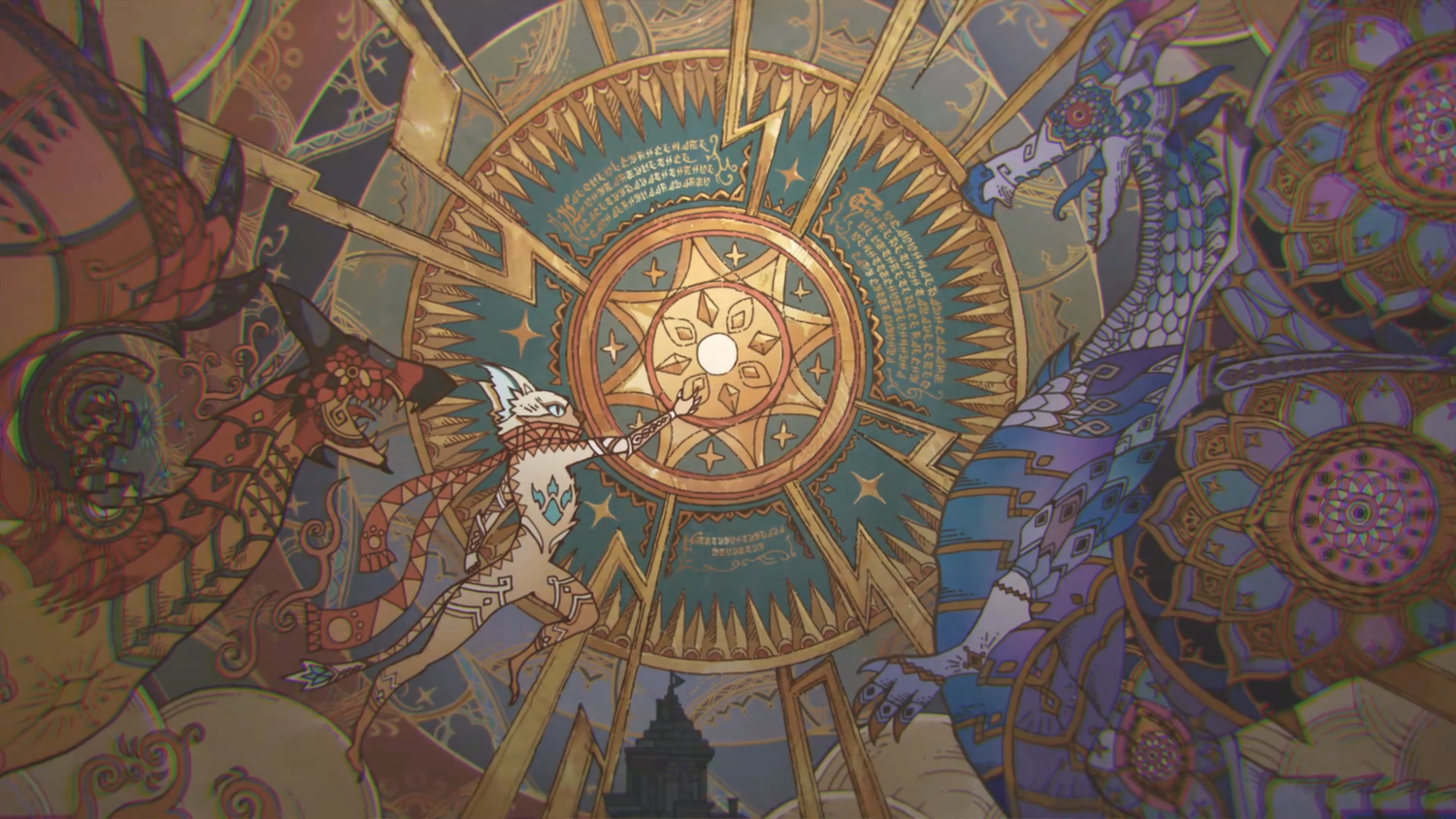
Capcom has announced Additional Side Story: Rudy for Monster Hunter Stories 3: Twisted Reflection, with the DLC available now on current platforms including Steam. The update focuses on Rudy, the Royal Felyne, and brings him into a story involving Navirou, a legendary Felyne familiar to long-time fans of the series. On its own, that is straightforward gaming news. For PC buyers, though, it also signals something more practical: games that keep growing tend to keep players invested, and invested players start noticing where their current hardware feels limited.
Are you happy playing at basic settings, or do you want a smoother, sharper experience that feels ready for the next update too? Are you only playing one RPG, or are you also jumping into newer AAA releases, streaming to friends, recording clips, editing content, or multitasking with Discord, browsers, and background apps open? Those questions matter far more than the headline alone.
What does the Monster Hunter Stories 3 DLC reveal about PC buying right now?
It shows how modern game ownership has changed. A game is no longer just a one-time purchase followed by a short playthrough. Ongoing content can turn a title into a longer-term hobby, and that changes the kind of computer many buyers should be considering. A machine that was merely “good enough” at launch can start feeling cramped once patches, DLC, higher resolution displays, capture software, and other modern gaming habits enter the picture.
For buyers in Canada, that matters because upgrading late can cost more than buying properly the first time. If your current desktop struggles with newer games, longer load times, stutters during combat, or poor multitasking while running launchers and communication apps, then the real issue is not just one DLC pack. The real issue is that your system may already be behind where you want it to be.
That is where a well-matched Gaming PC Canada buyer should consider becomes more valuable than chasing random specs. You are not just buying for one game. You are buying for how you actually play now, and how you expect to play over the next few years.
What the source story gets right about Monster Hunter Stories 3
The source highlights the appeal of Twisted Reflection as a visually strong, character-driven game with accessible mechanics and a fun combat loop. That is important because it helps explain why this release has staying power. Games with charm, strong world-building, and consistent support tend to keep drawing players back. Even if this is not the most graphically punishing title on PC, it sits within a broader gaming pattern: fans who enjoy this kind of polished adventure are often also interested in other modern releases that can be far more demanding.
So ask yourself: is your current system only acceptable for lighter RPGs, or do you want room for the rest of your library too? If your next PC needs to handle Monster Hunter Stories 3, plus demanding action games, open-world games, ray tracing games, and whatever lands next on your wishlist, then buying around one title alone may leave you underpowered faster than expected.
What do you want your next PC to do for you?
This is the most important buying question in the entire process.
Do you want a computer mainly for gaming? Do you also want it to stream? Will you be clipping boss fights, editing videos for YouTube, making thumbnails in Photoshop, building social posts, or using creative software after you are done playing? Are you shopping for a student, a first-time PC gamer, a content creator, or someone who wants a premium setup that lasts?
Your answer changes everything.
- If you only want smooth gaming at 1080p, a value-focused build may be enough.
- If you want 1440p gaming with stronger visual settings, you should step into a more balanced GPU and CPU tier.
- If you want 4K, ray tracing, high refresh rates, and modern AAA headroom, you need a high-end gaming system built for longevity.
- If you also stream or record gameplay, you need more than game-only specs.
- If you edit video, create graphics, or use Adobe apps, your storage, memory, and processor choices matter much more.
- If you use Blender, Unreal Engine, or rendering tools, you may need a workstation-minded system rather than a standard gaming build.
That is why a custom recommendation beats guessing. The right PC is the one built around your real habits, not a generic label.
Are you buying a PC for Monster Hunter Stories 3 only, or for new games overall?
Many people begin with one title in mind, then realize they are really shopping for a gaming PC for new games. That distinction matters. A system that can comfortably run a stylized RPG today may not give you the experience you want in heavier titles tomorrow. If your Steam library includes action RPGs, survival games, open-world games, competitive shooters, and future releases, then your buying logic should reflect that.
Ask yourself a practical version of the usual enthusiast question: What gaming PC do I need? Not for a benchmark chart, but for your actual routine. If your answer includes high settings, fast loading, good airflow, low noise, room for updates, and no immediate regret, then you should be planning around the next few years, not just the next weekend.
Which performance tier fits you best?
One of the biggest reasons buyers overspend or underspend is that they do not stop to identify their real performance tier. Here is a simple way to think about it.
Entry tier: good for lighter gaming and practical value
This is the right lane for buyers who want a budget gaming PC Canada shoppers can trust for esports, indie titles, many RPGs at sensible settings, and general everyday use. If you are playing at 1080p and you are comfortable balancing settings rather than maxing everything out, an entry-level custom build can still be a very smart purchase.
Who fits here? First-time PC gamers, students, younger players, and anyone asking, “How much should I spend on a gaming PC if I just want a solid start?”
The caution is simple: if you already know you will want better visuals, stronger multitasking, or newer AAA headroom soon, going too low can create a faster replacement cycle.
Mid-tier: the sweet spot for most Canadian gamers
This is often the best answer for buyers who want 1080p at high settings or 1440p with strong overall performance. If you want a system that feels modern, flexible, and less likely to need an early upgrade, this is usually the smartest balance of cost and longevity.
This tier makes sense if you are asking questions like these: What PC do I need for 1440p gaming? Can I play current games smoothly and still have room for what is coming next? Can I stream casually or record clips without feeling boxed in?
For many buyers, this is where a custom gaming PC Canada option becomes far more attractive than a generic off-the-shelf machine. Better part matching, cleaner cooling, and stronger upgrade paths make a noticeable difference over time.
High-end: for premium visuals, heavy gaming, and longer-term confidence
If you want 1440p at very high settings, 4K gaming, ray tracing, or premium performance across major new releases, you are in high-end territory. This category is ideal for players who do not want to wonder whether each new game will force compromises. It is also a better fit for buyers who stream, multitask heavily, or just prefer a system that remains relevant longer.
Are you the kind of gamer who upgrades often, or would you rather buy once and enjoy a stronger setup for years? If you hate the idea of upgrading too soon, a premium system can make more financial sense than a cheaper build that feels outdated early.
Do you also want to stream, record, or create content?
Monster Hunter Stories 3 may start as a personal playthrough, but many gamers also want to share clips, stream side quests, or create content around the games they love. The moment you add OBS, recording software, overlays, background browsers, music, chat apps, and editing tools, your PC needs change.
If that sounds like you, then you are no longer shopping for a pure gaming machine. You are closer to a streaming PC Canada or content creation PC Canada use case.
What PC do you need for streaming if you also want modern game performance? Usually, you want a balanced CPU and GPU combination, enough RAM for multitasking, fast SSD storage for footage, and cooling that holds performance steady during long sessions. If you plan to game and stream on the same machine, build quality matters more than many people realize.
Do you want to stream at 1080p? Record high-bitrate footage? Run dual monitors? Clip highlights while keeping your game responsive? Those are exactly the questions that should shape the build before you buy, not after you regret it.
Could this gaming trend also affect creator and workstation buyers?
Absolutely. Gaming headlines often trigger broader PC demand. When player interest rises around expansions, DLC, and new releases, GPU demand can stay elevated. That can affect not just gamers, but creators and professionals too.
If you are looking for a video editing PC Canada buyers can rely on, or a system for Photoshop, Illustrator, Blender, or CAD tools, market pressure still matters. A creator who waits too long because they are “just browsing” may face higher full-system costs later if core components move up in price.
So if you are not only gaming, ask yourself:
- Will you edit 1080p or 4K footage?
- Do you use Adobe Premiere Pro, DaVinci Resolve, After Effects, or CapCut?
- Are you building a brand with YouTube, TikTok, or client work?
- Do you need a graphic design PC Canada professionals can use for Adobe Creative Cloud?
- Do you need a 3D modeling PC Canada setup for Blender, Unreal Engine, Maya, or rendering?
If yes, your ideal machine may be a custom creator PC or workstation-style build rather than a game-first configuration.
Why should Canadian buyers think differently about timing?
Canadian PC buyers have to think about more than just launch excitement. Exchange pressure, component availability, shipping realities, and spikes in GPU demand can all affect the real cost of a system. Even when one specific game is not the most demanding on the market, the overall release calendar still drives buying waves.
That is why “Is it better to buy a gaming PC now or wait?” is not a simple yes-or-no question. Waiting can work if your needs are light and your current system is still serving you well. But waiting can also mean paying more later for the same level of performance, especially if your current machine is already struggling.
Do you need a computer before a major game release? Before school starts? Before a content schedule ramps up? Before your old PC fails completely? Buying from a position of urgency after a breakdown is rarely the best value move.
What parts matter most for this kind of buyer decision?
GPU choice
For gamers, the graphics card is often the biggest driver of visual quality, resolution, and long-term flexibility. If you want 1080p, your needs differ from a buyer chasing 1440p ultra settings or 4K gaming. If you care about ray tracing or newer visual features, GPU selection matters even more.
For creators and 3D users, the GPU can also accelerate editing, effects, rendering, viewport work, and export workflows depending on the software.
CPU balance
A fast processor keeps gameplay smooth, supports background tasks, and helps when streaming or editing. If your system is meant to multitask, the CPU should not be treated as an afterthought. Are you gaming only, or gaming while recording, browsing, voice chatting, and running launchers in the background? That difference matters.
RAM capacity
For straightforward gaming, moderate memory can be enough. For streaming, editing, design, and workstation tasks, more RAM quickly becomes valuable. If you are wondering, “How much RAM do I need for video editing?” or “How much RAM do creators need?” the answer usually depends on how many apps and how much media you handle at once. Buyers trying to avoid upgrading too soon should think carefully here.
SSD storage
Modern games are large, and creator files are even larger. Fast SSD storage improves loading, responsiveness, and day-to-day usability. If your next PC will hold multiple big games, captured footage, project files, and design assets, storage planning should be part of the initial build.
Cooling and power quality
These are often ignored in mass-market shopping, yet they strongly affect reliability, stability, and noise. A custom PC built with proper airflow, suitable power delivery, and testing gives a better ownership experience than a spec list alone can show.
Should you buy cheaper now, or finance a stronger system?
This is one of the most practical questions buyers ask, and it deserves a serious answer.
If the cheaper system only meets your needs for a short time, it may not actually be the cheaper option in the long run. If you already know you want stronger 1440p performance, smoother streaming, or more creator headroom, settling for the lowest possible tier can lead to earlier replacement, lost time, and frustration.
That is why some buyers choose financing. Spreading out the cost can make a better system achievable now rather than forcing a compromise that does not age well. If financing is available for up to 4 years, that can help a buyer move from “barely enough” to “built to last” without taking on the full upfront burden at once.
So ask yourself honestly: should you finance a better PC instead of buying a cheaper one? If your workload includes modern games, streaming, editing, or creative software, the answer may be yes. The stronger build can save you from upgrading too soon, especially if replacement costs rise later.
What kind of buyer should choose each Groovy Computers category?
Choose a budget-oriented gaming build if:
- You mainly want 1080p gaming.
- You play lighter or moderately demanding titles.
- You are a first-time desktop buyer.
- You want better value than a weak big-box system.
Choose a mid-range gaming build if:
- You want strong 1080p or capable 1440p gaming.
- You want better longevity.
- You play a mix of RPGs, open-world games, and newer AAA releases.
- You want a more confident all-around experience.
Choose a premium RTX gaming PC if:
- You care about 1440p ultra or 4K gaming.
- You want ray tracing and better future headroom.
- You dislike frequent upgrade cycles.
- You want a high-end system that feels premium every day.
Choose a creator PC if:
- You game and also edit content.
- You use Adobe Creative Cloud, Premiere Pro, Resolve, Photoshop, or Illustrator.
- You need fast exports, better multitasking, and more storage flexibility.
- You want one machine for play and production.
Choose a workstation or 3D-focused build if:
- You use Blender, Unreal Engine, CAD, rendering, or heavy productivity software.
- You need memory capacity, compute power, and sustained stability.
- You are buying for professional output, not just entertainment.
What questions should you ask before you buy your next PC?
Before you make a decision, pause and ask a few useful questions that many buyers skip.
- What games or software will I actually use every week?
- Am I targeting 1080p, 1440p, or 4K?
- Do I care about ray tracing, high FPS, or ultra settings?
- Will I stream, record, or edit content?
- Do I need a gaming system only, or a creator-ready desktop too?
- How soon would I outgrow the cheaper option?
- Am I buying before a big release cycle or possible component price increase?
- Would financing help me secure the right system now instead of compromising?
- Do I want a generic machine, or a tested custom build with support?
If you cannot answer all of those alone, that is exactly why working with a specialist matters.
Why does a custom build matter more than ever?
When game demand, creator needs, and component pressure all move at once, custom builds become more valuable, not less. A strong custom system is not just about better parts on paper. It is about choosing compatible components, matching the right GPU and CPU, selecting enough RAM, planning storage properly, and making sure the system is built and tested for the way you intend to use it.
That matters whether you want a gaming-first machine, a streaming setup, or a mixed gaming-and-creator desktop. It matters even more if you are trying to avoid hidden compromises in cooling, power quality, or upgrade paths.
Would you rather discover limitations after purchase, or have the system built correctly from the start?
Why Groovy Computers makes sense for Canadian buyers
Groovy Computers is positioned for the kind of buyer who wants expert guidance, properly matched components, and a system built around real use instead of generic marketing tiers. For customers shopping in Nova Scotia and across Canada, that trust factor matters.
If you are comparing options, consider what actually reduces risk:
- Custom builds based on your needs
- Support from a Canadian builder
- Rigorous testing before delivery
- A 1-year warranty for added confidence
- Performance tiers that make sense for gaming, streaming, creator work, and workstation use
- Financing options that can help you move into a stronger class of PC without waiting
That combination is especially useful if you are in Atlantic Canada, Nova Scotia, or ordering from elsewhere in the country and want a system built with long-term ownership in mind. A Canadian custom PC builder that understands both gaming demand and creator workloads can help you avoid the common mistake of buying the wrong category entirely.
Need help choosing between gaming, creator, and workstation performance?
If this Monster Hunter Stories 3 DLC news has you thinking about your current setup, that is a good thing. It means you are already asking the right next question: what do you need your next computer to handle comfortably, not just today, but over the next few years?
Do you want a budget gaming computer for 1080p play? A premium RTX setup for smoother 1440p or 4K gaming? A custom creator PC for streaming and editing? A workstation for Blender, rendering, and professional software? If you are not sure, the best move is to speak with a builder who can translate your goals into the right tier.
That is where GroovyComputers.ca comes in. If you are asking what PC you need, whether now is the right time to buy, or whether financing could help you lock in a better long-term build, Groovy Computers can help you choose a system that fits your games, your workflow, and your budget.
The bottom line for Monster Hunter Stories 3 fans and Canadian PC buyers
The new Monster Hunter Stories 3 DLC is more than a content update. It is another reminder that modern gaming is ongoing, libraries keep growing, and “good enough” hardware has a way of feeling small at the wrong time. If you are already noticing performance limits, long loads, weak multitasking, or lack of future headroom, now is the right time to think seriously about your next desktop.
The smartest buyers are not just shopping for one release. They are choosing a system that matches how they play, create, work, and upgrade. Whether you need a gaming-focused machine, a streaming-ready setup, a video editing system, or a heavier-duty workstation, a properly planned custom build is often the most cost-effective choice over the life of the PC. And if financing helps you secure the right tier now instead of settling, that can be the better long-term move too.
#MonsterHunterStories3 #MonsterHunterStories3DLC #GamingPCCanada #CustomGamingPCCanada #GamingPCForNewGames #CanadianCustomPCBuilders #ContentCreationPCCanada #StreamingPCCanada #VideoEditingPCCanada #3DModelingPCCanada #NovaScotiaPCBuilder #GroovyComputers
Groovy Computers | All Rights Reserved



Leave a comment
This site is protected by hCaptcha and the hCaptcha Privacy Policy and Terms of Service apply.