






















Monster Hunter Stories 3 DLC Update: What Kind of Gaming PC Do You Need for New RPG Releases in Canada?
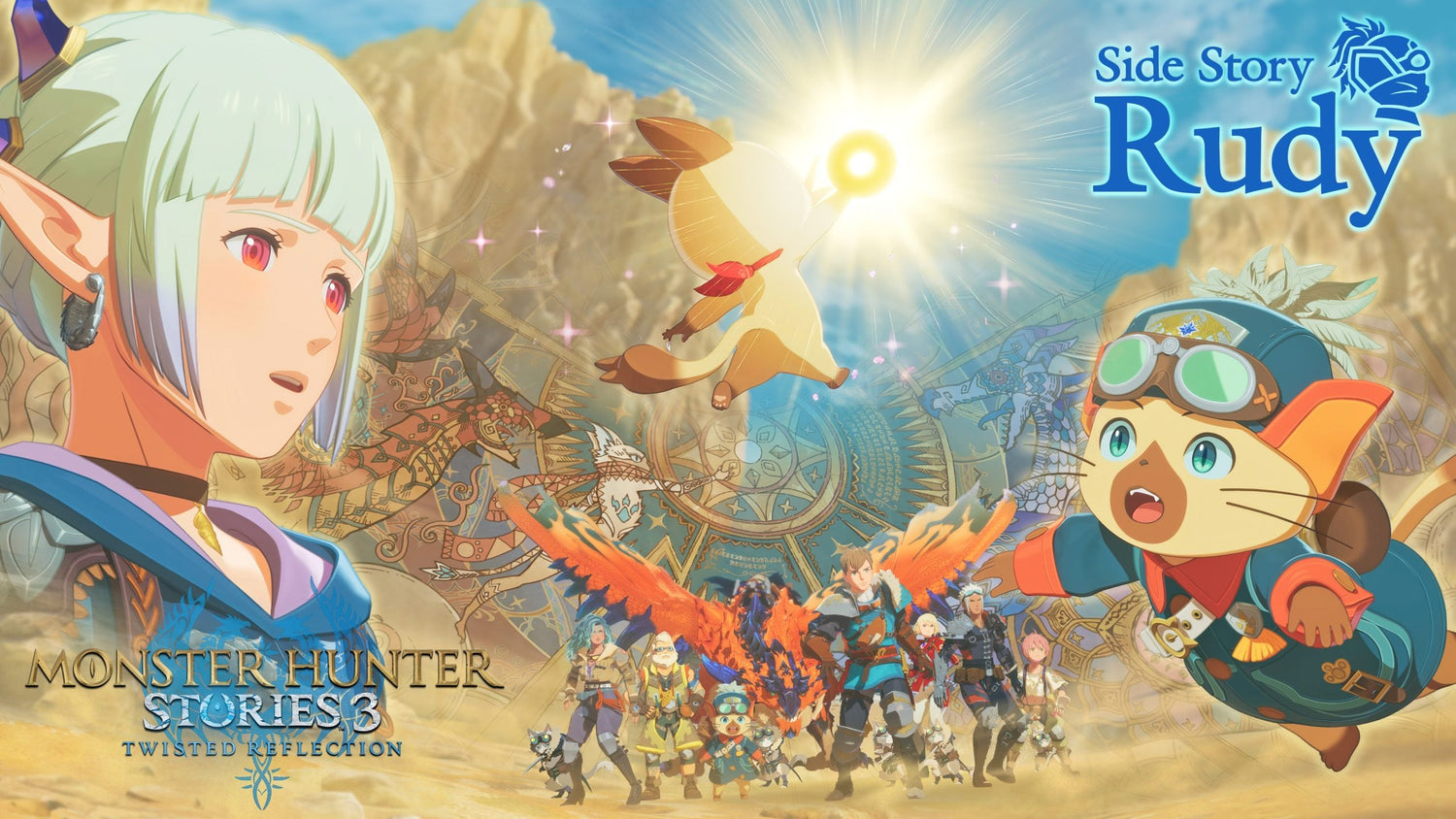
The new Monster Hunter Stories 3 DLC update is a reminder of how quickly modern game libraries keep growing after launch. Capcom has introduced the Additional Side Story: Rudy expansion alongside a free update that adds tougher endgame Royal Monster challenges, giving players more reasons to stay invested in the game for the long run. For Canadian players, that matters for more than just content. Every major update, expansion, and endgame difficulty spike raises the same practical question: is your current PC still the right fit for the way you want to play now?
At Groovy Computers, we look at gaming news differently than a general entertainment site. A DLC announcement is not just a headline. It is also a buying signal. It tells us a game is gaining traction, player hours are about to rise, streams and clips are likely to increase, and many gamers will start thinking about smoother frame rates, better visual settings, faster load times, and more future-ready hardware. If you are shopping for a Gaming PC Canada buyers can trust, this is exactly the kind of moment when planning ahead makes sense.
The source report highlights three important details: the Rudy story expansion is out now, it adds a new narrative thread around Rudy and Navirou, and the free update introduces Royal Monsters as a more demanding endgame challenge for completed save files. Even if this specific title is not the most graphically punishing game on the market, the broader trend is clear. Games are not static anymore. They evolve. They expand. They ask more of your storage, your multitasking, your streaming setup, and your patience if you are using aging hardware.
Why does the Monster Hunter Stories 3 DLC update matter to PC buyers in Canada?
Because game launches are no longer one-time events. Today, a game release often becomes a live content cycle with patches, DLC, harder encounters, performance updates, and ongoing community interest. If you buy a system that only barely covers today’s needs, what happens when the next expansion lands? What happens when you decide you also want to stream, record gameplay, edit clips, or run Discord, OBS, browser tabs, and background apps at the same time?
That is where many buyers get stuck. They ask, Should I just get something budget-friendly for now, or should I move up to a stronger custom build so I do not need to upgrade again too soon? That is the right question. The answer depends on whether your next PC is only for casual play, or whether it also needs to serve as a long-term gaming, streaming, and content creation machine.
For Canadian buyers, timing matters even more. Full-system costs can shift when GPU demand rises, memory pricing changes, SSD costs tighten, or new releases push more people into the market at once. A system that feels affordable now may not feel as comfortable later if parts move upward. That is why a properly planned custom build matters.
What the update tells us about modern gaming habits
The Rudy DLC is priced at roughly C$14 based on the listed US price, while the free Royal Monsters update adds additional challenge without a separate purchase. That combination is common in modern gaming: paid expansion plus free engagement-driving content. Players are encouraged to come back, spend more time in-game, and push deeper into post-game systems.
What does that mean for hardware? It means the average player is more likely to keep one title installed longer, keep multiple games downloaded at once, and use a PC for more than just launching a single game. It also means SSD capacity, system responsiveness, and multitasking comfort matter more than many shoppers realize.
Are you the type of player who installs one game at a time and plays casually at 1080p? Or are you building a library of RPGs, action games, open-world titles, and live-service releases while also keeping launchers, recording tools, voice chat, and media apps open? Your answer changes the build recommendation dramatically.
What do you want your next PC to do for you?
Before you choose between an entry build and a premium tower, ask yourself a few honest questions.
- Do you only want to play games, or do you also want to stream and record?
- Are you targeting 1080p, 1440p, or 4K gaming?
- Do you want ray tracing, high refresh rates, or just stable performance?
- Will you use your PC for video editing, photo editing, or graphic design after gaming?
- Do you want a system that feels good today, or one that still feels strong through the next wave of game releases?
- Would financing a stronger system now help you avoid replacing a weaker one too soon?
This is where many shoppers make a costly mistake. They buy for the game they are playing this month instead of the usage pattern they will actually have over the next two to four years. If Monster Hunter Stories 3 is part of a broader interest in new RPGs, future AAA titles, streaming, or creator work, then your next PC should reflect that.
What gaming performance tier fits you best?
Not every buyer needs the same machine. The best custom PC is the one that matches your real goals without forcing you into an underpowered setup or overspending on hardware you will never use. Here is the practical way to think about it.
Entry tier: budget-conscious 1080p gaming
This tier is ideal if you mainly want smooth gameplay at 1080p, solid general responsiveness, and a better experience than an aging desktop or console-like compromise. If your main question is What gaming PC do I need for new games without overspending? this may be the right starting point.
A budget-oriented system works well for players who are not chasing maximum settings in every new release. It is also a smart fit for students, first-time desktop buyers, and gamers who want a Budget Gaming PC Canada shoppers can actually grow with. But ask yourself: if a new RPG DLC gets you back into a game today, what happens when the next larger open-world title arrives and you suddenly want more visual quality, better frame pacing, and more storage?
Mid-range tier: the sweet spot for 1440p gaming
For many Canadian buyers, this is the strongest value category. A well-balanced 1440p build gives you room for newer games, stronger visual settings, smoother frame rates, and better multitasking. If you are asking What PC do I need for 1440p gaming? this is usually the answer.
This tier is often ideal for RPG fans, action-adventure players, and anyone who wants a system that feels meaningfully better than entry-level hardware. It also makes much more sense if you plan to use your PC for light editing, social content creation, or occasional streaming. A lot of buyers who originally think they need a cheap system are actually better served by a properly balanced mid-range custom build.
High-end tier: premium gaming, streaming, and long-term confidence
If you want high refresh gameplay, stronger ray tracing performance, better headroom for future titles, and the flexibility to stream or create content without compromise, a premium system is the smarter investment. This is the range for buyers searching for a Custom Gaming PC Canada customers can rely on for both current and upcoming releases.
Are you the kind of player who upgrades every year, or would you rather buy stronger once and stay comfortable longer? If your answer is the second one, high-end performance can make more financial sense than many people expect. It often reduces upgrade pressure, especially if your workload includes gaming plus OBS, editing software, browser multitasking, and large game libraries on fast NVMe storage.
Are you only gaming, or are you also streaming and creating content?
This is one of the biggest decision points that buyers miss. A PC that is fine for gaming alone may feel limited once you start streaming to Twitch or YouTube, clipping gameplay for social media, or editing footage after your session. The moment your system needs to handle gaming plus recording plus editing, your parts selection should change.
If you are wondering What PC do I need for streaming? think beyond average frame rates. You need enough CPU and GPU balance for gameplay, enough RAM for multitasking, fast storage for footage, and cooling that can hold performance under long sessions. That is why many customers who come in asking for a simple gaming tower eventually realize they actually need a Gaming and Streaming PC Canada buyers would classify as a creator-ready build.
Do you want to go live while playing new releases? Do you want to record boss fights, capture clips, and upload highlight edits? Do you want one machine that handles both gaming and creator work cleanly? If yes, your build should be selected with those goals in mind from day one.
Could this kind of gaming news also affect video editing and creator PC buyers?
Absolutely. Gaming news creates creator demand. Every major DLC, expansion, and challenge update fuels videos, streams, thumbnails, screenshots, shorts, and community content. That means some readers are not just buying for play. They are buying to produce around the game as well.
If you are editing gameplay in Adobe Premiere Pro, DaVinci Resolve, or similar software, your needs go beyond gaming performance. You may need a Video Editing PC Canada creators can use for smooth timeline playback, faster exports, and stable multitasking. If you work with thumbnails, social graphics, or stream overlays, your system may also need to function as a Graphic Design PC Canada professionals can depend on daily.
And if you are a photographer, designer, or editor who also games, a dual-purpose custom build can be a smarter value than buying one machine for fun and another for work. Why split your budget if one properly configured tower can do both?
What if you also edit photos, design graphics, or work in 3D?
Many Groovy Computers customers start with gaming interest and then realize their PC also needs to support Lightroom, Photoshop, Illustrator, Premiere Pro, Blender, or Unreal Engine. If that sounds like you, the buying decision changes quickly.
Ask yourself:
- Do you need a system for RAW photo editing and batch exports?
- Will you use Adobe Creative Cloud for thumbnails, posters, branding, or social media content?
- Are you building game assets, learning Blender, or experimenting with 3D rendering?
- Do you need more RAM and storage because your PC is becoming both your gaming rig and your workstation?
A gaming-focused build can overlap with creator needs, but not every gaming desktop is optimized for creator workloads. If you are serious about editing, design, or 3D work, your best option may be a Custom Creator PC Canada buyers can tailor around software performance and long-term reliability.
Is it better to buy a gaming PC now or wait?
This is one of the most important questions in the market. No one can promise where every part category will move next, and without live browsing it would be irresponsible to invent current pricing trends. But the logic remains consistent: waiting only helps if better value appears faster than demand and replacement costs rise.
In practice, many Canadian shoppers wait too long and end up buying under pressure. They wait until a big game launches, until their current PC starts stuttering, until their storage is full, or until they suddenly need a better system for school, streaming, or editing. At that point, they are no longer shopping strategically. They are reacting.
If a new release cycle, expansion season, back-to-school period, holiday rush, or major software upgrade is already on your radar, is now the better time to lock in the system you actually want? That is often the smarter move, especially if you are trying to avoid compromise builds.
Should you choose a weaker budget PC or finance a stronger system?
This is where practical buying strategy matters. Some customers focus only on the sticker price and end up with hardware they outgrow far too quickly. Others realize that spreading out the cost can make a much better machine accessible right away.
If you are debating whether to settle for less or move up to a stronger build, ask yourself a few questions. Will a cheaper system still satisfy you a year from now? Will it still feel good once you start playing heavier games, running higher settings, or doing more multitasking? Would a better GPU, more RAM, or a larger SSD save you from replacing core parts too soon?
For many buyers, financing is not about overspending. It is about buying properly. Groovy Computers offers options that can help customers access stronger systems with payments spread over time, including financing up to 4 years where applicable. If you have been asking Should I finance a better PC instead of buying a cheaper one? that can be a very sensible question when the stronger build gives you longer relevance and fewer upgrade headaches.
Why custom builds matter more when game demands keep changing
Generic systems often look acceptable on paper but hide weak points in cooling, power delivery, storage speed, motherboard quality, or upgrade path planning. A proper custom build avoids those traps. That matters when games continue receiving updates, when your library expands, and when your PC starts doing more than one job.
At Groovy Computers, the goal is not just to sell a box with parts in it. The goal is to match hardware to usage. If you need a 1080p value system, that should be built with balance. If you need stronger 1440p gaming, your GPU and CPU pairing should make sense. If you need gaming plus streaming plus editing, the full platform should be chosen with that workflow in mind.
Would you rather buy a random prebuilt and hope it fits, or work with a Canadian builder that understands gaming, creator workloads, cooling, and upgrade planning? That is the real difference between price shopping and value shopping.
Why should Canadian buyers care about testing, warranty, and support?
Because reliability matters most after the checkout page. A gaming or creator PC is not just a purchase. It is a tool you depend on for entertainment, school, work, content creation, and often everyday communication. That is why quality control matters.
Groovy Computers emphasizes properly assembled custom systems, rigorous testing, and a 1-year warranty for added confidence. When you are buying a tower to handle modern games, streaming workloads, editing sessions, or workstation tasks, that kind of support matters more than flashy marketing. A stable, tested, well-matched build is worth far more than a spec sheet that ignores thermals, noise, or long-session reliability.
For buyers in Nova Scotia and across Canada, trust also means dealing with a Canadian Gaming PC Company that understands local buyers, Canadian dollars, and Canada-wide shipping expectations. Whether you are in Atlantic Canada or ordering from elsewhere in the country, confidence in your builder matters.
What kind of PC should you choose if Monster Hunter Stories 3 is just one of many games you play?
If this DLC news is only one stop in a much bigger gaming rotation, your build should reflect the full picture. Maybe today it is a turn-based RPG with a fresh expansion. Tomorrow it could be a faster action title, a large open-world game, or a graphics-heavy AAA release that pushes your system much harder.
That is why many gamers should shop based on category rather than one title alone:
- Choose an entry gaming PC if you mainly want reliable 1080p play and strong value.
- Choose a mid-range gaming PC if you want a better long-term experience, smoother 1440p performance, and more headroom.
- Choose a premium gaming PC if you want high refresh rates, stronger visuals, multitasking freedom, and better future readiness.
- Choose a creator or workstation build if gaming is only part of what your system needs to do.
Are you buying for one game, or for the next several years of releases? That single question often points you toward the right budget category faster than any benchmark chart.
What specs should buyers think about first?
Not every customer needs model-by-model advice in a news-driven article, but the decision framework is simple. Focus first on the GPU for gaming goals, then CPU balance, then RAM capacity, then SSD speed and size, then airflow and cooling. If you are streaming or editing, memory and storage become even more important. If you are using Blender or other production tools, the entire build balance matters.
If your main goal is better performance in new games, ask: do I care more about settings, resolution, or frame rate? If your main goal is a mixed-use system, ask: how many things will I run at once? If your main goal is longevity, ask: what would make me feel forced to upgrade within the next year or two?
Those questions are far more useful than chasing specs blindly.
Need help deciding between gaming PC, creator PC, or workstation?
If you are unsure what category fits, you are not alone. A lot of buyers do not cleanly fit into one box. You might be a gamer who edits videos. You might be a student who streams occasionally. You might be a photographer who also wants strong 1440p gaming. You might be learning Blender while still wanting a system that crushes new releases.
So what should your next PC do for you? Should it be a budget gaming computer, a premium RTX-based gaming tower, a custom creator desktop, an editing-focused workstation, or a 3D-capable production machine? The right answer depends on what you do most often and what you want to grow into next.
If you want clear guidance from a Canadian custom builder, visit GroovyComputers.ca. Whether you need help choosing a performance tier, planning around future games, or deciding if financing makes sense, Groovy Computers can help match you with a system built for your actual goals.
Final takeaway: the Monster Hunter Stories 3 DLC update is also a buying signal
The Monster Hunter Stories 3 DLC update is more than a content drop. It is part of a broader pattern in modern PC gaming: games last longer, updates keep players engaged, and hardware expectations continue to rise over time. For Canadian buyers, that means this is a smart moment to ask whether your current system is ready not just for today’s game session, but for the next wave of releases, streams, edits, and creative projects as well.
If you are asking what gaming PC you need, whether 1080p or 1440p is enough, whether you should buy now or wait, or whether financing could help you secure a stronger long-term system, those are exactly the right questions. And if you want answers from a builder focused on custom performance, testing, support, and Canadian buyers, Groovy Computers is the place to start.
#MonsterHunterStories3 #MonsterHunterStories3DLC #GamingPCCanada #CustomGamingPCCanada #GamingPCBuilderCanada #BudgetGamingPCCanada #1440pGamingPCCanada #StreamingPCCanada #CreatorPCCanada #VideoEditingPCCanada #CanadianCustomPCBuilders #GroovyComputers
Groovy Computers | All Rights Reserved


Leave a comment
This site is protected by hCaptcha and the hCaptcha Privacy Policy and Terms of Service apply.