






















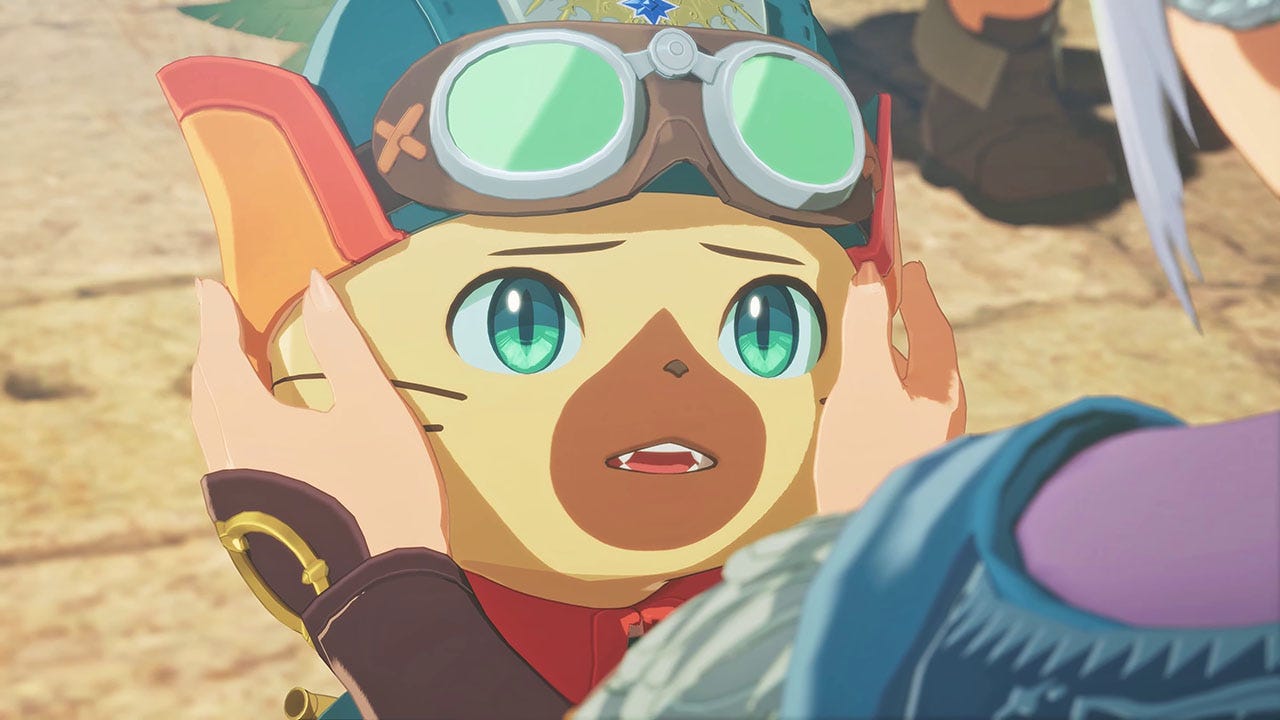
Monster Hunter Stories 3: Twisted Reflection PC Buying Guide for Canadian Gamers
Monster Hunter Stories 3: Twisted Reflection is back in the spotlight thanks to the Official Rudy Side Story Launch Trailer, which confirms that the Additional Side Story: Rudy paid DLC is out now and that the game is available on Nintendo Switch 2, PlayStation 5, Xbox Series X|S, and PC via Steam. For Canadian players, that matters for one simple reason: every new content drop can push people back into a game they were only casually following before. If you were planning to return for the Rudy side story, jump in for the first time, stream your playthrough, or capture footage for YouTube and TikTok, this is exactly when the question changes from “Is the DLC interesting?” to “What kind of system do I actually want to play this on?”
That is where this guide becomes useful. Instead of just repeating trailer details, this article turns the Monster Hunter Stories 3: Twisted Reflection news into a practical custom PC buying guide for readers in Canada. If you want smoother gameplay, stronger multitasking, faster recording and editing performance, or a more future-ready machine for upcoming RPGs and other new releases, Groovy Computers can help you choose the right build instead of guessing.
What does the Rudy Side Story launch tell PC buyers right now?
The source material makes one thing clear: Capcom is still actively supporting Monster Hunter Stories 3: Twisted Reflection with paid side story content, character-focused updates, and ongoing promotion. That usually means continued player interest, more discussion, more content creation, and more reasons to revisit the game. If you are the kind of player who likes to jump in when a game gets fresh DLC, a content revival like this can be the exact push that exposes an older weakness in your current system.
Are you still gaming on a machine that handles turn-based RPGs fine until you open Discord, OBS, Chrome tabs, and a capture app at the same time? Do you want better frame consistency, quicker load times, and enough headroom to keep your next few games from forcing another upgrade too soon? Those are the real buying questions behind a trailer launch.
Even if Monster Hunter Stories 3: Twisted Reflection is not the most demanding title in your library, it may still be the game that reminds you your current PC is not built for how you actually use it. Many Canadian buyers are not just playing one game. They are gaming, chatting, streaming, editing clips, browsing guides, recording reactions, and keeping multiple apps open at once. That broader workload is why a well-matched custom desktop matters more than a generic spec sheet.
Why does Monster Hunter Stories 3: Twisted Reflection make more sense on a custom gaming PC?
For many players, the appeal of the Monster Hunter Stories series is not just combat. It is the whole experience: creature collecting, world exploration, character-driven storytelling, and the freedom to enjoy the game at your own pace. On PC, that experience gets even better when your hardware gives you strong responsiveness, stable performance, and room to do more than just launch the game.
A custom gaming PC in Canada makes sense if you want a machine that can do all of the following:
- Run RPGs smoothly at your preferred resolution
- Load zones and save data quickly with fast SSD storage
- Handle background apps without stutter
- Support recording, streaming, or voice chat during gameplay
- Stay relevant for your next major game release, not just this one
- Give you a better upgrade path than a low-flexibility off-the-shelf system
Do you want your next PC to be built around 1080p value, 1440p longevity, or premium visual headroom for years of new releases? That decision affects your GPU tier, your CPU choice, your memory capacity, and whether you are buying a machine that still feels strong in two or three years.
What do you want your next PC to do for you?
This is the most important question in the entire buying process, and it is where many shoppers get stuck. A lot of people start by asking what game they want to play. A better question is what role they want their next PC to play in daily life.
Do you want a system mainly for turn-based RPGs, action games, and general Steam gaming? Do you also want to stream with OBS, edit videos for YouTube, handle Photoshop or Lightroom, create social media content, or do occasional Blender work? If the answer is yes, then you are not just shopping for a gaming machine. You are shopping for a system that supports your actual lifestyle and workload.
At Groovy Computers, that difference matters. A proper custom build should match your real usage, not just the minimum needed to open one title today. If your next desktop is expected to game, stream, edit, and multitask, it should be configured like a multi-purpose performance machine from day one.
What gaming PC do I need for Monster Hunter Stories 3: Twisted Reflection and similar RPGs?
If you are building around Monster Hunter Stories 3: Twisted Reflection, the ideal system depends less on this one game by itself and more on the rest of your library. Most buyers who are searching after a title like this are also thinking about broader RPG, action, and AAA performance. That is why the smartest recommendation is to choose a gaming PC for new games, not just a one-game box.
Entry-level 1080p gaming: Who is this for?
This tier is ideal if you want a budget-conscious system for smooth 1080p gameplay, lighter multitasking, and strong everyday use. It works well for players focused on RPGs, indie titles, esports, and general PC gaming without chasing maximum settings in every new release.
Ask yourself: are you mainly trying to get off an aging system without overspending? Are you playing at 1080p and more concerned with stable performance than visual bragging rights? If so, an entry-level build may be the right fit.
- Great for 1080p gaming
- Good for lighter recording and everyday multitasking
- Best for budget-focused buyers who still want quality parts and a clean upgrade path
Mid-range 1440p gaming: Is this the sweet spot?
For many Canadian buyers, yes. A 1440p gaming PC Canada shoppers can rely on is often the best balance between cost, longevity, and visual quality. This tier is excellent for players who want stronger frame rates, better visuals, and enough power to handle new releases more comfortably over time.
Do you want your next PC to feel noticeably faster not just in one game, but across your whole library? Do you want enough performance to stream casually, run a second monitor, and avoid feeling outdated too quickly? Mid-range 1440p is often where that balance lands.
- Excellent for modern RPGs and AAA gaming
- Better for multitasking, Discord, browser tabs, and recording at the same time
- A strong option if you want to avoid upgrading too soon
High-end gaming: When should you step up?
If you are shopping for ultra settings headroom, heavier content creation, stronger streaming performance, or long-term future proofing, then a premium tier build makes more sense. Even if Monster Hunter Stories 3: Twisted Reflection itself is not your most demanding title, your next wave of games might be.
Are you also interested in large open-world releases, ray tracing, 4K gaming, or demanding upcoming PC launches? Would you rather buy once at a higher tier than compromise now and replace parts earlier? That is where a premium custom build becomes the smarter long-term move.
- Best for high-refresh 1440p or 4K ambitions
- More suitable for gaming plus streaming plus editing
- Ideal for buyers who want more years of comfortable performance
Do you also want to stream, record, or create content?
Many players who get excited about game trailers also think about sharing the experience. Maybe you want to upload reactions, post side story highlights, or stream a full playthrough. That changes your build requirements quickly.
A gaming and streaming PC Canada buyers can depend on should have enough CPU and GPU headroom for gameplay plus encoding, along with enough RAM and storage for smooth background performance. If you are asking, “What PC do I need for streaming?” the answer depends on how serious you are about your setup.
If you want to game casually while recording clips, you may not need an extreme system. But if you plan to use OBS regularly, stream at high quality, keep a browser and chat open, run voice software, and maybe edit the footage later, then your system should be chosen with creator needs in mind.
- More RAM helps with multitasking and streaming stability
- A stronger GPU can help with smooth gameplay and modern encoding features
- A better CPU matters when you want more consistent performance across gaming and background tasks
- Fast SSD storage improves load times, media handling, and general responsiveness
Do you want one machine that can game, stream, and edit without feeling stretched? That is exactly where a custom build has an advantage over many generic prebuilts.
Could this game push you toward a creator PC instead of a basic gaming system?
It might. A lot of buyers start with a game in mind and then realize their next desktop needs to do much more. If your plan includes Adobe Premiere Pro, DaVinci Resolve, Photoshop, Lightroom, Illustrator, CapCut, or a broader content workflow, then a creator-focused configuration can make more sense than a pure entry-level gaming box.
A creator PC Canada customers choose for editing and design should be balanced differently from a budget gaming-only machine. That often means stronger CPUs for rendering and exports, more memory for heavier projects, carefully chosen GPUs for acceleration, and larger fast storage for footage, project files, and cache data.
Video editing buyers: What PC do you need?
If you are cutting gameplay videos, review clips, guides, or short-form content, a video editing PC Canada buyers trust should focus on timeline smoothness, export speed, and reliable multitasking.
Are you editing 1080p clips for social media, or are you moving into 4K YouTube content? Do you want fast scrubbing and cleaner exports in Premiere Pro or DaVinci Resolve? If so, you likely need more than a basic gaming spec.
- 32GB RAM is often a smart baseline for serious editing use
- Fast NVMe storage matters for footage handling and project speed
- A stronger CPU improves responsiveness in many creator workflows
- GPU acceleration becomes more important as your workload grows
Photo editing and graphic design buyers: Are you paying for the right performance?
If your work is more Photoshop, Lightroom, Illustrator, Canva, or InDesign focused, your needs are different again. A photo editing PC Canada customers choose should feel quick when working with large files, RAW libraries, layers, and batch exports. A graphic design PC Canada buyers trust should support responsive design work, multi-monitor setups, and clean workflow performance.
Do you need colour-conscious editing, lots of browser tabs, Adobe apps open together, and smooth day-to-day speed? Then memory, CPU responsiveness, and storage quality matter at least as much as chasing gaming-only specs.
3D modeling and workstation buyers: Is a gaming PC enough?
Sometimes yes, sometimes no. If you use Blender, Unreal Engine, CAD tools, or 3D rendering software, then your ideal build depends on whether your priority is viewport responsiveness, GPU rendering, CPU rendering, or all of the above. A 3D modeling PC Canada professionals use should be selected with workload-specific priorities, not broad assumptions.
What PC do you need for Blender? What PC do you need for 3D rendering? Those are good questions because they usually lead to a workstation-style answer. If your projects are serious, a custom workstation PC may save you time every day through faster renders, better multitasking, and fewer workflow slowdowns.
Why should Canadian buyers think differently about timing?
In Canada, buying a PC is not just about the game or software itself. It is also about timing, supply pressure, import costs, and replacement value. A machine that looks affordable one month can become less appealing later if the same GPU, memory kit, or storage configuration gets more expensive.
That is why smart buyers ask a different question: is it better to buy a gaming PC now or wait? The answer depends on your current machine, your budget, and your tolerance for risk. If your current system is already holding you back, waiting can mean paying more later for only a modest improvement.
Are you buying before a major game backlog catches up with you? Before another hardware demand spike? Before your software workflow gets heavier? Before your current PC forces a rushed replacement? These are real decision points, especially for buyers who want a better-configured custom system and not just whatever happens to be available at the moment.
Should you finance a stronger PC instead of settling for a weaker one?
This is one of the most practical questions Canadian shoppers can ask. If you are torn between a lower-spec build you can buy immediately and a much better system that actually fits your needs, financing can change the conversation in a smart way.
Rather than underbuying and upgrading too soon, some customers prefer to secure a stronger machine upfront. That can be especially useful if you want a desktop that handles gaming now, but also recording, editing, and heavier new releases later. Groovy Computers offers options that can help customers finance a stronger system with manageable payments, including financing up to 4 years where applicable.
Should you finance a better PC instead of buying a cheaper one? If the stronger build saves you from replacing parts early, avoids performance frustration, and gives you a better experience for years, the answer may be yes.
Would monthly flexibility help you move from basic 1080p gaming to a more capable 1440p build? Would it help you choose more RAM, a faster GPU, or a better processor now instead of wishing you had six months later? That is the kind of decision financing is supposed to support.
Which performance tier fits you best?
If you are unsure where you fit, this quick buying framework helps narrow it down.
Choose a value-focused gaming build if:
- You mainly want 1080p gaming
- You are coming from an older or very limited system
- You play RPGs, esports, and mixed everyday games
- You want a budget-friendly starting point with future upgrade room
Choose a balanced mid-tier build if:
- You want stronger 1440p gaming performance
- You keep multiple apps open while gaming
- You may stream, record, or create content occasionally
- You want better longevity and a more comfortable all-around experience
Choose a premium gaming or creator build if:
- You want high-refresh 1440p or 4K headroom
- You stream regularly or edit video often
- You want heavier multitasking and long-term value
- You are trying to avoid major upgrades in the near future
Choose a workstation-focused system if:
- You use Blender, Unreal Engine, CAD, rendering, or professional software
- You care about render times, heavy projects, and productivity gains
- You need more than gaming performance alone
- You want a machine built around work output, not just entertainment
Still asking yourself, “What gaming PC do I need?” or “What PC specs do I need for my mix of gaming and creator work?” That is exactly the point where a custom PC builder becomes more useful than a generic product list.
Why custom builds matter more when you want to avoid upgrading too soon
One of the biggest mistakes buyers make is choosing a machine built for today only. If the system is already close to its limits when you buy it, every new game, software update, and bigger project pushes it closer to replacement.
A custom gaming PC or creator desktop should be built with balance in mind. That means not overpaying in the wrong place and not underbuying in the areas that actually affect your experience. Too little RAM, weak storage choices, poor airflow, or an underpowered CPU can turn a “good deal” into a short-lived compromise.
Do you want a PC that still feels good after your current game obsession changes? Do you want enough headroom for your next RPG, the next creator app update, or the next jump in editing workload? Future-proofing is not about buying the most expensive system possible. It is about buying intelligently so the machine remains useful longer.
Why Groovy Computers is a strong fit for Canadian buyers
Groovy Computers is built around what many Canadian shoppers actually need: custom gaming PCs, creator systems, and workstation builds that are selected for real-world use instead of broad marketing claims. That matters whether you are buying in Nova Scotia, Atlantic Canada, or ordering from elsewhere in the country.
When you buy from Groovy Computers, you are not just chasing parts. You are choosing a system built with compatibility, cooling, workload matching, and reliability in mind. That includes rigorous testing and the added confidence of a 1-year warranty, which matters even more when you are investing in a machine you expect to keep for years.
Are you comparing custom PC vs prebuilt PC options in Canada? One of the biggest advantages of going custom is knowing the system is designed around your goals. If you need a gaming PC for new games, a streaming and editing setup, or a workstation for 3D and productivity tasks, that build logic matters.
For customers who want a more personal buying experience, Groovy Computers also gives you a better path to ask the right questions before you commit. Instead of guessing which category you fit into, you can narrow your decision based on what you actually play, create, edit, or render.
What questions should you ask before buying your next PC?
Before you buy, ask yourself the following:
- What games am I playing now, and what games do I expect to play next?
- Am I targeting 1080p, 1440p, or 4K?
- Do I care about ultra settings, high FPS, or just smooth stable gameplay?
- Will I stream with OBS or record gameplay while I play?
- Will I edit video, photos, or design content on the same machine?
- Do I need a system that can grow with me instead of forcing an early upgrade?
- Would financing a stronger build make more sense than settling now?
- Do I want help choosing between a budget gaming computer, a premium RTX gaming PC, a creator desktop, or a workstation build?
If those questions feel harder than they should, that is a sign you should not be choosing alone from a random list of mass-market systems.
Ready for Monster Hunter Stories 3: Twisted Reflection and whatever comes next?
The Rudy side story launch is a timely reminder that games do not stand still, and neither do the demands we place on our PCs. Today it might be Monster Hunter Stories 3: Twisted Reflection. Tomorrow it might be a bigger RPG, a streaming project, a 4K editing workflow, or a full creator setup that needs far more performance than your current machine can comfortably deliver.
If you want a custom gaming PC Canada buyers can trust for current games, future releases, and broader content creation needs, now is the right time to think beyond one trailer and one title. Think about what you want your next system to do over the next several years.
Do you want help choosing the right tier, deciding whether to step up for 1440p or creator performance, or figuring out whether financing a stronger build makes more sense than replacing a weaker one later? Visit GroovyComputers.ca to explore custom builds, ask questions, and get a system matched to the way you actually game, create, and work.
#MonsterHunterStories3 #TwistedReflection #GamingPCCanada #CustomGamingPCCanada #CreatorPCCanada #VideoEditingPCCanada #StreamingPCCanada #CanadianCustomPCBuilders #NovaScotiaTech #GroovyComputers
Groovy Computers | All Rights Reserved


Leave a comment
This site is protected by hCaptcha and the hCaptcha Privacy Policy and Terms of Service apply.