






















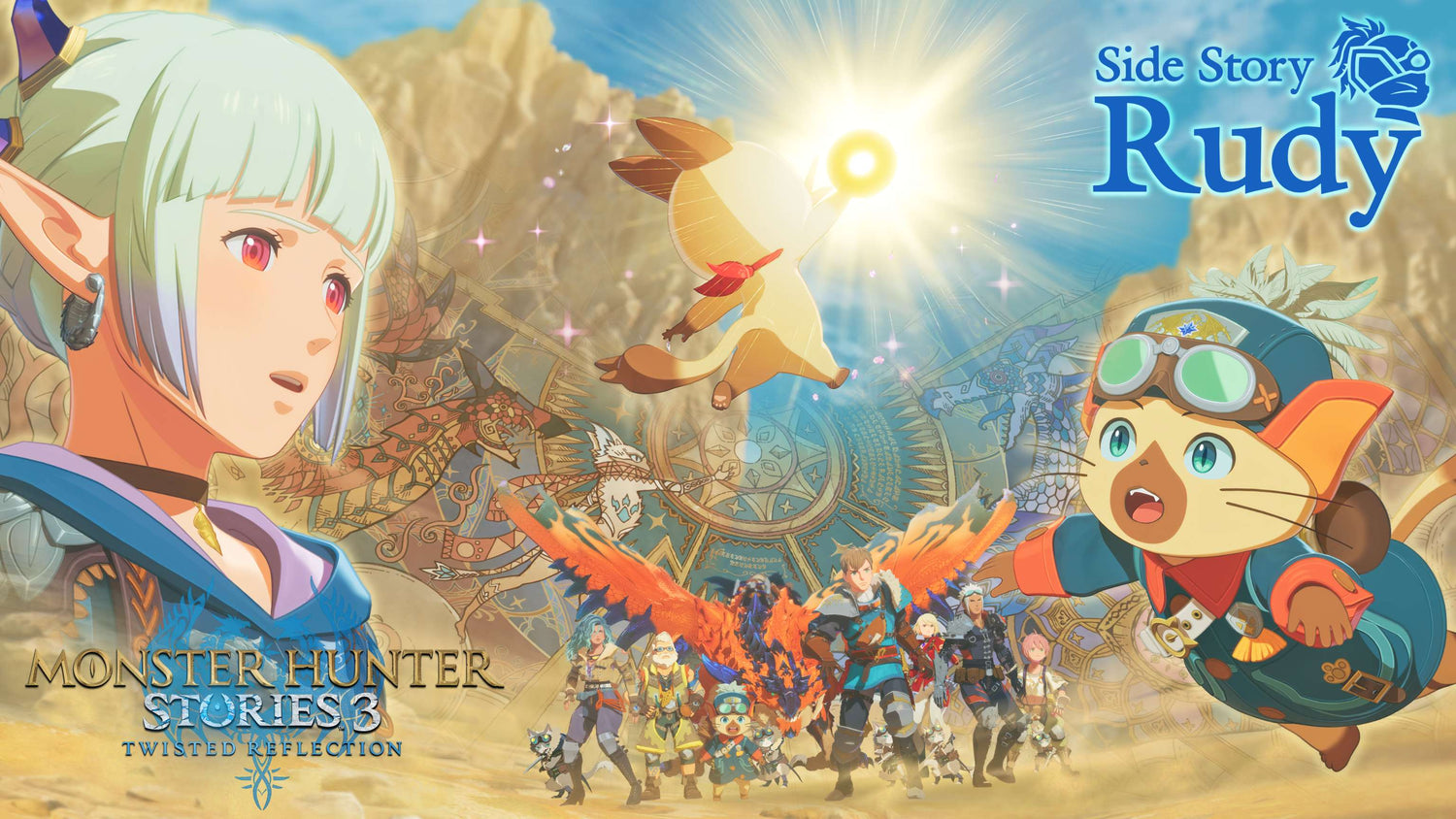
Monster Hunter Stories 3 Update 1.001: What the Rudy Side Story Means for Your Next Gaming PC in Canada
The Monster Hunter Stories 3 update 1.001 brings more than a simple patch note headline. Capcom has added free content in the form of Side Story: Rudy, along with powerful Royal Monsters, giving players one more reason to jump back in, continue the main adventure, or finally make room in their gaming schedule for a fresh RPG grind. For Canadian players, this kind of update matters because every major content drop changes how long a game stays active, how much value you expect from your hardware, and whether your current system is really ready for the next wave of releases.
That is the bigger buying question, isn’t it? If a game you care about keeps getting new content, free updates, and post-launch support, are you still trying to play it on an aging system that struggles with load times, inconsistent frame rates, limited storage, or weak multitasking?
At Groovy Computers, we look at gaming news like this through a practical lens. A new update is not just news. It is a signal. It tells buyers that game libraries are growing, post-launch support is extending the lifespan of new titles, and the pressure to own a faster, more reliable desktop is increasing. Whether you want a budget gaming setup, a stronger 1440p machine, a premium RTX-powered build, or a content creation PC that can game and edit at the same time, this is exactly the moment to ask what your next system should really do for you.
What did Monster Hunter Stories 3 update 1.001 add?
Based on the source material provided, update 1.001 for Monster Hunter Stories 3: Twisted Reflection adds a new free Side Story called Rudy. The update also introduces powerful Royal Monsters. The new story content centers on Rudy, whose family has long served the Azurian Royal Palicoes. During an expedition focused on mysterious egg quartz, Rudy makes a discovery that launches a new adventure.
The source also notes several practical details players should know:
- The Side Story unlocks after completing the first half of the main story.
- It is included with the Deluxe Kit.
- It requires the full version of the game and the latest update, where applicable.
- Installation requires approximately 1 GB of free storage space.
- Removing or refunding the DLC after creating a save file with it installed can make those save files unusable.
On the surface, that sounds straightforward. But if you play a lot of modern games, you already know the pattern. One update turns into another. Story add-ons become event cycles. Save files grow. Install sizes expand. Background launchers stack up. Suddenly, the issue is no longer whether a patch is only about 1 GB. The issue becomes whether your overall system still feels fast, responsive, and dependable.
Why does the Monster Hunter Stories 3 update 1.001 matter for PC buyers in Canada?
Because modern gaming is no longer a one-time purchase followed by a static experience. Games evolve. They receive patches, live support, free content, paid expansions, and performance changes over time. If you are buying a desktop in Canada today, you are not just buying for one install. You are buying for the next year or more of updates, launcher overhead, storage growth, and whatever else lands in your backlog.
Ask yourself a simple question: Are you buying a PC for one game, or for the way you actually use your PC every week?
If you mainly play RPGs, open-world games, action titles, co-op releases, and upcoming AAA launches, your needs are different from someone who only plays esports titles. If you also stream to friends, capture gameplay, clip footage, or edit videos for YouTube, TikTok, or school projects, your needs increase again. That is why a custom desktop matters. The right build is not just about today’s patch. It is about avoiding regret six months from now.
For Canadian buyers, the timing question is especially important. Hardware markets can shift. GPU demand can tighten. Memory and SSD pricing can fluctuate. Buying too weak a system often means paying twice: once now for a machine you outgrow quickly, and again later for upgrades you wish you had built in from the start.
What do you want your next PC to do for you?
Before choosing a performance tier, this is the question that matters most. Do you want your next desktop to simply run games? Or do you want it to give you headroom?
Do you want smooth 1080p gameplay in story-driven games and multiplayer releases? Are you aiming for 1440p because you want sharper visuals and longer-term value? Are you interested in 4K, higher settings, ray tracing, and a premium experience that feels genuinely next generation? Do you plan to stream, record, edit, design, render, or multitask while gaming?
Many buyers start with one goal and realize they actually need a more flexible system. Maybe you are currently focused on Monster Hunter Stories 3, but what happens when the next major release arrives? What if you decide to stream your playthroughs? What if you want to run OBS, Discord, browser tabs, and a game at once without your system feeling stretched?
This is where Groovy Computers helps buyers make smarter choices. A custom system should match your real habits, not just your current impulse purchase.
If you are playing games like Monster Hunter Stories 3, what performance tier makes sense?
Not every player needs the same class of machine. The right answer depends on resolution, refresh rate, multitasking habits, and how future-proof you want your desktop to be.
Entry-level and value-focused gaming desktops
If your goal is straightforward 1080p gaming, strong responsiveness, fast boot times, and a better overall experience than an older office PC or aging budget system, an entry-to-midrange gaming desktop can make a lot of sense. This is the tier for players asking, How much should I spend on a gaming PC if I just want to enjoy new games comfortably?
This type of build is often ideal if you:
- Play mostly at 1080p
- Want smooth performance in modern games
- Need faster storage for growing game installs
- Want better cooling and upgrade potential
- Are buying your first real gaming desktop in Canada
If your current setup is slow, noisy, or full of compromises, even a properly configured value system can feel like a major quality-of-life upgrade.
Balanced 1440p gaming PCs for longer-term value
For many buyers, the sweet spot is 1440p. Why? Because it often delivers a great mix of image quality, smooth gameplay, and stronger long-term relevance. If you are the kind of player who wants modern games to look good for years instead of months, this is usually the range worth considering.
Are you wondering, What PC do I need for 1440p gaming? In most cases, you should be looking at a modern multi-core CPU, a solid mid-to-upper-tier GPU, fast SSD storage, and enough RAM to keep game performance and background apps from fighting each other.
This is also the ideal range for buyers who know they may eventually stream, record, or edit clips. It creates breathing room.
Premium RTX gaming PCs for high settings, ray tracing, and next-gen readiness
Some buyers already know they do not want to settle. They want ultra settings, stronger minimum frame rates, better ray tracing performance, and a machine that can handle newer, heavier games with less compromise over time. If that is you, then a premium gaming desktop is not excess. It is strategy.
Should you buy a stronger system now instead of replacing a weaker one sooner? In many cases, yes. A high-end build often gives you more lifespan, more visual flexibility, and more freedom to jump into whatever launch is next without second-guessing your hardware every time a game updates.
This tier is ideal if you:
- Game at 1440p high refresh or 4K
- Care about ray tracing and image quality
- Want your PC to remain relevant longer
- Play a mix of RPGs, open-world titles, and new AAA games
- Prefer to buy once and buy properly
Are you only gaming, or do you also stream, edit, and create content?
One of the biggest mistakes buyers make is choosing a system only for gaming, then trying to force it into creator work later. If you are clipping gameplay, uploading reviews, editing montages, posting short-form videos, or experimenting with streaming, your PC needs change quickly.
Do you want to run a game, OBS, Discord, browser tabs, and music all at once? Do you want to edit 1080p or 4K footage after your session? Do you use Photoshop, Lightroom, Illustrator, Premiere Pro, DaVinci Resolve, Blender, or other creative software between gaming sessions?
If yes, then you may need more than a standard gaming configuration. You may need a system that bridges gaming and content creation properly.
When a gaming and creator PC makes more sense
A balanced gaming and creator desktop is a smart fit for users who do more than one thing. This type of build works well for people who game at night, edit during the day, and want reliable performance in both. It is especially useful for students, streamers, aspiring creators, and professionals who need one desktop to do everything.
You may be in this category if you are asking questions like:
- Is a gaming PC good for video editing?
- What PC do content creators need?
- How much RAM do I need for video editing?
- What PC do I need for streaming and editing?
At that point, CPU core count, GPU acceleration, RAM capacity, SSD layout, and cooling matter more. A proper custom build can save you time every single day through better exports, smoother timelines, more stable multitasking, and fewer bottlenecks.
What if you need a real workstation instead?
Some readers are not just gaming. They are doing serious production work. If you use Blender, Unreal Engine, Adobe Creative Cloud, CAD tools, rendering software, or heavy multi-app workflows, your best choice may be a workstation-class build instead of a standard gaming machine.
Ask yourself honestly: Are you buying for fun, for work, or for both?
If the answer includes paid client work, large project files, rendering, or mission-critical reliability, then a custom workstation becomes easier to justify. A faster machine does not just feel better. It can help you finish work sooner, take on more demanding tasks, and avoid the frustration of slow renders or laggy previews.
Why storage, updates, and save-file reliability matter more than people think
The source article mentions roughly 1 GB of storage for the Rudy content. That may not sound like much, but experienced players know that install management is rarely about one patch. It is cumulative. Between base game installs, updates, expansion content, shader caches, recordings, screenshots, mods in other games, and general Windows use, storage pressure builds fast.
How often do you delete games just to make room for the next one? How often does your system feel slower because the drive is too full? How often do you delay updates because you are worried about space or system behaviour?
A properly configured gaming desktop should not force you into constant storage triage. Fast SSD capacity matters. So does clean build planning. Groovy Computers can help Canadian buyers choose a desktop that leaves room for the way games actually grow over time.
And there is another point here: save-file risk. The source warns that uninstalling or refunding the DLC after creating a save with it installed can make those saves unusable. That is not a hardware issue directly, but it is part of the broader lesson. Modern PC gaming is interconnected. Stable systems, organized storage, and smart install habits matter. A better desktop supports that whole experience.
Should you buy now or wait for your next gaming PC?
This is one of the most common buyer questions in Canada, and it is a fair one. But it is usually asked too broadly. The better question is this: What are you waiting for, exactly?
If your current PC is already limiting your experience, waiting often means spending more time frustrated while hoping market conditions improve. Sometimes they do. Sometimes they do not. GPU availability can shift. RAM and SSD pricing can move. New game releases can increase demand. Software gets heavier, not lighter.
If you are planning around a specific release window, school term, content schedule, or work project, waiting can also have a real opportunity cost. A stronger system now may mean more months of better gameplay, faster work, and less stress.
Are you trying to avoid upgrading too soon? Then buying the right tier the first time becomes even more important. Going too cheap can create a false savings. Choosing a better-balanced system with room to grow is often the smarter move.
Could financing help you secure a stronger build before prices change?
For many buyers, the real decision is not whether they need a better PC. It is whether they should stretch for the right one now or settle for less. That is where financing can become practical, not impulsive.
If a stronger desktop lets you game at a higher level for longer, avoid an early upgrade, improve your workflow, and reduce replacement pressure, then monthly payments can make a lot of sense. This is especially true for buyers who want a more capable GPU, more RAM, or a better CPU now instead of buying a weaker machine they outgrow quickly.
Would financing a stronger system today save you from replacing parts sooner? Would it help you move from a “just enough” desktop to a build you will still be happy with after the next wave of games lands?
Groovy Computers helps Canadian buyers think through that tradeoff carefully. If you need a custom gaming desktop, creator PC, or workstation and want a realistic path to a better-performing system, it may be worth exploring financing options rather than compromising on the wrong build.
What gaming PC tier fits your needs best?
If you are unsure where you fit, this quick breakdown can help.
Choose a value-focused gaming PC if:
- You mainly want 1080p gaming
- You play lighter or moderately demanding titles
- You want a major upgrade from an older basic PC
- Your priority is affordability with clean upgrade potential
Choose a midrange gaming PC if:
- You want stronger 1080p or solid 1440p performance
- You play a mix of story-driven and AAA games
- You want better long-term value
- You may stream, multitask, or edit occasionally
Choose a premium gaming PC if:
- You want 1440p high refresh or 4K gaming
- You care about ray tracing and visual quality
- You want stronger future-proofing
- You prefer not to think about upgrading again too soon
Choose a creator or workstation PC if:
- You edit video or photos regularly
- You use Adobe apps, DaVinci Resolve, or Blender
- You stream and create content as part of your workflow
- You need reliable performance for professional or school use
If you are still asking, What gaming PC do I need? the most useful answer is the one tied to your display resolution, favourite games, multitasking habits, and how long you want the system to stay comfortable to use.
Why custom builds matter more when game libraries and workloads keep expanding
Off-the-shelf systems often look simple, but they are not always built around your actual needs. Some overspend on one component and cut corners on another. Some use weak cooling. Some limit upgrade paths. Some look good in a spec summary but feel less impressive in daily use.
A custom build gives you better control over where your budget goes. That matters whether you are targeting smoother gaming, stronger creator performance, or a more balanced machine overall.
Would you rather own a desktop chosen around your games, your workflow, your storage needs, and your future plans? Or would you rather hope a generic configuration happens to fit?
Groovy Computers focuses on custom PCs built for real use cases in Canada. That includes gaming desktops, creator systems, and workstation builds that are properly planned, rigorously tested, and backed by a 1-year warranty. That kind of confidence matters when you are spending serious money on a machine you expect to rely on.
Why Groovy Computers is a smart choice for Canadian gamers and creators
Canadian buyers have specific concerns. They want clear value, trusted support, reliable shipping, smart part selection, and a system that does not feel disposable. They want to know that someone actually thought about airflow, compatibility, stability, and long-term usability before the PC ever reached their desk.
That is why Groovy Computers stands out. Instead of treating every customer like they need the same machine, Groovy helps buyers match the right custom build to the right outcome. Maybe that is a budget-friendly gaming PC with solid 1080p performance. Maybe it is a premium RTX desktop for higher-end gaming. Maybe it is a creator-focused machine for streaming, editing, and productivity. Maybe it is a serious workstation for rendering and professional work.
The point is not to upsell blindly. The point is to help you buy correctly.
Do you want a desktop that is stress-tested, thoughtfully configured, and built by a Canadian company that understands how quickly gaming and creator demands change? That is the difference a custom PC builder can make.
From game update news to buying decisions: what should you do next?
The Monster Hunter Stories 3 update 1.001 is a reminder that modern games keep evolving after launch. Free content, new monsters, expanded storylines, and continued support all add value for players, but they also add pressure on aging hardware, crowded storage, and underpowered systems.
If this update got you thinking about jumping back in, ask the next logical question. Is your current PC ready not just for this game, but for the rest of your library and the releases still coming?
Are you aiming for smoother gaming at 1080p or 1440p? Do you want a system that can also stream and edit? Are you trying to buy before another round of hardware pricing pressure makes the same class of build more expensive? Would a better custom desktop now save you from a second purchase later?
If you want help choosing the right system, visit GroovyComputers.ca. Whether you need a gaming desktop, creator PC, or workstation build, Groovy Computers can help you find the right performance tier for your budget, goals, and timeline in Canada.
When a game update pushes you to think about your setup, that is usually a sign. Listen to it. A smarter PC choice now can mean better gaming, better productivity, and fewer compromises for years to come.
#MonsterHunterStories3 #MonsterHunterStories3Update1001 #GamingPCCanada #CustomGamingPCCanada #CanadianPCBuilder #GamingDesktopCanada #1440pGamingPC #CreatorPCCanada #WorkstationPCCanada #GroovyComputers
Groovy Computers | All Rights Reserved


Leave a comment
This site is protected by hCaptcha and the hCaptcha Privacy Policy and Terms of Service apply.