






















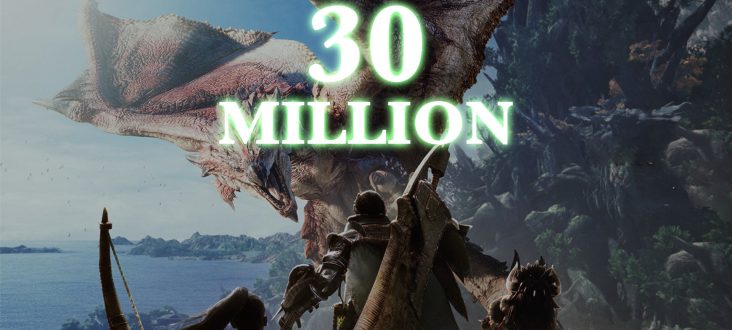
Monster Hunter World at 30 Million: What This Means for Your Next Gaming PC in Canada
Monster Hunter World reaching more than 30 million units sold is not just a big milestone for Capcom. It is a reminder of how powerful long-tail PC gaming can be when a title keeps attracting players years after release. For Canadian buyers, that matters more than it may seem at first glance. A game with this kind of staying power does not just drive interest in one title. It pushes players to ask a bigger question: what kind of system should I buy if I want to enjoy massive action RPGs, future AAA releases, high refresh gameplay, streaming, modding, and content creation without replacing my PC too soon?
The source story highlights a clear trend. Monster Hunter World has become Capcom’s biggest seller by a huge margin, while Monster Hunter Rise remains another major success and Monster Hunter Wilds continues to attract attention despite a more mixed reception. That tells us something important about player behaviour. Gamers do not just chase the newest launch. They invest in ecosystems, franchises, communities, and games that reward long sessions, co-op play, visual immersion, and smooth performance. If that sounds like how you play, then your next desktop should be chosen with more care than a generic off-the-shelf machine usually gets.
At Groovy Computers, this is exactly where a custom approach matters. If you are shopping for a Gaming PC Canada buyers can trust, the real goal is not simply “can it run one game today?” The better question is: can it handle the types of games you actually spend time in, at the resolution and settings you want, with enough headroom for what comes next?
Why does Monster Hunter World’s success still matter to PC buyers now?
A game does not cross 30 million units by accident. Monster Hunter World succeeded because it offered spectacle, social play, progression, replayability, and broad appeal. Those same qualities also tend to define the kinds of games that push people toward stronger hardware. Large environments, particle-heavy combat, busy encounters, frequent updates, online co-op, and visual effects all benefit from a properly balanced CPU, GPU, memory configuration, and cooling setup.
So what happens when one major franchise proves that older games can remain relevant for years? Buyers start thinking differently. Instead of choosing the cheapest system that barely clears minimum requirements, they start looking for a PC that will still feel good six months, two years, or even four years later.
Are you planning to revisit older favourites while also preparing for newer open-world and graphically demanding releases? Do you want smooth 1080p gameplay today but expect to move into 1440p later? Do you care about stable frame rates during hectic co-op fights, or are you satisfied with simply launching the game? Those are the questions that separate a short-term purchase from a smarter long-term one.
What the sales milestone tells us about the market for gaming PCs
When a title like Monster Hunter World keeps selling, it extends the life of performance expectations around the genre. Players see detailed monsters, large maps, atmospheric effects, and cinematic battles, then naturally compare that experience across hardware. Once you have seen a game running smoothly on a strong desktop with fast load times and high settings, it becomes much harder to enjoy compromises like stutter, weak frame pacing, low texture quality, or cramped storage.
This is where many buyers in Canada get stuck. They know they want a better gaming setup, but they are unsure whether they need a budget gaming system, a higher-tier RTX build, or a machine that can also handle streaming and creator work. They may also wonder whether it is better to buy now or wait.
That hesitation is understandable. GPU pricing pressure, memory cost shifts, storage demand, software updates, and new game releases can all change the value equation quickly. Waiting for the “perfect” time can leave you paying more later or settling for weaker performance when the games you want to play are already here.
What do you want your next PC to do for you?
Before thinking about specs, think about outcomes. Do you want your next desktop to run action RPGs at high settings without fuss? Are you building around 1080p esports and occasional AAA gaming? Do you want a 1440p setup that feels sharp, fast, and more future-ready? Are you aiming for 4K visual quality, ray tracing, and premium image fidelity?
Maybe gaming is only part of the picture. Do you also want to stream to Twitch or YouTube while playing? Will you edit clips in Premiere Pro, cut reels in CapCut, or render videos in DaVinci Resolve? Are you a student who needs one system for gaming, schoolwork, and creative projects? Are you a creator who wants one machine that can handle OBS, Photoshop, Lightroom, and a game at the same time?
Or are you not really a gamer first at all? Maybe a franchise like Monster Hunter just reminded you that the software you enjoy keeps getting bigger, heavier, and more demanding, and now you need a machine that can also support graphic design, photo editing, 3D modeling, or workstation tasks. In that case, the right system may not simply be a “gaming PC.” It may be a better-balanced creator or workstation build.
What PC do you need for games like Monster Hunter World, Rise, and newer AAA releases?
If you enjoy large action games, open-world titles, co-op releases, and visually rich RPGs, your hardware should be selected around the experience you want rather than just the game logo on the box. A strong custom desktop can make older games feel refreshed and newer games feel far more playable over the long term.
Entry-level buyers: is 1080p enough for you?
If you mainly want solid 1080p gaming, good image quality, and dependable performance in current games, an entry-level to lower-midrange gaming PC may be the right fit. This is often ideal for first-time buyers, students, casual players, and anyone moving up from a console or aging laptop.
Ask yourself: are you happy with high settings at 1080p, or are you already hoping for 1440p within the next year? If you buy too close to the minimum now, will you feel forced to upgrade again sooner than expected?
A balanced 1080p build works best when it includes enough GPU power to avoid immediate buyer’s remorse, enough CPU headroom for modern game engines, and enough storage for large install sizes. Many newer games are not small. Once you add Windows, launchers, updates, and a few major titles, entry storage can fill quickly.
Midrange buyers: is 1440p your real target?
For many gamers, 1440p is the sweet spot. It delivers a clearer image than 1080p, pairs beautifully with high refresh monitors, and makes cinematic games look much more impressive without the cost jump associated with full 4K setups. If you are the kind of player who notices image clarity, texture sharpness, smoother frame rates, and better visual settings, this tier often offers the strongest value.
Are you buying a system for one game, or are you buying a system for the next few years of major releases? If your answer is the second one, a 1440p-focused build is often the more sensible place to invest.
This is also the range where a lot of buyers start asking whether they should stretch their budget slightly to avoid upgrading too soon. In many cases, the answer is yes. A stronger midrange configuration can give you a better ownership experience than a bargain system that feels outdated too fast.
Premium buyers: do you want 4K, ray tracing, and long-term headroom?
If you are chasing ultra settings, large high-resolution displays, premium visual features, and stronger long-term relevance, then a high-end gaming desktop makes sense. This is where advanced RTX-class graphics, more cooling overhead, stronger processors, and larger SSD capacities become important.
Do you want your machine to handle graphically demanding games today while still feeling premium when the next wave of AAA releases lands? Do you care about ray tracing, frame generation technologies, or high refresh 4K gaming? If so, buying too low can be a false economy.
A premium build is not for everyone, but for some buyers it is the cheapest option in the long run because it delays obsolescence and reduces the need for near-term upgrades.
Do you only game, or do you also stream, edit, and create?
One of the biggest mistakes buyers make is purchasing a gaming system based only on gaming performance, then discovering they also want to stream, record gameplay, edit footage, design thumbnails, or multitask heavily. If that sounds familiar, you may not need just a gaming PC. You may need a more flexible custom build.
What if you want to stream your hunts and gameplay?
If you plan to stream boss fights, co-op sessions, or long progression grinds, then your system needs more than raw gaming speed. Streaming adds overhead. OBS scenes, browser sources, voice chat, capture, background apps, and recording can all eat into system resources.
What PC do you need for streaming if you also want smooth gameplay? Usually, you want a system with a good balance between gaming GPU performance, CPU multitasking capability, cooling stability, and enough RAM to avoid slowdowns during longer sessions. A gaming and streaming PC Canada buyers can depend on should feel stable under real use, not just in short benchmark bursts.
If you stream even occasionally, it is worth thinking ahead. Will you be happy buying a gaming-only machine now if you expect to start creating content later this year?
What if you want to edit clips, videos, and social content too?
Many players now want a PC that does more than run games. They want to cut highlight videos, render shorts, design overlays, manage photos, and publish across multiple platforms. That changes the build logic.
If your workflow includes Premiere Pro, DaVinci Resolve, Photoshop, Lightroom, Illustrator, or other Adobe Creative Cloud apps, a stronger CPU, more RAM, fast SSD storage, and the right GPU acceleration become far more important. A Creator PC Canada customers choose for mixed use should not feel bottlenecked the moment a timeline gets heavier or multiple creative apps are open.
Are you editing 1080p clips for social media, or are you working with 4K footage and layered effects? Are you batch exporting photos? Are you rendering motion graphics? The answer changes the system you should buy.
What if your work goes beyond content creation into 3D or professional workloads?
Some readers may land on this topic because game news often overlaps with the same hardware conversations that affect Blender users, Unreal Engine creators, CAD users, and workstation buyers. If you work in 3D modeling, rendering, product visualization, or technical software, then your system may need a workstation-first approach.
What PC do you need for Blender, Unreal Engine, or heavier rendering tasks? Usually, more RAM, stronger sustained cooling, project-friendly storage, and carefully chosen CPU/GPU balance matter much more than generic gaming labels. In those cases, a custom workstation from Groovy Computers can make more sense than a standard gaming-focused spec sheet.
How do you decide which performance tier fits you?
If you are unsure where you fit, this simple framework can help.
- Choose entry-level gaming if you want dependable 1080p performance, mostly play lighter or older titles, and need to keep the budget under control.
- Choose midrange gaming if you want stronger 1080p longevity or a very good 1440p experience across a wider range of current and upcoming games.
- Choose premium gaming if you want 1440p at very high settings for years, or you are moving into 4K, ray tracing, and visually demanding AAA titles.
- Choose a gaming and creator system if you also stream, record, edit, design, or multitask heavily.
- Choose a workstation build if your main workloads include rendering, 3D modeling, CAD, professional production, or heavy productivity demands.
Still not sure? Ask yourself what would frustrate you more: spending a little more now, or realizing in six months that your new PC is already struggling with the way you actually use it?
Why Canadian buyers should think carefully about timing
In Canada, system pricing is shaped by more than just one sale or product launch. Exchange rates, shipping costs, component availability, demand spikes around major game releases, and broader market volatility can all affect what a system costs to replace. That means the “I’ll wait a bit longer” strategy does not always save money.
If a major title, graphics card launch, seasonal shopping wave, or creator software upgrade increases demand, stronger components can become harder to source or more expensive to buy. That pressure does not just affect individual GPUs. It can ripple into full-system pricing through motherboards, memory, power supplies, cooling, and SSDs.
Are you buying before a game you have been waiting for launches? Are you trying to secure a better machine before back-to-school demand, holiday demand, or another hardware cycle shift? If yes, timing matters more than many buyers realize.
Is it better to buy now or wait?
This is one of the most common questions in the custom PC market, and the honest answer depends on your current system, your workload, and your tolerance for waiting. But there is a practical rule that helps: if your current PC is already holding back the games you play or the work you do, delaying the purchase often costs more in lost experience than it saves in theory.
If your old system struggles with frame drops, long load times, noisy thermals, limited storage, weak multitasking, or poor performance in editing and streaming, then waiting may simply mean living with those problems longer. And if the market moves against you, you may end up paying more for a similar or worse result later.
Is now a good time to buy a gaming PC? For many buyers, yes, especially if the goal is to lock in a system that genuinely matches how they use it instead of settling for the cheapest short-term option.
Should you finance a stronger PC instead of buying a weaker one?
For many customers, this is the real decision. Not whether to buy a PC, but whether to settle for an underpowered one because of the upfront price. Financing can be a practical tool when it helps you move from “barely enough” to “actually right for your needs.”
If financing lets you get the GPU tier, RAM capacity, CPU class, or storage size that will keep your system relevant longer, it can be the smarter choice. That is especially true if you are gaming regularly, streaming, editing, creating content, or using the machine for school or work as well.
Would a better system save you from needing another upgrade too soon? Would monthly payments make it easier to secure the right build before replacement costs rise? Would you rather buy once properly than compromise twice?
Groovy Computers can help Canadian buyers explore options, including financing up to 4 years where appropriate, so you can aim for the machine you actually need rather than the one that only fits the smallest immediate budget.
Why custom builds matter more than generic prebuilts
When a major franchise proves the long-term value of PC gaming, it highlights the weakness of many generic systems. A spec list can look acceptable on paper while still cutting corners in cooling, power delivery, component quality, storage planning, upgrade path, or case airflow. That is where custom PC building makes a real difference.
A proper custom build is about balance. It is about matching the CPU to the GPU, the memory capacity to the workload, the SSD to the install and project size, and the power supply to long-term reliability. It is also about testing. A PC that looks great in a listing but is not properly stress-tested can become a headache fast.
At Groovy Computers, buyers are not just choosing a tower. They are choosing a better fit for how they actually game, stream, create, and work. That includes rigorous testing, practical component matching, and a 1-year warranty for added confidence.
What should you ask before choosing your next PC?
Before you buy, ask yourself a few direct questions.
- What games do I really play? Is your library mostly esports, or are you drawn to large AAA titles with bigger performance demands?
- What resolution do I want? Are you staying at 1080p, moving to 1440p, or planning for 4K?
- Do I care about ray tracing and visual quality? Or is raw frame rate your priority?
- Will I stream, record, or edit content? If yes, a gaming-only build may not be enough.
- How much storage will I actually need? Modern games and creator files add up quickly.
- Do I want a system that lasts? Or am I okay with upgrading again sooner?
- Would financing help me buy more intelligently? A slightly stronger system now can be better value than a replacement later.
- Do I want expert help? If you are unsure, working with a custom builder can reduce costly guesswork.
Why this matters for buyers in Canada
Canadian shoppers often face a more complicated buying environment than larger U.S. markets. Shipping, availability, replacement costs, and exchange-driven pricing pressure all make it more important to choose correctly the first time. That is one reason so many customers prefer a trusted Canadian custom builder over gambling on a random marketplace listing.
Whether you are in Nova Scotia, Atlantic Canada, or ordering from elsewhere in the country, the value of a properly built and supported desktop is not just in raw specs. It is in confidence. Confidence that the parts make sense together. Confidence that the machine is tested. Confidence that the warranty support is real. Confidence that the system was built for the tasks you actually care about.
Need a budget gaming computer, premium RTX system, creator PC, or workstation?
If Monster Hunter World’s milestone has you thinking about finally upgrading, then the next step is not guessing. It is narrowing down the right category.
- Budget gaming computer: Best for 1080p players, first-time buyers, and shoppers who want value without wasting money on the wrong parts.
- Premium RTX gaming PC: Best for 1440p high refresh, 4K ambitions, stronger visual settings, and longer-term gaming confidence.
- Custom creator PC: Best for buyers who game but also stream, edit, design, and produce content regularly.
- Editing workstation: Best for heavy video workflows, large timelines, effects work, and faster exports.
- 3D modeling workstation: Best for Blender, Unreal Engine, rendering, and professional project workloads.
Which one sounds most like you? And if your answer is “a bit of several,” that is exactly why a custom solution is often the better path.
Why Groovy Computers is a strong fit for your next build
Groovy Computers is built around the needs of customers who want more than a one-size-fits-all desktop. If you need help choosing between a gaming machine, a streaming setup, a creator desktop, or a workstation, the goal is to guide you toward the right level of performance without overspending in the wrong places.
That means practical recommendations, custom PC building expertise, rigorous testing, and a 1-year warranty that adds peace of mind. It also means understanding real Canadian buying concerns: budget pressure, timing concerns, software demands, gaming expectations, and the need to avoid upgrading too soon.
If you are asking yourself what gaming PC you need, whether a stronger system is worth it, or whether financing could help you lock in a better build before prices shift, Groovy Computers is the right place to start.
Ready to choose a better system for the games and work you actually care about?
Do you want a desktop that can handle today’s big games, tomorrow’s heavier releases, and your real-world tasks without compromise? Do you want help deciding between entry-level value, 1440p performance, 4K headroom, creator power, or workstation capability? Visit GroovyComputers.ca to explore custom options, get guidance, and move toward a build that fits your needs now and stays relevant longer.
Final thoughts: Monster Hunter World’s 30 million sales are a reminder to buy for longevity, not just launch day
Monster Hunter World reaching 30 million units sold shows how long a great game can matter. For PC buyers, that should be a signal. The best gaming desktop is not just the one that launches a game today. It is the one that keeps delivering the experience you want across the life of the games, software, and creative work you care about. If you want a smarter path to your next system in Canada, whether that means a gaming PC, creator PC, or workstation, Groovy Computers can help you choose with confidence.
#MonsterHunterWorld #GamingPCCanada #GamingPCBuyingGuideCanada #CustomPCBuilderCanada #CreatorPCCanada #1440pGamingPCCanada #4KGamingPCanada #StreamingPCCanada #VideoEditingPCCanada #WorkstationPCCanada #NovaScotiaBusiness #GroovyComputers
Groovy Computers | All Rights Reserved



Leave a comment
This site is protected by hCaptcha and the hCaptcha Privacy Policy and Terms of Service apply.