






















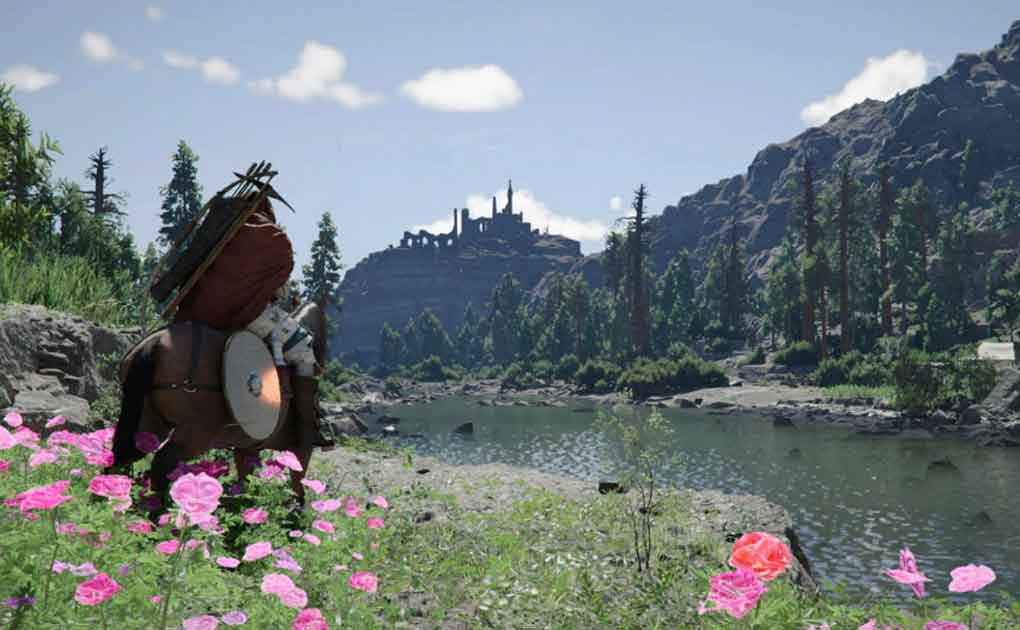
Gaming PC for New Games in Canada: How to Buy Crimson Desert Smartly and Build a System That Is Actually Ready
Gaming PC for New Games is not just a search term anymore. For Canadian players looking at major open-world releases like Crimson Desert, it has become a practical buying question: should you spend less on the game key and hope your current computer can handle it, or should you use the launch window as the right time to upgrade into a custom gaming PC that will last?
Crimson Desert has attracted attention because it represents the kind of modern PC game that pushes buyers to think beyond the price of the game itself. A cheaper game key may save a few dollars, but if your PC struggles with large open worlds, high-resolution textures, ray tracing effects, streaming, recording, or multitasking, the bigger cost may be frustration. What good is saving on the game if your system cannot deliver the experience you bought it for?
The original discussion around buying Crimson Desert at the best price raises an important point: gamers should care about security, legitimacy, and timing. That advice applies not only to where you buy a digital game key, but also to how you buy the computer that will run it. In Canada, where component pricing, availability, shipping costs, financing decisions, and exchange-rate pressure can all affect final system cost, buying the right gaming PC requires more than chasing the lowest sticker price.
At Groovy Computers, we look at this differently. The question is not simply, “Where can I find the cheapest game?” The better question is, “What do I want my next PC to do for me when the next wave of demanding games, streaming tools, editing software, and creative workloads arrives?”
What the Crimson Desert Buying Conversation Gets Right
The source topic focuses on a smart principle: price matters, but security matters too. In the game key market, buyers often compare official platform stores, authorized retailers, dedicated key shops, and grey-market sellers. The lower the price gets, the more important it becomes to ask where that key came from, how the seller handles refunds, and whether your payment method gives you any protection.
That same mindset applies directly to buying a gaming computer in Canada. A suspiciously cheap PC can look attractive at first glance, especially when a major game release is approaching. But what is inside that system? Was it properly stress tested? Does it use balanced parts, or does it advertise one flashy component while cutting corners on the power supply, cooling, storage, motherboard, or airflow? If something goes wrong after delivery, do you have real support?
For a digital game key, the worst-case scenario may be a failed activation or a disputed purchase. For a gaming PC, the stakes are higher. You are buying the hardware foundation for years of games, updates, content creation, streaming, work, school, and entertainment. That is why a trusted custom PC builder matters.
Canadian buyers should be especially careful because local pricing can shift quickly. GPUs, CPUs, RAM, SSDs, cases, power supplies, and cooling hardware do not always move in price at the same time. One sale can disappear, one shipment delay can change availability, and one major launch can push demand toward higher-performance systems almost overnight.
Why a Gaming PC for New Games Needs More Planning Than a Game Key Purchase
A game key is a one-time purchase. A gaming PC is a long-term platform. If you are excited about Crimson Desert, GTA-style open worlds, ray tracing titles, Unreal Engine games, competitive shooters, survival games, RPGs, or upcoming AAA releases, you need to think about the whole experience rather than the minimum ability to launch the game.
Do you want to play at 1080p with smooth frame rates? Are you aiming for 1440p with higher visual settings? Do you want 4K gaming, ray tracing, high refresh rates, and a premium display experience? Do you plan to stream on Twitch, record gameplay for YouTube, edit clips for TikTok, or run Discord, OBS, browser tabs, and game launchers at the same time?
These questions matter because “can run the game” and “can run the game well” are not the same thing. Many older desktops can technically launch modern titles, but that does not mean they can handle crowded cities, cinematic combat, texture-heavy environments, shader compilation, background recording, or future updates without stuttering.
A proper Gaming PC for New Games should be built around performance headroom. That means choosing the right GPU for your resolution, the right CPU for frame consistency, enough RAM for modern multitasking, fast SSD storage for load times, and quality cooling for long gaming sessions. It also means avoiding the trap of buying a computer that feels affordable today but needs expensive upgrades too soon.
What Do You Want Your Next PC to Do for You?
Before choosing a budget gaming computer, premium RTX gaming PC, custom creator PC, editing workstation, or 3D modeling workstation, ask one simple question: what do you actually want your next PC to do for you?
Do you want to come home, launch a demanding open-world game, and play smoothly without adjusting settings for 30 minutes? Do you want to stream gameplay without dropped frames? Do you want to edit 4K footage, batch export photos, design graphics, model in Blender, or use AI-assisted creative tools without your computer feeling overloaded?
Your answer changes the build. A student buying a first gaming PC for esports and school does not need the same system as a 4K gamer, a YouTube creator, a photographer, a graphic designer, or a 3D artist. A streamer who wants one machine for gaming, OBS, chat, recording, and editing needs a different balance than someone who only plays single-player games at 1080p.
That is where Groovy Computers can help. Instead of forcing every buyer into the same generic tower, Groovy Computers builds around your real use case: gaming, streaming, video editing, photo editing, graphic design, content creation, 3D modeling, workstation productivity, or a hybrid of several workloads.
Which Performance Tier Fits You?
Not every Canadian buyer needs the most expensive system. The right build depends on resolution, games, software, upgrade expectations, budget, and how long you want the PC to feel strong. If you are wondering, “What gaming PC do I need?” start by matching yourself to a performance tier.
Entry-Level and Budget Gaming PC Canada Buyers: Is 1080p Enough?
A budget gaming PC in Canada is best for players who want strong 1080p performance in esports titles, popular multiplayer games, indie games, and selected AAA titles with optimized settings. If you mainly play games like Fortnite, Valorant, Minecraft, Roblox, Counter-Strike 2, Rocket League, or less demanding titles, this tier can make sense.
But if Crimson Desert or other large open-world action RPGs are your priority, ask yourself: are you comfortable lowering settings to stay smooth, or do you want higher visual quality? A budget system can still be a great first gaming PC, but it should be configured honestly. The goal is value, not unrealistic promises.
This tier is also worth considering for students, families, and first-time PC gamers who want an affordable gaming PC without overbuying. However, if you already know you want to stream, edit video, or keep the system for several years without major upgrades, financing a stronger system may be smarter than buying the cheapest option today.
Mid-Range Gaming PC Canada Buyers: Is 1440p the Sweet Spot?
For many gamers, 1440p is the current sweet spot. A well-built 1440p gaming PC in Canada can deliver noticeably sharper visuals than 1080p while keeping frame rates strong. This is often the right category for players who want modern games to look good, feel smooth, and remain enjoyable beyond one launch season.
If you are asking, “What PC do I need for 1440p gaming?” think about the games you play most. Open-world RPGs, shooters, racing games, survival games, and visually rich single-player titles benefit from a stronger GPU and a modern CPU. If you also keep Discord, music, browser tabs, launchers, RGB software, and recording tools open, 32GB of RAM becomes increasingly attractive.
A mid-range custom gaming PC is often the strongest value choice for Canadian buyers who want a balanced system. It is powerful enough for new games, flexible enough for streaming and light editing, and usually easier to upgrade later than a bargain system built with restrictive parts.
Premium and High-End Gaming PC Canada Buyers: Do You Want 4K, Ray Tracing, and Ultra Settings?
If you want 4K gaming, ray tracing, high refresh rates, ultra settings, or a system that feels premium for years, you are in high-end gaming PC territory. This is the category for players who do not want to keep asking whether their PC can handle the next major release.
Do you want to play cinematic games with high texture settings? Do you want ray tracing where supported? Are you pairing your PC with a 4K monitor or an ultrawide display? Do you want strong performance while streaming, recording, and multitasking? If yes, a premium RTX gaming PC may be the right fit.
High-end systems also make sense for buyers who use the same PC for content creation. A powerful gaming GPU can accelerate video editing, 3D rendering, AI-assisted workflows, and creative software. That means a premium gaming PC may also function as a serious creator PC when it is built with enough RAM, fast storage, proper cooling, and a strong CPU.
Creator and Workstation Buyers: Is Your PC Also a Tool for Income?
Some buyers come for gaming and stay because their PC becomes a business tool. If you edit videos, stream, design graphics, process RAW photos, create 3D models, render scenes, record podcasts, or manage content for clients, your computer is no longer just entertainment. It is part of your productivity.
What PC do content creators need? The answer depends on your software. A PC for Adobe Premiere Pro Canada buyers may need strong CPU performance, GPU acceleration, fast SSD scratch storage, and plenty of RAM. A PC for DaVinci Resolve Canada users may lean harder on GPU power. A PC for Photoshop Canada or Lightroom work benefits from fast single-core performance, enough memory, and responsive storage. A PC for Blender Canada or Unreal Engine work may require a more powerful GPU, more VRAM, and 64GB or even 128GB of RAM depending on project size.
If your PC helps you make money, save time, or meet deadlines, buying too weak can become expensive. Slow exports, laggy timelines, render crashes, and constant storage juggling are hidden costs. A custom creator PC Canada buyers can rely on should be built around workflow, not just game benchmarks.
Is It Better to Buy a Gaming PC Now or Wait?
This is one of the most common questions Canadian buyers ask, and it is especially relevant around major game releases. Is it better to buy a gaming PC now or wait? The honest answer is that waiting can help if you have no urgent need and your current PC still meets your goals. But waiting can also backfire if demand rises, component prices shift, or the system you want becomes more expensive.
PC pricing is affected by several moving parts. GPU availability can tighten when new games, creator workloads, AI demand, or new product cycles increase pressure. RAM and SSD pricing can move based on memory market conditions. Cases, power supplies, and cooling parts can become limited in certain styles or wattage classes. Shipping and exchange-rate pressure can affect Canadian retail pricing even when a product looks stable globally.
If you are planning to buy before a major game release, a software upgrade, a school term, a creator project, a tax season purchase, or a sale period, timing matters. The best deal is not always the lowest single-day price. The best deal is getting the right system, with the right parts, at a price you can manage, before replacement costs or demand spikes make your options worse.
Ask yourself: if your current PC fails to deliver the performance you want, will you be forced to buy in a rush later? If a stronger build is available now and financing can spread the cost, would waiting actually save money, or would it increase the chance of paying more for less?
Should You Finance a Better PC Instead of Buying a Cheaper One?
Financing is not about overspending. Used wisely, it is about choosing the system that matches your needs instead of settling for a weak build because the full upfront price feels easier today. Groovy Computers offers financing options up to 4 years, which can help Canadian buyers secure a stronger custom gaming PC, creator PC, or workstation before prices shift.
Should you finance a gaming PC? It depends on how you use it. If the PC is only for light gaming and your budget build meets your needs, paying upfront may be fine. But if you need a system for new games, streaming, video editing, graphic design, 3D modeling, school, or work, financing a better PC can be a practical decision.
Consider the difference between buying a low-cost system now and replacing or upgrading it soon versus financing a properly balanced system that lasts longer. A cheaper PC may need more RAM, more storage, a new GPU, or a better power supply sooner than expected. Those upgrades add cost and inconvenience. A stronger custom build can reduce that risk by giving you more performance headroom from day one.
If you are asking, “Should I finance a better PC instead of buying a cheaper one?” think about your next two to four years. Will you be playing more demanding games? Moving from 1080p to 1440p? Starting a YouTube channel? Editing client videos? Learning Blender or Unreal Engine? Running Adobe Creative Cloud? If the answer is yes, financing may help you avoid buying twice.
Game Key Security and PC Buying Security Are Connected
The Crimson Desert key-buying discussion is about avoiding unnecessary risk. That same risk awareness should guide your PC purchase. When buying a game key, you want a legitimate seller, secure payment, clear support, and fast delivery. When buying a gaming PC, you want balanced parts, proper assembly, stress testing, warranty coverage, and real support from a Canadian custom PC builder.
A low price without trust is not value. A gaming PC with a powerful GPU but a weak power supply is not a smart deal. A prebuilt that advertises gaming performance but uses poor airflow can throttle under load. A system that was never properly tested can fail when you finally sit down to play the game you were waiting for.
Groovy Computers builds custom systems with performance, reliability, and customer fit in mind. That includes careful part matching, clean assembly, testing, and a 1-year warranty. For customers across Canada, including Nova Scotia, Trenton, New Glasgow, Halifax, Atlantic Canada, and buyers ordering online with Canada-wide shipping needs, that confidence matters.
What Specs Should You Care About for Crimson Desert and Other Open-World Games?
Without relying on unverified final requirements, the safest way to plan for Crimson Desert and similar open-world games is to think in performance categories. Open-world games often demand more than raw GPU power. They can stress CPU performance, memory capacity, storage speed, and thermal stability over long sessions.
GPU: What Resolution and Settings Do You Want?
The graphics card is the most visible part of a gaming PC purchase because it has the biggest impact on resolution, visual quality, and frame rate. A 1080p gaming PC does not need the same GPU as a 1440p or 4K gaming PC. If you want ray tracing, ultra textures, high refresh rates, or better long-term performance, the GPU becomes even more important.
Ask yourself: are you buying for the monitor you have now, or the monitor you plan to upgrade to? A player with a 1080p 75Hz monitor has different needs than someone with a 1440p 165Hz display or a 4K screen. Buying the right GPU means matching the system to the display and the games you actually want to play.
CPU: Do You Want Smooth Frame Times and Better Multitasking?
The CPU affects frame consistency, simulation-heavy games, background tasks, streaming, editing, and overall responsiveness. In open-world titles, a weak CPU can cause stutters even when the GPU looks strong on paper. For gaming and streaming, a modern multi-core CPU can help maintain smooth gameplay while OBS, Discord, browsers, and recording software run in the background.
If you are only gaming, you may not need the most expensive processor. If you are gaming, streaming, editing, and creating content, the CPU becomes a bigger part of the decision. This is where a custom PC builder can help you avoid both underbuying and overspending.
RAM: Is 16GB Still Enough, or Should You Choose 32GB?
For many modern gaming builds, 32GB of RAM is becoming the more comfortable recommendation, especially if you multitask. While 16GB may still work for some lighter gaming scenarios, newer games, browser-heavy habits, launchers, voice chat, streaming tools, and creative software can quickly make extra memory worthwhile.
How much RAM do creators need? For video editing, 3D modeling, large photo libraries, and Adobe Creative Cloud workflows, 32GB is often a practical starting point, while 64GB or more can make sense for heavier work. If your PC is both a gaming computer and a workstation, RAM should not be treated as an afterthought.
Storage: Are You Still Waiting on Slow Loads?
Fast SSD storage matters more than many buyers realize. Modern games can be massive, and open-world titles benefit from fast asset streaming. Creators also need quick access to footage, project files, caches, RAW photos, textures, and exports.
Ask yourself: how many games do you keep installed at once? Do you record gameplay? Do you edit 4K video? Do you work with large design files? A gaming PC with too little storage becomes inconvenient quickly. A custom build can include fast primary storage and additional capacity so you are not deleting games every week.
Cooling and Power Supply: Will the PC Stay Stable Under Real Load?
Cooling and power delivery are where many cheap systems cut corners. A gaming PC is not just a collection of parts. It is a thermal and electrical system. If the case airflow is poor, the CPU cooler is undersized, or the power supply is low quality, performance and reliability can suffer.
For demanding games, long streaming sessions, rendering workloads, and 4K editing, stability matters. A well-built custom gaming PC should be designed to perform under sustained load, not just look impressive in a product photo.
Gaming, Streaming, Editing, Design, or 3D Modeling: Which Build Category Sounds Like You?
Many buyers start by saying, “I need a gaming PC,” but their actual use case is broader. If you are buying around a major game release, it is worth looking at what else you want the system to handle.
Gaming-First Buyers
If your main goal is to play new games smoothly, focus on GPU tier, CPU balance, RAM, SSD storage, cooling, and monitor resolution. You may be best suited to a custom gaming PC Canada buyers can configure around 1080p, 1440p, or 4K performance.
Gaming and Streaming Buyers
If you plan to stream on Twitch, YouTube, TikTok Live, or record gameplay, you need more headroom. A gaming and streaming PC Canada buyers can rely on should handle the game, OBS or Streamlabs, microphone and camera inputs, browser dashboards, chat, overlays, and recording without turning every session into a settings battle.
What PC do I need for streaming? Usually, one with a strong GPU for hardware encoding, a capable CPU, 32GB of RAM for comfort, and fast storage for recordings. If you want to stream and edit on the same machine, build with both workflows in mind.
Video Editing and YouTube Buyers
If you create videos for YouTube, TikTok, Instagram, business marketing, weddings, real estate, gaming clips, or client projects, a video editing PC Canada buyers can trust should be selected around editing software. Premiere Pro, DaVinci Resolve, After Effects, and CapCut do not all use hardware the same way.
What specs do I need for 4K video editing? Many editors benefit from a strong CPU, GPU acceleration, 32GB to 64GB of RAM, fast NVMe storage, and additional storage for footage. If time is money, faster exports and smoother timelines can justify a stronger system.
Photo Editing and Graphic Design Buyers
Photographers and designers often need responsiveness more than flashy gaming numbers. A photo editing PC Canada buyers can rely on should feel fast in Lightroom, Photoshop, Capture One, and AI photo tools. A graphic design PC Canada buyers use for Illustrator, InDesign, Canva, CorelDRAW, Affinity Designer, and Adobe Creative Cloud should handle multi-layer projects, large files, and multiple displays without slowdown.
Do photographers need a dedicated GPU? Not always at the highest level, but GPU acceleration is increasingly useful in modern creative software. The right answer depends on your file sizes, editing style, monitor setup, and whether you also game or edit video.
3D Modeling, Rendering, and Workstation Buyers
If you work in Blender, Unreal Engine, Unity, Maya, 3ds Max, Cinema 4D, SketchUp, ZBrush, AutoCAD, Revit, or SolidWorks, you should think beyond a basic gaming build. A 3D modeling PC Canada buyers can depend on may require a stronger GPU, more VRAM, more RAM, and workstation-focused storage choices.
What PC do I need for Blender? If you model casually, a gaming-focused system may work. If you render complex scenes, animate, simulate, or use large texture sets, you may need a dedicated 3D rendering PC or custom workstation PC. The difference between “it opens” and “it works efficiently” can be huge.
Why Custom PC vs Prebuilt PC Canada Decisions Matter More During Price Volatility
When component prices are stable, a generic prebuilt may seem like a simple shortcut. But when pricing changes quickly, custom builds become more valuable because every dollar can be directed toward the parts that matter most for your workload.
A custom PC does not have to mean confusing. It means intentional. Instead of accepting a one-size-fits-all parts list, you can prioritize what you actually need: more GPU power for 1440p gaming, more RAM for editing, more storage for a creator workflow, stronger cooling for long render sessions, or a better upgrade path for future games.
Custom PC vs prebuilt PC Canada buyers should ask: who selected the parts, and why? Was the system designed around my games and software, or around clearing inventory? Will the power supply support future upgrades? Is the case airflow suitable for the hardware? Was the PC stress tested before shipping? Is there warranty support if something goes wrong?
Groovy Computers focuses on custom builds that match real customer needs. That is especially important for buyers who want a Gaming PC for New Games but also want to avoid upgrading too soon.
How Much Should You Spend on a Gaming PC?
There is no single correct number, because spending should be tied to expectations. A buyer who wants casual 1080p gaming should not be pushed into a 4K powerhouse. A buyer who wants ultra settings, streaming, and editing should not be encouraged to buy the cheapest tower available.
Instead of asking only, “How much should I spend on a gaming PC?” ask these questions:
- What games do I want to play now and over the next few years?
- Do I want 1080p, 1440p, or 4K performance?
- Do I care about ray tracing, ultra settings, or high refresh rates?
- Will I stream, record, edit videos, or create content?
- Do I use Adobe Creative Cloud, DaVinci Resolve, Blender, Unreal Engine, CAD, or design software?
- How long do I want the PC to feel fast before needing upgrades?
- Would financing help me choose the right build instead of settling for less?
These questions lead to a better budget. They also help avoid the most common PC-buying mistake: spending too little on the wrong system, then spending more later to fix it.
What Canadian Buyers Should Watch Before a Major Game Release
Major game releases can create demand spikes. When a highly anticipated title approaches, more buyers start searching for gaming PCs, GPUs, monitors, SSDs, and upgrades. That demand can affect availability, especially for popular mid-range and high-end components.
Canadian buyers should also consider exchange-rate pressure, regional inventory, shipping timelines, and seasonal buying periods. A sale may help, but the best configuration may not remain available forever. If you know you need a gaming PC before a launch window, school term, creator deadline, or business project, waiting until the last minute can reduce your choices.
Are you buying before a major game release, hardware shortage, sale period, software upgrade, or price spike? If so, now is the time to plan the build, compare performance tiers, and decide whether financing makes sense.
Why Groovy Computers Is Built for This Buying Moment
Groovy Computers is a Canadian custom PC builder focused on helping customers choose systems that make sense for real use. That includes gaming PCs, streaming PCs, creator PCs, video editing workstations, photo editing systems, graphic design desktops, 3D modeling PCs, rendering workstations, and high-performance custom builds.
For Canadian customers, trust matters. Groovy Computers offers custom build guidance, rigorous testing, Canada-focused support, Canada-wide shipping options, and a 1-year warranty. Whether you are in Nova Scotia, Trenton, New Glasgow, Halifax, Atlantic Canada, Ontario, Alberta, British Columbia, or elsewhere in Canada, the goal is the same: get a system that is properly built, properly tested, and properly matched to your needs.
A custom PC from Groovy Computers can help you avoid the uncertainty of random marketplace systems, underbuilt prebuilts, and mismatched part lists. Instead of guessing which CPU, GPU, RAM, SSD, and cooling setup belongs together, you can choose a build designed around what you want to do.
Ready to Choose a Gaming PC for New Games?
If Crimson Desert is on your radar, use it as a buying signal. Not because every player needs a new PC for one game, but because major releases reveal whether your current system is still aligned with your expectations. If you want smoother performance, better visuals, streaming capability, editing power, or a longer upgrade runway, it may be time to move beyond minimum requirements.
Do you need a budget gaming computer, a 1440p sweet-spot build, a premium RTX gaming PC, a custom creator PC, a video editing workstation, or a 3D modeling workstation? Do you want to avoid upgrading too soon? Would financing up to 4 years help you secure a stronger system before replacement costs rise?
If you are ready to compare options, browse builds, ask about financing, or get help choosing the right custom PC for your games and software, visit GroovyComputers.ca. A Gaming PC for New Games should not be a gamble. It should be a confident investment in the way you want to play, create, stream, work, and upgrade.
The Bottom Line for Canadian Gamers and Creators
The smartest Crimson Desert purchase is not only about finding a secure game key at a fair price. It is about making sure the system behind that game is ready for the experience you expect. A strong Gaming PC for New Games gives you more than launch-day excitement. It gives you smoother gameplay, better creative performance, stronger multitasking, and fewer regrets when the next demanding title or software update arrives.
Canadian buyers should think about timing, component pricing, financing, warranty confidence, and long-term performance before making a decision. Whether you are a gamer, streamer, editor, designer, photographer, student, 3D artist, or professional workstation user, the right custom build can save time, reduce frustration, and help you get more from every dollar you spend.
When you are ready to turn the hype around new games into a system that can actually handle them, Groovy Computers is ready to help.
#GamingPCForNewGames #GamingPCCanada #CustomGamingPCCanada #GamingPCFinancingCanada #CreatorPCCanada #StreamingPCCanada #VideoEditingPCCanada #3DModelingPCCanada #GroovyComputers
Groovy Computers | All Rights Reserved



Leave a comment
This site is protected by hCaptcha and the hCaptcha Privacy Policy and Terms of Service apply.