























Gaming PC for New Games: What Crimson Desert’s Huge Update Says About Buying the Right Custom PC in Canada
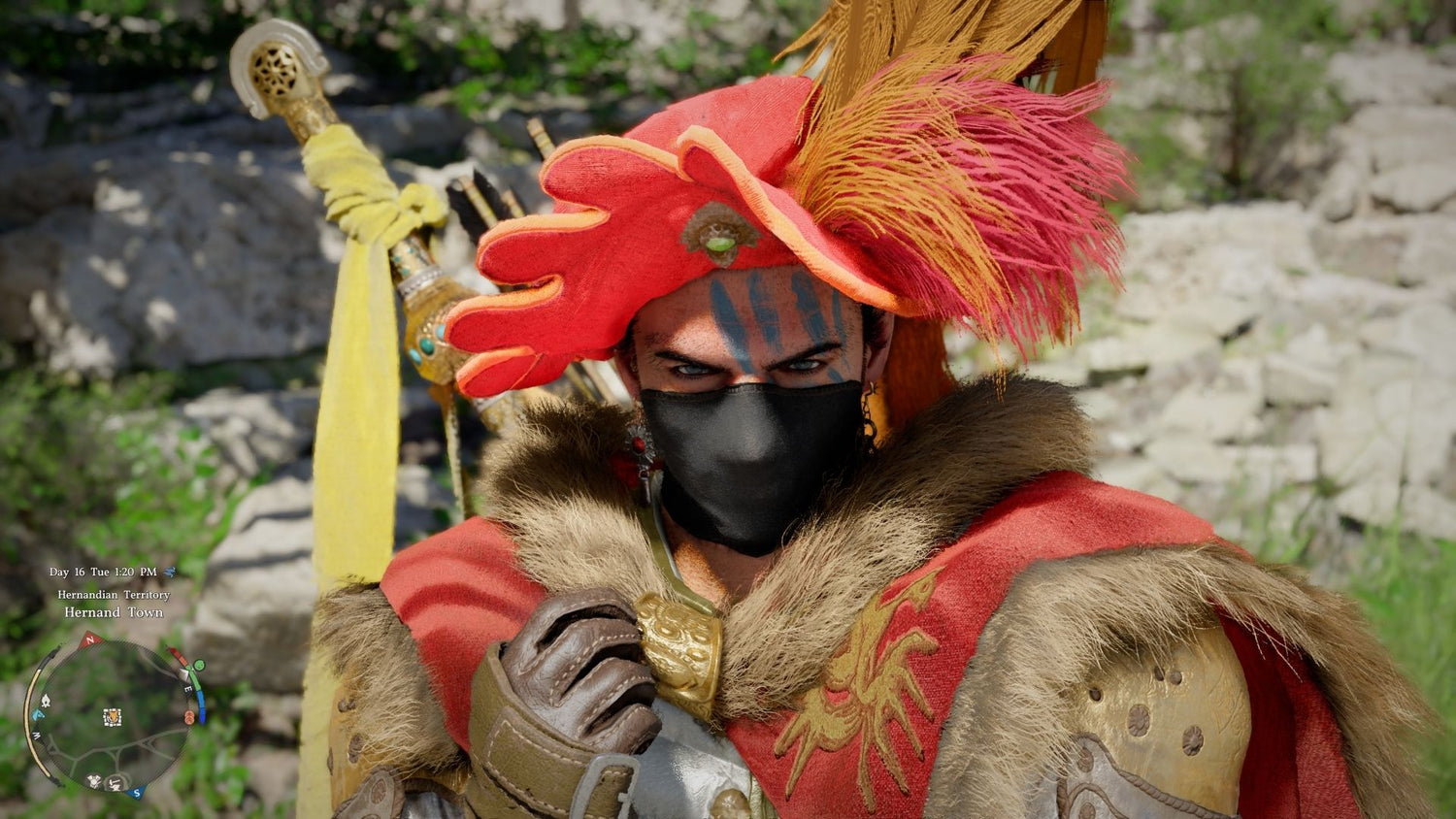
Gaming PC for New Games is no longer just a search term for players who want higher FPS. It is becoming a serious buying question for anyone watching modern open-world games grow bigger, stranger, prettier, more feature-packed, and more demanding with every update. The latest Crimson Desert update is a perfect example: new equipment, boss gear, pet interactions, rematch changes, quality-of-life improvements, and a steady flow of post-launch additions all point to one reality for Canadian PC buyers: today’s games are not static anymore.
When a game like Crimson Desert keeps expanding with new systems, new gear, new pets, new boss-related changes, and constant fixes, players are not just buying a PC for launch-day requirements. They are buying for the version of the game that exists months later, after patches add more content, more effects, more NPC behaviour, more assets, more animation, more texture data, and more reasons to keep playing. That matters if you are choosing between a budget gaming computer, a 1440p gaming PC, a premium RTX gaming PC, a streaming and editing setup, or a workstation that can also handle AAA open-world gaming after hours.
So the real question is not only “Can my PC run Crimson Desert?” The better question is: what do you want your next PC to keep doing well two, three, or four years from now?
At Groovy Computers, we build custom gaming PCs, creator PCs, and workstation systems for Canadian buyers who want more than a generic box. If you are in Nova Scotia, Atlantic Canada, Ontario, Alberta, British Columbia, or anywhere else shopping online in Canada, the Crimson Desert update is a useful reminder that game performance, upgrade timing, component selection, financing, and long-term value all connect.
Why Crimson Desert’s Latest Update Matters to Anyone Buying a Gaming PC for New Games
The reported Crimson Desert update includes a sizeable batch of new equipment, boss gear additions, changes connected to rematchable bosses, dye-related outfit improvements, gathering tweaks, and one surprisingly memorable feature: summoned pets can now rest in bed with the player character. On the surface, that pet detail sounds like a fun quality-of-life change. Underneath, it shows something bigger about where modern game development is heading.
Open-world games are becoming living platforms. Developers add systems that make worlds feel more reactive, more personal, and more immersive. That can include combat mechanics, character equipment, pets, housing features, minigames, ray-traced lighting, denser environments, higher-resolution textures, cinematic animation, AI-assisted NPC behaviour, improved physics, or new creator-friendly photo modes. Each addition may feel small on its own, but together they can change how demanding a game feels on your system.
Are you buying a gaming PC for the game that exists today, or the version that will exist after several major updates?
That is where many buyers make a mistake. They look for the minimum system that can run a title now, then feel disappointed when a future update pushes settings lower, increases stutter, fills storage, or makes streaming harder. A well-planned Gaming PC for New Games should be built around headroom. Not wasteful overspending, but smart headroom: enough GPU power, CPU strength, RAM, storage speed, cooling, and power supply capacity to age gracefully.
What the Crimson Desert Update Gets Right: Modern Games Reward Stronger Systems
Crimson Desert’s update cadence highlights a trend that PC buyers should pay attention to: developers are continuing to improve, expand, and refine major games long after release. For players, that is exciting. For hardware, it means the “right PC” is not just about today’s benchmark chart.
A new boss rematch system can increase the amount of fast combat on screen. Additional gear can encourage longer play sessions and more character swapping. Expanded pet systems add animation, pathing, and behaviour triggers. New life-sim or immersion features may not look demanding in a headline, but they can still contribute to memory usage, storage growth, CPU load, and scene complexity. If you also want to record gameplay, stream to Twitch or YouTube, edit clips for TikTok, or capture high-resolution screenshots, your PC needs to handle more than just the base game.
What happens when you want to play at 1440p, keep high textures enabled, stream through OBS, run Discord, keep a browser open, record gameplay, and maybe edit the footage later in DaVinci Resolve or Adobe Premiere Pro?
That is why Groovy Computers approaches custom PC building as a complete workload decision. A gaming desktop is not just a graphics card. It is the full balance of GPU, CPU, RAM, SSD, airflow, motherboard quality, power delivery, Windows setup, stress testing, and future upgrade path.
What Do You Want Your Next PC to Do for You?
Before choosing a custom gaming PC in Canada, pause and ask the most important question: what do you actually want your next PC to do for you?
Do you want to explore open-world games like Crimson Desert at 1080p with smooth performance and sensible settings? Do you want 1440p high-refresh gameplay with enough GPU power for future AAA releases? Do you want a 4K gaming PC that can push ultra settings and ray tracing? Do you want to stream, edit, design thumbnails, produce YouTube content, build 3D scenes, or run workstation software during the day and game at night?
The best PC for one player may be completely wrong for another. A student buying a first budget gaming PC has different needs than a streamer who wants clean 1080p broadcasts. A photographer using Lightroom and Photoshop has different bottlenecks than a Blender artist rendering 3D scenes. A competitive esports player wants high FPS and low latency, while an open-world RPG fan may care more about visual quality, texture detail, and smooth frame pacing.
Instead of asking “What is the cheapest PC that works?” ask “What level of performance will keep me happy long enough to avoid upgrading too soon?”
Gaming PC for New Games: Which Performance Tier Fits You?
Choosing the right Gaming PC for New Games becomes much easier when you think in performance tiers. You do not need to memorize every part number. You just need to understand what kind of experience you are aiming for.
Entry-Level and Budget Gaming PC Canada: Is 1080p Enough for You?
A budget gaming PC in Canada is the right choice if you are focused on 1080p gaming, popular multiplayer titles, school use, everyday productivity, and a sensible entry point into PC gaming. This type of system can be a great fit for Fortnite, Roblox, Minecraft, Valorant, Counter-Strike 2, many esports games, and a wide range of older or less demanding titles.
But for larger open-world AAA games, the expectations should be realistic. You may need to choose medium or optimized settings, avoid heavy ray tracing, and be prepared for future updates to require more storage or memory. If your main question is “Can a budget gaming PC play new games?” the answer is often yes, but not always at high settings, high FPS, or long-term ultra quality.
Ask yourself: would you rather save money today and accept lower settings later, or finance a stronger system now to avoid replacing it too soon?
Mid-Range 1440p Gaming PC Canada: The Sweet Spot for Many Players
For many Canadian buyers, a 1440p gaming PC is the best balance of visual quality, performance, and long-term value. It delivers a sharper image than 1080p without demanding as much GPU power as 4K. If you want modern open-world games to look impressive while still feeling smooth, this tier is often the smartest target.
A well-built 1440p gaming desktop is also a strong option for players who want to stream, record gameplay, multitask, and edit light content. With the right CPU, a capable RTX GPU, fast NVMe storage, and enough RAM, this tier can become a gaming and streaming PC Canada buyers can rely on for years.
Do you want high settings in new games, strong FPS, and enough room for future patches without jumping all the way to a premium 4K build?
High-End and Premium Gaming PC Canada: Are You Targeting 4K, Ray Tracing, and Ultra Settings?
A premium gaming PC is for players who want the best experience possible: 4K resolution, high refresh rates where possible, ray tracing, ultra textures, heavy modding, content capture, and long-term performance headroom. This tier is ideal if you want your system to feel powerful not only for today’s game releases, but also for upcoming AAA titles and future expansions.
If you are asking “What PC do I need for 4K gaming?” the answer usually begins with a stronger GPU, a high-performance CPU, generous RAM, fast SSD storage, excellent cooling, and a power supply that leaves room for stability. A 4K Gaming PC Canada buyer should not treat the graphics card as the only important part. Poor cooling, weak power delivery, slow storage, or limited memory can hold back even a powerful GPU.
Do you want a system that feels premium every day, or are you comfortable adjusting settings as games become heavier?
Creator and Workstation Tier: Do You Game, Stream, Edit, Design, or Render?
Many Canadian buyers are no longer purchasing a PC for only one purpose. They want a gaming system that can also handle Adobe Premiere Pro, DaVinci Resolve, Photoshop, Lightroom, Illustrator, Blender, Unreal Engine, OBS, CapCut, podcast editing, social media production, or business workloads.
That changes the build. A pure gaming PC can prioritize GPU and gaming-focused CPU performance. A creator PC Canada buyer may need more RAM, extra storage, a stronger multi-core CPU, GPU acceleration, better scratch-drive planning, and a quiet cooling setup for long work sessions. A 3D rendering PC Canada buyer may need even more GPU memory, processor power, and workstation stability.
Are you buying a PC to relax after work, or are you buying a tool that needs to help you earn, create, publish, render, and deliver projects faster?
Why Canadian Buyers Should Think Differently About PC Timing
Canadian PC buyers face a different reality than shoppers who only look at U.S. headlines. Component pricing, exchange rates, shipping costs, availability, taxes, and regional demand can all affect the final price of a gaming computer in Canada. Even when a game update is not directly about hardware pricing, it can still influence buying behaviour because players begin upgrading before major releases, expansions, and new performance-heavy patches.
When demand rises around popular games, GPU launches, back-to-school buying, holiday sales, or creator software upgrades, the best-value systems can move quickly. RAM and SSD pricing can also change. Graphics cards can become harder to source in the exact tier you want. A buyer who waits too long may end up paying more, accepting weaker parts, or compromising on storage, cooling, or warranty confidence.
Is it better to buy a gaming PC now or wait? The honest answer depends on your current system, the games you want to play, and whether your budget is ready. But if you already know your PC is struggling, waiting can be expensive in a different way: lost performance, missed launches, poor stream quality, longer exports, and frustration every time a new update lands.
Should You Finance a Better PC Instead of Buying a Cheaper One?
Financing can make sense when it helps you secure the performance tier you actually need instead of settling for a system that you will outgrow too quickly. Groovy Computers offers financing options up to 4 years, giving Canadian buyers a way to step into a stronger gaming PC, creator PC, or workstation without paying the full amount upfront.
This does not mean every customer should automatically buy the most expensive build. It means financing can help you avoid the common trap of underspending. A cheaper PC may look attractive today, but if it cannot handle your target resolution, streaming workflow, editing timeline, or future game updates, you may end up replacing or upgrading sooner than planned.
Should you finance a better PC instead of buying a cheaper one? Ask yourself these questions:
- Will the cheaper system still feel good for the games I want to play next year?
- Do I want 1080p, 1440p, or 4K gaming performance?
- Am I planning to stream, record, or edit gameplay?
- Will I use Adobe Creative Cloud, DaVinci Resolve, Blender, Unreal Engine, AutoCAD, Revit, or other demanding software?
- Would a stronger GPU, more RAM, or faster storage save me time every week?
- Am I buying before a major game release, sale period, component shortage, or price increase?
- Do I want to avoid upgrading too soon?
If the answer to several of those questions is yes, financing may help you buy the right system the first time. A stronger build can be the smarter long-term purchase when it aligns with real workloads and realistic future needs.
Gaming PC for New Games: What Specs Should Canadian Buyers Prioritize?
When people search for a Gaming PC for New Games, they often focus on the GPU first. That is understandable, because the graphics card is central to FPS, resolution, ray tracing, texture quality, and visual settings. But a custom PC is a system, not a single part. The wrong CPU, limited RAM, slow storage, poor airflow, or low-quality power supply can reduce the value of the entire build.
GPU: Do You Need 1080p, 1440p, 4K, or Ray Tracing?
Your graphics card should match your monitor and expectations. A 1080p player does not need the same GPU as a 4K ultra settings enthusiast. A ray tracing gaming PC Canada buyer should plan for more GPU power than someone who plays competitive esports at low settings. A creator who uses GPU acceleration in DaVinci Resolve, Blender, or Adobe apps may need a different balance than a casual gamer.
Before choosing a GPU, ask: what monitor do you own now, and what monitor do you want next?
CPU: Are You Only Gaming, or Also Streaming and Creating?
The processor matters for open-world simulation, background tasks, streaming, video editing, compiling, rendering, and general responsiveness. Games with large worlds, AI systems, physics, and dense cities can benefit from a stronger CPU. Streamers and creators often benefit even more.
If you are playing Crimson Desert while running OBS, Discord, browser tabs, overlays, and recording software, CPU choice becomes more important. If you are also editing video, batch-processing photos, or rendering 3D scenes, a stronger CPU can save real time.
Is your PC just for gaming, or is it your full creative workstation?
RAM: Is 16GB Still Enough?
For some entry-level gaming builds, 16GB of RAM can still work. But modern gaming, streaming, and creator workloads increasingly benefit from 32GB or more. Large open-world games, background apps, browser tabs, launchers, voice chat, capture tools, and editing software can quickly consume memory.
For serious content creation, 4K editing, large Photoshop files, Lightroom catalogues, Blender scenes, or CAD work, 64GB can be a smarter choice. Workstation users may need even more depending on project scale.
How much RAM do you need? The better question is: how many things do you expect your PC to do at the same time?
Storage: Will Your Game Library and Creator Files Fit?
Modern games can consume huge amounts of storage, and frequent updates only increase the pressure. Add gameplay recordings, project files, RAW photos, video exports, design assets, 3D models, and backups, and a small SSD can feel cramped fast.
A fast NVMe SSD improves boot times, game loading, software launch speed, file transfer performance, and editing responsiveness. For a gaming and creator PC, storage planning matters. You may want one drive for Windows and applications, another for games, and additional storage for media projects.
Are you buying enough storage for today, or enough storage for the way you actually use your PC?
Cooling and Power Supply: Why Stability Matters
A custom PC should not only be fast when it is new. It should remain stable under long gaming sessions, rendering jobs, exports, and stress loads. Cooling affects performance, noise, comfort, and long-term reliability. A quality power supply supports system stability and future upgrades.
This is one reason Groovy Computers emphasizes proper part matching, cable management, testing, airflow, and warranty confidence. A powerful PC should feel smooth, not fragile.
Is a Gaming PC Good for Streaming, Video Editing, Photo Editing, Graphic Design, and 3D Modeling?
A gaming PC can be excellent for creative work, but only if it is configured properly. The overlap is strong: gaming needs GPU power, fast storage, and responsive performance. Creative software often needs those same things, plus more RAM, stronger multi-core CPU performance, and smarter storage planning.
Streaming PC Canada: Do You Want to Broadcast While You Play?
If you want to stream Crimson Desert, Fortnite, Call of Duty, GTA-style open-world games, or any modern title, you need to think about more than average FPS. Stream quality depends on encoding, upload stability, CPU and GPU overhead, RAM, and whether your system can handle the game and broadcast tools at the same time.
A custom streaming PC Canada buyer should consider OBS Studio, Twitch, YouTube Live, Streamlabs, dual monitors, microphone software, camera tools, chat overlays, and recording settings. A system that plays well may still struggle if it has no headroom for streaming.
What PC do you need for streaming? One that can play your game smoothly while encoding clean video without turning every stream into a compromise.
Video Editing PC Canada: Will You Edit the Footage You Capture?
Many gamers are also creators. If you record long gameplay sessions, create YouTube videos, cut Shorts or TikToks, or produce reviews, a video editing PC Canada setup may be the smarter category than a basic gaming desktop.
Adobe Premiere Pro, DaVinci Resolve, After Effects, and CapCut can all benefit from the right balance of CPU, GPU, RAM, and SSD speed. 4K editing, colour grading, motion graphics, and fast exports require more planning than simple gaming.
What specs do you need for 4K video editing? In general, more CPU power, a capable RTX GPU, 32GB to 64GB or more of RAM depending on workload, and fast SSD storage are all important. If video work saves or earns you time, underbuilding can cost more than it saves.
Photo Editing PC Canada: Do You Work With RAW Files and AI Tools?
Photographers need responsive image browsing, fast imports, smooth editing, reliable colour workflows, and quick exports. Lightroom Classic, Photoshop, Capture One, ON1 Photo RAW, Luminar Neo, and AI photo tools can benefit from a fast CPU, enough RAM, a strong SSD, and a capable GPU depending on the workflow.
Is a gaming PC good for Photoshop and Lightroom? It can be, especially when it has enough RAM and fast storage. But a photo editing PC should be tuned for large catalogues, high-resolution RAW files, and multitasking, not just frame rates.
Graphic Design PC Canada: Are You Building Brands, Ads, Layouts, and Social Content?
Graphic designers using Photoshop, Illustrator, InDesign, Canva, CorelDRAW, Affinity Designer, or Adobe Express need a system that feels instant. The pain points are often laggy files, slow exports, weak multitasking, too little RAM, and limited monitor support.
A custom graphic design PC does not always need the most extreme gaming GPU, but it should be responsive, stable, and built for the creative applications you actually use. Multi-monitor setups, large project files, and AI-assisted design features can all change the ideal configuration.
Do graphic designers need a dedicated GPU? Often yes, especially when working across Adobe Creative Cloud, large files, acceleration features, and multiple displays.
3D Modeling PC Canada: Are You Using Blender, Unreal Engine, CAD, or Rendering Tools?
3D artists, architects, product designers, game developers, and visualization professionals need more specialized planning. Blender, Unreal Engine, Unity, Maya, 3ds Max, Cinema 4D, SketchUp, ZBrush, AutoCAD, Revit, and SolidWorks can all stress a PC differently.
A 3D modeling PC Canada buyer should think carefully about GPU memory, CPU rendering needs, RAM capacity, project complexity, storage speed, and thermal stability. A gaming PC can be good for Blender, but a custom 3D workstation is often better when rendering and professional reliability matter.
What PC do you need for 3D rendering? One built around your renderer, scene size, GPU acceleration needs, and deadline pressure.
Custom PC vs Generic Prebuilt PC Canada: Why the Build Quality Matters
A generic prebuilt gaming PC may look convenient, but the parts behind the headline specs matter. Two systems can both advertise a strong GPU and still perform differently because of cooling, case airflow, motherboard quality, RAM configuration, storage selection, power supply quality, and setup.
A custom PC builder Canada buyer should ask more than “What GPU is inside?” Ask:
- Is the system balanced for my actual games and software?
- Has the PC been stress tested before delivery?
- Is the cooling appropriate for the CPU and GPU?
- Is the power supply reliable and sized properly?
- Is the RAM capacity and speed suitable for my workload?
- Is the SSD fast enough and large enough?
- Can the system be upgraded later?
- Does it come with warranty support from a Canadian gaming PC company?
Groovy Computers builds custom gaming PCs, creator PCs, and workstations with part matching, testing, and a 1-year warranty. That matters when you are investing in a PC that needs to handle new games, future updates, creative workloads, and daily reliability.
Why Waiting Can Cost More Than You Think
Waiting for a new PC can make sense if your current system is still performing well. But waiting only because you are unsure can create its own costs. New game releases can create demand spikes. Component pricing can shift. Storage and memory markets can change. GPU availability can tighten. Creator software can become more demanding. Your current PC may become less productive every week.
Think about your real cost of waiting. Are you lowering settings in every new game? Are you avoiding streaming because performance drops? Are your video exports taking too long? Are Lightroom previews slowing you down? Are Blender renders blocking your workflow? Are you missing major launches because your PC is not ready?
For many customers, the most expensive PC is not the stronger one they finance responsibly. It is the weaker one they buy twice.
Buying Before a Major Game Release, Sale Period, or Price Spike: What Should You Consider?
If you are planning around a major game release, expansion, hardware transition, school year, business upgrade, or holiday season, timing matters. The best-value configurations may sell quickly when many buyers are searching for a gaming PC for upcoming games. If you wait until the exact week you want to play, you may have fewer options or less time for proper consultation.
Ask yourself:
- Is there a specific game I want to be ready for?
- Am I planning to move from 1080p to 1440p or 4K?
- Do I want to add streaming or content creation this year?
- Will my current PC survive another full season of updates?
- Would monthly payments let me secure a stronger system before costs rise?
- Do I need help choosing between a budget gaming computer, premium RTX gaming PC, creator PC, editing workstation, or 3D modeling workstation?
If you already know your needs are growing, the best time to plan is before pressure hits. Groovy Computers can help you match the system to the moment instead of rushing into the wrong build.
How Groovy Computers Helps Canadian Buyers Choose the Right Build
Groovy Computers is built around a simple idea: the right PC should match the person, not just the spec sheet. A customer in Halifax who wants a custom gaming PC for 1440p open-world gaming may need a different build than a photographer in New Glasgow, a streamer in Ontario, a designer in Vancouver, or a 3D artist in Calgary. Canada-wide buyers deserve systems that are planned, tested, and supported with real use cases in mind.
When you shop with Groovy Computers, you can look for ready-to-ship gaming PCs, custom-built gaming PCs, creator desktops, and workstation configurations that make sense for your performance target. You can also think through financing options up to 4 years if you want to avoid cutting too many corners today.
Do you want help choosing a build that fits your games, monitor, software, budget, and upgrade plans? Visit GroovyComputers.ca and start with the system category closest to what you actually do.
Which Groovy Computers Category Should You Be Looking At?
If Crimson Desert’s constant updates have you thinking about your next PC, use this buying direction as a starting point.
Choose a Budget Gaming PC If...
- You mainly play at 1080p.
- You want the best gaming PC for the money without chasing ultra settings.
- You play esports, popular multiplayer games, school-friendly titles, and lighter open-world games.
- You are comfortable optimizing settings in demanding AAA games.
- You want an affordable gaming PC Canada option with a smarter upgrade path than a random marketplace system.
Choose a 1440p Gaming PC If...
- You want a strong balance of image quality and FPS.
- You play modern AAA open-world games and want high settings.
- You want enough headroom for future updates.
- You may stream or record gameplay.
- You want a system that feels noticeably better than entry-level without going all-in on 4K.
Choose a High-End Gaming PC If...
- You want 4K gaming, ray tracing, ultra settings, or premium long-term performance.
- You use high-refresh monitors and want the GPU power to support them.
- You plan to play the biggest upcoming games at high visual quality.
- You want fewer compromises as patches and expansions make games heavier.
- You are considering financing a high-end gaming PC to avoid buying a weaker system now.
Choose a Creator PC If...
- You game, stream, edit, design, and publish content from the same machine.
- You use Premiere Pro, DaVinci Resolve, After Effects, Photoshop, Lightroom, Illustrator, Canva, or OBS.
- You need more RAM, better SSD planning, and strong CPU/GPU performance.
- You want a PC for YouTube content creation, TikTok clips, podcast editing, or social media work.
- You care about productivity, not just average FPS.
Choose a Workstation or 3D Modeling PC If...
- You work in Blender, Unreal Engine, Unity, Maya, Cinema 4D, AutoCAD, Revit, SolidWorks, SketchUp, or 3ds Max.
- You render, simulate, model, animate, or build professional scenes.
- You need high RAM capacity and strong GPU acceleration.
- You cannot afford instability during long renders or client projects.
- You want a custom workstation PC Canada solution planned for work first, gaming second, or both equally.
Customer Questions to Ask Before Buying or Financing a Custom PC
A great custom PC decision starts with great questions. Before you buy, ask yourself:
- What games do I want to play most over the next two years?
- Do I want 1080p, 1440p, or 4K gaming?
- Do I care about ray tracing, ultra textures, and high FPS?
- Will I stream to Twitch, YouTube, TikTok Live, or another platform?
- Will I record gameplay while playing?
- Do I need a PC for Adobe Premiere Pro, DaVinci Resolve, Photoshop, Lightroom, Illustrator, Canva, Blender, Unreal Engine, or CAD?
- How much storage will my games, videos, photos, and project files need?
- How much RAM do I need for my real multitasking habits?
- Am I buying before a major release, price change, sale season, or software upgrade?
- Would financing help me secure the right system instead of settling for less?
- Do I want a tested gaming PC with warranty support from a Canadian custom PC builder?
If you are unsure about any of those answers, that is not a problem. That is exactly why working with a custom PC builder matters.
Gaming PC for New Games: Why the Right Decision Feels Better Every Day
A well-built Gaming PC for New Games is not just about one title. It is about confidence. Confidence that when Crimson Desert adds another feature, your system can handle it. Confidence that when a new open-world game launches, you are not immediately lowering every setting. Confidence that when you start streaming, your PC does not collapse under the workload. Confidence that when you open Premiere Pro, Lightroom, Blender, or Photoshop, your machine feels like a tool instead of a bottleneck.
The best custom PC is the one that fits your actual life. Maybe that means a value-focused 1080p gaming computer. Maybe it means a 1440p sweet spot build. Maybe it means a premium 4K gaming PC. Maybe it means a creator workstation with serious RAM and storage. Maybe it means financing a stronger PC now before replacement costs rise or availability changes.
The point is not to overspend. The point is to stop guessing.
Ready to Choose the Right Custom Gaming PC in Canada?
If you are reading about Crimson Desert’s massive updates and wondering whether your current PC is ready for the next wave of games, this is the moment to plan. What do you want your next system to handle: 1440p open-world gaming, 4K ray tracing, Twitch streaming, YouTube editing, photo work, graphic design, Blender rendering, CAD, or all of the above?
Groovy Computers helps Canadian buyers choose custom gaming PCs, creator PCs, and workstation builds that make sense for real use. With rigorous testing, smart component matching, a 1-year warranty, Canada-wide availability, and financing options up to 4 years, Groovy Computers gives you a clearer path from “What PC do I need?” to “This is the right build for me.”
If you want a Gaming PC for New Games that is built for your monitor, your software, your budget, and your future plans, visit GroovyComputers.ca and explore the right custom PC category today.
#GamingPCForNewGames #GamingPCCanada #CustomGamingPCCanada #1440pGamingPCCanada #4KGamingPCCanada #StreamingPCCanada #CreatorPCCanada #VideoEditingPCCanada #3DModelingPCCanada #GroovyComputers
Groovy Computers | All Rights Reserved


Leave a comment
This site is protected by hCaptcha and the hCaptcha Privacy Policy and Terms of Service apply.