




















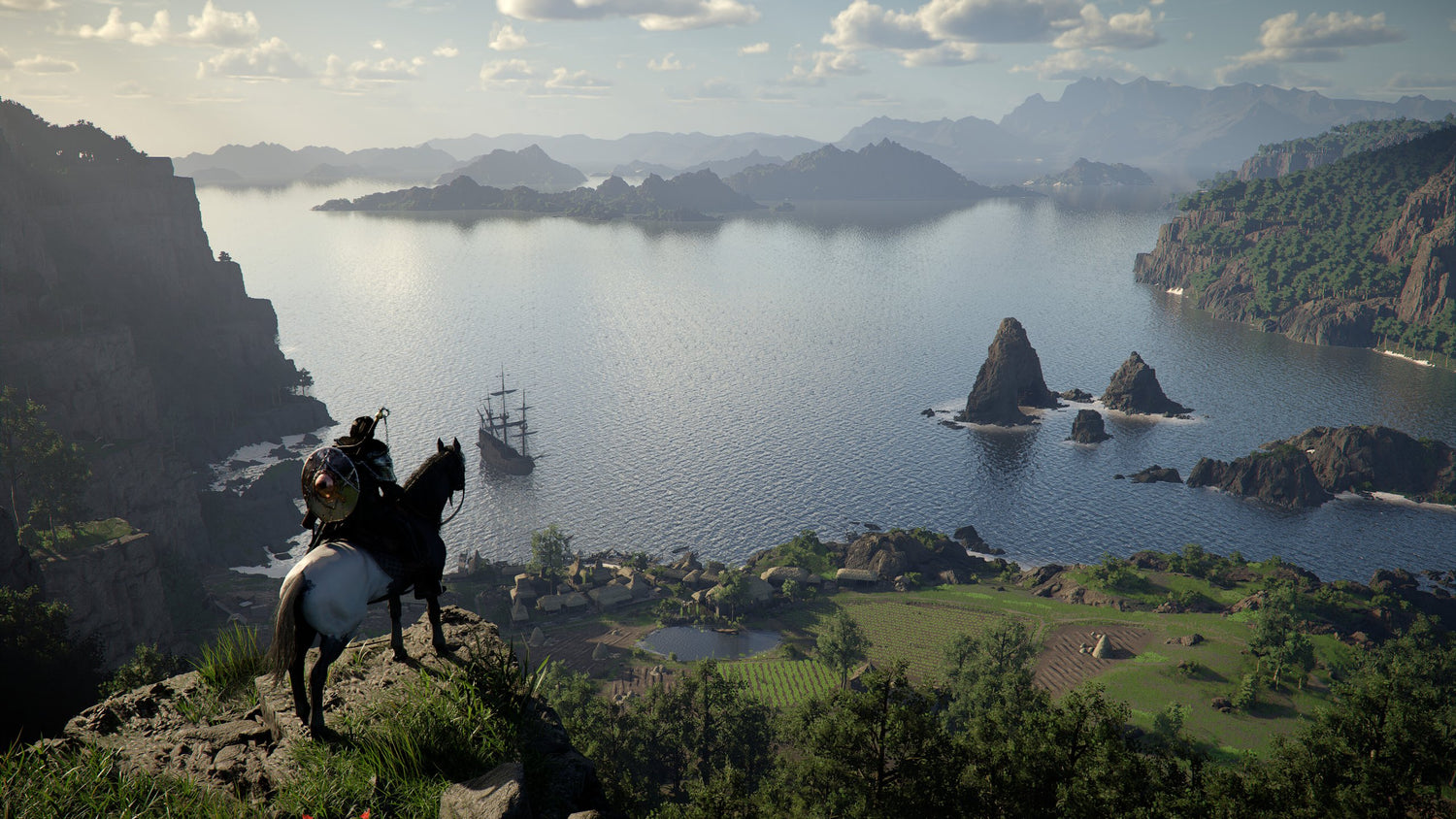
Gaming PC for New Games: What The Sinking City 2, Crimson Desert, Resonance, 1666: Amsterdam and War in the North Mean for Canadian Buyers
The latest wave of PC game trailers is a reminder that a Gaming PC for New Games is no longer just about “Can it run the game?” It is about how well it can handle bigger open worlds, denser environments, modern lighting, high-resolution textures, streaming, recording, editing, multitasking, and future updates that may raise performance demands after launch.
Recent trailers highlighted several very different PC gaming experiences: The Sinking City 2 with survival horror, investigation, monsters, puzzles, and eldritch atmosphere; Crimson Desert with a large update overview covering new content, pets, mounts, outfits, equipment, and features; Resonance: A Plague Tale Legacy with a story-driven historical adventure set before A Plague Tale: Requiem; 1666: Amsterdam with combat, investigation mechanics, and a day-and-night feature showcase; and The Lord of the Rings: War in the North - Legacy Edition, a re-release focused on co-op support and quality-of-life improvements rather than a full visual overhaul.
On the surface, this is just another exciting trailer roundup. For Canadian PC buyers, however, it points to a much bigger question: what should your next custom gaming PC actually be ready for? Are you building for cinematic single-player games, open-world exploration, co-op action, streaming, 4K gameplay, video editing, content creation, or workstation-style productivity on the same desktop?
At Groovy Computers, we build custom PCs in Canada for gamers, streamers, creators, designers, editors, 3D artists, and workstation users who want the right system the first time. When new trailers arrive and release calendars get crowded, the smartest buying decision is not always the cheapest PC. It is the build that matches your real workload, your monitor, your games, your software, your upgrade expectations, and your budget.
Why These New Trailers Matter for PC Buyers in Canada
Every new trailer gives PC gamers clues about the kind of hardware that may matter most. A horror game like The Sinking City 2 can lean heavily on atmosphere, lighting, shadows, reflections, environmental detail, and smooth camera movement. A large adventure title like Crimson Desert can stress the system with open areas, fast traversal, enemies, effects, animation, and high-resolution assets. A narrative game like Resonance: A Plague Tale Legacy may prioritize cinematic presentation and detail. A game like 1666: Amsterdam may combine stealth, investigation, combat, and a day-and-night cycle. A co-op re-release like War in the North - Legacy Edition may be less demanding visually, but still benefits from a stable PC, smooth online play, and strong multitasking if you are chatting, recording, or streaming.
So, what should you ask yourself before buying? Are you planning to play one new game, or are you preparing for the next several years of PC releases? A budget build may handle lighter or older games well, but newer AAA games can quickly expose weak GPUs, limited RAM, slow storage, or underpowered CPUs. If you want to avoid upgrading too soon, you need to think beyond minimum requirements.
Canadian buyers also face a different reality than shoppers in larger global markets. Component pricing can shift quickly, availability can vary by region, and replacement costs can climb when demand spikes. New game hype, GPU demand, memory pricing pressure, SSD pricing changes, and major shopping periods can all influence the final cost of a full system. That is why timing matters.
What Do You Want Your Next PC to Do for You?
Before choosing a graphics card, processor, RAM amount, or storage size, start with the most important question: what do you want your next PC to do for you?
Do you want to play new games at 1080p without overspending? Do you want a 1440p Gaming PC Canada buyers can rely on for high frame rates and sharp visuals? Do you want a 4K Gaming PC Canada setup for ultra settings, ray tracing, and premium monitors? Are you planning to stream on Twitch or YouTube while gaming? Do you edit gameplay clips for TikTok, YouTube Shorts, or long-form videos? Are you using Adobe Premiere Pro, DaVinci Resolve, Photoshop, Lightroom, Blender, Unreal Engine, or CAD software in addition to gaming?
A modern gaming desktop is often more than a gaming machine. For many Canadian customers, it becomes a home office system, school computer, editing PC, streaming setup, design workstation, and entertainment hub. That means the right choice depends on your full lifestyle, not just one game trailer.
If your answer is “I want one powerful PC that can game, stream, edit, and last,” then a balanced custom build is usually smarter than grabbing a generic prebuilt with mismatched parts. A strong GPU helps with gaming, ray tracing, streaming encoders, AI tools, and GPU-accelerated creator apps. A strong CPU helps with simulation, multitasking, editing, compiling, rendering, and background tasks. Enough RAM keeps everything responsive. Fast SSD storage reduces load times and improves workflow. Proper cooling protects performance under long sessions.
Gaming PC for New Games: Which Performance Tier Fits You?
Choosing a Gaming PC for New Games becomes much easier when you match your build to your display and expectations. The best PC is not always the most expensive one; it is the one that fits how you actually play.
Are You Playing at 1080p?
A 1080p gaming PC is ideal for value-focused gamers, students, esports players, and first-time buyers who want smooth gameplay without stepping into premium pricing. If your monitor is 1080p and your goal is strong performance in competitive games, co-op titles, lighter story games, and current releases at reasonable settings, you do not necessarily need a flagship GPU.
But ask yourself this: are you buying for today only, or do you want headroom for upcoming games? If you choose the lowest possible GPU and minimal RAM, you may save money now but lose flexibility later. New games can demand more VRAM, more system memory, and faster storage than older titles. A good budget gaming computer should still be built with upgrade paths in mind.
For many buyers, this tier fits if they want an Affordable Gaming PC Canada option, a first gaming PC, or a system for esports and moderate AAA gameplay. It can also work well if you are not streaming, not editing heavily, and not targeting ultra settings.
Are You Ready for 1440p Gaming?
For many serious gamers, 1440p is the sweet spot. It looks significantly sharper than 1080p, is easier to drive than 4K, and pairs well with high-refresh monitors. If trailers like Crimson Desert or The Sinking City 2 make you want richer environments, smoother camera movement, and stronger visual settings, a 1440p-focused build is often the best balance of performance and value.
What PC do I need for 1440p gaming? In practical terms, you need a GPU with enough performance and VRAM for modern textures, a CPU that can keep frame rates consistent, 32GB of RAM for better long-term comfort, and fast NVMe SSD storage for modern game installs. If you also plan to stream, record, or edit, that changes the equation further.
A 1440p build is often the best recommendation for gamers who want new games to feel premium without paying for every last frame at 4K. It is also a strong tier for people who want a Gaming and Streaming PC Canada setup because the system has more headroom for multitasking.
Are You Targeting 4K, Ultra Settings, and Ray Tracing?
If your goal is 4K gaming, ultra settings, ray tracing, high-resolution texture packs, and long-term performance, you are entering premium gaming PC territory. This is where component balance becomes critical. A powerful GPU matters, but so do the CPU, cooling, power supply, case airflow, motherboard quality, RAM capacity, and storage layout.
What PC do I need for 4K gaming? You need a high-end GPU, a strong modern processor, quality cooling, and enough memory to prevent bottlenecks in demanding titles. If you want ray tracing, path-tracing-inspired visuals, or heavy visual effects, GPU power and VRAM become even more important. If you also edit 4K video or work with 3D projects, you may want a system that behaves more like a hybrid gaming workstation.
This tier is best for buyers who want fewer compromises, better longevity, premium monitors, and a build that will not feel outdated quickly. If you are asking, how long will a high-end gaming PC last?, the answer depends on your expectations. A high-end build can remain highly capable for years, but the exact lifespan depends on whether you expect 1080p high settings, 1440p high-refresh gaming, or 4K ultra settings in every new release.
What the Trailer Lineup Tells Us About Different PC Workloads
The games in this trailer lineup are not all demanding in the same way. That is important because “gaming performance” is not one single thing. A survival horror game, a medieval narrative adventure, an open-world action RPG, an investigation-heavy title, and a co-op re-release can stress a PC differently.
The Sinking City 2: Atmosphere, Lighting, and Smooth Horror Gameplay
The Sinking City 2 trailer focuses on gameplay in Arkham, with monsters, clues, puzzles, and cosmic horror. Games like this benefit from stable frame pacing, strong lighting performance, and visual consistency. Horror games depend on immersion. A stutter at the wrong moment can pull you out of the atmosphere immediately.
If you love story-driven horror and atmospheric worlds, ask yourself: do you care more about maximum FPS, or do you want a quiet, smooth, visually rich experience? A well-built custom PC can prioritize both performance and noise control through proper cooling, airflow, and smart part selection.
Crimson Desert: Open-World Scale, Content Updates, and System Headroom
Crimson Desert received an update highlights overview trailer covering key additions, including new content and features, pets and mounts, outfits, equipment, and more. This kind of game can grow after launch, and ongoing updates can increase storage needs, asset density, and system expectations.
That raises a practical buying question: are you leaving enough storage and performance headroom for games that keep expanding? A small SSD can feel fine at first, but modern game libraries fill up quickly. A custom gaming PC with a fast primary NVMe SSD and room for future storage expansion is a smarter long-term choice than a cramped system that forces you to uninstall games every month.
Resonance: A Plague Tale Legacy: Cinematic Storytelling and Visual Detail
Resonance: A Plague Tale Legacy is positioned as a story-focused game set fifteen years before A Plague Tale: Requiem. Narrative games often emphasize atmosphere, character detail, animation, lighting, and cinematic pacing. You may not need esports-level frame rates, but you do want consistency and visual quality.
If you enjoy cinematic adventures, ask yourself: do you want to experience these games at console-like settings, or do you want the PC advantage with higher frame rates, sharper visuals, ultrawide support, and better multitasking? The answer helps determine whether you should buy a value gaming PC, a 1440p performance build, or a premium 4K system.
1666: Amsterdam: Investigation, Combat, and Day-Night Systems
1666: Amsterdam’s trailer highlighted combat, investigation mechanics, and a day-and-night cycle. Systems like dynamic lighting, NPC routines, stealth states, and environmental changes can create CPU and GPU load in different ways. Even when a game does not look like a pure graphics showcase, simulation and world systems can still matter.
This is where balanced builds shine. A PC with a strong GPU but weak CPU may struggle in simulation-heavy or open-world scenarios. A strong CPU with a weak GPU may feel held back visually. If you want a custom PC that handles different genres well, the parts need to be selected as a complete system, not as random spec-sheet highlights.
The Lord of the Rings: War in the North - Legacy Edition: Co-Op, Convenience, and Modern Usability
The Lord of the Rings: War in the North - Legacy Edition appears to focus on online and split-screen co-op support, quality-of-life improvements, character hot-swapping, refined targeting, improved UI elements, and autosave rather than a major visual overhaul. This is a useful reminder that not every great PC experience requires the most expensive hardware.
If you mostly play co-op, older titles, remasters, indie games, and medium-demand releases, you may not need a flagship PC. But you still benefit from a reliable desktop with modern storage, stable networking, good thermals, and enough performance for Discord, streaming, recording, and background apps.
Is a Gaming PC Good for Streaming, Editing, and Content Creation?
Yes, a gaming PC can be excellent for streaming and content creation, but only if it is configured properly. Many customers start by asking, is a gaming PC good for content creation? The answer depends on the CPU, GPU, RAM, storage, cooling, and the software you use.
If you want to stream gameplay from The Sinking City 2, Crimson Desert, or other new releases, you may need more than a basic gaming PC. OBS Studio, Streamlabs, browser sources, alerts, chat, Discord, recording software, and the game itself all compete for resources. A Gaming PC for Streaming Canada buyers can rely on should have enough CPU and GPU headroom to keep gameplay smooth while broadcasting.
If you also edit clips afterward, a Content Creation PC Canada style build may be a better fit. Video editing benefits from fast CPUs, GPU acceleration, ample RAM, and fast SSDs. A system that feels powerful while gaming can feel less impressive if it has limited memory, one small SSD, or a processor that struggles during exports.
Ask yourself: are you only playing, or are you also building an audience? If you are recording gameplay, cutting YouTube videos, creating thumbnails, editing short-form clips, managing social media assets, or running multiple monitors, your PC should be designed as a gaming and creator workstation, not just a frame-rate machine.
What PC Do Content Creators Need When New Games Drive New Content?
New game trailers create content opportunities. Reaction videos, gameplay breakdowns, livestreams, reviews, tutorials, benchmark videos, mod showcases, and social clips all require a capable PC. For creators, the question is not just “Can I play it?” It is can I play, record, edit, export, upload, and keep working without wasting hours?
A creator-focused gaming PC should be built around your workflow. If you use Adobe Premiere Pro, DaVinci Resolve, After Effects, Photoshop, Lightroom, or CapCut, you need a different balance than someone who only plays games. If you use Blender, Unreal Engine, Unity, Cinema 4D, SketchUp, or CAD software, the conversation changes again.
For a YouTuber or streamer, a strong GPU with a modern encoder can be extremely valuable. For a video editor, CPU cores, GPU acceleration, RAM, and storage speed all matter. For a photographer, fast single-core performance, sufficient RAM, SSD speed, and colour workflow stability can be more important than buying the most extreme GPU. For a 3D artist, GPU rendering performance and VRAM may decide how large your projects can become.
So, what PC do content creators need? They need a system built for the actual software they use, the resolution they work in, the number of apps they run at once, and the time they cannot afford to lose. A custom build from Groovy Computers can be configured for gaming first, creator work first, or a balanced hybrid workflow.
Do You Need a Budget Gaming Computer, Premium RTX Gaming PC, Creator PC, or Workstation?
The easiest way to avoid overspending or underbuying is to identify your buyer type. Which one sounds most like you?
- The value gamer: You want a reliable gaming desktop for 1080p gaming, esports, school, general use, and a growing Steam library. You care about price, but you do not want a disposable PC.
- The 1440p performance gamer: You want high frame rates, sharper visuals, stronger settings, and better longevity for modern AAA games.
- The premium 4K gamer: You want ultra settings, ray tracing, a high-end monitor, fewer compromises, and a system that feels powerful for years.
- The streamer: You game while running OBS, chat, browser windows, Discord, alerts, overlays, and recording tools. You need performance headroom, not just benchmark numbers.
- The video editor: You need a Video Editing PC Canada customers can use for smooth timelines, faster exports, 4K editing, and creative multitasking.
- The designer or photographer: You use Photoshop, Lightroom, Illustrator, Canva, InDesign, Capture One, or similar tools and need a responsive, colour-workflow-friendly desktop.
- The 3D artist or workstation user: You need a 3D Rendering PC Canada or workstation for Blender, Unreal Engine, CAD, animation, visualization, or rendering-heavy projects.
- The hybrid power user: You want one PC for gaming, streaming, editing, productivity, and creative work. You need a balanced custom system with room to grow.
If you are unsure which category fits, that is normal. Many customers overlap. A gamer may become a streamer. A student may become a video editor. A photographer may start using AI tools. A designer may move into 3D mockups. A custom PC is valuable because it can be planned around where you are going, not just where you are today.
Is It Better to Buy a Gaming PC Now or Wait?
One of the biggest questions Canadian buyers ask is: is it better to buy a gaming PC now or wait? The honest answer depends on your current system, upcoming games, component availability, and budget. But waiting is not automatically safer.
New game releases and major trailers can trigger demand for GPUs, CPUs, RAM, SSDs, monitors, and complete systems. When many buyers decide at the same time that their old PC is not ready, availability can tighten. Prices can change quickly, especially in Canada where shipping, exchange rates, distribution, and inventory cycles can influence the final cost.
If your current PC is already struggling, waiting for a perfect future moment can backfire. You may miss sale periods, face higher replacement costs, or end up rushing into the wrong build when a game finally launches. If you know you want to play upcoming games, stream, edit, or work faster, it can make sense to plan your build before demand peaks.
Ask yourself: are you buying because you have a real performance need, or are you waiting because the decision feels complicated? If the barrier is confusion, Groovy Computers can help you choose the right tier instead of guessing.
Should You Finance a Better PC Instead of Buying a Cheaper One?
Another important question is: should I finance a better PC instead of buying a cheaper one? For many customers, financing can be a practical way to secure a stronger system now rather than compromising on a build that may need upgrades too soon.
Groovy Computers offers financing options up to 4 years, which can help Canadian buyers spread out the cost of a better custom PC. That does not mean every customer should buy the most expensive system. It means you can compare the real long-term value of a stronger build against the short-term savings of a weaker one.
A cheaper PC may look attractive today, but if it lacks GPU power, RAM, SSD capacity, or cooling, it can become frustrating quickly. Upgrading later may cost more than choosing the right configuration at the start. Replacement parts, labour, downtime, and compatibility limits can all add up.
If you are planning to play new AAA games, stream, edit video, or use professional software, financing may help you choose the system you actually need instead of settling for the minimum. The key question is not “What is the lowest price?” It is what monthly investment gets me the performance, reliability, and lifespan I want?
Why Custom Builds Matter More Than Generic Prebuilts
When a game trailer gets people excited, many shoppers start comparing spec sheets. They look at the GPU name, CPU name, RAM amount, and price. Those specs matter, but they do not tell the whole story.
A generic prebuilt can hide compromises in the power supply, motherboard, cooling, case airflow, storage quality, upgradeability, noise levels, and testing process. Two PCs with similar headline specs can perform differently under sustained gaming, streaming, or rendering workloads.
A Custom Gaming PC Canada buyer should care about the complete system. Is the CPU cooled properly? Is the GPU getting enough airflow? Is the power supply appropriate for upgrades? Is the RAM capacity right for your games and software? Is the SSD fast and large enough? Is the case practical? Has the system been stress tested?
Groovy Computers builds custom desktops with careful part matching, rigorous testing, and a 1-year warranty. That matters because reliability is performance. A powerful PC that overheats, crashes, throttles, or arrives poorly configured is not a good deal.
What Specs Should You Prioritize for New Games?
If you are buying a Gaming PC for New Games, prioritize the parts that affect your actual experience.
- Graphics card: The GPU is critical for resolution, frame rate, ray tracing, visual settings, VRAM-heavy textures, streaming encoders, and GPU-accelerated creator work.
- Processor: The CPU affects frame consistency, simulation-heavy games, multitasking, streaming, editing, rendering, and overall responsiveness.
- Memory: 16GB can still work for some gaming, but 32GB is increasingly comfortable for modern gaming, streaming, multitasking, and creator workflows. Heavy editing or 3D work may need 64GB or more.
- Storage: Fast NVMe SSD storage improves load times, system responsiveness, project handling, and modern game installation management.
- Cooling: Good cooling keeps performance stable during long gaming sessions, rendering jobs, exports, and streaming marathons.
- Power supply: A quality power supply supports stability, safety, efficiency, and future upgrade headroom.
- Case airflow: Airflow affects noise, temperature, component lifespan, and real-world performance.
What specs do you need for this game? That depends on the game, your resolution, your target settings, and what else you run in the background. A custom PC builder can help translate your goals into parts that make sense together.
1080p, 1440p, or 4K: Which Resolution Should Canadian Gamers Choose?
Your monitor should guide your PC choice. Buying a high-end 4K machine for a basic 1080p monitor may not be the best use of your budget. Buying a low-end PC for a 4K display can lead to disappointment. Match the system to the screen.
Choose 1080p if you want affordability, competitive frame rates, and a strong first gaming PC. This is a smart choice for esports, students, and value-focused buyers.
Choose 1440p if you want a major visual upgrade, strong performance in new games, and a better balance between price and premium quality. This is the current sweet spot for many Canadian PC gamers.
Choose 4K if you want maximum detail, premium visuals, large displays, high-end GPUs, ray tracing, and longer-term headroom. This is the tier for enthusiasts who want fewer compromises.
Still unsure? Ask yourself: what monitor do you use now, and what monitor do you want next? A smart custom build should account for your next display upgrade, not just your current one.
Ray Tracing, VRAM, and Future-Proofing: What Should You Care About?
Modern PC gaming is increasingly shaped by ray tracing, high-resolution textures, upscaling technologies, larger worlds, and more advanced effects. This makes GPU selection more important than ever. VRAM can matter in texture-heavy games and higher resolutions, while raw GPU performance matters for frame rates and visual settings.
A Ray Tracing Gaming PC Canada buyer should not only ask whether a GPU supports ray tracing. The better question is: can it deliver the experience I want at my resolution? Ray tracing at 1080p, 1440p, and 4K can require very different performance levels.
Future-proofing does not mean a PC will run every future game at max settings forever. It means buying enough headroom that your system remains useful, enjoyable, and upgrade-friendly for longer. That includes choosing a good platform, enough RAM, appropriate power supply capacity, strong cooling, and storage expansion options.
What If You Also Need a PC for Video Editing, Photo Editing, Graphic Design, or 3D Modeling?
Many Groovy Computers customers are not only gamers. They are creators, business owners, students, streamers, designers, photographers, 3D artists, and professionals. If that sounds like you, your build should reflect that.
For video editing, prioritize CPU strength, GPU acceleration, RAM, and storage. A PC for Adobe Premiere Pro Canada or PC for DaVinci Resolve Canada workflow may need more memory and faster storage than a pure gaming build.
For photo editing, prioritize responsiveness, SSD speed, enough RAM, and strong performance in Photoshop, Lightroom, Capture One, or similar tools. If you work with large RAW files, batch exports, AI features, and multi-monitor setups, a generic entry-level PC can slow you down.
For graphic design, a balanced Graphic Design PC Canada build should feel fast in Photoshop, Illustrator, InDesign, Canva, CorelDRAW, Affinity Designer, and other creative tools. Designers often benefit from RAM, fast storage, CPU responsiveness, and a GPU that supports modern acceleration.
For 3D modeling and rendering, the build may need significantly more GPU power, VRAM, RAM, and CPU performance. A PC for Blender Canada or PC for Unreal Engine Canada setup can look very different from a budget gaming desktop. If your livelihood depends on renders, simulations, previews, and project files, a custom workstation can save time every week.
So ask yourself: is your next PC only for games, or is it also a tool that helps you create, earn, study, and work? If it is a tool, the right build can pay for itself in saved time and reduced frustration.
Why Canadian Buyers Should Think About Timing Before Prices Shift
PC pricing can move quickly. GPUs, CPUs, RAM, SSDs, cases, cooling, power supplies, and even shipping costs can change based on demand and supply. When major games approach launch, more people start upgrading. When creator software becomes more demanding, professionals look for stronger systems. When component availability tightens, waiting can reduce options.
This does not mean you should panic-buy. It means you should plan. If you know your current PC is near its limit, start comparing builds before you are forced to rush. If you want financing, explore it early. If you need a custom workstation for school, business, or client work, do not wait until your deadlines are already suffering.
Ask yourself: are you buying before a major game release, a hardware shortage, a sale period, a software upgrade, or a possible price spike? If the answer is yes, getting advice now may help you avoid paying more later or settling for less inventory.
Why Groovy Computers Is Built for Canadian Gamers and Creators
Groovy Computers is a Canadian custom PC builder focused on matching customers with the right desktop for gaming, streaming, editing, content creation, and workstation use. Whether you are in Nova Scotia, Atlantic Canada, or ordering online from elsewhere in Canada, the goal is the same: help you buy a PC that makes sense for your needs.
We understand that a customer looking for a budget gaming computer has different priorities than someone buying a premium RTX gaming PC, a custom creator PC, an editing workstation, or a 3D modeling workstation. We also understand that many customers are unsure where they fit. That is why the conversation matters.
Do you want high FPS at 1080p? Smooth 1440p gaming? 4K ultra settings? Ray tracing? OBS streaming? YouTube editing? Photoshop and Lightroom performance? Blender rendering? A workstation for CAD, Unreal Engine, or professional multitasking? Groovy Computers can help narrow the choices and build around your real goals.
Every serious PC purchase should come down to more than a spec list. You deserve part matching, airflow planning, clean assembly, stress testing, support, and warranty confidence. Groovy Computers offers custom builds, rigorous testing, and a 1-year warranty so Canadian buyers can feel more confident about the system they are investing in.
What Questions Should You Ask Before Buying Your Next Custom PC?
Before you buy or finance your next system, ask the questions that actually affect your experience:
- What games do I want to play in the next 12 to 36 months?
- Do I want 1080p, 1440p, 4K, ray tracing, high FPS, or ultra settings?
- Will I be streaming, recording, editing, or running multiple monitors?
- What software do I use for video editing, photo editing, graphic design, 3D modeling, or work?
- How much storage will my games, footage, projects, and files require?
- Do I want the cheapest system now, or a stronger system that avoids upgrading too soon?
- Would financing help me secure the right build before prices, demand, or replacement costs change?
- Do I want expert help choosing parts instead of guessing from generic online specs?
If those questions make you realize your needs are more complex than “just a gaming PC,” that is a good thing. It means you are thinking like a smart buyer.
CTA: What Should Your Next Gaming PC Be Ready For?
What should your next PC be ready for: The Sinking City 2, Crimson Desert, co-op classics, 1440p gaming, 4K ray tracing, streaming, video editing, Photoshop, Blender, school, business, or all of the above? If you want a Gaming PC for New Games that is built around your actual needs, visit GroovyComputers.ca to browse custom PC options, explore financing, or ask for help choosing the right build.
Whether you need a budget gaming computer, a premium RTX gaming PC, a custom creator PC, a video editing workstation, a photo editing desktop, a graphic design PC, or a 3D rendering workstation, Groovy Computers can help you choose a system that makes sense for your games, software, budget, and future upgrade plans.
Final Takeaway: New Game Trailers Are a Buying Signal, Not Just Hype
New trailers are exciting, but they are also useful buying signals. They remind us where PC gaming is headed: richer worlds, heavier assets, more immersive lighting, more content updates, better co-op features, and more overlap between gaming and content creation. A Gaming PC for New Games should be chosen with that future in mind.
If your current PC is already struggling, the smartest move is to plan before launch hype, sale rushes, or component price shifts limit your options. If your budget is tight, financing up to 4 years may help you choose a stronger system instead of compromising on a build that needs upgrades too soon. If you are unsure what tier fits, Groovy Computers can help turn your games, monitor, software, and goals into a practical custom PC recommendation.
The right gaming computer is not just about today’s trailer. It is about the next game, the next stream, the next edit, the next project, and the next few years of performance. For Canadian gamers and creators who want confidence, support, and a system built for real use, Groovy Computers is ready to help.
#GamingPCForNewGames #CustomGamingPCCanada #GamingPCBuilderCanada #1440pGamingPCCanada #4KGamingPCCanada #GamingAndStreamingPC #CreatorPCCanada #GroovyComputers
Groovy Computers | All Rights Reserved


Leave a comment
This site is protected by hCaptcha and the hCaptcha Privacy Policy and Terms of Service apply.