



































DLSS Gaming PC Canada Guide: Why Mortal Shell 2 and Subnautica 2 Make Your Next Upgrade Matter
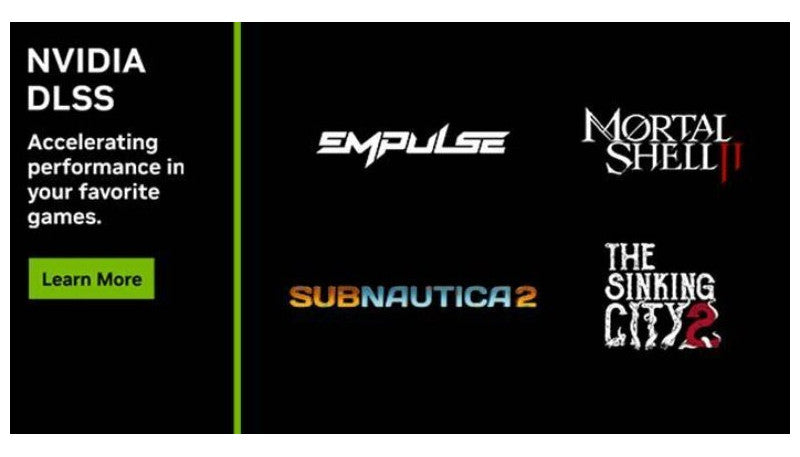
The latest wave of DLSS-enabled releases is another strong reminder that a modern DLSS gaming PC Canada buyers can trust is no longer just about raw specs on paper. As new titles like Mortal Shell 2, Subnautica 2, The Sinking City 2, and Splitgate 2 add support for technologies such as DLSS Super Resolution, Frame Generation, NVIDIA Reflex, and ray tracing, the real question for Canadian gamers becomes simple: is your current system ready for the next round of demanding PC games, or are you about to outgrow it faster than expected?
For Groovy Computers, this kind of news matters because it changes how customers should think about buying a custom gaming PC. It is no longer enough to ask whether a PC can launch a game. The better question is whether your computer can run that game the way you actually want to play it: smooth frame rates, better image quality, lower latency, stronger ray tracing performance, and enough headroom for future titles that will inevitably push hardware harder.
That is exactly where a Canadian custom PC builder can make a major difference. Instead of buying a generic system that looks good in a product title but falls short where it counts, buyers can match their budget, monitor resolution, game library, and long-term goals to a system built for real-world use.
What does the new DLSS game support news actually mean for PC buyers?
The source update highlights four titles that matter for different reasons. Mortal Shell 2 shows how even challenging action RPGs are leaning into visual upgrades and advanced rendering features. The Sinking City 2 demonstrates that atmospheric games are increasingly using effects that reward stronger GPUs. Splitgate 2 brings in the competitive angle, where responsiveness and frame pacing matter just as much as visual quality. Subnautica 2 shows another trend entirely: games can receive post-launch upgrades that make newer hardware features even more valuable over time.
That last point is easy to overlook. Many buyers still shop for a system based only on launch-day requirements. But what happens when a game receives a rendering update, a better upscaling model, or more demanding content later? What happens when the game you buy for today becomes the game you are still playing two years from now?
This is why hardware planning matters more than minimum requirements. A PC that merely runs a game is very different from a PC that keeps delivering strong 1080p, 1440p, or 4K performance after patches, expansions, driver improvements, and visual upgrades arrive.
Why should Canadian gamers care about DLSS, ray tracing, and Reflex before buying a new PC?
Because these features are no longer niche extras. They are becoming part of how many new PC games are designed, marketed, and optimized. If you are shopping for a Gaming PC Canada buyers would consider future-ready, it makes sense to think beyond older buying habits.
Do you want better frame rates without sacrificing image quality? DLSS matters. Do you want to turn on lighting and reflection features that make dark environments, water surfaces, metallic areas, and atmospheric scenes look far more immersive? Ray tracing matters. Do you play shooters where responsiveness is part of the advantage? Reflex matters.
Canadian buyers should also think carefully about value. A weaker machine may appear cheaper at checkout, but if it forces compromises in the exact games and features you care about, it may become the more expensive choice in the long run. Replacing a GPU too soon, upgrading the power supply earlier than expected, or rebuilding an entire platform because the original system was too limited can cost more than choosing the right build from the start.
What do you want your next PC to do for you?
Before choosing parts, start with the outcome. Do you want a system mainly for new AAA games? Are you chasing high FPS in competitive shooters? Are you planning to play cinematic games with ray tracing turned on? Do you also want to stream to Twitch or YouTube? Will this system handle school, work, editing, design, or content creation during the day and gaming at night?
Maybe you are asking a more practical question: what gaming PC do I need if I want to stop worrying about settings menus every time a big release drops?
That is the right question. The best buying decision comes from matching the PC to your use case, not from chasing random specs. A player focused on esports and latency needs something different from a buyer planning to explore visually demanding open-world releases. A customer creating videos, thumbnails, and livestreams needs a different balance again.
How do these new games help you decide which performance tier fits you?
The new DLSS-supported lineup gives a useful snapshot of today’s PC market. Some games reward high frame rates and low latency. Others benefit heavily from stronger visual features. Some ask more from the GPU. Others expose CPU limitations once you start multitasking, streaming, recording, or running background software.
If you are unsure where you fit, this breakdown can help.
Entry-level to value-focused buyers
If your goal is 1080p gaming with sensible settings, strong responsiveness, and access to modern features without overspending, you may be looking for a Budget Gaming PC Canada shoppers would consider practical rather than flashy. This tier makes sense for players focused on esports, lighter AAA settings, and a first serious desktop upgrade.
Ask yourself: are you mainly trying to play now, or are you trying to avoid replacing the system too soon? If your current plan only works for today’s lighter workloads, a slightly stronger system may offer much better value over time.
Mainstream performance buyers
This is often the sweet spot for customers targeting 1440p. If you want high settings, smooth frame rates, modern upscaling, and enough overhead for upcoming releases, a 1440p Gaming PC Canada buyers choose in this range can be the smartest long-term move.
For many players, this is where DLSS really shines. You get a stronger experience in visually demanding games while maintaining better image quality and performance than older hardware can comfortably manage. If you are wondering what PC do I need for 1440p gaming, the answer is usually not the cheapest tower available. It is the build that balances GPU strength, CPU capability, cooling, memory, and storage so that the entire system feels fast and consistent.
Premium and enthusiast buyers
If your answer is 4K, ultra settings, ray tracing, premium monitors, long ownership cycles, and minimal compromise, then a High End Gaming PC Canada customers invest in should be chosen very carefully. This tier is for buyers who want room for future games, stronger visual features, and a better experience across demanding titles.
Are you the kind of buyer who would rather spend more once and keep the system longer? Do you want to enjoy modern visual features instead of turning them off as soon as frame rates dip? If so, buying too low in the stack can work against you.
Mortal Shell 2, Subnautica 2, and the rise of feature-heavy PC gaming
Mortal Shell 2 is particularly interesting because it combines a Soulslike action formula with a larger world, dungeon density, exploration freedom, and support for advanced effects such as ray-traced reflections and global illumination in its beta. That combination points to a familiar pattern in PC gaming: games are getting broader, richer, and more visually ambitious at the same time.
Subnautica 2 adds another layer to the conversation. Its update to a newer DLSS Super Resolution model shows that hardware-aware games do not stand still. The title supported DLSS features from day one and then improved further. In practical buying terms, that means a better GPU can keep paying off after launch.
So what does that mean for the customer shopping today? It means future-proofing is not about buying the most expensive part available. It is about selecting a build with the right capabilities for where games are going, not just where they were last year.
Are you only gaming, or do you also want to stream, edit, and create?
Many buyers who start by looking for a gaming PC are actually shopping for something broader. They want to game at night, stream on weekends, clip gameplay for social media, edit videos for YouTube, design thumbnails, and maybe even work on school or business projects between sessions.
If that sounds like you, then your next system may need to be more than a gaming tower. It may need to be a Content Creation PC Canada customers can rely on for both play and productivity.
Do you want to run OBS smoothly while gaming? Do you plan to record high-bitrate footage? Are you editing in Adobe Premiere Pro, DaVinci Resolve, or CapCut? Are you working in Photoshop, Lightroom, Illustrator, or other Adobe Creative Cloud applications? These questions matter because the right custom PC changes depending on whether your bottleneck is gaming performance, rendering time, memory capacity, storage speed, or multitasking stability.
When a gaming PC is also your streaming PC
A strong Streaming PC Canada build benefits from more than just a powerful graphics card. CPU headroom, sufficient RAM, fast NVMe storage, and balanced thermals matter when you are gaming, streaming, and running background applications at the same time.
If you are asking what PC do I need for streaming, the answer depends on your content style. Casual 1080p streaming with esports titles is very different from streaming a demanding new action RPG with background recording and webcam overlays. Buying too close to the edge can lead to dropped frames, noisy cooling, and an experience that feels frustrating even if benchmarks looked acceptable on paper.
When your system also needs to edit video
A Video Editing PC Canada customers choose should be designed around workflow, not just gaming benchmarks. Fast exports, smoother timelines, better playback, and room for larger media files all benefit from the right CPU, GPU, RAM, and SSD layout.
Are you editing 1080p clips, or are you moving into 4K? Do you use effects-heavy timelines? Do you want faster rendering in Premiere Pro or smoother performance in DaVinci Resolve? If yes, then choosing a build with creator workloads in mind can save hours over the lifespan of the machine.
When design and photography are part of the plan
If your system needs to handle Photoshop, Lightroom, Illustrator, InDesign, Canva workflows, RAW image management, and high-resolution assets, then a well-balanced Creator PC Canada setup may fit you better than a gaming-only build. Photo editing and graphic design often reward memory capacity, fast storage, responsive single-core performance, and reliable multi-monitor support.
Is a gaming PC good for photo editing or graphic design? Sometimes, yes. But the best answer is usually a system tailored to both. That means not overspending where you do not need to and not cutting corners in the areas that affect your real work.
When 3D work enters the picture
Some readers following gaming news are also students, indie developers, artists, or professionals working in Blender, Unreal Engine, Unity, Maya, 3ds Max, CAD software, or rendering tools. If that is you, a regular gaming-focused recommendation may not be enough. A 3D Modeling PC Canada or workstation-oriented build needs a more deliberate balance of GPU power, CPU capability, memory, thermals, and upgrade path.
Are you building game assets? Rendering scenes? Learning Unreal Engine while also gaming on the same machine? Then your hardware should reflect that dual purpose from the start.
Is now a good time to buy a gaming PC, or should you wait?
This is one of the most common buyer questions, and it matters more whenever new games begin highlighting advanced features. On one hand, waiting can sometimes feel sensible. On the other hand, waiting can also mean paying more later, dealing with worse part availability, or buying under pressure right before a game release or sale season.
If you know a title is coming that you want to enjoy properly, it is worth asking: would you rather shop calmly now, or rush later when demand rises? Would you rather secure a stronger build before replacement costs climb, or settle for whatever is left when the market tightens?
No one can promise exact future pricing, and responsible buyers should avoid panic shopping. But it is still smart to recognize that GPU demand, memory pricing, storage costs, and full-system component pressure can shift quickly. When a system is both your entertainment machine and your productivity machine, delaying too long can create a more expensive problem than acting at the right time.
Should you buy a cheaper PC now, or finance a stronger system that lasts longer?
This is where many customers make their most important decision. If your budget is tight, it is natural to look at the lowest possible upfront cost. But ask yourself a harder question: will the cheaper PC still meet your needs when the next round of games and software updates arrives?
For many buyers, the smarter path is not buying the weakest system they can get away with. It is choosing a better-balanced custom build and using Gaming PC Financing Canada options to spread out the cost. That can be especially helpful if financing lets you step into a stronger GPU tier, more RAM, better storage, or a more capable CPU that meaningfully extends the life of the machine.
Should I finance a gaming PC? That depends on your priorities. If financing helps you avoid upgrading too soon, reduces compromise, and gets you into a system you will be happier with for years, it can be a practical tool rather than just a payment method.
Groovy Computers offers options that can help customers secure a stronger build without needing the full amount upfront, including financing up to 4 years where applicable. For a buyer trying to balance performance, timing, and budget, that can make a major difference.
Which type of buyer should choose which kind of build?
Not every shopper needs the same machine. Here is the practical way to think about it.
Choose a value-focused gaming PC if:
- You mainly play at 1080p
- You focus on esports, lighter AAA titles, or medium-to-high settings
- You want a first proper desktop without overspending
- You need a practical entry point with upgrade potential
Choose a mainstream RTX gaming PC if:
- You want 1440p gaming with stronger visual quality
- You care about DLSS support in current and upcoming games
- You want smoother performance in modern single-player releases
- You may also stream, record, or multitask regularly
Choose a premium gaming PC if:
- You want 4K or high-refresh 1440p performance
- You plan to use ray tracing where available
- You want to keep the system longer before major upgrades
- You prefer fewer compromises and more overhead for future titles
Choose a creator or workstation-leaning build if:
- You game and also edit video, stream, or design content
- You work in Adobe apps, DaVinci Resolve, Blender, or Unreal Engine
- You need more memory, storage planning, and multitasking stability
- You want one machine to handle both entertainment and serious work
What specs matter most if you want a PC for new DLSS-supported games?
The best PC for new games is not just about one component, but some priorities stand out.
GPU
If the source news tells us anything, it is that GPU capability remains central. DLSS, ray tracing, frame generation, and higher resolutions all put the graphics card at the heart of the experience. If you are shopping for a Custom Gaming PC Canada buyers would trust for modern releases, the graphics card should align with your target resolution and visual expectations.
CPU
Action games, shooters, open-world titles, and multitasking setups can all expose CPU limitations. If you plan to game while streaming, recording, chatting, browsing, or running creator tools, your processor matters more than many budget lists suggest.
RAM
Modern gaming already benefits from adequate memory, and mixed-use systems need even more breathing room. If you are streaming, editing, or working in creative software, RAM capacity can directly affect smoothness and longevity.
Storage
Newer games are large, patches are frequent, and creators accumulate footage fast. Fast SSD storage improves load times, responsiveness, and workflow quality. It also reduces the frustration of constantly deleting files to make room for the next title.
Cooling and power delivery
This is where custom build quality separates itself from many generic systems. Stable thermals, proper airflow, and a power supply chosen for reliability and upgrade planning can affect noise, longevity, and day-to-day consistency.
Why does custom building matter more when games are getting heavier?
Because generic configurations often cut corners in the places buyers notice later, not earlier. On a spec sheet, two systems can look similar. In real life, one may have better cooling, cleaner component matching, a more sensible power supply, stronger upgrade flexibility, and more reliable long-session performance.
Is a custom gaming PC worth it? For many buyers, yes. Especially when you want a machine tailored to how you actually use it. A customer who mainly plays shooters should not be pushed into the same build as someone editing 4K footage and rendering 3D assets. A buyer planning to finance should not be left guessing whether a small spec jump would create much better long-term value.
That is why Groovy Computers focuses on custom builds that are matched to customer goals instead of one-size-fits-all assumptions.
Why does testing and warranty support matter when choosing your next PC?
Buying a stronger PC is not only about speed. It is also about confidence. If you are spending serious money on a gaming desktop, creator system, or workstation, you want to know it has been built carefully and tested properly.
Groovy Computers emphasizes rigorous testing and includes a 1-year warranty, which matters even more when you are buying for demanding games, creator workloads, or a mixed-use setup that has to perform every day. Reliability is not a luxury feature. It is part of the value of the machine.
Would you rather gamble on a random marketplace listing, or choose a Canadian builder that understands airflow, performance matching, stability, and support? Most buyers already know the answer once they frame it that way.
Why Canadian buyers should think differently about PC upgrades
Canadian shoppers face a different buying environment than some international markets. Shipping, exchange pressure, availability swings, and regional support can all shape the real cost of a PC. That is why working with a Canadian Custom PC Builders option matters. It is not just about the tower itself. It is about support, trust, delivery expectations, and getting a system that makes sense for your budget in Canada.
Whether you are in Nova Scotia, Halifax, Trenton, New Glasgow, or ordering from elsewhere across the country, buying from a Canadian builder helps keep the decision simpler and more grounded. It also makes it easier to ask practical questions before you buy.
Questions to ask yourself before you choose a build
- What games do I actually want to play over the next 1 to 3 years?
- Am I aiming for 1080p, 1440p, or 4K?
- Do I care about ray tracing, high refresh rates, or low latency?
- Will I stream, record, or multitask while gaming?
- Do I also need this system for video editing, photo editing, graphic design, or 3D modeling?
- Would a slightly stronger build save me from upgrading too soon?
- Am I shopping before a major game release or during a period when component prices may tighten?
- Would financing help me secure the right build now instead of settling for less?
- Do I want a generic PC, or do I want help choosing a system matched to my real workload?
Need help choosing the right performance tier for your next PC?
If you are reading about DLSS support in new games and wondering whether your current system is still enough, that is usually a sign to take the next step. You do not need to guess your way through GPU tiers, memory decisions, cooling choices, and future-proofing on your own.
If you want a custom gaming PC Canada buyers can rely on for new games, streaming, editing, creative work, or a mix of everything, Groovy Computers can help you narrow down the right category without overbuying or underbuilding. And if budget is the sticking point, financing may help you move into a stronger system before the next price shift makes the same upgrade harder to justify.
So what do you want your next PC to do for you? If the answer includes smoother gameplay, better visuals, more creative freedom, and fewer compromises, visit GroovyComputers.ca and explore a build that actually fits the way you play and work.
Final thoughts: DLSS game support is a buying signal, not just a tech headline
News about DLSS expansion in titles like Mortal Shell 2 and Subnautica 2 is more than an industry update. It is a useful signal for anyone considering a new gaming desktop, creator system, or workstation. Games are continuing to reward better GPUs, smarter system balance, and feature-ready hardware. Buyers who plan around that trend make stronger long-term decisions.
If you are asking whether to upgrade, whether to wait, what performance tier fits your monitor, or whether financing a stronger machine makes more sense than replacing a weaker one later, those are the right questions. And the best time to answer them is before you are forced into a rushed purchase. A modern DLSS gaming PC Canada buyers choose today should be ready not just for the current headline, but for the next one too.
#DLSSGamingPCCanada #GamingPCCanada #CustomGamingPCCanada #CreatorPCCanada #StreamingPCCanada #VideoEditingPCCanada #3DModelingPCCanada #CanadianCustomPCBuilders #GamingPCFinancingCanada #NovaScotiaPCBuilder
Groovy Computers | All Rights Reserved


Leave a comment
This site is protected by hCaptcha and the hCaptcha Privacy Policy and Terms of Service apply.